![HP DeskJet 4155e [4133e, 4152e, 4158e]](https://i.rtings.com/assets/products/VPtvnkK4/hp-deskjet-4155e-4133e-4152e-4158e/design-medium.jpg?format=auto)
The HP DeskJet 4155e is an all-in-one inkjet printer designed for home use. It's identical to the HP DeskJet Plus 4155 but comes with a six-month supply of free ink through HP+, HP's ink subscription service. It uses a two-cartridge system with one black and one tri-color cartridge, and it's compatible with the HP 67, 67XL, and 67XXL cartridges. It has USB and Wi-Fi connectivity, supports Apple AirPrint and Mopria Print Service, and works with HP's Smart mobile app. Its scanner has an automatic feeder but doesn't support duplex scanning.
This printer is part of the HP DeskJet 4100e all-in-one series, which includes many variants. All of the variants are identical in feature and performance; the model number simply changes slightly depending on the region and retailer. You can see all the variants in the Differences Between Variants section below.
Our Verdict
The HP DeskJet 4155e is sub-par for family use. Its print quality isn't very good for documents and photos, and it's expensive to maintain because the ink cartridges run out quickly. It also prints very slowly, which might be a problem if you're in a household with many people sharing the printer. The scanner has an automatic feeder, but unfortunately, it's slow and produces mediocre-quality scans that lack fine detail, which isn't ideal for digitizing photos.
- Has an automatic document feeder.
- XL and XXL cartridge sizes available.
- Feature-rich mobile app.
- Narrow color range and bad color accuracy.
- Doesn't support borderless printing.
- Low page yield, high cost-per-print.
- Photos lack fine details.
- Scanner doesn't capture fine details.
- Visible banding and misalignment in black and white documents.
The HP DeskJet 4155e is inadequate for small or home offices. It produces mediocre-quality black-and-white documents, prints very slowly, and requires a lot of maintenance because the ink cartridges run out quickly. Also, while it has an automatic document feeder, it's slow and doesn't support duplex scanning, meaning you have to manually flip double-sided sheets. It has Wi-Fi and USB connectivity but lacks Ethernet, which might be an issue for offices that rely on a wired LAN connection.
- Has an automatic document feeder.
- XL and XXL cartridge sizes available.
- Low page yield, high cost-per-print.
- Very slow printing speed.
- No duplex scanning.
- Manual double-sided printing.
- Scanner doesn't capture fine details.
- Visible banding and misalignment in black and white documents.
The HP DeskJet 4155e is a middling option for students. Its print quality isn't very good, especially black and white documents, and it's extremely slow, printing only three pages per minute, which is far from ideal if you need to print an assignment at the last minute. Additionally, you have to replace the ink cartridges often because they run out quickly, increasing the long-term cost of ownership. The scanner has an automatic feeder, but the scan quality is mediocre, as it has trouble capturing fine details, and the lid's hinges can't extend, making it hard to close the lid over thicker items like textbooks.
- Has an automatic document feeder.
- XL and XXL cartridge sizes available.
- Feature-rich mobile app.
- Low page yield, high cost-per-print.
- Very slow printing speed.
- Scanner doesn't capture fine details.
- Visible banding and misalignment in black and white documents.
The HP 4155e is poor for black and white printing. Its print quality isn't very good, as it prints documents with visible banding and misalignment. It also prints very slowly and costs a lot to maintain because the ink cartridges run out quickly. While you can get XL and XXL high-yield cartridges, you'll likely still need to replace them if you print in high volumes. Double-sided printing is manual, so you need to flip pages over manually when the printer prompts you.
- Has an automatic document feeder.
- XL and XXL cartridge sizes available.
- Low page yield, high cost-per-print.
- Very slow printing speed.
- No duplex scanning.
- Manual double-sided printing.
- Scanner doesn't capture fine details.
- Visible banding and misalignment in black and white documents.
The HP 4155e is sub-par for photo printing. Photos look flat, grainy, and lacking in detail. Also, its color accuracy is bad, with most colors looking very different from the original. It prints slowly, taking almost two minutes to print a 4" x 6" photo, and unfortunately, it's expensive to maintain because the ink cartridges run out quickly.
- XL and XXL cartridge sizes available.
- Narrow color range and bad color accuracy.
- Doesn't support borderless printing.
- Low page yield, high cost-per-print.
- Photos lack fine details.
- XL and XXL cartridge sizes available.
- Low page yield, high cost-per-print.
- XL and XXL cartridge sizes available.
- Low page yield, high cost-per-print.
- XL and XXL cartridge sizes available.
- Low page yield, high cost-per-print.
- XL and XXL cartridge sizes available.
- Low page yield, high cost-per-print.
- XL and XXL cartridge sizes available.
- Low page yield, high cost-per-print.
Performance Usages
Changelog
- Updated Feb 29, 2024: Minor in-text adjustments to further clarify product details.
- Updated Nov 10, 2023: Added a link to the HP ENVY 6065e in the 'Printing Speed' section of the review to provide an alternative that supports automatic duplex printing.
- Updated Mar 02, 2023: We've updated the review and added more information in the Scan Quality, Black and White Documents, Color Documents, and Small Details sections.
- Updated Jan 19, 2023: We've updated the review with more information regarding the tested model and its variants.
Check Price
Differences Between Sizes And Variants
We tested the HP DeskJet 4155e. It's identical to the HP DeskJet Plus 4155 but comes with a six-month supply of free ink through HP+. The HP DeskJet 4100e printer series includes many variants, which you can see in the table below. All of the variants are identical in feature and performance; the model number only changes depending on the region, retailer, and color of the printer.
| Model | Region/Retailer | Product Number | Notes |
|---|---|---|---|
| DeskJet 4110e | UK, Europe | 26Q91B | |
| DeskJet 4120e | Europe, Australia | 26Q90B, 26Q94A | |
| DeskJet 4121e | Australia | 26Q95A | |
| DeskJet 4122e | UK | 26Q92B, 26Q96A | |
| DeskJet 4123e | Australia | 26Q96A, 26Q97A | |
| DeskJet 4130e | Europe | 26Q93B | |
| DeskJet 4132e | Canada | 2A9T7A | |
| DeskJet 4133e | North America-Best Buy | 26Q92A | Black Friday model |
| DeskJet 4152e | North America | 26Q91A | |
| DeskJet 4155e | North America | 26Q90A | |
| DeskJet 4158e | US-Costco, Sam's Club | 26Q93A | |
| DeskJet 4175e | US-Walmart | 2A9U0A |
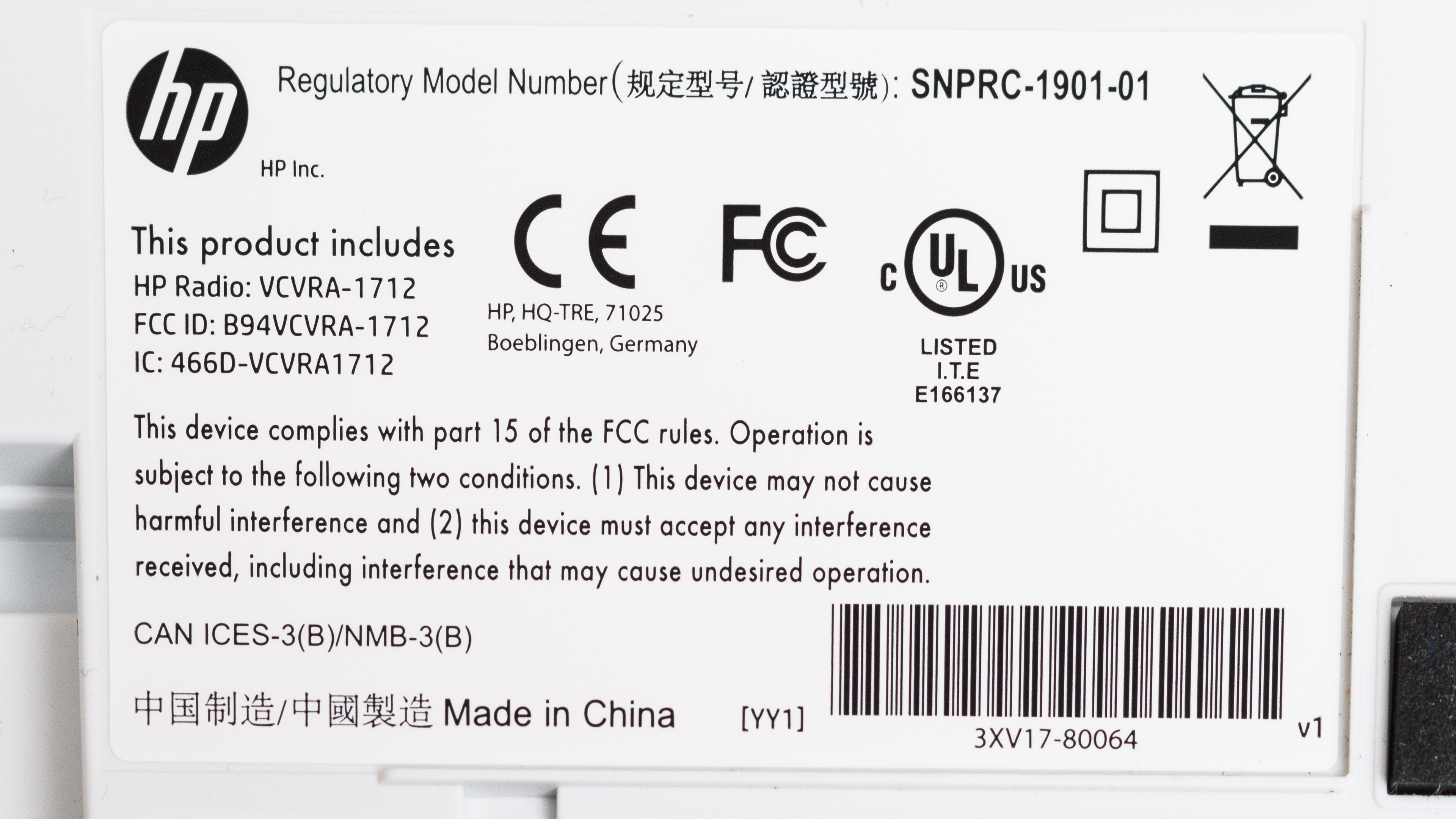
See our unit's label here.
Popular Printer Comparisons
The HP DeskJet 4155e is an all-in-one color inkjet that performs poorly overall. It produces photos that look flat and lacking in detail, and it doesn't support borderless printing. Additionally, it prints very slowly and doesn't support automatic duplex printing, and its black-and-white document printing quality is mediocre.
For more options, check out our recommendations for the best all-in-one printers, the best home printers, and the best inkjet printers.
The HP ENVY 6055e is slightly better than the HP DeskJet 4155e. The ENVY 6055e produces finer details in photos, prints faster, and supports automatic duplex printing and borderless printing. The DeskJet 4155e has an automatic document feeder, which the ENVY 6055e lacks, but it's slow, as it only scans three pages per minute.
The HP ENVY 6455e and the HP DeskJet 4155e are very similar printers with nearly identical features and performance. The only notable difference is that the 4155e prints slower and doesn't support automatic duplex printing.
The Canon PIXMA MG3620 is much better than the HP DeskJet 4155e. The Canon produces higher-quality documents and more detailed photos, and it doesn't cost as much to maintain over time because its ink cartridges last longer. It also prints faster and supports automatic double-sided printing. The HP has an automatic feeder, which the Canon lacks, but it's slow, and the scan quality isn't as good as the Canon's, because it has trouble capturing fine details.
The HP DeskJet 4155e and the HP DeskJet 3755/3772 are both all-in-one inkjet printers designed for home use. In terms of print quality, both printers perform similarly when it comes to documents, but the 3755 is much better for photos because it has a wider color range and color accuracy, and it can produce finer details. As for maintenance costs, the 4155e yields more prints and is less expensive to maintain over time. The other differences have to do with the design and scanner features. The 3755 is more compact, so it's better for tight spaces, but it doesn't have a flatbed scanner.
Test Results
![HP DeskJet 4155e [4133e, 4152e, 4158e] Build Quality Close Up Sample](https://i.rtings.com/assets/sample-images/printer/build-quality-small.jpg?format=auto)
![HP DeskJet 4155e [4133e, 4152e, 4158e] ISO View Picture Sample](https://i.rtings.com/assets/sample-images/printer/size-small.jpg?format=auto)
![HP DeskJet 4155e [4133e, 4152e, 4158e] In Use Picture Sample](https://i.rtings.com/assets/sample-images/printer/in-use-small.jpg?format=auto)
![HP DeskJet 4155e [4133e, 4152e, 4158e] Display Screen Picture Sample](https://i.rtings.com/assets/sample-images/printer/controls-small.jpg?format=auto)
for pictures & test results
![HP DeskJet 4155e [4133e, 4152e, 4158e] Cartridge Picture In The Printer Sample](https://i.rtings.com/assets/sample-images/printer/cartridge-small.jpg?format=auto)
for pictures & test results
![HP DeskJet 4155e [4133e, 4152e, 4158e] Scanner Flatbed Picture Sample](https://i.rtings.com/assets/sample-images/printer/scanner-small.jpg?format=auto)
![HP DeskJet 4155e [4133e, 4152e, 4158e] Scan Quality Photo Sample](https://i.rtings.com/assets/sample-images/printer/scanner-sample-small.jpg?format=auto)
![HP DeskJet 4155e [4133e, 4152e, 4158e] In the Box Picture Sample](https://i.rtings.com/assets/sample-images/printer/in-the-box-small.jpg?format=auto)
![HP DeskJet 4155e [4133e, 4152e, 4158e] B&W Document Picture Sample](https://i.rtings.com/assets/sample-images/printer/black-white-small.jpg?format=auto)
![HP DeskJet 4155e [4133e, 4152e, 4158e] Color Document Picture Sample](https://i.rtings.com/assets/sample-images/printer/color-small.jpg?format=auto)
for pictures & test results
![HP DeskJet 4155e [4133e, 4152e, 4158e] Printer Total Cost Sample](https://i.rtings.com/assets/sample-images/printer/cost-graph-small.jpg?format=auto)
for videos & test results
![HP DeskJet 4155e [4133e, 4152e, 4158e] Printing Speed Video Sample](https://i.rtings.com/assets/sample-images/printer/printing-speed-small.jpg?format=auto)
![HP DeskJet 4155e [4133e, 4152e, 4158e] Parrots Picture Sample](https://i.rtings.com/assets/sample-images/printer/parrots-small.jpg?format=auto)
![HP DeskJet 4155e [4133e, 4152e, 4158e] Color Range Picture Sample](https://i.rtings.com/assets/sample-images/printer/color-gamut-small.jpg?format=auto)
![HP DeskJet 4155e [4133e, 4152e, 4158e] Friends Picture Sample](https://i.rtings.com/assets/sample-images/printer/friends-small.jpg?format=auto)
![HP DeskJet 4155e [4133e, 4152e, 4158e] Color dE Picture Sample](https://i.rtings.com/assets/sample-images/printer/color-de-small.jpg?format=auto)
![HP DeskJet 4155e [4133e, 4152e, 4158e] Color dE Graph Sample](https://i.rtings.com/assets/sample-images/printer/de-bargraph-small.jpg?format=auto)
![HP DeskJet 4155e [4133e, 4152e, 4158e] Small Details Photo Sample](https://i.rtings.com/assets/sample-images/printer/tokyo-small.jpg?format=auto)
for pictures & test results
![HP DeskJet 4155e [4133e, 4152e, 4158e] Inputs Picture Sample](https://i.rtings.com/assets/sample-images/printer/inputs-small.jpg?format=auto)
for pictures & test results
![HP DeskJet 4155e [4133e, 4152e, 4158e] App Printscreen Sample](https://i.rtings.com/assets/sample-images/printer/app-printscreen-small.jpg?format=auto)