The Klipsch Flexus Core 300 tops the Flexus Core line of all-in-one soundbars from the American brand in collaboration with Japanese audio stalwarts, Onkyo. The premium 2025 model has extensive wired and wireless connectivity and format support. It's the first model to include a basic version of Dirac Live for room correction, but the full license comes at an extra cost. Speaking of add-ons, while this is a standalone bar, you can make separate purchases of surround speakers and an outboard subwoofer, which seems to put the 'flex' in 'Flexus,' as this is a common thread shared with the step-down Klipsch Flexus Core 200 soundbar.
Our Verdict
The Klipsch Flexus Core 300 is very good for mixed usage. It has comprehensive audio format support covering Dolby Atmos, DTS:X, Dolby Digital Plus, and more, with 2.1-compliant HDMI video passthrough, so you can watch most media without downmixing and use it as an entertainment hub. As a standalone soundbar, it can't quite provide the same rumble and immersiveness available with an outboard sub and rear speakers, but it manages to supply a surprisingly punchy bass. Plus, you have a three-band EQ and EQ presets at your disposal to adjust the tuning to your tastes. The bar includes a basic version of Dirac for room correction, but unfortunately, you need to pay extra for the full license, and the tool tends to reduce the bar's overall output volume.
Extensive audio format compatibility and connectivity.
Plenty of sound enhancements available to adjust the sound.
2.1-class compliant HDMI In.
Premium build quality.
Full version of Dirac Live is behind a paywall.
Bass lacks full rumble and can rattle at high volumes.
Not as loud as advertised.
The Klipsch Core 300 is great for TV shows and dialogue-heavy content. Its discrete center channel sounds pretty natural, so voices sit right in the mix. You can also choose the voice enhancement feature, which has adjustable levels to make speech cut through more, while Night mode means the setting sun doesn't have to limit your viewing. A full selection of EQ presets and a three-band EQ offers you more options for diverse types of TV shows. Besides that, you get comprehensive audio format compatibility, and you can choose between HDMI In, eARC, and Optical connections, so you can watch anything from old DVDs and Blu-ray to the latest big-budget show on streaming.
Extensive audio format compatibility and connectivity.
Plenty of sound enhancements available to adjust the sound.
2.1-class compliant HDMI In.
Premium build quality.
Full version of Dirac Live is behind a paywall.
Bass lacks full rumble and can rattle at high volumes.
Not as loud as advertised.
The Klipsch Flexus Core 300 is very good for music. Its stereo sound is well-tuned with a bevvy of EQ tools available to customize the frequency response and a dedicated 'Music' mode that alters the soundstage. The low-end is punchy, and the mids are fairly even, while the top-end is a little warm. You can use the Dirac room correction tool to meaningfully change the tuning, too, but the full version is an extra cost. The dynamics are good with little compression (although the full version of Dirac seems to compress the sound more while decreasing the max output). Meanwhile, the soundstage is a bit wider than the bar's physical dimensions. The bar is also compatible with all the common wireless platforms like Apple AirPlay and Spotify, so setting the mood is pretty effortless once you've done the setup. Still, for surround sound concerts mixed in 5.1 and Atmos music, it's not as immersive as dedicated rear speakers.
Extensive audio format compatibility and connectivity.
Plenty of sound enhancements available to adjust the sound.
2.1-class compliant HDMI In.
Premium build quality.
Full version of Dirac Live is behind a paywall.
Bass lacks full rumble and can rattle at high volumes.
Not as loud as advertised.
The Klipsch Flexus Core 300 is very good for movies. While its standalone design limits its performance in terms of expansive and immersive 5.1 surround and Dolby Atmos playback, it's well-tuned and does a better job than its form factor suggests. The bar is compatible with most surround and 3D audio formats such as Dolby Digital Plus, DTS, DTS:X, and Dolby Atmos. It also has a room correction tool (though it costs more for the full version of Dirac Live), and you can use the 'Move' listening mode alongside EQ presets or a three-band EQ. Plus, you can manually alter the channel balance, lending you many options to carve out an optimal sound. That said, it's not a very loud soundbar, so if you like your movies loud, you don't get a huge amount of headroom, and while the integrated sub design manages to lend movies a bit of low-end weight, Atmos content lacks rumble. Lastly, stereo Dolby Digital and Dolby Digital Plus audio intentionally play through other speaker channels using phase and delay effects to make a wider sound, but this could bother purists.
Extensive audio format compatibility and connectivity.
Plenty of sound enhancements available to adjust the sound.
2.1-class compliant HDMI In.
Premium build quality.
Full version of Dirac Live is behind a paywall.
Bass lacks full rumble and can rattle at high volumes.
Not as loud as advertised.
Changelog
-
Updated Oct 24, 2025:
We added a reference to the KEF XIO in the Audio Latency: ARC box.
- Updated Sep 18, 2025: Review published.
- Updated Sep 10, 2025: Early access published.
- Updated Aug 25, 2025: Our testers have started testing this product.
Check Price
Differences Between Sizes And Variants
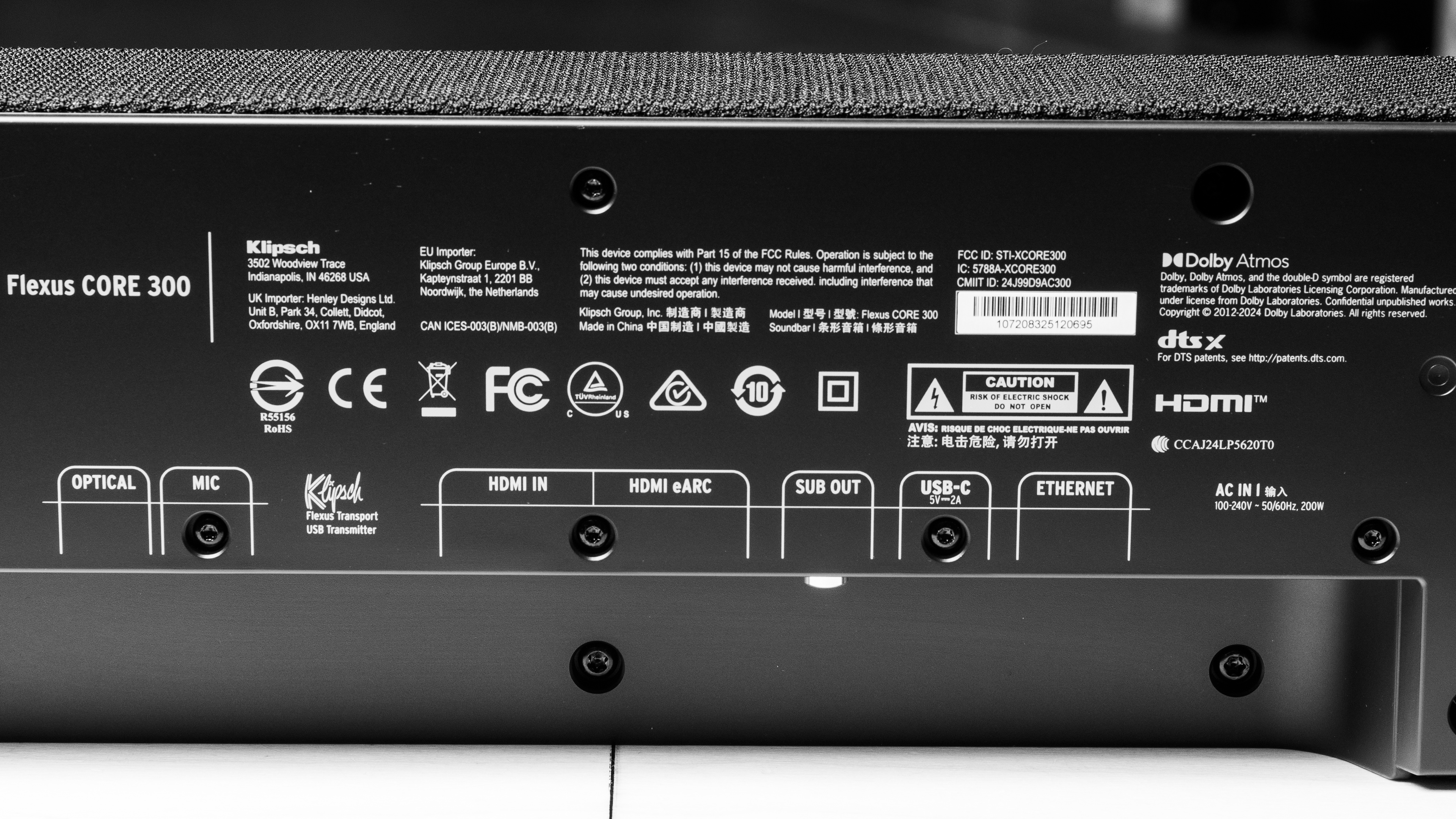
The Klipsch Flexus Core 300 comes in 'Black' or a 'Walnut Vinyl' colorway (which is shown on the Klipsch site, but actual availability seems scant). You can view our 'Black' unit's label. The soundbar is also called the XCORE300 in some regions. Our review is only valid for the all-in-one model, but you can purchase additional rear speakers and a subwoofer, including the Klipsch Flexus Surr 200 and Klipsch Flexus Sub 200, which will change the sound performance measurements.
If you come across another variant of this soundbar, let us know in the comments, and we'll add it to the review.
Popular Soundbar Comparisons
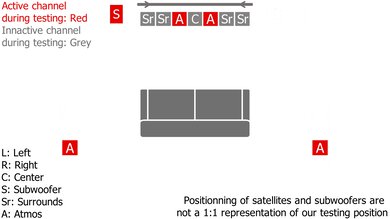
The Klipsch Flexus Core 300 belongs to the same line as the lower-tiered Klipsch Flexus Core 200, and the upgraded model adds room correction, better connectivity, and greater audio format support, though they're both well-made bars that you can add more speakers to. Despite being an all-in-one design, the Flexus Core 300 includes an integrated subwoofer, similar to the Sonos Arc Ultra, for a 5.1.2 configuration. The Flexus Core 300's impressive selling points include the full audio format support and connectivity that beats out the Sonos, but without the Sonos' large ecosystem. On the other hand, when considering a premium-tier soundbar, if space isn't a limitation, you might prefer a soundbar with a dedicated sub and rear satellites for improved low-end rumble and more enveloping sound, like the Samsung HW-Q910D.
For more recommendations, check out the best all-in-one soundbars, the best Dolby Atmos soundbars, and the best 5.1 soundbars.
The Sonos Arc Ultra and the Klipsch Flexus Core 300 are both premium 5.1.2 soundbars that you can expand with additional speakers. With the Sonos, you get the benefits of a large ecosystem of other products, a pretty simple setup, and a slightly louder and less compressed sound. And while Atmos isn't as evenly tuned on the Sonos, it sits louder in the mix. On the other hand, the Klipsch outperforms the Sonos concerning connectivity and audio format support, making it a much more flexible standalone bar that you can use as an entertainment hub and for gaming. Plus, it has a deeper low-frequency extension for a touch more bass.
The 5.1.2 Klipsch Flexus Core 300 is an upgrade over the 3.1.2 Klipsch Flexus Core 200. The Flexus Core 300 includes greater audio format support, such as DTS and DTS:X. You also get room correction and more wireless playback options with the Flexus Core 300. Still, both bars have limitations around how impressive surround sound and Atmos can be in a standalone bar. If you mostly watch dialogue-heavy TV or listen to stereo music mixes, the Flexus Core 200 may suffice, as it still boasts a solid tuning and the leeway of EQ presets to play with the sound. That said, it's a much more limited soundbar that downmixes surround audio to stereo.
The Klipsch Flexus Core 300 is a better all-in-one soundbar than the KEF XIO, with a couple of caveats. The Klipsch is able to put out more low-end rumble, which techno and action movie fans alike will appreciate. It also offers more sound enhancement features, including a room correction option, and a full graphic EQ and presets, where the KEF sticks to bass and treble controls. The KEF does pull ahead in a couple of places, though. First, it offers more immersive Atmos performance. Second, it has lower latency, although you're limited to eARC and Optical, where the Klipsch has a full HDMI In port, too.
The Klipsch Flexus Core 300 is a slightly better all-in-one 5.1.2 soundbar than the Sennheiser AMBEO Soundbar Plus. While both bars have built-in subs and let you add a wired outboard sub too, the Klipsch has a more powerful bassy punch. Even though these soundbars support similar audio format selections and have HDMI In ports, the Klipsch possesses a more up-to-date 2.1 class-compliant spec, which is great for sports and gaming. It also has a more even Atmos and surround sound tuning. Still, the Sennheiser is more compact, boasts an extra HDMI In port, and despite its smaller size, has a neutral tuning, a similar soundstage width, a slightly louder max volume, and a bit less compression at max.
Test Results
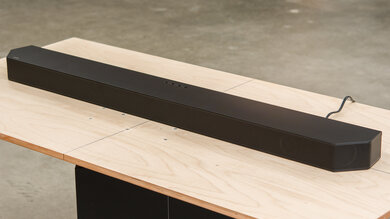
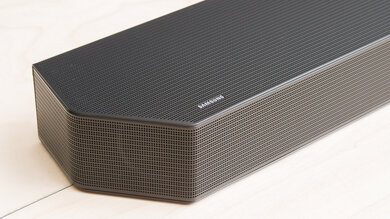
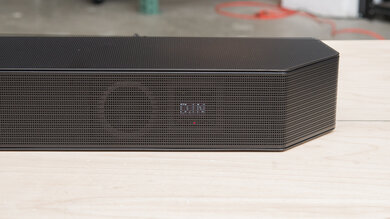
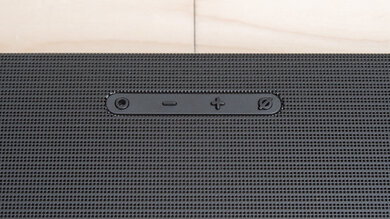
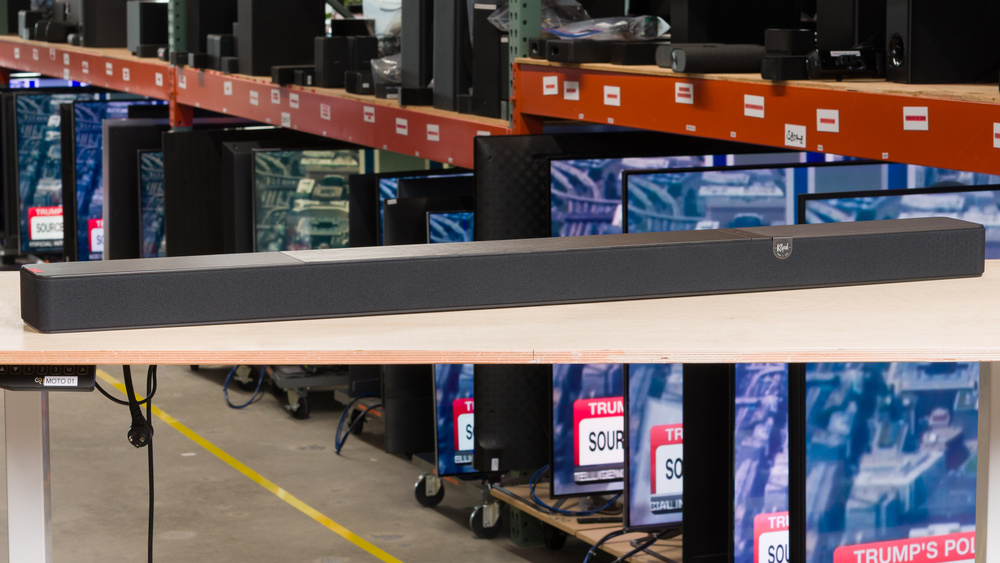
The Klipsch Core 300 is an all-in-one design soundbar that comes in black with the retro Klipsch badge offset to the right of the front of the bar. It's made of a mix of hefty plastic, a black wood-grain top, and perforated metal grilles, and is wrapped along the sides in fabric covering the drivers. An LED display and touch controls are also placed on the right side. It's understated looking with a subtly premium look.
The soundbar doesn't come with an outboard sub, though it has integrated subs. You can add a Klipsch Flexus Sub 100 or a Klipsch Flexus Sub 200 as a separate purchase. The bar also has a sub output, so it's possible to add a different, wired subwoofer.
You can add the Klipsch Flexus Surr 100 rear satellites or the Klipsch Flexus Surr 200 satellites (which include extra Dolby Atmos drivers).
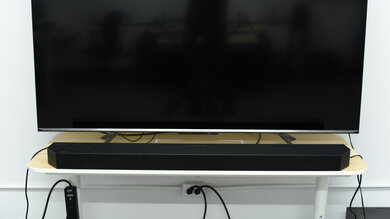
The Klipsch Flexus Core 300 is a wide soundbar, 10 inches wider than the step-down, Klipsch Flexus Core 200, and you'll need to either mount it or have a TV stand with space for it to rest in front of the TV. That said, it's not particularly tall or deep compared to chunky models such as the Sennheiser AMBEO Soundbar MAX.
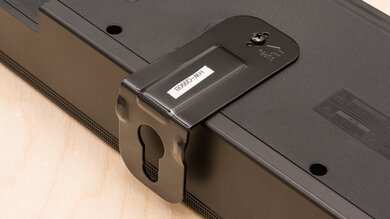
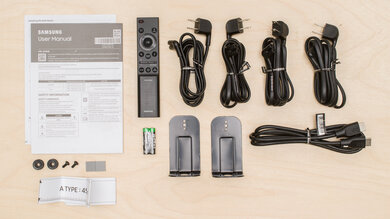
You can mount the Klipsch Flexus Core 300, but unlike the Klipsch Flexus Core 200, the box omits mounting hardware. This is an odd decision, considering the bar's size suggests many people will choose to mount it. Klipsch makes hardware, though; it's just an additional cost.
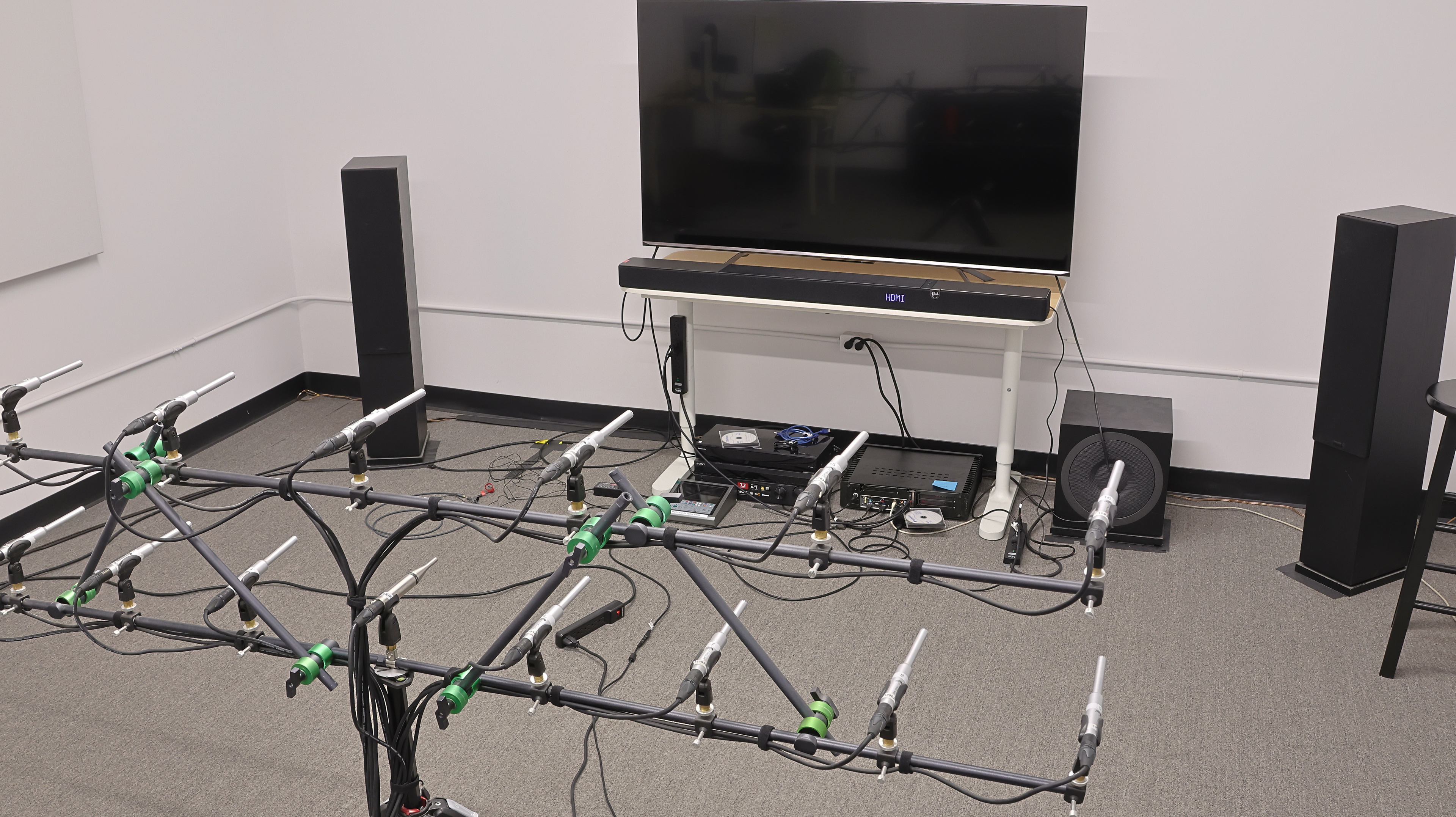
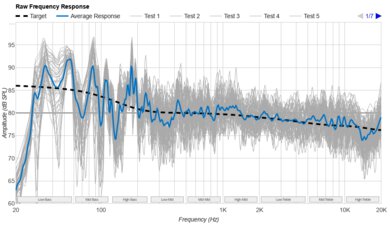
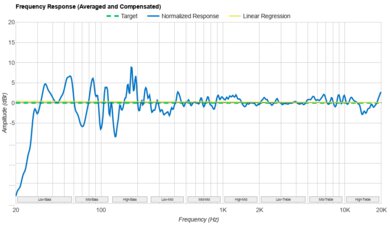
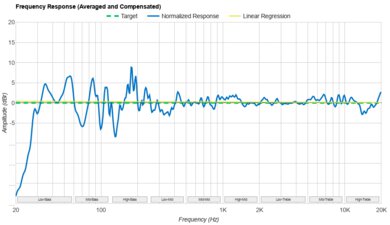
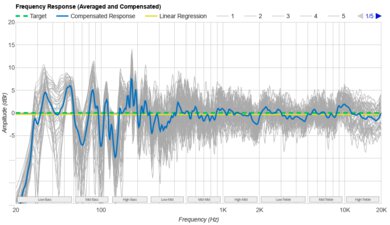
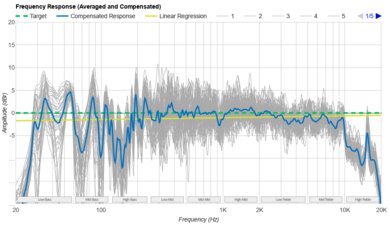
The Klipsch Flexus Core 300 has a very good stereo frequency response. Our test settings included: EQ set to 'Flat,' 'Movie' mode, and Dirac Live 500Hz room correction.
In 'Movie' mode, all the speakers except the up-firing drivers play back audio. The sound offers a rather deep bass for a standalone bar with a good amount of punch, though a notch where the high-bass transitions to low-mids can rob some music of boom. Voices sound clear, but details can sound a bit veiled in the higher registers. Despite the solid low-frequency extension, the built-in subs can struggle to cleanly reproduce bass notes in content like the Interstellar soundtrack at high volumes without rattling.
The soundbar offers a few tools to change its sound, so we compared the 'Movie' and 'Music' modes, and found that it mainly affects the soundstage, leaving the tuning the same. The EQ presets are accurately named, with 'Rock' offering a more excited V-shaped sound, 'Vocal' pushing mids, and 'Bass' boosting the lows.
One of the unique features of the soundbar is the Dirac Live room tuning. A more basic, limited 500Hz license room tuning is included, but you need to pay $99 USD for licensed use of the full room correction software (more on this is in Sound Enhancement Features). We compared the full version with the basic version and with room correction disabled. The advanced Dirac room correction feature offers a flatter and slightly more controlled frequency response with more details in the top-end and a less punchy bass, but it also compresses the signal, resulting in a quieter volume.
In addition to the test settings used to measure the stereo frequency response, you get three EQ adjustments (Bass, Mids, and Treble). In our lab, reducing Bass by -2 and increasing Treble to 1 offsets the darker slope slightly. With that said, the extra boost to the Treble setting introduces a hissy and narrow spike in the high treble, but you might not notice it because most people's hearing isn't as sensitive in that region.
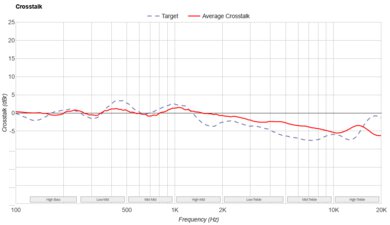
The stereo soundstage is good. In 'Movie' mode, the width extends a bit past the ends of the bar, and it's slightly wider than in 'Music' mode. Tracking is good and focused, with slightly fewer details towards the farthest extremities in order to simulate a wider surround effect.
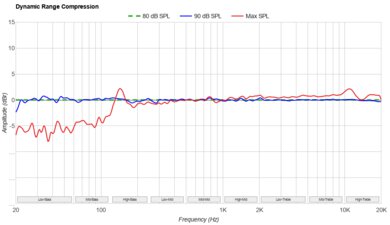
The Klipsch Flexus Core 300 has very good stereo dynamics. There's not much compression, and overall, the audio retains the quiet and loud parts of your audio signal. We also tested the dynamics performance with the full version of the Dirac license, and it introduced a little more compression.
The max volume with room correction off, the basic version of Dirac, and the paid Dirac version of room correction all didn't reach the advertised 106 dB/SPL. With room correction off, the max volume is 96 dB/SPL; the basic Dirac room correction reached 91.8 dB/SPL max, and the full version of Dirac throttled the max volume to 89.2 dB/SPL.
The center channel is excellent. The Klipsch Flexus Core 300 uses a discrete center channel and subs tuned to sound relatively flat for clear dialogue that cuts through the mix. However, there are a couple of peaks and dips in the low-mids and low-treble, which can slightly affect the tonality of voices. With the full Dirac license, the tuning is quieter and much brighter with fewer strong peaks and dips.
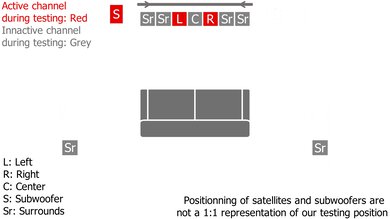
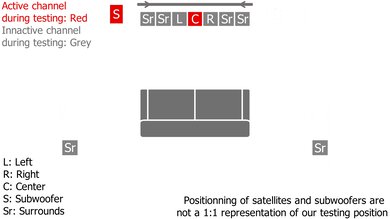
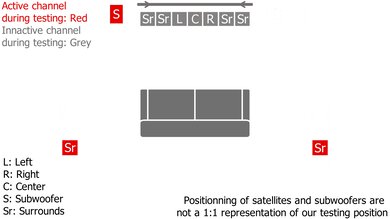
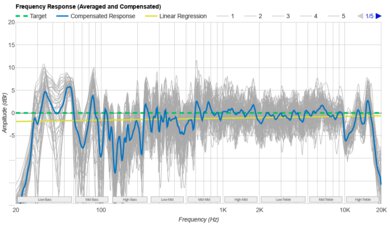
The surround 5.1 performance of the bar isn't bad. The integrated subs do a pretty good job of adding weight and boom to bassy sounds like explosions or engine growl. Built-in subs aren't a perfect substitute for an outboard subwoofer, but as a compromise, it's solid. Unlike the Klipsch Flexus Core 200, the Klipsch Flexus Core 300 correctly separates multi-channel surround sound without downmixing to stereo. That said, it's a bar without rear satellites (unless you purchase those), so surround formats still play from in front of you, though the side-firing drivers add a degree of space and directivity to the somewhat dark tuning.
We measured the results with the full Dirac license as well, and the results sound more neutral with detailed high frequencies, like cymbals in surround-sound mixed concerts.
The Klipsch Flexus Core 300 has two up-firing drivers in the standalone bar to play back object-based audio formats like Dolby Atmos. As the up-firing drivers are solely located in front of you, any effects meant to come from behind still sound like they land in front of you or to your side. You'd need the Klipsch Surr 200 to gain up-firing drivers in rear speakers for a better chance of hearing effects from behind you. However, as is, the sound field is fairly wide, and most effects can be spotted in the horizontal plane when they move from side to side. There's also some sense of height immersion, like King Kong's footsteps in Ready Player One's race scene, feeling a few feet above you. That said, the speakers are quiet in the overall mix, which makes the immersive effect subtle.
Overall, the Atmos tuning is somewhat mid-range focused. There's a little boom in the high-bass, but the lack of deeper lows means rumbling sounds seem a bit weak or compressed. Bright effects and voices sound relatively veiled due to the de-emphasis in the treble response.
We also measured the performance using the full paid version of Dirac and found it was more compressed and quiet enough that we recommend using the standard version of Dirac room correction instead.
The Klipsch Flexus Core 300 boasts a superb array of sound enhancements. The main point of differentiation between this bar's sound enhancement features and the Klipsch Flexus Core 200's is the room correction tool powered by Dirac. The tool uses the included wired microphone and app to measure the room's sound from three positions.
If you pay $99 USD to unlock a full version of the Dirac Live license (as opposed to the stripped-back version included with the soundbar purchase), you can tune the bar to the room more extensively from your PC with up to 13 location measurements. The full version assesses the frequencies 20Hz to 20kHz, whereas the basic implementation focuses on 500Hz. Broadly, we found that the full version of Dirac Live introduces more compression and a lower overall output. However, the full license program offers a lot of scope for tuning to a space, arguably, overkill for a lot of people. It's possible that odd-shaped rooms with vaulted ceilings may benefit more from the multiple mic readings to tune the bar compared to our testing room, though we don't measure bars outside of the lab for the sake of consistency.
If you choose not to buy the full version of Dirac Live, the bar still offers a robust selection of tools: a three-band EQ ('Bass,' 'Mid,' and 'Treble'), six EQ presets ('Flat,' 'Vocal,' 'Bass,' 'Treble,' 'Rock,' and one user preset), alongside 'Movie' and 'Music' listening modes to carve out your sound. Plus, you can tailor the channel levels, though the app won't grey out the surrounds or subwoofer channels (for which you can't change the levels without adding the actual associated products). In addition, there's a Dialogue mode, and helpfully, this has some range with off, low, med, and high settings to make voices more intelligible. Lastly, Night mode (on/off) means you won't bother neighbors or wake members of your household.
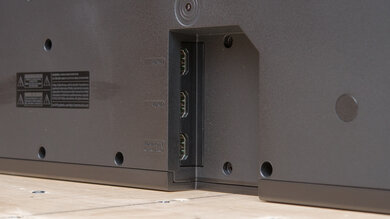
The Klipsch Flexus Core 300 has several connection points: eARC, 2.1-compliant HDMI In, and Optical input for different types of devices and TVs. Somewhat unique for a soundbar these days is a Sub output port, so you can add any compatible subwoofer, which is nice to see. There's also an Ethernet port and two USB ports: USB-C and USB-A. Only the USB-C is for playing media files, while the USB-A port is for the wireless transmitter when adding additional Klipsch Flexus speakers. The mic input connects to the room correction microphone.
The Klipsch Flexus Core 300's eARC connection is compatible with most popular audio formats and some more niche formats, including Dolby Atmos, DTS:X, and surround formats like Dolby Digital Plus.
It's worth noting for purists that the soundbar plays Dolby Digital and Dolby Digital Plus L/R panned content through both stereo channels and the side-firing channels in combination with phase and delay processing to make the soundstage seem wider.
The HDMI In port is capable of processing all the popular audio formats like Dolby Atmos, Dolby Digital Plus, and DTS. Like the eARC connection, the soundbar processes Dolby Digital and Dolby Digital Plus audio by playing L/R channels in all of the side-firing channels, too, which is meant to widen the soundstage.
The Klipsch Flexus Core 300's Optical connection is compatible with Dolby Digital, DTS, and PCM, meaning you can use older devices with the bar. However, it processes Dolby Digital differently by playing back L/R elements in all of the channels using a combination of phase and delay to widen the soundstage.
The Klipsch Flexus Core 300's audio latency via eARC is decent. Most content plays back with dialogue matching the people speaking on-screen. The Dirac room correction adds a slight delay of about 20 ms (as shown in the results), but since the results are pretty low, it's not noticeable during viewing. You can adjust the A/V Sync in your TV's settings if the latency you experience is distracting. If you're a stickler for timing and are interested in an all-in-one bar with lower eARC latency, check out the KEF XIO.
The HDMI In audio latency is satisfactory. The supported audio formats have relatively low latency results, so your visuals ought to match the audio. Still, if you experience desync, you can disable the Dirac room correction (which adds roughly 20 ms of delay, as shown) or make changes in your TV's A/V settings.
The optical audio latency is passable. Depending on the content, you'll probably experience a bit of a lag, especially with Dolby Digital audio. Disabling the Dirac room correction will reduce the latency by about 20 ms (which isn't necessarily perceptible). If there's a distracting A/V mismatch, you can make changes in the TV's settings to compensate.
The video passthrough support is outstanding. You can passthrough 10-bit 4k video at 120Hz refresh rate, and the same goes for 4:4:4: chroma sub-sampling at 4k, so your visuals stay true to their color settings. 8k passthrough works at up to 60Hz refresh rate. Gaming variable refresh rates are on the menu, too: G-SYNC and FreeSync work with passthrough. HDR video receives support, too.
The Klipsch Flexus Core 300 works with a lot of wireless streaming connections, spanning standard Bluetooth through Apple AirPlay and Wi-Fi. In addition, you get Chromecast, Spotify Connect, Tidal Connect support, and QQ Music, which is a lesser-known platform outside of Asia but has a joint arrangement with Spotify.
The Klipsch Flexus Core 300's display is set slightly off-center towards the right side of the bar. This LED display shows volume, effects settings (like modes), and input source. It responds quickly without lag when using the remote and companion app. You can also adjust the brightness of the display (high or low settings), which is a nice detail.
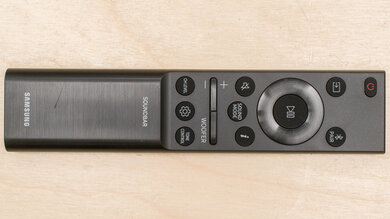
The remote control is slim and handles the majority of the settings and features, including things like listening modes. For more depth, the companion app, Klipsch Connect Plus (here's a video walkthrough), is necessary. You'll need the app to set up the stripped-back Dirac room correction, for instance.