The OM SYSTEM OM-1 is the first flagship camera from OM Digital Solutions, which bought out Olympus's imaging division in 2021, and the last camera to bear the Olympus name. It's a worthy follow-up to the Olympus OM-D E-M1 Mark III, with a similarly compact and rugged build, blazing-fast burst shooting, and one of the most effective in-body image stabilization systems on the market.
Our Verdict
The OM SYSTEM OM-1 is good for travel photography. It's relatively compact and, as part of the Micro Four Thirds system, uses more portable lenses. Ergonomics are excellent as well. Its in-body image stabilization system makes it easier to get stable shots at slower shutter speeds. On top of that, its body is weather-sealed and feels well-built. While its autofocus system is good overall, it can be somewhat inconsistent.
- Relatively portable.
- Well-built and weather-sealed.
- Great battery life.
- Autofocus tracking can be inconsistent.
The OM SYSTEM OM-1 is good for landscape photography, especially for a Micro Four Thirds camera. It has a good dynamic range to bring out plenty of detail in high-contrast scenes and handles noise pretty well in low light. It's also well-built and weather-sealed to give you some peace of mind when shooting outdoors. It isn't as well-suited to making prints or cropping in your photos, given its smaller sensor and resolution. However, there's a High-Res Shot mode that can create composite images of up to 50MP handheld and 80MP when using a tripod, which is great when you want to get more detailed landscapes.
- Relatively portable.
- High-Res Shot mode.
- Good dynamic range.
- Regular photos are a bit lacking in fine detail when punching in.
The OM SYSTEM OM-1 is good for sports and wildlife photography. It has an incredibly quick burst rate when using the electronic shutter, and its Pro Capture mode makes it easier to get the perfect action shot by starting a burst with a half-press of the shutter and saving your images after you press all the way. The camera also has a fairly large photo buffer, but it takes a very long time to empty once full, which can slow you down. Its autofocus system is pretty good for moving subjects, with several different subject detection modes, but its tracking feature isn't the most reliable. That aside, it's a very well-built camera with a weather-sealed body and excellent ergonomics. Since it's a Micro Four Thirds camera, you also get more focal reach out of physically smaller lenses.
- Relatively portable.
- Well-built and weather-sealed.
- Very quick burst shooting.
- Autofocus tracking can be inconsistent.
- Image buffer is slow to empty once full.
The OM SYSTEM OM-1 captures decent RAW image quality. Its dynamic range is good for a Micro Four Thirds sensor, so it can capture a fair amount of highlight and shadow detail. Its sensor also has a fair resolution, so images appear decently sharp, though you don't have as much leeway to crop in. On the upside, it has a high-resolution composite mode that lets you capture RAW files of up to 80 megapixels. That said, the camera doesn't have the greatest noise handling, so it's a bit less suited to low-light situations, depending on what kind of lens you use.
- High-Res Shot mode.
- Good dynamic range.
- Regular photos are a bit lacking in fine detail when punching in.
- Noise handling is just okay.
The OM SYSTEM OM-1 is good for vlogging. It's weather-sealed and well-constructed, with a fully articulated screen that makes it easy to monitor yourself while shooting. Video quality is great overall, and it has plenty of frame rate options if you want to incorporate slow-motion flourishes. It also has a fantastic battery life for video. That said, it's a fairly heavy camera and isn't the most compact option for on-the-go vlogging.
- In-body image stabilization.
- Fully articulated screen.
- Great overall video quality.
- Not the most portable for vlogging.
The OM SYSTEM OM-1 is great for studio video. Video quality is impressive overall, and the camera includes Log profiles and 10-bit recording to pull out more detail and give you more leeway when editing. Battery life is also fantastic, with no recording time limit. It has a lot of frame rate options, as well, so you can incorporate slow-motion shots. On the downside, some of its recording options can be a bit limiting, with the 10-bit / H.265 option exclusive to Log recording.
- In-body image stabilization.
- Great overall video quality.
- Fantastic battery life.
- Recording options are somewhat limited.
The OM SYSTEM OM-1 is decent for filming action, though it isn't really meant for POV-style action video. It's a sturdy weather-sealed camera, but it's heavy and on the bulkier side compared to a dedicated action camera. On the upside, it has a lot of frame rate options, including 4k up to 60 fps and 1080p up to 240 fps. It also has a fantastic image stabilization system to get smoother handheld shots.
- Well-built and weather-sealed.
- In-body image stabilization.
- Lots of frame rate options.
- Not designed for action cam mounts.
- Not waterproof.
- Heavy and bulky compared to dedicated action cams.
Changelog
- Updated May 01, 2024: We added a comparison between the buffer depth of the OM SYSTEM OM-1 and the new OM SYSTEM OM-1 Mark II in the Photo Shooting Speed section of the review.
- Updated Jan 29, 2024: Added text to the 'Raw Photo Performance' verdict box.
- Updated Jan 29, 2024: Converted to Test Bench 0.12.1.
- Updated Jan 11, 2024: Linked to the Panasonic LUMIX G9 II in the Video Features box.
Check Price
Differences Between Sizes And Variants
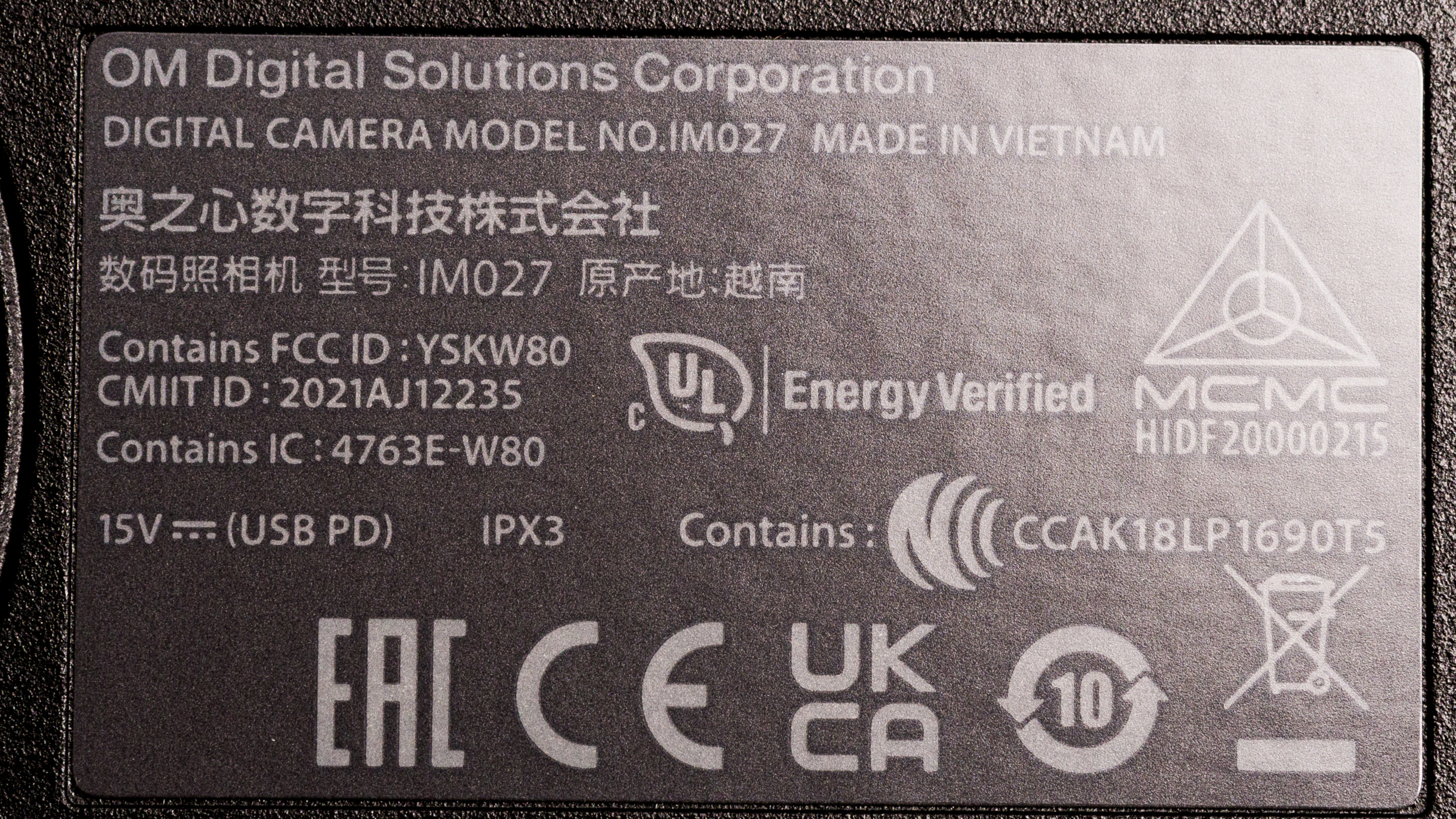
The OM SYSTEM OM-1 comes in one color, 'Black'. You can see our unit's label here.
You can buy the body on its own without a lens, or buy it in a bundle with the M.Zuiko Digital ED 12-40mm f/2.8 PRO II Lens.
If you come across a different variant of this camera, let us know in the discussions, and we'll update our review.
Popular Camera Comparisons
The OM SYSTEM OM-1 is one of the most advanced Micro Four Thirds cameras on the market. It's a great option for people looking for a more compact camera system that's still very capable for a range of photo and even video work. With effective image stabilization, plenty of computational photography features, and a solid build, it's a versatile camera for travel and adventure.
If you're looking for other options, check out our recommendations for the best travel cameras, the best cameras for hiking and backpacking, and the best mirrorless cameras.
The Panasonic LUMIX G9 II and the OM SYSTEM OM-1 are both high-end Micro Four Thirds cameras. The OM SYSTEM is a bit more portable, with a higher-resolution EVF and a longer battery life. It also uses a stacked sensor, resulting in less rolling shutter effect. On the other hand, the Panasonic has a higher-resolution sensor and offers better video specs, making it better suited for hybrid and video shooters.
The OM SYSTEM OM-1 is better than the OM SYSTEM OM-5. It offers some significant improvements, like a more advanced autofocus system, faster burst shooting, a more intuitive menu system, as well as more advanced video capabilities. That said, the OM-5 is more portable, if that's a priority, and sits at a lower price point.
The OM SYSTEM OM-1 and the Olympus OM-D E-M1 Mark III are similar overall, though the OM-1 offers a few improvements. These include 10-bit video recording and an updated autofocus system that performs a little better.
The OM SYSTEM OM-1 is a step up from the Olympus OM-D E-M5 Mark III, with a newer stacked sensor that gives it better overall image quality and low-light performance, along with significantly better video specs. It also has a higher-resolution EVF and feels better constructed. That said, the E-M5 Mark III is a much more portable camera and offers a lot of the same computational photography features, like a high-res composite photo mode.
Test Results
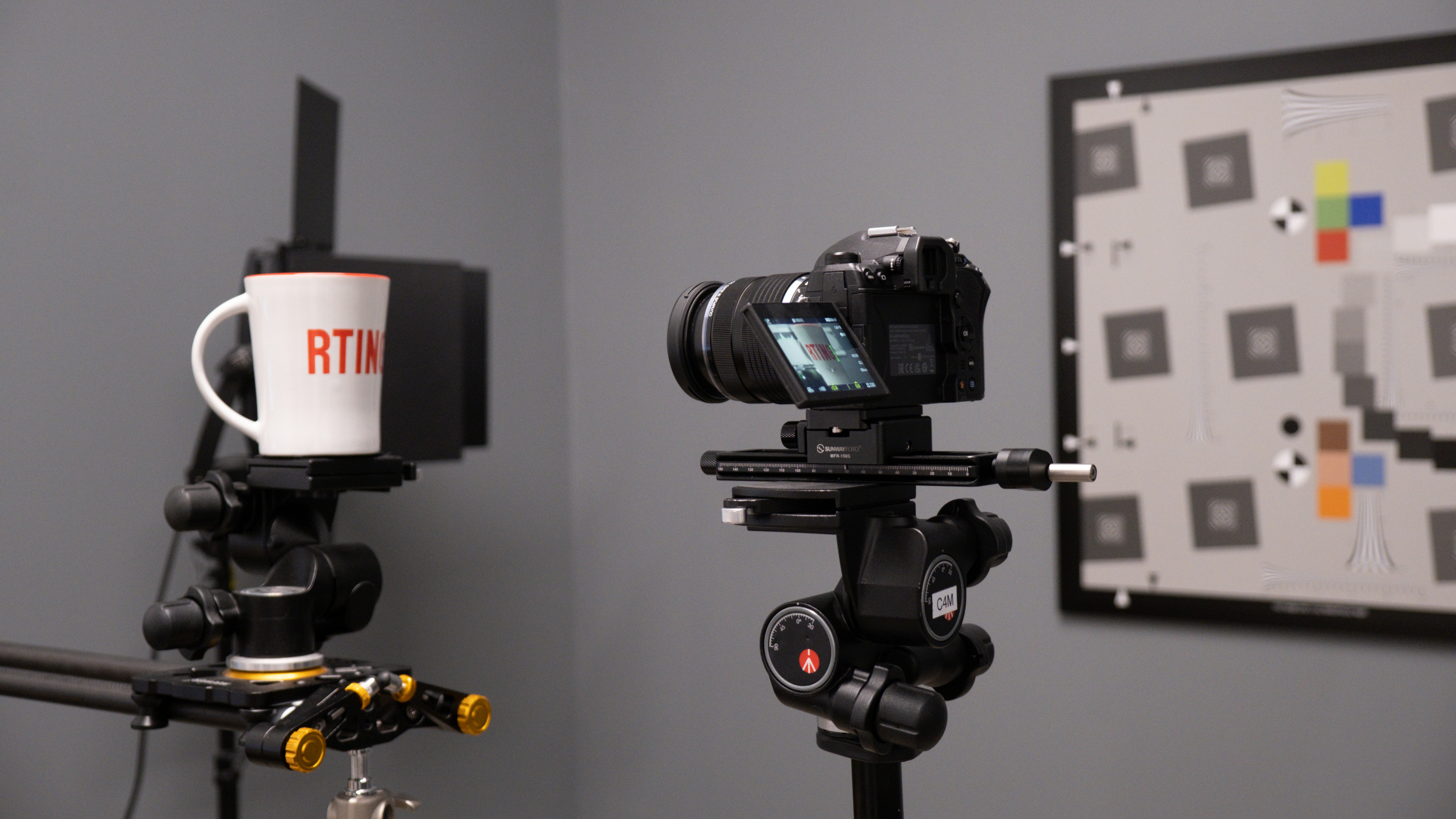

The OM System OM-1 is similar in size to the Olympus OM-D E-M1 Mark III. It's fairly large for a Micro Four Thirds camera and on the heavier side, but it's still relatively portable compared to larger-sensor cameras and DSLRs. If you need something even more portable, check out the OM SYSTEM OM-5.

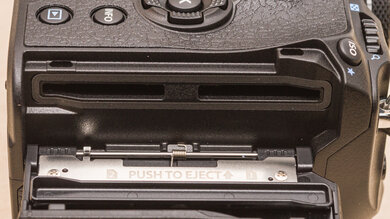
Build quality is excellent. It's weather-sealed with an IP53 rating, meaning it's dust- and splashproof, so you'll be fine if you're caught in a surprise rainstorm, but be careful in more adverse conditions. All in all, it feels well-constructed. The body is made partially out of magnesium alloy, and the battery and SD card compartments are both covered with locking hinged doors. The inputs, meanwhile, are covered with gasketed rubber flaps, but they don't feel as well-made. Some of the buttons also feel a bit mushy.


- OM SYSTEM OM-1 camera body
- Sensor cap
- Hot shoe cover
- Shoulder strap
- 1x BLX-1 battery
- AC adapter
- USB-C cable
- Cable clip
- Cable protector
- Olympus FL-LM3 flash
- Flash storage pouch
- User manual

The OM SYSTEM OM-1 has excellent ergonomics, though it isn't quite as comfortable to use as the Olympus OM-D E-M1 Mark III. The handgrip is molded slightly differently, and while it's a roomy grip, it doesn't conform to the hand quite as well as the Olympus E-M1 III. The E-M1 is also a tad smaller, making it a little easier to reach all the controls for those with smaller hands. Nevertheless, the OM-1 still feels great in the hand, with a well-molded handgrip and sufficiently grippy texture all around the grip and thumb rest. There are plenty of physical buttons and control dials, as well, and they're generally well-placed, making it fairly easy to adjust settings on the fly. That said, the strap attachment points are somewhat awkwardly placed and may get in the way when navigating the menu. The joystick is also pretty small and not especially comfortable, making it harder to make more precise focus point adjustments, for example.

The OM SYSTEM OM-1 has a very high-res EVF, which is fantastic and gives you a very crisp view of your subject. The eyecup is nice and large, too.

The screen is fully articulated, which is great for video work. The hinge mechanism feels solid, too. While the screen doesn't get super bright, it's still good enough to combat glare on sunnier days. Plus, it has a high resolution, giving you a nice sharp view when shooting in live view mode. Unfortunately, you can't navigate the menu with touch inputs, but you can adjust some settings via the touchscreen when using the quick menu. Otherwise, touch capability is limited to selecting focus points or using the touch shutter feature.
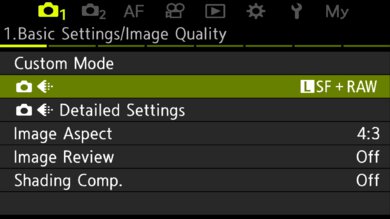
The menu system is a notable step up from the menus on older Olympus models. The menu tabs are a lot more clearly organized than before, with better naming and a fairly intuitive layout. There are a lot of settings and customization options, but it doesn't feel overwhelming or confusing. There's also a good help function, which explains certain settings when you press the 'Info' button. Plus, there's always the quick menu, which gives you access to frequently used settings.
Battery life in photos is excellent. Its 520-shot CIPA rating is very good for a mirrorless camera and exceeds that of the Olympus OM-D E-M1 Mark III. While that number should be taken with a grain of salt, you can still expect a fair amount of shots out of it on a full charge, depending on your usage habits. It also has a 'Quick Sleep Mode' that helps conserve battery life. When using 'Quick Sleep Mode', it's rated for up to 1100 shots, which is fantastic and well above most mirrorless cameras.
Video battery life, meanwhile, is fantastic. It can last for well over two hours of continuous video recording at its highest quality settings.
The OM SYSTEM OM-1 has a fairly quick mechanical burst rate that's sufficiently fast for action photography. It can also shoot at a whopping advertised burst rate of up to 120 fps when using the electronic shutter, though if you want to shoot with AF tracking, it maxes out at 50 fps, according to OM SYSTEM. That's still incredibly quick, making capturing very quick-moving subjects like small birds in flight easy. Note also that when shooting in the high-speed silent mode during testing, the camera buffer was capped at 90 frames. Like the Olympus OM-D E-M1 Mark III, it also has a Pro Capture mode that begins burst shooting with a half-press of the shutter and then saves the burst once you press all the way, ensuring you don't miss a critical moment.
The buffer depth has also improved. Generally speaking, it can clear JPEGs indefinitely and has a fairly large capacity for RAW files. However, if you need an even larger buffer, the OM SYSTEM OM-1 Mark II has approximately double the buffer size. If you do fill the buffer up, the OM-1 also takes a long time to clear it, which can slow you down.

The OM SYSTEM OM-1 has a solid autofocus system with over 1,000 cross-type focus points for more precise focusing. It has plenty of different subject detection modes for people, birds, other animals, and even vehicles, which is great. In general, the subject detection works well, but the tracking performance is inconsistent. It can pick up and differentiate the intended target, but when shooting continuously, it still sometimes loses focus or stays in the background as the subject moves. All in all, not too bad, and you can still get a solid keeper rate depending on the subject, but it probably won't nail focus every time if you're relying solely on tracking. The AF interface also isn't quite as intuitive as the leading autofocus systems on Sony or Canon cameras.

When using the center point without tracking, the autofocus performs well for the most part, though it's still somewhat inconsistent. Depending on the run, the autofocus would sometimes be a tad slow to acquire focus with a briskly-moving subject. However, it's still generally very good and responsive, especially when using a lens with a solid focusing motor.
Stabilization is remarkable on the OM-1. Olympus cameras have long been leaders of the pack when it comes to stabilization, and this camera is no exception. It features a five-axis IBIS system that's rated for up to 7 EV of stabilization, and it's that excellent stabilization that makes many of the camera's computational photography features possible, like its handheld High-Res Shot mode, for example.
Overall, the stabilization on this camera is highly effective, especially when used in conjunction with an optically stabilized lens, meaning you can get clear handheld shots at very slow shutter speeds. There are settings that you can use to fine-tune the stabilization performance, including options to limit it to certain axes. That said, stabilization performance can also vary depending on things like focal length, lens, and even how steady your hands are.

Usable dynamic range is good, though it drops off a fair amount in low light. Overall, it's good at preserving a range of shadow and highlight detail, especially among Micro Four Thirds cameras.
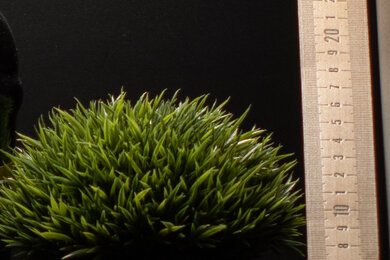

The OM SYSTEM OM-1 preserves a decent amount of fine detail. It's limited by the size and resolution of its sensor, so naturally, you can't crop in as much as you would with a full-frame camera, for instance. There are also more artifacts when punching in and pixel-peeping.
If you want higher-resolution photos, the camera does have a computational mode called 'High-Res Shot' that combines multiple images into one higher-resolution image of up to 50MP when using the Handheld setting and up to 80MP when using the Tripod mode.

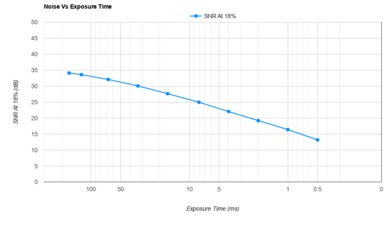
Noise handling is okay. In bright or well-lit conditions, you're unlikely to see much noise. While noise is inevitable in low light, the camera does an adequate job of managing noise levels when taking photos with less available light at higher ISO settings. However, it's still notably noisier than cameras with larger sensors, like the Canon EOS R6 Mark II.




In addition to 1080p and UHD 4k, the camera can record Cinema 4k for a slightly wider, more cinematic aspect ratio.
Log profiles include OM-Log400 and HLG. There's also a 'Flat' picture profile that isn't quite as flat as Log or HLG but still gives you a bit more dynamic range to work with for those who don't want to do as much color grading. If you're looking for a slightly more capable video camera with more resolution and recording format options, check out the Panasonic LUMIX G9 II.
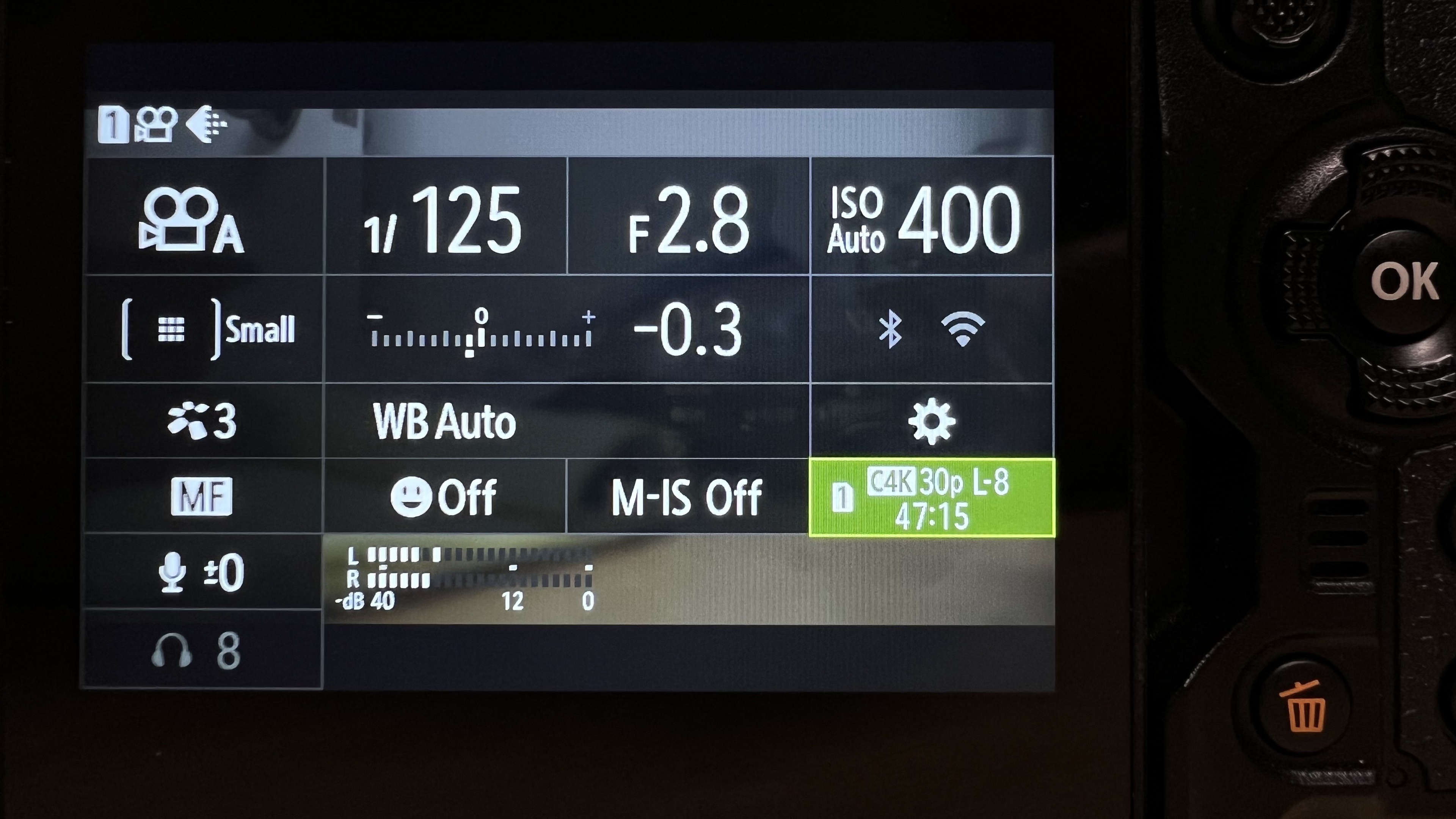
4k internal recording is excellent. Note that the max bit rate here is only available when shooting in C4k, whereas regular UHD 4k is limited to 80 Mbps. The camera can record 10-bit video internally, which is great, though it's limited to 4:2:0 sampling, so it doesn't give you as much leeway with editing as more video-oriented cameras like the Panasonic LUMIX GH5 II, which can record 10-bit 4:2:2. That said, it's still great for more casual video recording or up-and-coming content creators. However, it's also worth noting that when selecting 10-bit / H.265 encoding, you can only record in Log or HLG. While that makes some sense, it's also a bit limiting if you prefer not to shoot in Log—for instance, if you want to expedite your workflow or simply don't want to go through the hassle of more extensive grading. Those people will have to make do with lower quality H.264 / 8-bit recording. Other positives include an unlimited recording time. The camera also has good heat management, with no instances of overheating during our testing.
The autofocus performs well in 4k video mode. You get both face and eye detection, and overall, it does a good job of keeping human subjects in focus, even as they move around the frame. That said, it still isn't as snappy or immediate as the best autofocus systems on the market these days.

4k video quality is impressive overall. In more controlled lighting, it's excellent, with plenty of detail and clarity, and it does a great job of preserving shadow detail in low light, too. Noise isn't overwhelming, either.
The camera's readout speed is very quick, resulting in impressively little rolling shutter effect. You might still get some slanted verticals with very quick camera pans, but on the whole, it'll rarely be distracting.
There are a lot of high frame rate options in 1080p, which is great for producing slow-motion footage.
1080p internal recording specs are great. As with 4k, the camera can record 10-bit video, but it's limited to 4:2:0 sampling. There's no recording time limit, though, which is great.
The autofocus is good in 1080p. It performs about the same as in 4k, with a solid but not amazing tracking feature.

Video quality is good in 1080p, with relatively clear, detailed footage. It does pretty well in low light, too, without too much visual noise.
Just like 4k, there's little rolling shutter distortion in 1080p, except with very quick panning. It won't be too distracting.