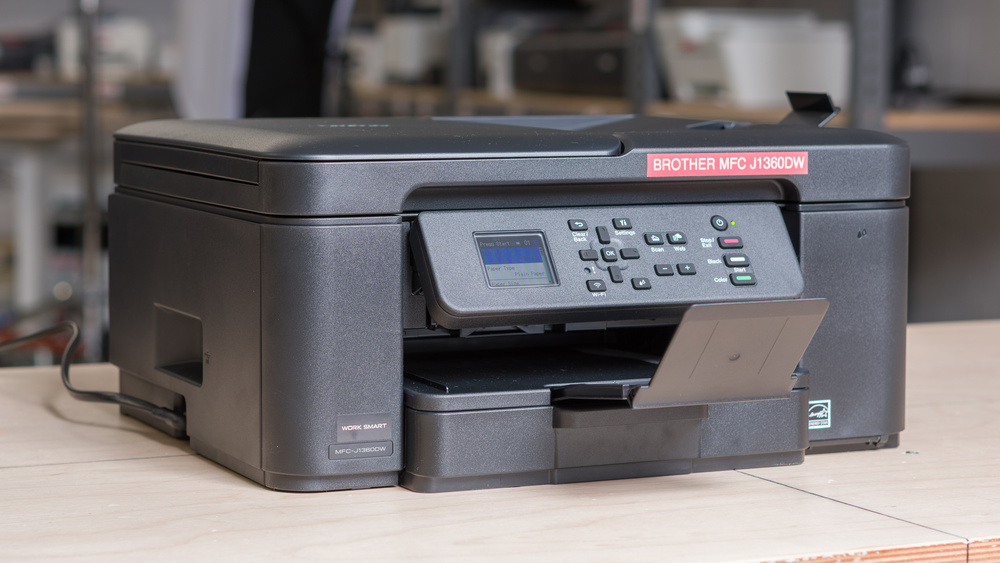
The Brother MFC-J1360DW is a budget all-in-one inkjet printer that's designed for home use. It uses four ink cartridges: three color dye inks and one black pigment ink, and it connects via Wi-Fi or USB, with support for Apple AirPrint and Mopria Print Service. The scanner comes with an automatic document feeder (ADF) so you can scan easily long, multi-page documents, though it doesn't support duplex scanning. This printer has several variants, and some support Brother's INKvestment cartridge system. These cartridges offer much higher yields and may be a better choice if you often print large batches. You can find more details in the Differences Between Variants section.
Our Verdict
The Brother MFC-J1360DW is a good choice if you're looking for a household printer. It has excellent print quality and a very complete feature set. It includes an automatic document feeder to easily handle multi-page documents, and its scan quality is also excellent. While its page yields are only average compared to the overall printer market, they're better than expected for an all-in-one printer in this price range. The color inks are also in separate cartridges rather than the tri-color ones common in this segment, which is another plus, since it lets you refill only the colors that are running low instead of having to replace all colors at once. High-yield cartridges are also available, making maintenance easier because you won't need to swap cartridges as often.
Decent page yields.
Automatic document feeder.
Acceptable color range and accuracy.
Supports duplex printing.
Excellent document print quality in both color and black-and-white.
Outstanding scan quality.
Middling black-and-white printing speeds. Slow to print color documents.
Like all inkjet printers, it can clog if it's left unused.
Color gamut and color accuracy are just okay.
The Brother MFC-J1360DW is an okay choice for a small office. Although it doesn't have any significant flaws, it may not be the best choice, especially if you have a large print volume. Page yields are decent, especially for a printer in this price range, but you'll still need to replace the cartridges often if you have heavy printing needs. High-yield cartridges do help. Print speed is also mediocre, especially for color documents, which isn't ideal if you often handle longer documents. The scanner also includes an automatic document feeder, but it doesn't support automatic duplex scanning.
Decent page yields.
Automatic document feeder.
Supports duplex printing.
Excellent document print quality in both color and black-and-white.
Outstanding scan quality.
Middling black-and-white printing speeds. Slow to print color documents.
The Brother MFC-J1360DW isn't a great fit if you only print occasionally and need it to work on demand. Its main issue is clogging. Like any inkjet, it can clog after sitting idle too long, and running maintenance tasks to fix it eats through ink fast, given the cartridges' low volume. The printheads are also not user-replaceable, which gives you little recourse if the maintenance tasks can't unclog the printer. The low ink volume also means page yields are only decent, so you'll need to change cartridges often if you print a lot. High-yield cartridges are available, though, and they're advertised to nearly double the page yield.
Decent page yields.
Middling black-and-white printing speeds. Slow to print color documents.
Like all inkjet printers, it can clog if it's left unused.
Printheads are not replaceable.
The Brother MFC-J1360DW does a very good job for photo printing, especially for casual use. Colors look natural enough, and prints come out with good detail. It does struggle a bit with bright, saturated colors, making prints less vibrant than the originals.
Acceptable color range and accuracy.
Color gamut and color accuracy are just okay.
The Brother MFC-J1360DW has decent page yields. It can print around 400 black-and-white and 300 color pages. This result can be doubled if you use high-yield cartridges according to Brother's estimates.
Decent page yields.
The Brother MFC-J1360DW's print speeds are acceptable. Black-and-white documents come out at a reasonable clip, around 13 pages per minute (PPM), but color printing slows things down noticeably to around 5 PPM. It's also pretty quick for the first page to come out.
Middling black-and-white printing speeds. Slow to print color documents.
The Brother MFC-J1360DW turns out great-looking documents. Text is sharp, and fine details are easy to make out, though you'll notice some vertical banding in colored areas. Switching to high-quality mode removes those lines, but it slows things down even more.
Excellent document print quality in both color and black-and-white.
The Brother MFC-J1360DW has a versatile scanner with a fairly fast automatic document feeder. Scan quality is very good, preserving much of the detail. That said, using the ADF makes the scans slightly crooked. The ADF also doesn't support duplex scanning, so double-sided sheets need to be flipped manually.
Outstanding scan quality.
Scanning with the automatic document feeder produces crooked scans.
Performance Usages
Check Price
Differences Between Sizes And Variants
We tested the Brother MFC-J1360DW variant of this printer. Here's our unit's label. It has several names depending on the market. We compiled the different variants in the table below:
| Model Number | Region/Market | ADF | Notes |
|---|---|---|---|
| MFC-J1360DW | USA / Canada | Yes | Standard retail model; uses LC501 ink |
| MFC-J1365DW | USA / Canada | Yes | INKvestment variant; uses LC504 ink |
| MFC-J1410DW | USA / Canada | Yes | Touchscreen display; uses LC501 ink |
| DCP-J1310DW | UK / Europe / Asia-Pacific | No | No ADF, uses LC531/LC521 ink |
| DCP-J1313DW | UK / Europe | No | Sub-variant of the J1310DW, uses LC531/LC521 ink |
| DCP-J1360DW | UK / Europe / Australia / NZ | Yes | Direct equivalent of MFC-J1360DW; uses LC531/LC521 ink |
| DCP-J1460DW | UK / Europe | Yes | Touchscreen variant; equivalent to MFC-J1410DW, uses LC531/LC521 ink |
The Brother MFC-J1365DW is particularly different because it uses INKvestment cartridges. These cartridges can print many more pages before needing replacement, making this variant particularly attractive for heavy-duty printers. You can expect about three times as many prints per cartridge as with regular LC501 cartridges.
Popular Printer Comparisons
The Brother MFC-J1360DW is the follow-up to the Brother MFC-J1010DW, which was a well-known model in this segment. Its overall performance is similar, delivering excellent prints and a feature-rich scanner that even includes an automatic document feeder. Where this new version shows a marked improvement is in its page yields. It delivers almost twice as many pages per cartridge. This also means it has a lower cost-per-print than other models in this segment, such as the Epson WorkForce Pro WF-4830 and the Canon PIXMA TR7120.
If your print load is low and you print relatively often, the MFC-J1360DW is an excellent choice. Its weakest link is its speed and page yields, but even these characteristics remain competitive. If photo printing is a priority, you might want to choose the Canon PIXMA TR7120 mentioned above. It delivers slightly punchier colors and a more visually pleasing overall render. If you can spend a bit more and you have large print loads, a model like the Epson EcoTank ET-2400, which offers outstanding page yields, quickly becomes cheaper over time. That said, you'll lose out on the automatic document feeder. If you don't need color printing or a scanner, a laser printer like the Brother HL-L2460DW is an excellent option. It completely sidesteps the clogging issues that can plague inkjet printers, making it ideal for people who only print occasionally. Also, while its toners are more expensive, they can print about three times as many pages before needing to be replaced, which results in an even lower cost-per-print than the Brother MFC-J1360DW.
For more options, check out our recommendations for the best all-in-one printers, the best cheap and budget printers, and the best inkjet printers.
The Brother MFC-J1360DW is an overall more complete printer than the Canon PIXMA MG3620. The Brother includes an automatic document feeder and prints more quickly. It also has much better page yields, which could quickly make the higher MSRP worthwhile. The Canon does, however, stand out with better color accuracy, which, combined with a similar color gamut, produces better overall photos.
The Brother MFC-J1360 is the successor to the Brother MFC-J1010DW. It delivers very similar overall performance. Print quality and feature-set are almost identical, with the older model taking a slight edge in print speed and print quality. Where the newer MFC-J1360 distinguishes itself is with its superior page yields. It can print roughly twice as many pages per cartridge, which is a great boon.
The Brother HL-L2460DW and the Brother MFC-J1360DW each have their strengths. The MFC-J1360DW delivers a more complete all-in-one package with a competent scanner and excellent print quality. It's also the only printer among these two that can print in color, and it delivers decent page yields, especially for this price range. The HL-L2460DW, on the other hand, is an outstanding choice if you only print occasionally and only need to print black-and-white documents. It's quick and very reliable, even if you leave it unused for a while, unlike inkjet printers, which are susceptible to clogging.
The Brother MFC-J1360DW and Canon PIXMA TR7120 have very similar feature sets and print quality, but each printer has its own strengths. The Brother has a much better page yield, which is ideal if you want to keep costs as low as possible. The Canon, on the other hand, handles colors better, which makes it a better choice if photo printing is an important aspect for you.
Test Results
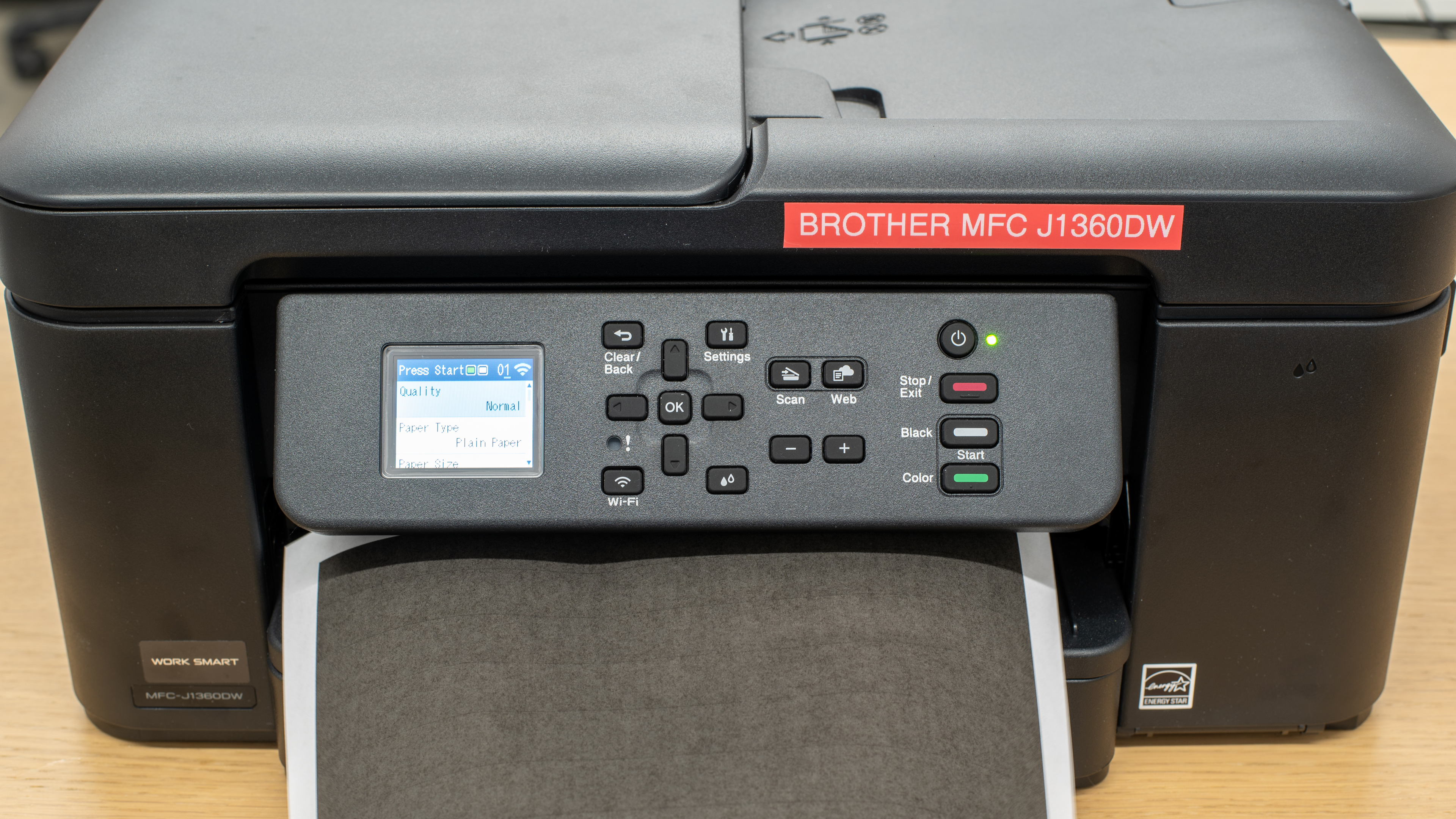




for pictures & test results


for pictures & test results

for videos & test results



for pictures & test results








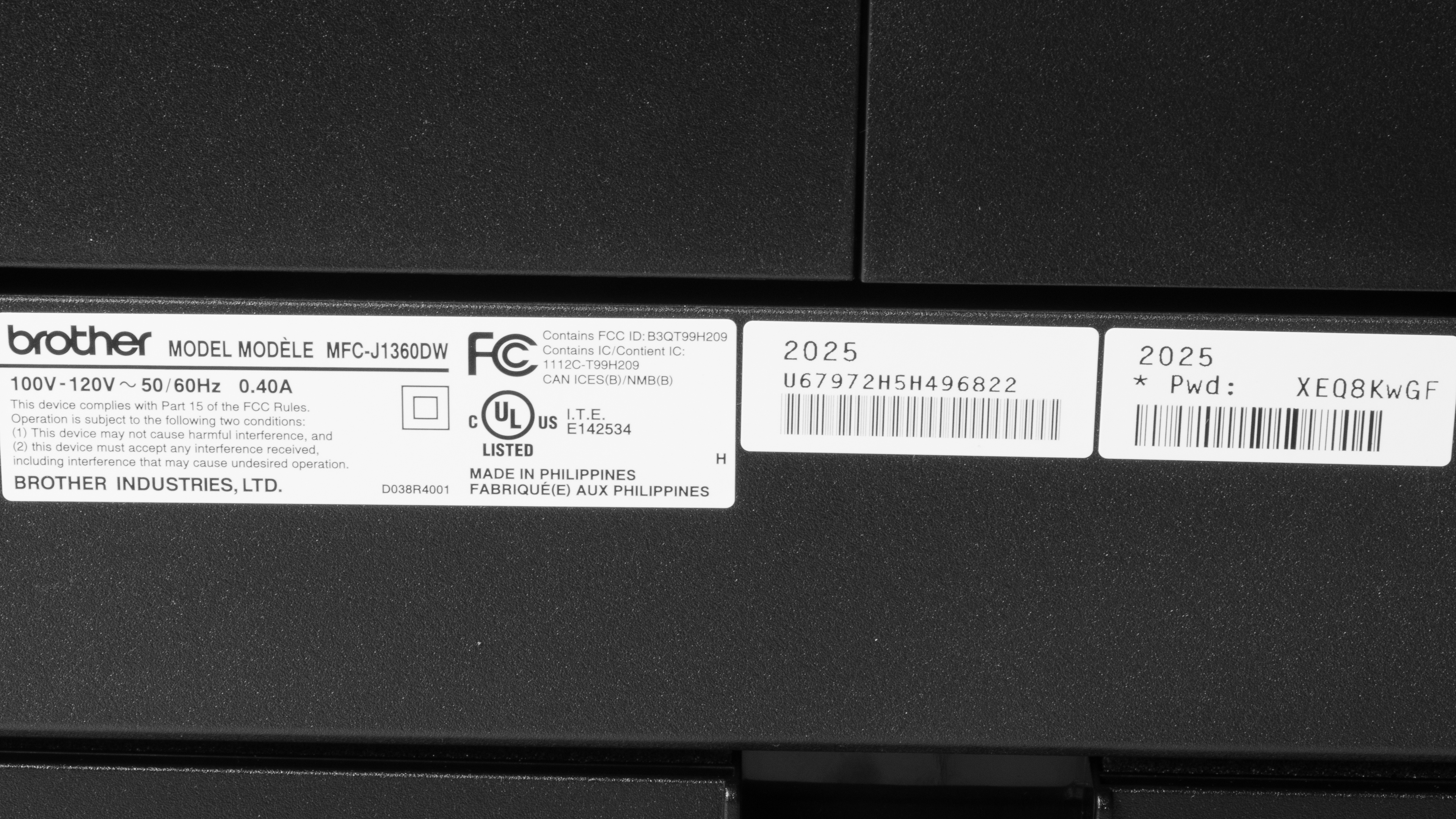
for pictures & test results

for pictures & test results
