Brother MFC-J805DW INKvestment Tank  Printer Review

Reviewed Jun 01, 2020 at 08:35am
Retest Jul 07, 2020 at 01:33pm
Tested using Methodology v0.8.1 
Brother MFC-J805DW INKvestment Tank
7.8
Family 
7.1
Small/Home Office 
8.7
Student 
7.7
Black & White 
7.3
Casual Photo 
 0

The Brother MFC-J805DW INKvestment Tank is a decent printer for home office use. It uses a cartridge system called the INKvestment Tank Ink System, which produces high black and color page yields while also maintaining an outstandingly low cost-per-print ratio. Although it has a somewhat large and bulky design, its build quality is great, and thanks to its flatbed and sheetfed scanner, you can easily transition from saving old film photos to processing work reports. However, it isn't the fastest printer for any kind of document and its color accuracy is disappointing.

Our Verdict

7.8
Family 

The Brother MFC-J805DW INKvestment Tank is good as a family printer. It has a decent photo printing quality and its flatbed scanner can help save more delicate items like film photos. It's also cost-efficient to print off both black and color documents as they have high page yields and their cost-to-print is outstandingly low.

Pros
  • Extremely low cost-per-print ratio.
  • Extremely high page yield for black and color documents.
  • Flatbed scanner can raise to support more bulky items like books.
  • Decent photo printing quality.
Cons
  • Mediocre print time for black and color documents.
  • Disappointing color accuracy.
  • Doesn't support external drives.
7.1
Small/Home Office 

The Brother MFC-J805DW INKvestment Tank is decent for home office use. This printer can yield a lot of black-text documents before it needs to be replaced and its cost-per-print ratio is exceptionally low. However, it can be slow to print off black-text documents and while its color cartridges allow you to add a nice splash of color to reports, it's also slow to print using the colored cartridges too. Still, there's an automatic document feeder and an integrated fax feature that can help streamline your work process.

Pros
  • Extremely high page yield for black and color documents.
  • Automatic document feeder.
Cons
  • Mediocre print time for black and color documents.
  • No duplex scanning.
8.7
Student 

The Brother MFC-J805DW INKvestment Tank is superb for student use. It has an outstandingly low cost-per-page ratio for black ink and it yields a lot of pages before you need to replace the cartridge. You can also hook it to your Wi-Fi via your router and its flatbed scanner makes it easy to save pages from your textbooks. On the downside, it's not the fastest at printing off black or colored documents.

Pros
  • Extremely low cost-per-print ratio.
  • Extremely high page yield for black and color documents.
  • Flatbed scanner can raise to support more bulky items like books.
Cons
  • Mediocre print time for black and color documents.
  • Doesn't support external drives.
7.7
Black & White 

The Brother MFC-J805DW INKvestment Tank is good for black and white printing. Its black cartridge has an outstandingly low cost-per-print ratio as well as a high page yield, so even if you're constantly printing off black-text documents, you won't run out of ink too quickly. You can even extend the page yield by using Brother's additional XXL ULTRA cartridges. On the downside, while printing the first page of a black-text document is quick, this printer takes its time printing off subsequent pages.

Pros
  • Extremely low cost-per-print ratio.
  • Extremely high page yield for black and color documents.
Cons
  • Mediocre print time for black and color documents.
7.3
Casual Photo 

The Brother MFC-J805DW is a decent printer for printing photos. Printed photos look decent overall, but there's some graininess and banding throughout the picture. It supports most photo paper sizes and can print on glossy photo paper. Unfortunately, its color accuracy is disappointing.

Pros
  • Extremely low cost-per-print ratio.
  • Decent photo printing quality.
Cons
  • Disappointing color accuracy.
  • Can't print on 2" x 3".
  • 7.8
    Family
  • 7.1
    Small/Home Office
  • 8.7
    Student
  • 7.7
    Black & White
  • 7.3
    Casual Photo
  • Changelog

    1.  Updated Jul 07, 2020: We previously reported the wrong display screen size. It has been fixed.
    2.  Updated Jun 08, 2020: Converted to Test Bench 0.8.1.
    3.  Updated Jun 01, 2020: Review published.
    4.  Updated May 26, 2020: Early access published.

    Check Price

    WhiteMFC-J805DW
    SEE PRICE
    Amazon.com
    WhiteMFC-J805DW XL
    SEE PRICE
    Amazon.com

    Popular Printer Comparisons

    The Brother MFC-J805DW INKvestment Tank is a high-yielding inkjet printer. Its ink cartridges produce a large number of pages before they need to be replaced, and its cost-per-print is more affordable than that of the Brother MFC-L3770CDW Laser. However, it prints more slowly than the Brother MFC-J995DW, and its photo printing quality isn't as good as dedicated photo printers like the HP ENVY Photo 7855/7858. Check out our recommendations for the best inkjet printers, the best office printers, and the best wireless printers.

    Epson EcoTank Pro ET-5850

    The Epson EcoTank Pro ET-5850 and the Brother MFC-J805DW INKvestment Tank are all-in-one color inkjet printers, but the Epson is a much better printer overall. The Epson uses a supertank system for better page yields and a lower cost-per-print. Also, it prints documents and photos much faster. Its automatic document feeder can duplex scan, it has an Ethernet port, and it can print directly from USB flash drives.

    Canon PIXMA G6020

    The Brother MFC-J805DW INKvestment Tank and the Canon PIXMA G6020 are both all-in-one color inkjet printers, but the Canon uses a traditional supertank ink system while the Brother uses a hybrid cartridge-tank configuration. The Canon has significantly better page yields and cost-per-print, and it prints photos faster and with better quality. It also has an Ethernet port. On the other hand, the Brother has an automatic document feeder and can fax, and it takes much less time to warm up and print the first page.

    HP Color LaserJet Pro M255dw

    The Brother MFC-J805DW INKvestment Tank is an all-in-one color inkjet printer with a proprietary hybrid cartridge-tank system, while the HP Color LaserJet Pro M255dw is a color laser printer-only unit. The HP is better-suited for quickly printing documents, with a significantly faster printing speed and much more accurate produced colors, and it has an Ethernet port and can print directly via USB flash drives. On the other hand, the Brother is better-suited for a wide variety of tasks, as it has a flatbed scanner, an automatic document feeder with duplex scanning, and faxing capability. It also has much better page yields and a significantly cheaper cost-per-print, and it prints much better photos.

    Epson EcoTank ET-2850

    The Epson EcoTank ET-2850 is a bit better than the Brother MFC-J805DW INKvestment Tank. The Epson prints significantly more pages, and since its ink bottles cost much less than the Brother's cartridges, it has a much lower cost-per-print. On the other hand, if you often need to scan many documents in a row, the Brother is a better choice since it has an automatic document feeder. However, the Brother is discontinued, so it's much harder to find available.

    Canon PIXMA G3260/G3262

    The Brother MFC-J805DW INKvestment Tank and the Canon PIXMA G3260 are both all-in-one color inkjet printers, but the Canon uses a supertank ink system for a far superior page yield and cost-per-print, and the Canon produces much more accurate-looking colors. On the other hand, the Brother has an automatic document feeder, faxing capability, and an automatic duplex print feature. It also prints faster overall.

    Canon PIXMA TR8620

    The Brother MFC-J805DW INKvestment Tank and the Canon PIXMA TR8620 are all-in-one color inkjet printers, but the Brother is a better multipurpose printer, while the Canon is better for casual photo printing. The Brother's INKvestment Tank cartridge system gives it a far superior page yield and cost-per-print, and it feels much sturdier and better built. On the other hand, the Canon produces photos with significantly better quality and detail.

    Epson Expression Premium ET-7750 EcoTank

    The Epson Expression Premium ET-7750 EcoTank is slightly better than the Brother MFC-J805DW INKvestment Tank. The Epson has a lower cost-per-print, a faster print speed, more accurate looking colors, and better photo quality. It also supports printing from an external storage device. However, the Brother has better scanner features, a higher page yield, and it feels much better built.

    Canon PIXMA TS9520

    The Brother MFC-J805DW INKvestment Tank and the Canon PIXMA TS9520 are all-in-one color inkjet printers, but the Canon is much better for printing photos. The Canon prints black text documents and photos significantly faster and produces far superior-quality photos with much more accurate colors. It also has an Ethernet port, can print directly from SD cards, and can print on wide tabloid-format paper. On the other hand, the Brother is better for a wider variety of tasks, with significantly better page yields and cost-per-print. It can also fax and can print via Wi-Fi Direct.

    Epson EcoTank ET-4700

    The Brother MFC-J805DW INKvestment Tank and the Epson EcoTank ET-4700 are both all-in-one color inkjet printers, but the Epson uses a refillable supertank ink system that gives it double the color page yield over the Brother, which uses a proprietary hybrid cartridge-tank system. The Epson is also better for office use, as it prints black text documents faster, produces more accurate colors, has a much cheaper cost-per-print, and also has an Ethernet port. On the other hand, the Brother can automatically duplex print, and it produces better-looking photos.

    Brother MFC-J497DW

    The Brother MFC-J805DW INKvestment Tank and the Brother MFC-J497DW are both all-in-one color inkjet printers, but the MFC-J805DW uses a proprietary hybrid cartridge–tank system for far superior page yields and a much better cost-per-print. On the other hand, the MFC-J497DW produces much more accurate colors. Otherwise, both printers print at similar speeds, produce similar-quality photos, and have the same scanning and connectivity features.

    HP ENVY 5055

    The HP ENVY 5055 and the Brother MFC-J805DW INKvestment Tank are both similarly decent photo printers. However, the Brother is better performing in all other aspects and is more versatile. The Brother is well-built, its cartridge system produces higher page yields, and its cost-per-print is much more affordable too. It also has a scan sheetfed with an automatic document feeder. Conversely, the HP has better color accuracy, and it can print photos much quicker.

    Epson EcoTank ET-2720

    The Epson EcoTank ET-2720 and the Brother MFC-J805DW are both all-in-one inkjet units, but the Epson uses a supertank system that has a higher yield for color documents and a lower cost-per-print. On the other hand, the Brother uses a hybrid cartridge-tank system that provides higher black page yields. It also has an automatic document feeder and produces higher-quality photos.

    HP Color LaserJet Pro MFP M479fdw

    The HP Color LaserJet Pro MFP M479fdw is an all-in-one color laser printer that's a better small or home office printer than the Brother MFC-J805DW. The HP prints significantly quicker, and it has a better color document yield. It also supports duplex scanning, can print directly from USB flash drives, and has an Ethernet port. The Brother is an all-in-one color inkjet printer that's better for family use, with a better black page yield and significantly better printed photo quality.

    Epson EcoTank ET-3760

    The Epson EcoTank ET-3760 and the Brother MFC-J805DW INKvestment Tank are differently designed printers, but the Epson is better for small/home offices. The Epson's supertank ink system can yield more pages before the tanks need to be refilled, and it has a lower cost-per-print. It also prints black and color documents more quickly. In contrast, the Brother feels better built and has faxing capabilities, but it lacks an Ethernet port.

    HP Smart Tank Plus 551

    The Brother MFC-J805DW INKvestment Tank and the HP Smart Tank Plus 5512 are both all-in-one color inkjet printers, but the HP uses a supertank ink system for a significantly better cost-per-print and page yields. The HP also prints photos faster and with much more accurate colors. On the other hand, the Brother is a much better small or home office printer, as it prints documents faster and produces photos with better quality. It also has ADF, fax capabilities, and can automatically print double-sided.

    Canon PIXMA TR8520

    The Canon PIXMA TR8520 and the Brother MFC-J805DW INKvestment Tank are both all-in-one color inkjet printers, but the Canon is much better for photo prints while the Brother is better for students. The Canon prints black text documents and photos faster, with photos having significantly better quality and much more accurate colors. It has an Ethernet port and can print directly from SD cards. On the other hand, the Brother uses a proprietary hybrid cartridge–tank system for significantly better page yields and a much lower cost-per-print.

    Canon PIXMA G7020

    The Brother MFC-J805DW INKvestment Tank and the Canon PIXMA G7020 are both very good all-in-one color inkjet printers, but the Canon uses a supertank ink system for a superior cost-per-print and page yields. The Canon also prints photos more quickly and has an Ethernet port. On the other hand, the Brother does print documents a bit faster.

    Brother MFC-L3770CDW Laser

    The Brother MFC-L3770CDW Laser is an all-in-one color laser printer that's better for small offices that need to print high volumes quickly, while the Brother MFC-J805DW INKvestment Tank is an all-in-one color inkjet printer that's better for families and students. The MFC-L3770CDW prints significantly faster and produces more accurate colors, its automatic document feeder can duplex scan, and it has an Ethernet port. The MFC-J805DW uses a hybrid cartridge–tank system for significantly higher black page yields and a much lower cost-per-print, and it produces much better-looking photos.

    Brother MFC-J995DW

    The Brother MFC-J995DW is a better overall printer than the Brother MFC-J805DW INKvestment Tank. While both printers are similarly well-built and high page-yielding, the MFC-J995DW has a faster printing speed for black and color documents as well as photos, it has slightly better color accuracy, and its photo printing quality is better too. It also has an ethernet port, which some users may prefer.

    Epson EcoTank ET-4760

    The Brother MFC-J805DW INKvestment Tank and the Epson EcoTank ET-4760 are both all-in-one color inkjet printers, but the Epson is a better small or home office unit which uses a supertank ink system for a significantly better cost-per-print and page yields. It also prints more quickly overall, produces more accurate-looking colors, and it has an Ethernet port. On the other hand, the Brother produces photos with more vibrant colors and better details.

    Epson EcoTank ET-2760

    The Brother MFC-J805DW INKvestment Tank and Epson EcoTank ET-2760 are both all-in-one color inkjets, but unlike the Brother, the Epson uses a supertank system with a significantly better page yield and cost-per-print. It also supports printing directly from an SD card and prints black-only documents faster. On the other hand, the Brother is a better small or home office printer with an ADF for easy multi-page scanning. It also prints photos more quickly, with better overall quality.

    Test Results

    perceptual testing image
    Sort:
    RATINGS
    Category:
    All
    Design
    8.0
    Build & Design Quality
    TypeAll in One

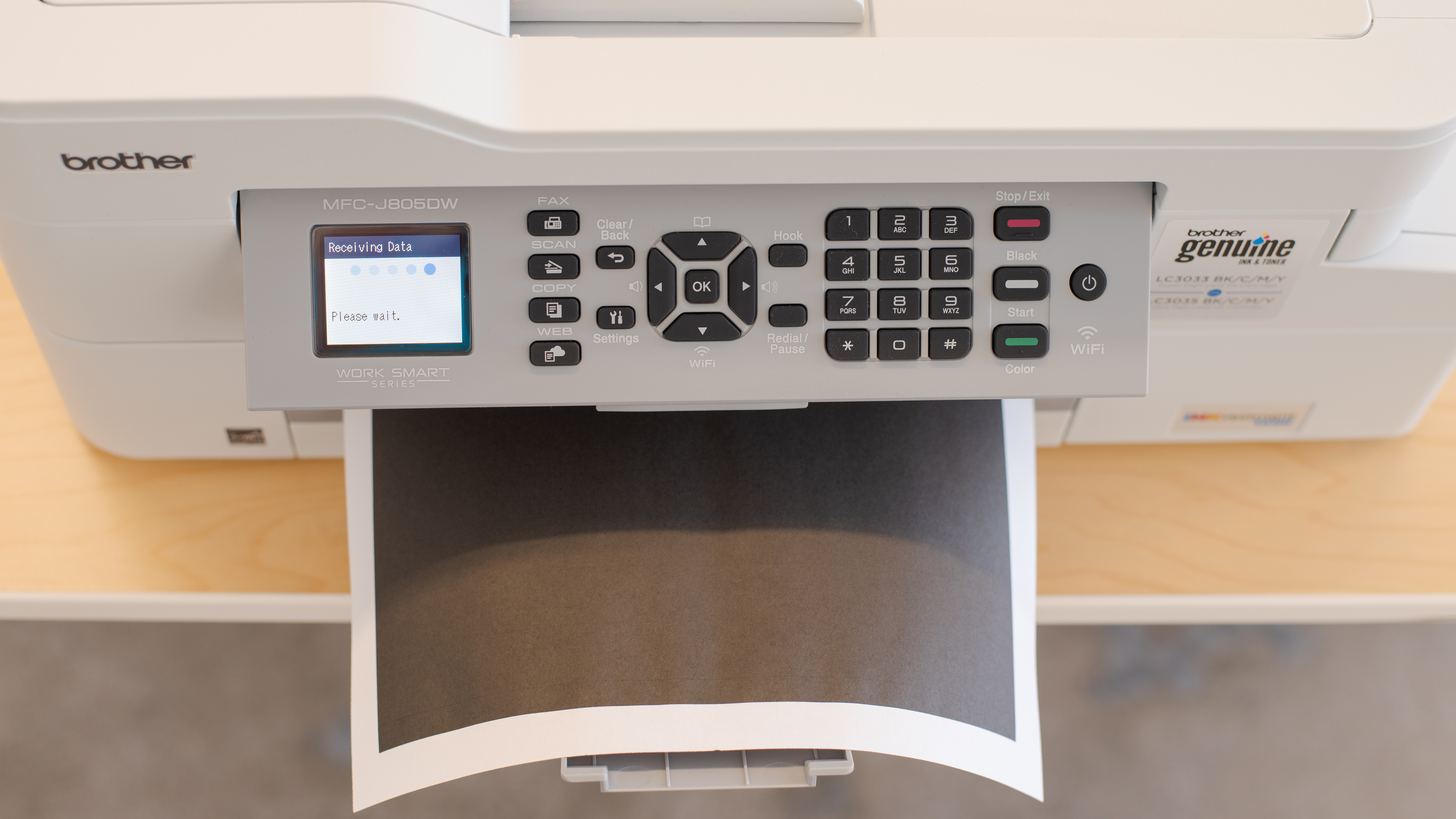
    The Brother MFC-J805DW has a great design. The body of the printer feels good and sturdy and there's easy access to the ink cartridges through the front left compartment. The scanner lid can also raise for bulkier items like books or magazines, and the full numerical keypad on the display panel is a nice touch. On the downside, you can't unplug the power cord from the printer, so if it gets damaged, you may have to replace the entire printer. If you want to connect your printer to your computer using a USB connection, the input is underneath the scanbed, and routing it shortens the cable by about a foot.

    Dimensions
    Height7.6" (19.4 cm)
    Width17.0" (43.3 cm)
    Depth13.4" (34.0 cm)
    Weight
    18.1 lbs (8.2 kg)

    This printer is tall and wide. Opening the scanner lid requires space so putting this printer underneath a short shelving unit probably isn't a good idea.

    7.0
    Display Screen
    Display ScreenYes
    Display Screen Size
    1.8" (4.5 cm)
    TouchscreenNo

    Update 07/07/2020:We previously reported the size of the display screen as 5.1cm, which is wrong. It has been fixed and the score has been updated accordingly.

    The Brother MFC-J805DW INKvestment Tank has a good display screen. It's a small screen that lacks a touch interface, but it has physical buttons to its right so that you can punch in commands. They give off audible feedback when pushed, but if you don't like the sound, you can turn them off. You can also vertically tilt the display panel for better visibility as it ensures good viewing angles whether you're sitting or standing. While there's no horizontal tilt, you can still see the screen okay if you're viewing it from the side.

    In The Box

    • Fax/phone cable
    • 1x LC3033BK Black
    • 1x LC3033C Cyan
    • 1x LC3033M Magenta
    • 1x LC3033Y Yellow
    • User guide
    • Installation CD
    9.8
    Cartridge
    Photo Cartridge
    No
    TechnologyInkjet
    Number Of Color Cartridges
    3
    Black Cartridge Model
    LC3033BK
    ColorYes
    Tested Black Page Yield
    187 prints
    SuperTank
    No
    Estimated Black Page Yield
    3,553 prints
    Color Cartridge Model
    LC30333PKS
    Tested Color Page Yield
    75 prints
    Estimated Color Page Yield
    1,681 prints
    Third Party Cartridge
    Yes
    High Yield Cartridge
    Yes
    Drum Unit
    No Drum Unit

    The Brother MFC-J805DW has an exceptional cartridge system thanks to its INKvestment Tank Ink System, which can hold more ink per cartridge. It can yield a lot of black or colored ink pages before it needs to be replaced and Brother also carries even higher yield cartridges if you're constantly printing off things.

    This printer will accept third-party cartridges, but this could void its warranty, and special attention must be paid as this printer uses a combination of dye and pigment-based inks.

    8.1
    Scanner
    Scanner
    Yes
    Scan Flatbed
    Yes
    Scan Sheetfed
    Yes
    Automatic Document Feeder
    Yes
    Duplex Scanning
    No
    Scan Resolution
    1,200 DPI
    Scan Color Depth
    24 Bit
    Flatbed Scan Size
    8.5" x 11"
    Fax
    Yes
    Copy
    Yes

    The Brother MFC-J805DW has great scanner features. The flatbed scanner is great for more delicate items like film photos or bulky items such as books. There's also a sheetfed scanner for processing more pages as it has an automatic document feeder, which can help streamline your workflow. On the downside, it doesn't have duplex scanning so if you have double-sided documents, you'll have to scan each side manually.

    If you need a scanner that can perform duplex scanning, check out the HP OfficeJet Pro 9025.

    Printing
    9.9
    Cost-Per-Print
    See details on graph tool
    Black Cartridge Price
    32.99 US$
    Color Cartridge Price
    64.49 US$
    Black Only Printing
    0.009 US$/print
    Color Printing
    0.038 US$/print
    Photo Printing
    0.102 US$/print
    Ink Subscription
    No

    The Brother MFC-J805DW's cost-per-print ratio is outstanding and is an economical choice for those who print a lot of things. Whether you're printing off black or colored documents, the cost remains very low. Printing photos is also very affordable too, but if you're looking for a printer with an even lower cost-per-print, check out the Epson EcoTank ET-2720.

    Keep in mind that even if you print only in black, most inkjet printers continue using the color cartridge for servicing tasks, so you'll likely still need to replace it eventually.

    6.2
    Printing Speed
    Black Only Text Document
    6 PPM
    Color Document
    4 PPM
    Photo Printing Time
    84.0 s
    First Page Out Time (Black Only)
    9.0 s
    Duplex Printing
    Automatic
    Input Tray Capacity
    150 pages

    The Brother MFC-J805DW has a mediocre printing speed. While the first page of a black-text document is fairly quick to print, subsequent pages are much slower. Color documents and 4" x 6" photos are even slower to print.

    If you're looking for a similarly priced printer with faster overall printing speeds, check out the Brother MFC-J4335DW, which is the successor to this printer.

    5.8
    Color Accuracy
    Average Color dE
    10.98

    The Brother MFC-J805DW has disappointing color accuracy. While it may not be a dealbreaker for those who like to add a small splash of color to their reports, it's not recommended for tasks that demand more precise color accuracy.

    If you need a printer with better color accuracy, check out the HP ENVY Photo 7155.

    7.3
    Photo Printing Quality
    Borderless Printing
    Yes

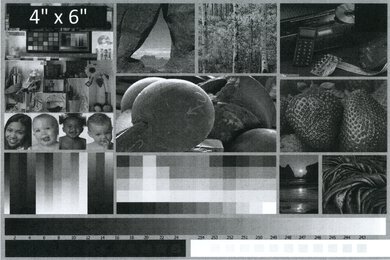
    The photo printing quality of the Brother MFC-J805DW is decent. Colors appear vibrant but yellow is a little washed out. The photo looks quite grainy and there's a lot of banding throughout the photo. Even though this printer has borderless printing, there's still a thin border around the photos.

    Printing Size
    Letter (8.5" x 11")Yes
    Legal (8.5" x 14")Yes
    Tabloid (11" x 17")No
    A6 (105mm x 148mm)Yes
    A5 (148mm x 210mm)Yes
    A4 (210mm x 297mm)Yes
    Photo (2" x 3")No
    Photo (4" x 6")Yes
    Photo (5" x 7")Yes

    The Brother MFC-J805DW INKvestment Tank has a front input cassette that has sliders for length and width. There's also a rear manual feeder with a width slider. Each tray supports most popular paper formats and types.

    Mobile App And Connectivity
    7.0
    Connectivity
    Ethernet
    No
    USB Input To Computer
    Yes
    WirelessYes
    Bluetooth
    No
    Wi-Fi via Router
    Yes
    Wi-Fi Direct
    Yes
    External Storage Support
    No
    Apple AirPrint
    Yes
    Mopria Print Service
    Yes

    This printer has decent connectivity options. You can hook it up to your Wi-Fi via your router or by Wi-Fi Direct. If you're on a mobile device, you can also use Apple AirPrint or Mopria Print Service. However, this printer lacks Bluetooth connectivity and you won't also be able to print off photos directly from external storage like a USB key or an SD card. Still, if you're using this printer in your home office, it has a phone line for faxing, which is nice. If you need support for external drives, check out the Epson Expression Premium XP-6100.

    10
    Mobile App For Home Use
    Mobile AppYes
    App NameBrother iPrint&Scan
    iOSYes
    AndroidYes
    Photo (JPEG, PNG)
    Yes
    PDF
    Yes
    Microsoft Office Files
    Yes
    Text Files (TXT)
    Yes
    Webpages (HTML)
    Yes

    The Brother MFC-J805DW is compatible with the Brother iPrint&Scan app, which allows you to print, scan, and copy directly from the app. You can check ink levels as well as order ink, and if you scan a document using this printer, you can see it directly on your mobile device.