
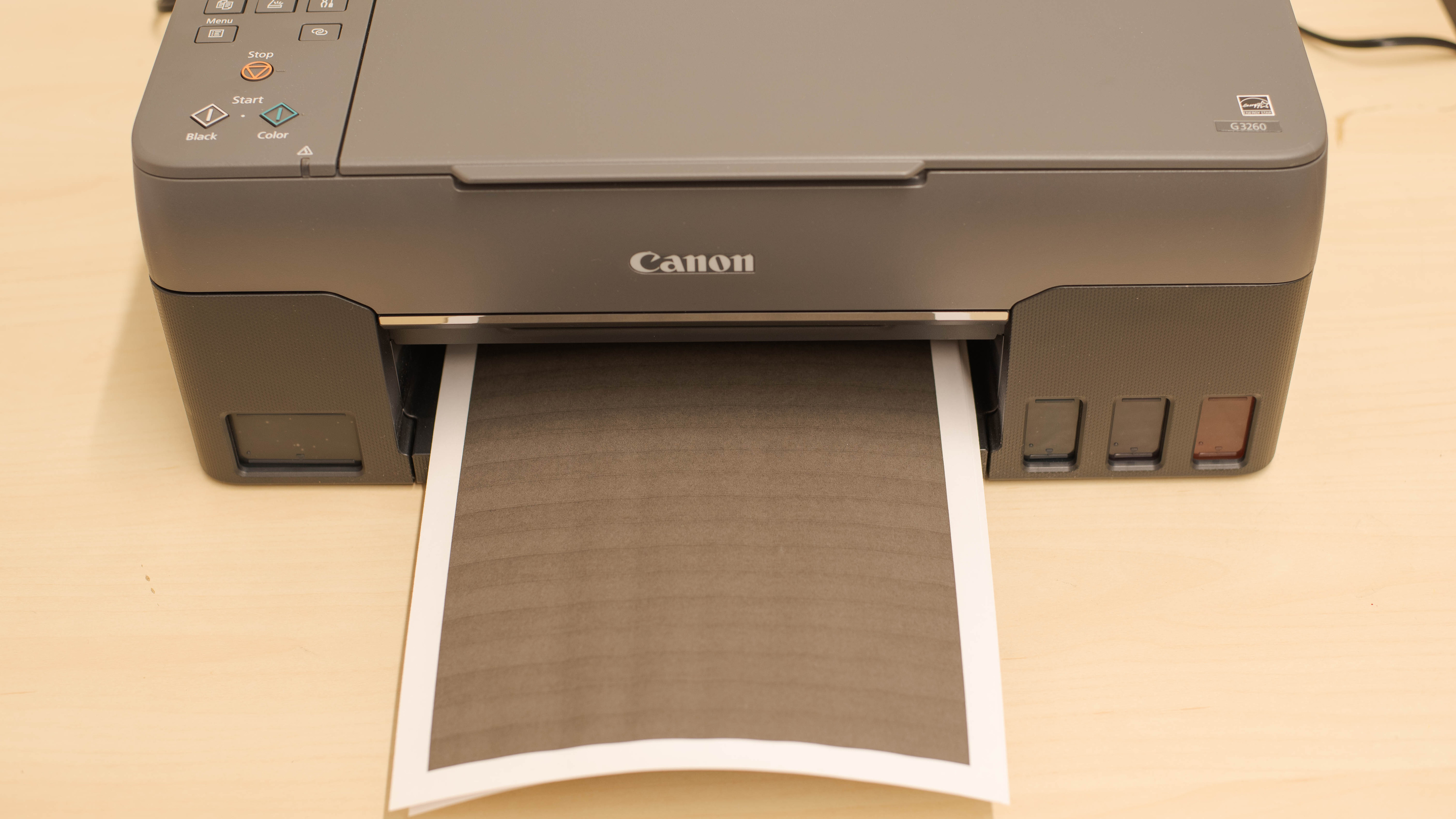
The Canon PIXMA G3260 MegaTank Wireless All-in-One printer is a supertank printer with a high-resolution flatbed scanner. It uses four high-capacity ink tanks that yield an incredible number of pages, particularly for color documents, making it a good choice if you intend to print lots of color media like photos or school projects. It doesn't have an automatic document feeder, so it isn't particularly suited for small or home office use, but its high-resolution flatbed is perfect for capturing fine details in old photos or diplomas that you want to save. Unfortunately, its two-line dot matrix display screen is a lot more cumbersome to navigate compared to a modern color touchscreen, and it doesn't include a USB-A to USB-B cable in the box if you want to print directly from your computer.
Our Verdict
The Canon G3260 is good for family use. It features a flatbed scanner with a high resolution and color depth, which is great for digitizing photos. Its photo printing quality is good, with decent color accuracy, so it's more than enough for hobbies and casual photo prints. It has an incredibly low cost-per-print for both black and color documents. It offers Wi-Fi printing and is compatible with a mobile app, but sadly, it can't print directly from a USB thumb drive or SD card.
- Outstandingly low cost-per-print.
- Flatbed scanner with high resolution and color depth.
- Exceptionally high page yield.
- Good-quality photos with decent color accuracy.
- Slow at printing documents.
- Can't print directly from external storage.
- Doesn't include USB-A to USB-B cable.
The Canon G3260 is passable for small or home offices. It yields an exceptionally high number of pages at a very low cost, but it's terribly slow at printing documents. It doesn't have an automatic document feeder so it can't automatically scan double-sided pages, and it also can't automatically print double-sided sheets. It feels decently built, but some of its parts feel flimsy. It supports printing via Wi-Fi, but it doesn't have an Ethernet port, and the USB-A to USB-B connection required for wired printing isn't included.
- Outstandingly low cost-per-print.
- Exceptionally high page yield.
- Slow at printing documents.
- Lacks an automatic document feeder.
- Doesn't include USB-A to USB-B cable.
The Canon G3260 is great for student use. It has an exceptionally high page yield, keeping its cost-per-print very low for both black and color documents and helping you stay within budget. It also has a flatbed scanner with a high resolution and color depth, which is great for digitizing photos. You can easily print from a variety of devices via Wi-Fi, Apple AirPrint, and Mopria Print Service, but it doesn't support Bluetooth. Sadly, it takes a while to start printing if you haven't used it for a while, and subsequent pages aren't much faster.
- Outstandingly low cost-per-print.
- Flatbed scanner with high resolution and color depth.
- Exceptionally high page yield.
- Slow at printing documents.
- Can't print directly from external storage.
The Canon G3260 is decent for black and white printing. Although its build quality is only decent, it provides easy access to the ink tanks for quick and easy refills. It doesn't have an automatic document feeder, and it can't automatically scan or print double-sided sheets. Also, it's very slow at printing black-only text documents. On the bright side, it yields an outstanding number of pages at a very low cost-per-print.
- Outstandingly low cost-per-print.
- Exceptionally high page yield.
- Slow at printing documents.
- Doesn't include USB-A to USB-B cable.
The Canon G3260 is good for printing photos. Thanks to its incredible supertank system, it's extremely affordable to print color photos, and the cost-per-print for photos is among the cheapest we've tested. The color accuracy is decent, and it produces good-quality photos that are more than good enough if you want to fill up a photo album. It can print in most photo sizes except for 2" x 3".
- Outstandingly low cost-per-print.
- Flatbed scanner with high resolution and color depth.
- Good-quality photos with decent color accuracy.
- Slow at printing photos.
- Can't print 2" x 3" photos.
- Outstandingly low cost-per-print.
- Outstandingly low cost-per-print.
- Outstandingly low cost-per-print.
- Outstandingly low cost-per-print.
- Outstandingly low cost-per-print.
Performance Usages
Changelog
- Updated Sep 15, 2023: We added a link to the Canon PIXMA G3270 in the Display Screen section of the review to provide an alternative with a screen that gives a bit more information.
- Updated Aug 21, 2023: We've changed the product name to Canon PIXMA G3260/G3262 to reflect regional naming differences and updated the 'Differences Between Variants' section to include this new designation.
- Updated Sep 21, 2022: Converted to Test Bench 1.2.
- Updated Sep 01, 2022: Converted to Test Bench 1.1.
Check Price
Differences Between Sizes And Variants
The Canon PIXMA G3260 is also sold as the PIXMA G3262 in some markets. There are also a few other variants with slight mechanical differences, like the Canon PIXMA G1220, which doesn't have a scanner, and the Canon PIXMA G2260, which also has a flatbed scanner. However, neither can print wirelessly like the G3260 can. You can see the label of our unit here.
Popular Printer Comparisons
The Canon PIXMA G3260 is a very good family printer. It also yields an outstanding number of both black and color pages, and its cost-per-print for color documents and photos is among the lowest we've seen. While you can print via Wi-Fi, it doesn't support Bluetooth or printing directly off a USB thumb drive or SD card.
For other options, check out our recommendations for the best home printers, the best office printers, and the best printers with cheap ink.
The Canon PIXMA G3270 is an improvement on the Canon PIXMA G3260/G3262 in most ways. The G3270 feels better built, has a more informative display, and offers better document printing quality. Meanwhile, the G3260 has a wider color gamut and slightly better color accuracy, so it could be worth a look if you print photos often.
The Brother MFC-J805DW INKvestment Tank and the Canon PIXMA G3260 are both all-in-one color inkjet printers, but the Canon uses a supertank ink system for a far superior page yield and cost-per-print, and the Canon produces much more accurate-looking colors. On the other hand, the Brother has an automatic document feeder, faxing capability, and an automatic duplex print feature. It also prints faster overall.
The Canon PIXMA G3260 and the Canon PIXMA G2260 are both supertank printers with nearly identical costs-per-print, but the G3260 offers wireless printing. The G3260 has a higher color page yield and slightly better photo quality, but its color accuracy is marginally worse, and it prints significantly slower than the G2260. Also, neither printer comes with the USB-A to USB-B cable required for wired printing.
The Canon PIXMA G6020 and the Canon PIXMA G3260 are both all-in-one supertank color inkjets. They have similar features and printing performance, with flatbed scanners and superb page yields, but the G6020 prints faster overall, can automatically print double-sided, and produces better-looking photos. It also has an Ethernet port. On the other hand, the G3260 produces more accurate colors, but the average person shouldn't notice a difference, and both should be fine for casual use.
Test Results




for pictures & test results

for pictures & test results



for pictures & test results


for pictures & test results

for videos & test results








for pictures & test results

for pictures & test results
