Epson WorkForce WF-110  Printer Review

Reviewed Jul 15, 2024 at 11:29am
Writing modified May 29, 2025 at 01:39pm
Tested using Methodology v1.2 
Epson WorkForce WF-110
6.2
Family 
4.5
Small/Home Office 
6.6
Student 
5.2
Black & White 
7.5
Photo 
6.6
Color Quality 
8.0
Document Quality 
0.0
Scanner 
 0

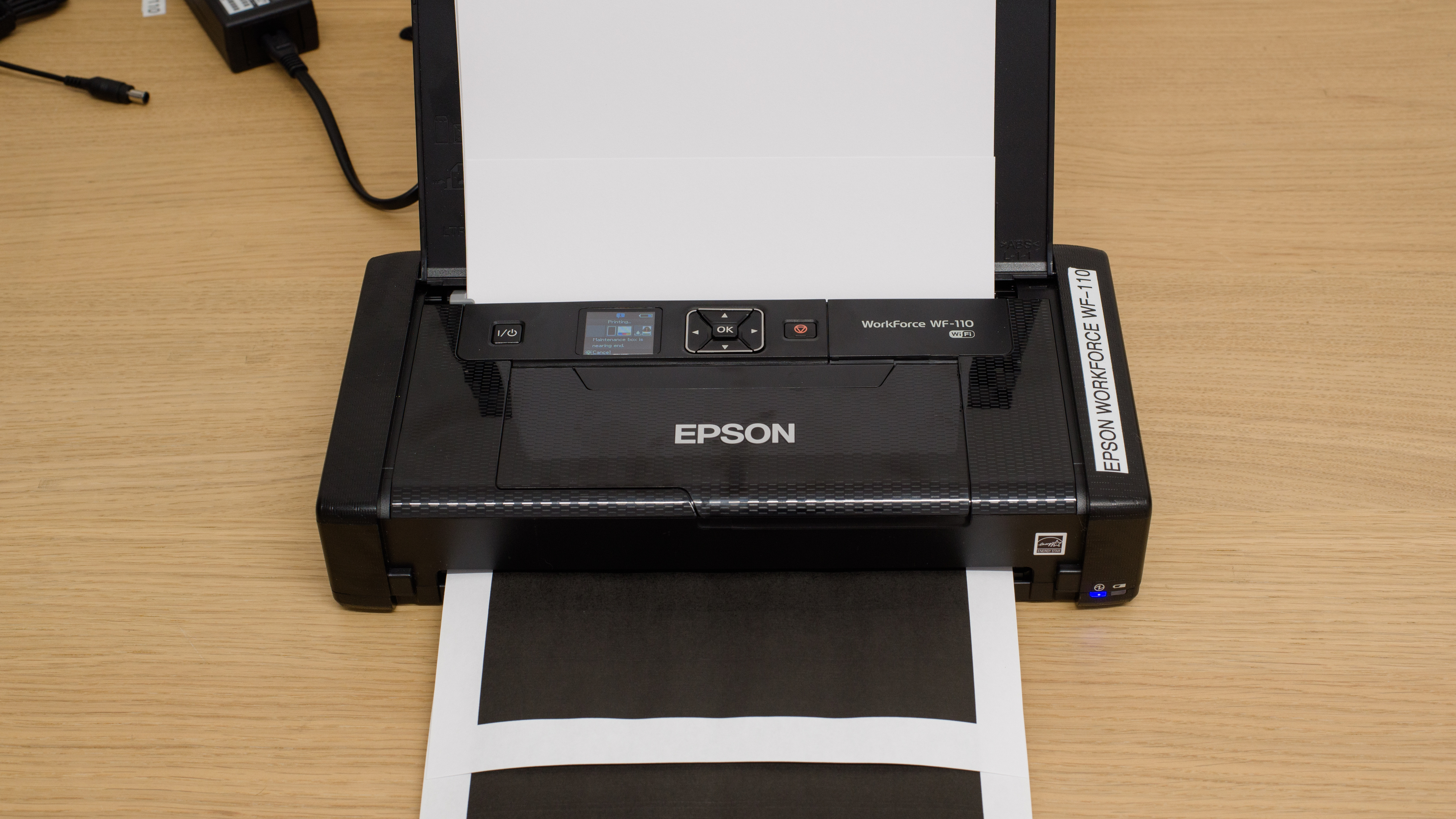
The Epson WorkForce WF-110 is a portable print-only inkjet printer. It has a two-cartridge system with a black and tri-color cartridge and uses Epson's T215 Black and T215 C/M/Y cartridges; there are no high-yield cartridges available. It has a rechargeable battery; while it isn't removable, you can purchase additional external batteries. Connectivity options include Wi-Fi and support for Apple AirPrint and Mopria Print Service.

Our Verdict

6.2
Family 

The Epson WorkForce WF-110 is mediocre for family use. While it prints good quality black and color documents and produces nice photos, there are many regular maintenance tasks to perform on this printer. Its ink cartridges have low page yields, it only holds 20 sheets of paper, and its maintenance box needs regular changing. There's also no scanner, as this is a print-only unit.

Pros
  • Photos look detailed, with vibrant and saturated colors.
  • Prints good color and black documents.
Cons
  • Printer overheats during long print jobs.
  • High maintenance requirements.
  • Slow print speeds.
4.5
Small/Home Office 

The Epson WorkForce WF-110 is bad for small/home office use. It's a portable printer, so it isn't designed for an office use case. If you need a printer to bring with you to job sites or trade shows for your business, then this printer is a better fit. Just know it has poor page yields, slow print speeds, bad build quality, and high expected maintenance tasks.

Pros
  • Prints good color and black documents.
Cons
  • Printer overheats during long print jobs.
  • High maintenance requirements.
  • Slow print speeds.
6.6
Student 

The Epson WorkForce WF-110 is okay for student use. It prints good quality black and color documents, and its price per print is decent. However, as a portable printer, high-volume print loads aren't its strength; even printing longer documents can cause issues like overheating. It's also slow, has poor page yields, poor build quality, and requires a lot of maintenance with frequent use. There's also no scanner, as this is a print-only unit. Its connectivity options are decent, and the companion app is fantastic.

Pros
  • Prints good color and black documents.
Cons
  • Printer overheats during long print jobs.
  • High maintenance requirements.
  • Slow print speeds.
5.2
Black & White 

While the Epson WorkForce WF-110 prints good-quality black documents, its overall performance is disappointing. This is because it has very slow print speeds, horrible black page yields, and very high maintenance requirements.

Pros
  • Good quality black documents.
Cons
  • Printer overheats during long print jobs.
  • High maintenance requirements.
  • Slow print speeds.
7.5
Photo 

The Epson WorkForce WF-110 prints good-quality photos. It has a decent color gamut and acceptable color accuracy, so photos look vibrant and detailed enough for casual or at-home use. This printer excels at reproducing fine details; you can clearly differentiate background objects from one another, which is great. That said, you can expect to perform a lot of maintenance on this printer as it has low page yields (requiring you to change its ink cartridges frequently if you print a lot), and its maintenance box fills up quickly from regular use.

Pros
  • Wide range of photo printing sizes.
  • Great at reproducing small details.
  • Printer produces vibrant and saturated colors.
Cons
  • High maintenance requirements.
  • Limited borderless printing options for photos.
  • Not color accurate enough for professional photo work.
6.6
Color Quality 

The Epson WorkForce WF-110 has adequate color quality. It's acceptable for at-home use, as its color accuracy isn't good enough for professional or enthusiast uses.

Pros
  • Print produces vibrant and saturated colors.
Cons
None
8.0
Document Quality 

The Epson WF-110 produces good-quality documents. Black documents look detailed, text is legible, and charts or graphs look sharp. However, fine details can become somewhat grainy.

Pros
  • Good quality black documents.
Cons
  • Grainy fine details.
0.0
Scanner 

The Epson WF-110 doesn't have a scanner.

4.2
Speed 

The Epson WF-110 is very slow. When plugged in, it prints just six black or three color pages per minute. It prints even slower on battery power, at three black pages or one color page per minute.

Pros
None
Cons
  • Slow print speeds.
7.7
Recurring Costs 

The Epson WF-110 is good for recurring costs. Although ink cartridges have low yields, they're cheap to replace. Similarly, the maintenance box is inexpensive to change, which is great since it fills up quickly.

Pros
  • Cheap ink cartridges.
  • Cheap replacement maintenance boxes.
Cons
  • High maintenance requirements.
  • 6.2
    Family
  • 4.5
    Small/Home Office
  • 6.6
    Student
  • 5.2
    Black & White
  • 7.5
    Photo

  • Performance Usages

  • 6.6
    Color Quality
  • 8.0
    Document Quality
  • 0.0
    Scanner
  • 4.2
    Speed
  • 7.7
    Recurring Costs
  • Changelog

    1.  Updated May 29, 2025: 

      Added mention of the Canon PIXMA TR160 as an alternative with wired USB connectivity in the Connectivity section.

    2.  Updated Jul 26, 2024: Added mention of the HP OfficeJet 200 as an alternative with faster printing speeds in the Printing Speed section.
    3.  Updated Jul 15, 2024: Review published.
    4.  Updated Jul 10, 2024: Early access published.

    Check Price

    BlackWorkForce WF-110
    SEE PRICE
    Amazon.com
    BlackWorkForce WF-110
    SEE PRICE
    BestBuy.com
    BlackWorkForce WF-110
    SEE PRICE
    Walmart.com
    BlackWorkForce WF-110
    SEE PRICE
    B&H

    Differences Between Sizes And Variants

    We tested the Epson WorkForce WF-110. It's also available in white in some regions as the Epson WorkForce EC-C110. See our unit's label here.

    Popular Printer Comparisons

    The Epson WorkForce WF-110 is a portable printer. It's designed to be compact and travel-friendly, but it lacks some features that are standard on traditional office or home printers, like an output tray. That being said, its build quality and general performance are poor, even among portable printers. In particular, this unit is prone to overheating during print jobs, which mitigates its main selling point: convenience. On a positive note, it does print better photos than other portable printers we've tested.

    For other options, check out our recommendations for the best cheap printers, the best wireless printers, and the best all-in-one printers.

    HP OfficeJet 250

    The HP OfficeJet 250 is a much better portable printer than the Epson WorkForce WF-110. The HP has more features, including an ADF scanner, faster print speeds, and far superior build quality. Moreover, the Epson overheats during long print jobs, which is not an issue with the HP. The Epson does print much better photos. However, they look vibrant and detailed, making the Epson a better choice if you want to print photos on the go for personal use.

    Canon PIXMA TR150

    The Canon PIXMA TR150 is a better portable printer overall than the Epson WorkForce WF-110. Its build quality is much sturdier, its battery last three times as long at 330 prints, and it has more connectivity options including using a USB cable to print from the computer. Print quality is similar overall. 

    HP OfficeJet 200

    The HP OfficeJet 200 is a much better portable printer than the Epson WorkForce WF-110. Its build quality is much more solid, and the printer has better page yields and doesn't overheat during long print jobs like the Epson. By contrast, the Epson prints nicer photos than the HP and has lower recurring costs. Because of the Epson's overheating issues, the HP is the better choice for most people who need a portable printer.

    Canon PIXMA TR160

    The Canon PIXMA TR160 and the Epson WorkForce WF-110 are very similar overall. The Epson produces slightly higher quality documents, but it doesn't print quite as fast as the Canon and takes longer to initialize before getting the first page out. It also has a smaller input tray capacity than the Canon, which means you'll have to refill the tray more often. One thing to keep in mind is that the Epson doesn't support a wired USB connection even though it has a USB port (it's only for charging the built-in battery), so you can only connect to the printer wirelessly.

    Canon IVY Mini Photo Printer

    Both portable printers, the Canon IVY Mini Photo Printer and the Epson WorkForce WF-110, serve different use cases. The Canon is a compact photo printer that only connects to iOS or Android devices via Bluetooth and can only print 2" x 3" pictures on proprietary ZINK photo paper through Canon's IVY mobile app. It's good for on-the-go photos, at family gatherings or parties, for example. By contrast, the Epson is a portable inkjet printer. Documents and photos look good on the Epson, but its build quality isn't great. Also, it tends to overheat during prolonged use.  

    Canon SELPHY Square QX10

    While both the Canon SELPHY Square QX10 and the Epson WorkForce WF-110 are portable printers, they have different use cases. The Canon is a portable photo printer. It uses dye sublimation and heat to print images on a polaroid-like proprietary paper. This is great if you are looking for a retro feeling with your photos. By contrast, the Epson is a more traditional inkjet printer. While documents and photos look good, this printer overheats during prolonged use. 

    Test Results

    perceptual testing image
    Sort:
    RATINGS
    Category:
    All
    Design
    4.5
    Build Quality
    TypePrinter Only

    The Epson WF-110 has poor build quality. The printer feels flimsy overall and isn't as sturdy as you would expect or want a portable printer to be. The access doors and cover are thin plastic, and the cover also serves as the input tray. The paper guide tray is also poor, as it tends to get stuck when you move it between various configurations. The buttons next to the display aren't properly aligned or assembled; in use, three of them feel loose and have significant play in their position when you try to press them, while one is sturdy. The design of the printer makes performing routine maintenance tasks difficult. For example, you must turn on the printer and navigate through several menus to change the ink cartridges. Moreover, you have extremely limited access to the inside of the printer in case of paper jams. Finally, perhaps the biggest design flaw is the lack of ventilation; this printer is prone to overheating during use, so the absence of vents to help regulate the temperature is a major oversight. At the same time, there are no seals around the various plastic panels to prevent dust from getting in when transporting the printer.

    Nevertheless, there are a few solid points that deserve attention. The plastic cover protects the printer's internals, and there's a Kensington lock to prevent theft. Moreover, its compact design makes it easy to carry around. Finally, there's easy access to the maintenance box, so performing these regular maintenance tasks is relatively easy.

    Dimensions
    Height2.4" (6.1 cm)
    Width12.2" (30.9 cm)
    Depth6.3" (15.9 cm)
    Height When In Use
    8.6" (21.9 cm)
    Width When In Use
    12.2" (30.9 cm)
    Depth When In Use
    9.0" (22.8 cm)
    Weight
    3.6 lbs (1.6 kg)
    5.5
    Expected Maintenance
    Ink Related Maintenance
    Expected
    Drum Unit
    No Drum Unit

    The Epson WorkForce WF-110 requires frequent maintenance. Because of the low page yield, you'll have to change the ink cartridges frequently if you print regularly or in high volume. The printer needs to be on to change the cartridges, and you need to navigate into the settings to initiate the ink cartridge replacement function. The cartridges themselves are quite small, and the access door is also small, so this may be frustrating for those with larger hands. Moreover, the maintenance box requires frequent changing since it fills up quickly. Although Epson provides an additional maintenance box when you purchase the printer, and you can easily buy additional units online from Epson, this is still an extra task to consider. You'll also have to fill the paper tray regularly as it only holds 20 sheets. If a paper jam occurs, you have minimal access to the sheet roller; there's a single access door on the top of the printer, and the access is narrower than the sheet roller. As this is an inkjet printer, there's an inherent risk of clogging if the printer sits for a long period between uses. Thankfully, the printer has several maintenance tasks built-in, including nozzle check, head cleaning, head alignment (both vertical and horizontal), and paper guide cleaning.

    You can access the user manual here.

    6.0
    Display Screen
    Display ScreenYes
    Display Screen Size
    1.5" (3.7 cm)
    TouchscreenNo

    The display is unremarkable. It's a small color LCD that displays ink and maintenance box levels, Wi-Fi status, and the battery level. You navigate it using four directional buttons. Viewing angles are okay, but you can't adjust the display's position. Overall, it's fine to navigate, but the font is quite small.

    3.7
    Cartridge
    TechnologyInkjet
    SuperTank
    No
    Photo Cartridge
    No
    ColorYes
    Number Of Color Cartridges
    1
    Black Cartridge Model
    Epson T215 Black
    Tested Black Page Yield
    14.28 prints
    Estimated Black Page Yield
    271 prints
    Color Cartridge Model
    Epson T215 C/M/Y
    Tested Color Page Yield
    6 prints
    Estimated Color Page Yield
    127 prints
    Third Party Cartridge
    Not Found At Time Of The Review
    Ink Type
    Pigment
    High Yield Cartridge
    No

    The Epson WorkForce WF-110 's ink cartridge system is awful, although expected for a portable printer. The black and color page yields are extremely low, so you must frequently replace the cartridges, even if you have moderate print loads. Also, since this printer uses a tri-color cartridge, you must replace the whole color cartridge even when one color runs out. You receive several warnings on your device for low black and color ink, and the printer also displays a couple of different warnings when a specific ink cartridge is running low and a general ink level warning (which doesn't specify which ink cartridge is low). The printer allows you to continue a color print job when the color ink is running low, but it will stop a black print job whenever the black ink is low. You also receive different warnings on your computer when you use battery power or the AC adapter.

    0.0
    Scanner Features
    Scanner
    No Scanner
    ADF Capacity
    N/A
    Scan Speed
    N/A
    Duplex Scanning
    No Scanner
    Max Flatbed Scan Size
    No Scanner
    Max ADF Scan Size
    No Scanner
    Flatbed Hinge Adjustability
    N/A
    Fax
    No
    Copy
    No
    OCR Included
    No Scanner
    0.0
    Scan Quality
    Max Scan Resolution
    N/A
    Max Scan Color Depth
    N/A
    In The Box

    • Quick Guide
    • Driver CD-Rom
    • Replacement maintenance box
    • Pre-installed maintenance box (not pictured)
    • Micro-USB to USB-A cable
    • Power cable
    • Two Epson Initial Ink cartridges:
      • 1x 215-I Black ink
      • 1x 215-I Tri-color CMY ink

    Battery
    Advertised Battery Life
    ~100 prints
    Tested Charging Time
    60 min

    The printer's battery isn't user-replaceable. If you charge the battery for five minutes from empty, you can print approximately four black or two color A4 sheets. You can purchase an extra battery that attaches to the printer by removing the back panel. While Epson doesn't advertise an expected battery life, B&H Photo advertises the same battery life as the built-in one.

    One final note: Our unit overheated after printing 30 pages on battery power. We received a message on our PC indicating low battery and advising us to charge our unit; we couldn't resume printing. However, after shutting the printer off and plugging it in, a message appeared on the printer's screen reading, "Cool down the printer to resume charging." We could only resume charging after a five-minute cooldown. Let us know in the comments if your unit has the same issues.

    Document
    8.0
    Black & White Documents
    Color Ink Needed For Black & White
    Yes

    Black and white documents look good from this printer. Text is clear, charts and graphs are easy to read. Fine details are present, albeit a little grainy. That being said, larger blocks of gray appear grainy, and there are consistent lines from the printhead when using standard print quality. The lines disappear when printing in the High Quality mode. One thing to note is that the printer will allow you to temporarily print in black & white when the color ink is low; however, there's no clear indication of how long this works. This pop-up appears on your computer initially when color ink runs out. You can't print in black and white if you just remove the spent color ink cartridge; this message appears on your computer in that case.

    8.0
    Color Documents

    Color documents look good from this printer. The text is clear and easy to read, and the colors are vibrant without being oversaturated. Fine details are mostly visible, but they sometimes appear a little grainy and faint.

    7.7
    Cost-Per-Print
    See details on graph tool
    Black Cartridge Price
    21.99 US$
    Color Cartridge Price
    17.99 US$
    Black-Only Printing Cost
    0.081 US$/print
    Color Printing Cost
    0.142 US$/print
    Photo Printing Cost
    0.375 US$/print
    Ink Subscription
    No
    4.2
    Printing Speed
    Black Only Text Document
    6 PPM
    Color Document
    3 PPM
    Photo Printing Time
    84.1 s
    Single Page Out Time (Black Only)
    20.4 s
    Duplex Printing
    Manual
    Input Tray Capacity
    20 pages

    This printer is much slower when printing on battery power, only pushing three black pages per minute and one color page per minute. Similarly, it takes longer to print photos (100.42 seconds) and to get a single sheet out (29.26 seconds) on battery power. If you want a portable printer with faster printing speeds, check out the HP OfficeJet 200.

    When duplex printing, this printer prints all sheets on one side first. You then receive a prompt on your device to take the paper from the output tray and place it back a specific way in the input tray. You must then press Resume to complete the printing job.

    Finally, the feeder tray can hold 20 sheets of paper, five sheets of photo paper, or a single envelope.

    Document Printing Sizes
    Letter (8.5" x 11")Yes
    Legal (8.5" x 14")Yes
    Tabloid (11" x 17")No
    A6 (105mm x 148mm)Yes
    A5 (148mm x 210mm)Yes
    A4 (210mm x 297mm)Yes
    Max Paper Weight
    297 g/m²

    You can set custom sizes for regular paper between 2.17" x 3.58" (55.12mm x 90.93mm) to 8.27" x 14" (210.06mm x 355.6mm).

    Photo
    7.0
    Color Gamut

    This printer has a decent color gamut. Overall, colors look saturated, although it struggles to reproduce bright hues. Transitions between colors also have some noticeable graining, particularly from yellow to orange and purple to blue. Thankfully, there isn't noticeable banding.

    6.1
    Color Accuracy
    Average Color dE
    8.07

    This printer has passable color accuracy. It struggles to reproduce skin tones, blues, and grays accurately. Photos still look pleasant, if somewhat dark; this printer is fine for printing photos on the go, but we wouldn't recommend it for professional or enthusiast use that requires pin-point color accuracy.

    9.0
    Small Details
    Max Print Resolution (DPI)
    5760 x 1440

    This printer is excellent at reproducing small details. Fine lines appear sharp, and background details, like the building windows in the city skyline photo, can be clearly differentiated.

    9.5
    Photo Printing Sizes
    Glossy Paper (4" x 6")Yes
    Glossy Paper (5" x 7")Yes
    Glossy Paper (8" x 10")Yes
    Glossy Paper (8.5" x 11")Yes
    Glossy Paper (13" x 19")No
    Borderless Printing
    Yes

    You can only perform borderless printing on 3.5" x 5" (88.9mm x 127mm) or 4" x 6" (101.6mm x 152.4mm) photo paper.

    Mobile App And Connectivity
    6.0
    Connectivity
    Ethernet
    No
    USB Input To Computer
    No
    Wireless
    Yes
    Bluetooth
    No
    Wi-Fi via Router
    Yes
    Wi-Fi Direct
    Yes
    External Storage Support
    No
    Apple AirPrint
    Yes
    Mopria Print Service
    Yes

    The included micro-USB to USB-A cable cannot be used to print; it only charges the printer. If you need a portable printer with wired USB connectivity, check out the Canon PIXMA TR160.

    10
    Mobile App
    Mobile AppYes
    App NameEpson iPrint
    iOSYes
    AndroidYes
    Photo (JPEG, PNG)
    Android and iOS
    PDF
    Android and iOS
    Microsoft Office Files
    Android Only
    Text Files (TXT)
    Android Only
    Webpages (HTML)
    Android Only

    This printer is compatible with the Epson iPrint app. You can use the app to initiate printing and use the camera on your device for 'Document Capture,' which converts photos to scans. You can also check ink levels, order ink, perform maintenance tasks like head cleaning and nozzle check, and update the device's firmware.

    OS Compatibility
    WindowsFully
    macOSFully
    Chrome OSFully

    While you need to install drivers to print on Windows devices, macOS and ChromeOS devices can print without installing drivers.