Canon PIXMA TR160  Printer Review

Reviewed May 29, 2025 at 01:37pm
Writing modified Dec 04, 2025 at 12:39pm
Tested using Methodology v1.2 
Canon PIXMA TR160
6.6
Family 
4.9
Small/Home Office 
6.7
Student 
5.4
Black & White 
7.7
Photo 
6.7
Color Quality 
7.5
Document Quality 
0.0
Scanner 
 0
  1. Recommended in:
  2. Photo
  3. Portable

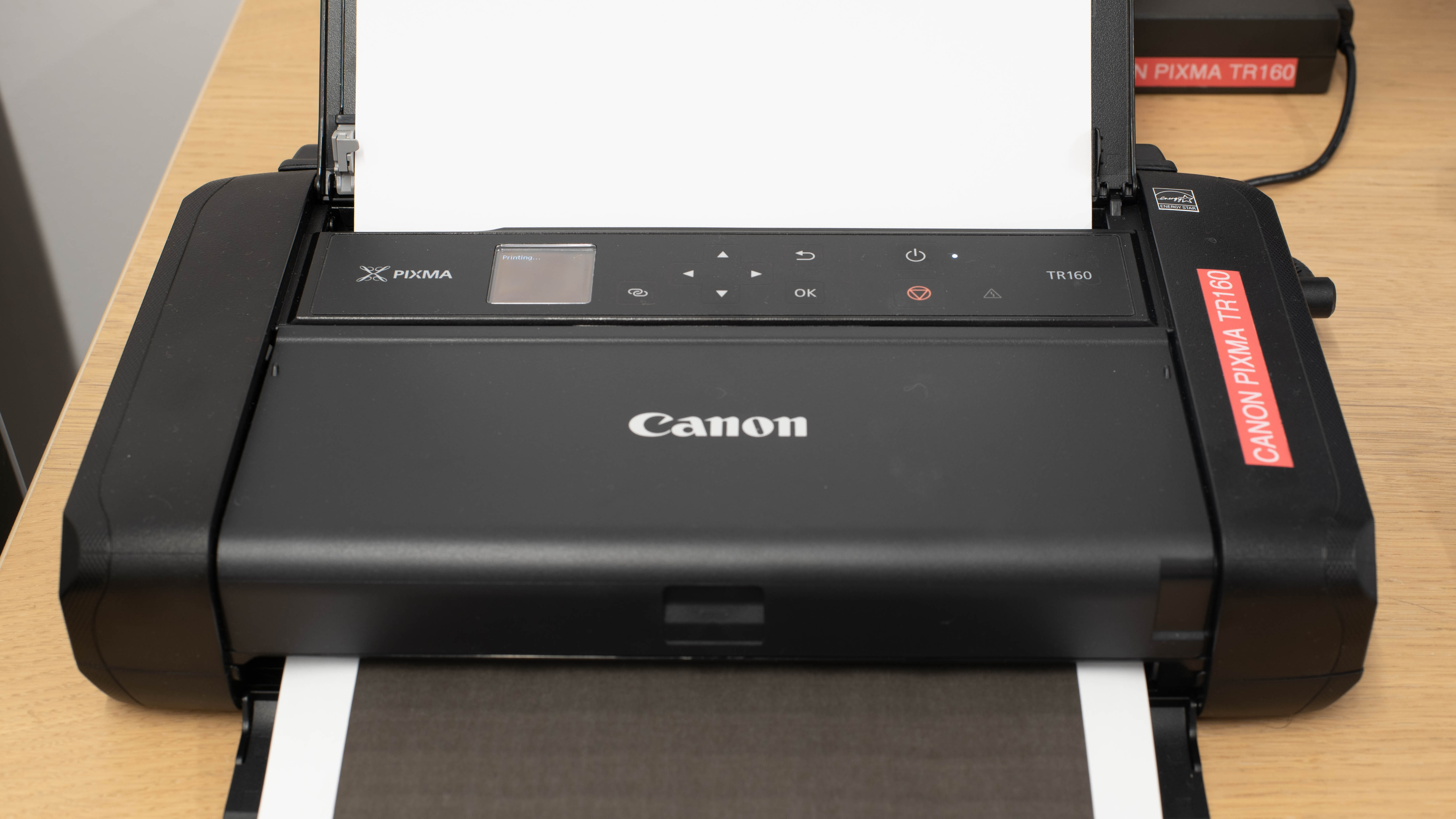
The Canon PIXMA TR160 is a print-only portable inkjet printer. A replacement of the Canon PIXMA TR150, the TR160 is nearly identical to its predecessor, adding only Wi-Fi 5 support and improved wireless security. It uses the same 5-color ink system comprising a pigment black and a dye black ink. Connectivity options include USB and Wi-Fi, as well as support for Apple AirPrint and Mopria Print Service. It has a 50-sheet input tray capacity and supports manual duplex printing. Like its predecessor, this model is compatible with the LK-72 battery pack, allowing you to operate the printer when there isn't a power outlet nearby.

Our Verdict

6.6
Family 

The Canon PIXMA TR160 is okay for family use. It produces sharp documents and detailed photos, but since it's a print-only unit, you'll need a separate scanner if you want to scan anything. It has wired and wireless connectivity, making it easy for every household member to access, and because it's a compact portable model, you can also move it from one room to another without too much trouble. You'll have to replace the ink cartridges often, as they don't yield many prints, but thankfully, the cartridges are relatively inexpensive, so you won't have to worry about high recurring costs.

Pros
  • Produces sharp documents with minimal artifacts.

  • Produces detailed photos.

  • Low recurring costs.

  • Wired and wireless connectivity.

Cons
  • Slow printing speed.

  • No scanner.

  • Requires frequent cartridge replacements due to low page yields.

4.9
Small/Home Office 

The Canon PIXMA TR160 is bad for office use. Although it produces sharp documents, it's very slow, churning out only seven black or three color document pages per minute. It also lacks a scanner and requires a fair amount of maintenance because its ink cartridges run out quickly. That said, because this printer can run on battery, it can be a good option if you travel a lot for work or run an outdoor kiosk with no power outlet nearby.

Pros
  • Produces sharp documents with minimal artifacts.

  • Wired and wireless connectivity.

Cons
  • Slow printing speed.

  • No scanner.

  • Requires frequent cartridge replacements due to low page yields.

  • Only supports manual duplex printing.

6.7
Student 

The Canon PIXMA TR160 is okay for student use. It has wired and wireless connectivity, as well as support for Apple AirPrint and Mopria Print Service, making it easy to print from various devices. Plus, you can use it nearly anywhere since it's a compact model that can run on a battery. It produces nice documents, but with a printing speed of only seven black or three color pages per minute, it isn't the best for printing out a long essay at the last minute. You'll also need spare ink cartridges readily available, as they run out pretty quickly. Thankfully, the cartridges are relatively inexpensive, so you won't have to spend too much on ink.

Pros
  • Produces sharp documents with minimal artifacts.

  • Low recurring costs.

  • Wired and wireless connectivity.

Cons
  • Slow printing speed.

  • No scanner.

  • Requires frequent cartridge replacements due to low page yields.

5.4
Black & White 

The Canon PIXMA TR160 is sub-par for printing black-and-white documents. While it produces nice documents, it's very slow, churning out only seven pages per minute. Also, its ink cartridges run out quickly, so you'll have to replace them often if you print a lot. You'll need a separate scanner if you want to scan anything since this is a print-only unit.

Pros
  • Produces sharp documents with minimal artifacts.

  • Low recurring costs.

Cons
  • Slow printing speed.

  • No scanner.

  • Requires frequent cartridge replacements due to low page yields.

  • Only supports manual duplex printing.

7.7
Photo 

The Canon PIXMA TR160 is good for photo printing. It produces detailed photos and supports various paper sizes up to 8.5" x 11". Its color gamut is decent, struggling mainly with bright, saturated tones. As for its color accuracy, while most colors are visibly inaccurate, they aren't so off as to make printed pictures look bad or unnatural. Unfortunately, the ink cartridges run out pretty quickly, so you'll have to replace them often.

Pros
  • Produces detailed photos.

  • Decent color gamut.

  • Low recurring costs.

  • Supports borderless printing.

Cons
  • Slow printing speed.

  • Requires frequent cartridge replacements due to low page yields.

  • Most colors are visibly inaccurate.

6.7
Color Quality 

This printer has a decent color gamut, struggling mainly with bright reds, purples, and greens. Its color accuracy is passable; it isn't suitable for professional work, but it's likely good enough for most people printing casual photos at home.

Pros
  • Decent color gamut.

Cons
  • Most colors are visibly inaccurate.

7.5
Document Quality 

This printer produces nice documents that are good enough for use in professional settings. Text looks sharp, and most fine details are easily visible. However, some colored areas look pale, making white text within them a little hard to read.

Pros
  • Produces sharp documents with minimal artifacts.

Cons
None
0.0
Scanner 

This is a print-only unit.

Pros
None
Cons
  • No scanner.

4.8
Speed 

This printer is slow. It can only print up to seven black or three color document pages, and it takes well over a minute to produce a 4" x 6" picture.

Pros
None
Cons
  • Slow printing speed.

7.8
Recurring Costs 

This printer has low recurring costs because the ink cartridges are relatively inexpensive. However, keep in mind that it uses a single color cartridge, which means you'll have to replace the entire cartridge if a color runs out.

Pros
  • Low recurring costs.

Cons
None
  • 6.6
    Family
  • 4.9
    Small/Home Office
  • 6.7
    Student
  • 5.4
    Black & White
  • 7.7
    Photo

  • Performance Usages

  • 6.7
    Color Quality
  • 7.5
    Document Quality
  • 0.0
    Scanner
  • 4.8
    Speed
  • 7.8
    Recurring Costs
  • Changelog

    1.  Updated May 29, 2025: Review published.
    2.  Updated May 22, 2025: Early access published.
    3.  Updated May 14, 2025: Our testers have started testing this product.
    4.  Updated Apr 30, 2025: The product has arrived in our lab, and our testers will start evaluating it soon.

    Check Price

    BlackPIXMA TR160
    SEE PRICE
    Amazon.com
    BlackPIXMA TR160
    SEE PRICE
    B&H
    BlackPIXMA TR160
    SEE PRICE
    BestBuy.com
    BlackPIXMA TR160
    Walmart.com

    Differences Between Sizes And Variants

    We tested the Canon PIXMA TR160 portable printer. There's no other variant. The LK-72 Battery Pack is optional; depending on the region and retailer, you may be able to get the printer and the battery as a bundle.

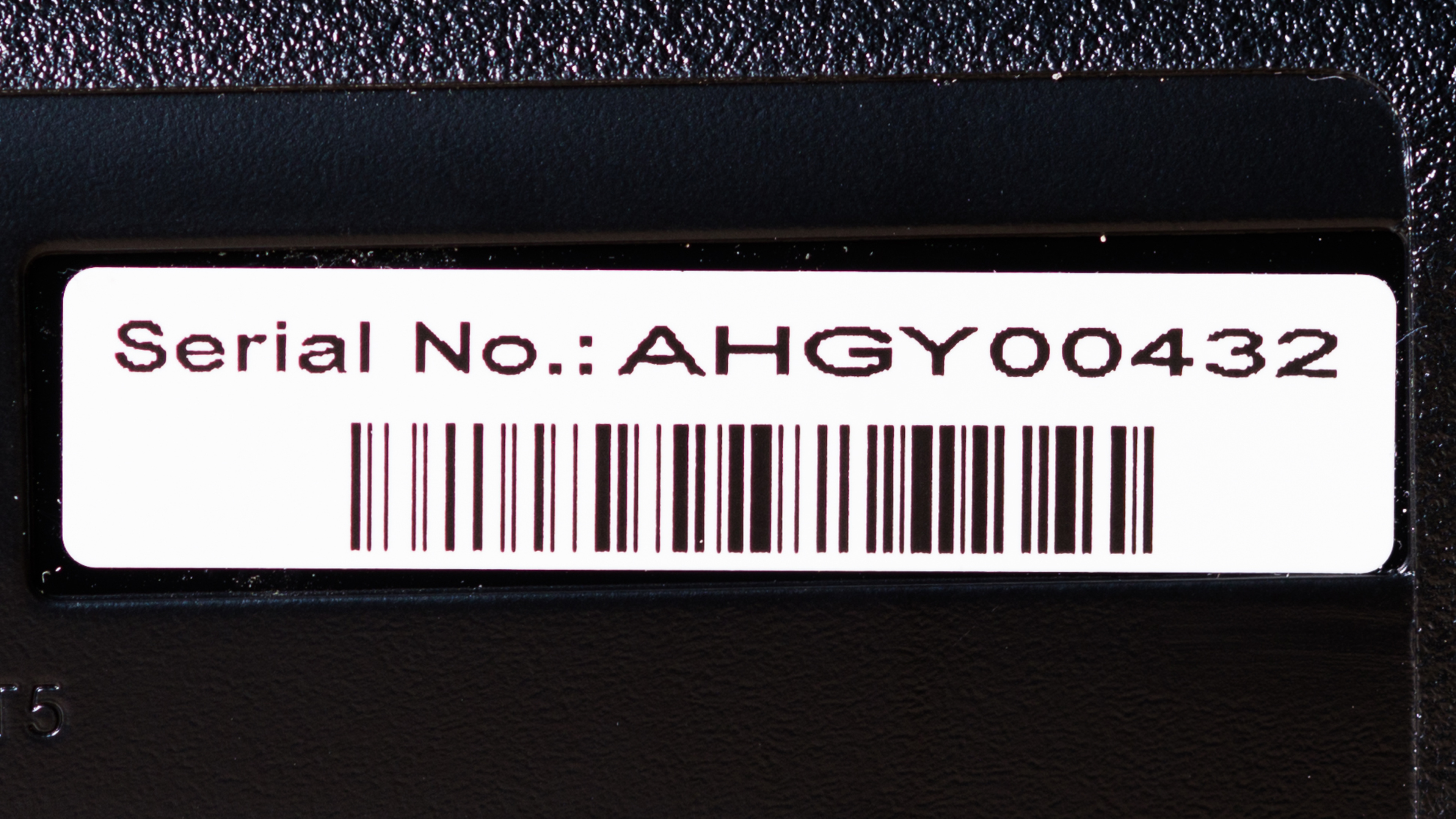
    You can see our unit's label here.

    Popular Printer Comparisons

    The Canon PIXMA TR160 is a good portable printer. While it isn't the best in document printing quality compared to models like the HP OfficeJet 250, it's among the better ones for photo printing, thanks to its color performance. Its cost per print is also quite good compared to the aforementioned OfficeJet 250 and its smaller sibling, the HP OfficeJet 200, especially for color printing. A competitor that performs very similarly is the Epson WorkForce WF-110, though it lacks wired USB connectivity and doesn't feel as well built.

    For more options, check out our recommendations for the best portable printers, the best small printers, and the best inkjet printers.

    HP OfficeJet 250

    The Canon PIXMA TR160 and the HP OfficeJet 250 are both portable printers. Choosing between them depends on what you print; the HP produces higher-quality documents, while the Canon produces nicer photos. If you need a scanner, then the HP is the only choice since the Canon is a print-only unit. The HP also has a USB-A port, allowing you to print directly off a USB flash drive.

    HP OfficeJet 200

    The HP OfficeJet 200 and the Canon PIXMA TR160 are very similar portable printers. The HP is better for document printing, as it produces higher quality documents and prints faster; however, the Canon is better for photo printing, as it has a wider color range and better accuracy. Feature-wise, the main difference is that the HP has a USB port that lets you print directly off a USB flash drive, which the Canon lacks. The Canon comes out on top if you're worried about recurring costs because it yields more prints, and its ink cartridges are slightly cheaper.

    Epson WorkForce WF-110

    The Canon PIXMA TR160 and the Epson WorkForce WF-110 are very similar overall. The Epson produces slightly higher quality documents, but it doesn't print quite as fast as the Canon and takes longer to initialize before getting the first page out. It also has a smaller input tray capacity than the Canon, which means you'll have to refill the tray more often. One thing to keep in mind is that the Epson doesn't support a wired USB connection even though it has a USB port (it's only for charging the built-in battery), so you can only connect to the printer wirelessly.

    Canon PIXMA TR150

    The Canon PIXMA TR160 is a newer version of the Canon PIXMA TR150. These two models are nearly identical; the only difference is that the newer TR160 has Wi-Fi 5 support and improved wireless security.

    Test Results
    perceptual testing image
    Sort:
    RATINGS
    Category:
    All
    Design
    6.5
    Build Quality
    TypePrinter Only

    The Canon PIXMA TR160's build quality is okay. Though entirely plastic, the printer's body feels fairly solid. The only part that's a bit concerning is the rear paper tray's plastic hinge, which feels rather flimsy and could break with repeated manipulation. Design-wise, the printer is very compact, making it easy to carry, and its front panel gives easy access to the ink cartridges and sheet rollers. The power cord is removable, so you can replace it in case of damage. There's also a Kensington lock to prevent theft when using it on the go.

    Dimensions
    Height2.4" (6.0 cm)
    Width12.6" (32.0 cm)
    Depth7.0" (17.7 cm)
    Height When In Use
    9.1" (23.2 cm)
    Width When In Use
    13.5" (34.4 cm)
    Depth When In Use
    12.5" (31.7 cm)
    Weight
    4.6 lbs (2.1 kg)

    The posted weight is the weight of the printer by itself without the battery installed. The battery weighs 0.35 lbs (0.16 kg), and the power adapter weighs 0.66 lbs (0.03 kg), bringing the total weight with the battery and power adapter included to 5.62 lbs (2.55 kg).

    6.0
    Expected Maintenance
    Ink Related Maintenance
    Expected
    Drum Unit
    No Drum Unit

    The Canon PIXMA TR160 requires a fair amount of maintenance. Like most inkjet printers, there's a risk of clogging if you don't print for a long time. There are many maintenance functions built-in to help resolve common printing quality issues you may encounter, like Nozzle Check, Cleaning, Deep Cleaning, Print Head Alignment (Auto and Manual), Roller Cleaning, and Bottom Plate Cleaning. You'll have to replace the ink cartridges often, as the page yields are quite low. You can easily access the cartridges via the front panel—the printer must be on. For paper jams, you can access the sheet rollers through the same opening. There isn't much space to maneuver since it's a pretty small printer; you can move the cartridge bay aside if needed. You can also pull the paper from the input tray if a jam occurs.

    Download the online manual here.

    6.5
    Display Screen
    Display ScreenYes
    Display Screen Size
    1.4" (3.6 cm)
    TouchscreenNo

    The Canon PIXMA TR160 has the same display as its predecessor, the Canon PIXMA TR150. It's a fairly small monochrome OLED panel with no tilt adjustment, but it's still easy to see, even off-angle. The interface is relatively user-friendly, though the font could be a little larger.

    3.8
    Cartridge
    TechnologyInkjet
    SuperTank
    No
    Photo Cartridge
    Yes
    ColorYes
    Number Of Color Cartridges
    1
    Black Cartridge Model
    PGI-35
    Tested Black Page Yield
    9.45 prints
    Estimated Black Page Yield
    179 prints
    Color Cartridge Model
    CLI-36
    Tested Color Page Yield
    9.47 prints
    Estimated Color Page Yield
    217 prints
    Third Party Cartridge
    Not Found At Time Of The Review
    Ink Type
    Dye And Pigment
    High Yield Cartridge
    No

    The Canon PIXMA TR160 uses a 5-color ink system comprising two black inks, a pigment black (PGI-35) and a dye black (housed in the CLI-36 color cartridge). The printer uses the pigment black to print documents and the dye black to print photos. The overall page yield is pretty low, so you'll likely need to replace the cartridges often. It's worth noting that the ink level indicator doesn't show the ink level of each color within the color cartridge, so it isn't clear whether the printer was only using the pigment black or in combination with the dye black when we performed the yield test. That said, since we perform the yield test by printing a PDF on regular paper, it's likely that the printer only used the pigment black ink, which means you may get a slightly higher black page yield, depending on what you print.

    The printer doesn't warn you when the pigment black ink is low or depleted, but it does for the color cartridge.

    0.0
    Scanner Features
    Scanner
    No Scanner
    ADF Capacity
    N/A
    Scan Speed
    N/A
    Duplex Scanning
    No Scanner
    Max Flatbed Scan Size
    No Scanner
    Max ADF Scan Size
    No Scanner
    Flatbed Hinge Adjustability
    N/A
    Fax
    No
    Copy
    No
    OCR Included
    No Scanner

    This is a print-only unit.

    N/A
    Scan Quality
    Max Scan Resolution
    N/A
    Max Scan Color Depth
    N/A
    In The Box

    • 20.8W power adapter
    • Documentation
    • USB-A to USB-C cable
    • Canon ink set:
      • 1x PGI-35 Black cartridge
      • 1x CLI-36 Color cartridge
    Battery
    Advertised Battery Life
    N/A
    Tested Charging Time
    N/A

    The Canon PIXMA TR160 is compatible with the optional LK-72 battery pack, which attaches to the back of the printer. Depending on the region and retailer, you can get the printer and the battery as a bundle. The battery has an advertised battery life of roughly 330 prints and takes 160 minutes to fully charge using the 20.8W power adapter. You can charge the battery via USB-C, but it takes much longer—the advertised USB-C charging time is 300 minutes. Pressing the button at the top of the battery pack shows the remaining charge. Unfortunately, while you can charge the battery via USB-C, you can't power the printer using only a USB-C connection when there isn't a battery installed.

    Document
    7.5
    Black & White Documents
    Color Ink Needed For Black & White
    Yes

    The print quality of black-and-white documents is good. Although everything is slightly on the paler side, and the small white text on colored backgrounds is a bit hard to read (at the bottom of the graph), the rest looks pretty clean, with all the fine elements present.

    7.5
    Color Documents

    The print quality of color documents is good. Again, except for small white text on colored backgrounds, which is a little hard to read, everything else looks relatively clean, and all the fine elements are present. 

    7.8
    Cost-Per-Print
    See details on graph tool
    Black Cartridge Price
    16.99 US$
    Color Cartridge Price
    22.99 US$
    Black-Only Printing Cost
    0.095 US$/print
    Color Printing Cost
    0.106 US$/print
    Photo Printing Cost
    0.225 US$/print
    Ink Subscription
    Optional

    Despite its low page yields, the Canon PIXMA TR160's cost per print is good because the cartridges are relatively inexpensive. However, keep in mind that this printer uses a single color cartridge, which means you'll have to replace the entire cartridge if a single color runs out.

    This printer is eligible to enroll in Canon's Auto Replenishment Service, which delivers new ink cartridges to you when your cartridges run low. See more information about the subscription service on Canon's website.

    4.8
    Printing Speed
    Black Only Text Document
    7 PPM
    Color Document
    3 PPM
    Photo Printing Time
    66.0 s
    Single Page Out Time (Black Only)
    14.0 s
    Duplex Printing
    Manual
    Input Tray Capacity
    50 pages

    The posted results show the printing speed when plugged in. Here are the results when operating on battery:

    • Black Only Text Document: 7 PPM
    • Color Document: 3 PPM
    • Photo Printing Time: 66 sec
    • Single Page Out Time (Black Only): 17 sec

    When printing double-sided sheets, you get a notification on your computer (via the Canon PRINT app) as well as instructions on how to re-insert the paper to print the other side. There's no notification on the printer's display.

    Document Printing Sizes
    Letter (8.5" x 11")Yes
    Legal (8.5" x 14")Yes
    Tabloid (11" x 17")No
    A6 (105mm x 148mm)Yes
    A5 (148mm x 210mm)Yes
    A4 (210mm x 297mm)Yes
    Max Paper Weight
    670 g/m²

    You can set custom paper sizes from 2.17" x 3.5" (55 mm x 89 mm) to 8.5" x 26.61" (215.9 mm x 676 mm).

    Photo
    7.0
    Color Gamut

    The Canon PIXMA TR160 has a decent color gamut. It mainly struggles with the brighter tones, like reds, purples, and greens. The color performance is identical to the Canon PIXMA TR150. Color transitions look fairly smooth, with no visible banding.

    Note: The smudge near the bottom left corner of the Granger chart photo is a reflection from ambient lights and isn't representative of the print quality.

    6.3
    Color Accuracy
    Average Color dE
    7.66

    The color accuracy is passable. Most colors look different from the originals, especially skin tones. These inaccuracies aren't bad enough to make pictures look unnatural, though.

    8.5
    Small Details
    Max Print Resolution (DPI)
    4800 x 1200

    The Canon PIXMA TR160 is excellent at reproducing small details. Fine elements are easily recognizable, as the edges of objects look clean and clearly defined. Though visible, the halftones are relatively subtle and less distracting compared to some desktop printers. The contrast could be a little better, as it would further improve the sharpness of small details.

    9.5
    Photo Printing Sizes
    Glossy Paper (4" x 6")Yes
    Glossy Paper (5" x 7")Yes
    Glossy Paper (8" x 10")Yes
    Glossy Paper (8.5" x 11")Yes
    Glossy Paper (13" x 19")No
    Borderless Printing
    Yes
    Mobile App And Connectivity
    7.0
    Connectivity
    Ethernet
    No
    USB Input To Computer
    Yes
    Wireless
    Yes
    Bluetooth
    No
    Wi-Fi via Router
    Yes
    Wi-Fi Direct
    Yes
    External Storage Support
    No
    Apple AirPrint
    Yes
    Mopria Print Service
    Yes

    As mentioned in the Battery section, you can use the USB-C port to charge the optional battery, but you can't power the printer solely with a USB-C connection when there isn't a battery installed.

    8.9
    Mobile App
    Mobile AppYes
    App NameCanon PRINT
    iOSYes
    AndroidYes
    Photo (JPEG, PNG)
    Android and iOS
    PDF
    Android and iOS
    Microsoft Office Files
    Android and iOS
    Text Files (TXT)
    No
    Webpages (HTML)
    No

    The Canon PRINT mobile app lets you print, scan (with your smartphone's camera), access the user manual, and check the printer's ink levels. You can also use it to manage your ink subscription and buy consumables. The Create Photo Items function takes you to the Easy PhotoPrint Editor app, which you must download separately. The Easy PhotoPrint Editor lets you edit photos, create collages, and access pre-made templates like calendars and cards.

    OS Compatibility
    WindowsFully
    macOSFully
    Chrome OSFully

    You must manually install drivers to use the printer with a Windows device; you can download the drivers on Canon's support page. For Macs, you can either get the drivers from the manufacturer's support page or update the drivers through macOS' settings. There's no need to install drivers on Chrome OS devices.