HP ENVY 6165e  Printer Review

Reviewed Feb 04, 2026 at 08:57am
Tested using Methodology v1.2 
HP ENVY 6165e
6.4
Family 
5.3
Small/Home Office 
6.1
Student 
5.3
Black & White 
7.4
Photo 
6.3
Color Quality 
5.0
Document Quality 
7.4
Scanner 
 0

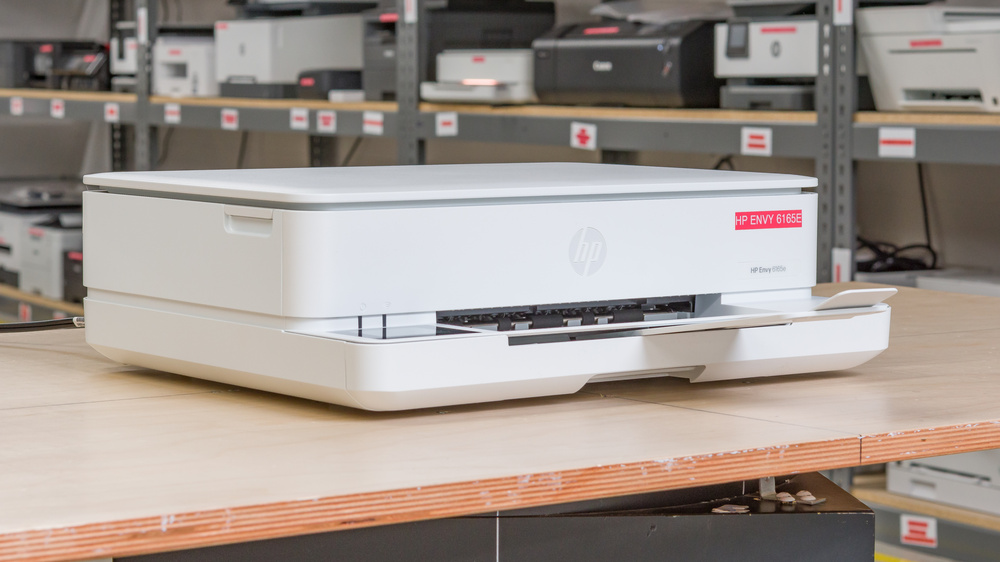
The HP ENVY 6165e is an all-in-one inkjet printer that uses a two-cartridge system. It works with HP 68 Black and HP 68 Tri-Color cartridges, and you can also get the HP 68 EvoMore Black high-yield cartridge if you print a lot. Unfortunately, there's no high-yield option for the tri-color cartridge. The scanner is just a basic flatbed. You can connect it via USB, your Wi-Fi network, or use Wi-Fi Direct to print straight from your phone. It works with Apple AirPrint and Mopria Print Service, and the HP Smart app gives you extra features like mobile faxing and text recognition from scanned documents.

This model is part of HP's ENVY 6100e series. It's a Best Buy exclusive version of the HP ENVY 6155e, which we've reviewed separately. It comes with six months of HP+ subscription pre-bundled instead of the usual three months. HP sells many different variants of this printer. You can find more details in the Differences Between Variants section.

Our Verdict

6.4
Family 

The HP ENVY 6165e works okay as a home printer. Documents come out acceptable even though they can look a bit faint. Photos have good detail, but the printer over-brightens them, creating vivid but inaccurate colors. Still, the photo quality is fine for casual home use. The printer is pretty compact and easy to store, too. The biggest problem is the high cost-per-print. With such low page yields, you'll replace ink cartridges constantly if you print regularly. On the plus side, the flatbed scanner produces detailed scans, and the hinges lift up so you can scan thicker items like textbooks. You've got plenty of wired and wireless connectivity options, making it easy to print from different devices around your home.

Pros
  • Decent connectivity options.

  • Produces detailed photos.

  • Feature-rich mobile app.

Cons
  • Documents are crooked.

  • Very high cost-per-print.

  • High maintenance requirements if you print a lot.

  • No ADF

  • Slow print speeds.

5.3
Small/Home Office 

The HP ENVY 6165e is a disappointing choice for small office use. While it produces sharp enough documents, the print speed is slow, and the ink cartridges have really low page yields. If your office prints a lot, you'll deal with long wait times, very high ongoing costs, and constant maintenance. The 100-sheet input tray doesn't help either, since you'll be refilling it regularly with high-volume printing. The basic flatbed scanner produces excellent scans, but it's missing features like an automatic document feeder that many offices need.

Pros
  • Automatic duplex printing.

  • Produces detailed scans.

  • Decent connectivity options.

  • Feature-rich mobile app.

Cons
  • Documents are crooked.

  • Very high cost-per-print.

  • High maintenance requirements if you print a lot.

  • No ADF

  • Slow print speeds.

6.1
Student 

This box will be updated very shortly. We'll update the review to the new 1.3 test bench and adapt the writing accordingly.

5.3
Black & White 

This box will be updated very shortly. We'll update the review to the new 1.3 test bench and adapt the writing accordingly.

7.4
Photo 

The HP ENVY 6165e does an okay job with photo printing. You'll get good detail, and the printer captures small elements well. Bright colors come through nicely, but darker tones are a problem. The printer over-brightens everything, making images look punchy but washing out details where colors should contrast. Color accuracy isn't great either. For printing snapshots at home, it's perfectly fine, but don't expect professional-quality results. The real issue is how quickly you'll burn through ink. Page yields are low, so if you're printing photos regularly, you'll often need to swap cartridges and spend a lot on replacements. All the color ink is also in a single cartridge, so you'll need to swap it as soon as one of the colors runs out.

Pros
  • Produces detailed photos.

  • Resolves small details well.

  • Supports a wide range of photo paper sizes.

Cons
  • Poor color accuracy.

6.3
Color Quality 

This box will be updated very shortly. We'll update the review to the new 1.3 test bench and adapt the writing accordingly.

Pros
  • Produces detailed photos.

Cons
  • Poor color accuracy.

5.0
Document Quality 

The HP ENVY 6165e's document print quality is mediocre. The text comes out sharp with minimal artifacts, but everything looks a bit faint and grainy, which hurts overall clarity.

Pros
None
Cons
  • Documents are crooked.

7.4
Scanner 

The HP ENVY 6165e's scanner produces excellent scans with clear details and neutral colors. That said, it's just a basic flatbed, so you won't get features like an automatic document feeder or duplex scanning.

Pros
  • Produces detailed scans.

Cons
None
5.6
Speed 

The HP ENVY 6165e is slow. It maxes out at eight black-and-white pages or four color pages per minute for documents. At least it has automatic duplex printing, so you don't need to manually flip pages when printing double-sided.

4.6
Recurring Costs 

This box will be updated very shortly. We'll update the review to the new 1.3 test bench and adapt the writing accordingly.

  • 6.4
    Family
  • 5.3
    Small/Home Office
  • 6.1
    Student
  • 5.3
    Black & White
  • 7.4
    Photo

  • Performance Usages

  • 6.3
    Color Quality
  • 5.0
    Document Quality
  • 7.4
    Scanner
  • 5.6
    Speed
  • 4.6
    Recurring Costs
  • Changelog

    1.  Updated Feb 04, 2026: Review published.
    2.  Updated Jan 27, 2026: Early access published.
    3.  Updated Jul 18, 2025: Our testers have started testing this product.
    4.  Updated Jun 30, 2025: The product has arrived in our lab, and our testers will start evaluating it soon.

    Check Price

    WhiteENVY 6165e
    SEE PRICE
    BestBuy.com
    WhiteENVY 6165e
    Amazon.com
    WhiteENVY 6165e
    B&H
    WhiteENVY 6165e
    HP
    WhiteENVY 6165e
    Walmart.com

    Differences Between Sizes And Variants

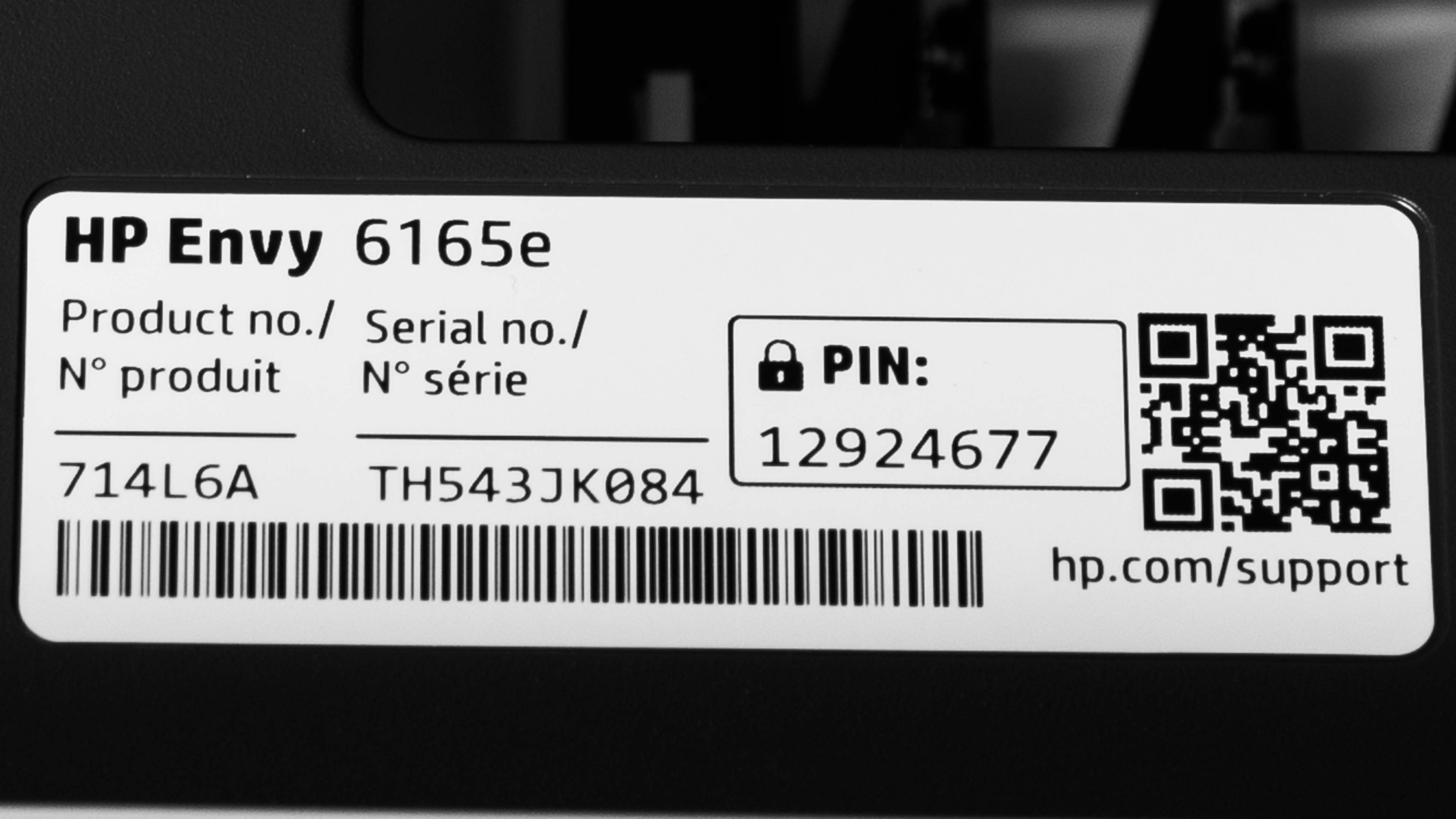
    We tested the HP ENVY 6165e, a model in the HP ENVY 6100e series of all-in-ones. See our unit's label here. All variants in this series offer identical features and performance; the model number varies by region, retailer, and color. As noted above, we tested the HP ENVY 6155e in a separate review. Both printers share the same build quality and feature set, but we noticed some discrepancies in black-and-white document quality and connectivity during testing that we didn't anticipate. These could be due to quality control variances or a firmware update that occurred in the timeframe between the two reviews.

    Model  Region / Retailer Color (Product Code)
    HP ENVY 6110e Europe, Africa, Asia Standard/Dawn Dusk (714M2A)
    HP ENVY 6120e Europe, Asia Portobello (714M2A)
    HP ENVY 6122e Europe, Asia, Africa Twilight (714L9B)
    HP ENVY 6130e Asia, Africa Portobello (714M1A)
    HP ENVY 6131e Oceania, Asia Juniper (714M0A)
    HP ENVY 6132e Europe, Asia Portobello (714J2B)
    HP ENVY 6133e Oceania, Asia Dawn Dusk (714M9A)
    HP ENVY 6152e Asia, North America (Walmart) White (714L7A)
    HP ENVY 6155e North America (General) Portobello (714L5A)
    HP ENVY 6155e North America (Costco/Canada) White (714L5A#B1H)
    HP ENVY 6165e North America (Best Buy) White (714L6A)

    Popular Printer Comparisons

    The HP ENVY 6165e is an adequate all-in-one inkjet printer, but there are better alternatives for the price. It prints and scans documents really well, but the poor page yields are a major drawback. If you print frequently or in high volume, you'll face high ongoing costs and frequent cartridge replacements. The printer is also very slow, and the basic flatbed scanner doesn't offer many features.

    Overall, there are many printers that would be better choices. Cheaper printers like the Canon PIXMA MG3620 offer a very similar experience, with better printing quality and higher page yields. In the same price bracket, the Canon PIXMA TR7120 is also a good option that offers better page yields, better photo printing, and a scanner with an automatic document feeder. For a similar price, you can even find printers like the Brother MFC-J1205W. The Brother is simply a better choice across the board. Its page yields are in a completely different league, making it much cheaper to run over time, and its black-and-white documents are more detailed. Unless you find the HP ENVY 6165e at a deep discount, you can find a better choice elsewhere.

    For more options, check out our recommendations for the best inkjet printers, the best home printers, and the best cheap and budget printers.

    Test Results
    perceptual testing image
    Sort:
    RATINGS
    Category:
    All
    Design
    7.0
    Build Quality
    TypeAll-In-One

    The HP ENVY 6165e has good build quality overall. The input tray includes width sliders so you can adjust it for different paper sizes, and the output tray has a handy extender that folds away when you're not using it. That tray does feel a bit flimsy, unfortunately. The ink tray is clearly marked, making cartridge replacement straightforward, and the printer provides audio feedback when your print job finishes. It also comes with a removable power cord.

    On the downside, you'll need to keep the printer powered on to swap cartridges. If you get a paper jam, you can access it from the cartridge bay by removing the paper jam access cover, or from below by extending the input tray and turning the printer on its side. The input tray doesn't come out, and there's no dedicated photo tray, nor is there a vertical paper guide. This would have been useful for printing photos, as you must place the paper properly in its non-removable input tray for the sheet rollers to grab onto it. The scanner lid hinges feel a bit flimsy, and there's no damper to keep the scanner bed from slamming shut.

    Dimensions
    Height5.1" (13.0 cm)
    Width17.0" (43.1 cm)
    Depth14.2" (36.0 cm)
    Height When In Use
    5.1" (13.0 cm)
    Width When In Use
    17.0" (43.1 cm)
    Depth When In Use
    20.6" (52.3 cm)
    Weight
    11.7 lbs (5.3 kg)
    6.5
    Expected Maintenance
    Ink Related Maintenance
    Expected
    Drum Unit
    No Drum Unit

    This printer needs regular maintenance. The ink cartridges have low yields, so you'll need to replace them often if you print a lot. This isn't ideal because you'll need to print relatively often to keep the printer ready. Like any inkjet printer, the printheads can clog if left sitting for too long. Luckily, you can run a few maintenance tasks on the printer itself or through the HP Smart app, such as printhead Clean Smear, Cartridge Cleaning, and Cartridge Alignment.

    Changing the ink cartridges is pretty easy. Just turn the printer on and lift the top cover, and the cartridge tray will slide to the center of the bay. Stickers show you exactly where the color and black cartridges go. The printer will ask you to run an alignment after each cartridge change, but you can skip it if you don't think it's necessary.

    Dealing with paper jams is fairly straightforward, too. You can reach most jams by removing the panel in the cartridge bay. There's no back access, though, and the paper tray doesn't come out. If needed, you can turn the printer on its side and fully extend the input tray to pull out jammed paper.

    You'll find the user manual on HP's website if you need more help.

    8.5
    Display Screen
    Display ScreenYes
    Display Screen Size
    2.5" (6.3 cm)
    TouchscreenYes

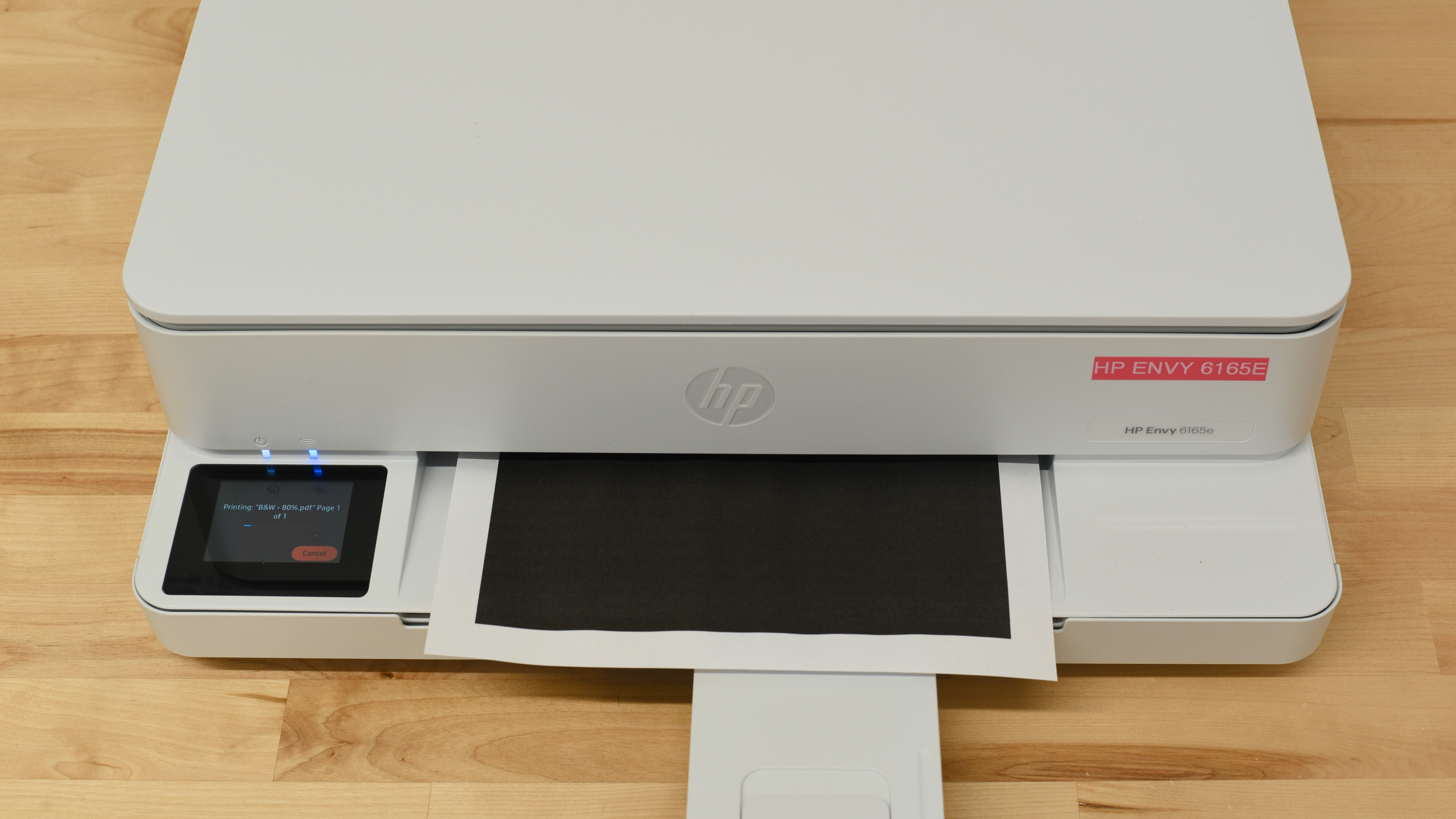
    The display on the HP ENVY 6165e is excellent. While the screen is small, it's easy to read thanks to the large icons and fonts. It has good contrast and viewing angles, so you can see it clearly from most positions. The touchscreen is quite responsive, and the interface is user-friendly. You shouldn't have any trouble navigating through the menus and settings.

    That said, because of the small size, the on-screen keyboard can be finicky to use. The glossy finish is also a fingerprint magnet and can make it difficult to view from the side because of the reflections.

    2.8
    Cartridge
    TechnologyInkjet
    SuperTank
    No
    Photo Cartridge
    No
    ColorYes
    Number Of Color Cartridges
    1
    Black Cartridge Model
    HP 68 Black
    Tested Black Page Yield
    7.41 prints
    Estimated Black Page Yield
    140 prints
    Color Cartridge Model
    HP 68 Tri-Color
    Tested Color Page Yield
    3.96 prints
    Estimated Color Page Yield
    84 prints
    Third Party Cartridge
    Not Found At Time Of The Review
    Ink Type
    Dye And Pigment
    High Yield Cartridge
    Yes

    The HP ENVY 6165e has very low page yields, so you'll need to replace the ink cartridges often if you print regularly. It gets worse because the printer uses a tri-color cartridge. If one color runs out, you'll have to replace the whole thing and throw away whatever ink is left in the other colors. You can get a high-yield black cartridge (the HP 68e EvoMore Black) that prints around 320 pages according to HP's estimates, but there's no high-yield option for the tri-color cartridge.

    Our yield results differ from what we measured on the HP ENVY 6155e variant of this printer. This discrepancy is most likely due to firmware changes over time and normal testing variance. In real-world use, we don't expect a meaningful difference in yield between variants.

    The printer will warn you when ink runs low, but it won't stop your print job. That means you might end up with faded, poor-quality prints if you keep going, but you'll be able to use up your cartridges completely.

    As an HP+ device, this printer includes six months of free ink through the HP Instant Ink service. But HP will restrict how you can use your device if you do choose to activate the free trial. HP+ comes with some strict requirements you need to know about. Once you activate it during setup, the printer will only work with genuine HP ink or toner cartridges for its entire life, even if you cancel any subscription. HP's firmware blocks third-party cartridges completely and updates over time to block new SKUs as they're released. If you cancel your subscription, you won't even be able to keep using the cartridge you already have if you received it through your subscription. You'll also need to keep the printer connected to the internet at all times, or it won't print. Setup requires an HP account. Since the printer stays online, HP tracks your usage, ink levels, and page counts to manage the service. 

    6.2
    Scanner Features
    Scanner
    Flatbed
    ADF Capacity
    N/A
    Scan Speed
    2 PPM
    Duplex Scanning
    No
    Max Flatbed Scan Size
    8.5" x 11"
    Max ADF Scan Size
    No ADF
    Flatbed Hinge Adjustability
    0.15" (4 mm)
    Fax
    No
    Copy
    Yes
    OCR Included
    Software

    The HP ENVY 6165e has a mediocre scanner. It only features a flatbed scanner, which isn't ideal for large documents. It's also not well-suited for scanning thicker documents, as its hinge can't really extend to accommodate books or other bulkier documents.

    You have two OCR options through software. The HP Smart App lets you save scans as searchable PDFs or use a Text Extract feature that pulls out just the text and saves it as a new document or PDF. It works pretty well, though it sometimes makes some mistakes with special characters.

    8.5
    Scan Quality
    Max Scan Resolution
    1,200 DPI
    Max Scan Color Depth
    24Bit

    The scan quality on the HP ENVY 6165e is excellent. You'll get sharp, clear text. The image processing is subdued enough. It produces accurate colors and keeps even fine details and subtle background elements like watermarks clear.

    In The Box

    • Power cord
    • Documentation
    • Set of HP 68 starter ink cartridges:
      • 1x Black
      • 1x Tri-color
    Battery
    Advertised Battery Life
    N/A
    Tested Charging Time
    N/A
    Document
    5.0
    Black & White Documents
    Color Ink Needed For Black & White
    No

    The print quality for black-and-white documents on the HP ENVY 6165e is disappointing. The prints from our unit come out slightly crooked. We tested this multiple times, and the problem stayed consistent despite attempts to realign the printheads. This may be a problem with our unit, as we didn't experience this with the HP ENVY 6155e variant we tested separately. We print this test in landscape mode, which is harder on the printer overall. You'll see fewer issues if you stick to portrait mode.

    Otherwise, the rest of the print quality is acceptable. The text is readable, and most fine details are visible, even if they look a bit soft. You'll notice some graininess throughout, especially in larger gray areas like charts, graphs, and tables. Switching to High Quality mode makes the contrast darker, but doesn't fix the graininess.

    8.5
    Color Documents

    The HP ENVY 6165e prints great color documents. The text is easy to read, and the colors look nicely saturated. Fine details, like graph lines, are visible, though they're a bit faint and slightly grainy. Larger colored areas, like bars in a chart, also look a little grainy. Switching to High Quality mode clears up most of these minor issues.

    4.6
    Cost-Per-Print
    Black Cartridge Price
    24.99 US$
    Color Cartridge Price
    24.99 US$
    Black-Only Printing Cost
    0.178 US$/print
    Color Printing Cost
    0.297 US$/print
    Photo Printing Cost
    0.806 US$/print
    Ink Subscription
    Optional

    The HP ENVY 6165e has a poor cost-per-print. While the cartridges aren't expensive, they don't yield many prints.

    You may notice that the results differ slightly from those of the HP ENVY 6155e, even though they are essentially the same printer. There's a small difference in cost-per-print due to pricing changes over time. Both the printer and ink cartridges have gone up in price since we reviewed the 6155e.

    The 6165e variant is a Best Buy exclusive that includes six months of ink instead of the three months you get with the 6155e and its other variants.

    5.6
    Printing Speed
    Black Only Text Document
    8 PPM
    Color Document
    4 PPM
    Photo Printing Time
    85.0 s
    Single Page Out Time (Black Only)
    26.0 s
    Duplex Printing
    Automatic
    Input Tray Capacity
    100 pages

    The input tray holds up to 100 sheets of plain paper or 10 envelopes, and the output tray can handle 25 sheets of plain paper.

    Document Printing Sizes
    Letter (8.5" x 11")Yes
    Legal (8.5" x 14")Yes
    Tabloid (11" x 17")No
    A6 (105mm x 148mm)Yes
    A5 (148mm x 210mm)Yes
    A4 (210mm x 297mm)Yes
    Max Paper Weight
    300 g/m²

    The input tray holds up to 100 sheets of plain paper or 10 envelopes, and the output tray can handle 25 sheets of plain paper.

    Photo
    7.0
    Color Gamut

    The HP ENVY 6165e has a decent color range. It handles bright colors well but struggles a bit more with darker shades. You'll also notice visible graining in areas where colors blend together. The printer also tends to overexpose many colors.

    5.6
    Color Accuracy
    Average Color dE
    8.99

    The HP ENVY 6165e struggles with color accuracy. Most colors look visibly off, with skin tones, blues, reds, and grays being the worst offenders. The printer tends to over-brighten everything, creating vivid but inaccurate images. That punchy look might appeal to some people printing casual photos at home, but it won't work for professional or enthusiast photo printing.

    8.5
    Small Details
    Max Print Resolution (DPI)
    4800 x 1200

    The HP ENVY 6165e does a great job reproducing small details. You can easily tell background elements apart; that said, because of the printer's tendency to over-brighten everything, the lack of contrast reduces overall sharpness a bit.

    9.5
    Photo Printing Sizes
    Glossy Paper (4" x 6")Yes
    Glossy Paper (5" x 7")Yes
    Glossy Paper (8" x 10")Yes
    Glossy Paper (8.5" x 11")Yes
    Glossy Paper (13" x 19")No
    Borderless Printing
    Yes
    Mobile App And Connectivity
    7.0
    Connectivity
    Ethernet
    No
    USB Input To Computer
    Yes
    Wireless
    Yes
    Bluetooth
    No
    Wi-Fi via Router
    Yes
    Wi-Fi Direct
    Yes
    External Storage Support
    No
    Apple AirPrint
    Yes
    Mopria Print Service
    Yes

    The HP ENVY 6165e technically supports both 2.4GHz and 5GHz Wi-Fi bands, and it has a self-healing function that's supposed to detect and automatically fix connectivity issues. The printer uses Bluetooth during initial setup with the HP Smart app, but you can't actually print or scan over Bluetooth.

    Unfortunately, wireless printing was problematic in our testing. We couldn't get Wi-Fi printing to work at all initially. Even with the correct drivers installed, the printer kept throwing error messages. We tried removing all drivers and the HP Smart app, factory resetting the printer, and setting everything up from scratch, but nothing worked. The only way we got wireless printing to work was by disabling the 5GHz setting on the printer's network panel and forcing it to connect only to the 2.4GHz band. Note that we didn't encounter this issue with the HP ENVY 6155e variant we tested previously, so your mileage may vary.

    If you set up the printer as an HP+ device, it'll need a constant internet connection to work, even when printing via USB. You can skip HP+ activation during initial setup if you want to print without an internet connection.

    10
    Mobile App
    Mobile AppYes
    App NameHP Smart
    iOSYes
    AndroidYes
    Photo (JPEG, PNG)
    Android and iOS
    PDF
    Android and iOS
    Microsoft Office Files
    iOS Only
    Text Files (TXT)
    iOS Only
    Webpages (HTML)
    iOS Only

    This printer works with the HP Smart mobile app. You can use the app to order supplies, manage your ink subscription, and handle tasks like printing, scanning, copying, and sending mobile faxes. The scanning feature works with either your phone's camera or the printer itself, and there's a cloud scanning option that saves your scans directly to the cloud. The app also gives you access to printable templates for projects like greeting cards and calendars.

    OS Compatibility
    WindowsFully
    macOSFully
    Chrome OSFully

    You'll need drivers to use this printer on Windows, and installing HP Smart makes it easy to do so. The app automatically installs and updates the drivers for you, and it handles printer configuration too. MacOS and Chrome OS devices don't need any drivers.

    For some reason, scanning via the HP Smart app requires an HP account. It will not let you scan if you try to skip the login/account creation.