HP ENVY 6555e  Printer Review

Reviewed Nov 21, 2024 at 09:22am
Writing modified Dec 04, 2025 at 11:30am
Tested using Methodology v1.3 
HP ENVY 6555e
6.7
Home 
5.6
Small Office 
4.7
Set-And-Forget 
7.6
Photo 
3.7
Page Yield 
4.7
Printing Speed 
8.5
Document Quality 
7.6
Scanning 
 0

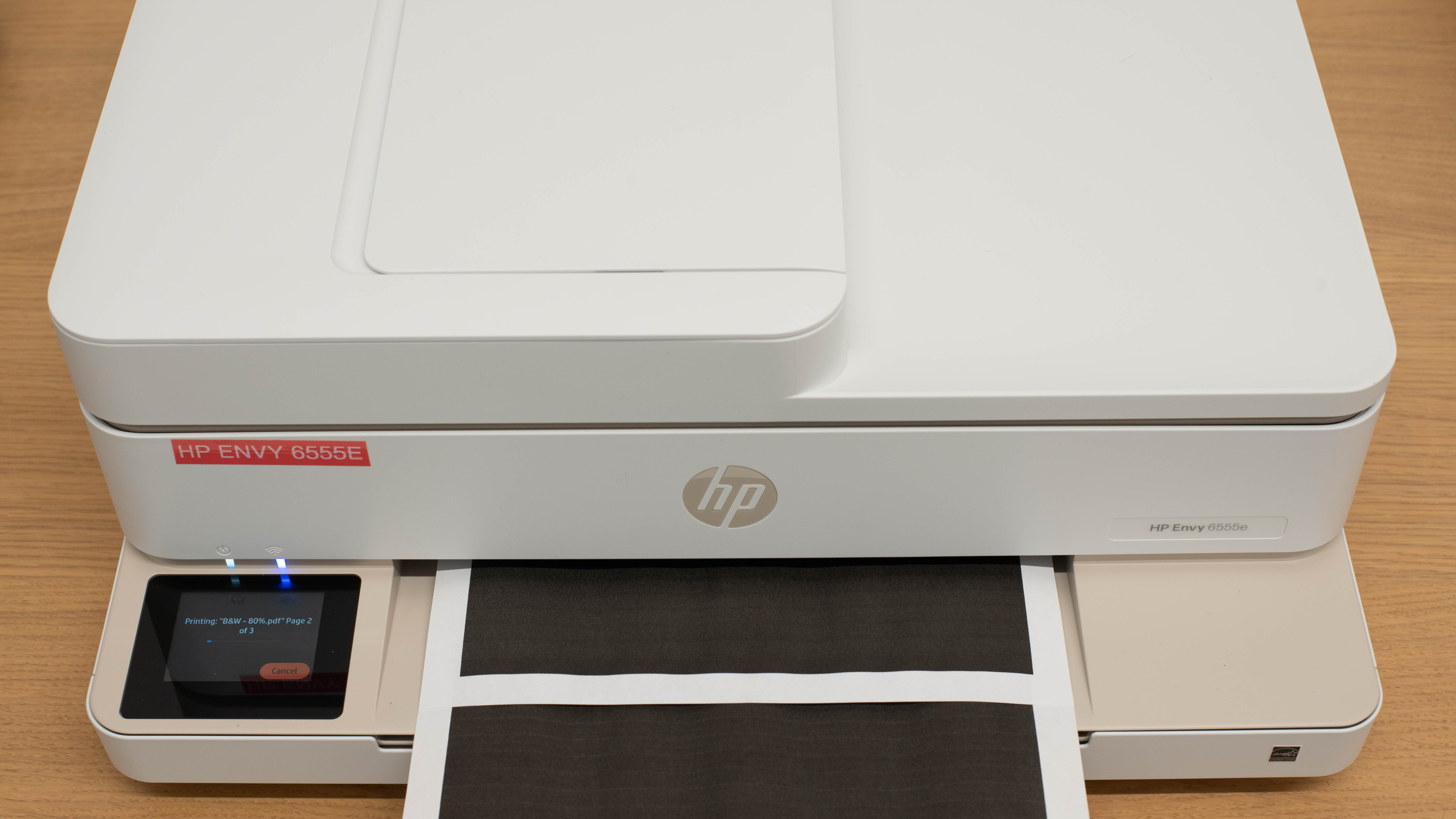
The HP ENVY 6555e is an inkjet all-in-one printer designed for home use. It features a two-cartridge system, comprising one black and one tri-color cartridge. It uses the HP 68 ink cartridges and is compatible with the high-yield HP 68e EvoMore Black ink cartridge. Connectivity options include Wi-Fi, Wi-Fi Direct, and USB, as well as support for Apple AirPrint and Mopria Print Service. It has an ADF-equipped flatbed scanner; however, it doesn't support duplex scanning.

This printer belongs to the HP ENVY 6500e series of all-in-ones. All variants in this series are identical in terms of features and performance; the model number changes slightly depending on the region and retailer. See the Differences Between Variants section for more details.

Our Verdict

6.7
Home 

The HP ENVY 6555e is okay for home use. It's a small printer that's easy to store and produces high-quality documents; however, its slow printing speed means you'll have to wait if you have a large print load or are sharing the printer with multiple people. Additionally, although the ink cartridges are relatively inexpensive, they tend to run out quickly, necessitating frequent replacement and resulting in high recurring costs. This printer can produce very detailed photos, but it tends to over-brighten images, and its color accuracy is poor. You can connect to the printer via Wi-Fi or USB, and it supports Apple AirPrint and Mopria Print Service, making it easily accessible to all household members on various devices.

Pros
  • Produces high quality documents.

  • Decent connectivity options.

  • Produces very detailed photos.

Cons
  • Low page yields and high recurring costs.

  • Slow print speeds.

  • Poor color accuracy.

  • Can clog if it's left unused.

5.6
Small Office 

The HP ENVY 6555e is sub-par for use in small offices. Although it produces high-quality documents, it's very slow, printing only eight black or four color document pages per minute. It also requires a fair amount of maintenance because its ink cartridges run out quickly, and its input tray only holds 100 sheets of paper. The device features an automatic document feeder for scanning long, multi-page documents; however, it has a scanning speed of only three pages per minute and doesn't support duplex scanning. Additionally, scans often come out crooked when using the feeder.

Pros
  • Produces high quality documents.

  • Automatic document feeder.

  • Automatic duplex printing.

  • Decent connectivity options.

Cons
  • Low page yields and high recurring costs.

  • Slow print speeds.

  • No duplex scanning.

  • Scans often come out crooked when using ADF.

4.7
Set-And-Forget 

The HP ENVY 6555e is a poor choice if you only plan to use it sporadically. It's an inkjet printer that can clog. Thankfully, since the printheads are on the cartridge, you can change the cartridge if the clog is too severe. Its page yield is very low. Its black ink cartridge runs out quickly, so you'll need to replace it often if you print regularly; thankfully, there's a high-yield cartridge that lasts longer. You can also connect to the printer via Wi-Fi or USB, with support for major printing protocols, making it easy to print from your devices.

Pros
  • Decent connectivity options.

Cons
  • Low page yields and high recurring costs.

  • Slow print speeds.

  • Can clog if it's left unused.

7.6
Photo 

The HP ENVY 6555e is decent for photo printing. It can reproduce very small details in photos; however, it struggles with darker shades, resulting in some detail loss and an overly brightened image. Unfortunately, its color accuracy is poor; it's fine for printing casual photos at home, but not ideal for professional use. Additionally, its ink cartridges tend to run out quickly, requiring frequent replacement, which leads to high recurring costs.

Pros
  • Produces very detailed photos.

  • Supports many paper sizes.

  • Supports borderless printing.

Cons
  • Low page yields and high recurring costs.

  • Struggles with darker shades.

  • Poor color accuracy.

3.7
Page Yield 

The HP ENVY 6555e has terrible page yields. While its cartridges aren't very expensive, they can only print around 100 pages before needing replacement. You will likely need to replace them frequently if you print regularly.

Pros
None
Cons
  • Low page yields and high recurring costs.

4.7
Printing Speed 

The HP ENVY 6555e is slow. It only prints up to eight black-and-white or four color document pages per minute, and it takes well over a minute to print a single 4" x 6" photo. Thankfully, it supports automatic duplex printing, so you don't have to flip the pages manually when printing double-sided.

Pros
None
Cons
  • Slow print speeds.

8.5
Document Quality 

The HP ENVY 6555e produces sharp, high-quality documents suitable for professional environments.

Pros
  • Produces high quality documents.

Cons
None
7.6
Scanning 

The HP ENVY 6555e's scanner produces high-quality, sharp scans. It features an automatic feeder for processing long, multi-page documents; however, it's very slow, as it can only scan up to three pages per minute. Also, it doesn't support duplex scanning, and scans often come out crooked when using the feeder.

Pros
  • Automatic document feeder.

  • Produces sharp scans.

Cons
  • No duplex scanning.

  • Scans often come out crooked when using ADF.

  • 6.7
    Home
  • 5.6
    Small Office
  • 4.7
    Set-And-Forget

  • Performance Usages

  • 7.6
    Photo
  • 3.7
    Page Yield
  • 4.7
    Printing Speed
  • 8.5
    Document Quality
  • 7.6
    Scanning
  • Changelog

    1.  Updated Dec 16, 2025: 

      We've updated text throughout the review after converting to Test Bench 1.3.

    2.  Updated Dec 16, 2025: We've updated the review to Test Bench 1.3, which adds a number of test boxes including Risk of Clogging and Ease of Unclogging. We also updated the Usage and Performance boxes at the top of the review to better integrate the new aspects covered. See the changelog.
    3.  Updated Nov 21, 2024: Review published.
    4.  Updated Nov 15, 2024: Early access published.

    Check Price

    Portobello ENVY 6555e
    SEE PRICE
    Amazon.com
    Portobello ENVY 6520e
    Amazon.com
    WhiteENVY 6552e
    SEE PRICE
    Walmart.com

    Differences Between Sizes And Variants

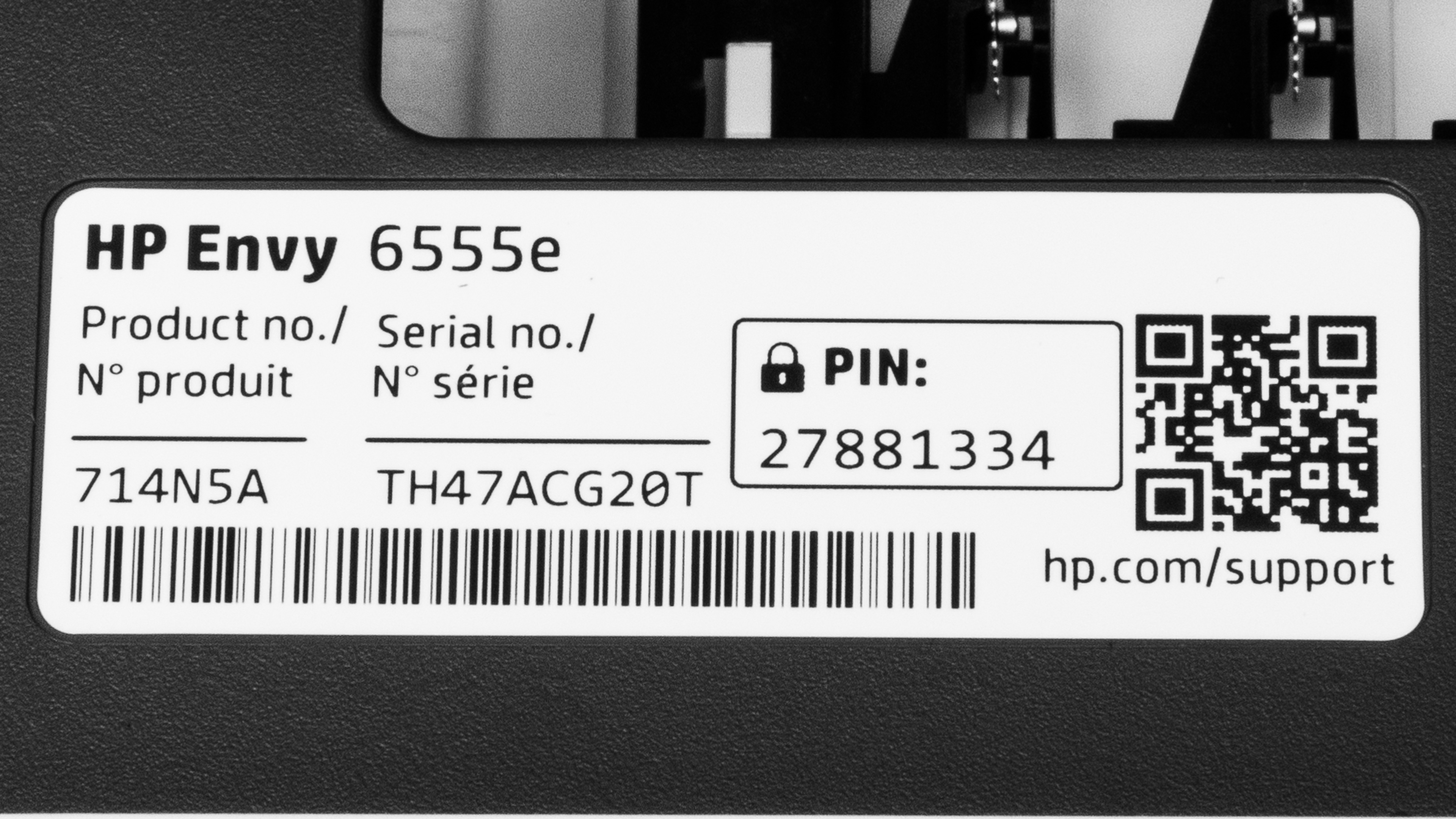
    We tested the HP ENVY 6555e, which belongs to the HP ENVY 6500e series of all-in-ones. All variants in this series are identical in terms of features and performance; the model number changes slightly depending on the region and retailer.

    Model Region/Retailer Color
    6520e Europe, Asia Portobello (714N9B)
    6530e Asia, Oceania Portobello (714P2A), White (714P1B)
    6552e Europe, US (Walmart) White (714N7A)
    6555e North America Portobello (714N5A)
    6558e US (Sam's Club) Portobello (714N8A)

    See our unit's label.

    Popular Printer Comparisons

    The HP 6555e is an okay home printer. It produces very nice documents, but it's slow, so it isn't the best option if you share the printer with multiple household members or have a large print load. It also incurs high recurring costs because its ink cartridges run out quickly, resulting in more frequent replacements. As for photo printing, while it can produce very detailed pictures, it struggles with darker shades, and its color accuracy is poor.

    For more options, check out our recommendations for the best inkjet printers, the best home printers, and the best cheap and budget printers.

    Brother MFC-J1205W/MFC-J1215W

    The Brother MFC-J1205W/MFC-J1215W is better than the HP ENVY 6555e mainly due to its significantly lower recurring costs. It yields considerably more prints, and because it uses separate cartridges for cyan, magenta, and yellow, you won't have to discard usable ink if one color runs out like you would on the HP, which uses a tri-color cartridge. That said, if you care more about features like an automatic feeder and automatic duplex printing, then the HP would be a better choice. Print quality is about the same for documents; the Brother produces more detailed photos with better accuracy, though some may find the photos overly dark compared to photos printed on the HP.

    HP ENVY 6155e

    The HP ENVY 6155e and HP ENVY 6555e are two very similar all-in-one inkjet printers. The major difference is that the 6555e comes with an ADF-equipped scanner, while the 6155e only has a flatbed scanner. Otherwise, both produce sharp documents, detailed photos, and excellent scans. Their major issue is low page yields, which results in high recurring costs and maintenance requirements. 

    Epson Expression Premium XP-7100

    The Epson Expression Premium XP-7100 is better than the HP ENVY 6555e for most uses. The Epson has an Ethernet port, which can be helpful in offices that rely on a wired LAN connection, and its scanner can automatically scan double-sided sheets. It also has a four-cartridge system that yields significantly more prints, which means you won't have to spend as much on replacement ink. This system is also less wasteful since you don't have to throw out usable ink if one color runs out like you would on the HP, which uses a tri-color cartridge. Regarding print quality, the HP produces sharper documents, but the Epson produces nicer photos with a wider range of colors and superior accuracy.

    HP ENVY 6455e

    The HP ENVY 6555e is much better than the HP ENVY 6455e for most uses. The 6555e is a higher-end model with noticeably better performance, producing nicer documents and photos. It also prints faster and has a display that makes it easier to operate. In terms of recurring costs, although it yields more prints than the 6455e, its ink cartridges are more expensive, so you'd end up paying more over time.

    Show more 

    Test Results

    perceptual testing image
    Sort:
    RATINGS
    Category:
    All
    Design
    7.0
    Build Quality
    TypeAll-In-One

    The HP 6555e feels relatively well-built overall, though the plastic used in certain areas, such as the front panel (where the logo is) and the input tray, appears a bit cheap, exhibiting noticeable flex. The design has both pros and cons. The power cord is removable, making it easy to replace in case of damage. Paper jams are easily accessible by lifting the scanner bed and removing the cover below it. The output tray features an extended piece that can be tucked away when not in use, helping to prevent accidents and occupying less space. One downside is that there isn't a vertical paper guide, so you must ensure that you place the paper properly in its non-removable input tray when printing photos; otherwise, the sheet rollers won't be able to grab onto it.

    8.2
    Dimensions
    Height6.6" (16.8 cm)
    Width17.0" (43.1 cm)
    Depth14.2" (36.1 cm)
    Max Height
    7.3" (18.5 cm)
    Max Width
    17.0" (43.1 cm)
    Max Depth
    20.6" (52.3 cm)
    Weight
    13.5 lbs (6.1 kg)
    8.5
    Display Screen
    Display ScreenYes
    Display Screen Size
    2.5" (6.3 cm)
    TouchscreenYes

    The HP ENVY 6555e's display is excellent. It feels responsive and snappy, and the user interface features large icons and fonts that are easy to read. Typing with the on-screen keyboard can be challenging because the keyboard is quite small, though you likely won't have to do it often. There's audio feedback when you use the display; you can adjust the volume in the settings. Visibility is good from the top, but viewing from the sides is a little harder due to reflections. Also, the screen's glossy finish picks up a lot of fingerprints.

    3.7
    Cartridge
    SuperTank
    No
    Photo Cartridge
    No
    ColorYes
    Number Of Color Cartridges
    1
    Black Cartridge Model
    HP 68 Black
    Tested Black Page Yield
    7.23 prints
    Estimated Black Page Yield
    137 prints
    Color Cartridge Model
    HP 68 Tri-Color
    Tested Color Page Yield
    3.84 prints
    Estimated Color Page Yield
    81 prints
    Third-Party Cartridge
    Not Found At Time Of The Review
    Ink Type
    Dye And Pigment
    High Yield Cartridge
    Yes

    The HP ENVY 6555e has a very low page yield, so you'll have to replace the ink cartridges often if you print regularly. Additionally, since this printer utilizes a tri-color cartridge, you must replace the entire cartridge even if only one color runs out, resulting in the need to discard the remaining ink. A high-yield black ink cartridge, the HP 68e EvoMore Black, is available, with an advertised yield of approximately 320 pages. However, there is no high-yield tri-color cartridge.

    Setting up this printer as an HP+ device prevents the use of third-party cartridges and requires an uninterrupted internet connection to operate the printer. HP continuously updates the firmware to block the use of third-party cartridges.

    The printer shows a warning when the ink is low, but it doesn't prevent you from continuing the print job, so you might end up with some faded, low-quality prints.

    6.5
    Expected Maintenance
    Ink Related Maintenance
    Expected
    Drum Unit
    No Drum Unit

    This printer requires a fair amount of maintenance. Like all inkjet printers, the printheads can clog if you don't use the printer for an extended period. Several maintenance functions are available to resolve print quality issues, including printhead cleaning and printhead alignment. The ink cartridges run out quickly, so you'll have to replace them often. The upside with these cartridges is that they contain printheads, meaning you can simply replace the cartridges if you can't resolve print quality issues using the built-in maintenance functions.

    Replacing the ink cartridges is straightforward; simply turn the printer on and lift the cover. This will automatically prompt the printer to move the cartridge tray to the left, making the cartridges accessible. The printer recommends performing an alignment each time you insert a new cartridge; however, you can skip it if you don't think it's necessary. Paper jams can be accessed by lifting the scan bed and removing the cover below it. You can also clear paper jams from the bottom by fully extending the input tray, although you'll need to turn the printer on its side to do so. You can remove paper jammed in the automatic feeder by lifting the cover of the feeder.

    The input tray holds 100 sheets of paper, so you'll have to refill it fairly often if you print regularly.

    See HP's online user guide.

    4.0
    Risk Of Clogging
    Print Technology
    Inkjet

    This is an inkjet printer, which means it can clog if left unused for an extended period. Inkjet printers use liquid ink that flows through extremely fine printhead nozzles. During extended periods of inactivity, this ink can evaporate, thicken, or dry out, potentially blocking the ink flow. Environmental factors such as dry air, dust, temperature fluctuations, or direct sunlight can accelerate clog formation. Clogs may cause missing lines, faded colors, or complete print failures. To reduce the risk, we recommend printing periodically and storing the printer in a cool, stable environment. If clogs occur, most inkjet printers include built-in maintenance routines to help clear the printheads, which are detailed in the Expected Maintenance test box of this review.

    If you don't want to deal with unclogging, laser printers use a different system with dry toner and a drum instead of ink and printheads, which avoids this issue.

    Ease Of Unclogging
    Printhead Location
    In The Cartridge
    Printhead Serviceability
    User Replaceable
    High Flushing Volume
    No

    This printer uses cartridges with built-in printheads, but the ink volume is quite limited. That small supply is usually enough to clear lighter clogs through standard maintenance cycles. When it'sn't, simply replacing the cartridge also replaces the printheads, giving you a straightforward way to restore print quality. This makes clogs very easy to manage. The downside is that relying on new cartridges for clog fixes can become expensive over time.

    In The Box

    • Power cord
    • Documentation
    • Set of HP 68 starter ink cartridges:
      • 1x Black
      • 1x Tri-color
    Battery
    Advertised Battery Life
    N/A
    Tested Charging Time
    N/A
    Efficiency
    4.8
    Cost-Per-Print
    See details on graph tool
    Black Cartridge Price
    22.99 US$
    Color Cartridge Price
    22.99 US$
    Black-Only Printing Cost
    0.168 US$/print
    Color Printing Cost
    0.284 US$/print
    Photo Printing Cost
    0.766 US$/print
    Ink Subscription
    Optional

    Although the HP ENVY 6555e's ink cartridges are relatively inexpensive, the cost per print is high due to the cartridges running out quickly, resulting in more frequent replacements.

    4.7
    Printing Speed
    Black Only Text Document
    8 PPM
    Color Document
    4 PPM
    Photo Printing Time
    77.0 s
    Single Page Out Time (Black Only)
    23.0 s
    Duplex Printing
    Automatic
    Input Tray Capacity
    100 pages

    The input tray holds up to 100 sheets of regular paper or 10 envelopes, while the output tray holds up to 25 sheets of standard paper.

    Document
    8.5
    Black & White Documents
    Color Ink Needed For Black & White
    No

    The print quality of black-and-white documents is excellent. Text looks clear, and finer elements are present and easily visible. However, the colored areas appear slightly grainy, which can make some white text harder to read. Printing in High Quality mode only increases the contrast slightly, while printing in Grayscale mode reduces contrast but makes colored areas look less grainy.

    8.5
    Color Documents

    The print quality of color documents is excellent. Text looks clear, and colors look well-saturated. Fine elements, like lines in a graph, are present, albeit slightly faint. Printing in High Quality mode improves text clarity a bit and makes colored areas look more filled out.

    Document Printing Sizes
    Letter (8.5" x 11")Yes
    Legal (8.5" x 14")No
    Tabloid (11" x 17")No
    A6 (105mm x 148mm)Yes
    A5 (148mm x 210mm)Yes
    A4 (210mm x 297mm)Yes
    Max Paper Weight
    300 g/m²

    You can set custom paper sizes from 3" x 5" (76.2 mm x 127 mm) to 8.5" x 12" (215.9 mm x 304.8 mm) when printing single-sided and 3" x 5.5" (76.2 mm x 139.7 mm) to 8.5" x 11.7" (215.9 mm x 297.18 mm) when printing double-sided.

    Scanner
    7.1
    Scanner Features
    Scanner
    ADF + Flatbed
    ADF Capacity
    35 pages
    Scan Speed
    3 PPM
    Duplex Scanning
    No
    Max Flatbed Scan Size
    8.5" x 11"
    Max ADF Scan Size
    8.5" x 14"
    Flatbed Hinge Adjustability
    0.15" (4 mm)
    Fax
    No
    Copy
    Yes
    OCR Included
    Software

    The optical character recognition (OCR) feature is software-based, meaning you must install the HP Smart app to use it. The app lets you save scanned documents as searchable PDFs. It also has a text extract feature that transcribes documents automatically.

    8.5
    Scan Quality
    Max Scan Resolution
    1,200 DPI
    Max Scan Color Depth
    24Bit

    The scan quality is excellent. Text looks sharp, and all the fine elements are present and easy to see. The only problem is that there's a high chance of scans coming out crooked when using the automatic feeder.

    Photo
    7.0
    Color Gamut

    The HP ENVY 6555e has a decent color gamut. It mainly struggles with darker tones, resulting in a loss of fine details and an overly brightened image. You can easily see the difference when comparing the sample parrot picture from this printer to the same picture printed on the professional-grade Canon PIXMA PRO-200. Banding is minimal, though there's some graininess in some color transitions.

    5.2
    Color Accuracy
    Average Color dE
    9.62

    The HP 6555e's color accuracy is sub-par. Many colors are visibly inaccurate, particularly blues, reds, and skin tones. This accuracy level is still good enough for casual home photo printing, but not for professional use.

    8.5
    Small Details
    Max Print Resolution (DPI)
    4800 x 1200

    The HP ENVY 6555e is excellent at reproducing small details. Fine elements appear well-defined and are easily recognizable, as seen in the Tokyo Tower's red metal bars in the sample photo. That said, the halftones are somewhat prominent, softening some finer details, and the image's overall contrast could be a little better to further enhance the edges of objects.

    9.5
    Photo Printing Sizes
    Glossy Paper (4" x 6")Yes
    Glossy Paper (5" x 7")Yes
    Glossy Paper (8" x 10")Yes
    Glossy Paper (8.5" x 11")Yes
    Glossy Paper (13" x 19")No
    Borderless Printing
    Yes

    HP advertises two-sided photo printing; however, we haven't tested it, as we don't have double-sided photo paper at this time.

    Mobile App And Connectivity
    7.0
    Connectivity
    Wireless
    Yes
    Wi-Fi via Router
    Yes
    Wi-Fi Direct
    Yes
    Bluetooth
    No
    Ethernet
    No
    USB Input To Computer
    Yes
    External Storage Support
    No
    Apple AirPrint
    Yes
    Mopria Print Service
    Yes

    The HP ENVY 6555e technically supports Bluetooth, but it can only be used to set up the printer, not for printing or scanning. Its Wi-Fi supports the 2.4GHz and 5.0GHz bands. The printer also has a self-healing feature that automatically detects and resolves connectivity issues.

    10
    Mobile App
    Mobile AppYes
    App NameHP Smart
    iOSYes
    AndroidYes
    Photo (JPEG, PNG)
    Android and iOS
    PDF
    Android and iOS
    Microsoft Office Files
    iOS Only
    Text Files (TXT)
    iOS Only
    Webpages (HTML)
    iOS Only

    The HP ENVY 6555e is compatible with the HP Smart mobile app. You can use it to print, scan (with your smartphone camera or the printer), copy, fax (mobile), order supplies, and manage your ink subscription service. It also provides access to printables, such as templates and graphics, which you can use to create calendars, greeting cards, and more. The Android version doesn't support Microsoft Office files, text files, and webpages, so you'll have to print them in whichever app you use to view those files.

    OS Compatibility
    WindowsFully
    macOSFully
    Chrome OSFully

    You don't need to install drivers to use the printer on Chrome OS and macOS devices, but you do on Windows devices. Installing HP Smart is the easiest way to do so; the app will automatically install the correct drivers and keep them up to date.