Xerox B210/DNI  Printer Review

Reviewed Jul 03, 2020 at 07:48am
Retest May 11, 2021 at 08:43am
Tested using Methodology v0.8.1 
Xerox B210/DNI
1.9
Family 
5.7
Small/Home Office 
5.9
Student 
8.4
Black & White 
1.8
Casual Photo 
 0

The Xerox B210/DNI is an excellent wireless printer for black and white usage only. Like most monochrome laser printers, it excels at what it's designed to do, which is print plain documents in black and white, quickly and affordably. It's compact and sturdy so it won't take up much space on your desk or in your work area. However, it doesn't include features like a scanner or a display screen. Although it does have great connectivity options, its mobile application is terrible and doesn't work well on Android devices.

Our Verdict

1.9
Family 

The Xerox B210 is a terrible family printer. Unfortunately, its photo printing is bad, it doesn't include a scanner, it doesn't print in color, and it has no external storage support. If your family only uses the printer to print monochrome documents, then you could consider it.

Pros
  • Excellent monochrome printing.
  • Excellent black cartridge yield.
Cons
  • Bad photo printing quality.
  • Doesn't include a scanner.
  • No external connectivity options.
5.7
Small/Home Office 

The Xerox B210DNI is an inadequate small or home office printer. It's excellent for printing in black and white, so you should have no problem with regular documents. It has a compact, sturdy design which should fit easily on most office desks. It also includes an Ethernet connection and has a remarkable printing speed. Unfortunately, it doesn't include a scanner or color printing and is also lacking a display screen.

Pros
  • Excellent monochrome printing.
  • Excellent black cartridge yield.
Cons
  • Doesn't include a scanner.
  • No display screen.
5.9
Student 

The Xerox B210 is a disappointing printer for students. It strives when printing black and white documents, but doesn't include color printing or a scanner. Its printing speed and cost-per-print are both outstanding, but the printer suffers from a lack of external connectivity options and a terrible mobile app.

Pros
  • Excellent monochrome printing.
  • Excellent black cartridge yield.
  • Outstanding cost-per-print.
Cons
  • Doesn't include a scanner.
  • No external connectivity options.
8.4
Black & White 

The Xerox B210 is a great black and white printer. If you're looking for a printer with an outstanding cost-per-print, a high black page yield, and an amazing printing speed, this is the option for you. However, it doesn't include features such as a scanner or a display screen.

Pros
  • Excellent monochrome printing.
  • Excellent black cartridge yield.
  • Outstanding cost-per-print.
Cons
  • Doesn't include a scanner.
  • No display screen.
1.8
Casual Photo 

Like most black and white laser printers, the Xerox B210/DNI is a bad casual photo printer. It has a terrible photo printing quality and doesn't support glossy paper or any photo sizes.

Pros
None
Cons
  • Bad photo printing quality.
  • 1.9
    Family
  • 5.7
    Small/Home Office
  • 5.9
    Student
  • 8.4
    Black & White
  • 1.8
    Casual Photo
  • Changelog

    1.  Updated May 11, 2021: Changed Photo Printing value in Cost-Per-Print box from $0.125 to N/A.
    2.  Updated Feb 08, 2021: Fixed error that listed Display Screen overall score as N/A. The score was changed to 0.
    3.  Updated Jul 03, 2020: Review published.
    4.  Updated Jun 29, 2020: Early access published.

    Check Price

    WhiteXerox B210/DNI
    SEE PRICE
    Amazon.com
    WhiteXerox B210/DNI
    SEE PRICE
    Walmart.com
    WhiteXerox B210/DNI
    B&H
    WhiteXerox B210/DNI
    BestBuy.com

    Popular Printer Comparisons

    The B210 is an excellent wireless black and white printer. It's similar to options like the Brother HL-L2390DW, but lacks the additional features, like a scanner, that other monochrome printers can have. Its lack of connectivity options and a capable mobile app make it one of the weaker options in any category besides black and white printing.

    For other options, you can also check out our recommendations for the best all-in-one printers, the best office printers, and the best printers under $100.

    Brother HL-L2390DW/HL-L2395DW

    The Xerox B210/DNI and the Brother HL-L2390DW are similar black-and-white laser printers. They both have high black page yields, low cost-per-prints, and fast printing speeds. However, if you're looking for a printer for office use, the Brother includes a scanner, while the Xerox doesn't.

    HP LaserJet Pro M15w

    The Xerox B210/DNI and the HP LaserJet Pro M15w are two very similar black and white printers. Both printers do not have a display screen or a scanner. However, the Xerox has a better build and design quality and includes an ethernet connection, making it a better option for office use.

    HP ENVY Photo 6255

    The HP ENVY Photo 6255 and the Xerox B210/DNI are two very different printers. The Xerox is a monochrome laser printer that's meant for high volume printing at a low cost and it has amazing printing speed. The HP, on the other hand, is a casual photo printer that's awful for black and white printing.

    Kyocera ECOSYS P2235dw

    The Kyocera ECOSYS P2235dw and the Xerox B210/DNI are both monochrome laser printers, but the Kyocera is slightly better overall. It yields significantly more pages at a much lower cost-per-print, and its mobile app lets you print PDFs and TXT files from your mobile device. It also supports printing off a USB thumb drive. Unfortunately, unlike the Xerox, it doesn't support Apple AirPrint, and there aren't higher-yield versions of its toner available.

    Show more 

    Test Results

    perceptual testing image
    Sort:
    RATINGS
    Category:
    All
    Design
    7.5
    Build & Design Quality
    TypePrinter Only

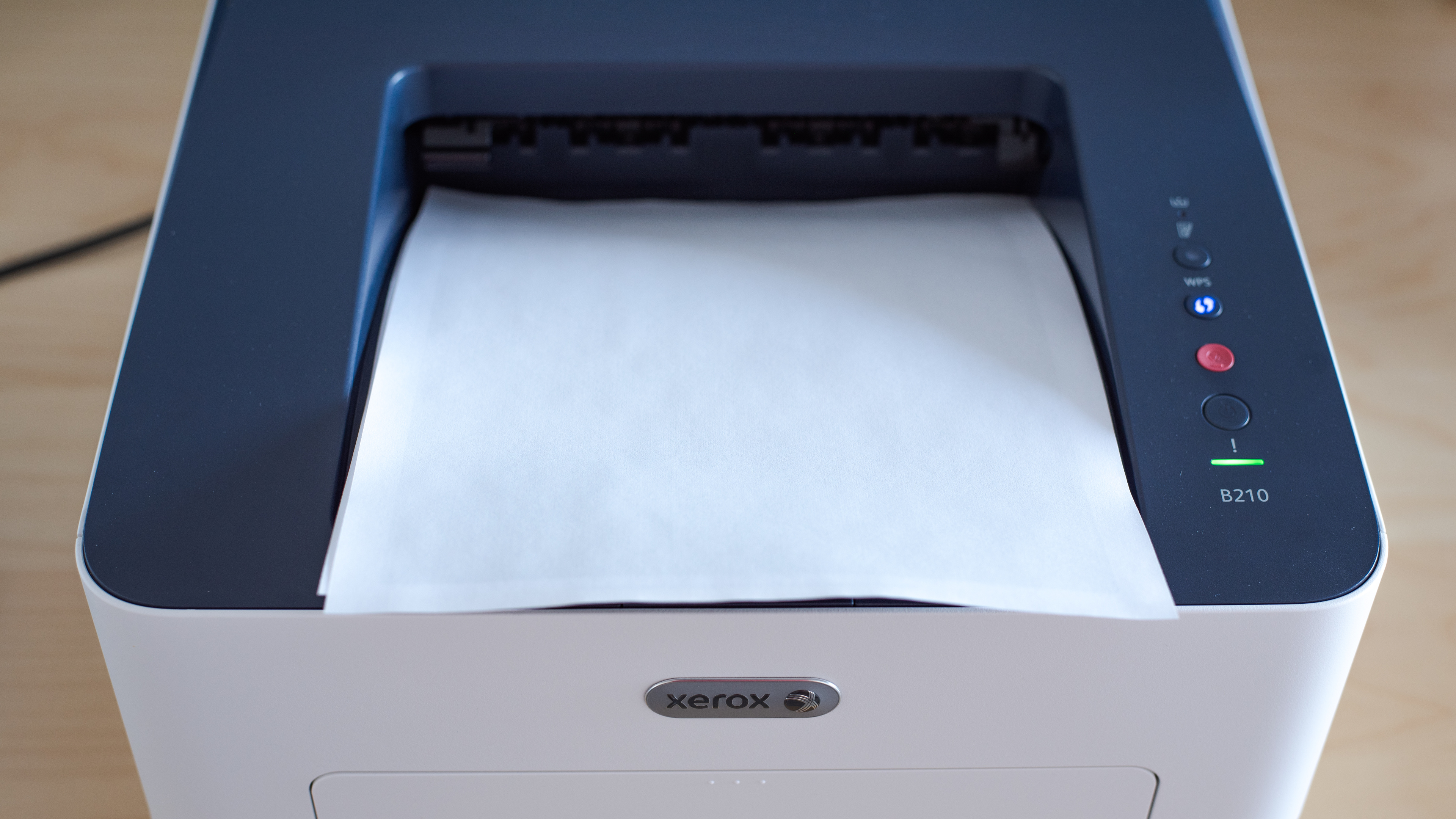
    The B210 is a basic printer with a good build and design quality. The body of the printer feels sturdy and thanks to its simple design, you have easy access to the toner and paper jams. The front paper tray includes length and width sliders for larger paper use. Unfortunately, there's no cover on the output tray, and when the paper tray is loaded, paper sticks out of the back of the printer, creating another uncovered hole for dust to accumulate.

    Dimensions
    Height8.1" (20.5 cm)
    Width14.5" (36.8 cm)
    Depth13.7" (34.8 cm)
    Weight
    17.0 lbs (7.7 kg)

    The Xerox B210 is a compact printer similar in size to the Brother HL-L2370DW. Although it isn't as small or portable as the HP DeskJet 3755, it still isn't very tall and should fit easily on most desks or workspaces.

    0.0
    Display Screen
    Display ScreenNo
    Display Screen Size
    N/A
    TouchscreenNo

    The printer doesn't have a display screen. It does include four physical buttons on the right side of the printer, which includes the power option, cancel, on/off, and Wi-Fi configuration. There's also an LED status bar right under the power button and a low toner light that'll flash red when the cartridge is nearly finished.

    In The Box

    • 1x Xerox 106R04346 starter toner cartridge
    • 1x Xerox 101R00664 drum unit
    • Quick setup guide and CD
    • Power cable
    • USB cable
    8.2
    Cartridge
    Photo Cartridge
    No
    TechnologyLaser
    Number Of Color Cartridges
    N/A
    Black Cartridge Model
    Xerox 106R04346
    ColorNo
    Tested Black Page Yield
    82 prints
    SuperTank
    No
    Estimated Black Page Yield
    1,558 prints
    Color Cartridge Model
    No Color Cartridge
    Tested Color Page Yield
    N/A
    Estimated Color Page Yield
    N/A
    Third Party Cartridge
    No
    High Yield Cartridge
    Yes
    Drum Unit
    A Separate Unit

    The B210 has a great monochrome cartridge system. The standard black toner cartridge has a high page yield, so you shouldn't have to replace the toner very often unless you print at a very high volume. However, the drum eventually needs to be replaced, adding an extra cost down the road. For a printer with a higher page yield and a drum unit included in the toner cartridge, consider the HP LaserJet MFP M234sdwe.

    This printer doesn't accept any third party cartridges.

    If you're looking for a monochrome print-only model but need something with a higher page yield, check out the Pantum P3012DW or the HP LaserJet Enterprise M507dn. For a monochrome supertank inkjet with a much higher page yield, check out the Epson WorkForce ST-M1000.

    0.0
    Scanner
    Scanner
    No
    Scan Flatbed
    No
    Scan Sheetfed
    No
    Automatic Document Feeder
    No
    Duplex Scanning
    No
    Scan Resolution
    N/A
    Scan Color Depth
    N/A
    Flatbed Scan Size
    N/A
    Fax
    No
    Copy
    No

    This black and white printer doesn't have an integrated scanner. If you need a scanner, check out the Brother HL-L2390DW.

    Printing
    9.3
    Cost-Per-Print
    See details on graph tool
    Black Cartridge Price
    48.99 US$
    Color Cartridge Price
    N/A
    Black Only Printing
    0.031 US$/print
    Color Printing
    N/A
    Photo Printing
    N/A
    Ink Subscription
    No

    Update 05/11/2021: We initially set a value for Photo Printing, but we changed this to N/A since this printer isn't designed for photo printing.

    Similar to most black and white laser printers, the Xerox B210's cost-per-print is quite low. As mentioned before, the drum unit also needs to be replaced eventually, which is an additional cost not factored in here. If you'd like a much lower cost-per-print, check out the Kyocera ECOSYS P2235dw.

    9.0
    Printing Speed
    Black Only Text Document
    31 PPM
    Color Document
    N/A
    Photo Printing Time
    10.8 s
    First Page Out Time (Black Only)
    9.7 s
    Duplex Printing
    Automatic
    Input Tray Capacity
    250 pages

    The B210 has a remarkable printing speed. The first page of your document prints quickly, meaning the printer doesn't take much time to warm up. It includes a large input tray, but unfortunately, the output bin can only handle half of what the input tray allows. If you're printing a large 200-page document, you'll need to empty the output bin at some point.

    0.0
    Color Accuracy
    Average Color dE
    N/A

    The Xerox B210/DNI is a monochrome printer, if you're interested in a color printer, check out the Brother HL-L3270CDW Laser.

    1.3
    Photo Printing Quality
    Borderless Printing
    No

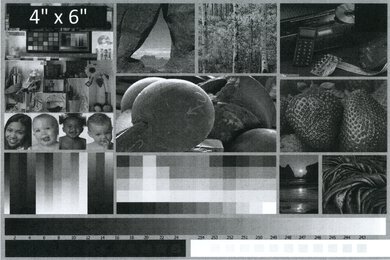
    The Xerox B210 is a black and white laser printer, so it's not meant for printing photos. It doesn't include glossy paper capabilities or 4" x 6" format. If, however, you do need to print a photo on the 8.5" x 11" paper, there's banding across the image. On the plus side, larger details of the photo will be visible.

    Note that these results are based on the actual physical photo, not the scanned image provided for reference above, which may not be representative of the printer's photo print quality.

    If you want a more versatile printer that can print good quality photos, check out the Brother MFC-J895DW.

    Printing Size
    Letter (8.5" x 11")Yes
    Legal (8.5" x 14")Yes
    Tabloid (11" x 17")No
    A6 (105mm x 148mm)Yes
    A5 (148mm x 210mm)Yes
    A4 (210mm x 297mm)Yes
    Photo (2" x 3")No
    Photo (4" x 6")No
    Photo (5" x 7")No

    This printer has an adjustable input tray that supports most standard formats of plain paper for black and white printing. It doesn't support any of the photo sizes.

    Mobile App And Connectivity
    8.0
    Connectivity
    Ethernet
    Yes
    USB Input To Computer
    Yes
    WirelessYes
    Bluetooth
    No
    Wi-Fi via Router
    Yes
    Wi-Fi Direct
    Yes
    External Storage Support
    No
    Apple AirPrint
    Yes
    Mopria Print Service
    Yes

    The B210 has impressive connectivity options. The only wireless feature missing is Bluetooth support, which shouldn't be much of an issue since it has AirPrint and Mopria for mobile printing, as well as Wi-Fi Direct if you're not in range of a router. However, you can't print directly off a USB storage device or SD card.

    2.0
    Mobile App For Home Use
    Mobile AppYes
    App NameXerox Workplace
    iOSYes
    AndroidYes
    Photo (JPEG, PNG)
    No
    PDF
    No
    Microsoft Office Files
    No
    Text Files (TXT)
    No
    Webpages (HTML)
    No

    This printer has a terrible mobile app. Once the app is downloaded, specifically on Android devices, most of the features are non-functional. When trying to send files with Android, we get a failed message and nothing will print. It performed better on the iPhone but was awful nonetheless. You also need to create a username and password to use the app, which is something we haven't had to do with other mobile printer apps. If you want a similar printer that has a better mobile app, check out the Brother HL-L2350DW.