There's no beating around the bush: the announcement of GTA VI targeting 30 FPS on consoles at launch is a major disappointment to the gaming community. It's a low frame rate by any modern standard and comes with downsides such as motion blur on TVs (from persistence blur) and some stutter on OLEDs and fast LCD panels. Can TV-based motion interpolation help improve this? Maybe. Kind of. That's the question we set out to answer, which we'll break down in this article. While it's not perfect, we did find that some TVs handle it better than others, while on some TVs it should be disregarded entirely. We also looked at the impact motion interpolation has on input lag.
From a purist's perspective, TV-based motion interpolation (not to be confused with GPU-based frame generation) and gaming shouldn't mix. For most gamers, motion interpolation doesn't really make sense either, since 60 FPS gaming has been around for decades. It's important to note that there's a significant difference between GPU-based frame generation (e.g., NVIDIA Smooth Motion & AMD Fluid Motion Frames) and TV-based motion interpolation: the processing for GPU-based frame generation takes place before the video is output and is based on frames rendered by the game, whereas TV-based motion interpolation is handled by the TV processor after having received the signal already generated by the console or PC.
Our goal isn't to tell you whether you should use motion interpolation, but rather to provide insights into how it works, the benefits and drawbacks you can expect, and to help you find the best TVs for it should you want to use it.
How 30 FPS Gaming Looks on Modern TVs
The near-instantaneous response times on OLEDs and the decent response times on some gaming-focused LCD TVs make them well-suited for high-FPS gaming. Unfortunately, this isn't what GTA VI will deliver at launch, as it will target 30 FPS. The advantage of those high-speed panels turns into a disadvantage at such low frame rates. Frames stay on screen for longer periods, leading to motion blur from our vision's persistence as well as stutter.
Of course, not all modern TVs have fast response times, either. Some models have slower response times that reduce stutter but cause even more motion blur than faster panels due to a slower transition speed between frames.
Motion Interpolation in Game Mode: Time to Shine?
There's no point in sugarcoating it. While motion blur and stutter at 30 FPS aren't a big deal for some gamers, the situation is far from ideal for most of the gaming community. However, some TVs allow motion interpolation in game mode, a feature that offers benefits, though at a cost.
Many gamers might already be familiar with motion interpolation: it's a TV feature designed to generate intermediary frames between real frames in low-frame-rate content, with the goal of increasing the perceived frame rate. Typically, this is used for 24 FPS content, such as movies, and 30 FPS content, such as TV shows, though many purists (looking at you, Tom Cruise!) would advise steering clear of it. It goes by different names on TVs, but it's often called "De-Judder".
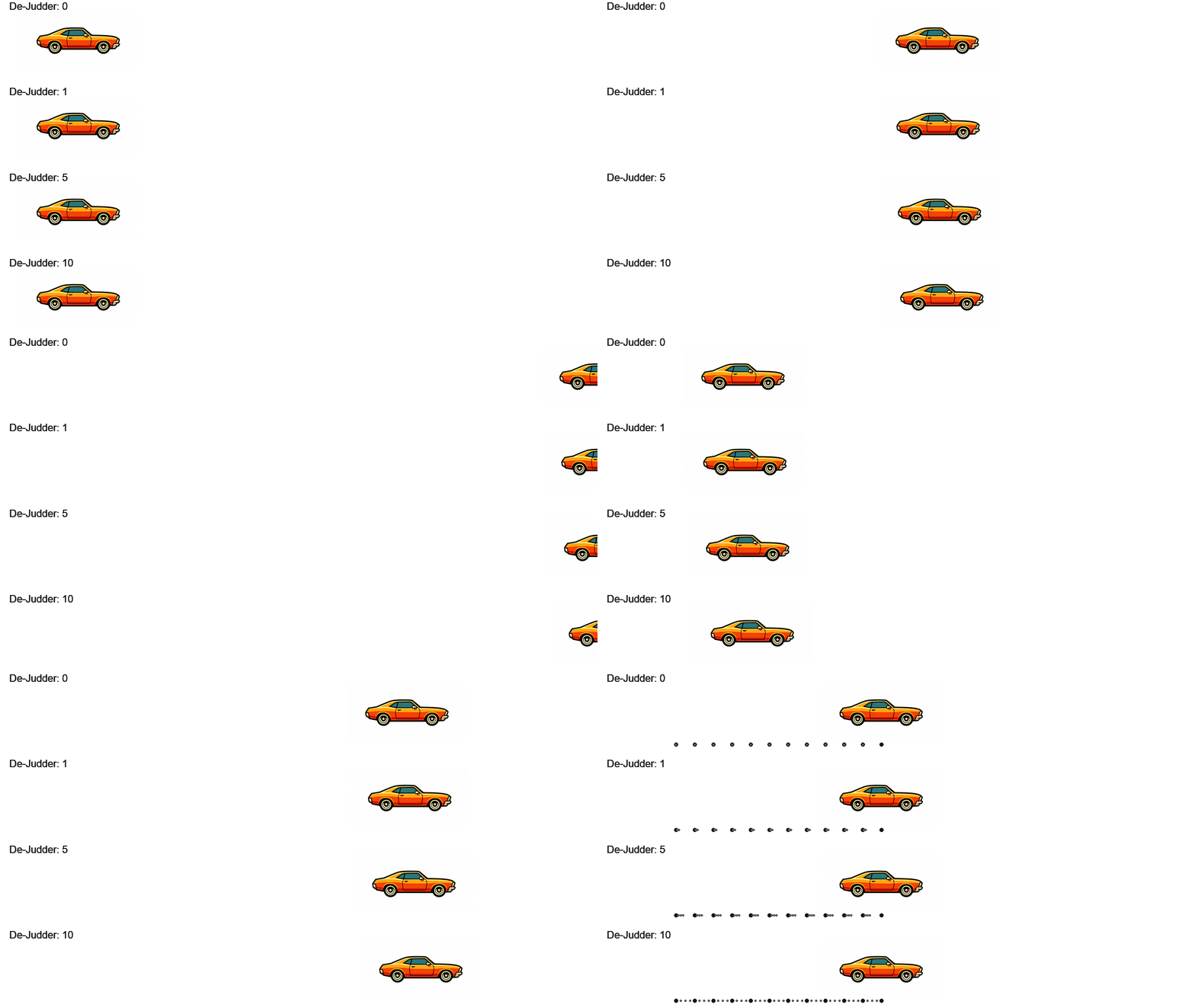
Motion interpolation is available in non-gaming picture modes on most TVs. Some TV manufacturers have been implementing it as a feature within their gaming picture modes with less input lag than when using it in non-gaming picture modes. With the release of GTA VI targeting 30 FPS, this may be their time to shine, so we investigated how motion interpolation performed on some of these TVs to help you determine if it's something that can help improve your gaming experience on consoles at the game's release. Below is a summary table of which TV brands support motion interpolation in game mode.
| Manufacturer | Motion Interpolation In Game Mode | How To Turn On Motion Interpolation | Notes |
|---|---|---|---|
| Hisense | Yes |
Motion Processing > Custom Judder Reduction: 10 |
Regular motion interpolation settings are available inside game mode with low input lag |
| LG | No |
TruMotion > User Selection De-Judder: 10 |
While keeping Game Optimizer active, motion interpolation can be activated if a non-gaming picture mode is enabled on the TV. Increases input lag. |
| Samsung | Yes | Input signal must be 60Hz GameBar > Game Motion Plus > Level 2 |
Offers two levels of motion interpolation while maintaining low input lag. Level 1: Interpolation settings are set to minimum values. Effect is barely noticeable. Level 2: Interpolation settings are set to maximum. |
| Sony | No |
Motionflow > Custom Smoothness (Film): Max Smoothness |
Motion interpolation can only be used in non-game picture modes. Increases input lag. |
| TCL | Yes |
Motion Clarity > Custom Blur Reduction: 10 |
Regular motion interpolation settings are available inside game mode with low input lag. |
We've tested motion interpolation in game mode on TVs from all of the brands listed above. Based on our analysis, we found that we had the best experience with models from both TCL and Hisense. We consider a good experience to be one with smooth motion that doesn't cause major increases in input lag. The side-by-side comparison below shows the Hisense UR9SG and TCL QM8L with motion interpolation active in different scenes. The console was outputting GTA V at 30 FPS over a 60Hz signal for this trial.
While Samsung offers the feature, we noticed that it frequently appeared to stop interpolating. Below is a comparison of the Sony BRAVIA 3 II with motion interpolation active (outside game mode) and the Samsung QN80F with motion interpolation active (within game mode). The Sony is interpolating outside of game mode, and is to be used as a comparison point to showcase that the Samsung QN80F isn't interpolating consistently, and the motion doesn't really get smoothed.
Increased Frame Rates at the Expense of Input Lag & Artifacts
As shown in the previous section, some TVs can handle motion interpolation while in game mode, which can make a substantial difference to how smooth the in-game motion looks. One downside of using motion interpolation is that the intermediary frames it produces aren't perfect, and some visible artifacts can be generated as a byproduct of the process. In the video example below, this is particularly visible in the road textures as the vehicle travels.
The other issue for gamers is that motion interpolation requires some processing time, which adds input lag. It may not be that critical for single-player story mode, but it's still worth keeping in mind that it won't be as snappy as it would be with motion interpolation deactivated. If your TV only supports motion interpolation outside of game mode, we recommend not using it, as the processing required to create frames adds significant input lag. Below is an example of the additional input lag experienced on the Sony BRAVIA 3 II when interpolating motion outside of game mode, compared to the Samsung QN80F when interpolating motion within game mode.
Below are the input lag measurements for the selected TVs in this investigation. RTINGS.com members have access to all our Input Lag results, which include the measurement of input lag in game mode with Motion Interpolation active when available on specific TVs. Join now for access to all our test results, plus perks such as exclusive discounts on select products and the opportunity to enter draws for giveaways of reviewed products.
| TV model | Input Lag @ 4K60 in Game Mode | Input Lag @ 4K60 in Game Mode With Interpolation | Input Lag @ 4K60 Outside Game Mode |
|---|---|---|---|
| Hisense UR9SG | 12.8 ms | 32.9 ms | 144.0 ms |
| LG C6 OLED | 10.3 ms | 86.0 ms (outside game mode) | 89.8 ms |
| LG G6 OLED | 9.8 ms | 85.9 ms (outside game mode) | 89.4 ms |
| Samsung QN80F | 10.0 ms | 24.2 ms | 68.4 ms |
| Samsung S95H OLED | 10.0 ms | 48.8 ms | 66.7 ms |
| Sony BRAVIA 3 II | 9.7 ms | 132.4 ms (outside game mode) | 123.8 ms |
| TCL QM8L | 14.5 ms | 24.5 ms | 124.2 ms |
| TCL M8LF | 9.9 ms | 24.6 ms | 107.6 ms |
What will the input lag be if you don't use motion interpolation?
There have been a lot of questions floating around online about the input lag that can be expected with GTA VI targeting 30 FPS. It's important to highlight the difference between frame rate (the game's targeted FPS) and the TV's refresh rate based on the handshake signal with the console. While the console will generate a target of 30 FPS, it will be sending it over a 60Hz signal to the TV, so the input lag will be the same as a regular 60 FPS game.
Conclusion
Our recommendation is to consider your own motion preferences when choosing a new TV or setting up your current one to play GTA VI or any other low-frame-rate game. If choppy motion bothers you, it's worth considering models from TCL and Hisense that support motion interpolation in game mode, at the expense of slightly higher input lag and the possibility of artifacts. Ultimately, they strike a favorable balance that we haven't seen among other brands in this investigation.
Our results from activating motion interpolation in game mode on Samsung TVs were inconclusive, as the tested TVs struggled to keep up with the cadence of the content and appeared to drop frames. If your current TV supports it, it's worth trying it out to see whether you prefer that experience over the stock 30 FPS offered by the game at launch.
If you're not bothered by motion blur and aren't sensitive to stutter, it's better to keep motion interpolation off, as you'll get a very consistent gaming experience, the best possible input lag, and you also won't risk seeing the odd motion interpolation artifact here and there.
In any case, we're curious to hear your thoughts on this. Would you try motion interpolation in game mode for smoother motion, or do you prefer to stick with the stable 30 FPS rendered by GTA VI at launch? Let us know in the comments!