The Sony BRAVIA 3 II, also known as the Sony BRAVIA 3 Mark 2, is a mid-range TV released in 2026. It replaces the Sony BRAVIA 3 from 2024, sitting between the entry-level Sony BRAVIA 2 II and Sony's higher-end RGB Mini LED lineup, starting with the Sony BRAVIA 7 II. It's a basic TV with a direct-lit backlight, no local dimming, and an IPS panel. Unlike the rest of Sony's lineup, though, it's powered by the MediaTek Pentonic 800 chipset and offers four high-bandwidth HDMI 2.1 inputs. It's also the first mid-range model to feature Sony's more advanced XR co-processor. We bought and tested the 65-inch model, but it's also available in 43-, 50-, 55-, 75-, 85-, and 100-inch sizes.
Our Verdict
The Sony BRAVIA 3 II is a mediocre TV overall. It's best-suited for watching shows during the day, as long as there's not too much bright light in your room. It also has a very good viewing angle, so it's one of the few TVs in this price range that's suitable for a wide seating area. It looks terrible in a dark room due to its low contrast and bad black uniformity, but it has good format support for physical media collectors, so it's not all bad news. It also has a great array of gaming features, including support for 4k @ 120Hz with the latest consoles or gaming PCs. Motion is smooth and clear when watching content, with few unwanted artifacts, and it does a great job cleaning up low-quality streams.
Very good image processing.
Wide viewing angle.
Great reflection handling.
Terrible black levels.
Bright details are dull and flat.
The Sony BRAVIA 3 II is a poor TV for home theater use. It has terrible contrast, with raised blacks in all content and patchy uniformity, so it doesn't look good at all in a dark room. It's not bright enough to deliver a truly impactful HDR experience, and small highlight details in movies don't stand out at all. It has decent colors, though, and good accuracy out of the box. It also has great motion handling, so movies are at least smooth and played back correctly. Finally, it has good format support, as its eARC port supports all common audio formats, and it supports Dolby Vision.
Very good image processing.
Good format support.
Terrible black levels.
Bright details are dull and flat.
Dark scenes are patchy and uneven.
The Sony BRAVIA 3 II is a decent TV for watching shows in a bright room. While it has just okay peak brightness in SDR, its matte anti-reflective coating does a great job reducing the intensity of bright, mirror-like reflections from lamps or open windows facing the TV. Ambient light also has barely any impact on picture quality, with no noticeable change to color saturation or contrast.
Great reflection handling.
Ambient light has no impact on picture quality.
The Sony BRAVIA 3 II is a decent TV for watching sports. Its matte coating and okay peak brightness mean that it can handle some moderate amounts of natural light. It also has a very good viewing angle, so it's well-suited for a wide seating arrangement or just watching the big game with a large group of friends. It doesn't get very loud, though, so you may want to consider pairing it with a soundbar for game days. Finally, it has great motion handling when watching content, with no excessive color banding and a good response time, so fast action in games is clear and easy to make out.
Very good image processing.
Wide viewing angle.
The Sony BRAVIA 3 II is a mediocre TV for gaming. It has a good selection of gaming features, including full HDMI 2.1 bandwidth on all four of its HDMI inputs, so you can take full advantage of multiple consoles. It also has low input lag in all supported modes, so games feel responsive for the most part. On the other hand, it has a high CAD at 60Hz, so console games that don't support high refresh rates are very blurry. It also doesn't support refresh rates above 120Hz, which may disappoint PC gamers. Games also don't look very good due to the TV's poor general picture quality, as it lacks contrast and can't deliver an impactful HDR experience.
Low input lag.
Supports HDMI 2.1 bandwidth on all four inputs.
Terrible black levels.
Bright details are dull and flat.
Motion is blurry when gaming at 60Hz.
Doesn't support higher refresh rates for PC gaming.
The Sony BRAVIA 3 II has mediocre brightness. It's bright enough in SDR to overcome moderate amounts of glare when watching shows during the day. In HDR, while it gets bright enough for most moderately-lit scenes, small, bright highlight details simply don't stand out at all.
Bright details are dull and flat.
The Sony BRAVIA 3 II has terrible black levels. It has a very low contrast ratio and no local dimming, so blacks are always raised, even in simple scenes. Blacks are also uneven, and there's significant clouding on the screen. Overall, this TV shouldn't be used in a dark room due to its terrible black levels.
Terrible black levels.
Dark scenes are patchy and uneven.
The Sony BRAVIA 3 II has decent colors. It displays a somewhat limited range of colors, which is fine for most content, but if you enjoy a vivid image, you might find it a bit dull overall. It has good accuracy out of the box, though, with only a few minor errors that most people simply won't notice.
Good accuracy out of the box.
The Sony BRAVIA 3 II has great motion handling when watching content. It removes judder from most content automatically, with just a slight frame timing issue with 25p content. It has a good response time, with just a bit of blur behind fast-moving objects, and transitions are even, with only very minor color artifacts that most people won't notice. There's some stutter in slow-panning shots, but it's fairly minor, and even low levels of motion interpolation can greatly reduce it.
No noticeable transition artifacts.
Removes judder from most sources.
The Sony BRAVIA 3 II has decent responsiveness in Game Mode. It supports a high refresh rate for console gamers and has low input lag in all supported modes. It also supports all main types of VRR, which helps reduce tearing. Its CAD at the max refresh rate is okay, but it struggles when locked at 60Hz and motion in that mode is very blurry.
Low input lag.
Supports HDMI 2.1 bandwidth on all four inputs.
Motion is blurry when gaming at 60Hz.
Doesn't support higher refresh rates for PC gaming.
Note: We're in the process of improving our tests related to image processing, but this score should give you a general idea of how a TV performs overall with its image processing capabilities.
The Sony BRAVIA 3 II has decent processing. It does a great job cleaning up compression artifacts and upscaling low-quality or low-resolution streams, including most streaming services or cable TV. It struggles a bit more with HDR content, though, as it can't display shadow details the way the content creator intended, and there's some minor banding in gradients.
Very good image processing.
Can't display shadow details properly.
Performance Usages
Changelog
- Updated Sep 18, 2026: We converted this review to Test Bench 2.2.1, adding a new Dumb TV test for whether or not the TV can be used offline.
- Updated Aug 06, 2026: Review published.
- Updated Aug 05, 2026: Early access published.
- Updated Jul 23, 2026: Our testers have started testing this product.
Check Price
Differences Between Sizes And Variants
We bought and tested the 65-inch Sony BRAVIA 3 II. It's also available in 43-, 50-, 55-, 75-, 85-, and 100-inch sizes, and we expect these results to be mostly valid for the other sizes as well. Only the 65- and 75-inch models have a matte coating, though, so the other sizes have worse reflection handling. The 50-inch model has been confirmed to use a VA panel, which has much better contrast but a worse viewing angle. Unfortunately, it's unclear what panel is used on the other sizes, and Sony doesn't provide this information.
| Size | US Model | Screen Coating | Panel Type |
|---|---|---|---|
| 43" | K-43XR30M2 | Glossy | Unknown |
| 50" | K-50XR30M2 | Glossy | VA |
| 55" | K-55XR30M2 | Glossy | Unknown |
| 65" | K-65XR30M2 | Matte | IPS |
| 75" | K-75XR30M2 | Matte | Unknown |
| 85" | K-85XR30M2 | Glossy | Unknown |
| 100" | K-100XR30M2 | Glossy | Unknown |
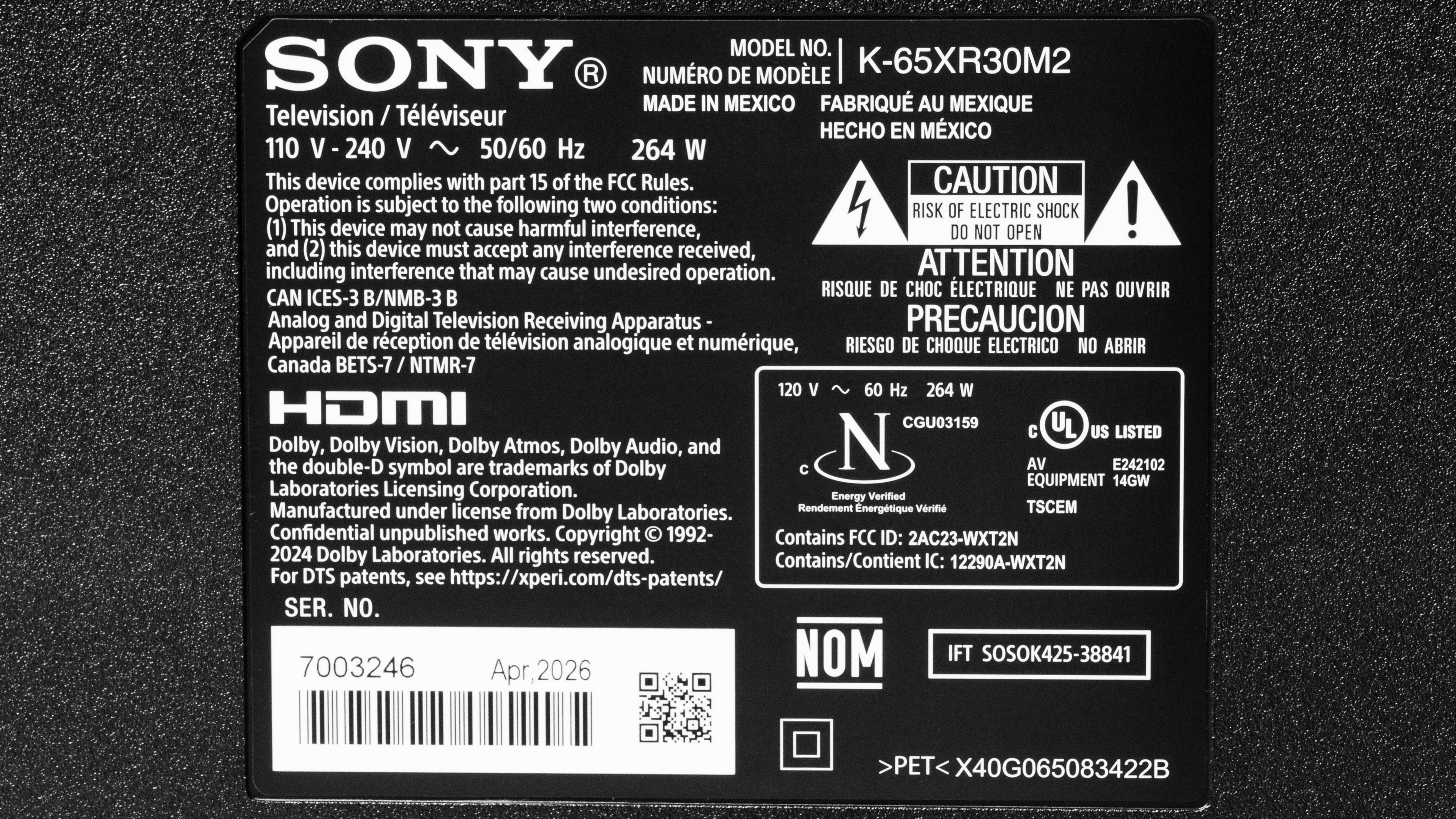
Our unit's label shows that it was made in Mexico in April, 2026.
Popular TV Comparisons
The Sony BRAVIA 3 II is a bit of a strange TV. You get the same amazing processing and image-enhancing features that Sony TVs are known for. For the first time, Sony has included a more modern chipset with more advanced features than you'll find on even their own higher-end models like the Sony BRAVIA 7 II and Sony BRAVIA 9 II. On the other hand, its IPS panel severely limits its performance, and what should have been a fantastic TV ends up delivering lackluster picture quality that will disappoint most people. Compared to the competition, it's a disappointing TV overall, and you can get far better performance from competing models like the Hisense U7SG or even cheaper options like the TCL QM6K.
For more options, check out our recommendations for the best TVs under $1,000, the best 65-inch TVs, and the best TVs for gaming.
The Sony BRAVIA 5 is much better than the Sony BRAVIA 3 II. The BRAVIA 5 delivers much better picture quality, especially in a dark room, thanks to its much better contrast. Blacks are deeper and more uniform, and movies have more pop to them, with bright highlights that stand out better. The BRAVIA 3 II has better reflection handling on the 65- and 75-inch models, so dim scenes are a bit easier to see during the day, but the BRAVIA 5 is still the better choice overall for a bright room.
The Sony BRAVIA 3 II is better than its predecessor, the Sony BRAVIA 3. The new model uses a matte anti-reflective coating on the 65- and 75-inch models, which greatly reduces glare when watching TV during the day. The other sizes have a similar glossy coating on both models, but the newer generation is still better. The new model is a bit brighter, and it's powered by a more advanced chipset, so it removes judder from more content, and it supports HDMI 2.1 bandwidth on all four inputs, instead of just two on the older generation.
The Sony BRAVIA 3 II is better than the Sony BRAVIA 2 II. Both models look bad in a dark room, but the 3 II is a much better choice for bright room viewing. It gets a lot brighter, and the 65- and 75-inch models feature a matte anti-reflective coating, which helps significantly reduce glare from lamps and windows facing the TV. The 3 II also has more advanced gaming features, including support for up to 4k @ 120Hz on all four HDMI inputs, so you can take full advantage of the latest gaming consoles.
The TCL QM6K is a much better TV than the Sony BRAVIA 3 II. The TCL delivers much better picture quality, with far deeper, more uniform black levels, and the image pops more thanks to its much higher contrast and brighter highlight details. The TCL is also better for gaming, with less blur around fast-moving objects, and it supports a higher maximum refresh rate for PC gamers.

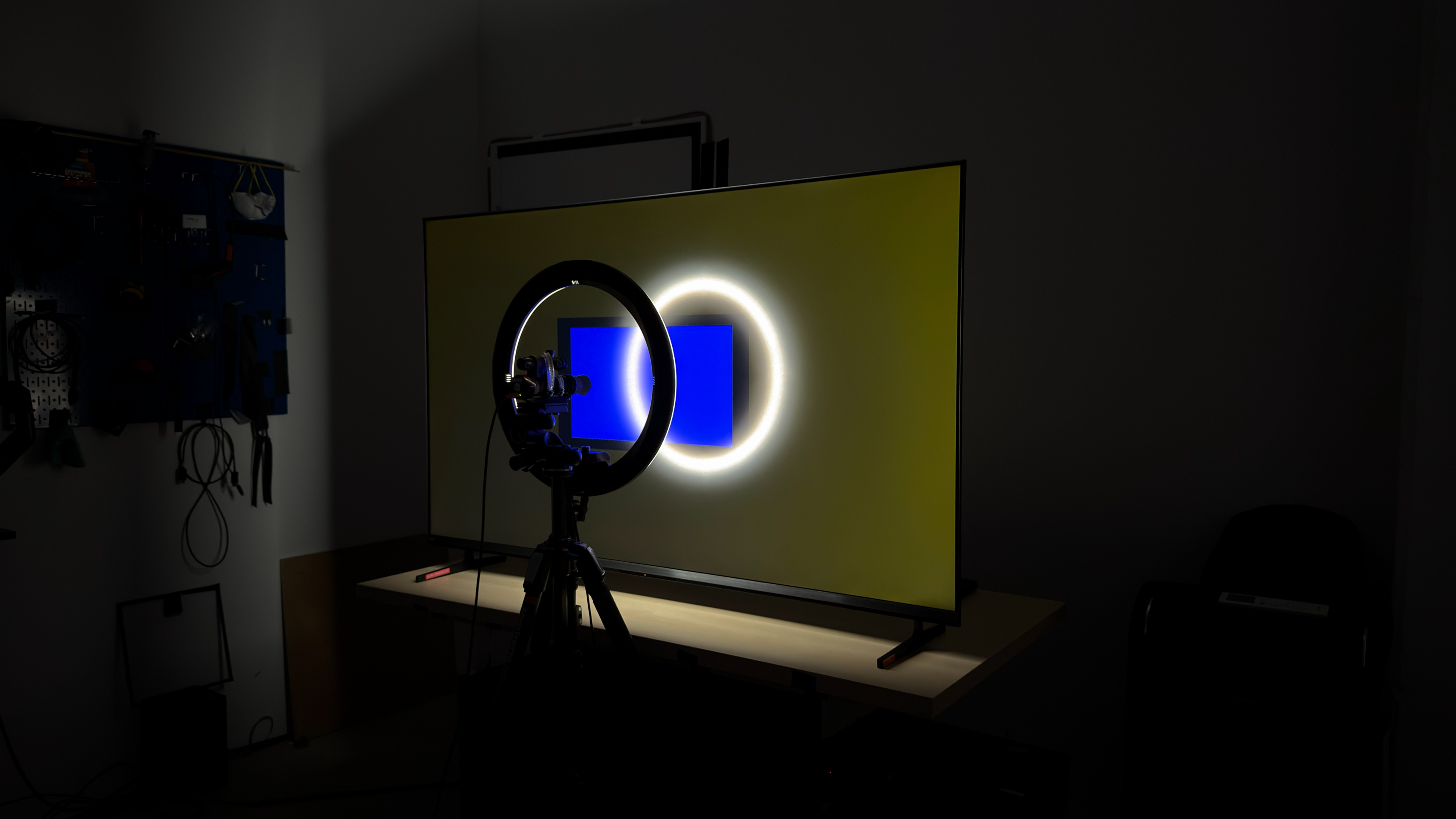
We buy and test dozens of TVs yearly, taking an objective, data-driven approach to deliver results you can trust. Our testing process is complex, with hundreds of individual tests that take over a week to complete. Most of our tests use specially designed test patterns that mimic real content, but we also use the same sources you have at home to ensure our results match the real-world experience. We use two main tools for our testing: a Colorimetry Research CR-100 colorimeter and a CR-250 spectroradiometer.
Test Results
for pictures & test results

for pictures & test results

for pictures & test results

The Sony BRAVIA 3 II has mediocre peak brightness in HDR. It's bright enough to deliver a fairly impactful HDR experience in moderately-lit scenes, but small highlights don't stand out at all, and specular highlight details are far too dim. It also doesn't offer any brightness-enhancing features like dynamic tone mapping.
for pictures & test results

for pictures & test results

for pictures & test results

There's no noticeable difference in HDR brightness when the TV is set to Game Mode.
The TV's peak brightness in SDR is alright. It can handle some glare during the day, and it's significantly brighter than the Sony BRAVIA 2 II.
for pictures & test results

Unfortunately, the Sony BRAVIA 3 II has terrible contrast. Blacks are raised and look washed out in all content. The TV also lacks local dimming, so it can't improve it.
for pictures & test results

The TV doesn't have a local dimming feature, so there are no lighting zones. This means there's no blooming around bright elements against a dark background, but the entire image looks gray and washed out.
for videos & test results

This TV doesn't have a local dimming feature, so it can't adjust the backlight of individual areas to brighten up highlights without impacting the rest of the image. This means that there are no distracting flickers or brightness changes as bright highlights move across the screen.


for pictures & test results

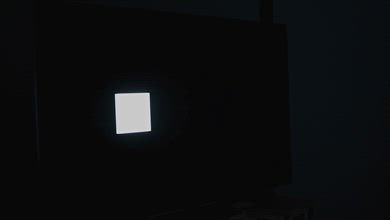
Unfortunately, the black uniformity on this TV is bad. There's significant clouding across the screen, and blacks are very uneven.
for pictures & test results

for pictures & test results

The Sony BRAVIA 3 II has decent color volume. It has excellent coverage of the DCI-P3 color space, but color saturation is a bit lower in very dark scenes. Coverage of the wider BT.2020 color space is significantly worse, though, and it struggles to display saturated blues and greens.
| Volume ΔE³ | DCI-P3 Coverage |
BT.2020 Coverage |
|---|---|---|
| L10 | 75.77% | 53.10% |
| L20 | 85.69% | 62.06% |
| L30 | 87.90% | 64.47% |
| L40 | 88.81% | 67.22% |
| L50 | 89.32% | 68.03% |
| L60 | 89.22% | 67.64% |
| L70 | 88.89% | 64.08% |
| L80 | 87.99% | 61.10% |
| L90 | 87.45% | 61.06% |
| L100 | 91.46% | 80.94% |
| Total | 88.48% | 65.11% |
for pictures & test results

for pictures & test results

This TV's HDR color volume is okay. It can't display dark colors well due to its very low contrast. Colors can't get very bright either, and saturated blues are slightly washed out in lighter scenes.
for pictures & test results

for pictures & test results

for pictures & test results

The pre-calibration color accuracy of this TV is great. It has a good white balance, with just a bit too much red in most shades, giving the TV a slightly warm color temperature. Its gamma tracking is excellent, and most content is only slightly over-brightened. It has excellent color accuracy, with very few mapping errors that most people won't even notice.
for pictures & test results

for pictures & test results

for pictures & test results

This TV is easy to calibrate, and it has nearly perfect accuracy after a full calibration. It doesn't have a color management system, so it's impossible to fully calibrate its color accuracy.
You can see our full calibration settings here.
for pictures & test results

for pictures & test results

This TV has good accuracy in HDR before calibration. The white balance is decent, but midtones and shadow details are slightly off. The RGB balance and color temperature are nearly perfect, and colors are mapped nearly perfect. There are some noticeable luminance errors in most colors, though.
for pictures & test results

for pictures & test results

Unfortunately, this TV doesn't respond well to calibration in HDR. it lacks a color calibration system, and calibrating it barely improves its HDR accuracy at all.
for pictures & test results

Unfortunately, the PQ EOTF tracking on this TV is sub-par. Near-black shadow details are noticeably raised due to the TV's high black levels and low contrast. Midtones are slightly raised, but are much more accurate overall. In brighter scenes, the TV cuts off sharply at its peak brightness regardless of the content mastering level. This allows highlight details to get as bright as possible, but you lose gradation in bright scenes.
for pictures & test results

This TV does an excellent job of reducing macro-blocking and other compression artifacts. It does a decent job preserving fine details in the process, but there's some loss.
for pictures & test results

The Sony BRAVIA 3 II does a great job scaling low-resolution content like DVDs or low-quality cable channels. The image is sharp and clear, with no obvious over-sharpening artifacts.
for pictures & test results
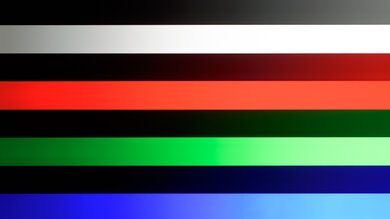
The native gradient handling on this TV is decent. There's just a bit of banding in most content.
The Sony BRAVIA 3 II has fantastic input lag, as long as you're in Game Mode. It doesn't offer a low-latency motion interpolation mode, which is disappointing for retro gamers. The input latency outside of Game Mode is also very high, so navigating menus on external players feels sluggish.
This TV has excellent format support. It supports up to a 120Hz refresh rate with either 1080p or 4k signals, so you can take full advantage of the latest consoles. It doesn't support a higher refresh rate for PC gamers, though. Chroma 4:4:4 and RGB signals are displayed properly with 1080p and 4k signals, which is essential for clear text when using it as a PC monitor.
This TV supports variable refresh rate technology to reduce screen tearing. Unlike all previous Sony TVs, it also supports FreeSync, so you can take full advantage of any console or graphics card that supports VRR.
for pictures & test results
for pictures & test results

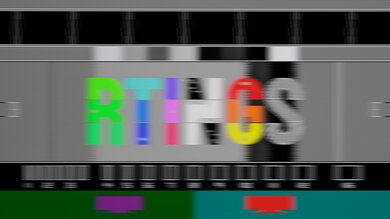
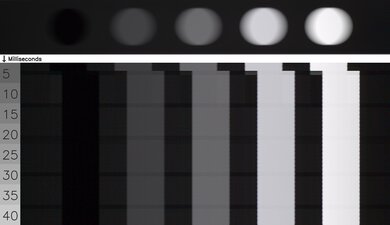
The Sony BRAVIA 3 II has a mediocre CAD at its max refresh rate of 120Hz with a 4k signal. Most motion is fairly clear, with just a bit of overshoot that can cause some inverse ghosting around fast-moving objects. Transitions out of dark shades are fairly quick, so there's barely any black smear in shadow details. It's significantly slower going from bright to dark shades, though.
for pictures & test results

for pictures & test results

The maximum refresh rate supported by this TV is 120Hz, so these results are identical to the Max Refresh Rate test.
for pictures & test results

for pictures & test results

Unfortunately, the TV's CAD is significantly slower at 60Hz, and motion is incredibly blurry. It's a bit more even than it is at 120Hz, and even shadow details are blurry.
for pictures & test results

Except for 1440p, the TV is fully compatible with everything the PS5 and PS5 Pro offer, like 4k @ 120Hz, as well as HDMI Forum VRR. It also supports Auto Low Latency Mode, so you don't have to manually switch to Game Mode to get the lowest input lag.
for pictures & test results

With the exception of 1440p, the TV is fully compatible with everything the Xbox Series X|S offers, including 4k @ 120Hz, HDMI Forum VRR, and Dolby Vision gaming. It also supports Auto Low Latency Mode, so you don't have to manually switch to Game Mode to get the lowest input lag.
for videos & test results
for pictures & test results

for pictures & test results
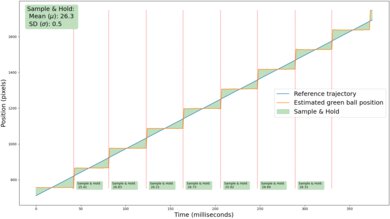
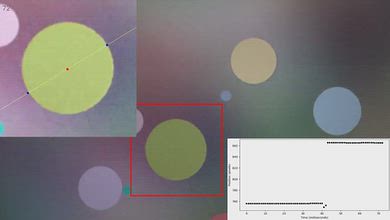
This TV shows some slight stutter in slow-panning shots. It's better than higher-end OLED TVs, though, and not nearly as noticeable in regular content.
for videos & test results
for pictures & test results

for pictures & test results
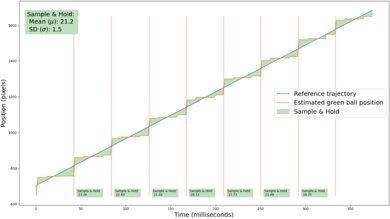
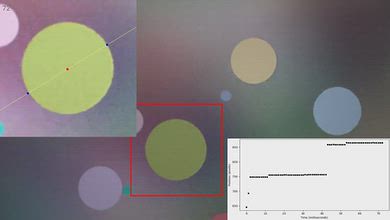
Adding low levels of motion interpolation does a very good job reducing stutter on this TV. The feature is extremely consistent, meaning the frame times are fairly even, but it doesn't entirely eliminate stutter in slow-panning shots.
for pictures & test results
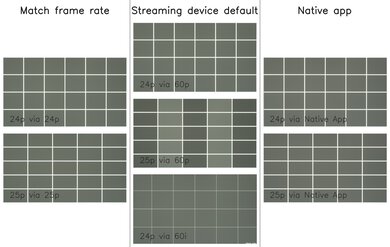
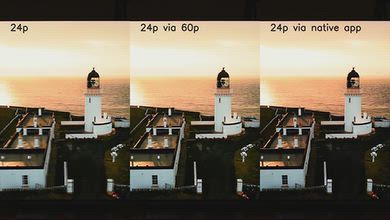
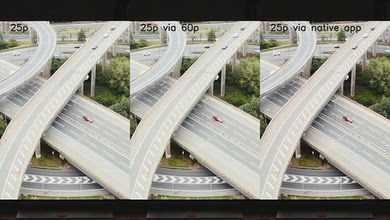
This TV removes judder from most content. No additional settings are needed for 24p content like Blu-rays, but Cinemotion has to be on for it remove judder from 60p sources. The frame timing is slightly off with 25p content, like most European shows.
for pictures & test results

for pictures & test results

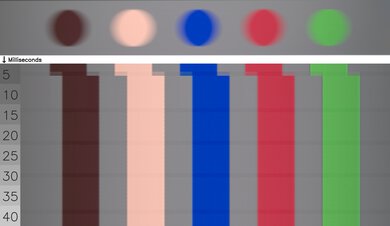
This TV has a good response time when watching content. Transitions are a bit uneven, and there's some slight overshoot in some shades, but it's minor.
for pictures & test results

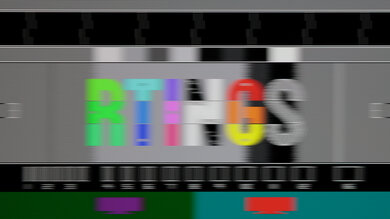
The Sony BRAVIA 3 II is one of the few TVs on the market in 2026 that's completely flicker-free. The backlight uses DC dimming alone to directly adjust the intensity of the LEDs.
for pictures & test results
for pictures & test results
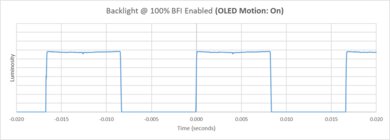
The TV has an optional backlight strobing feature, commonly known as black frame insertion, to reduce persistence blur. It only flickers at 120Hz, which causes image duplications with 60 fps content.
for pictures & test results

for pictures & test results

The matte coating on the 65- and 75-inch models does a great job reducing the intensity of direct reflections. The other sizes have a glossy coating, so direct, mirror-like reflections are far more noticeable.


for pictures & test results

for pictures & test results

The total amount of reflected light is good. The screen coating does a good job of reducing bright lights, but they're still noticeable, especially if you have bright lights or windows directly opposite the screen.
for pictures & test results

Ambient light has no noticeable impact on the perceived color volume.
for videos & test results
for pictures & test results

for pictures & test results

for pictures & test results

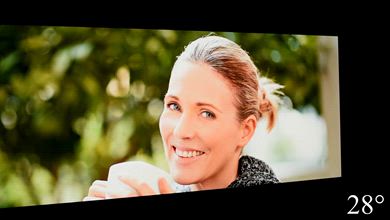
The Sony BRAVIA 3 II has a good viewing angle. The image fades a bit as you move to the sides, but colors barely change, even at a wide angle. This makes it a very good choice for a wide seating arrangement.
for pictures & test results

for pictures & test results

The TV has decent gray uniformity. The center of the screen is very clean, which helps when watching sports or anything with a uniform area near the center. The sides of the screen are a bit darker, but it's not too bad.
for pictures & test results

for pictures & test results

The TV has an RGB sub-pixel layout, so it doesn't have any issues rendering text when used as a PC monitor. The TV uses a KSF phosphor coating to produce red light, with high peaks on reds and blues.
for pictures & test results

for pictures & test results

Unlike the Sony BRAVIA 7 II and Sony BRAVIA 9 II, this model features a more recent chipset, and it supports HDMI 2.1 bandwidth on all four inputs. Unfortunately, this model only has an ATSC 1.0 tuner, so 4k over-the-air isn't possible. Unlike the higher-end models like the BRAVIA 7 II, it doesn't require an adapter for its optical out port.
The TV has eARC support, which allows it to pass uncompressed high-quality audio from a connected source to your home theater system or soundbar. It supports all major audio formats, so you don't have to worry about compatibility with external sources.
for pictures & test results

The Sony BRAVIA 3 II has a somewhat simple design that doesn't look as modern as other similarly-priced TVs. It has a fairly thick bottom bezel with a somewhat dated finish, and the three other sides have a noticeable dead space between the side bezel and the first pixels.
for pictures & test results

The TV comes with two metal feet. They're set wide apart and can't be adjusted, so they take up a lot of space, and you'll need a large cabinet for the larger sizes.
Footprint of the 65-inch model: 49.1" x 11.5" x 3.6".
for pictures & test results

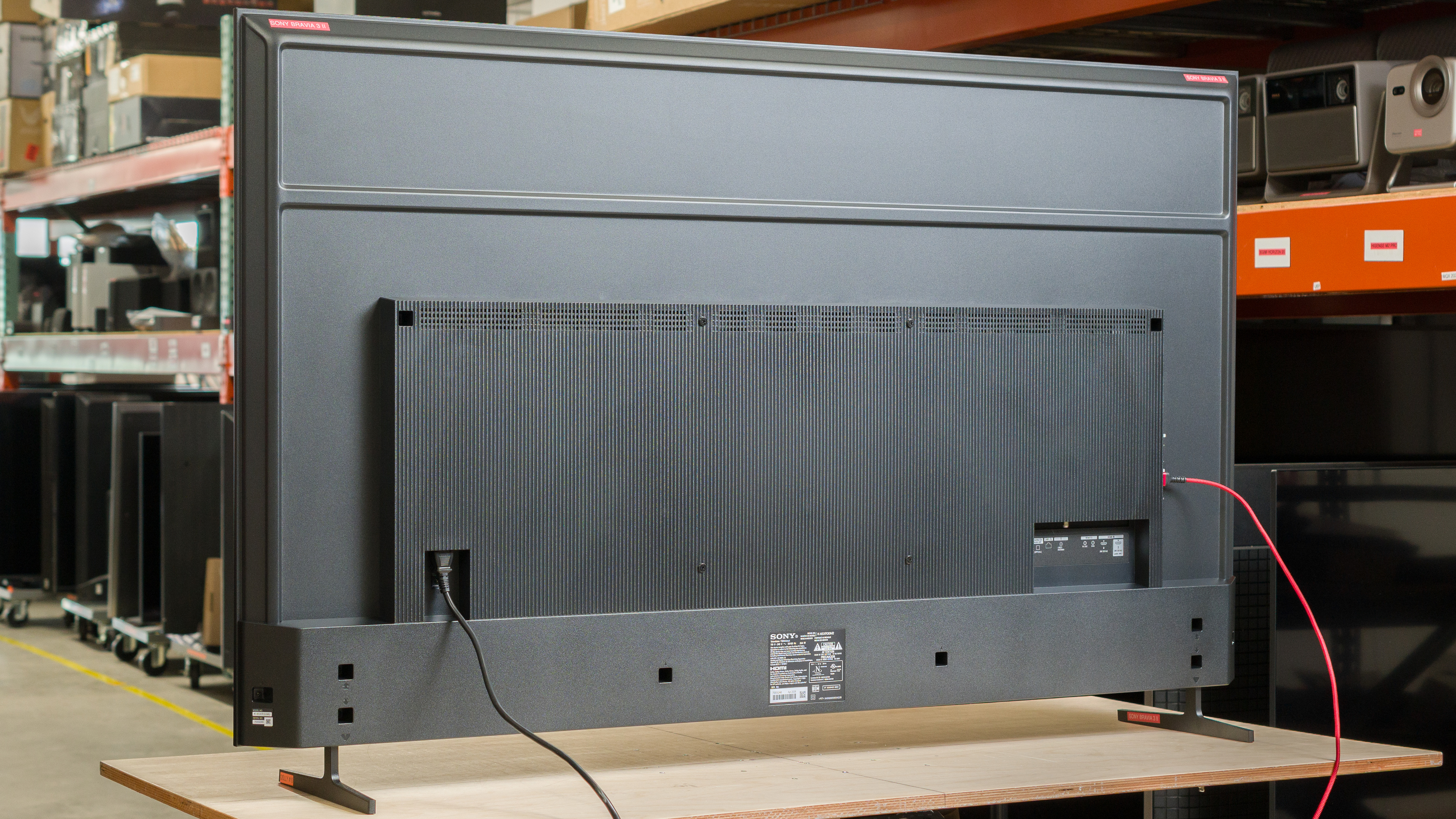
The back of the TV has a very dated, cheap look, with a box in the center that houses all of the electronics and gives the TV a bulky feel. The inputs face out the side and back, so some of them are difficult to access when wall-mounted. There's no cable management.


for pictures & test results

The TV has decent build quality. There are no obvious construction or quality issues, but it doesn't feel very premium, either.

for pictures & test results

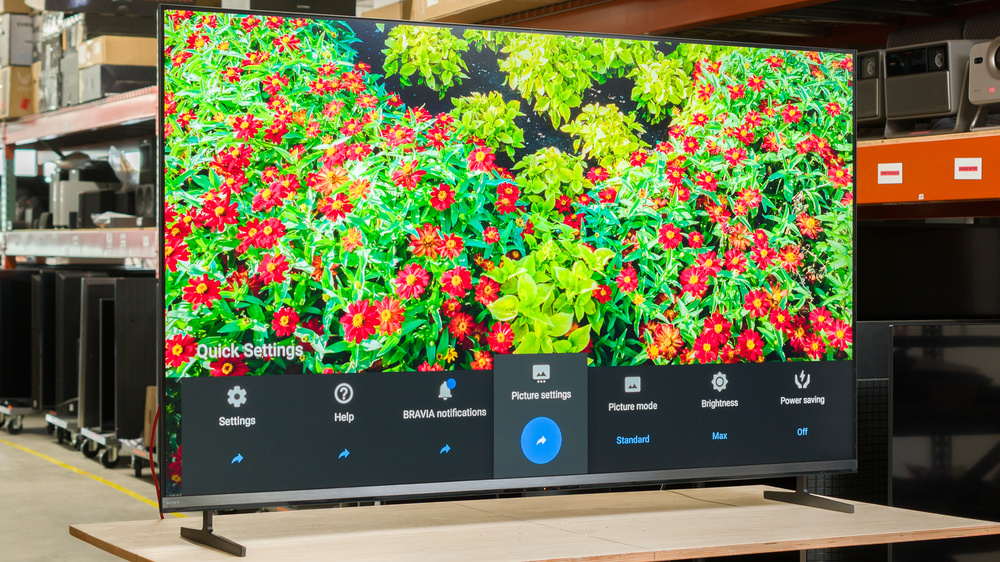
The Sony BRAVIA 3 II ships with Google TV version 14. It's fast and easy to use, and we didn't encounter any issues or bugs during testing.
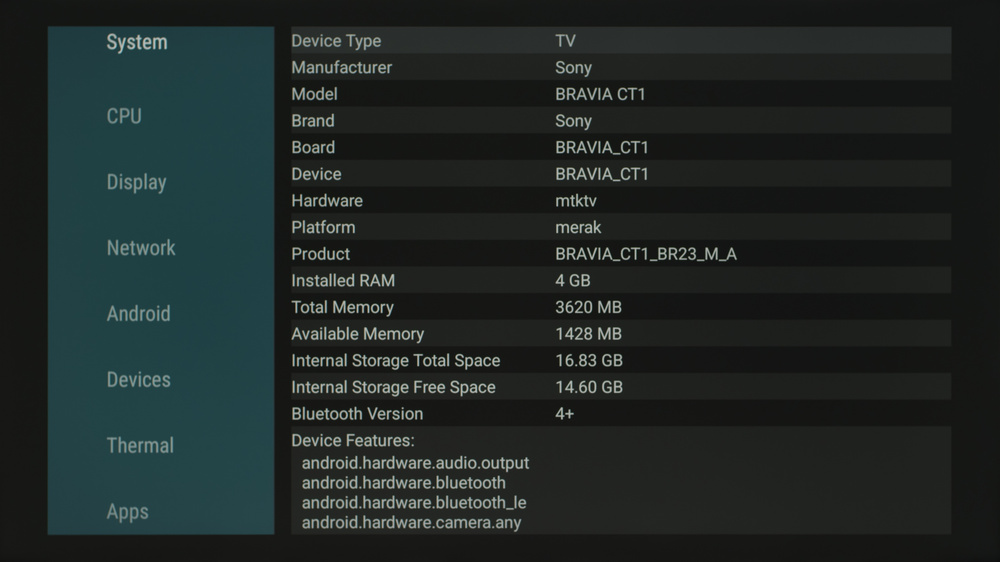
Running AIDA64 on the TV shows that it's powered by the MediaTek Pentonic 800 chipset.
for pictures & test results

Unfortunately, like most TVs, the interface contains ads. You can opt out of personalized ads, but this doesn't change the number of ads you'll see; they just won't be personalized to match your search and viewing history.
During initial setup of the TV you can opt-out of signing in to Google and use the TV as a basic TV instead. This disables most smart features and removes ads.


for pictures & test results

The sound quality on this TV is sub-par. It's not very loud, and like most TVs there's barely any deep bass. Dialogue is clear and easy to understand at moderate listening levels.