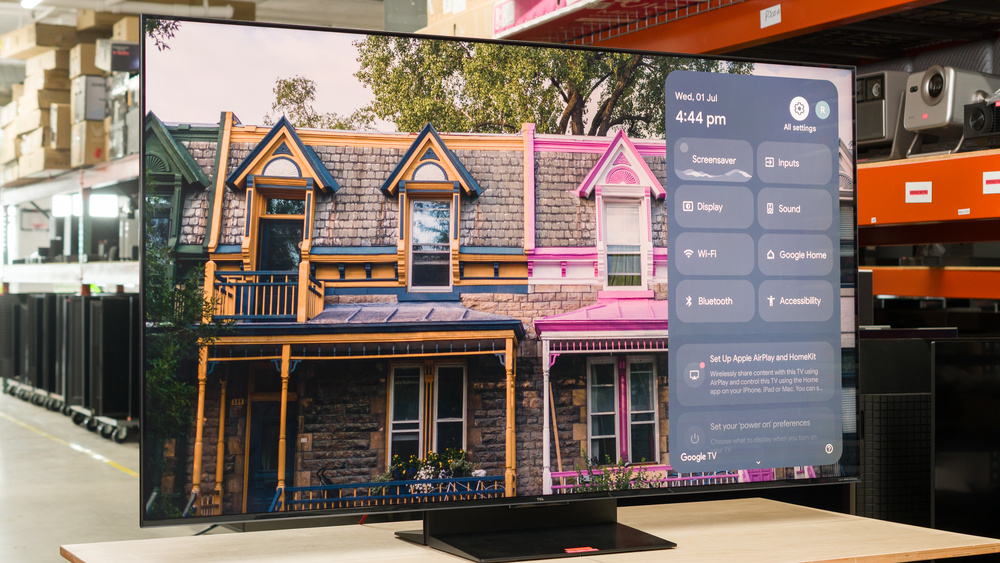
The TCL QM7L Pro is a Costco-exclusive variant of the TCL QM7L. It has four HDMI 2.1 ports instead of the two found on the standard QM7L, and it utilizes the same TSR AI Pro Processor that's found in the higher-end TCL QM8L. Like the QM7L, this Pro version features Mini LED local dimming and TCL's Super Quantum Dot (SQD) technology, which is designed to provide better color volume than standard quantum dot displays. It runs the popular Google TV OS, which gives you access to a wide assortment of apps and smart features like voice control. It has many gaming features like 4k @ 144Hz, 1080p @ 288Hz, and VRR to reduce screen tearing. The TV also supports Dolby Vision, HDR10+, and passes through all commonly used audio formats. We bought and tested the 65-inch model, but it's also available in 55-, 75-, 85-, and 98-inch sizes.
Our Verdict
The TCL QM7L Pro is very good for mixed usage. It looks very good in home theaters and other dark spaces thanks to its deep blacks, vibrant colors, and punchy HDR highlights. It's also an excellent option for most bright rooms, since the TV retains its great image quality in a room with ambient lighting, and its high peak brightness allows it to overcome glare, as long as you don't have light sources directly facing the screen. Most gamers will be pleased with the modern features it offers, but its gaming performance is held back by noticeable motion blur. Unfortunately, its poor SDR color accuracy out of the box gives the TV a warm tint that makes everything look too red. On the other hand, color accuracy is good in HDR, and the TV avoids that warm tint when watching HDR movies and shows.
Bright enough to overcome glare in most well-lit rooms.
Deep, uniform blacks.
Colors are bright and vibrant.
Four HDMI 2.1 ports capable of up to 4k @ 144Hz or 1080p @ 288Hz.
Poor out-of-the-box SDR color accuracy that gives the image an overly warm tint.
Image degrades rapidly from the sides.
The TCL QM7L Pro is very good for a home theater. It has excellent contrast due to its effective local dimming, so blacks look very deep, and there's only some minor haloing around subtitles and highlights. Colors are rich and vibrant, while highlights and bright scenes look punchy in HDR movies and shows thanks to its excellent brightness. Unfortunately, it has poor SDR color accuracy out of the box, leading to an image that looks drastically too warm, so it needs to be calibrated if you care about accuracy. On the other hand, its out-of-the-box color accuracy in HDR is good, so the image mostly looks as it should, but some scenes are too bright while others are too dark. Fortunately, it passes through all audio formats, and it supports HDR10+ and Dolby Vision, so it has amazing compatibility with Blu-rays and streaming services.
Deep, uniform blacks.
Colors are bright and vibrant.
Only minor haloing around bright highlights on dark backgrounds.
Excellent brightness in HDR content.
Good HDR color accuracy out of the box.
Poor out-of-the-box SDR color accuracy that gives the image an overly warm tint.
Can't be fully calibrated in HDR.
The TCL QM7L Pro is excellent for a bright room. The TV has amazing brightness, which allows it to overcome glare from indirect light sources in well-lit rooms. However, it only does an okay job of reducing the intensity of light sources directly facing the screen, which leads to mirror-like reflections, especially in dark scenes. Fortunately, the TV's black levels and perceived color volume are mostly unaffected by ambient lighting, so you don't lose very much image quality when you flip your lights on or open your curtains during the day.
Bright enough to overcome glare in most well-lit rooms.
Ambient light has very little impact on color saturation or black levels.
The TCL QM7L Pro is very good for watching sports. It's a very bright TV that overcomes glare in well-lit rooms, so you can watch sports during the day, and reflections aren't an issue. It does a very good job of reducing artifacts in cable feeds and low-quality streams while retaining detail in the image, and low-resolution feeds don't look too soft thanks to its excellent upscaling. It has a narrow viewing angle, which leads to degraded image quality for those watching the game from an angle, so it's not suitable for wide seating arrangements. Its biggest downside is its slow response time, which leads to noticeable motion blur. Furthermore, the edges of fast-moving players and balls look soft, and you might see some trails of unintended intermediate colors behind players moving quickly.
Bright enough to overcome glare in most well-lit rooms.
Colors are bright and vibrant.
Ambient light has very little impact on color saturation or black levels.
Very good low-quality content smoothing.
Noticeable edge artifacts in fast transitions.
Image degrades rapidly from the sides.
The TCL QM7L Pro is good for gaming. It has four HDMI 2.1 ports that are capable of 4k @ 144Hz and 1080p @ 288Hz with VRR to reduce screen tearing, so it has great compatibility with modern consoles and gaming PCs. It also has low input lag, which provides a snappy feel. Unfortunately, its performance is held back by its slow pixel transitions, leading to noticeable motion blur, especially in fast-paced games. However, games look quite good on this TV due to its combination of vibrant colors, deep blacks, and bright highlights.
Low input lag at all refresh rates.
Colors are bright and vibrant.
Switching to Game Master mode has no impact on picture quality.
Excellent brightness in HDR content.
Blurry motion in Game Master mode at all refresh rates.
This TV has great expected reliability. Similar to direct-lit models, since the LEDs are housed directly behind the LCD layer, they're less likely to overheat and fail than edge-lit models. There's also no possibility of burn-in or image retention, so the type of content you watch doesn't affect its lifespan. Unlike direct-lit models, the LEDs are grouped together in zones, so a single failed LED will usually cause only one zone to fail, not the entire backlight.
No possibility of permanent burn-in.
Single LED failures affect only a single zone, not the entire backlight.
The TCL QM7L Pro has amazing brightness. It's bright enough in SDR to overcome glare in very bright rooms, and small highlights pop nicely in HDR movies, shows, and games. While it doesn't get as bright when large portions of the screen are bright, like in outdoor daytime scenes, those scenes still look very punchy, and the drop in luminance isn't very noticeable.
Bright enough to overcome glare in most well-lit rooms.
Excellent brightness in HDR content.
The TCL QM7L Pro has great black levels. Its Mini LED local dimming delivers very deep and uniform blacks, with just some minor glowing around highlights in otherwise dark scenes and subtitles. Its native contrast ratio is decent enough that blacks still look fairly deep in complicated scenes where the local dimming can't keep up.
Deep, uniform blacks.
Only minor haloing around bright highlights on dark backgrounds.
The TCL QM7L Pro has very good colors overall. It has amazing color volume, so colors are rich, lifelike, and punchy in shows, movies, and video games, whether they're in SDR or HDR. Its color accuracy is good in HDR out of the box, so colors mostly look as they should. However, it has bad color accuracy in SDR out of the box, and the entire image has a warm tint that makes everything look too red, so it requires calibration if you want an accurate image.
Colors are bright and vibrant.
Good HDR color accuracy out of the box.
Poor out-of-the-box SDR color accuracy that gives the image an overly warm tint.
Can't be fully calibrated in HDR.
The TCL QM7L Pro has decent motion handling. It removes judder from almost every possible source, so motion mostly looks smooth, but there's some subtle choppiness in certain European content if you're using a device that lacks a frame-rate-matching setting or you have it turned off. However, like most TVs, there's still some stutter in slow-panning shots. There are some transition artifacts that lead to soft edges around fast-moving players and objects in sports, and there's noticeable motion blur in fast-paced content, so motion lacks some clarity.
Removes judder from almost all sources.
Motion interpolation feature does a great job reducing stutter.
Noticeable edge artifacts in fast transitions.
The TCL QM7L Pro has decent responsiveness in its dedicated gaming mode. It supports 4k @ 144Hz and 1080p @ 288Hz with VRR on all four of its HDMI 2.1 ports, allowing you to game at high frame rates with minimal screen tearing. Input lag is also incredibly low, especially at high refresh rates, so games feel snappy and responsive. However, its pixel transitions are incredibly slow, resulting in very blurry motion, especially during fast-paced games.
Low input lag at all refresh rates.
Four HDMI 2.1 ports capable of up to 4k @ 144Hz or 1080p @ 288Hz.
Blurry motion in Game Master mode at all refresh rates.
Note: We're in the process of improving our tests related to image processing, but this score should give you a general idea of how a TV performs overall with its image processing capabilities.
The TCL QM7L Pro has good processing. It does a very good job of reducing artifacts like macro-blocking in low-quality content without reducing too much detail. It also does an excellent job of upscaling low-resolution content, so the image still looks detailed. It has alright PQ EOTF tracking, but certain areas of the image are too dark, while other areas are too bright. Unfortunately, there's some visible banding in grays, bright greens, and bright blues, but other gradients look smooth.
Very good low-quality content smoothing.
Excellent upscaling.
Performance Usages
Changelog
- Updated Oct 02, 2026: We converted this review to Test Bench 2.3. With this update, we've added a new Expected Reliability performance usage, a Lifetime Burn-In Potential test, and a new test box for the Longevity 3.0 test.
- Updated Sep 18, 2026: We converted this review to Test Bench 2.2.1, adding a new Dumb TV test for whether or not the TV can be used offline.
- Updated Sep 02, 2026: Review published.
- Updated Aug 26, 2026: Early access published.
Check Price
Differences Between Sizes And Variants
We bought and tested the 65-inch TCL QM7L Pro, and these results also apply to the 55-, 75-, 85-, and 98-inch models. There's no information about the number of dimming zones, but the zone count is the same on the 65-inch model as on the standard TCL QM7L that we tested, so the number of zones should be the same as the standard model across all sizes.
| Size | U.S. Model | Dimming Zones |
|---|---|---|
| 55" | 55QM7L Pro | 800 |
| 65" | 65QM7L Pro | 1,152 |
| 75" | 75QM7L Pro | 1,352 |
| 85" | 85QM7L Pro | 1,624 |
| 98" | 98QM7L Pro | 2,176 |
Our unit was made in Mexico in April 2026.
Popular TV Comparisons
The TCL QM7L Pro is a very good TV overall that's suitable for most use cases. Unlike the regular TCL QM7L, which has two HDMI 2.1 ports and the TSR AI Processor, the Pro has four HDMI 2.1 ports and uses the same TSR AI Pro Processor as the higher-end TCL QM8L. This more advanced processor provides better upscaling and low-quality content smoothing than the standard QM7L. However, this Pro model actually performs worse in some ways and better in others, so there's more of a difference between it and the regular QM7L than you might expect. It's outperformed overall by its biggest competitor, the Hisense U7SG, which is better at handling reflections due to its matte coating. Still, it provides significantly better image quality and a much wider range of features than similarly priced models like the Samsung QN70H.
For more options, check out our recommendations for the best TVs, the best Mini LED TVs, and the best gaming TVs.
The LG C6 OLED 2026 is better than the TCL QM7L Pro in almost every way. The LG displays deeper blacks without any haloing around highlights and is more accurate overall. The LG's image processing does a better job of upscaling, smoothing out low-quality content, and displaying much cleaner gradients with almost no banding at all. On top of that, the LG's significantly faster response time means motion is a lot clearer. On the other hand, the TCL is brighter in SDR, so it overcomes more glare in well-lit spaces, and its better color volume means it can display punchier colors in some HDR content.
The TCL QM7L and the TCL QM7L Pro are very similar overall. The QM7L Pro has four HDMI 2.1 ports, giving you a bit more versatility if you own several modern gaming consoles. The QM7L Pro also does a better job upscaling and smoothing low-quality content and is more accurate in HDR due to its better image processing. On the other hand, the QM7L is brighter in the Game Master HDR picture mode, has better reflection handling, has the edge in contrast, and is more accurate in SDR. The better choice really comes down to what you value the most.
The TCL QM7L Pro and the Hisense U7SG are similar TVs, but the Hisense is a bit better. The Hisense's main advantage is its reflection handling, since its matte coating does a superior job of handling reflections. The Hisense is also more accurate out of the box, and it displays fast motion with less blur. The TCL has slightly better color volume, but the difference is minor, and you'd be hard-pressed to notice a difference between the vibrancy of colors on both TVs.
The TCL QM8L is better than the TCL QM7L Pro. The QM8L is brighter, so it handles glare a bit better in a well-lit space, and it displays punchier highlights in HDR content. The QM8L also displays deeper blacks with less haloing around highlights, so the image has more depth, and it looks better in dark spaces like a home theater. Motion is a bit clearer on the QM8L, especially when watching sports or playing video games at 60Hz. The QM8L is also more accurate in SDR out of the box. On the other hand, the QM7L Pro has better out-of-the-box accuracy in HDR.

We buy and test dozens of TVs yearly, taking an objective, data-driven approach to deliver results you can trust. Our testing process is complex, with hundreds of individual tests that take over a week to complete. Most of our tests use specially designed test patterns that mimic real content, but we also use the same sources you have at home to ensure our results match the real-world experience. We use two main tools for our testing: a Colorimetry Research CR-100 colorimeter and a CR-250 spectroradiometer.
Test Results
for pictures & test results

for pictures & test results

for pictures & test results

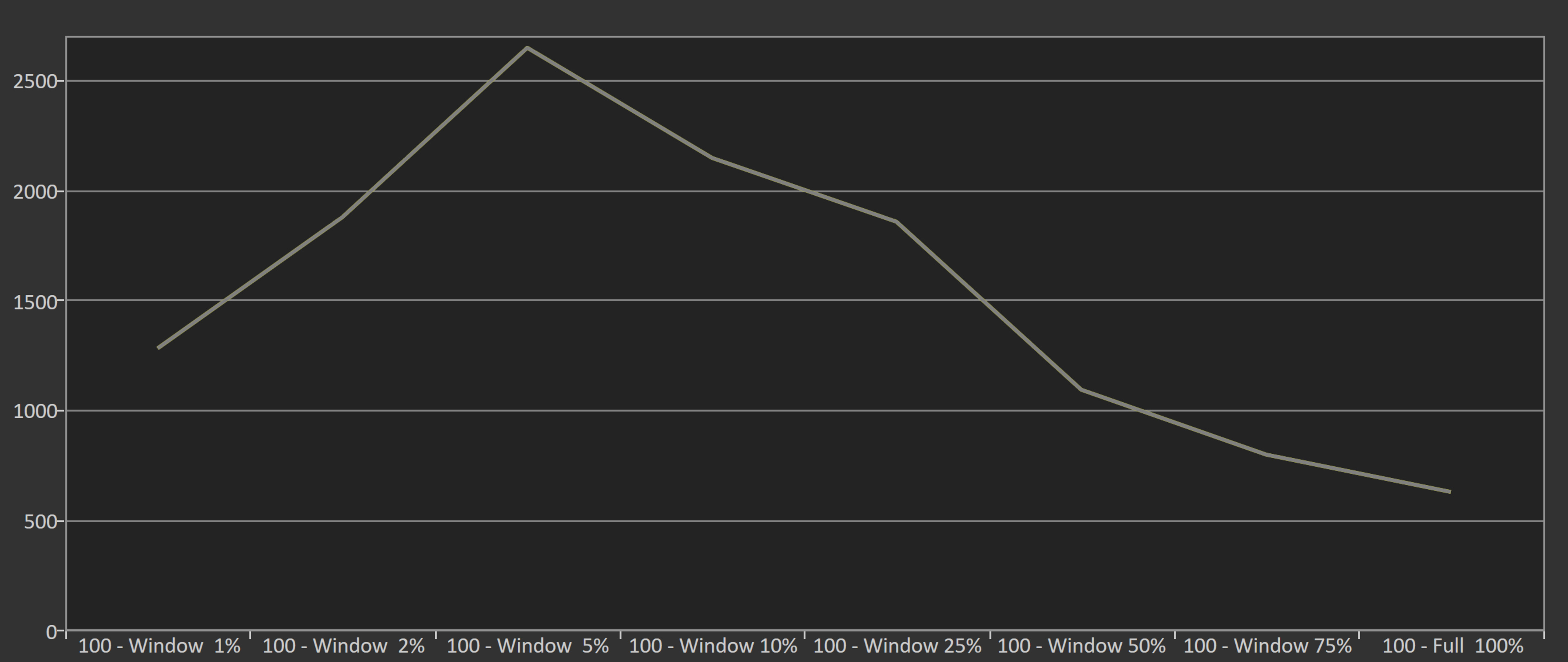
The TCL QM7L Pro has excellent HDR brightness, and small specular highlights stand out extremely well. While larger areas of the screen aren't quite as bright, fully bright scenes still have plenty of impact. Overall, the TV gets bright enough to deliver a very impactful HDR viewing experience.
The TV gets even brighter with a 5% window, where it peaks at over 2,500 nits. This appears to be a sweet spot for its local dimming feature.
Peak brightness varies depending on the settings you use. Our results above are with the TV in FILMMAKER MODE with Dynamic Tone Mapping (DTM) disabled, but below are additional measurements showing how the different DTM settings affect real scenes.
| DTM | Hallway Lights | Yellow Skyscraper | Landscape Pool |
|---|---|---|---|
| Detail Priority | 1,023 cd/m² | 557 cd/m² | 412 cd/m² |
| Balance | 976 cd/m² | 552 cd/m² | 427 cd/m² |
| Brightness Priority | 968 cd/m² | 570 cd/m² | 494 cd/m² |
for pictures & test results

for pictures & test results

for pictures & test results

Unfortunately, the TV is noticeably dimmer when you switch to the low-latency Game Master mode. It's still bright enough for highlights to pop out in HDR games, but you can see a decrease in brightness when switching to this picture mode.
The TV's peak brightness varies depending on the settings used. Our results above are with Dynamic Tone Mapping (DTM) disabled, but below are additional measurements showing the impact that the different DTM settings have on real scenes.
| DTM | Hallway Lights | Yellow Skyscraper | Landscape Pool |
|---|---|---|---|
| Detail Priority | 1,031 cd/m² | 397 cd/m² | 375 cd/m² |
| Balance | 1,026 cd/m² | 416 cd/m² | 413 cd/m² |
| Brightness Priority | 1,007 cd/m² | 440 cd/m² | 518 cd/m² |
The TCL QM7L Pro has outstanding SDR brightness, and it's bright enough to handle glare in well-lit rooms. Like most TVs, it struggles to maintain high brightness levels when more of the scene is bright at once, but even bright sports like hockey avoid looking dim.
for pictures & test results

The TCL QM7L Pro has excellent contrast. Its Mini LED local dimming system does a great job of enhancing contrast in dark scenes, while the TV's very good native contrast ratio helps maintain deep blacks in smaller areas that the local dimming can't effectively handle.
for pictures & test results

This TV has good lighting zone precision. There's some haloing around highlights and subtitles, which can slightly bleed into dark areas of a scene, but it's not too distracting.
for videos & test results

The TV has decent lighting zone transitions. Still, there is some visible darkening on the leading edge of bright objects, with noticeable haloing.


for pictures & test results

for pictures & test results

The black uniformity on this TV is great. With local dimming enabled, it's nearly perfect, so blacks look very even across the screen. When local dimming is turned off, it's only decent, with some subtle cloudiness visible in certain areas of the image.
for pictures & test results

for pictures & test results

The TCL QM7L Pro has excellent SDR color volume. Colors are incredibly bright and vibrant in all scenes, and it displays most of the DCI-P3 color space. Coverage of the wider BT.2020 color space is lower, but still very good.
| Volume ΔE³ | DCI-P3 Coverage |
BT.2020 Coverage |
|---|---|---|
| L10 | 94.25% | 76.84% |
| L20 | 95.43% | 79.43% |
| L30 | 95.31% | 80.10% |
| L40 | 95.12% | 82.51% |
| L50 | 94.46% | 83.56% |
| L60 | 93.50% | 83.04% |
| L70 | 93.21% | 77.04% |
| L80 | 93.19% | 75.50% |
| L90 | 93.21% | 76.27% |
| L100 | 93.01% | 78.10% |
| Total | 93.88% | 79.49% |
for pictures & test results

for pictures & test results

The TCL QM7L Pro has fantastic HDR color volume. Colors are incredibly bright and vibrant, and it covers most of the DCI-P3 color space used by the majority of HDR content. Its coverage of the wider BT.2020 color space is lower, but it's still pretty good, and most HDR movies, shows, and games don't use the full BT.2020 color space.
for pictures & test results

for pictures & test results

for pictures & test results

The TCL QM7L Pro has bad SDR color accuracy out of the box. Reds are significantly overrepresented in most shades of gray, while blues are very underrepresented, which leads to a color temperature that is significantly warmer than 6500K. Most colors lean more towards red than they should, and whites have a green tint. Finally, the gamma tracking is very off, and the entire image looks too dark.
for pictures & test results

for pictures & test results

for pictures & test results

The TCL QM7L Pro has incredible SDR color accuracy after calibration. The gamma, white balance, and color temperature are nearly perfect. Furthermore, the overall accuracy of colors is outstanding, with only minor mapping errors that aren't visible in real content.
The TV is easy to calibrate, but there's a minor bug during 20-point calibration where adjustments from one stimulus level appear to carry over when switching to another. However, this seems to be visual only, as backing out of the menu and returning to the same level shows the correct values.
To fix the TV's gamma tracking, we actually set the gamma to '2.0' since that setting more accurately tracks gamma 2.2.
See our full calibration settings.
for pictures & test results

for pictures & test results

The TCL QM7L Pro has good color accuracy in HDR out of the box. The white balance is decent, but there's too much blue and red in most shades of gray. Still, the color temperature is essentially perfect since it's almost exactly 6500K. Overall color accuracy is okay, but blues are undersaturated, whites have a slight magenta tint, skin tones look a bit warm, and there are other color-mapping errors throughout.
for pictures & test results

for pictures & test results

The TV has very good HDR color accuracy after calibration. The color temperature is a bit worse now, but it's hard to notice. However, the white balance is now very good, and skin tones look a lot more natural. There's still some undersaturation in blues, and reds are a bit oversaturated, but colors have very good accuracy overall, with only minor errors that most people won't notice in real content.
for pictures & test results

The TV has alright PQ EOTF tracking. Blacks are slightly raised, and some shadows are darker than intended. Midtones are a bit brighter than intended, and the TV drastically overbrightens highlights, which gives you a punchier-looking image but means it deviates from the content creator's intent. It can display most highlights in content mastered at 600 and 1,000 nits, but there's a gradual roll-off near the TV's peak brightness to help retain some detail in specular highlights that are brighter than the TV.
The TV tracks much better with a 10% window, which is commonly used by other reviewers. However, a 10% window isn't a particularly accurate representation of how a TV handles brightness in real HDR movies, shows, or games.
for pictures & test results

This TV has very good low-quality content smoothing. It does a great job reducing macro blocking and pixelization from streaming sources, but there's some slight loss of fine details.
for pictures & test results

The TCL QM7L Pro has excellent upscaling and sharpness processing.
for pictures & test results
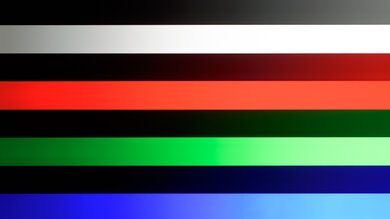
The TV has decent gradient handling. There's some noticeable banding in grays and brighter shades of green and blue, but it's not too bad.
The TCL QM7L Pro has incredibly low input lag once you switch to the Game Master mode. It's very responsive, particularly at higher refresh rates. Like other TCL and Samsung TVs, it also features low-latency motion interpolation, which generates intermediate frames during gaming to make motion look more fluid without adding a significant amount of input lag.
The TV supports all common resolutions up to 4k @ 144Hz on all four of its HDMI ports. It also supports up to 288Hz with 1080p signals. All supported formats also support proper chroma 4:4:4, which is essential for clear text from a PC.
The TCL QM7L Pro supports all three types of variable refresh rate (VRR) technology to reduce screen tearing. It works well with consoles and AMD GPUs, and it works with Low Framerate Compensation (LFC), ensuring your games remain nearly tear-free even when your frame rate drops very low.
Unfortunately, VRR doesn't work properly with NVIDIA GPUs when the refresh rate is locked at 60Hz. This is only an issue if you have an older GPU and can't handshake above 60Hz; it works fine if you set your PC to 4k @ 120Hz or higher.

for pictures & test results

for pictures & test results

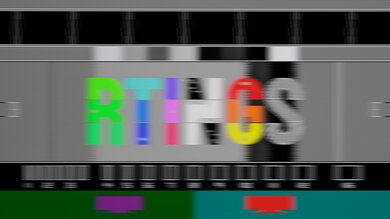
The CAD at 120Hz is sub-par. There's no overshoot or inverse ghosting, but pixel transitions are very slow, leading to motion that looks blurry and lacks clarity.


for pictures & test results

The TCL QM7L Pro is fully compatible with everything the PS5 offers, like 1440p @ 120Hz and 4k @ 120Hz, as well as HDMI Forum VRR. It also supports Auto Low Latency Mode, so you don't have to worry about manually switching to Game Master to get the lowest input lag.
for pictures & test results

The TV is fully compatible with everything the Xbox Series X|S offers, including 1440p @ 120Hz, 4k @ 120Hz, HDMI Forum VRR, Dolby Vision, and FreeSync Premium Pro. It also supports Auto Low Latency Mode, so you don't have to manually switch to Game Master to get the lowest input lag.
for videos & test results
for pictures & test results
for pictures & test results
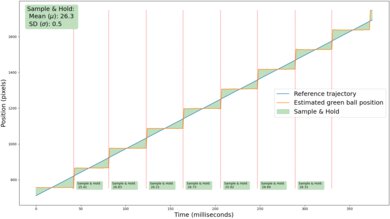
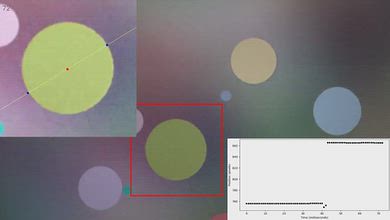
This TV has relatively little stutter thanks to its slower response time. You might still notice some choppiness in slow-panning shots, but even then it's subtle.
for videos & test results
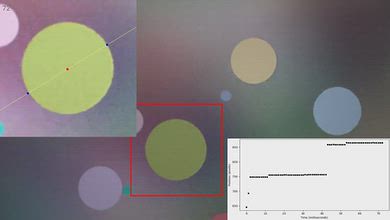
for pictures & test results

for pictures & test results
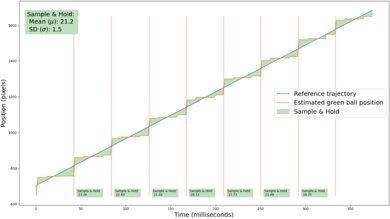
The motion interpolation feature on this TV does a great job of reducing stutter. Even with low levels of interpolation, the frame hold time is significantly lower. There's also very little variation between frames, so motion looks consistent.
for pictures & test results
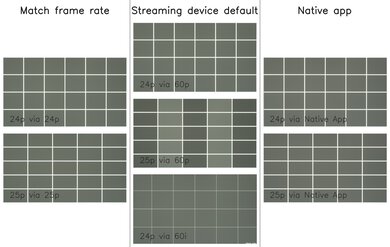
This TV removes judder from most sources. The TV doesn't entirely remove judder from 25p content being sent via a 60p signal, so motion is a bit jittery if you're watching certain European content from a device that lacks a frame rate matching feature, but even then, it's not too bad at all.
for videos & test results
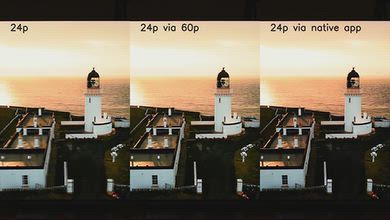
for videos & test results
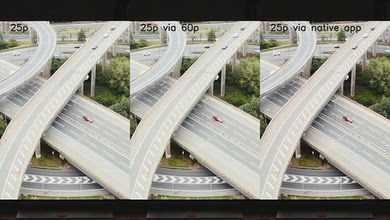
The TCL QM7L Pro only has micro-judder in scenes with complex motion when watching 25p content via a 60p signal, like when using a device that lacks a frame-rate-matching feature to watch some European content.
for pictures & test results

for pictures & test results

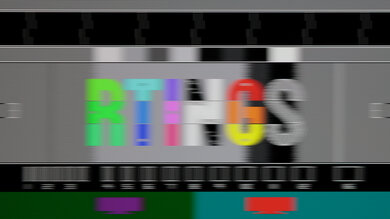
The TCL QM7L Pro has a mediocre response time. There's visible motion blur, which affects the clarity of motion in fast-paced sports. This motion blur is harder to notice in movies and shows, but action scenes do look a bit blurry.
for pictures & test results
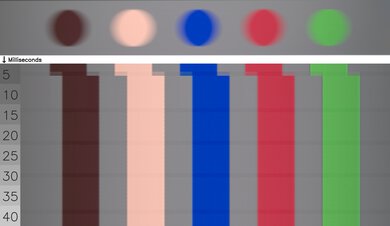
for pictures & test results
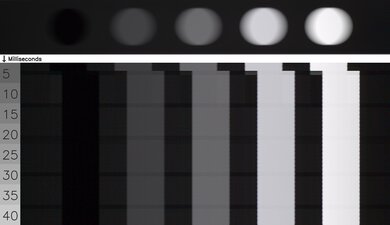
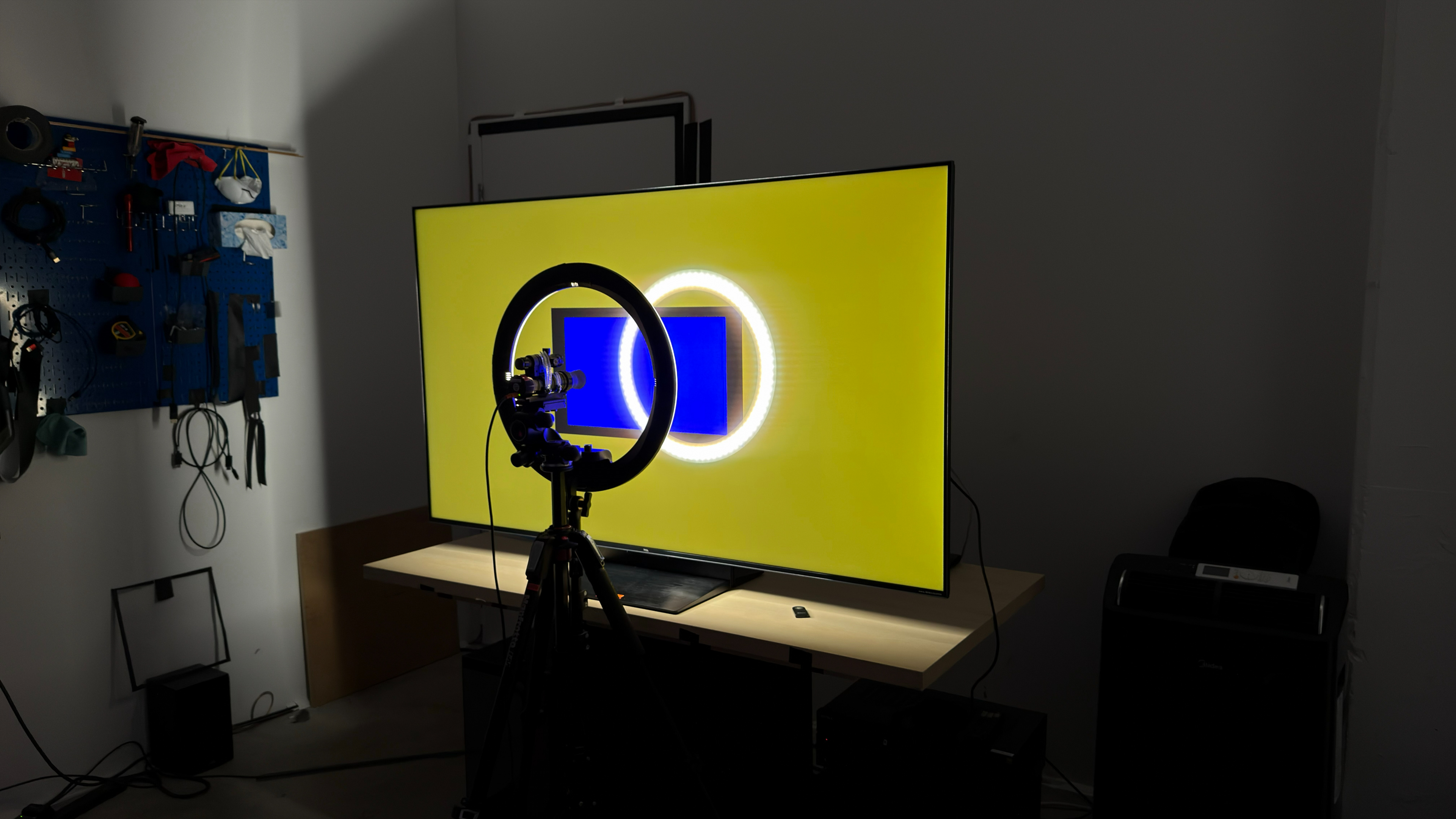
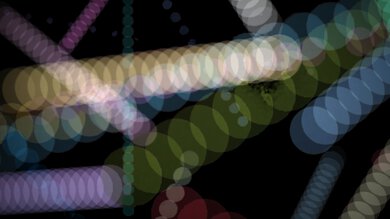
The TCL QM7L Pro does a poor job of avoiding transition artifacts. There are some unintended intermediate colors around fast-moving colors, like the yellow trails around blues. Edges are noticeably soft, and there's noticeable ghosting at the sides of moving objects.
for pictures & test results

The TCL QM7L Pro uses pulse width modulation (PWM) to dim its backlight. Fortunately, it flickers at an incredibly fast 15,400Hz in all picture modes and at all brightness levels, so it's not noticeable. However, some people who are extra sensitive to flicker still might be bothered by it.
for pictures & test results
for pictures & test results
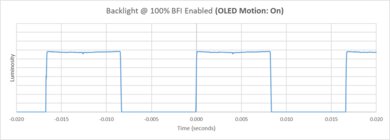
The TV has an optional backlight strobing feature, commonly known as black frame insertion. This feature is meant to reduce persistence blur and improve the appearance of motion. It works at both 60Hz and 120Hz, but there is some image duplication, and motion still looks blurry.


for pictures & test results

for pictures & test results

The total amount of reflected light is very good. While the intensity of reflections is reduced, bright light sources facing the TV still create a rainbow smear and a distracting band of light across the screen.
for pictures & test results

Ambient light has almost no noticeable impact on perceived color volume on this TV.
The TCL QM7L Pro scores better here than the TCL QM7L and the TCL QM8L due to how briefly it maintains its boosted brightness, rather than because it actually has better performance. Its 10% window briefly reaches around 2,300 nits, but the boost isn't sustained long enough to be captured during our tests, resulting in a higher calculated gamut than the QM7L and QM8L. In practice, all three models have similar real-world performance. The measurements were taken with 'Peak Brightness' set to 'Boost.'
for videos & test results
for pictures & test results

for pictures & test results

for pictures & test results

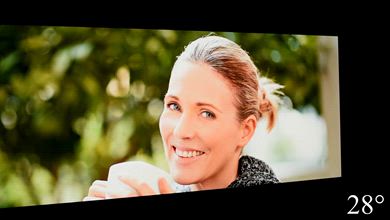
Unfortunately, the TV has a very narrow viewing angle, and picture quality declines when you're watching from the sides of the screen. This makes it inadequate for wide seating arrangements.
for pictures & test results

for pictures & test results

This TV has decent gray uniformity. There's some dirty screen effect towards the middle of the screen, but it's not too bad. However, the edges of the screen are dimmer than the center.
for pictures & test results

for pictures & test results

The TCL QM7L Pro uses a combination of new panel technologies, including an improved color filter, a new WHVA 2.0 panel structure, and improved quantum dots, which TCL calls Super Quantum Dots. It has an RGB subpixel layout, which helps with text clarity.
TVs with LCD panels, like this one, are immune to permanent burn-in.
for pictures & test results

for pictures & test results

Unlike the regular TCL QM7L, this model has HDMI 2.1 bandwidth on all four ports, which gives you flexibility if you own multiple consoles and a soundbar.
The TV supports eARC, which lets you pass high-quality, uncompressed audio to a compatible receiver or soundbar through an HDMI cable. It supports all major audio formats, so you don't have to worry about compatibility with external sources.
This model will also support Dolby Vision 2 with a future firmware update. TCL hasn't confirmed if it'll support HDR10+ Advanced, though.
for pictures & test results

The TCL QM7L Pro has a nice overall design. It's mostly made of plastic, but it still looks fairly premium.
for pictures & test results

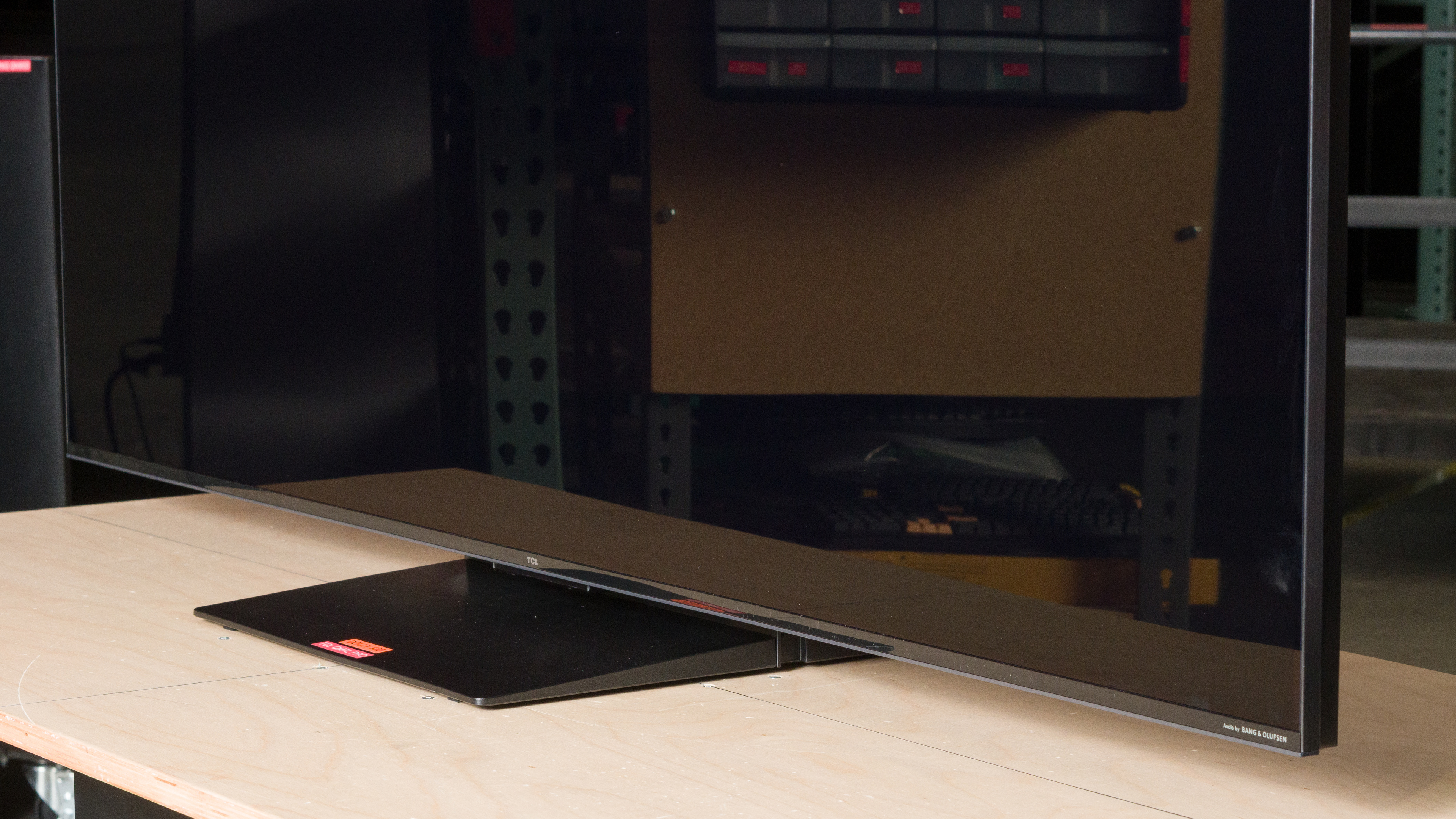
The TV comes with a height-adjustable stand that doesn't require a large table to set it on. In its low position, the stand lifts the TV about 2.3 inches above the table. In its high position (pictured above), the stand lifts the TV about 3.5 inches, which is high enough for almost any soundbar.
Footprint of the 65-inch stand: 15.31" x 14.57".
for pictures & test results

The back of the TV is made of plastic, with a grid-like pattern. All inputs except the power connector are on the right side, and they're fairly easy to access if you have the TV wall-mounted. The stand has a channel that you can run cables through to help with cable management.


for pictures & test results

The TCL QM7L Pro has good build quality. It's mostly made of plastic, but it feels solid.
for pictures & test results

The remote has quick-access buttons for the most popular streaming services and a built-in microphone for voice commands. It's also backlit.
for pictures & test results

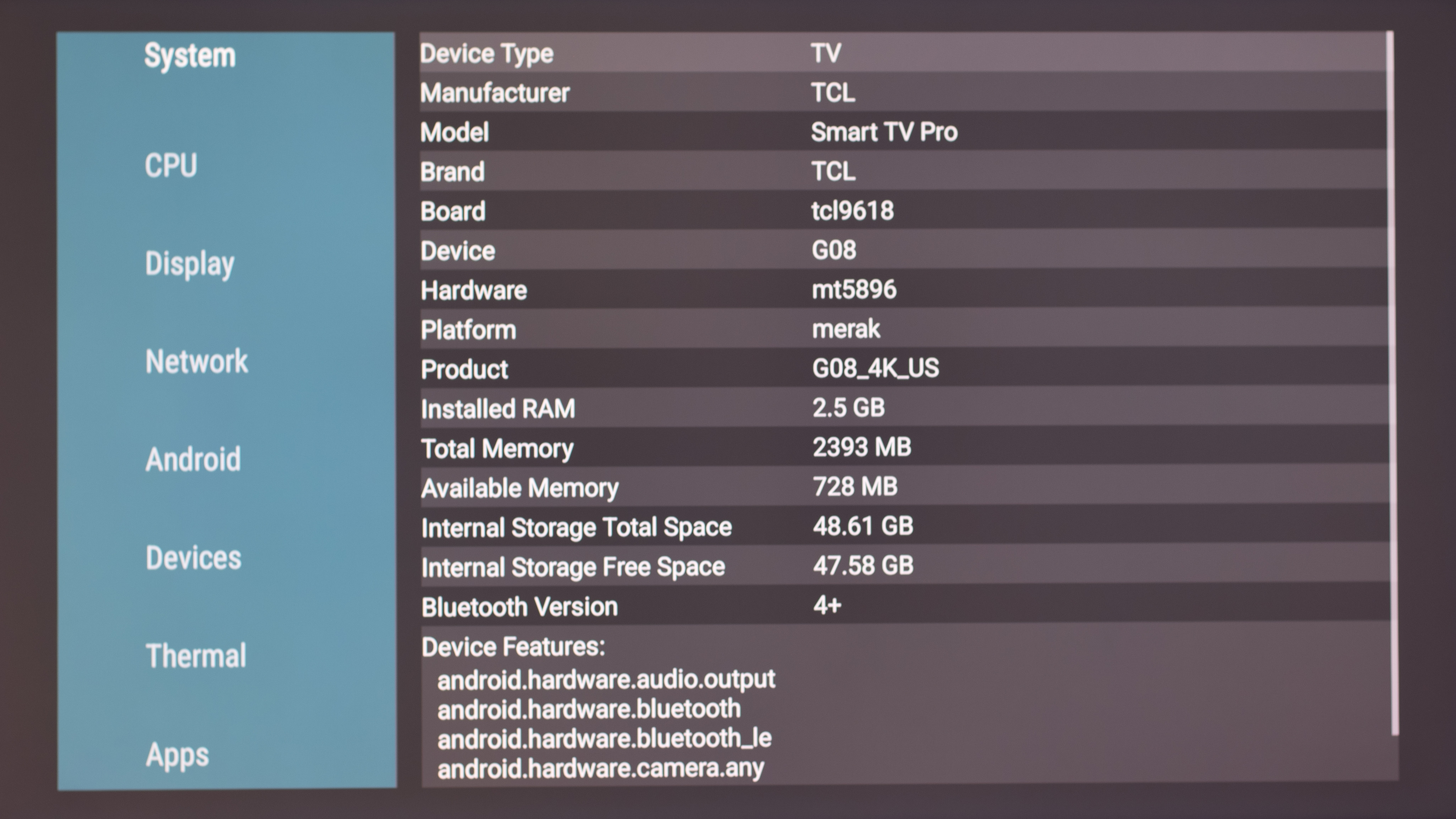
This TV ships with Google TV version 14 and includes support for the Google Gemini smart assistant. Running AIDA64 on the TV shows that it's powered by the MediaTek Pentonic 800 chipset, with 2.5GB of RAM and ~48GB of storage space.
for pictures & test results

Unfortunately, like almost all TVs on the market, the smart interface contains ads, and you can't disable them.
When you first start up the TV, you can choose to run it in a Basic TV mode. This gives you an ad-free experience, but also disables most smart features.

for pictures & test results

- Setup guide
- Remote
- 2x AAA batteries
- Power cable
- Cable ties
- Spacers
This TV was originally tested with firmware version V8-0015T01-LF1V101.000733.
for pictures & test results

This TV has a mediocre frequency response. It has a well-balanced sound profile at lower volume levels, so dialogue is easy to understand. However, the sound profile becomes more unbalanced as you raise the volume, and when you reach maximum volume, dialogue is hard to understand. Unfortunately, the speakers don't get very loud, and even though they produce more bass than many other TVs, there's noticeable thumping at max volume.