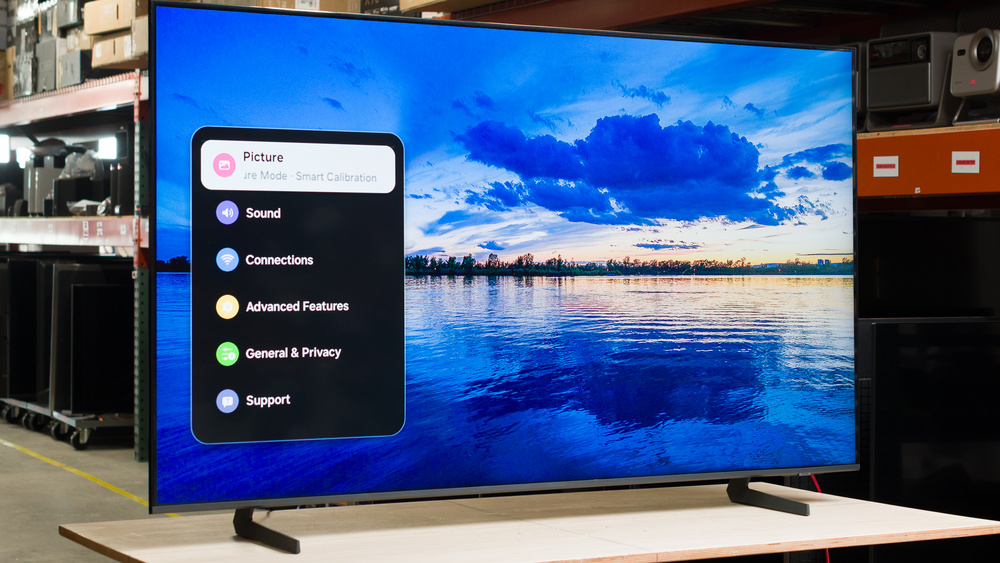
The Samsung QN70H is a lower mid-range TV released in 2026, sitting below the Samsung QN80H in the brand's standard Mini LED lineup. It's an edge-lit TV that's powered by Samsung's NQ4 AI Processor. It's light on gaming features, since it doesn't have any HDMI 2.1 ports and lacks support for VRR. However, it does support Samsung's new Dual Line Gate (DLG) feature, which allows you to boost the refresh rate up to 120Hz by reducing the resolution to 1080p. The TV utilizes the Tizen OS, which gives you access to a ton of streaming apps and smart features like voice control. We bought and tested the 65-inch model, but it's also available in 43-, 50-, 55-, 75-, and 85-inch sizes.
Our Verdict
The Samsung QN70H is mediocre for mixed usage. It has poor contrast that leads to a washed-out image, and it's too dim and not colorful enough for an impactful HDR viewing experience, so it's not a good choice for dark rooms. It's bright enough to handle glare in a moderately lit room, but it's too dim and doesn't have the reflection handling needed to overcome glare in bright rooms. Video games don't look very good, and it lacks support for many of the features offered by modern consoles. Motion is blurry in fast-paced sports and video games, and its narrow viewing angle means it's unsuitable for wide seating arrangements.
Ambient light barely affects black levels or color saturation.
Can't reduce the intensity of direct, mirror-like reflections.
Mediocre screen uniformity.
Poor contrast leads to a washed-out image.
Image degrades when viewed from the sides.
The Samsung QN70H is inadequate for a home theater. It has poor contrast, so blacks lack depth, and the image looks washed out in most scenes. The local dimming barely does anything to deepen blacks, and it causes a distracting glow around subtitles and bright lights in otherwise dark scenes. Overall color accuracy is decent out of the box, but whites do have a green tint to them. SDR content looks vibrant enough that the image doesn't look dull, but it can't display the dark and bright colors in HDR movies and shows. Furthermore, highlights don't stand out from the rest of the image, so HDR content looks flat and unimpressive. It does an okay job of upscaling, so DVDs and low-resolution streams don't look too soft. Unfortunately, it doesn't support Dolby Vision or DTS audio, which is disappointing for physical media collectors.
Removes judder from many sources.
Mediocre screen uniformity.
Can't smooth out compression artifacts from low-quality streaming sources.
Too dim to deliver an impactful HDR experience.
Poor contrast leads to a washed-out image.
Distracting haloing around highlights and subtitles.
The Samsung QN70H is okay for a bright room. It's bright enough to handle glare in a moderately lit room, but it's too dim to overcome glare in brighter spaces. The TV's glossy screen coating does a mediocre job of reducing the intensity of light sources that are facing the screen, so mirror-like reflections are distracting in darker scenes. Fortunately, ambient lighting has almost no impact on the vibrancy of colors or the depth of blacks, so it provides similar image quality in a bright room as it does in a dark one.
Ambient light barely affects black levels or color saturation.
Can't reduce the intensity of direct, mirror-like reflections.
Not bright enough to overcome glare in well-lit spaces.
The Samsung QN70H is alright for watching sports. It's bright enough to handle glare in a moderately lit room, but it's too dim to overcome glare during Sunday NFL games on a sunny afternoon. Unfortunately, its narrow viewing angle means that image quality is degraded when watching the game from an angle, so it's not suitable for wide seating arrangements. It does an okay job of upscaling low-resolution streams and cable feeds, so the image doesn't look overly soft. However, it doesn't remove artifacts from cable feeds or heavily compressed streams. Colors are vibrant enough that jerseys and fields don't look dull, but its slow response time leads to a lot of motion blur around fast-moving players and objects.
Colorful enough to avoid a dull image.
Can't reduce the intensity of direct, mirror-like reflections.
Mediocre screen uniformity.
Blurry motion.
Can't smooth out compression artifacts from low-quality streaming sources.
Image degrades when viewed from the sides.
The Samsung QN70H is disappointing for gaming. Its input lag is low, so gaming doesn't feel sluggish. However, its slow pixel transitions lead to a lot of motion blur, especially in fast-paced games. It doesn't support VRR to reduce screen tearing, and it's limited to 4k @ 60Hz. However, you can play games in 1080p @ 120Hz if you prefer higher frame rates over a sharper image. Unfortunately, games just don't look very good on this TV. It's too dim for bright areas to stand out in HDR games, and the image lacks depth due to its poor contrast. Colors don't look too dull, but it can't display the dark and bright colors needed for impactful HDR gaming.
Supports 1080p @ 120Hz.
Low input lag.
Blurry motion.
No VRR to reduce screen tearing.
This TV has sub-par expected reliability. Our extensive testing has shown that due to concentrated heat, edge-lit TVs like this one are likely to experience significant durability issues and early failure, including warped reflector sheets, cracked light guide plates, and burnt-out LEDs. On the other hand, there's no possibility of long-term image retention or burn-in, so the content you watch doesn't affect the TV's expected lifespan.
No possibility of permanent burn-in.
Edge-lit TVs are prone to early failure.
Uniformity issues from warped reflector sheets and cracked light guide plates are common.
The Samsung QN70H has sub-par brightness overall. It's bright enough to handle some glare in a moderately lit room, but it's too dim to overcome glare in brighter spaces. Unfortunately, its HDR brightness is inadequate to provide an impactful HDR experience, since highlights barely stand out from the rest of the image, and bright scenes lack punch.
Too dim to deliver an impactful HDR experience.
Not bright enough to overcome glare in well-lit spaces.
The Samsung QN70H has disappointing black levels. Its poor contrast means the image lacks depth and looks washed out in most scenes. Even though it has local dimming, the feature doesn't do much to deepen blacks and causes bright lights and subtitles to have a distracting glow. Dark scenes also look cloudy and uneven due to the TV's mediocre black uniformity.
Poor contrast leads to a washed-out image.
Distracting haloing around highlights and subtitles.
The Samsung QN70H has okay colors overall. Its SDR color volume is okay, but it does struggle to display some lighter colors. Still, it's colorful enough in SDR for the image not to look dull. Unfortunately, it can't display very dark and bright colors in HDR, so colors in HDR content don't pop as much as they should. It has pretty good out-of-the-box color accuracy, but whites do have a green tint to them.
Good HDR color accuracy out of the box.
The Samsung QN70H has unremarkable motion handling when watching content. It doesn't remove judder from any 60Hz sources like an older cable TV box or a streaming device with Match Frame Rate disabled, so stick with the built-in apps or a modern streaming device to avoid choppy motion. Still, you might notice some stutter in slow-panning shots, and its poor motion interpolation feature does almost nothing to decrease stutter. Its response time is very slow, so there's noticeable motion blur around fast-moving objects. Fortunately, there's no micro-judder in any content, and the edges of fast-moving players and objects in sports don't have noticeable unintended colors around them.
Removes judder from many sources.
No micro-judder.
Extremely ineffective motion interpolation feature.
The Samsung QN70H has poor responsiveness in its dedicated gaming mode. It has low input lag, so gaming feels responsive. Unfortunately, it's really held back by its slow pixel transitions, which lead to a heavy amount of motion blur, especially in fast-paced games. It also doesn't support VRR, and you're limited to 4k @ 60Hz, so it doesn't take advantage of the features offered by modern consoles. However, it does offer 1080p @ 120Hz if you're willing to drop your resolution to play games in higher frame rates.
Supports 1080p @ 120Hz.
Low input lag.
Blurry motion.
No VRR to reduce screen tearing.
Note: We're in the process of improving our tests related to image processing, but this score should give you a general idea of how a TV performs overall with its image processing capabilities.
The Samsung QN70H has okay image processing. Its biggest downside is its inability to remove artifacts in low-quality content from streaming services and cable channels. It does an okay job of upscaling low-resolution content, so DVDs and other standard definition content don't look too soft. It has great PQ EOTF tracking, so HDR content is mostly displayed at the proper brightness level. Finally, it has mediocre gradient handling, with the most visible banding being in dark gray and green gradients.
Excellent EOTF tracking.
Can't smooth out compression artifacts from low-quality streaming sources.
Performance Usages
Changelog
- Updated Oct 02, 2026: We converted this review to Test Bench 2.3. With this update, we've added a new Expected Reliability performance usage, a Lifetime Burn-In Potential test, and a new test box for the Longevity 3.0 test.
- Updated Sep 18, 2026: We converted this review to Test Bench 2.2.1, adding a new Dumb TV test for whether or not the TV can be used offline.
-
Updated Sep 02, 2026:
We mentioned the newly reviewed TCL QM7L Pro in the Contrast section.
- Updated Aug 28, 2026: Review published.
Check Price
Differences Between Sizes And Variants
We bought and tested the 65-inch Samsung QN70H, and these results also apply to the 55-, 75-, and 85-inch sizes. The 43- and 50-inch models don't have the Dual Line Gate (DLG) technology that allows you to game in 1080p @ 120Hz, and those smaller sizes are likely also dimmer. However, most of our other results should apply to them.
Note that with all Samsung TVs, the last four digits of the model code (FXZA in this case) vary between regions. The TV is also sold with a slightly different model code at warehouse stores like Costco and Sam's Club, and comes with an extended warranty.
| Size | US Model | Warehouse Model | Dual Line Gate | VESA Mounting Pattern |
|---|---|---|---|---|
| 43" | QN43QN70HAFXZA | - | No | 200x200 |
| 50" | QN50QN70HAFXZA | - | No | 200x200 |
| 55" | QN55QN70HAFXZA | QN55QN70HDFXZA | Yes | 200x200 |
| 65" | QN65QN70HAFXZA | QN65QN70HDFXZA | Yes | 400x300 |
| 75" | QN75QN70HAFXZA | QN75QN70HDFXZA | Yes | 400x400 |
| 85" | QN85QN70HAFXZA | QN85QN70HDFXZA | Yes | 600x400 |
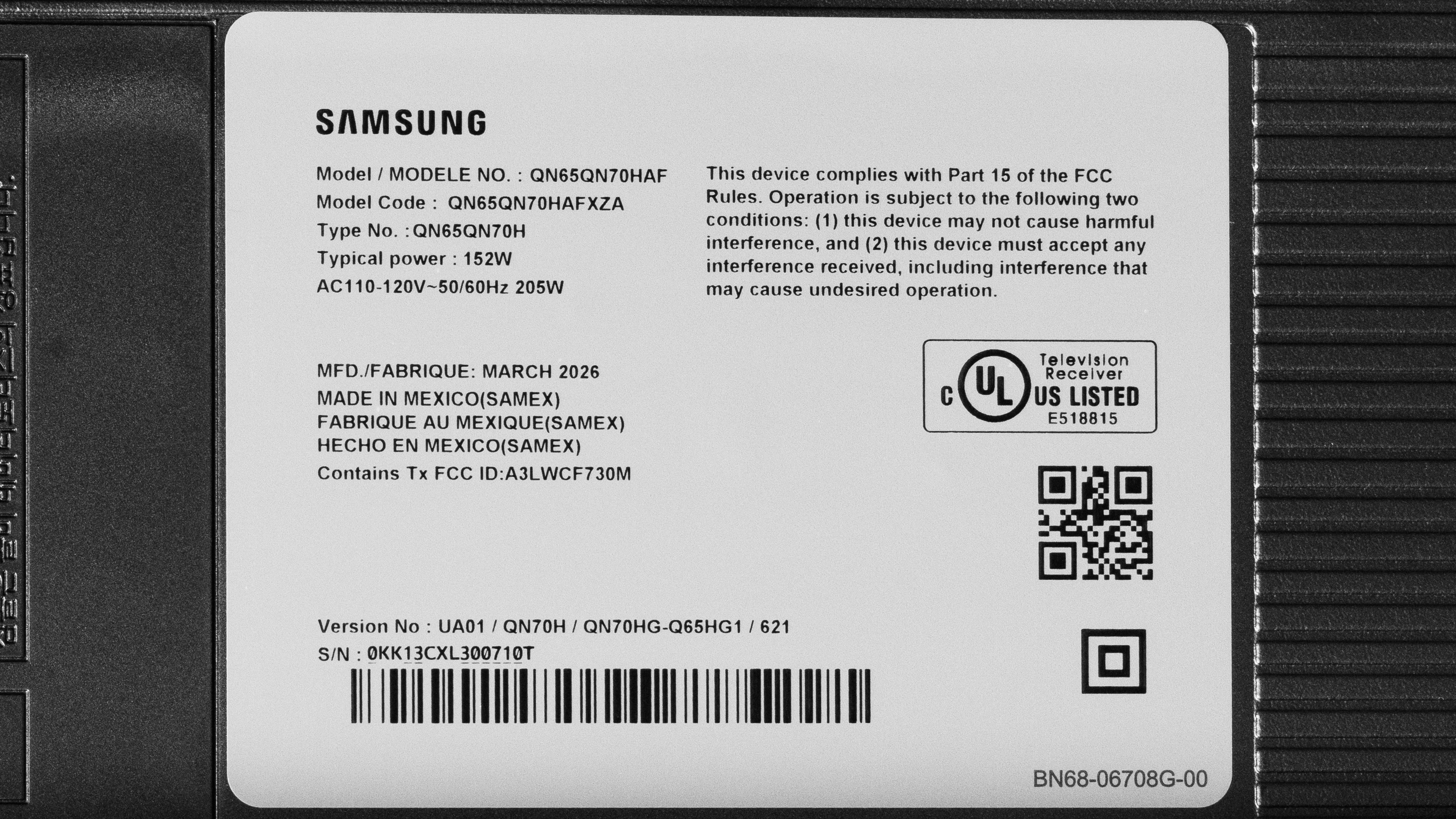
Our unit was manufactured in Mexico in March 2026.
Popular TV Comparisons
The Samsung QN70H is an unremarkable TV that doesn't offer very much for its relatively high price tag. The TV's picture quality leaves a lot to be desired. The TV has poor contrast, and its bad local dimming causes distracting haloing without doing much to deepen blacks, making it inadequate for home theaters and other dark spaces. It's just bright enough to handle some glare in a moderately lit room, but it's too dim for bright rooms, and highlights don't stand out in HDR content. There's also a lot of motion blur, which holds back its performance for watching sports and playing video games. It's also light on gaming features, so it doesn't pair well with modern consoles. You can get significantly better image quality and gaming performance from similarly-priced TVs like the Hisense U7SG and TCL QM7L, making the QN70H a hard TV to recommend to almost anyone.
For more options, check out our recommendations for the best QLED TVs, the best TVs under $1,000, and the best TVs.
The Samsung QN70F is better than the Samsung QN70H. The QN70F is a lot brighter, so it's more suitable for well-lit spaces. The QN70F's extra brightness also allows highlights to stand out more in HDR content, and it displays deeper blacks and a wider range of colors, so it looks better in dark rooms. The QN70F also supports 4k @ 144Hz, VRR, and has clearer motion, making it the much better option for gamers.
The Samsung QN80H is a lot better than the Samsung QN70H. The QN80H's local dimming is a significant step up, so it displays much deeper blacks with a lot less haloing around highlights, making it look better in dark rooms. The QN80H is also much brighter and has better reflection handling, making it the better choice for bright rooms, too. Colors are more vibrant on the QN80H, and it has a lot more gaming features like 4k @ 144Hz, 1080p @ 240Hz, and VRR. Furthermore, motion is clearer on the QN80H, so it's better for playing video games and watching sports.
The TCL QM7L is much better than the Samsung QN70H. The TCL has superior contrast that allows it to display significantly deeper blacks, and there's much less haloing around highlights, so it looks much better in dark rooms. The TCL also has better reflection handling and is much brighter, making it the better choice for bright rooms. The TCL supports 4k @ 144Hz, VRR, and 1080p @ 288Hz, making it the better TV for gaming.
The Hisense U7SG is better than the Samsung QN70H across the board. The Hisense offers 4k @ 165Hz, 1080p @ 330Hz, VRR, and better motion clarity, so it's the superior gaming TV. The Hisense's significantly higher contrast ratio means it displays much deeper blacks, and there's much less haloing around highlights, so it's the much better option for dark spaces. The Hisense is also a lot brighter and has excellent reflection handling, making it the much better choice for bright rooms.

We buy and test dozens of TVs yearly, taking an objective, data-driven approach to deliver results you can trust. Our testing process is complex, with hundreds of individual tests that take over a week to complete. Most of our tests use specially designed test patterns that mimic real content, but we also use the same sources you have at home to ensure our results match the real-world experience. We use two main tools for our testing: a Colorimetry Research CR-100 colorimeter and a CR-250 spectroradiometer.
Test Results
for pictures & test results

for pictures & test results

for pictures & test results

The Samsung QN70H has inadequate HDR brightness. Small highlights barely stand out and bright scenes look dull, so it doesn't provide an impactful HDR experience.
The posted results are with the TV in Filmmaker Mode with 'HDR Tone Mapping' set to 'Static.' Below are the results with the 'Active' setting. This setting increases the brightness of the entire image, but it doesn't actually increase the peak brightness of the TV in most content.
- Hallway Lights: 429 cd/m²
- Yellow Skyscraper: 322 cd/m²
- Landscape Pool: 202 cd/m²
for pictures & test results

for pictures & test results

for pictures & test results

This TV is slightly brighter in Game Mode, but the difference is hard to notice.
The posted results are with 'HDR Tone Mapping' set to 'Static.' Below are the results with the 'Active' setting. This setting increases the brightness of the entire image, but it doesn't actually increase the peak brightness of the TV in most games.
- Hallway Lights: 418 cd/m²
- Yellow Skyscraper: 370 cd/m²
- Landscape Pool: 247 cd/m²
The Samsung QN70H's SDR brightness is not bad. It's bright enough to handle glare in a moderately lit room, but it can't overcome glare in brighter spaces.
for pictures & test results

The Samsung QN70H has poor contrast. It has a decent native contrast ratio, but its local dimming barely deepens blacks, so blacks are raised and look washed out in most scenes. You can get significantly better contrast from a similarly priced TV like the TCL QM7L Pro.
for pictures & test results

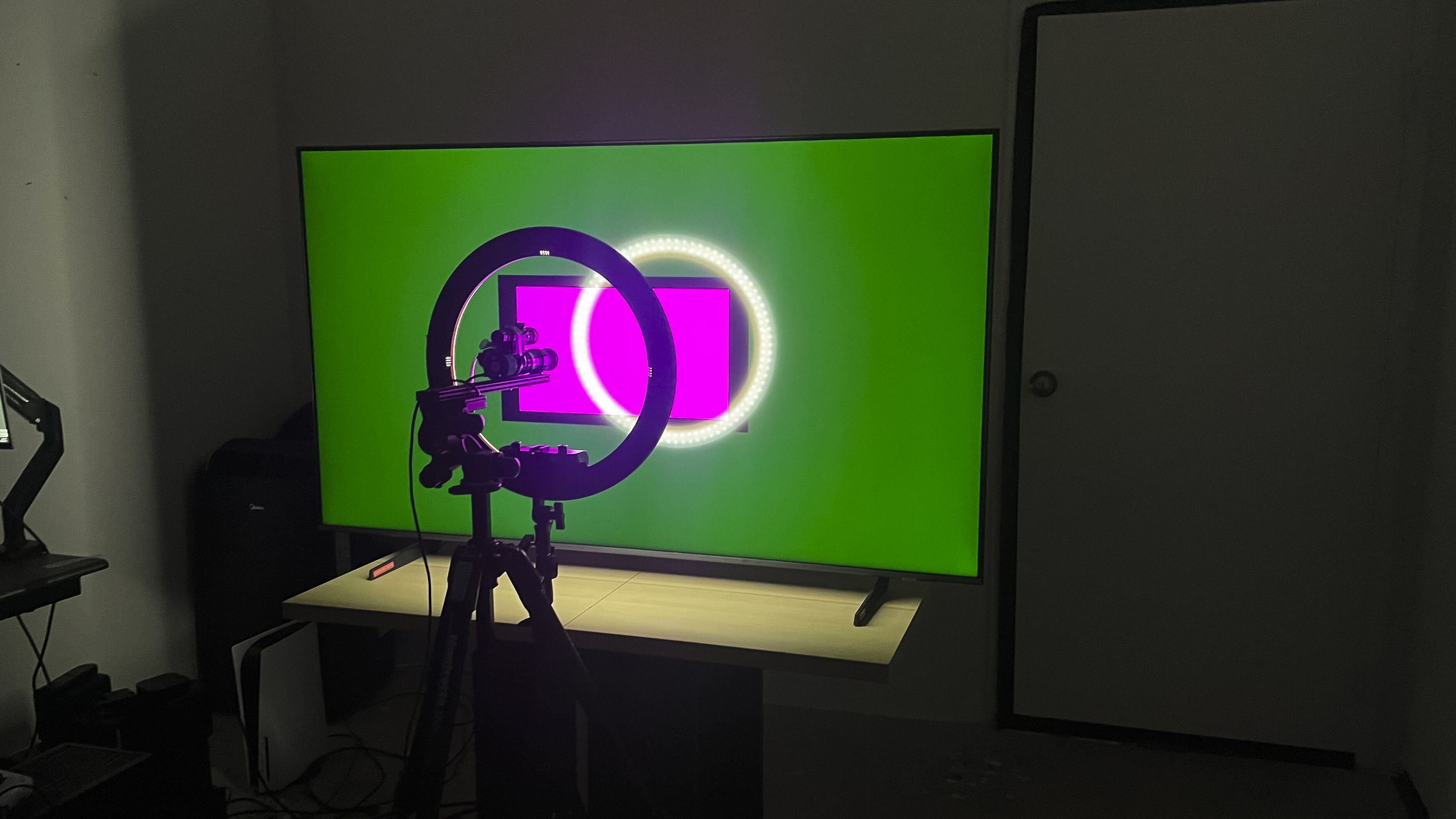
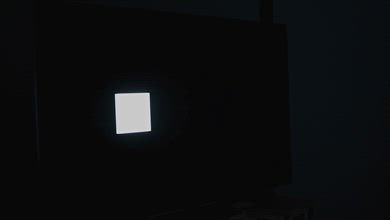
This TV has awful lighting zone precision. There's very noticeable haloing around bright lights in otherwise dark scenes and around subtitles.
for videos & test results

The zone transitions on this TV are bad. The edges of bright objects are visibly dim, and there's haloing around them, which can be distracting.


for pictures & test results

for pictures & test results

The Samsung QN70H has mediocre black uniformity. Blacks are patchy, and the screen looks cloudy in entirely dark scenes, and the local dimming feature doesn't do much at all to improve uniformity.
Local dimming can't be turned off on this TV, so we tested its native black uniformity with Local Dimming set to 'Low' and Shadow Detail to '1,' with a uniformity image with an RGB value of {5,5,5} as black.
for pictures & test results

for pictures & test results

The Samsung QN70H has okay SDR color volume. It has decent coverage of the DCI-P3 color space, but it does struggle a bit with lighter greens, yellows, and reds. Its coverage of the wider BT.2020 color space is sub-par, and it really struggles with lighter colors.
| Volume ΔE³ | DCI-P3 Coverage |
BT.2020 Coverage |
|---|---|---|
| L10 | 92.98% | 68.51% |
| L20 | 91.87% | 66.42% |
| L30 | 90.47% | 65.44% |
| L40 | 88.54% | 65.36% |
| L50 | 86.52% | 64.13% |
| L60 | 84.23% | 61.22% |
| L70 | 81.09% | 52.26% |
| L80 | 79.87% | 49.25% |
| L90 | 79.63% | 49.55% |
| L100 | 84.27% | 61.36% |
| Total | 84.15% | 57.80% |
for pictures & test results

for pictures & test results

The Samsung QN70H has unremarkable HDR color volume. Its limited contrast means it can't fully display dark, well-saturated colors. Furthermore, its limited brightness means it can't display bright, punchy colors.
for pictures & test results

for pictures & test results

for pictures & test results

The Samsung QN70H has alright SDR color accuracy out of the box. The gamma is fairly close to 2.2, but bright areas of the image are too bright. The RGB balance shows that whites have too much green in them, and light yellows and cyans are also greener than they should be. Finally, the color temperature is warmer than 6,500K, giving the entire image a slight red tint.
for pictures & test results

for pictures & test results

for pictures & test results

Calibrating the TV gives it fantastic SDR color accuracy. The color temperature, gamma, and RGB balance are now all close to perfect. Colors have outstanding accuracy overall, with only minor errors that aren't noticeable in real content.
See our full calibration settings.
for pictures & test results

for pictures & test results

The Samsung QN70H has good HDR color accuracy out of the box. The RGB balance shows that reds and especially blues are both underrepresented in brighter grays and whites, but its overall white balance is still good. The color temperature is slightly warmer than the industry standard 6,500K, but it's hard to notice. The overall accuracy of colors is adequate, but most colors are a bit off the mark, and reds lean more towards orange than they should.
for pictures & test results

for pictures & test results

The TV has great HDR color accuracy after calibration. The white balance is now fantastic, with just a bit too much red in some lighter grays. The color temperature is incredibly close to 6,500K, so the overall image doesn't look too cool or too warm. The overall accuracy of colors has improved a bit, but they're still just adequate, and reds still lean more towards orange than they should.
for pictures & test results

The Samsung QN70H has excellent PQ EOTF tracking. Blacks are raised due to the TV's poor contrast, and they're especially raised in content mastered at 4,000 nits. Shadows and midtones are displayed almost perfectly. There's a smooth roll off near the TV's peak brightness that helps to retain detail in highlights that are brighter than the TV's capabilities, and the roll off is even more gradual with 4,000 nit content.
for pictures & test results

Unfortunately, the TV is completely ineffective at smoothing out low-quality content like most streaming services. While it barely loses any fine details, it does almost nothing to reduce macro blocking or other compression artifacts.
for pictures & test results

This TV has just okay upscaling. The image looks somewhat soft overall, and fine details like text can be difficult to make out.
for pictures & test results
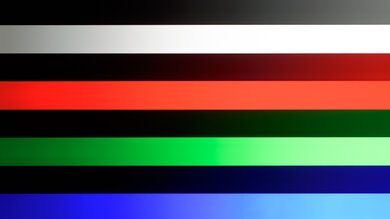
The Samsung QN70H has mediocre gradient handling. There's some banding in all darker shades, with dark grays and greens performing the worst. Lighter gradients fare better, but there's visible banding in lighter greens.
This TV has low input lag, especially when gaming in 1080p @ 120Hz, so gaming feels responsive.
This TV only supports 4k @ 60Hz, but its Dual Line Gate technology does allow you to game in 120Hz if you're willing to drop the resolution to 1080p. Unfortunately, chroma 4:4:4 isn't supported in 1080p @ 120Hz, so text lacks clarity if you're using a PC.
This TV doesn't support VRR to reduce screen tearing.
for pictures & test results
for pictures & test results

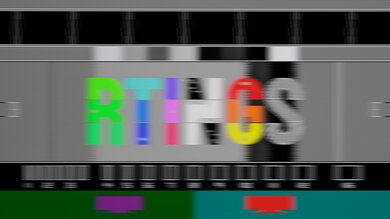
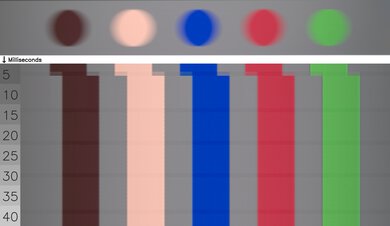
Unfortunately, this TV has a sub-par CAD at its maximum 4k refresh rate of 60Hz. Fast motion looks very blurry due to the TV's very slow transition time, although there's barely any overshoot or inverse ghosting.
This TV doesn't support a 120Hz refresh rate at its native 4k resolution.
for pictures & test results

for pictures & test results

These results are the same as the max refresh rate, as this TV is limited to a 60Hz refresh rate at its native resolution.
for pictures & test results

This TV has alright compatibility with the PS5 or PS5 Pro. It supports up to 4k @ 60Hz or 1080p @ 120Hz, so you can run most games in either their performance or quality modes. It doesn't support 4k @ 120Hz gaming, though, so it can't take full advantage of either console.
for pictures & test results

This TV has alright compatibility with the Xbox Series consoles. It supports up to 1080p @ 120Hz or 4k @ 60Hz. It doesn't support high refresh rate gaming at its native 4k resolution, and it doesn't support Dolby Vision.
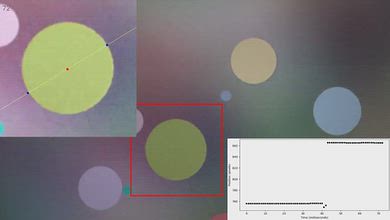

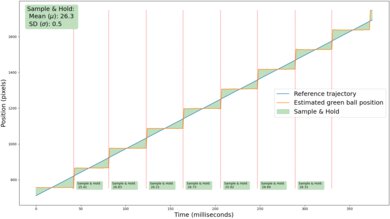
for videos & test results
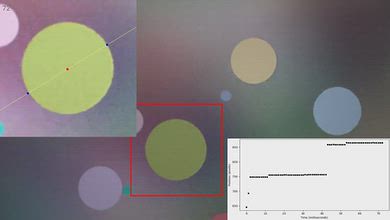
for pictures & test results

for pictures & test results
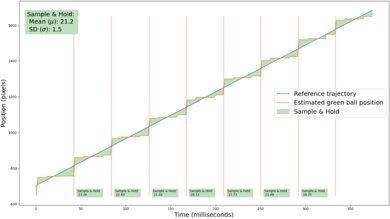
Unfortunately, this TV's motion interpolation feature is ineffective at reducing stutter. It helps somewhat in very simple scenes, but even our test pattern is complex enough that the TV stops interpolating after just a few frames. Enabling the feature also introduces judder, so motion actually looks worse overall.
for pictures & test results
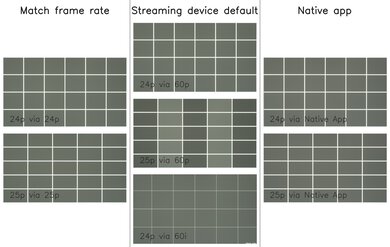
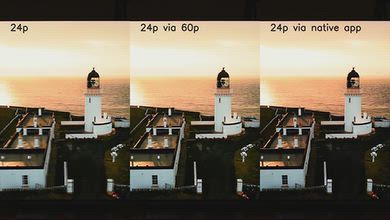
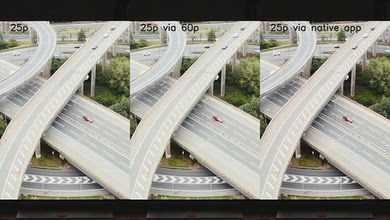
Unfortunately, this TV can't remove judder from any 60Hz sources, like a cable TV box or a streaming device that outputs a signal matching the frame rate of the content. Enabling any of the Picture Clarity settings also causes judder with all content, so motion doesn't look smooth. Fortunately, it removes judder from all content watched through the internal apps and from 24Hz and 25Hz sources.


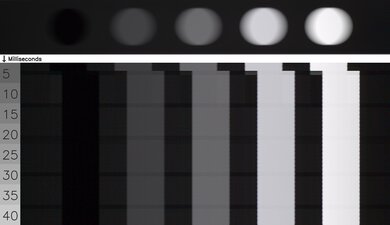
for pictures & test results

This TV uses pulse-width modulation (PWM) to dim its backlight, which introduces flicker that can bother people who are sensitive to it. It flickers at a slow 120Hz in most picture modes except for 'Movie', where it flickers at 960Hz at all brightness levels.
for pictures & test results
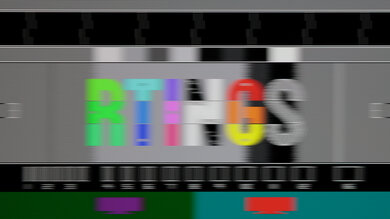
for pictures & test results
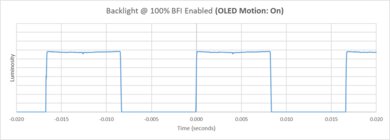
This TV has an optional backlight strobing feature, commonly known as black frame insertion. Unfortunately, the pulse timing is off, causing a noticeable double image in moving content.
for pictures & test results

for pictures & test results

The Samsung QN70H has mediocre direct reflection handling. Its glossy screen coating doesn't do much to reduce the intensity of direct light sources that are facing the screen, so mirror-like reflections are distracting, especially in dark scenes.


for pictures & test results

for pictures & test results

The total amount of reflected light off this TV is decent, but reflections are noticeable and they're partially diffused across the screen, which can be distracting.
for pictures & test results

Outside of a slight drop in the vibrancy of low-luminance colors, ambient light barely has an impact on perceived color volume.
for videos & test results
for pictures & test results

for pictures & test results

for pictures & test results

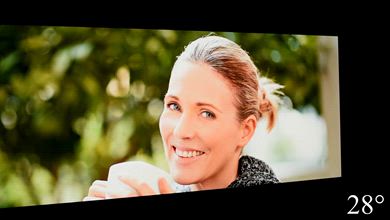
This TV has an unremarkable viewing angle. Black levels are raised, colors are washed-out, and there's a loss of brightness that worsens as you move to the sides of the screen, so it's not suitable for a wide seating arrangement.
for pictures & test results

for pictures & test results

The gray uniformity is mediocre. There's a distracting, dirty screen effect in the center of the screen, although it's not too severe. The sides are significantly darker than the center, and this is noticeable in all types of content, though it's a bit less apparent in dark scenes.
for pictures & test results

for pictures & test results

This TV uses a BGR subpixel layout. It doesn't affect picture quality but can cause issues with text clarity in some applications when using it as a PC monitor.
TVs with LCD panels, like this one, are immune to permanent burn-in.
for pictures & test results

for pictures & test results

The Samsung QN70H has a basic selection of inputs. All of its HDMI ports are limited to HDMI 2.0 bandwidth, so it can't take full advantage of high-bandwidth devices like recent consoles or gaming PCs. Its tuner is also limited to ATSC 1.0, meaning it can't receive 4k broadcasts over the air.
This TV supports a wide range of audio formats, including all Dolby Digital options. Unfortunately, it doesn't support any DTS formats, which is disappointing since many Blu-rays use DTS for their lossless audio tracks.
Like all Samsung TVs, this TV doesn't support Dolby Vision, but it does support the similar HDR10+.
for pictures & test results

The Samsung QN70H has a fairly basic design. Its bezels are thin enough that they aren't distracting while watching, although they're not as slim as those on more premium models. However, like many edge-lit displays, the TV itself is very thin.
for pictures & test results

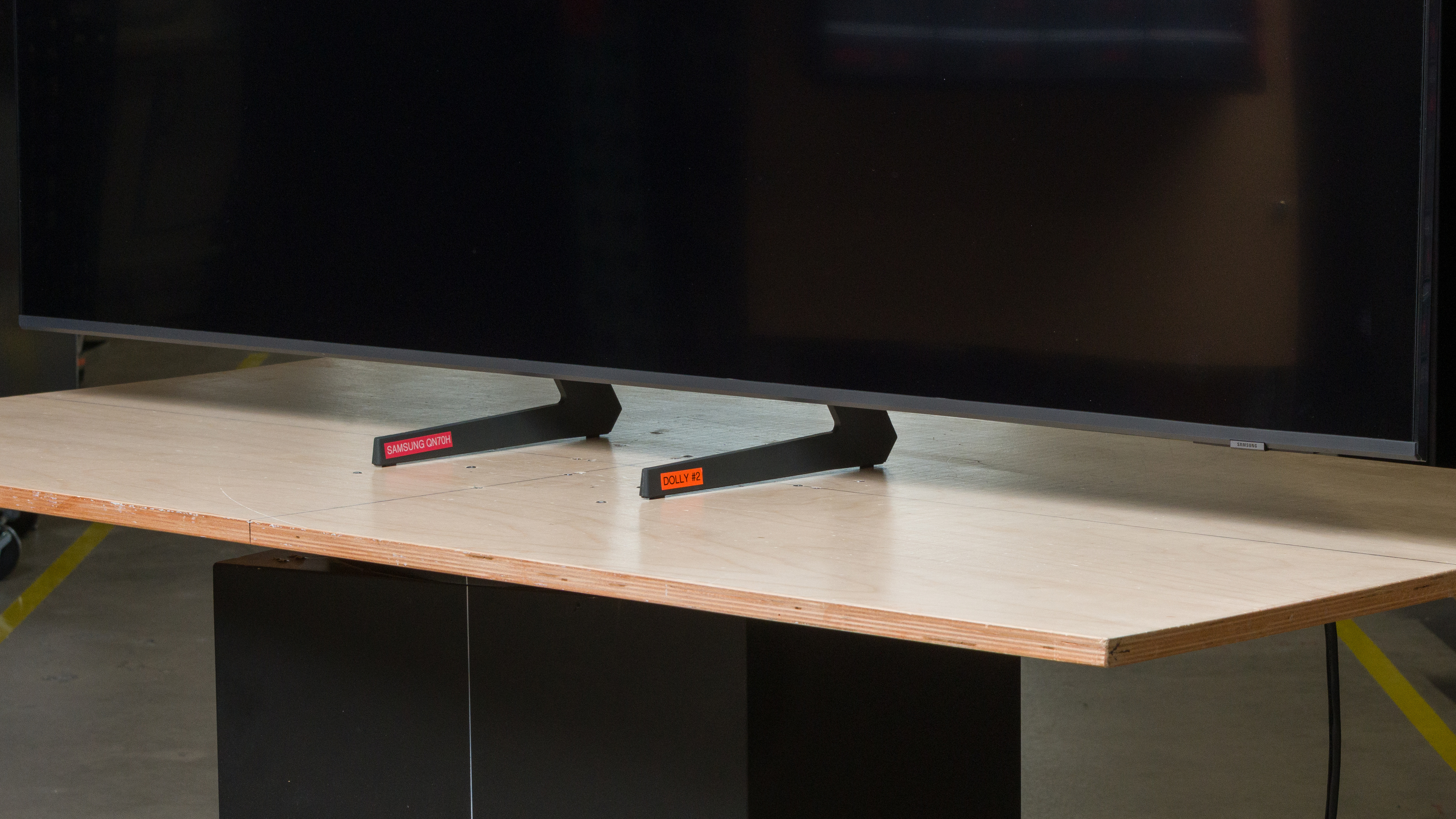
The TV features a pair of plastic feet that can be adjusted to two different positions. The wide position (pictured above) provides the best stability, but you can also set them in a narrow position if you have limited space. The feet lift the TV about 3.07 inches.
The footprint of the 65-inch stand is 41" x 10.63" in the wide position and 11.7" X 10.63" in the narrow position.
for pictures & test results

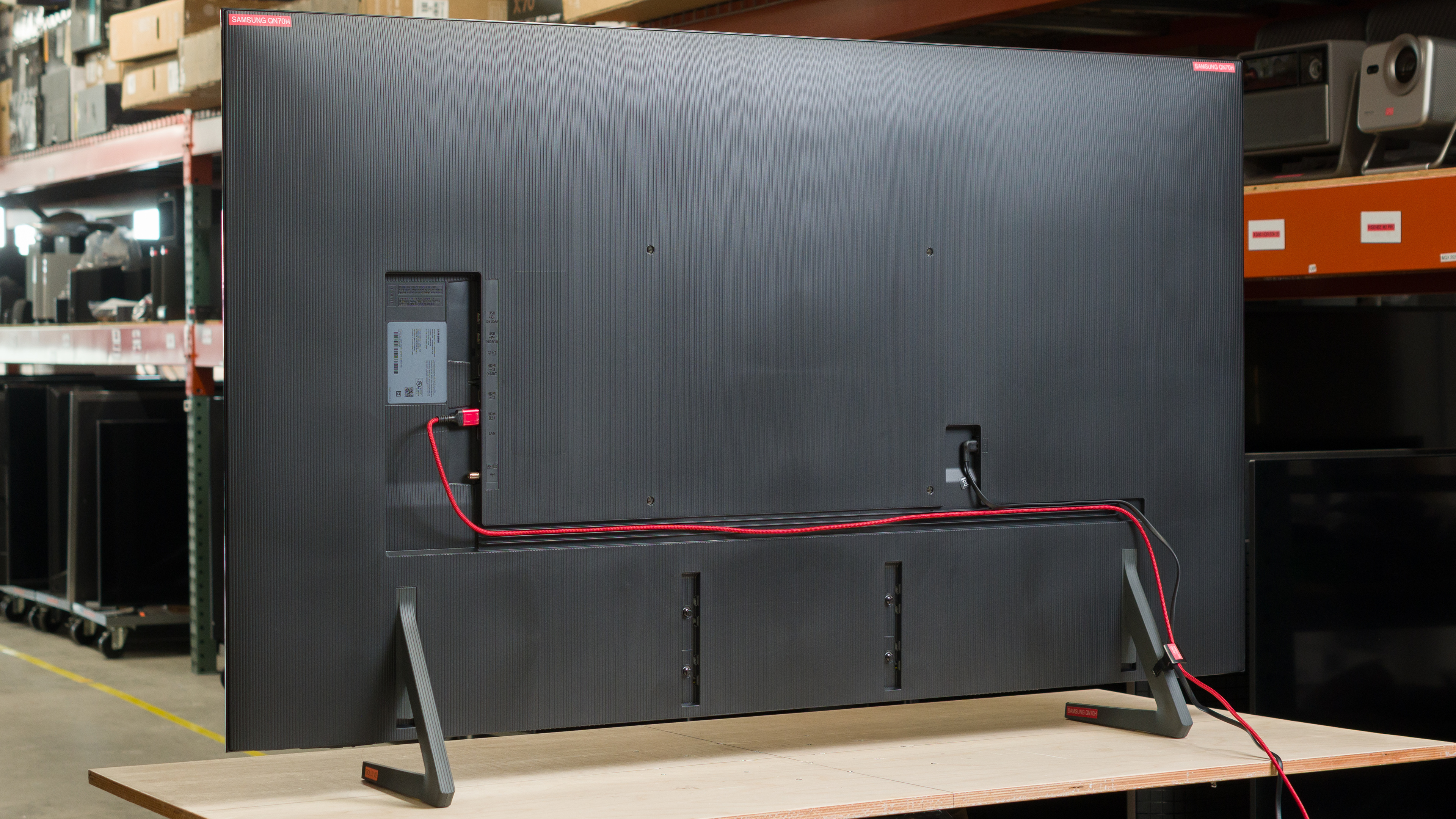
The back of the TV is made from plastic. All of the inputs are on the right side of the TV, but they're in a recessed cutout that makes them quite hard to access if you have it wall-mounted. The back has grooves and the TV comes with a clip that can be attached to one of the feet to help with cable management.


for pictures & test results

The Samsung QN70H has alright build quality overall. It wobbles a bit in the narrow position when you're cleaning the screen, but it settles quickly and doesn't cause any issues. There's some flex on the back panel that becomes more pronounced near the VESA mounting points, but it doesn't prevent you from wall-mounting it.
for pictures & test results

The remote has a built-in rechargeable battery and a solar panel on its back. You can also recharge it via USB-C if it dies unexpectedly.
for pictures & test results

The TV ships with the 2026 version of Samsung's proprietary Tizen OS, which is fairly easy to use. However, it can run pretty slowly, especially during startup. Samsung promises up to seven years of firmware updates after launch, so it will eventually receive new versions of the OS.
for pictures & test results

Like most TVs on the market, ads are displayed throughout its interface. While you can disable targeted ads, there's no option to remove ads completely.

for pictures & test results

- Power cable
- Remote control
- Two AAA batteries
- Cable management clip
- User guides
for pictures & test results

The Samsung QN70H has a mediocre frequency response. The speakers barely output any bass at all, so the sound profile sounds very thin. The speakers also don't get very loud. The sound profile is mostly balanced at low and moderate volume levels, so dialogue is easy to understand. However, the sound profile is more unbalanced at maximum volume.