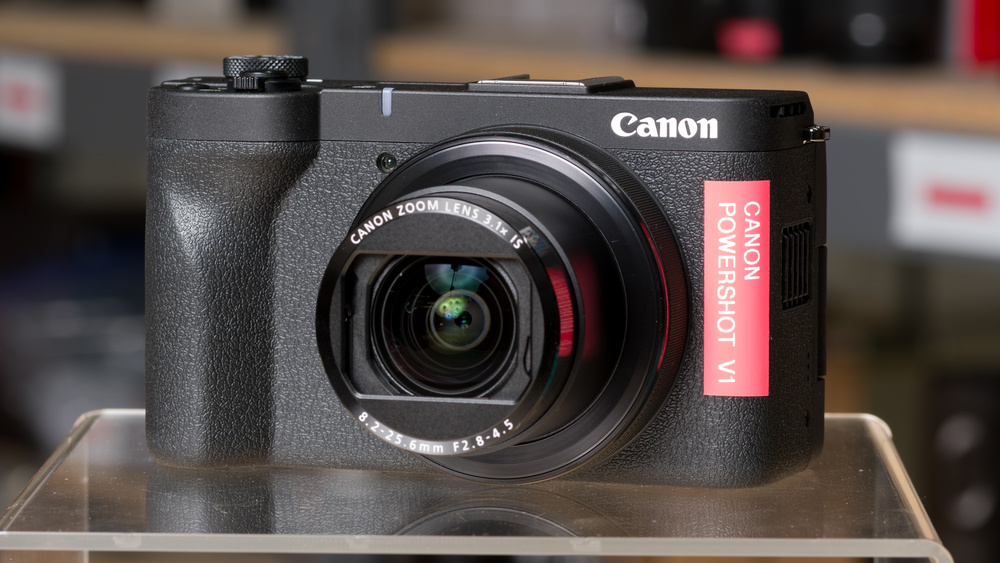
The Canon PowerShot V1 is a video-first compact camera designed for vlogging. It uses a 1.4-inch sensor that's about the same size as a Micro Four Thirds sensor, which is noticeably larger than the 1-inch sensors in most compacts. It pairs this sensor with a stabilized 16-50mm equivalent zoom lens. It also has a fully articulated screen, internal 10-bit recording with Canon Log 3 for better color grading, and a built-in cooling fan for longer recording sessions. These advanced functions and size put it between pocket-sized compacts and interchangeable-lens vlogging cameras.
Our Verdict
The Canon PowerShot V1 is very good for travel photography. Its compact body is easy to carry around, and the built-in 16-50mm-equivalent zoom lens covers wide-angle cityscapes and close-up portraits. Optical stabilization helps you take sharp handheld shots in dim light, and the large sensor captures excellent dynamic range with fairly low noise. The rubberized grip also stays comfortable during long days of sightseeing. However, there's no viewfinder, which makes framing harder in bright sunlight, and the body isn't weather-sealed. A spare battery is also worth packing, since battery life is only okay.
Large 1.4-inch sensor with excellent dynamic range.
Comfortable, rubberized grip.
Effective optical image stabilization in the lens.
Fast bursts of up to 30 fps with the electronic shutter.
No viewfinder.
Not weather-sealed.
Mediocre tracking autofocus in photos.
Relatively limited 50mm equivalent reach.
The Canon PowerShot V1 is great for landscape photography. Its sensor keeps plenty of detail in both the highlights and shadows of high-contrast scenes. It also resolves a good amount of fine detail. The 16mm equivalent wide end fits sweeping views into the frame, and you can angle the fully articulated screen to compose shots close to the ground. It's light enough to carry on long hikes, too. The body lacks weather sealing, though, so it needs protection from rain and dust.
Large 1.4-inch sensor with excellent dynamic range.
Comfortable, rubberized grip.
No viewfinder.
Not weather-sealed.
Relatively limited 50mm equivalent reach.
The Canon PowerShot V1 is very good for sports and wildlife photography. Its electronic shutter shoots at up to 30 fps, and the RAW buffer clears in just a few seconds once it fills. However, its tracking autofocus is mediocre and often drops moving subjects, which leaves a good number of shots soft. You get better results by keeping a predictable subject under the single center focus point. The lens also tops out at a 50mm equivalent, which isn't enough reach for distant wildlife or field sports.
Comfortable, rubberized grip.
Fast bursts of up to 30 fps with the electronic shutter.
No viewfinder.
Not weather-sealed.
Mediocre tracking autofocus in photos.
Relatively limited 50mm equivalent reach.
The Canon PowerShot V1 is great for vlogging. Its fully articulated screen flips around so you can see yourself, and the 16mm equivalent wide end fits both you and your surroundings in the frame at arm's length. Face tracking reliably keeps you sharp as you move, and the optical stabilization pairs with digital stabilization modes to smooth out handheld footage. You also get a microphone input, a headphone jack, an included wind screen, and a recording light. However, rolling shutter is pronounced in 4k, and the stronger digital stabilization modes add a heavy crop.
Comfortable, rubberized grip.
Effective optical image stabilization in the lens.
Internal 10-bit 4:2:2 recording with Canon Log 3.
Outstanding autofocus in video.
Built-in cooling fan for longer recording sessions.
Microphone input and headphone jack.
Records 1080p video at up to 120 fps.
Fully articulated screen.
Heavy rolling shutter in 4k.
4k at 60 fps adds a large crop.
The Canon PowerShot V1 is outstanding for studio video. It records 10-bit 4:2:2 footage internally with Canon Log 3 at high bit rates, and its video dynamic range is great, giving you room to grade your footage. A built-in fan helps keep the camera cool, and USB-C power keeps it recording even after the battery runs out. It still overheated during our 4k test after 45 minutes of continuous recording. A headphone jack lets you monitor audio, and the HDMI output is clean, but it uses a smaller micro HDMI port.
Internal 10-bit 4:2:2 recording with Canon Log 3.
Outstanding autofocus in video.
Built-in cooling fan for longer recording sessions.
Microphone input and headphone jack.
Records 1080p video at up to 120 fps.
Fully articulated screen.
Heavy rolling shutter in 4k.
4k at 60 fps adds a large crop.
The Canon PowerShot V1 is poor for action video. Unlike a dedicated action camera, it has no rugged or waterproof housing, and there's no easy way to mount it on a helmet or handlebars. Its slow sensor readout also causes heavy rolling shutter in 4k, so quick movements and pans look skewed. Shooting 4k at 60 fps applies a large crop and disables digital stabilization, too. That said, 1080p recording at up to 120 fps lets you capture slow-motion clips.
Records 1080p video at up to 120 fps.
Heavy rolling shutter in 4k.
Not designed for action cam mounting.
The Canon PowerShot V1 is great for RAW photos, thanks in part to its relatively large sensor for the category. Dynamic range is excellent, allowing you to recover detail in shadows and highlights during editing. Images look sharp and detailed, and noise stays fairly low for a compact camera, even as the light fades.
Large 1.4-inch sensor with excellent dynamic range.
Performance Usages
Check Price
Differences Between Sizes And Variants
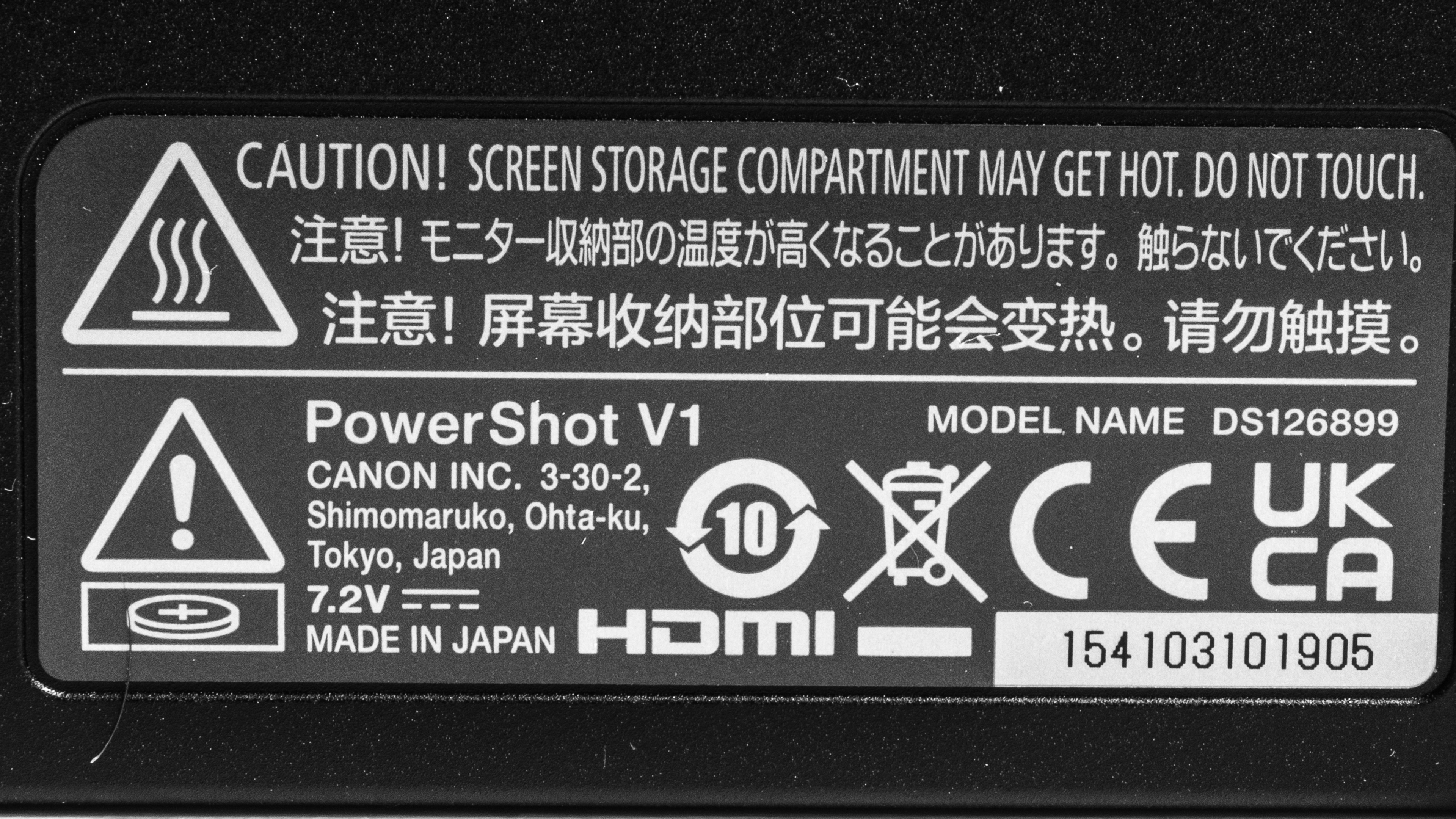
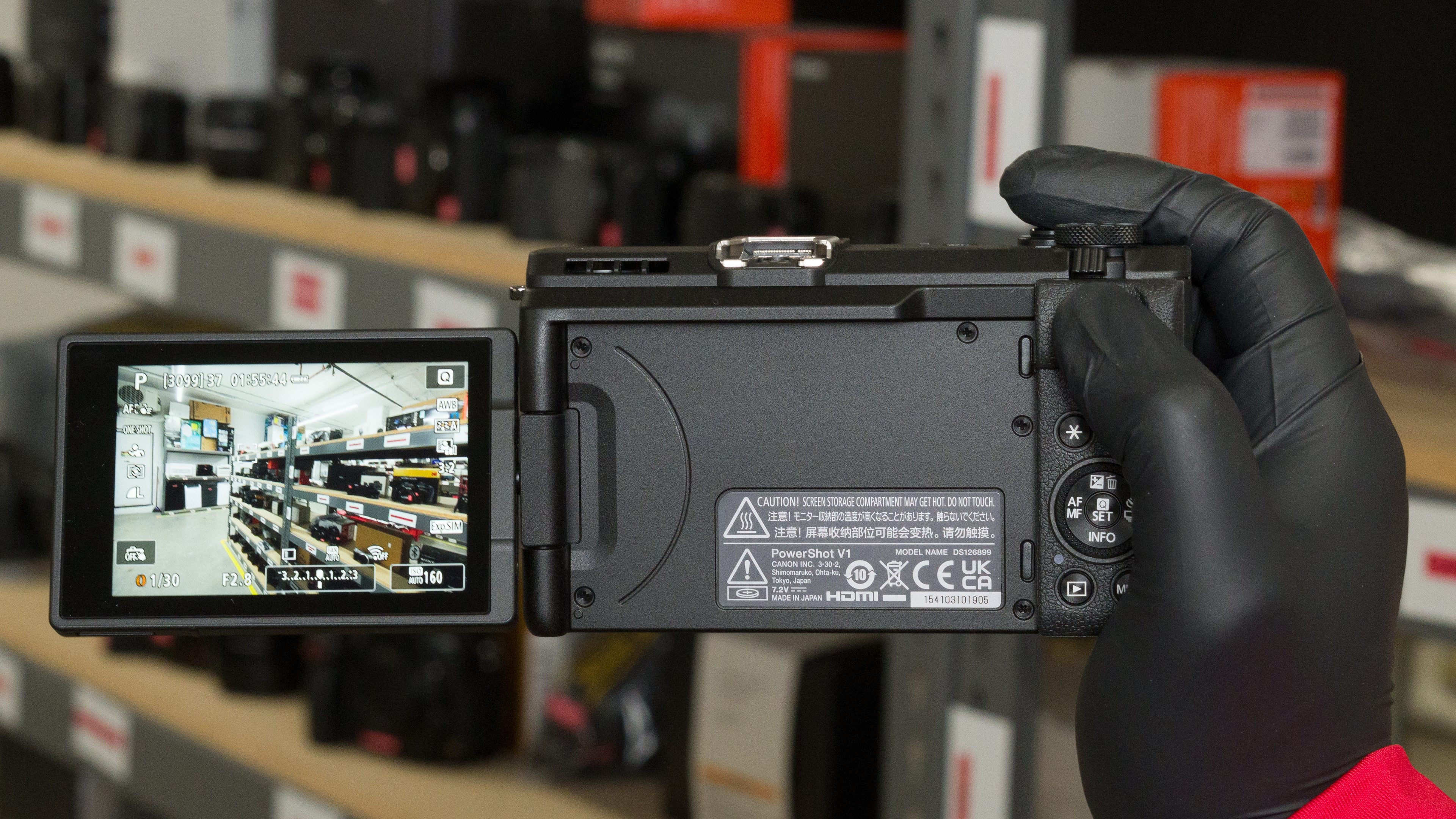
The Canon PowerShot V1 comes in one color, 'Black,' and that's the model we tested. Depending on the retailer, you can find it in bundles with accessories like a tripod grip or a memory card. Here's our unit's label.
Popular Camera Comparisons
The Canon PowerShot V1 is an all-in-one vlogging camera for creators who want better image quality than a typical compact without carrying a separate lens. Its 1.4-inch sensor delivers excellent dynamic range, and its stabilized 16-50mm-equivalent lens covers most vlogging and travel needs. It also includes many features especially tailored for video, like internal 10-bit 4:2:2 recording, Canon Log 3 for better color grading, and a built-in cooling fan. That said, it shows heavy rolling shutter in 4k, and recording 4k at 60 fps adds a large crop.
Its closest rivals are other compact vlogging cameras, like the Sony ZV-1 II and Canon's older PowerShot G7 X Mark III. Both are smaller and lighter. However, the V1's larger sensor captures more detail in high-contrast scenes and handles noise better, and only the V1 has a headphone jack and records 10-bit video. If you'd rather have interchangeable lenses, the Sony ZV-E10 II and the Fujifilm X-M5 pack larger APS-C sensors into similarly small bodies. The Sony costs more, especially once you add a lens, but it shows noticeably less rolling shutter in 4k. The Fujifilm costs about the same as the V1, and it crops less when you record 4k at 60 fps. Both interchangeable-lens models do get noticeably larger once you factor in the lens, though. The Canon EOS R50 is another option if you want a viewfinder and are familiar with Canon's ecosystem. Overall, if you want a compact camera that you can set up quickly for vlogs and still use for travel photos, the V1 is a well-rounded choice. It delivers a somewhat unique all-in-one package that includes a relatively big sensor in a compact system.
For more options, check out our recommendations for the best vlogging cameras, the best point-and-shoot cameras, or the best travel cameras.
The Canon EOS R50 and the Canon PowerShot V1 use the same processor and have similar overall performance, but they suit different users. The R50 is an interchangeable-lens APS-C camera with an electronic viewfinder and a built-in flash that's targeted at beginner photographers. The V1 is an all-in-one camera that's built for video and forgoes both of these features. It's more compact and more comfortable to hold. It supports Canon Log 3 for better color grading, which the R50 lacks, and it has much wider video dynamic range. Surprisingly, considering its smaller sensor, the V1 also captures wider dynamic range in photos, handles noise better, and shoots faster bursts with a deeper RAW buffer. It adds a headphone jack and records 4k at 60 fps with a crop, while the R50 tops out at 30 fps in 4k.
The Canon PowerShot V1 outperforms the Canon PowerShot G7 X Mark III in most respects, but the G7 X Mark III is easier to carry. It's smaller and more pocketable, and its lens reaches a longer 100mm equivalent focal length. It also shows less rolling shutter in 4k, and its center-point autofocus is more reliable. However, the V1's larger sensor captures much wider dynamic range with less noise. Its fully articulated screen is also more practical for vlogging than the G7 X Mark III's flip-up screen. For video, the V1 records 10-bit 4:2:2 footage with Canon Log 3, its autofocus is far better, and it overheated much less often in our testing. It lasts longer on a charge, too, and adds a headphone jack.
The Canon PowerShot V1 is a better camera overall than the Sony ZV-1 II, but the Sony is the more portable option. The Sony is smaller and lighter, and its stacked sensor shows much less rolling shutter in 4k. Its center-point autofocus in photos is also more consistent. On the other hand, the Canon's larger sensor captures much wider dynamic range and handles noise better. Its lens is a bit wider, and unlike the Sony's lens, it has optical stabilization. The Canon also records 10-bit 4:2:2 video and 4k at 60 fps with a crop, while the Sony tops out at 8-bit and 30 fps in 4k. It also has a headphone jack, a more comfortable grip, and longer battery life, and it overheated far less often in our testing thanks to the included fan.
The Sony ZV-E10 II and the Canon PowerShot V1 are both very capable vlogging cameras, and the right choice depends on whether you want interchangeable lenses. The Sony's APS-C sensor works with a wide range of E-mount lenses, and its tracking autofocus in photos is much more reliable. Its battery also lasts considerably longer, and it can record 4k at up to 120 fps with a slight crop. On the other hand, the Canon is more compact than the Sony's body alone. It also shoots much faster bursts with its electronic shutter, handles noise better, and is more comfortable to hold.
Test Results
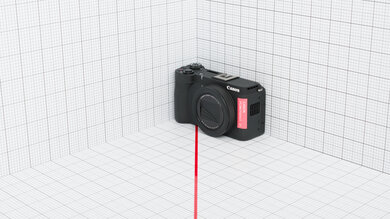
The Canon PowerShot V1 has great portability. Its compact body takes up little room in a bag, and you can carry it on long outings without much strain. It's still bulkier and heavier than many compacts, though, and the lens extends when you zoom in.
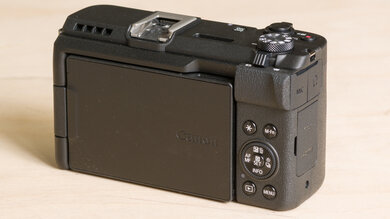
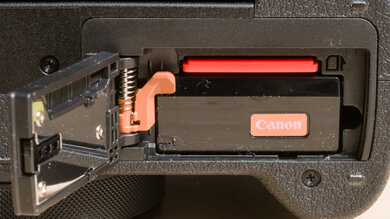
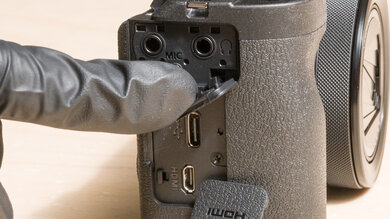
The Canon PowerShot V1 has good build quality. Its body is made of a durable, fairly lightweight plastic, and a rubberized, textured coating covers the grip, front, bottom, and sides. The dials and buttons feel high-quality, with little to no play, and the screen hinge is solid. It articulates smoothly and holds its position firmly. The battery and SD card share a compartment behind a locking hinged door, while flaps cover the other ports. However, the camera isn't weather-sealed. During long 4k recordings, the cooling fan makes a bit of noise, but it stays quiet enough not to be disturbing.
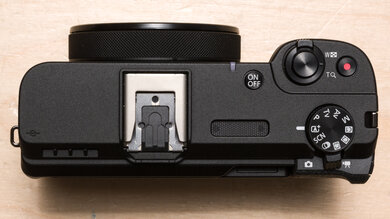
The Canon PowerShot V1 has a minimalist point-and-shoot layout with a mode dial and a record button on the top plate. By default, the rear dial adjusts shutter speed, while the control ring around the lens sets the aperture. You can remap both dials, and several buttons are customizable. A zoom lever around the shutter button controls the lens. The shutter button gives good tactile feedback, but the record button feels a bit mushy, even though it's in a convenient spot.
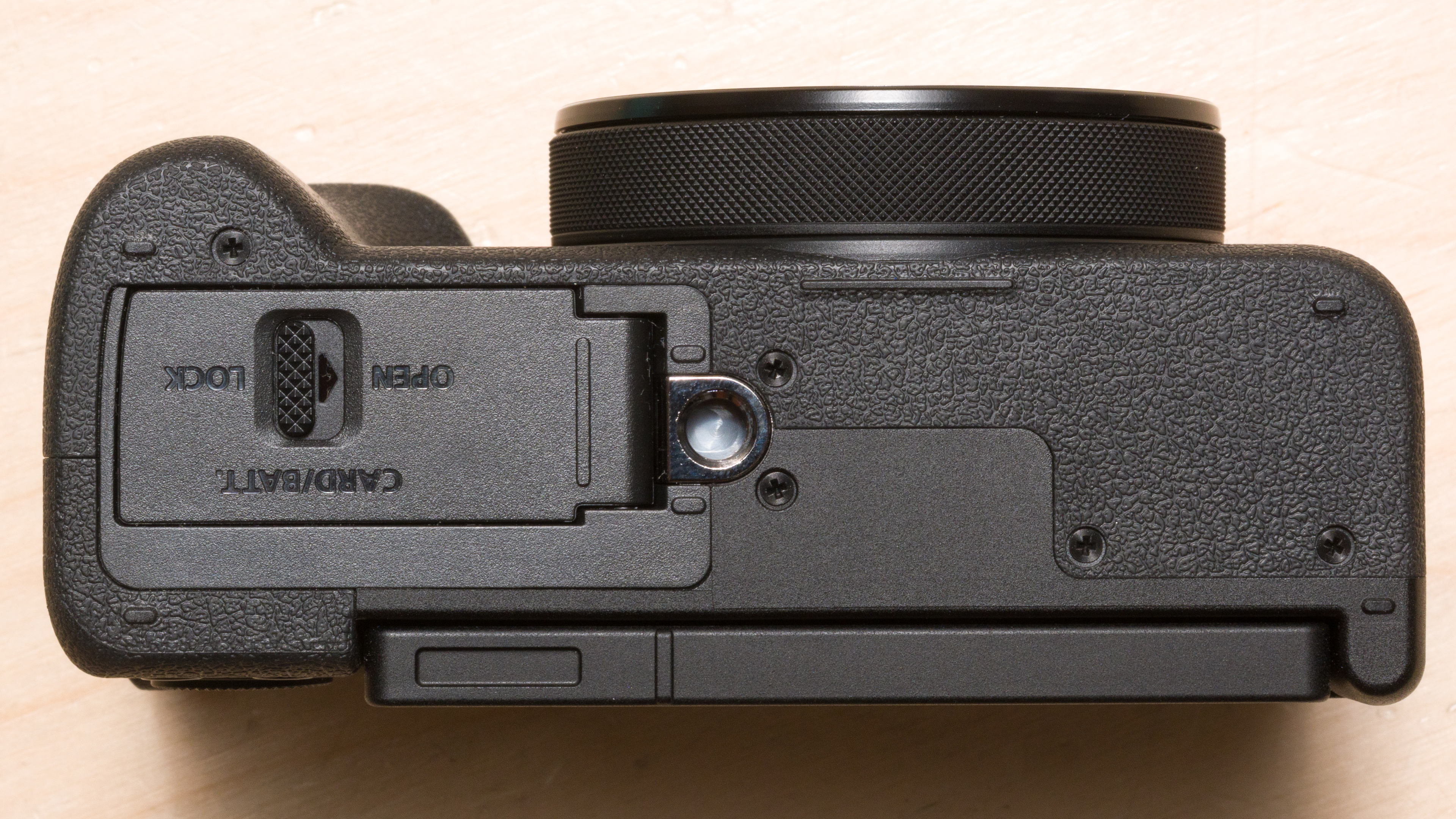
On top, there's a multi-function shoe for microphones and other accessories, and Canon includes a cover to protect it. A recording light lets you know when the camera is rolling. You'll find the battery door on the camera's underside.
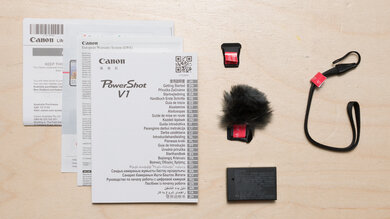
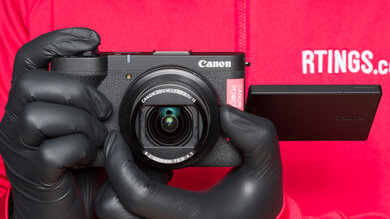
The Canon PowerShot V1 has excellent ergonomics. Despite its boxy look, it fits your hand well and stays comfortable during long shooting sessions. The textured, rubberized grip feels great and leaves enough room for larger hands, even if it can feel cramped for extra-large hands. The thumb rest on the back of the camera also gives you a secure hold without accidentally pressing buttons.
The buttons are easy to reach, though the rear dial takes a slight shift of your grip. The touchscreen lets you change most common settings quickly, too, and every button stays accessible even with the included wind screen on the hot shoe.
The Canon PowerShot V1 doesn't have a viewfinder.
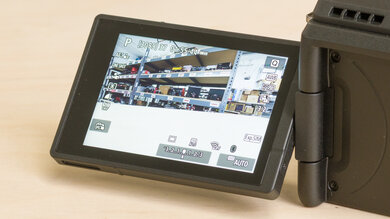
The Canon PowerShot V1's fully articulated screen is excellent. You can swing it out and turn it toward you when you vlog, or angle it for high and low shots. Its resolution looks sharp, and it's bright enough for most outdoor use. Touch controls can be used for pretty much everything. You can tap to shoot or start recording, pick your focus point, and scroll through menus.
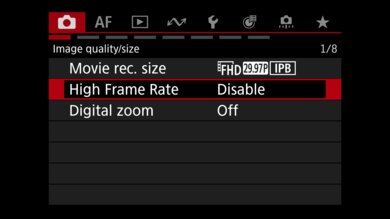
The Canon PowerShot V1 has an excellent menu system, shared with the other recent Canon models. Photo and video modes each get their own menu, and shooting and autofocus settings live in separate tabs, so you don't have to dig through submenus. A 'Customized controls when shooting' tab lets you remap the dials and buttons, and a diagram highlights each control you're changing, which makes customization easy even for beginners.
You can navigate with the touchscreen or with the rear dial, control ring, and zoom lever. The Quick menu also gives you fast access to the most common settings. There's no full guide mode, but if you turn on the 'Feature Guide' option in the 'Country/Area/Guidance' menu, the Quick menu shows short descriptions of each setting.
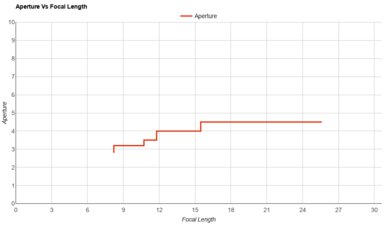

The Canon PowerShot V1's built-in lens is decent. Its 16-50mm full-frame equivalent focal length covers wide selfie shots and tighter framing. The maximum aperture is f/2.8 at the wide end, but it narrows quickly as you zoom in, reaching f/4.5 at around a 30mm-equivalent focal length. The lens has optical image stabilization and a built-in ND filter, which help you maintain a wide aperture or a slower shutter speed in bright light. Vignetting is also minimal, so the corners of your shots stay nearly as bright as the center.
The Canon PowerShot V1's sensor is noticeably larger than the 1-inch sensors in compacts like the Sony ZV-1 II, and about the same size as the one you'd find in a Micro Four Thirds camera like the Olympus OM-D E-M10 Mark IV.
The Canon PowerShot V1 has okay battery life. It uses Canon's LP-E17 battery, and Canon rates it for 340 shots per charge, or 400 shots in its power-saving mode. Real-world results vary with how you shoot, since CIPA ratings are only a rough guide. For video, it lasted just over an hour of continuous 4k recording in our test.
You can charge the battery over USB-C, but there's no charger or cable in the box. The camera can also run on USB-C power, but it doesn't charge the battery while it's on. A grayed-out battery icon shows when it's running on external power. To charge, turn the camera off. In our testing, the camera kept recording indefinitely while plugged in, even with a dead battery.
The Canon PowerShot V1 has excellent shooting speeds. Its electronic shutter reaches 30 fps, and the mechanical shutter tops out at 15 fps, which is still fast enough for most action. Since the sensor isn't stacked, fast-moving subjects can look distorted with the electronic shutter. In RAW, the buffer holds 29 photos before the camera slows down, which can be quite limiting. Thankfully, it empties in only about three seconds. In JPEG, you can keep shooting practically indefinitely.
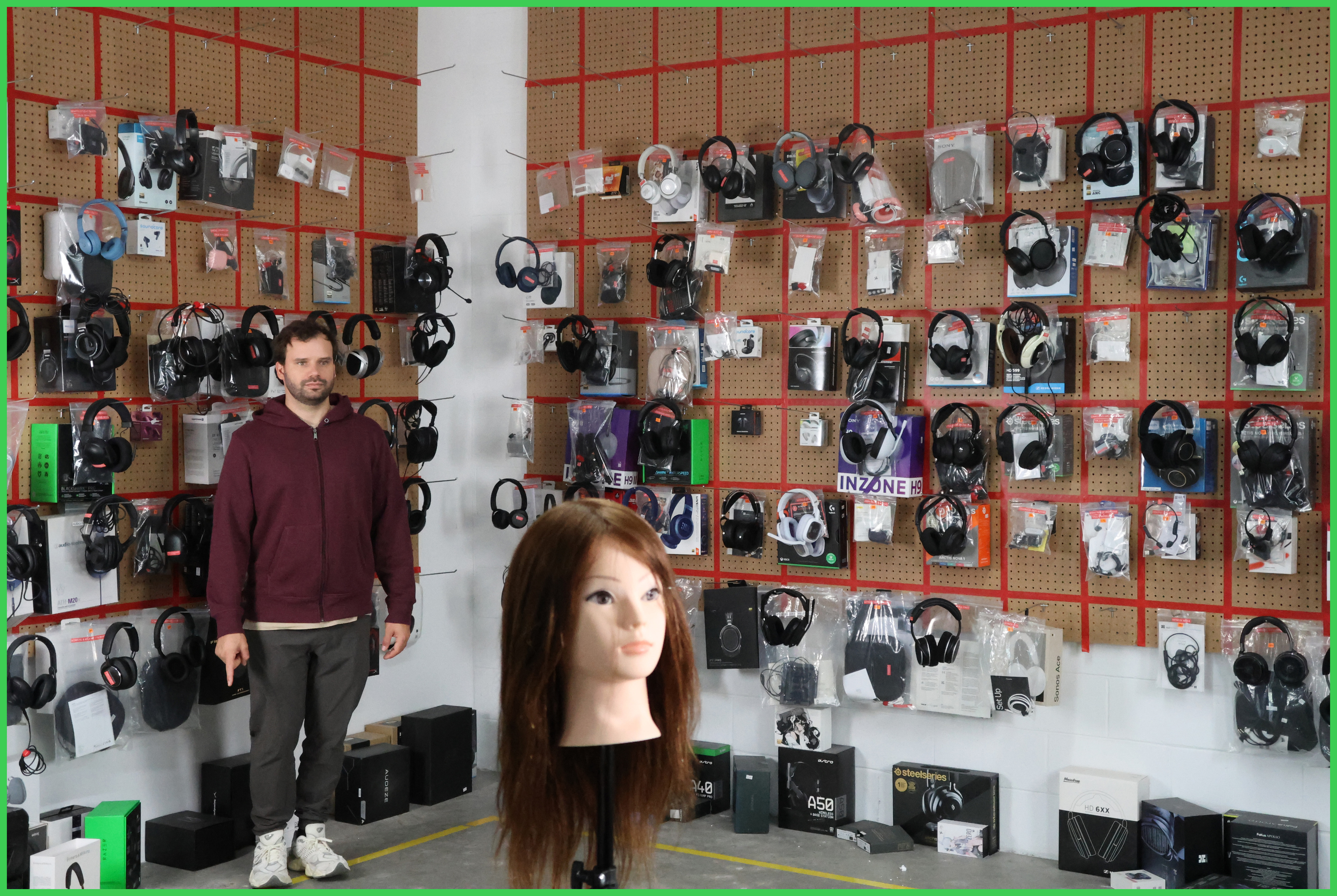
Photo tracking autofocus is mediocre. The camera has a hard time keeping moving subjects sharp, and fewer than half of our test shots came out perfectly in focus. About two-thirds were still usable, though, so it should handle slower or more predictable subjects quite well.
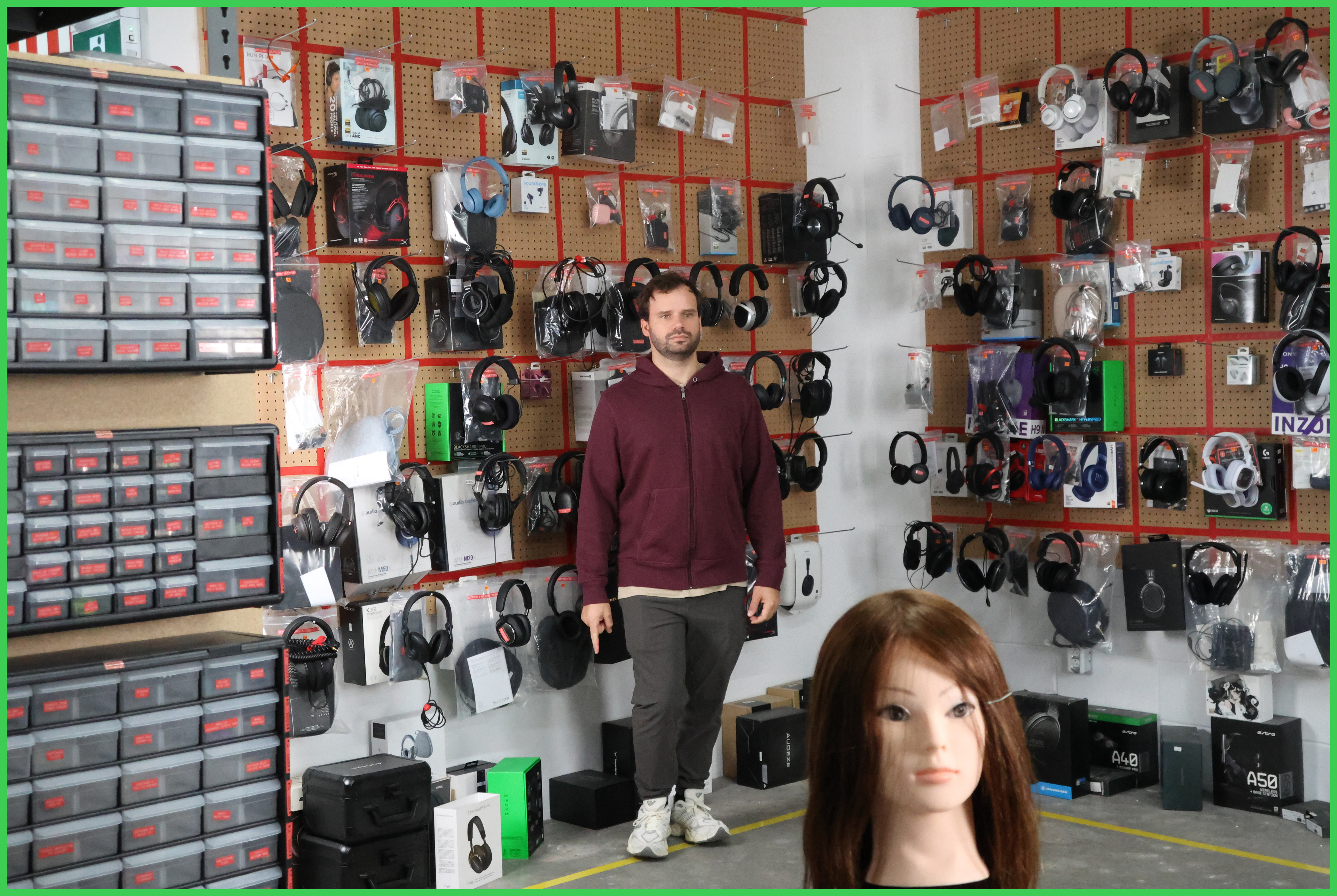
Switching from tracking to a single-center focus yields good results, even though we would have expected better results in this setting. Most of our test shots came out perfectly sharp, but a noticeable share still missed focus. It's more dependable than tracking for subjects moving in a predictable path that should be fairly easy to keep within the focus point.
The Canon PowerShot V1 has excellent image stabilization. It relies on optical stabilization in its built-in lens instead of in-body stabilization. Even so, you can take sharp handheld photos at shutter speeds as slow as 1/6s. As usual, steady hands and shorter focal lengths help you get the most out of it.

Dynamic range is excellent. At base ISO, the Canon PowerShot V1 captures a wide tonal range, so a backlit portrait keeps detail in both the bright background and your subject's face. Results stay strong as exposure times get shorter, and it captures far more shadow and highlight detail than other point-and-shoots, such as the Sony ZV-1 II with its 1-inch sensor.
Our analysis software didn't read the camera's RAW files correctly, so we converted them to DNG before processing them. We used the electronic shutter for the 1/4,000s measurement, since the mechanical shutter tops out at 1/2,000s.

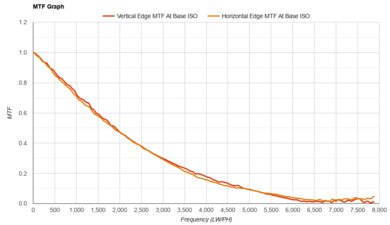
The Canon PowerShot V1 takes great, sharp photos. To find the lens's best settings, we compared three apertures and three focal lengths, and f/5.0 at a 50mm equivalent gave the sharpest results. Images look crisp, and the 22.3-megapixel resolution leaves you a bit of room to crop.
Here are the other results for each combination of aperture and focal length we tested (full-frame equivalent focal lengths):
- f/4.5, 50mm: 7.5
- f/5.0, 50mm: 8.1
- f/5.6, 50mm: 8.0
- f/5.0, 35mm: 8.1
- f/5.0, 28mm: 7.7

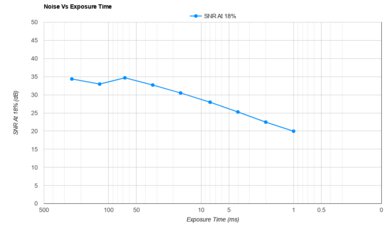
The Canon PowerShot V1 handles noise well. Grain stays low in most lighting and only starts to show at fast shutter speeds, like when you freeze action indoors. It's much cleaner than the Sony ZV-1 II, and at faster shutter speeds, it even beats APS-C cameras like the Canon EOS R50.
The Canon PowerShot V1 has a strong set of video features, especially for a compact camera. It records 4k and 1080p video, and Canon says it oversamples its 4k footage from 5.7k. For grading, you get Canon Log 3 plus an HDR PQ mode for footage intended for HDR displays. The HDMI output is clean and supports 10-bit 4:2:2 video for external recorders, and a recording light shows when the camera is rolling.
The optical stabilization in the lens also works with a digital stabilization feature. Setting it to 'On' adds a 1.1x crop, while 'Enhanced' adds a 1.43x crop. A 'Subj. track IS' option, which keeps your subject steady in the frame, also adds a 1.43x crop. These modes work in every recording setting except 4k at 60 fps. The camera records stereo audio and shows your microphone levels on the screen.
MP4 is the only container on the Canon PowerShot V1, and you can choose between H.264 and H.265 compression. All standard recording modes use Long GOP compression. All-I compression only appears in the time-lapse mode, so we don't count it. The camera records in 8-bit 4:2:0 by default and switches to 10-bit 4:2:2 when you turn on Canon Log 3 or HDR PQ.
The Canon PowerShot V1 offers a wide range of 4k frame rate options. At 30 fps and below, it uses the full width of the sensor, which suits most vlogs and YouTube videos. Recording at 60 fps gives you smoother motion or subtle slow-motion effects, but it adds a large 1.41x crop that removes much of the lens's wide-angle. Digital stabilization isn't available at that frame rate, either.
The Canon PowerShot V1 has outstanding 4k internal recording. Turning on Canon Log 3 or HDR PQ switches it to 10-bit 4:2:2 at high bit rates, which is ideal for color grading. Canon also allows clips of up to six hours. Even so, the camera overheated in our test. With the fan on its default 'Auto' setting, the body heated up noticeably, and an overheating warning ended the recording after about 45 minutes.
Rolling shutter is poor in 4k. The sensor reads out slowly, so quick pans and fast-moving subjects make vertical lines appear noticeably skewed.
The Canon PowerShot V1's 1080p frame rates are outstanding. For slow motion, it records up to 120 fps without cropping the frame. To use 120 fps, you need to turn on the 'High Frame Rate' setting, which doesn't record audio and limits clips to 90 minutes. You can find more information on the supported frame rates in Canon's manual.
The 1080p rolling shutter performance is okay. Skewing is much milder than in 4k, though fast pans and quick-moving subjects still visibly bend vertical lines.
Video dynamic range is great. Recording in Canon Log 3, the Canon PowerShot V1 keeps noise well under control. As a result, a large share of the range it captures stays clean and usable, even with a strict noise threshold. However, it still captures fewer stops in total than APS-C cameras like the Fujifilm X-M5. That leaves you a bit less room to recover detail in the brightest and darkest parts of a scene.
Tested settings:
- Resolution: 4k
- Video Format: MP4, IPB, 10-bit, 4:2:2
- Frame Rate: 30 fps
- Log Format: Canon Log 3