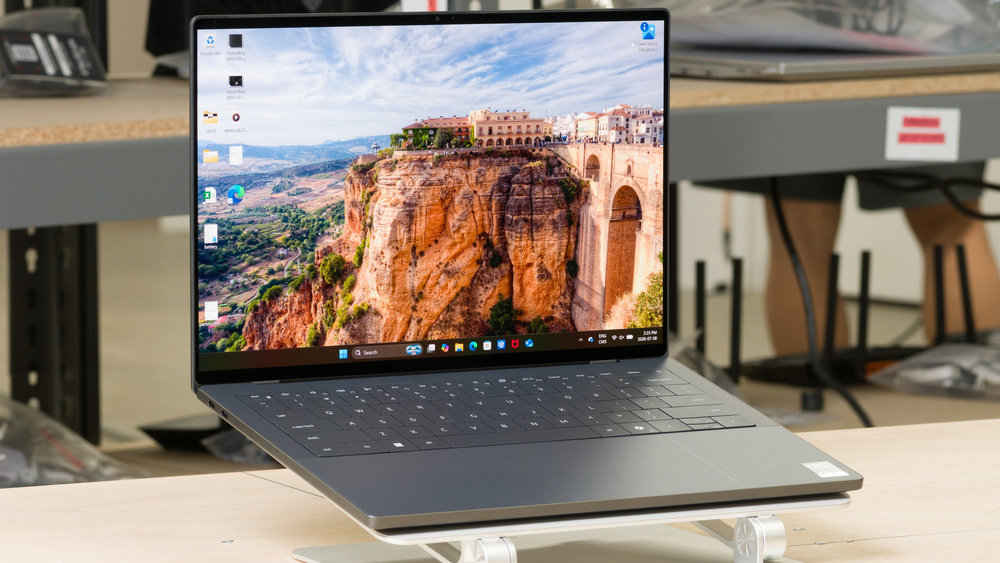
The Dell XPS 14 (2026) is a premium 14-inch Windows laptop in Dell's wider XPS lineup. Compared to the last model in the series, the Dell XPS 14 (2024), it has a thinner, lighter aluminum body, a physical function row, better battery efficiency, and a higher-resolution webcam, although it no longer has discrete GPU options. It's available in several configurations, with Intel Core Ultra Series 3 CPUs and integrated Intel or Intel Arc graphics. You can also configure it with 16GB to 64GB of soldered RAM, 512GB to 4TB of SSD storage, and either an IPS FHD+ or a 2.8k OLED touchscreen.
See our unit's specifications and more details on the available configuration options in the Differences Between Variants section.
Our Verdict
The Dell XPS 14 (2026) isn't designed for gaming. It isn't available with discrete GPU options, but the Intel Arc B390 graphics in higher-end configurations can handle some moderately demanding titles at lower resolutions and settings, as well as less graphically demanding games, retro titles, and indies. However, modern, graphically intensive games will require low settings and upscaling, and some still won't run smoothly.
Has full VRR support.
OLED display configuration is sharp and vibrant.
Superb build quality; thin and lightweight chassis.
Keyboard has adjustable backlighting.
Unsuitable for new, more graphically demanding games.
Soldered RAM.
No USB-A or HDMI ports.
No discrete GPU options.
IPS display configuration has slow response time.
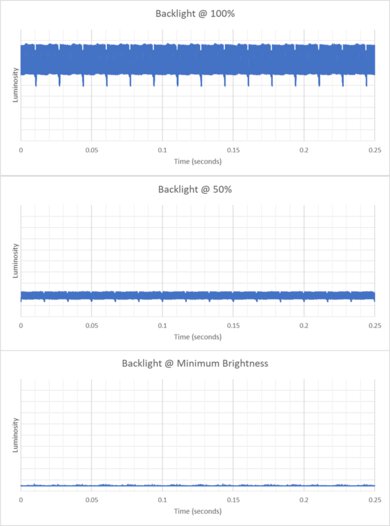
OLED display flicker may bother sensitive users.
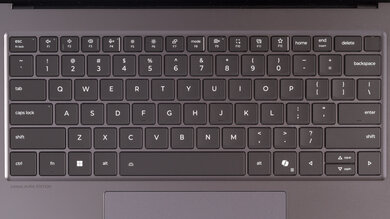
The Dell XPS 14 (2026) is great for school and work. It has superb build quality, with a lightweight but very sturdy aluminum body, and its battery lasts through a typical school or workday. It's available with a lower-resolution IPS display or a higher-resolution OLED display with touchscreen support, which provides a more vibrant, higher-contrast picture. The keyboard is well-spaced and provides a satisfying typing experience, while the fairly large glass touchpad feels responsive. It also has an outstanding 4K webcam for calls and meetings. Unfortunately, apart from an audio jack, its port selection is limited to three USB-C/Thunderbolt 4 ports, so you may need a dock or adapter to connect certain peripherals.
Superb high-resolution webcam.
Has a row of physical function keys.
Keyboard has adjustable backlighting.
Battery lasts up to ~11 hours of light use or ~8 hours of media playback.
Good speakers and a 3.5mm audio jack.
No USB-A or HDMI ports.
IPS display configuration isn't ideal for dark room viewing.
OLED display flicker may bother sensitive users.
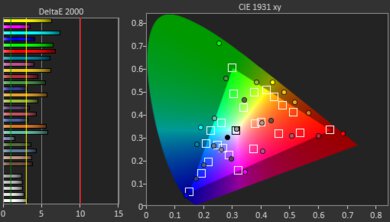
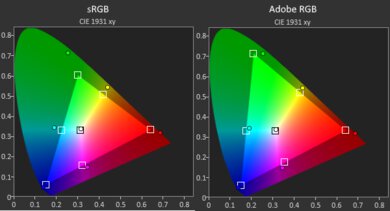
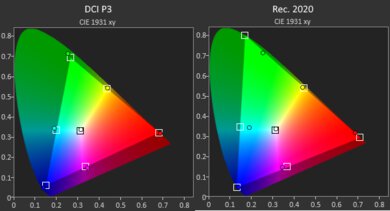
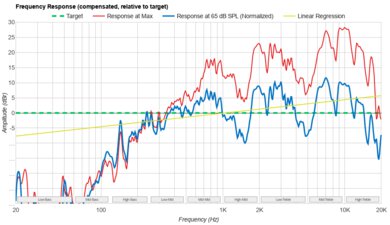
The Dell XPS 14 (2026) is great for media consumption. It has a very sturdy yet thin and portable chassis. The OLED display we tested produces a much sharper and more vibrant image than the lower-resolution IPS option, with perfect blacks, fast response times, and touch support, making it the more appealing choice for most people. The IPS display is likely a little brighter but otherwise less vibrant, with worse contrast and likely slower response times. Battery life is also great for an OLED laptop of this size, providing about eight hours of continuous video playback between charges. The speakers sound quite good and get impressively loud. Unfortunately, the display's color accuracy is only satisfactory out of the box. This may not matter for casual viewing, but it means some content won't appear exactly as its creator intended.
OLED display configuration is sharp and vibrant.
Superb build quality; thin and lightweight chassis.
Battery lasts up to ~11 hours of light use or ~8 hours of media playback.
Good speakers and a 3.5mm audio jack.
IPS display configuration isn't ideal for dark room viewing.
OLED display flicker may bother sensitive users.
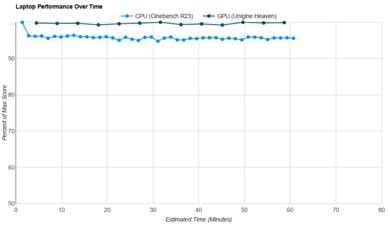
The Dell XPS 14 (2026) is adequate for heavy workloads, though its performance depends largely on the configuration you choose. Its main weakness is the lack of discrete GPU options. That said, the higher-end configuration we tested performs reasonably well for multitasking and creative work, and its integrated Intel Arc B390 graphics are surprisingly capable. However, it isn't primarily intended for GPU-heavy workloads, and its CPU performance can decline significantly over time under sustained load.
Display is suitable for color-critical work but may need calibration for accuracy.
Has a row of physical function keys.
Soldered RAM.
No USB-A or HDMI ports.
No discrete GPU options.
OLED display flicker may bother sensitive users.
CPU performance can suffer significantly over time under heavy, sustained workloads.
The Dell XPS 14 (2026) has amazing battery life. It easily lasts through a full workday, and you can watch 3-4 movies before needing to charge.
Battery lasts up to ~11 hours of light use or ~8 hours of media playback.
The Dell XPS 14 (2026) has remarkable build quality. It's made of lightweight, premium-feeling materials and feels very sturdy to hold and use. The hinge is also fantastic, with good stability, and you can open it with one finger.
Superb build quality; thin and lightweight chassis.
The Dell XPS 14 (2026) we tested is equipped with the Intel Arc B390 iGPU and delivers graphics performance suitable for everyday tasks like media playback and web browsing, as well as light gaming and creative work. The base iGPU is only suitable for general productivity and will struggle with any more demanding graphical tasks.
Unsuitable for new, more graphically demanding games.
The Dell XPS 14 (2026) with the Intel Core Ultra X7 processor we tested delivers decent processing performance suitable for multitasking and some creative work. The lower-end processors will struggle with more demanding workloads and are best suited for basic productivity tasks.
CPU performance can suffer significantly over time under heavy, sustained workloads.
Performance Usages
Changelog
-
Updated Nov 02, 2026:
We mention the newly reviewed HP OmniBook Ultra 14 (2026) in the Brightness section.
- Updated Oct 29, 2026: We've updated this review to Test Bench 1.0.1. This is a minor update that fixes scoring discrepancies on laptops that don't support all the games we benchmark. Read the changelog for more details.
-
Updated Oct 13, 2026:
We mention the newly reviewed Lenovo ThinkPad X1 Carbon Gen 14 Aura Edition (2026) in the Serviceability section.
- Updated Oct 08, 2026: We've updated this review to Test Bench 1.0! This update adds several new verdict scores to the review, so it's easier to make a buying decision. Read the changelog for a full list of changes.
Check Price
Differences Between Sizes And Variants
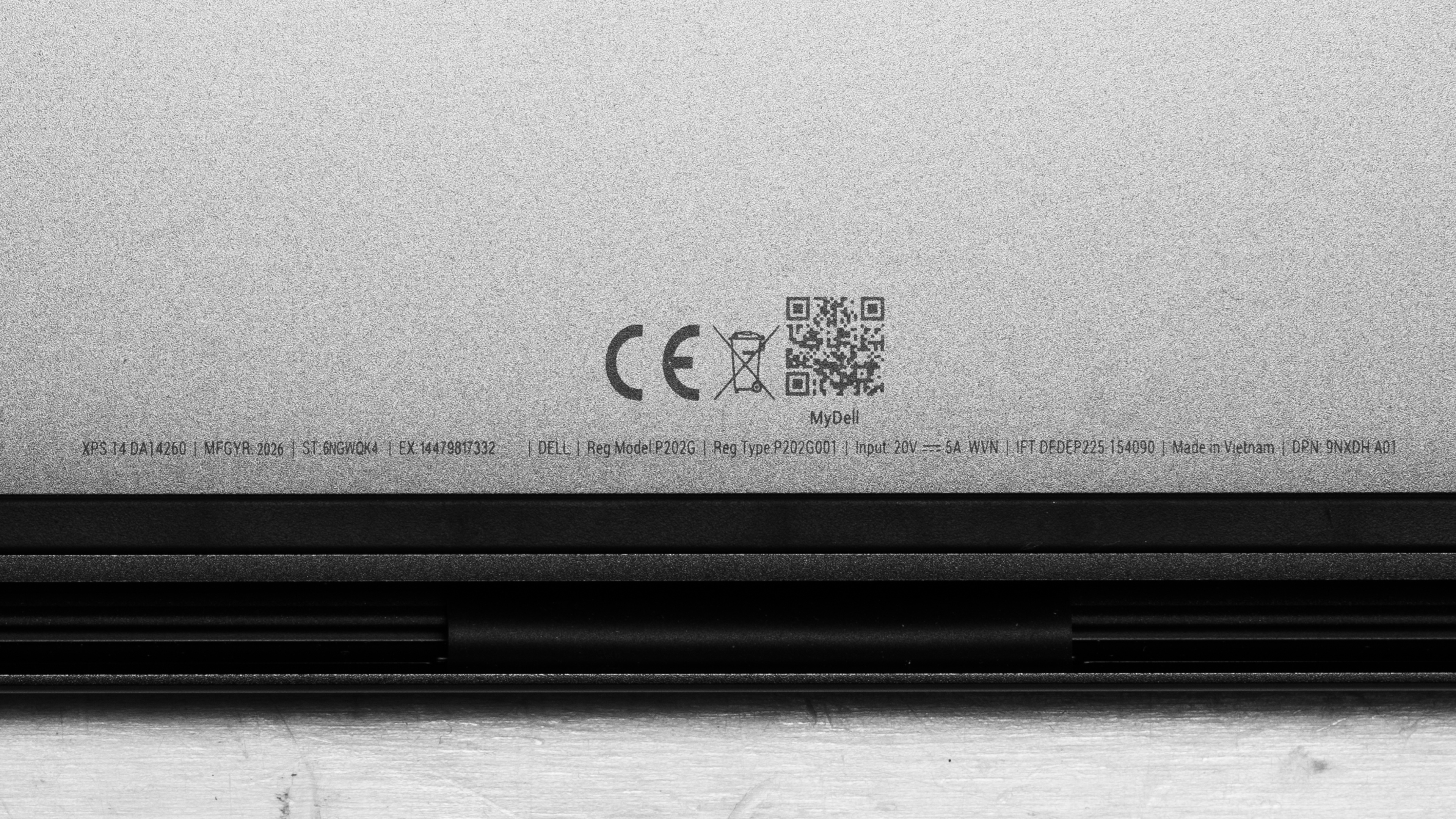
The Dell XPS 14 (2026) we tested has an Intel Core Ultra X7 Processor 358H, Integrated Intel Arc B390, 32 GB of RAM, 1 TB SSD storage, and a 14" Touch 2.8K (2880x1800) OLED display. See a photo of our unit's label.
We've listed configuration options as of August 2026 below, with our configuration highlighted. We also recommend checking Dell's configurator to explore the available options, as they may change with time.
SCREEN
- 14.0" IPS 1920 × 1200 1–120Hz (non-touch, 500 cd/m², 100% sRGB)
- 14.0" OLED 2880 × 1800 20–120Hz (touchscreen, 400 cd/m², 100% DCI-P3)
CPU
- Intel Core Ultra 5 325 (8 cores, 8 threads, up to 4.5 GHz, 12MB cache)
- Intel Core Ultra 7 355 (8 cores, 8 threads, up to 4.7 GHz, 12MB cache)
- Intel Core Ultra X7 358H (16 cores, 16 threads, up to 4.8 GHz, 18MB cache)
- Intel Core Ultra X9 388H (16 cores, 16 threads, up to 5.1 GHz, 18MB cache)
GPU
- Intel Graphics (integrated)
- Intel Arc B390 Graphics (integrated)
MEMORY
- 16GB LPDDR5x 7467MT/s
- 32GB LPDDR5x 9600MT/s
- 64GB LPDDR5x 9600MT/s
OPERATING SYSTEM
- Windows
- Ubuntu Linux
STORAGE
- 512GB M.2 PCIe NVMe SSD
- 1TB M.2 PCIe NVMe SSD
- 2TB M.2 PCIe NVMe SSD
- 4TB M.2 PCIe NVMe SSD
COLOR
- Storm
Popular Laptop Comparisons
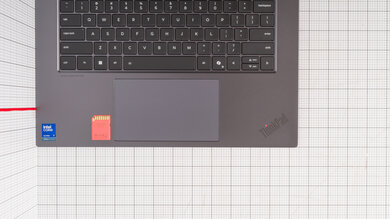
The Dell XPS 14 (2026) revives Dell's XPS branding after the company briefly retired it in 2025. Compared to its last XPS-branded model, the Dell XPS 14 (2024), the new Dell XPS 14 (2026) has a smaller, lighter aluminum body, a higher-resolution webcam, and better battery efficiency thanks to its new Panther Lake processors. Notably, it restores physical function keys, which the 2024 model replaced with touch-sensitive controls. Dell also added markings along the touchpad's borders to indicate its usable surface, which addresses a major criticism of the 2024 design.
Unlike the 2024 XPS 14, the 2026 model isn't available with a discrete GPU. The previous model's optional RTX 4050 made it better suited to creative work in GPU-heavy programs that benefit from NVIDIA-specific features like CUDA. However, the Intel Arc B390 graphics available in higher-end 2026 configurations are surprisingly capable for integrated graphics and may approach the previous model's low-powered RTX 4050 in certain games. That said, this model is designed with more emphasis on portability, battery efficiency, and everyday productivity rather than any sustained GPU performance.
If you don't mind a somewhat larger option, the Lenovo ThinkPad X9 Aura Edition (2025) is a Windows alternative with similarly premium construction, a 120Hz OLED display, and excellent battery life. However, its low-power Intel processors and integrated graphics are best suited to general productivity, while the XPS offers somewhat more performance and configuration headroom. Alternatively, if you're open to considering options in the macOS ecosystem, the Apple MacBook Pro 14 (M5, 2025) is a more performance-oriented competitor. It has a vibrant 120Hz Mini LED display, even better build quality, a wider port selection, and a more premium feel overall. It also performs better in most workloads and maintains its performance more consistently under sustained load.
For more recommendations, see our picks for the best laptops, the best Windows laptops, and the best 13-14 Inch laptops.
Despite both carrying XPS branding, the Dell XPS 14 (2026) and Dell XPS 13 (2026) have quite different designs and target different uses. The XPS 14 feels slightly more premium, has somewhat better build quality, and is available in a wider range of more powerful configurations better suited for heavier productivity, content creation, and light gaming. It's also available with either an IPS or OLED display. By comparison, the XPS 13 is designed primarily for light productivity and everyday browsing and is only available with an IPS display. Both are quite lightweight and portable, but the XPS 13 has a smaller display and overall footprint, and it's noticeably lighter.
The Lenovo ThinkPad X9 Aura Edition (2025) and the Dell XPS 14 (2026) are premium Windows laptops available with OLED displays and designed for general productivity, multitasking, and creative work. The Lenovo is slightly larger, with a bigger display, marginally better build quality, and a wider port selection. The Dell is more portable and has a higher-resolution webcam. Additionally, its higher-end configurations provide better CPU performance and up to 64GB of RAM, giving it more headroom for demanding multitasking and creative work.
The Apple MacBook Pro 14 (M5, 2025) and the Dell XPS 14 (2026) are premium laptops with 120Hz displays. The Dell is slightly thinner and lighter. It offers a choice between an IPS or an OLED touchscreen, a higher-resolution webcam, and up to 64 GB of RAM. While the Dell model's build quality is superb, Apple's is a bit better. It also has longer battery life, a wider selection of ports, and a brighter Mini LED display that's more color-accurate out of the box. Additionally, it performs better in most workloads and maintains its performance more consistently under sustained loads. Otherwise, the remaining difference is the operating system: the Dell is available with Windows or Ubuntu, while the Apple runs macOS, which is a meaningful consideration depending on the software you need and any existing ecosystem familiarity you have.
The Lenovo ThinkPad X1 Carbon Gen 14 Aura Edition (2026) and the Dell XPS 14 (2026) are premium Windows ultraportables. The ThinkPad is better for frequent travelers and business users, thanks to its lighter design, optional cellular connectivity, and wider port selection, including USB-A and HDMI. The Dell is a compelling alternative if you mainly use USB-C peripherals and want a smoother display without upgrading to OLED, as its base IPS panel supports 120Hz and variable refresh rates. Both offer OLED touchscreens, up to 64GB of soldered memory, and powerful Intel processor options with Arc B390 integrated graphics, so neither has a universal performance advantage across configurations.
Test Results
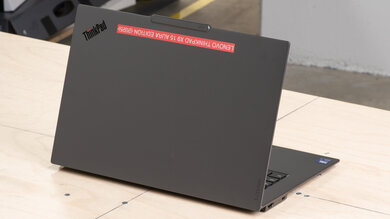
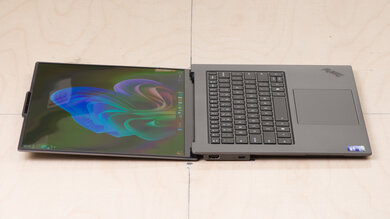
for pictures & test results
for pictures & test results
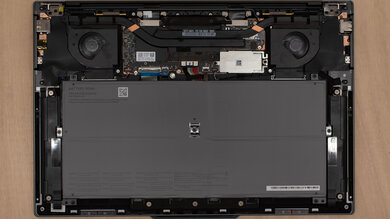
for pictures & test results



for pictures & test results

for pictures & test results
for pictures & test results
for pictures & test results