Apple MacBook Pro 14 (M5, 2025)  Laptop Review

Reviewed Nov 27, 2025 at 09:03am
Tested using Methodology v0.9 
Apple MacBook Pro 14 (M5, 2025)
8.8
General Productivity 
9.4
Multimedia 
5.9
Gaming 
7.6
Workstation 
 1
  1. Recommended in:
  2. Photo Editing

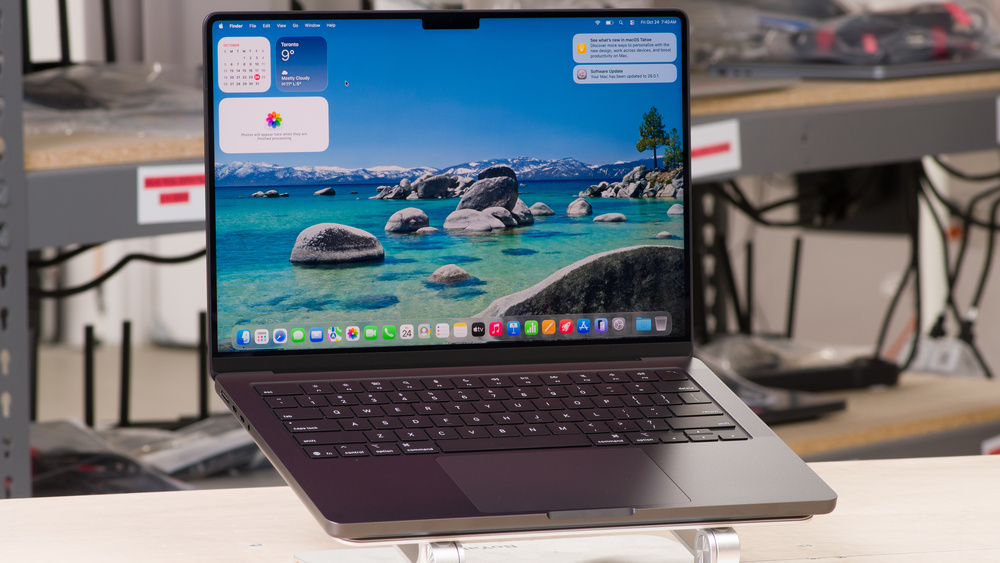
The Apple MacBook Pro 14 (M5, 2025) is a premium productivity laptop. While it's technically a successor to the Apple MacBook Pro 14 (M4, 2024), it only replaces the base M4 model, as Apple has only announced and released the base M5 configuration, with no Pro/Max upgrade options. The new base M5 chip uses the same core count and composition as its M4 predecessor (10 CPU and 10 GPU cores); however, it has a wider memory bandwidth of 153GB/s (up from 120GB/s) as well as Neural Accelerators attached to each GPU core. Memory and storage configurations max out at 32GB and 4TB, respectively. Like the M4 model, you get a 254 PPI 120Hz ProMotion display, a 1080p webcam with Center Stage support, and Wi-Fi 6E wireless connectivity. Ports include three USB-C/Thunderbolt 4s, an HDMI 2.1, a full-size SD card reader, a headphone jack, and a MagSafe charging port.

See our unit's specifications and the available configuration options in the Differences Between Variants section.

Black Friday 2025 Deals

If you're looking to pick up a new laptop on Black Friday, check out all the best deals that we've found this year!

Our Verdict

8.8
General Productivity 

The Apple MacBook Pro 14 M5 is excellent for general productivity. This premium, well-built laptop is easy to carry, and its battery lasts around 16 hours in light uses. It has a sharp display, a large, easy-to-use haptic touchpad, an excellent webcam, and tons of ports. The keyboard feels spacious and tactile; however, heavy typers may find it tiring to type on due to the keys' short travel. Performance is excellent; this laptop can easily handle general productivity tasks and some demanding tasks like video editing and programming, as long as the project isn't overly complex.

Pros
  • Exceptional build quality and compact design.

  • All-day battery life.

  • Provides amazing user experience with its bright display, tactile keyboard, and large haptic touchpad.

  • Wide port selection.

  • Outstanding 1080p webcam.

Cons
  • Heavy typers may not like the keyboard's short travel.

9.4
Multimedia 

The Apple MacBook Pro 14 M5 is outstanding for media consumption. It's an easy-to-carry device with a battery that lasts nearly 16 hours (local video playback), so you get plenty of time to get through multiple full-length movies and TV show episodes while on the go. Apple's Liquid Retina XDR display looks incredibly sharp, colorful, and well-calibrated. It also produces deep blacks, perfect for dark room viewing and HDR content. The up-firing speakers sound well-balanced and full, with a good amount of bass, and they get very loud with minimal artifacts at max volume.

Pros
  • Exceptional build quality and compact design.

  • All-day battery life.

  • Sharp, colorful, Mini LED display.

  • Loud speakers sound natural and clear, with a good amount of bass.

Cons
  • No touch input support.

  • Some blooming around bright objects in dark scenes.

5.9
Gaming 

The Apple MacBook Pro 14 M5 isn't ideal for gaming. Its base M5 SoC doesn't quite have the graphical prowess to deliver smooth gameplay in highly demanding games. In addition to the limited number of titles with macOS support, many games don't run natively on Apple silicon, meaning performance will vary a lot depending on the game. As for the display, while its Mini LED panel's 120Hz refresh rate gives smoother motion and increased input responsiveness, its response time is only decent, resulting in noticeable ghosting in fast-moving scenes.

Pros
  • 120Hz display with decent response time.

  • Minimal throttling under load.

  • Doesn't get overly hot or loud.

Cons
  • Base M5 SoC struggles in highly demanding workloads.

  • Heavy typers may not like the keyboard's short travel.

  • Limited number of games with macOS support.

  • Performance varies, as many games lack optimization for Apple silicon.

7.6
Workstation 

While the Apple MacBook Pro 14 M5 is technically a workstation, the entry-level configuration with a base M5 SoC is more of a general productivity device. It can handle some demanding tasks like programming and video editing, but it'll struggle in highly intensive workloads, especially ones that require a lot of memory (you can only get up to 32GB of RAM) and/or graphical processing power. Apple's ProMotion display is suitable for color-critical work, as it has full coverage of the DCI P3 color space and superb factory calibration.

Pros
  • Wide port selection.

  • Minimal throttling under load.

  • Doesn't get overly hot or loud.

Cons
  • Base M5 SoC struggles in highly demanding workloads.

  • Can only get up to 32GB of soldered RAM.

  • 8.8
    General Productivity
  • 9.4
    Multimedia
  • 5.9
    Gaming
  • 7.6
    Workstation
  • Changelog

    1.  Updated Nov 27, 2025: Review published.
    2.  Updated Nov 17, 2025: Early access published.
    3.  Updated Oct 28, 2025: Our testers have started testing this product.
    4.  Updated Oct 23, 2025: The product has arrived in our lab, and our testers will start evaluating it soon.

    Differences Between Sizes And Variants

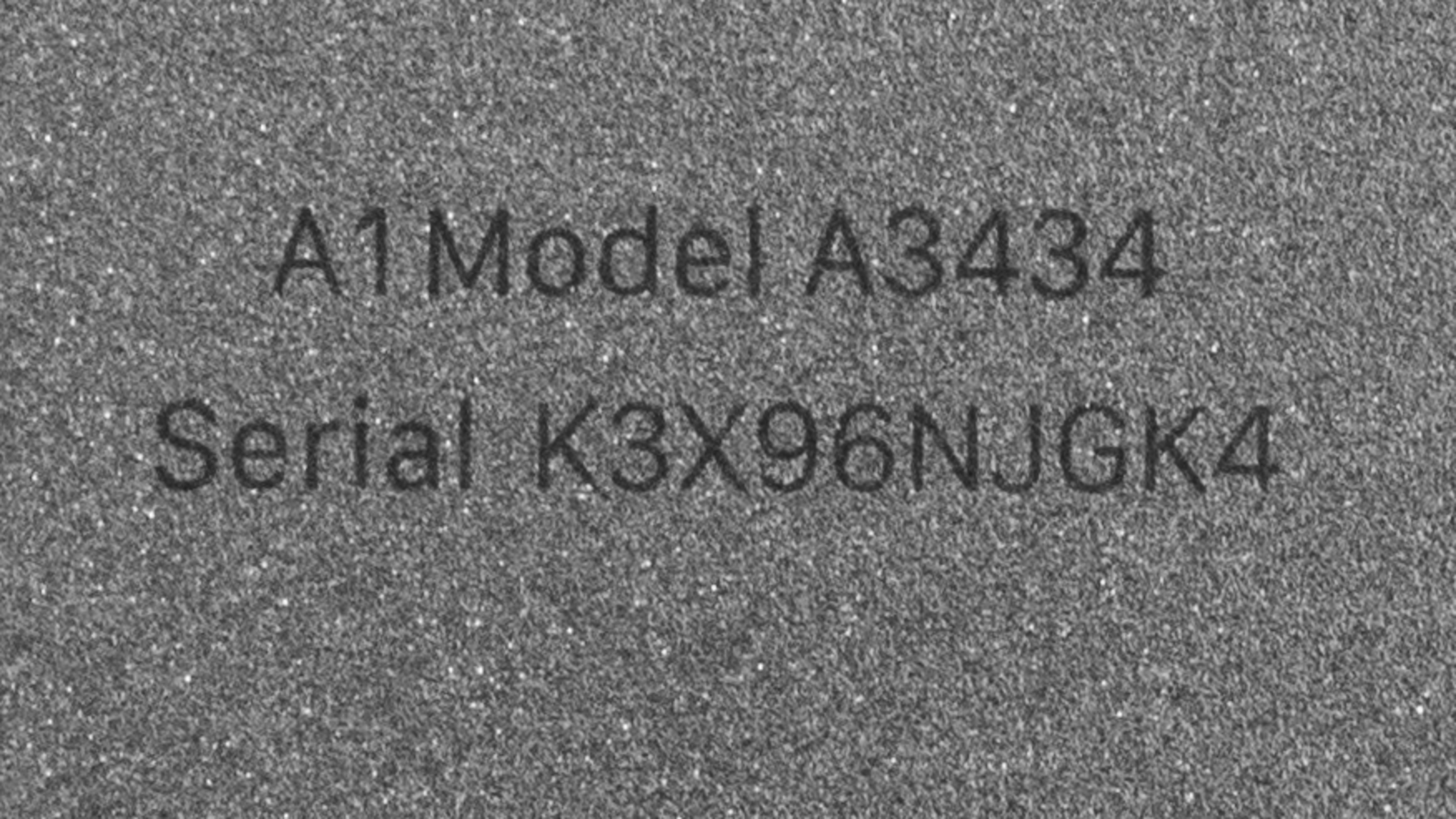
    We tested the Apple MacBook Pro 14 (model A3434) with a standard glossy display, a base M5 SoC (10-core CPU and 10-core GPU), 16GB of RAM, and 512GB of storage. The display, RAM, and storage are configurable; see below for the available configuration options.

    SCREEN

    • 14.2" Mini LED 3024 x 1964 120Hz (Standard Glossy Liquid Retina XDR display with ProMotion)
    • 14.2" Mini LED 3024 x 1964 120Hz (Nano-Texture Liquid Retina XDR display with ProMotion)

    SoC

    • M5 10-core CPU, 10-core GPU, 153GB/s memory bandwidth

    Memory

    • 16GB LP-DDR5x 9600MHz
    • 24GB LP-DDR5x 9600MHz
    • 32GB LP-DDR5x 9600MHz

    STORAGE

    • 512GB PCIe Gen 4 NVMe SSD
    • 1TB PCIe Gen 4 NVMe SSD
    • 2TB PCIe Gen 4 NVMe SSD
    • 4TB PCIe Gen 4 NVMe SSD

    COLOR

    • Silver
    • Space Black

    See our unit's label.

    Popular Laptop Comparisons

    Although Apple's MacBook Pros typically fall into the workstation category, the base model such as the Apple MacBook Pro 14 M5 has always been more of a general productivity device aimed at people who don't need a lot of processing power but would like to have the MacBook Pro's features, like its display, speakers, and port selection. As a general productivity laptop, it stands out as one of the best, providing an excellent user experience that matches or exceed what you would find on premium Windows laptops, like the Lenovo ThinkPad X9 15 Aura Edition (2025) and the Microsoft Surface Laptop 7th Edition 15 (2024).

    The base M5 chip itself also performs impressively well compared to other CPUs and GPUs found in most Windows ultraportable laptops, capable of handling some demanding tasks like programming, LLMs, and video editing. However, it still lags behind Apple's own M4 Pro and Max chips, as it has fewer cores, a smaller memory bandwidth, and only a single fan to keep it cool. If you require a significant amount of processing power (or more than 32GB of RAM), it's better to opt for an Apple MacBook Pro 14 (M4, 2024) with a Pro/Max chip instead.

    For more options, check out our recommendations for the best laptops for video editing, the best laptops for college, and the best laptops for battery life

    Apple MacBook Air 15 (M4, 2025)

    The Apple MacBook Pro 14 (M5, 2025) is better than the Apple MacBook Air 15 (M4, 2025) for most uses. The MacBook Pro 14 is a higher-end device, sporting better features like a 120Hz Mini LED display that gets significantly brighter, better-sounding speakers, and a wider port selection. Performance-wise, the MacBook Pro's base M5 chip performs better than the MacBook Air's M4, but you likely won't notice the difference unless you perform tasks that are intensive enough to stress the system.

    Apple MacBook Pro 14 (M4, 2024)

    The Apple MacBook Pro 14 (M5, 2025) is a newer version of the Apple MacBook Pro 14 (M4, 2024). However, the M5 is only available with a base M5 chip, so it only replaces the base M4 MacBook Pro. Compared to its predecessor, the M5 is basically the same device with better performance. That said, the M5 SoC still lags behind the M4 Pro/Max chips.

    Lenovo ThinkPad X9 15 Aura Edition (2025)

    The Apple MacBook Pro 14 (M5, 2025) is better than the Lenovo ThinkPad X9 15 Aura Edition (2025) in most uses. In terms of the overall user experience, the MacBook Pro has better-sounding speakers and a wider port selection, but the Lenovo's keyboard is more comfortable to type on because it has more key travel. The MacBook Pro has a lot more processing power under the hood, making it a better option if you need to perform more intensive tasks like programming and video editing.

    Microsoft Surface Laptop 7th Edition 15 (2024)

    The Apple MacBook Pro 14 (M5, 2025) is better than the Microsoft Surface Laptop 7th Edition 15 (2024) in most uses. The MacBook Pro has a significantly brighter Mini LED, better-sounding speakers, and more ports. It also has a lot more processing power to handle more demanding workloads, like programming, AI models, and video editing. The Surface Laptop isn't a bad device either; just remember that it runs on an ARM-based SoC, so make sure you check for app compatibility first, as many x86 programs might not run properly.

    Test Results

    perceptual testing image
    Sort:
    RATINGS
    Category:
    All
    Design
    Style
    Form Factor
    Traditional (Clamshell)

    The Apple MacBook Pro 14 M5 is available in a Silver or Space Black colorway. See the bottom of the laptop.

    9.5
    Build Quality

    The Apple MacBook Pro 14 M5 feels exceptionally well built, sporting an aluminum chassis that exhibits little to no flex on the lid or keyboard deck. The finish doesn't scratch easily. Although not as prone to fingerprints and smudges as other laptops with a dark color finish, the Space Black model still accumulates a fair amount. If this bothers you, consider the Silver model instead. The feet feel solid and stick firmly to the bottom.

    9.1
    Hinge
    Range
    135°
    Stability
    Good
    One Finger Lift
    Yes

    The Apple MacBook Pro 14 M5 has outstanding hinges that feel smooth and sturdy, exhibiting little to no wobble when moving the laptop or typing heavily.

    8.5
    Portability
    Size
    14"
    Thickness
    0.7" (1.7 cm)
    Width
    12.3" (31.3 cm)
    Depth
    8.7" (22.1 cm)
    Volume
    71.5 in³ (1,172.2 cm³)
    Weight
    3.5 lbs (1.6 kg)
    Charger Size
    7.3 in³ (120.4 cm³)
    Charger Weight
    0.4 lbs (0.2 kg)
    3.5
    Serviceability
    Ease Of Access
    6.0
    RAM Slots
    0
    Storage Slots
    0
    Replaceable Battery
    Yes
    Replaceable Wireless Adapter
    No

    The Apple MacBook Pro 14 M5's serviceability is bad, as the only user-replaceable component is the battery. Accessing the internals is relatively straightforward; you need to remove eight P5 screws (keep them organized, as there are two different sizes), pry open the bottom panel with a tool, then pull the panel towards the bottom and upwards to remove it.

    See the repair manual on Apple's support page.

    In The Box

    • 70W USB-C power adapter
    • MagSafe to USB-C charging cable
    • Documentation

    Note: A 96W power adapter is available at an additional cost when purchasing directly from Apple.

    Display
    Screen Specs
    Resolution
    3024 x 1964
    Aspect Ratio
    16:10
    Pixel Density
    254 PPI
    Panel Type
    IPS
    Touch Screen
    No
    Screen-To-Body Ratio
    89%

    The Apple MacBook Pro 14 M5 is available with the following displays:

    • 14.2" Mini LED 3024 x 1964 120Hz (Standard Glossy)
    • 14.2" Mini LED 3024 x 1964 120Hz (Nano-Texture)

    Both are Liquid Retina XDR displays that look remarkably sharp. The only difference is the finish, as you can choose between a standard glossy finish or the newer nano-texture finish. The latter affects the sharpness slightly; you can learn more about it in this article, where we compare the two displays side by side.

    8.7
    Refresh Rate
    Refresh Rate
    120 Hz
    Variable Refresh Rate
    Apple ProMotion

    The Apple MacBook Pro 14 M5's display supports ProMotion, meaning it can vary the refresh rate depending on whether you're actively navigating the desktop or looking at static content. However, ProMotion only works in supported applications. You can't set the refresh rate to a fixed 120Hz as there's only a 'ProMotion' setting for any refresh rate above 60Hz. ProMotion isn't the same as FreeSync or G-SYNC, so you'll likely still see some screen tearing when gaming without V-Sync on. The display's response time is decent, resulting in only a small amount of ghosting in fast-moving scenes.

    10
    Contrast
    Native Contrast
    20,460 : 1

    The Apple MacBook Pro 14 M5's display has an outstanding contrast ratio, thanks to the local dimming provided by its Mini LED backlight. This contrast level is well-suited for dark room viewing and HDR content.

    The nano-texture display has a slight effect on the contrast ratio, likely because the nano-texture scatters light across darker areas, causing a rise in the black level.

    9.0
    Brightness
    Maximum Brightness
    588 cd/m²
    Minimum Brightness
    1 cd/m²

    The Apple MacBook Pro 14 M5's display gets bright enough for use in most settings. It features the same display as its M4 predecessor, allowing it to reach close to 1000 cd/m² in SDR, albeit only in very well-lit environments, such as outdoors in broad daylight.

    The display can also reach the advertised 1600 cd/m² of HDR brightness in some scenes. Here are the measurements at various window sizes:

    HDR Brightness

    • 2% Peak: 1,494 cd/m²
    • 2% Sustained: 1,331 cd/m²
    • 10% Peak: 1,602 cd/m²
    • 10% Sustained: 1,587 cd/m²
    • 25% Peak: 1,635 cd/m²
    • 25% Sustained: 1,531 cd/m²
    • 50% Peak: 1,494 cd/m²
    • 50% Sustained: 1,414 cd/m²
    • 100% Peak: 1,037 cd/m²
    • 100% Sustained: 1,014 cd/m²
    8.9
    Reflections
    Screen Finish
    Glossy
    Total Reflections
    1.79%
    Indirect Reflections
    0.22%
    Calculated Direct Reflections
    1.57%

    The Apple MacBook Pro 14 M5's standard glossy display primarily struggles with direct, mirror-like reflections. Bright light sources, such as lamps, are somewhat visible even with the screen at full brightness (the photo above shows the screen at approximately 600 cd/m²), but they aren't overly distracting.

    The nano-texture display isn't a true matte display; it's more of a semi-glossy panel. It's significantly more effective at reducing glare than the glossy panel, but comes with its own disadvantages. See our comparison article for more details.

    10
    Black Uniformity
    Uniformity (Std. Dev.)
    0.241%

    While minimal, there's some blooming around bright objects in dark scenes, as Mini LED displays don't have the pixel-level control that OLEDs do.

    10
    Out-Of-The-Box Color Accuracy
    Avg. White Balance dE
    1.26
    Avg. Gamma
    2.2
    Avg. Color dE
    0.93
    Avg. Color Temperature
    6,403.5 K

    The Liquid Retina XDR display's accuracy is superb out of the box. The only thing worth noting here is the gamma, which sticks to a near-flat 2.2, making dark scenes too dark. We measured the color accuracy in DCI P3 color because the default color profile uses the P3 color space. Unlike Windows devices, which typically oversaturate sRGB content when using a wider color space, the use of the DCI P3 color space doesn't impact the accuracy of sRGB content, as macOS can show content in different color spaces (in separate windows) simultaneously.

    Accuracy remains excellent when switching to the sRGB color profile; here are the measurements:

    • Average White Balance dE: 1.88
    • Average Gamma: 2.22
    • Average Color dE: 2.585
    • Average Color Temp: 6294.6
    9.5
    Color Gamut
    sRGB xy
    99.99%
    sRGB uv
    99.97%
    Adobe RGB xy
    89.35%
    Adobe RGB uv
    94.42%
    DCI-P3 xy
    99.8%
    DCI-P3 uv
    99.7%
    Rec. 2020 xy
    73.34%
    Rec. 2020 uv
    74.19%

    The Liquid Retina XDR display's color gamut is outstanding. It has full coverage of the sRGB and DCI-P3 color spaces, making it suitable for general media consumption and color-critical work like photo and video editing.

    9.0
    Flicker
    Flicker-Free
    No
    Flicker Frequency
    > 1000Hz
    Flicker Active Below
    100%

    The display technically flickers; however, the flicker frequency is extremely high (around 15KHz), so it's unlikely to be bothersome to most people.

    Interface
    7.9
    Keyboard
    Typing Quality
    8.0
    Numpad
    No
    Backlighting
    Adjustable
    See details on graph tool
    Operating Force
    61 gf
    Actuation Force
    39 gf
    Pre-Travel
    0.72 mm
    Total Travel
    0.78 mm

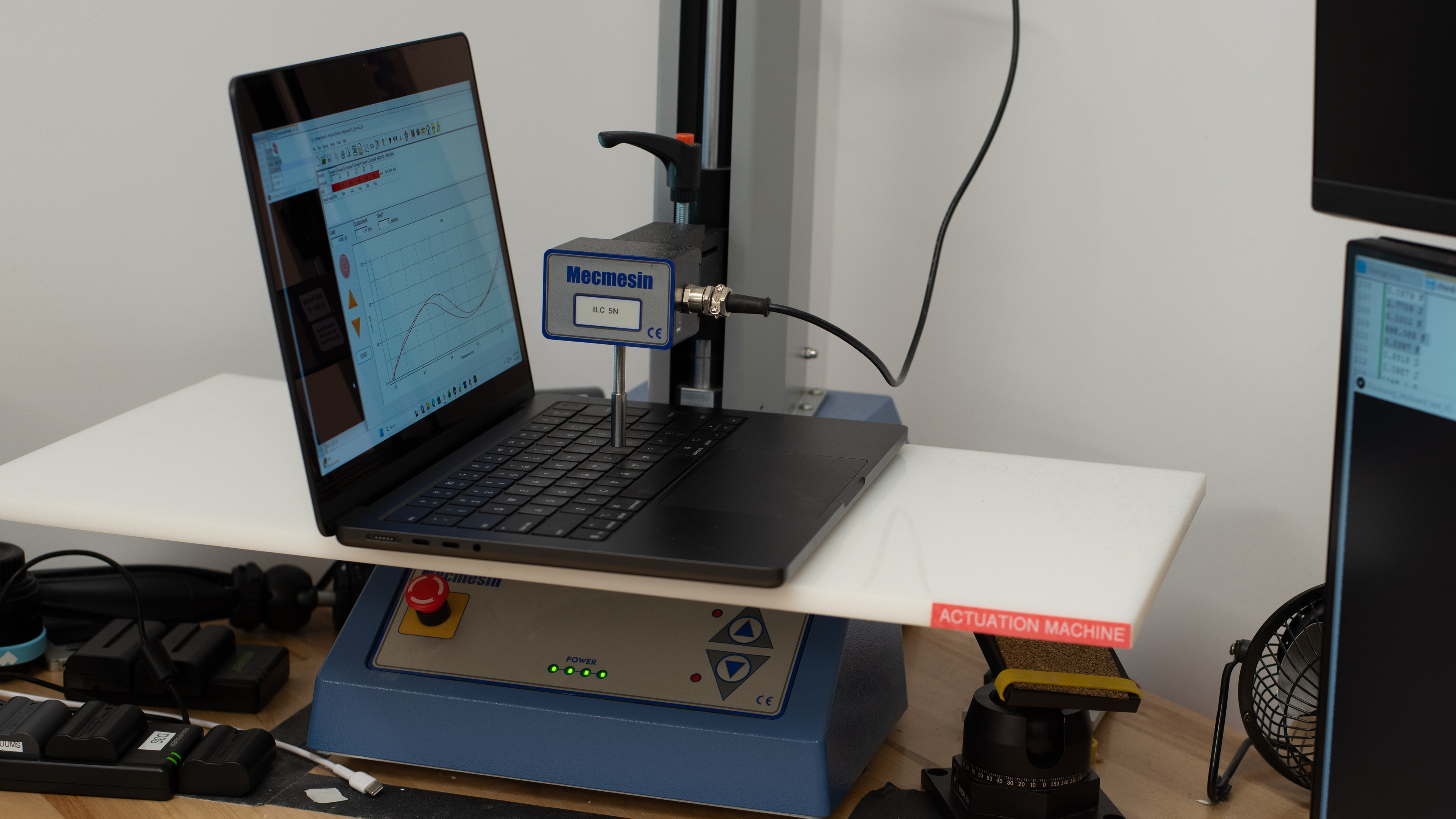
    The Apple MacBook Pro 14 M5 has a good keyboard. It's the same keyboard as its M4 predecessor, sporting the same spacious layout familiar to MacBook users. The general typing experience is great, as the keys are easy to actuate and provide satisfying tactile feedback. However, their low travel, combined with the keyboard deck's high rigidity, might feel harsh to some, especially heavy typers. The backlight is white; you can adjust the brightness via the Settings app or the Control Panel.

    9.2
    Touchpad
    Tracking Quality
    9.5
    Size
    16.1 in² (104.0 cm²)
    Material
    Glass
    Dedicated Buttons
    No

    The Apple MacBook Pro 14 M5 has an outstanding touchpad. It's large, smooth, and responsive to all movements and gestures. Palm rejection works as intended. This is a haptic touchpad, meaning it has a haptic engine to simulate clicks instead of physical buttons, allowing you to click anywhere on the touchpad. The haptic engine emulates the feel of a physical button well, providing clear, satisfying tactile feedback.

    9.1
    Speakers
    See details on graph tool
    Max Volume
    80 dB SPL
    Standard Error @ Normal Vol. (65 dB)
    4.1 dB
    Slope @ Normal Vol. (65 dB)
    0.9
    Bass Extension (Low-Frequency Ext.)
    110 Hz
    Treble Extension (High-Frequency Ext.)
    20 kHz
    Dynamic Range Compression @ Max Vol.
    3.3 dB

    The speakers are outstanding. Much like the rest of the laptop, this is the same speaker system as the M4 model and one of the best you can find among 14-inch laptops. They get very loud with minimal compression, and they sound clear, full, and natural, with a good amount of bass.

    9.1
    Webcam & Microphone
    Video Quality
    9.5
    Resolution
    1080p
    Position
    Top Center
    Privacy Cover
    No
    Face Unlock
    No

    The webcam is outstanding, capturing a sharp and detailed image, with proper exposure and true-to-life colors. The microphone is equally impressive; voices sound loud and clear, with little to no static background noise.

    Connectivity
    8.5
    Ports
    USB-A Ports
    0
    USB-C Ports
    3
    Thunderbolt
    Thunderbolt 4
    USB-C Charging
    Yes
    USB-C Display Out
    Yes
    HDMI
    2.1
    DisplayPort
    No
    3.5mm Jack
    Combo mic/headphone
    Card Reader
    SD UHS 2
    Ethernet
    No
    Proprietary Port
    Apple MagSafe 3
    Security Lock
    No

    The Apple MacBook Pro 14 M5 has an excellent port selection. All three USB-Cs support Thunderbolt 4 (up to 40Gbps data transfer speeds), DisplayPort 1.4, and charging. In terms of external display support, you can connect up to two 6k @ 60Hz displays over Thunderbolt, or one 6k @ 60Hz display over Thunderbolt and one 4k @ 144Hz display over HDMI. Alternatively, you can connect to one 8k @ 60Hz or 4k @ 240Hz display over HDMI.

    Wireless Communication
    Wi-Fi
    Wi-Fi 6E (802.11ax)
    Bluetooth
    5.3

    We can't confirm the exact model of the Apple MacBook Pro 14 M5's wireless adapter. Wi-Fi 6E has faster speeds, lower latency, and less signal interference than previous Wi-Fi standards. However, you need a router that supports Wi-Fi 6E to benefit from these features. Check out our recommendations for the best routers if you want to upgrade your wireless setup.

    Configuration
    CPU
    Brand
    Apple
    Model
    M5
    Core Count
    10
    Thread Count
    10

    As of the time of writing, Apple has only announced the Apple MacBook Pro 14 with a base M5 SoC, with no M5 Pro or Max options. The base M5 chip has the same core configuration as its base M4 predecessor, comprising 10 CPU (4 performance + 6 efficiency) and 10 GPU cores. Apple has increased the memory bandwidth to 153GB/s, which is nearly a 30% jump from the M4’s 120GB/s though still lagging behind the base M4 Pro’s 273GB/s. The M5 is an incremental upgrade over the M4, providing roughly a 10-12% boost in single-thread and up to 20% in multi-thread CPU performance. It's suitable for general productivity tasks, as well as some demanding workloads like programming and video editing, so long as the projects aren't overly complex. Professionals needing a lot of processing power for highly intensive tasks (especially workloads that require more than 32GB of RAM) might still want to go for an M4 Pro/Max model or wait for an M5 Pro/Max upgrade.

    GPU
    Brand
    Apple
    Model
    M5
    Dedicated/Integrated
    Integrated
    VRAM Size
    N/A
    GPU Total Graphics Power (TGP)
    N/A

    A more notable upgrade of the M5 SoC is the addition of Neural Accelerators in each GPU core, which can dramatically improve performance in some productivity tasks, especially AI workloads. There's some improvement is gaming performance, but still not enough to truly consider this base M5 Apple MacBook Pro 14 a capable gaming machine. You'll have to play with pretty low settings to get playable frame rates in demanding games.

    RAM
    Capacity
    16 GB
    Modules
    Unknown
    Type
    LP-DDR5x
    Speed
    9,600 MHz

    You can configure this laptop with 16GB, 24GB, or 32GB of RAM. The memory isn't user-replaceable.

    Storage
    Advertised Capacity
    512 GB
    Usable Capacity
    442 GB
    Drive 1
    Apple SSD AP0512Z
    Drive 1 TypeSSD
    Drive 2
    No 2nd Drive
    Drive 2 TypeNo 2nd Drive

    You can get the Apple MacBook Pro 14 M5 with 512GB, 1TB, 2TB, or 4TB of storage. The storage drive isn't user-replaceable.

    Performance
    8.5
    CPU/RAM Performance
    Cinebench 2024 - Single Core
    199 points
    Cinebench 2024 - Multi Core
    1,162 points
    Geekbench 6 - Single Core
    4,310
    Geekbench 6 - Multi Core
    17,981
    Blender - CPU (Avg)
    92 samples/min
    PassMark PT - CPU Mark
    29,293
    PassMark PT - Memory Mark
    5,312
    PassMark PT - Memory Mark (Android)
    N/A
    Mozilla Kraken
    233 ms
    7.9
    Low Tier Graphics
    Geekbench 6 - GPU Compute
    76,876
    Basemark Web 3.0
    2,211
    PassMark PT - 2D Mark
    N/A
    PassMark PT - 2D Mark (Android)
    N/A
    PassMark PT - 3D Mark
    N/A
    PassMark PT - 3D Mark (Android)
    N/A
    Novabench 5 - GPU
    217.0
    mprep - Stress My GPU
    34,640

    The Passmark PT - 2D and 3D Mark tests don't work on macOS.

    5.9
    High Tier Graphics
    3DMark - Steel Nomad (DX12)
    N/A
    3DMark - Steel Nomad (Vulkan/Metal)
    1,142
    Basemark GPU (DX12)
    N/A
    Basemark GPU (Vulkan/Metal)
    70,336
    GFXBench - High Level Test (Vulkan/Metal)
    4,821 Frames
    2.3
    Professional 3D (GPU Accelerated)
    Blender - GPU (Avg)
    575 samples/min
    Cinebench 2024 - GPU
    5,875 points
    6.0
    CPU-Intensive Game Performance
    Civilization VII - AI
    15.4 s/turn
    Civilization VII - Graphics (Avg)
    164.3 fps
    Civilization VII - Graphics (1% Low)
    98.6 fps
    Total War: Warhammer III (Avg)
    24.5 fps
    Baldur's Gate 3 (Avg)
    71.5 fps
    Baldur's Gate 3 (1% Low)
    58.5 fps
    Previous Methodology Score
    N/A
    Previous Methodology Score Converted
    N/A
    3.3
    GPU-Intensive Game Performance
    Cyberpunk 2077 (Avg)
    21.5 fps
    Cyberpunk 2077 (Min)
    19.0 fps
    Assassin's Creed Shadows (Avg)
    15 fps
    Assassin's Creed Shadows (1% Low)
    8 fps
    GTA V (Avg)
    N/A
    GTA V (1% Low)
    N/A
    Black Myth: Wukong (Avg)
    N/A
    Black Myth: Wukong (5% Low)
    N/A
    Resident Evil 4 (Avg)
    58.7 fps
    Resident Evil 4 (1% Low)
    40.0 fps
    Previous Methodology Score
    N/A
    Previous Methodology Score Converted
    N/A

    GTA V and Black Myth: Wukong don't run on macOS.

    2.1
    Ray Tracing Performance
    Cyberpunk 2077 (Avg)
    15.8 fps
    Cyberpunk 2077 (Min)
    13.3 fps
    Assassin's Creed Shadows (Avg)
    12 fps
    Assassin's Creed Shadows (1% Low)
    6 fps
    Black Myth: Wukong (Avg)
    N/A
    Black Myth: Wukong (5% Low)
    N/A
    9.6
    Storage Drive Performance
    Sequential Write Speed
    7,788.2 MB/s
    Sequential Read Speed
    5,304.3 MB/s
    Random Write Speed
    46.5 MB/s
    Random Read Speed
    80.9 MB/s
    9.7
    Battery
    Capacity
    72 Wh
    Battery Life (Web Browsing)
    16.1 hrs
    Battery Life (Video Playback)
    15.7 hrs
    Battery Life (Gaming)
    2.0 hrs
    Charge Time
    1.9 hrs
    7.6
    Thermals And Noise
    Keyboard Temp While Idle
    26 °C (79 °F)
    Keyboard Temp Under Load
    45 °C (112 °F)
    Fan Noise While Idle
    25.0 dBA
    Fan Noise Under Load
    45.0 dBA
    Power & Fan Control App
    No

    The keyboard gets a little toasty under load but not to the point of causing significant discomfort. The bottom of the laptop is cooler, reaching only 40 °C (104 °F), so you shouldn't have any problems using the device on your lap. Unlike the Pro/Max configurations of the Apple MacBook Pro 14 (M4, 2024), there's only a single fan. It's audible at full speed but still relatively quiet.

    10
    Performance Over Time
    See details on graph tool
    CPU Temp (Cinebench)
    100 °C
    CPU Perf. Loss (Cinebench)
    0% loss
    GPU Temp (Heaven)
    95 °C
    GPU Perf. Loss (Heaven)
    0% loss
    Additional Features And Software
    Software
    Operating System
    macOS
    Additional Software
    None

    The Apple MacBook Pro 14 M5 ships with macOS 26 (Tahoe). There aren't any pre-installed applications other than those that typically come with macOS. Learn more about macOS Tahoe on Apple's website.

    Extra Features
    Biometrics
    Fingerprint Sensor
    RGB Illumination
    No
    Touch Pen Support
    No Stylus Support
    Secondary Display
    No