ASUS ROG Zephyrus G14 (2024)  Laptop Review

Reviewed Jun 05, 2024 at 09:13am
Test bench update May 02, 2025 at 01:25pm
Tested using Methodology v0.8.3 
ASUS ROG Zephyrus G14 (2024)
8.2
School 
8.5
Gaming 
8.1
Multimedia 
9.1
Workstation 
8.3
Business 
 23

The ASUS ROG Zephyrus G14 (2024) is a 14-inch gaming laptop. It replaces the ASUS ROG Zephyrus G14 from 2023 (model GA402). This 2024 (GA403) model is available with an AMD Ryzen 7 8845HS or Ryzen 9 8945HS CPU paired with an NVIDIA GeForce RTX 4050, RTX 4060, or RTX 4070 Laptop GPU. All three GPUs run at a TGP (Total Graphics Power) of 90W with Dynamic Boost. Memory and storage max out at 32GB and 1TB, respectively. It has a 120Hz 2.8K OLED display with G-SYNC support, Wi-Fi 6E wireless connectivity, a 1080p webcam, and a 73Wh battery. Ports comprise two USB-As, two USB-Cs (one with USB4 support), an HDMI 2.1, a MicroSD card reader, and a 3.5mm headphone jack.

See our unit's specifications and the available configuration options in the Differences Between Variants section.

Our Verdict

8.2
School 

The ASUS ROG Zephyrus G14 (2024) is great for school use. It has a sturdy build, and its compact design makes it easy to carry around. It also provides a great user experience with its sharp OLED display, tactile keyboard, and large, responsive touchpad. Available with AMD CPUs and NVIDIA discrete GPUs, it has more than enough processing power to handle general productivity tasks and more demanding workloads, like programming and 3D modeling. Plus, the fans are relatively quiet, so you don't have to worry about causing too much noise in a classroom or library. The battery lasts around eight hours of light use, so depending on your workload, you may need to plug it in for a quick charge to get through the day.

Pros
  • Compact design.
  • Sharp, colorful OLED display.
  • CPU and GPU can handle demanding workloads.
  • Comfortable keyboard, responsive touchpad.
  • Wide port selection.
Cons
  • Battery might not get you through a typical 8-hour day, depending on use.
  • OLED is susceptible to permanent burn-in.
8.5
Gaming 

The ASUS ROG Zephyrus G14 (2024) is a great gaming laptop. It's available with AMD Ryzen CPUs and NVIDIA 40-series GPUs, which are fast enough to provide a smooth gaming experience at 1080p or 1440p. With its 120Hz refresh rate, fast response time, and G-SYNC support, the OLED display delivers a clear image in fast-moving scenes with minimal ghosting or tearing. You can only get up to 1TB of storage, which isn't a lot considering the size of modern games, but thankfully, the SSD is user-replaceable. Thermal throttling is minimal, and the laptop doesn't get overly hot or loud under load.

Pros
  • Delivers smooth gameplay in demanding games.
  • 120Hz refresh rate with a faster response time and G-SYNC support.
  • Wide port selection.
  • Doesn't get overly hot or loud under load.
  • Fast, replaceable SSD.
Cons
None
8.1
Multimedia 

The ASUS ROG Zephyrus G14 (2024) is great for media consumption. It's very portable, thanks to its compact design, and its battery lasts around seven hours of video playback, giving you plenty of time to get through multiple movies and TV show episodes. Its OLED display looks sharp, bright, and colorful, and it produces deep, inky blacks for a fantastic dark room viewing experience. The speakers get pretty loud with minimal compression or distortion, and they sound full and well-balanced, with a good amount of bass.

Pros
  • Compact design.
  • Battery lasts around seven hours of video playback.
  • Sharp, colorful OLED display.
  • Loud speakers sound full, with a good amount of bass.
Cons
  • OLED is susceptible to permanent burn-in.
  • No touch input.
9.1
Workstation 

The ASUS ROG Zephyrus G14 (2024) is outstanding for use as a workstation. Its AMD Ryzen CPU and NVIDIA discrete GPU have enough processing power to handle demanding tasks like video editing, programming, and 3D animation. You can also perform color-correction tasks, as it has a 2.8k OLED display with full DCI P3 coverage. The keyboard feels comfortable to type on for an extended period, and there are plenty of ports for peripherals and external displays, including a USB-C with USB4 support and an HDMI 2.1 port. It doesn't get hot or loud under load, and thermal throttling is minimal. Unfortunately, you can only get up to 32GB of soldered RAM, which might not be enough for some workloads.

Pros
  • CPU and GPU can handle demanding workloads.
  • OLED display has full DCI P3 coverage.
  • Wide port selection.
  • Doesn't get overly hot or loud under load.
  • Fast, replaceable SSD.
Cons
  • Can only get up to 32GB of soldered RAM.
  • OLED is susceptible to permanent burn-in.
8.3
Business 

The ASUS ROG Zephyrus G14 (2024) is great for business use. This 14-inch model feels incredibly well-built and is easy to carry around, making it a great option for those who travel a lot. It has a sharp OLED display, a spacious, tactile keyboard, and a large, responsive touchpad. Its AMD CPU and NVIDIA discrete GPU can easily handle general productivity tasks like text processing, web browsing, spreadsheets, and presentations. There's even enough processing power for photo or video editing, which is great for small business owners needing to do a little of everything. The battery lasts around eight hours of light use, so depending on your workload, you may need to plug it in for a quick charge to get through the day.

Pros
  • Compact design.
  • Sharp, colorful OLED display.
  • Comfortable keyboard, responsive touchpad.
  • Good 1080p webcam.
  • Wide port selection.
Cons
  • Battery might not get you through a typical 8-hour day, depending on use.
  • OLED is susceptible to permanent burn-in.
  • 8.2
    School
  • 8.5
    Gaming
  • 8.1
    Multimedia
  • 9.1
    Workstation
  • 8.3
    Business
  • Changelog

    1.  Updated May 07, 2025: We've updated this review to Test Bench 0.8.3, which removes the viewing angle tests and adds a GPU Total Graphics Power comparison in the GPU section. The Pen Input test in the Extra Features section has also changed, as it now shows whether the laptop supports pen input rather than the inclusion of a stylus in the box. See the changelog for more details.
    2.  Updated Sep 26, 2024: Added mention of the ASUS ROG Strix G16 (2024) as an alternative with more powerful GPU options in the GPU section.
    3.  Updated Jul 04, 2024: Added mention of the ASUS ROG Zephyrus G16 (2024) GU605 as an alternative with a larger, more immersive screen in the Screen Specs section.
    4.  Updated Jun 05, 2024: Review published.

    Differences Between Sizes And Variants

    We tested the ASUS ROG Zephyrus G14 2024 (model GA403U) with an AMD Ryzen 9 8945HS CPU, an NVIDIA GeForce RTX 4070 Laptop GPU, 16GB of memory, and 1TB of storage. The GPU, memory, and storage are configurable; the available options are in the table below.

    Screen
    • 14" OLED 2880 x 1800 120Hz (100% DCI P3, Dolby Vision)
    CPU
    • AMD Ryzen 7 8845HS (8 cores/16 threads, up to 5.1GHz, 24MB cache)
    • AMD Ryzen 9 8945HS (8 cores/16 threads, up to 5.2GHz, 24MB cache)
    GPU
    • NVIDIA GeForce RTX 4050 Laptop GPU 6GB GDDR6 (90W TGP /w Dynamic Boost, Ryzen 7 only)
    • NVIDIA GeForce RTX 4060 Laptop GPU 8GB GDDR6 (90W TGP /w Dynamic Boost)
    • NVIDIA GeForce RTX 4070 Laptop GPU 8GB GDDR6 (90W TGP /w Dynamic Boost)
    Memory
    • 16GB LP-DDR5x 6400MHz
    • 32GB LP-DDR5x 6400MHz (RTX 4070 models only)
    Storage
    • 512GB M.2 PCIe Gen 4 NVMe SSD
    • 1TB M.2 PCIe Gen 4 NVMe SSD
    Color
    • Platinum White
    • Eclipse Gray

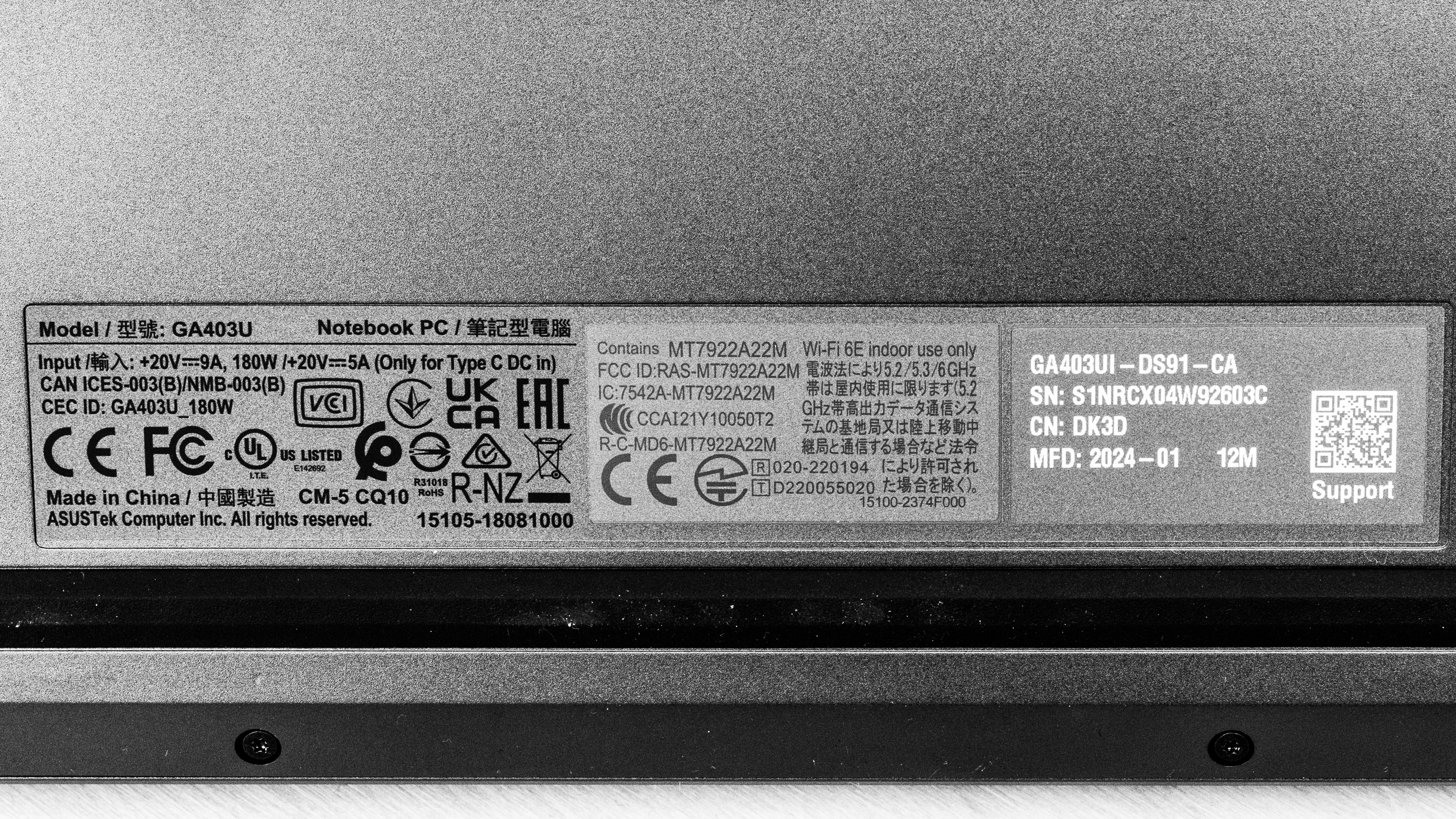
    See our unit's label here.

    Popular Laptop Comparisons

    The ASUS ROG Zephyrus G14 (2024) is among the best laptops in its class. It stands out for its sturdy build, compact design, and the quality of its keyboard and touchpad. While its thermal design limits the GPU performance, capping the TGP at 90W, this laptop can still deliver a smooth gaming experience and provide enough processing power to handle demanding workloads like video editing and 3D modeling, making it a great option if you don't mind trading a bit of performance for portability.

    See our recommendations for the best gaming laptops, the best Windows laptops, and the best laptops for video editing.

    Razer Blade 14 (2022)

    The Razer Blade 14 (2022) and the ASUS ROG Zephyrus G14 (2024) are both high-end gaming laptops that provide a similar user experience overall. It's worth noting that the Razer's speakers are significantly worse, producing a tinny, unnatural sound compared to the ASUS' full, well-balanced speaker system. Gaming performance depends on the configuration (for example, the Razer's RTX 3080Ti will still outperform the ASUS' RTX 4050). The main difference is that the newer 40-series GPUs support Frame Generation, a feature that boosts performance by inserting A.I.-generated frames. As for the display, the ASUS' OLED panel is arguably better, as it can produce deeper blacks for a better dark room viewing experience and get brighter to combat glare; however, it's limited to a 120Hz refresh rate, whereas the Razer is available with a 144Hz or 165Hz screen. Also, the ASUS' OLED display flickers, which might bother people who are sensitive to flickering.

    HP OMEN Transcend 14 (2024)

    The ASUS ROG Zephyrus G14 (2024) and the HP OMEN Transcend 14 (2024) are direct competitors in the high-end 14-inch gaming laptop market. They trade blows when it comes to the overall user experience; the G14's display has better reflection handling and G-SYNC support, while the OMEN has lower thermals and fan noise. As for GPU performance, although both laptops are available with the same GPUs, the G14's are faster, as they run at a slightly higher wattage. 

    ASUS ROG Flow X13 (2023)

    The ASUS ROG Flow X13 (2023) and the ASUS ROG Zephyrus G14 (2024) are both great gaming laptops available with AMD Ryzen CPUs and NVIDIA discrete GPUs (up to an RTX 4070). The main difference is that the Flow X13 has a proprietary port that lets you connect ASUS' eGPU module and access desktop-level GPU power (up to an RTX 4090), albeit at a very steep price. For the most part, the G14 is a better option if you don't plan on using an external GPU, as its built-in discrete GPUs run at a higher wattage, allowing for better performance.

    Dell Alienware m16 R2 (2024)

    The ASUS ROG Zephyrus G14 (2024) and the Dell Alienware m16 R2 (2024) are both great gaming laptops available with NVIDIA 40-series GPUs (up to RTX 4070). The ASUS is a more compact model, making it a better option for on-the-go use; however, the Dell provides a better gaming experience, as its CPU and GPU can push higher, more consistent frame rates. As for the display, while the ASUS' OLED panel is arguably better in terms of sharpness and contrast, it's limited to a 120Hz refresh rate, whereas the Dell laptop's display has a 240Hz refresh rate, which will give you smoother motion and better input responsiveness.

    Show more 

    Test Results

    perceptual testing image
    Sort:
    RATINGS
    Category:
    All
    Design
    Style
    Form Factor
    Traditional (Clamshell)

    The ASUS ROG Zephyrus G14 (2024) is available in a Platinum White or Eclipse Gray color. See the bottom of the laptop here.

    9.5
    Build Quality

    The ASUS ROG Zephyrus G14 (2024)'s build quality is outstanding. Its aluminum chassis feels very sturdy, exhibiting little to no flex on the lid or keyboard deck. The display doesn't twist when manipulating it. The finish is fairly scratch-resistant and doesn't pick up too many fingerprints or smudges. There are no complaints about the feet; they feel solid and stick firmly to the bottom.

    9.1
    Hinge
    Range
    135°
    Stability
    Good
    One Finger Lift
    Yes

    The hinge is outstanding. It feels smooth when opening and closing the lid, and while it has a fair amount of resistance, you can still lift the lid with one hand. There's very little screen wobble when moving the laptop or typing heavily.

    8.0
    Portability
    Size
    14"
    Thickness
    0.8" (2.1 cm)
    Width
    12.2" (31.0 cm)
    Depth
    8.7" (22.0 cm)
    Volume
    85.3 in³ (1,398.1 cm³)
    Weight
    3.3 lbs (1.5 kg)
    Charger Size
    14.1 in³ (231.0 cm³)
    Charger Weight
    1.2 lbs (0.6 kg)
    6.3
    Serviceability
    Ease Of Access
    7.5
    RAM Slots
    0
    Storage Slots
    1
    Replaceable Battery
    Yes
    Replaceable Wireless Adapter
    Yes

    Accessing the internals is relatively straightforward; you need to remove quite a few screws—11 total—and two of them are beneath the feet, so you have to remove the feet, too. Thankfully, you can easily remove the feet and put them back on because they aren't glued on. Once you remove the screws, the bottom panel pops off easily without the need for a prying tool. The SSD slot supports M.2 2280 PCIe Gen 4 NVMe SSDs.

    Get the service and maintenance guide here.

    In The Box

    • 180W power adapter and cord
    • Documentation
    Display
    Screen Specs
    Resolution
    2880 x 1800
    Aspect Ratio
    16:10
    Pixel Density
    241 PPI
    Panel Type
    OLED
    Touch Screen
    No
    Screen-To-Body Ratio
    88%

    The ASUS ROG Zephyrus G14 (2024)'s OLED display looks very sharp, with a pixel density exceeding that of the Apple MacBook Air 13 (2024)'s Retina display. Its 16:10 aspect ratio is quickly becoming the norm, even for gaming laptops. This format is great for productivity, as it gives you slightly more vertical space than a standard 16:9 screen, allowing you to see more information at once when reading a document or website. OLED panels are susceptible to permanent burn-in, especially with static elements like Windows' taskbar; however, it's unlikely to be an issue for those viewing varied content. Check out the ASUS ROG Zephyrus G16 (2024) GU605 if you want a laptop with a bigger screen for a more immersive gaming experience.

    8.7
    Refresh Rate
    Refresh Rate
    120 Hz
    Variable Refresh Rate
    G-SYNC

    The display has a good response time, resulting in only a small amount of ghosting behind fast-moving objects. As for its refresh rate, although 120Hz feels reasonably responsive (certainly better than 60Hz), it's a slight downgrade from the 2023 ASUS ROG Zephyrus G14 (GA402), which has a 165Hz (Mini LED) display.

    10
    Contrast
    Native Contrast
    53,950 : 1

    The display's contrast ratio is effectively infinite since OLEDs can turn off individual pixels to produce perfect blacks.

    7.7
    Brightness
    Maximum Brightness
    364 cd/m²
    Minimum Brightness
    1 cd/m²

    The display gets bright enough for use in most indoor settings but not outdoors in broad daylight. It's very dim at the lowest brightness setting, which is great for dark room viewing because it causes less eye strain.

    9.2
    Reflections
    Screen Finish
    Glossy
    Total Reflections
    1.47%
    Indirect Reflections
    0.69%
    Calculated Direct Reflections
    0.78%

    The display's glossy finish handles reflections remarkably well. Reflections are only problematic when viewing dark-color content. Bright reflections, like a lamp, are visible when viewing light-color content with the screen at max brightness, but they aren't distracting.

    10
    Black Uniformity
    Uniformity (Std. Dev.)
    0.236%
    7.9
    Out-Of-The-Box Color Accuracy
    Avg. White Balance dE
    1.54
    Avg. Gamma
    2.24
    Avg. Color dE
    4.19
    Avg. Color Temperature
    6,339 K

    The display's accuracy is good out of the box. The white balance inaccuracies are minor and hard to spot; however, many colors are visibly off due to oversaturation. Some people may like this punchy, oversaturated look; just know it isn't accurate. The gamma follows the curve relatively well, except in dark scenes where it's too high, resulting in crushed blacks.

    9.7
    Color Gamut
    sRGB xy
    151.24%
    sRGB uv
    145.71%
    Adobe RGB xy
    93.94%
    Adobe RGB uv
    97.71%
    DCI P3 xy
    99.99%
    DCI P3 uv
    99.99%
    Rec. 2020 xy
    79.85%
    Rec. 2020 uv
    83.92%

    The display's color gamut is superb. It has full coverage of the sRGB and DCI P3 color spaces and near-full coverage of the Adobe RGB color space, making it suitable for a wide range of uses, including media consumption, professional photo editing, and HDR video production.

    4.5
    Flicker
    Flicker-Free
    No
    Flicker Frequency
    120 Hz
    Flicker Active Below
    100%
    Interface
    8.6
    Keyboard
    Typing Quality
    8.5
    Numpad
    No
    Backlighting
    RGB Zones
    See details on graph tool
    Operating Force
    64 gf
    Actuation Force
    40 gf
    Pre-Travel
    1.15 mm
    Total Travel
    1.42 mm

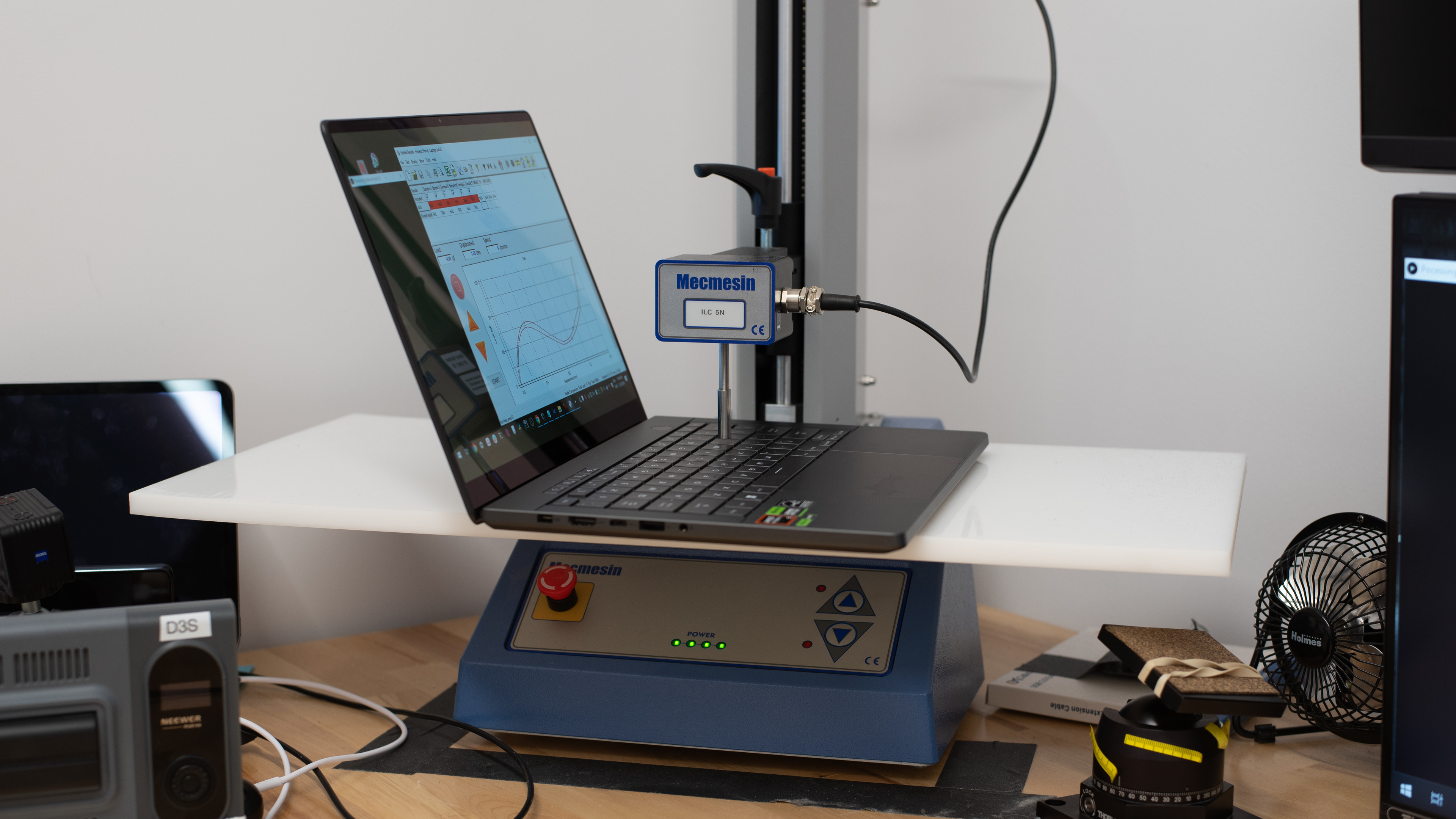
    The ASUS ROG Zephyrus G14 (2024) has an excellent keyboard. Its layout feels spacious and is easy to get used to. The keys have a good amount of travel, require little force to actuate, and provide clear tactile feedback. They aren't the most stable keys, as they wobble a bit, but it isn't bad enough to be of concern. This keyboard has RGB backlighting, but there's only one lighting zone.

    8.5
    Touchpad
    Tracking Quality
    8.5
    Size
    15.7 in² (101.6 cm²)
    Material
    Glass
    Dedicated Buttons
    No

    The touchpad is excellent. It's quite large, and its surface feels very smooth, allowing fingers to slide easily across it. Tracking is excellent, except around the edges, where it feels a tad less responsive. Palm rejection works as intended, and there are no issues performing gestures like dragging and dropping. You can only click in the bottom half of the touchpad; the buttons feel satisfyingly tactile.

    8.7
    Speakers
    See details on graph tool
    Max Volume
    78 dB SPL
    Standard Error @ Normal Vol. (65 dB)
    3.8 dB
    Slope @ Normal Vol. (65 dB)
    0.3
    Bass Extension (Low-Frequency Ext.)
    138 Hz
    Treble Extension (High-Frequency Ext.)
    12 kHz
    Dynamic Range Compression @ Max Vol.
    3.5 dB

    The ASUS ROG Zephyrus G14 (2024)'s speakers get pretty loud with minimal compression artifacts at high volume levels. They sound clear and full, with a good amount of bass.

    7.8
    Webcam & Microphone
    Video Quality
    8.0
    Resolution
    1080p
    Position
    Top Center
    Privacy Cover
    No
    Face Unlock
    Yes

    The ASUS ROG Zephyrus G14 (2024) has a good webcam. The image looks detailed but slightly overexposed. As for the microphone, although voices come across clearly, there's a noticeable background hiss.

    Connectivity
    8.0
    Ports
    USB-A Ports
    2
    USB-C Ports
    2
    Thunderbolt
    No
    USB-C Charging
    Yes
    USB-C Display Out
    Yes
    HDMI
    2.1
    DisplayPort
    No
    3.5mm Jack
    Combo mic/headphone
    Card Reader
    MicroSD UHS 2
    Ethernet
    No
    Proprietary Port
    Asus DC Power Input Port
    Security Lock
    No

    The ASUS ROG Zephyrus G14 (2024) has a good port selection. Both USB-As support USB 3.2 Gen 2 data transfer speed of up to 10Gbps. The USB-Cs have different specifications; the one on the left supports USB4 (up to 40Gbps data transfer speed), while the right one supports USB 3.2 Gen 2. Although both USB-Cs support DisplayPort, only the left one supports charging, and only up to 100W, so the battery will discharge if you use the laptop for intensive tasks while charging.

    Wireless Communication
    Wi-Fi
    Wi-Fi 6E (802.11ax)
    Bluetooth
    5.3

    The wireless adapter is a MediaTek Wi-Fi 6E MT7922 (RZ616). Wi-Fi 6E gives you access to the 6GHz band, providing faster speeds, lower latency, and less signal interference than previous wireless standards; however, you need a router that supports Wi-Fi 6E to benefit from these features.

    Configuration
    CPU
    Brand
    AMD
    Model
    Ryzen 9 8945HS
    Core Count
    8
    Thread Count
    16

    The ASUS ROG Zephyrus G14 (2024) is available with the following CPUs:

    • AMD Ryzen 7 8845HS (8 cores/16 threads, up to 5.1GHz, 24MB cache)
    • AMD Ryzen 9 8945HS (8 cores/16 threads, up to 5.2GHz, 24MB cache)

    Both are 35W high-performance processors typically found in compact gaming and workstation laptops. They're essentially a refresh of the AMD Ryzen 7 7840HS and Ryzen 9 7940HS from the previous generation but with better NPU (Neural Processing Unit) performance to speed up A.I.-based tasks, like image generation in photo editing apps and background blurring during video calls. They can handle general productivity tasks as well as more demanding workloads like gaming, programming, and content creation. Core count and composition are the same for both CPUs; the only difference is that the Ryzen 9 8945HS has slightly faster lock speeds, typically resulting in only a small performance increase.

    GPU
    Brand
    NVIDIA
    Model
    Geforce RTX 4070 Laptop GPU
    Dedicated/Integrated
    Dedicated
    VRAM Size
    8 GB
    GPU Total Graphics Power (TGP)
    90W

    The ASUS ROG Zephyrus G14 (2024) is available with the following discrete GPUs:

    • NVIDIA GeForce RTX 4050 Laptop GPU 6GB GDDR6 (90W TGP /w Dynamic Boost)
    • NVIDIA GeForce RTX 4060 Laptop GPU 8GB GDDR6 (90W TGP /w Dynamic Boost)
    • NVIDIA GeForce RTX 4070 Laptop GPU 8GB GDDR6 (90W TGP /w Dynamic Boost)

    The available GPUs range from entry-level (RTX 4050) to the mid-range RTX 4070. They all support the same features, like DLSS, ray tracing, Frame Generation, and NVIDIA Reflex, so you aren't losing out on features if you go with the lower-end configurations. All three run at a TGP (Total Graphics Power) of 90W, which is somewhere in the middle of the recommended 35-115W power spectrum, so they aren't the weakest variants of these GPUs, but there's room for improvement.

    If you want to play all of your games at the display's native 2.8k resolution, getting a model with an RTX 4070 is best. The RTX 4060 can handle games at that resolution; however, you'll have to play with most of the settings at or near minimum and rely on DLSS and Frame Generation to get playable frame rates. You'll have to lower the settings on models with an RTX 4070, too, just not as much. As for the RTX 4050, it's mainly for 1080p gaming. Again, you might be able to play at the 2.8k resolution in lighter games, like 2D platformers and older or highly optimized titles, but only with some tweaks in the graphical settings. If you want more powerful GPU options, consider the ASUS ROG Strix G16 (2024).

    RAM
    Capacity
    16 GB
    Modules
    4 (Soldered)
    Type
    LP-DDR5x
    Speed
    6,400 MHz

    You can configure this laptop with 16GB or 32GB of RAM, though the 32GB option is only available on models with an NVIDIA GeForce RTX 4070 GPU. The memory isn't user-replaceable.

    Storage
    Advertised Capacity
    1,000 GB
    Usable Capacity
    909 GB
    Drive 1
    Western Digital PC SN560 SDDPNQE-1T00-1102
    Drive 1 TypeSSD
    Drive 2
    No 2nd Drive
    Drive 2 TypeNo 2nd Drive

    You can configure this laptop with 512GB or 1TB of storage. The SSD is user-replaceable; the slot supports M.2 2280 PCIe Geb 4 NVMe SSDs.

    Performance
    9.9
    Geekbench 5 (Synthetics)
    CPU Single-Thread
    1,995 points
    CPU Multi-Thread
    11,367 points
    GPU Compute
    127,117 points

    The AUS ROG Zephyrus G14 (2024)’s overall score in Geekbench 5 is outstanding. Its AMD Ryzen 9 8945HS CPU performs well in various workloads, beating the HP OMEN Transcend 14 (2024)'s Intel Core Ultra 9 185 CPU in single-thread performance (by roughly 13%) but losing in multi-thread (18% slower). The posted results are averages taken in the default Performance mode. Switching to the Manual mode with all settings maxed out doesn't impact the performance. The Ryzen 7 8845HS is only slightly slower, less than 5% difference in most workloads.

    As for GPU computing tasks, the NVIDIA GeForce RTX 4070 Laptop GPU is very fast and can easily handle intensive workloads. The RTX 4050 and 4060 are suitable for heavy computing tasks, too; they're just slower, so you might experience more stutters in highly complex workloads and will have to wait longer for tasks to complete.

    9.9
    Cinebench R23 (CPU Rendering)
    Single-Thread
    1,799 points
    Multi-Thread
    15,533 points

    The AUS ROG Zephyrus G14 (2024)'s overall score in Cinebench R23 is outstanding. Its AMD Ryzen 9 8945HS CPU can easily handle intensive, multi-threaded workloads and general heavy multitasking. That said, there are significantly faster CPUs on the market, like the Dell Alienware m18 R2 (2024)'s Intel Core i9-14900HX and Apple's M3 Max SoC. Switching to the Manual performance mode with all settings maxed out only increases the performance by roughly 2%, boosting the multi-thread score to 15,895.

    9.4
    Blender (3D Rendering)
    CPU Render Time
    2.6 min
    GPU Render Time
    0.3 min
    GPU Render Time (Optix)
    9 s

    The ASUS ROG Zephyrus G14 (2024) is outstanding for Blender work. All three NVIDIA discrete GPU options can quickly render complex 3D images, so choosing between them depends on the complexity of your work and how fast you expect to complete tasks.

    9.6
    Basemark GPU (Game Scene)
    Overall Score
    107,911

    The ASUS ROG Zephyrus G14 (2024)'s RTX 4070 scores well in the Basemark GPU benchmark. As mentioned in the GPU section, the RTX 4060 and 4070 can handle demanding games at the QHD+ resolution; you just have to tweak the settings slightly more on the 4060 to get playable frame rates. The RTX 4050 is mainly for 1080p gaming, and even then, you might have to turn down some settings because it only has 6GB of VRAM.

    9.2
    Storage Drive Performance
    Sequential Write Speed
    1,614.2 MB/s
    Sequential Read Speed
    3,665.0 MB/s
    Random Write Speed
    73.0 MB/s
    Random Read Speed
    43.5 MB/s
    7.2
    Battery
    Capacity
    73 Wh
    Battery Life (Web Browsing)
    8.1 hrs
    Battery Life (Video Playback)
    7.0 hrs
    Battery Life (Gaming)
    1.9 hrs
    Charge Time
    1.7 hrs
    7.6
    Borderlands 3
    See details on graph tool
    Avg. FPS
    100 fps
    1% Low
    59 fps
    0.1% Low
    30 fps
    1% Low Delta
    7 ms
    0.1% Low Delta
    24 ms
    Avg. FPS On Very Low
    181 fps

    Borderlands 3 runs relatively well at 1080p on the ASUS ROG Zephyrus G14 (2024) with an NVIDIA GeForce RTX 4070 Laptop GPU. The average frame rate is high; however, there are noticeable stutters due to frame drops. At the display's native 2.8k resolution, the average frame rate drops to 50 fps with high settings and 106 fps with low settings. The RTX 4050 GPU can likely push close to 60 fps at the 2.8k resolution, but only with the lowest graphical settings.

    8.2
    Civilization VI
    See details on graph tool
    Avg. FPS
    154 fps
    1% Low
    81 fps
    0.1% Low
    42 fps
    1% Low Delta
    6 ms
    0.1% Low Delta
    17 ms
    Avg. FPS On Minimum
    275 fps
    Avg. Turn Time
    6.82 s

    Every configuration can run Civilization VI and other similar games smoothly at 1080p or the display's native 2.8k resolution.

    8.2
    Counter-Strike 2
    See details on graph tool
    Avg. FPS
    148fps
    1% Low
    63fps
    0.1% Low
    45fps
    1% Low Delta
    9 ms
    0.1% Low Delta
    15 ms
    Avg. FPS On Low
    212fps

    Every configuration of the ASUS ROG Zephyrus G14 (2024) can deliver smooth gameplay in Counter-Strike 2 and other similarly demanding games, even at the laptop display's 2.8k native resolution.

    8.9
    Shadow Of The Tomb Raider
    See details on graph tool
    Avg. FPS
    132 fps
    1% Low
    95 fps
    0.1% Low
    63 fps
    1% Low Delta
    3 ms
    0.1% Low Delta
    8 ms
    Avg. FPS On Lowest
    158 fps

    Every configuration of the ASUS Zephyrus G14 (2024) can run Shadow of the Tomb Raider smoothly at 1080p or the display's native 2.8k resolution. However, you'll have to lower the settings a bit and rely on DLSS to get high frame rates (at 2.8k resolution) on models with an RTX 4050 GPU.

    6.5
    Thermals And Noise
    Keyboard Temp While Idle
    37 °C (99 °F)
    Keyboard Temp Under Load
    51 °C (124 °F)
    Fan Noise While Idle
    25.0 dBA
    Fan Noise Under Load
    45.0 dBA
    Power & Fan Control App
    Yes

    The keyboard deck gets toasty under load, but the hot spot is at the top of the deck, so it's unlikely to be an issue in typical uses. Unfortunately, the bottom gets uncomfortably hotter, reaching a max temperature of 57.1 °C (134.78 °F).

    9.5
    Performance Over Time
    See details on graph tool
    CPU Temp (Cinebench)
    88 °C
    CPU Perf. Loss (Cinebench)
    3% loss
    GPU Temp (Heaven)
    78 °C
    GPU Perf. Loss (Heaven)
    0% loss
    Additional Features And Software
    Software
    Operating System
    Windows 11
    Additional Software
    Yes

    The ASUS ROG Zephyrus G14 (2024) has a few pre-installed applications, including:

    • ASUS Armory Crate: Lets you monitor the system status, change performance settings, create macros/hotkeys, customize the lighting (lid and keyboard), as well as access gaming news and the ASUS online shop.
    • GlideX: Lets you mirror your screen's content to a smartphone, tablet, or computer.
    • McAfee: Antivirus software. Requires subscription.
    • MyASUS: Lets you connect your smartphone for file transfers, customer support, and power settings.
    • Solitaire & Casual Games: Solitaire, FreeCell, Spider, Mahjong, Sudoku, and other casual games.
    Extra Features
    Biometrics
    Face Recognition
    RGB Illumination
    Yes
    Touch Pen Support
    No Stylus Support
    Secondary Display
    No

    The ASUS ROG Zephyrus G14 (2024) has a Windows Hello facial recognition camera. You can use it to log into Windows, authorize purchases on the Windows Store, or auto-fill saved passwords on supported websites.