Lenovo ThinkPad P1 Gen 7 (2024)  Laptop Review

Reviewed Aug 20, 2024 at 09:12am
Writing modified Oct 08, 2025 at 11:45am
Tested using Methodology v0.9 
Lenovo ThinkPad P1 Gen 7 (2024)
8.2
General Productivity 
8.4
Multimedia 
7.2
Gaming 
7.4
Workstation 
 9
  1. Recommended in:
  2. Windows
  3. Touchscreen
  4. Lenovo

The Lenovo ThinkPad P1 Gen 7 (2024) is a Windows workstation laptop. It replaces the Lenovo ThinkPad P1 Gen 6 from 2023. It's configurable with Intel Meteor Lake CPUs (up to a Core Ultra 9 185H) paired with integrated graphics, an NVIDIA GeForce RTX 40-series GPU, or an RTX Ada Generation discrete GPU. Memory and storage max out at 64GB and 8TB, respectively. Three display options are available: a 60Hz FHD+ IPS, a 165Hz QHD+ IPS, and a 60Hz 4k+ OLED panel. It has Wi-Fi 7 wireless connectivity, a 1440p webcam with Windows Hello facial recognition support, and a fingerprint sensor. Ports include three USB-Cs (two Thunderbolt 4s), a USB-A, an HDMI 2.1, and an SD Express 7.0 card reader.

See our unit's specifications and the available configuration options in the Differences Between Variants section.

Our Verdict

8.2
General Productivity 

The Lenovo ThinkPad P1 Gen 7 is great for general productivity. The overall user experience is great; you get a large screen for multitasking, a comfortable keyboard, and a responsive, easy-to-use haptic touchpad. As it's a 16-inch device, it might not fit into some bags, but it's relatively lightweight, and its battery lasts easily through a typical workday, so you won't have to worry about bringing the charger. Its Intel CPU and NVIDIA GPU can easily handle general productivity tasks like text processing and spreadsheets, and you can even edit photos and videos. You get a wide port selection for peripherals and external displays, an excellent 1440p webcam for video calls, and biometrics for quick logins.

Pros
  • Sturdy build.
  • All-day battery life.
  • Comfortable keyboard, responsive haptic touchpad.
  • Wide port selection.
  • Excellent 1440p webcam.
Cons
  • Might not fit smaller bags.
8.4
Multimedia 

The Lenovo ThinkPad P1 Gen 7 is great for media consumption. At 16 inches, it might not fit smaller bags; however, it's relatively lightweight, and you won't need to bring the charger since its battery lasts over 10 hours of video playback. It's available with various displays, including a QHD+ IPS and a 4k+ OLED panel. The latter is amazing for dark room viewing, as it produces deep, inky blacks, though it'll drain the battery faster. The speakers sound clear and full, with a decent amount of bass. They get very loud but sound a bit harsh at higher volume levels.

Pros
  • All-day battery life.
  • 4k+ OLED panel option.
  • Loud speakers.
  • Speakers sound clear, with a decent amount of bass.
Cons
  • Might not fit smaller bags.
  • Speakers sound slightly harsh at high volume levels.
7.2
Gaming 

The Lenovo ThinkPad P1 Gen 7 is decent for gaming. You can configure the laptop with a 165Hz QHD+ display; it has a fast response time to deliver a clear image in fast-moving scenes, but lacks VRR support to reduce screen tearing. The CPU and discrete GPU are good enough for most gaming, but the laptop isn't able to run demanding AAA titles on the highest settings. RAM and storage are user-replaceable, so you can easily add more or upgrade later. The laptop doesn't get very hot under load, though the fans are pretty loud.

Pros
  • CPUs and discrete GPUs can handle demanding workloads.
  • 165Hz display option with fast response time.
  • Wide port selection.
  • User-replaceable RAM and storage.
Cons
  • Loud fans under load.
  • No VRR support.
7.4
Workstation 

The Lenovo ThinkPad P1 Gen 7 is a decent workstation laptop. It's available with various Intel Meteor Lake CPUs and NVIDIA discrete GPUs, which are powerful enough to handle some 3D graphics and simulations. You can also use it for color-critical work like content creation, as its 4k+ OLED panel has full DCI-P3 coverage. It has a comfortable keyboard, a wide port selection for peripherals and external displays, and user-replaceable RAM and storage. There's some thermal throttling on the CPU, and while the fans get loud, the keyboard deck doesn't get too hot.

Pros
  • CPUs and discrete GPUs can handle demanding workloads.
  • OLED panel has full DCI-P3 coverage.

  • Wide port selection.
  • User-replaceable RAM and storage.
Cons
  • Loud fans under load.
  • 8.2
    General Productivity
  • 8.4
    Multimedia
  • 7.2
    Gaming
  • 7.4
    Workstation
  • Changelog

    1.  Updated Oct 30, 2025: 

      We've updated text throughout the review after converting to Test Bench 0.9.

    2.  Updated Oct 30, 2025: We've updated the review to Test Bench 0.9, which adds several test boxes in the performance section, including CPU/RAM Performance, Low Tier Graphics, High Tier Graphics, Professional 3D (GPU accelerated), CPU-Intensive Game Performance, GPU-Intensive Game Performance, and Ray Tracing Performance. See the 0.9 changelog here.
    3.  Updated May 07, 2025: We've updated this review to Test Bench 0.8.3, which removes the viewing angle tests and adds a GPU Total Graphics Power comparison in the GPU section. The Pen Input test in the Extra Features section has also changed, as it now shows whether the laptop supports pen input rather than the inclusion of a stylus in the box. See the changelog for more details.
    4.  Updated Dec 06, 2024: 

      Added mention of the Apple MacBook Pro 14 (2024) as a macOS alternative in the Software section.

    Differences Between Sizes And Variants

    We tested the Lenovo ThinkPad P1 Gen 7 with a 165Hz QHD+ IPS display, an Intel Core Ultra 7 165H CPU, an NVIDIA RTX 3000 Laptop GPU, 32GB of RAM, and 1TB of storage. The display, CPU, GPU, memory, and storage are configurable; the available options are in the table below. Our review applies only to variants with a model number starting with '21KV'.

    Screen
    • 16" IPS 1920 x 1200 60Hz (matte, 100% sRGB, 400 cd/m²)
    • 16" IPS 2560 x 1600 165Hz (matte, 100% sRGB, 500 cd/m²)
    • 16" OLED 3840 x 2400 60Hz (touchscreen, glossy, 100% DCI-P3, 400 cd/m² SDR/500 cd/m² HDR)
    CPU
    • Intel Core Ultra 5 135H (14 cores/18 threads, up to 4.60GHz, 18MB cache)
    • Intel Core Ultra 7 155H (16 cores/22 threads, up to 4.80GHz, 24MB cache)
    • Intel Core Ultra 7 165H (16 cores/22 threads, up to 5.00GHz, 24MB cache)
    • Intel Core Ultra 9 185H  (16 cores/22 threads, up to 5.1GHz, 24MB cache)
    GPU
    • Intel Arc Graphics (integrated)
    • NVIDIA GeForce RTX 4060 Laptop GPU (discrete, 8GB GDDR6, 60W TGP)
    • NVIDIA GeForce RTX 4070 Laptop GPU (discrete, 8GB GDDR6, 60W TGP)
    • NVIDIA RTX 1000 Ada Generation Laptop GPU (discrete, 6GB GDDR6, 60W TGP)
    • NVIDIA RTX 2000 Ada Generation Laptop GPU (discrete, 8GB GDDR6, 60W TGP)
    • NVIDIA RTX 3000 Ada Generation Laptop GPU (discrete, 8GB GDDR6, 60W TGP)
    Memory
    • 16GB LPCAMM2 LP-DDR5x 7467MHz
    • 32GB LPCAMM2 LP-DDR5x 7467MHz
    • 64GB LPCAMM2 LP-DDR5x 7467MHz
    Storage
    • 256GB M.2 2280 PCIe Gen 4 NVMe Opal 2.0 SSD
    • 512GB M.2 2280 PCIe Gen 4 NVMe Opal 2.0 SSD
    • 512GB M.2 2280 PCIe Gen 4 Performance NVMe Opal 2.0 SSD
    • 1TB M.2 2280 PCIe Gen 4 NVMe Opal 2.0 SSD
    • 1TB M.2 2280 PCIe Gen 4 Performance NVMe Opal 2.0 SSD
    • 2TB M.2 2280 PCIe Gen 4 Performance NVMe Opal 2.0 SSD
    • 2TB (2x 1TB) M.2 2280 PCIe Gen 4 NVMe Opal 2.0 SSD
    • 2TB (2x 1TB) M.2 2280 PCIe Gen 4 Performance NVMe Opal 2.0 SSD
    • 8TB (2x 4TB) M.2 2280 PCIe Gen 4 Performance NVMe Opal 2.0 SSD
    Color
    • Black

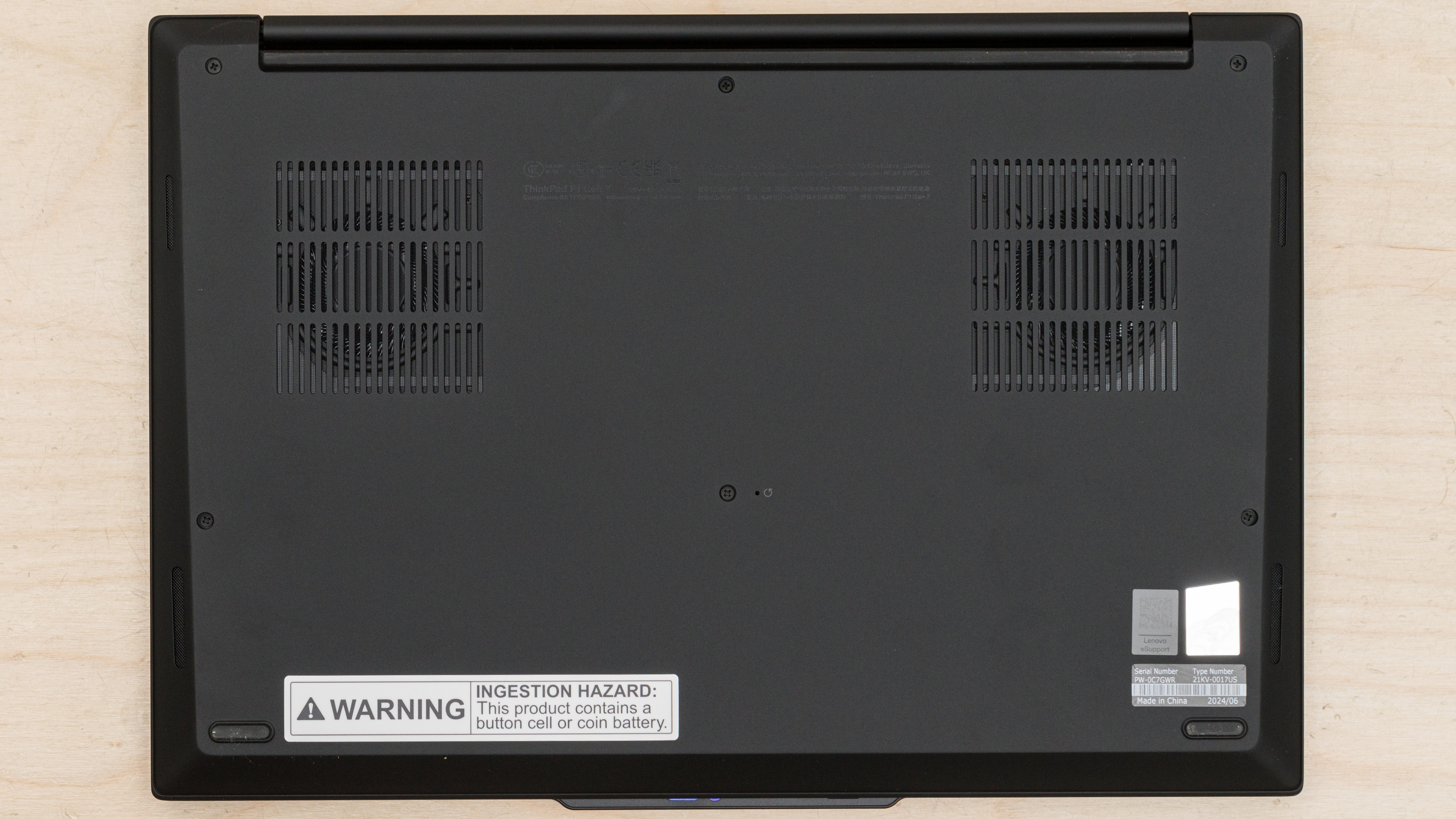
    See our unit's label here.

    Popular Laptop Comparisons

    The Lenovo ThinkPad P1 Gen 7 is an outstanding workstation laptop. It has a sturdy build and long battery life, and it provides a great user experience overall. While there are more powerful laptops on the market, it packs a good amount of processing power without being overly bulky, making it a fantastic option for on the go use.

    See our recommendations for the best Windows laptops, the best workstation laptops, and the best laptops for video editing.

    Apple MacBook Pro 16 (M4, 2024)

    The Apple MacBook Pro 16 (M4, 2024) and Lenovo ThinkPad P1 Gen 7 (2024) are excellent mobile workstations with wide configuration options. The Apple laptop takes the crown, offering better performance and a superior user experience. Its M4 Max SoC delivers superior CPU performance compared to the Lenovo's top-end Intel Core Ultra 9 185H, and the M4's GPU trades blows with the NVIDIA RTX 3000 Ada Generation Laptop GPU depending on the workload. As for user experience, the Apple laptop is better built and features a brighter display. The keyboard is better on the Lenovo, and while the Apple has the edge for the touchpad, the Lenovo's haptic touchpad is impressive in its own right.

    Lenovo ThinkPad P16 Gen 2 (2024)

    The Lenovo ThinkPad P16 Gen 2 (2024) and the Lenovo ThinkPad P1 Gen 7 (2024) are both 16-inch mobile workstations; however, they're quite different, as the P16 is a much bulkier model intended as a desktop replacement, whereas the P1 Gen 7 is much more compact and better suited for on-the-go use. The latter's sleeker and more compact design comes at the cost of performance, though, as its Intel Meteor Lake CPUs aren't nearly as fast as the P16's Intel 14th Gen HX processors, and its GPU configuration maxes out at an RTX 3000 running at 60W, while the P16 Gen 2 is available with up to an RTX 5000 running at 115W. The user experience is better on the P1 Gen 7; it has a larger and more responsive haptic touchpad, a higher-quality webcam, and longer battery life. On the other hand, the P16 has more optional features, like cellular connectivity, NFC support, and a Smart Card reader.

    Dell Pro Max 16 (2025)

    The Lenovo ThinkPad P1 Gen 7 (2024) is better than the Dell Pro Max 16 (2025). The performance is pretty close between these two laptops—it just depends on the configuration. What makes the Lenovo better is the user experience; it has a more premium build, a significantly better keyboard and touchpad, and higher-quality display options, including a 165Hz QHD+ and a 4k+ OLED panel, with the latter boasting full P3 coverage. The Lenovo also has a more compact design and longer battery life, making it a superior option for on-the-go use.

    ASUS ROG Zephyrus G14 (2024)

    Although both devices can handle demanding tasks, the Lenovo ThinkPad P1 Gen 7 (2024) and the ASUS ROG Zephyrus G14 (2024) are very different. The former is primarily a workstation laptop designed for professional workloads like design and simulation, while the latter is, first and foremost, a gaming laptop. The ThinkPad is a better choice if you want the most processing power or need more than 32GB of RAM. You can play games on the ThinkPad, but unlike the G14, none of its displays support VRR to reduce screen tearing.

    Show more 

    Test Results

    perceptual testing image
    Sort:
    RATINGS
    Category:
    All
    Design
    Style
    Form Factor
    Traditional (Clamshell)

    The Lenovo ThinkPad P1 Gen 7 is only available in black. See the bottom of the laptop here.

    8.5
    Build Quality

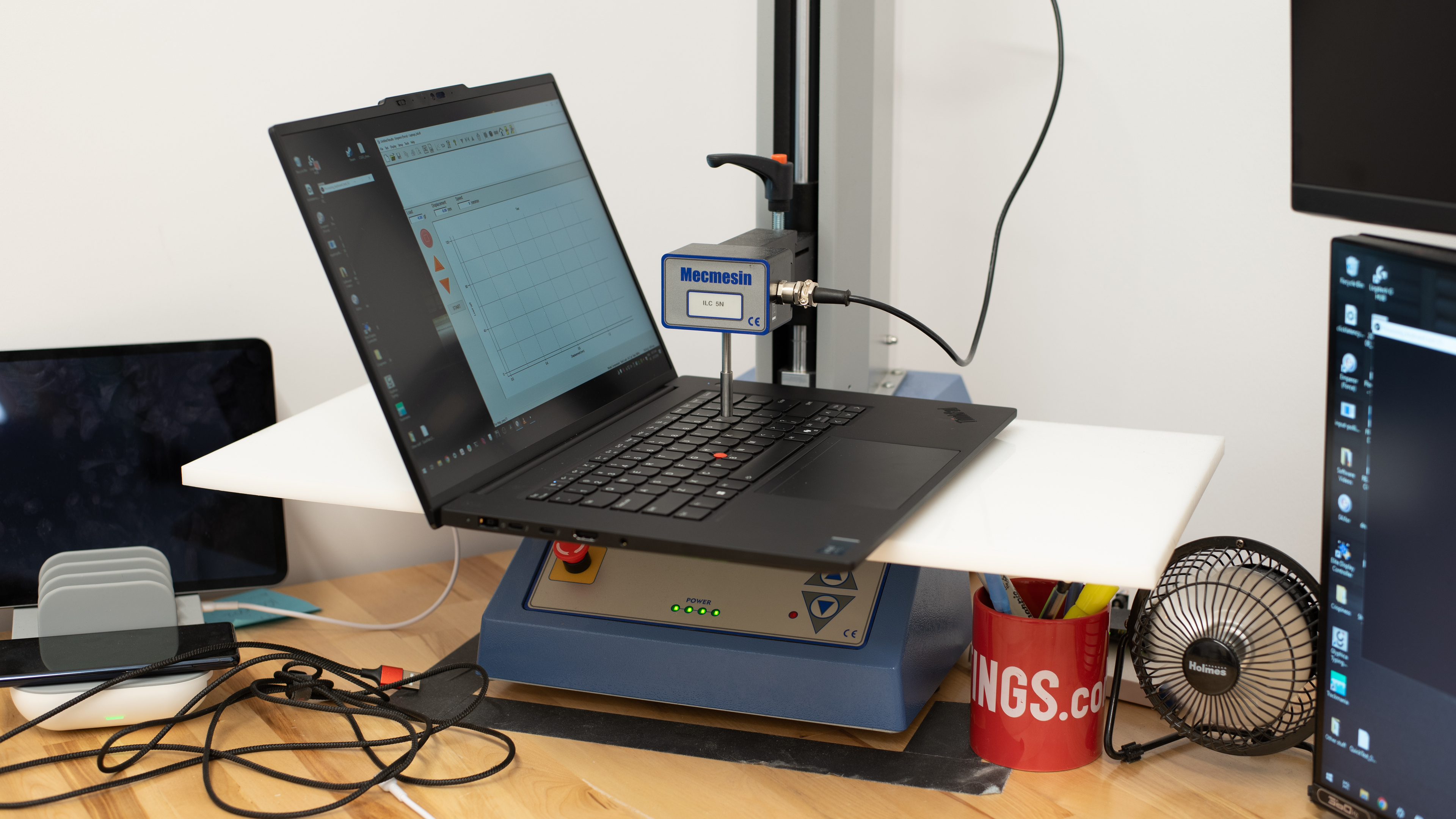
    The Lenovo ThinkPad P1 Gen 7's build quality is excellent. The construction is a mix of aluminum, magnesium, and plastic. It feels very sturdy, exhibiting little to no flex on the lid or keyboard deck. The display doesn't twist when manipulating it either. While the finish doesn't scratch easily, it's a fingerprint magnet, which is typical for most dark color finishes. The feet feel solid and stick firmly to the bottom; they just attract a lot of dust and dirt.

    9.4
    Hinge
    Range
    175°
    Stability
    Good
    One Finger Lift
    Yes

    The hinge is outstanding. It feels smooth when opening and closing the lid, and it's very stable, exhibiting almost no wobble when typing heavily or manipulating the display. Its wide range lets you push the screen back to an almost flat position, which is handy when you need to share content with someone sitting opposite you.

    7.1
    Portability
    Size
    16"
    Thickness
    0.9" (2.4 cm)
    Width
    14.0" (35.6 cm)
    Depth
    9.7" (24.6 cm)
    Volume
    128.3 in³ (2,101.8 cm³)
    Weight
    4.2 lbs (1.9 kg)
    Charger Size
    14.8 in³ (242.6 cm³)
    Charger Weight
    1.1 lbs (0.5 kg)
    8.2
    Serviceability
    Ease Of Access
    9.0
    RAM Slots
    1
    Storage Slots
    2
    Replaceable Battery
    Yes
    Replaceable Wireless Adapter
    No

    The Lenovo ThinkPad P1 Gen 7's serviceability is great. Accessing the internals is straightforward; you only need to remove six Philips screws and pull the bottom panel off. A prying tool isn't necessary. The screws are captive, meaning they remain attached to the bottom panel, so you don't have to worry about losing them. The RAM is user-replaceable; however, this laptop uses LPCAMM2 modules, which aren't as easy to find as the more standard SO-DIMM sticks. Both storage lots support M.2 2280 PCIe Gen 4 NVMe SSDs.

    See the service guide here.

    In The Box

    • 170W power adapter and cord
    • Documentation

    Note: Models with Intel Arc graphics only come with a 135W power adapter.

    Display
    Screen Specs
    Resolution
    2560 x 1600
    Aspect Ratio
    16:10
    Pixel Density
    189 PPI
    Panel Type
    IPS
    Touch Screen
    No
    Screen-To-Body Ratio
    90%

    The Lenovo ThinkPad P1 Gen 7 is available with the following displays:

    • 16" IPS 1920 x 1200 60Hz (matte)
    • 16" IPS 2560 x 1600 165Hz (matte)
    • 16" OLED 3840 x 2400 60Hz (touchscreen, glossy)

    The choice of the display depends on your preference and needs. If you want the best visual experience, get the OLED panel, as it has the highest resolution and will deliver the sharpest image and text. It's also the only option with full DCI-P3 coverage and support for touch input. However, keep in mind that OLEDs are susceptible to permanent burn-in. The QHD+ panel also looks very sharp and is a good choice if you care about input responsiveness and motion smoothness since it has a higher refresh rate. As for the FHD+ screen, it's fine for general productivity, but know that you'll likely see individual pixels, even at typical viewing distances, as a FHD+ resolution is low for a 16-inch display.

    8.1
    Refresh Rate
    Refresh Rate
    165 Hz
    Variable Refresh Rate
    No

    The Lenovo ThinkPad P1 Gen 7's QHD+ display has a high refresh rate and a fast response time, resulting in increased input responsiveness, smoother motion, and minimal ghosting behind fast-moving objects. The FHD+ and 4k+ panels have a standard 60Hz refresh rate, so they won't feel as responsive. None of the available displays support VRR to minimize screen tearing when gaming with an uncapped frame rate.

    7.6
    Contrast
    Native Contrast
    1,488 : 1

    The QHD+ display’s contrast ratio is good and within the typical range of most IPS panels; however, it’s still low compared to other display technologies like VA and OLED. This contrast level makes blacks look gray in dim settings. The FHD+ panel has the same advertised contrast, while the 4k+ OLED panel has a near-infinite contrast ratio since OLEDs can turn off individual pixels to produce perfect blacks.

    8.6
    Brightness
    Maximum Brightness
    481 cd/m²
    Minimum Brightness
    6 cd/m²

    The QHD+ display gets bright enough for use in most indoor settings. As for outdoor use, it's doable, but you may have trouble seeing some content in direct sunlight. It gets very dim at the lowest brightness setting, which helps reduce eye strain when viewing content in a dark environment. The FHD+ panel has a lower advertised brightness of 400 cd/m². The 4k+ panel also has an advertised brightness of 400 cd/m² in SDR but can get up to 500 cd/m² in HDR.

    8.3
    Reflections
    Screen Finish
    Matte
    Total Reflections
    3.14%
    Indirect Reflections
    1.85%
    Calculated Direct Reflections
    1.29%

    The QHD+ display handles reflections well. Its matte finish is very effective in reducing the intensity of bright light sources, like a lamp or open window during the day. There's some haloing around bright reflections, but it's fairly minimal compared to most matte displays. The FHD+ panel has the same finish. The 4k+ panel has a glossy finish, so it'll likely struggle more with direct, mirror-like reflections.

    8.9
    Black Uniformity
    Uniformity (Std. Dev.)
    0.663%

    The picture above shows the uniformity of the QHD+ IPS panel. The OLED panel has perfect uniformity since OLEDs can turn off individual pixels to produce perfect blacks.

    5.7
    Out-Of-The-Box Color Accuracy
    Avg. White Balance dE
    5.02
    Avg. Gamma
    2.25
    Avg. Color dE
    3.69
    Avg. Color Temperature
    5,704.7 K

    The QHD+ display's out-of-the-box accuracy is sub-par, mainly due to the high white balance dE and overly warm color temperature. The color and gamma inaccuracies are minor and hard to spot.

    8.6
    Color Gamut
    sRGB xy
    99.97%
    sRGB uv
    99.91%
    Adobe RGB xy
    78.58%
    Adobe RGB uv
    88%
    DCI-P3 xy
    79.31%
    DCI-P3 uv
    84.71%
    Rec. 2020 xy
    57.02%
    Rec. 2020 uv
    62.22%

    The FHD+ and QHD+ displays are sRGB panels, meaning they only have full coverage of the commonly used sRGB color space. The 4k+ OLED panel has full DCI-P3 coverage, making it a better option for HDR video production.

    10
    Flicker
    Flicker-Free
    Yes
    Flicker Frequency
    No Flicker
    Flicker Active Below
    0%

    Both IPS panels are entirely flicker-free. The OLED panel flickers, as it uses PWM dimming; however, we can't confirm the flicker frequency.

    Interface
    8.2
    Keyboard
    Typing Quality
    8.0
    Numpad
    No
    Backlighting
    Adjustable
    See details on graph tool
    Operating Force
    63 gf
    Actuation Force
    30 gf
    Pre-Travel
    1.21 mm
    Total Travel
    1.52 mm

    The Lenovo ThinkPad P1 Gen 7 has a great keyboard. Its layout is fairly standard and easy to get used to. The size of the keyboard is fine, though it could be a bit wider, considering the amount of space available on the deck. Typing on this keyboard feels great; the keys have a decent amount of travel, require little force to actuate, and provide good tactile feedback. Another minor complaint is key stability, as the keys wobble a bit.

    9.0
    Touchpad
    Tracking Quality
    9.0
    Size
    17.8 in² (114.8 cm²)
    Material
    Glass
    Dedicated Buttons
    No

    The Lenovo ThinkPad P1 Gen 7's touchpad is outstanding. Though it could be wider, the size is good, providing ample space to perform various actions like dragging and dropping over a long distance. Tracking is outstanding, and there are no issues with palm rejection. This is a haptic touchpad, so you can click anywhere, even at the top, which is handy if you use the Trackpoint (red nub between the letters G and H). The haptic engine simulates the clicks well, giving you clear tactile feedback.

    As for the Trackpoint, it's essentially a secondary way of controlling the cursor. It's convenient because you don't have to move your hand as much to move the cursor, but it's a little hard to get used to because it's pressure-sensitive.

    9.2
    Speakers
    See details on graph tool
    Max Volume
    82 dB SPL
    Standard Error @ Normal Vol. (65 dB)
    4.0 dB
    Slope @ Normal Vol. (65 dB)
    0.9
    Bass Extension (Low-Frequency Ext.)
    220 Hz
    Treble Extension (High-Frequency Ext.)
    16 kHz
    Dynamic Range Compression @ Max Vol.
    1.7 dB

    The Lenovo ThinkPad P1 Gen 7 has outstanding speakers. They sound clear and full, with a decent amount of bass. They get very loud but sound a bit harsh at higher volume levels.

    8.7
    Webcam & Microphone
    Video Quality
    8.5
    Resolution
    1440p
    Position
    Top Center
    Privacy Cover
    Yes
    Face Unlock
    Yes

    The Lenovo ThinkPad P1 Gen 7 has an excellent webcam. The image looks detailed and well-exposed, with true-to-life colors. There's some noise in darker areas, but it isn't bad enough to affect the overall quality of the image. Voices sound relatively clear, though there's a bit of static background noise.

    The privacy cover is only a physical barrier, so it doesn't disable the camera or microphone at the software level. You can disable the microphone using the F4 shortcut.

    Connectivity
    8.5
    Ports
    USB-A Ports
    1
    USB-C Ports
    3
    Thunderbolt
    Thunderbolt 4
    USB-C Charging
    Yes
    USB-C Display Out
    Yes
    HDMI
    2.1
    DisplayPort
    No
    3.5mm Jack
    Combo mic/headphone
    Card Reader
    SD Express 7.0
    Ethernet
    No
    Proprietary Port
    Lenovo Power Connector
    Security Lock
    Yes

    The Lenovo ThinkPad P1 Gen 7 has an excellent port selection. The USB-A port supports USB 3.2 Gen 1 data transfer speed of up to 5Gbps, and it’s always on, meaning you can use it to charge a mobile device even when the laptop is in sleep mode. Both USB-Cs on the left side of the laptop support Thunderbolt 4/USB4 (up to 40Gbps data transfer speed) and DisplayPort 2.1, while the USB-C on the right side supports USB 3.2 Gen 2 (up to 10Gbps data transfer speed) and DisplayPort 1.4. All three USB-Cs support Power Delivery 3.0, which lets you fast charge the laptop and other PD-compatible devices connected to the port. However, it can only take up to 135W, so the battery might lose charge if you perform intensive tasks at the same time. Also, you must use a power adapter of at least 65W for the charging to work. The HDMI is a true HDMI 2.1 port with a maximum output resolution of 4k @ 120Hz.

    Wireless Communication
    Wi-Fi
    Wi-Fi 7 (802.11be)
    Bluetooth
    5.4

    The Lenovo ThinkPad P1 Gen 7's wireless adapter is an Intel Wi-Fi 7 BE200. Like Wi-Fi 6e, Wi-Fi 7 gives you access to the 6GHz band but with even faster speeds and lower latency. However, you need a router that supports Wi-Fi 7 to benefit from these features.

    Configuration
    CPU
    Brand
    Intel
    Model
    Core Ultra 7 165H
    Core Count
    16
    Thread Count
    22

    The Lenovo ThinkPad P1 Gen 7 is available with the following CPUs:

    • Intel Core Ultra 5 135H (14 cores/18 threads, up to 4.60GHz, 18MB cache)
    • Intel Core Ultra 7 155H (16 cores/22 threads, up to 4.80GHz, 24MB cache)
    • Intel Core Ultra 7 165H (16 cores/22 threads, up to 5.00GHz, 24MB cache)
    • Intel Core Ultra 9 185H  (16 cores/22 threads, up to 5.1GHz, 24MB cache)

    All four CPUs are high-performance processors from Intel's Meteor Lake family. Like Intel's 13th Gen CPUs, they have a hybrid architecture comprising performance and efficiency cores. However, they have two additional low-power E-cores (LP-E) to further improve efficiency, as well as an NPU (Neural Processing Units) for AI-based tasks, like background-blurring on video calls and image generation in photo editing apps. These CPUs can handle general productivity tasks and more intensive workloads, like programming and video editing. Regarding core composition, the Core Ultra 5 has four performance cores, eight efficiency cores, and two low-power efficiency cores (4P+8E+2LP-E), while the Core Ultra 7s and 9 have six performance cores, eight efficiency cores, and two low-power efficiency cores (6P+8E+2LP-E). All four CPUs have the same Neural Processing Units (NPU).

    See more information about the Meteor Lake CPUs here.

    GPU
    Brand
    NVIDIA
    Model
    RTX 3000 Ada Generation Laptop GPU
    Dedicated/Integrated
    Dedicated
    VRAM Size
    8 GB
    GPU Total Graphics Power (TGP)
    60W

    The Lenovo ThinkPad P1 Gen 7 is available with the following GPUs:

    • Intel Arc Graphics (integrated)
    • NVIDIA GeForce RTX 4060 Laptop GPU (discrete, 8GB GDDR6, 60W TGP)
    • NVIDIA GeForce RTX 4070 Laptop GPU (discrete, 8GB GDDR6, 60W TGP)
    • NVIDIA RTX 1000 Ada Generation Laptop GPU (discrete, 6GB GDDR6, 60W TGP)
    • NVIDIA RTX 2000 Ada Generation Laptop GPU (discrete, 8GB GDDR6, 60W TGP)
    • NVIDIA RTX 3000 Ada Generation Laptop GPU (discrete, 8GB GDDR6, 60W TGP)

    Although the NVIDIA discrete GPUs are all based on the Ada Lovelace architecture and can handle demanding tasks, some differences exist between the GeForce and the RTX Ada Generation models. The GeForce GPUs are more mainstream processors typically found in gaming and content creation laptops, while the RTX Ada Generation GPUs are designed mainly for professional workloads, with better optimization for tasks like design and simulation. These GPUs range from entry-level to mid-range. Considering only the number of CUDA cores, the RTX 1000 is the weakest, with 2,560 CUDA cores, the same number as the entry-level, gaming-oriented GeForce RTX 4050 Laptop GPU. The RTX 4060 and RTX 2000 have 3,072, while the RTX 4070 and RTX 3000 have 4,608. Ultimately, the choice of the GPU depends on your workload, its complexity, and the speed at which you expect to complete tasks. You can play games on models with an RTX Ada Generation GPU; just know that the performance won't be as good as on models with a GeForce GPU, as they don't always get the best drivers. You can also get this laptop with Intel-integrated graphics only if you don't need a lot of GPU processing power. If you need higher-end GPUs for your workflow, consider the Dell Precision 5690 (2024).

    See here for more information about the GeForce GPUs, and here for more information about the RTX Ada Generation GPUs.

    RAM
    Capacity
    32 GB
    Modules
    1
    Type
    LP-DDR5x
    Speed
    7,467 MHz

    You can configure the Lenovo ThinkPad P1 Gen 7 with 16GB, 32GB, or 64GB of RAM. The memory is user-replaceable.

    Storage
    Advertised Capacity
    1,000 GB
    Usable Capacity
    947 GB
    Drive 1
    SK Hynix HFS001TEJ9X162N
    Drive 1 TypeSSD
    Drive 2
    No 2nd Drive
    Drive 2 TypeNo 2nd Drive

    You can configure the Lenovo ThinkPad P1 Gen 7 with 256GB, 512, 1TB, 2TB, or 8TB of storage. The 2TB option can be either with a single SSD or with two SSDs in a RAID configuration (0 or 1), and the 8TB option is only available with two 4TB SSDs, also in RAID 0 or 1. Lenovo labels some SSDs as ‘Performance’ drives, but it’s unclear what that means, as there’s no mention of the exact SSD model or the expected speeds. The storage is user-replaceable; both slots support M.2 2280 PCIe Gen 4 NVMe SSDs.

    Performance
    7.6
    CPU/RAM Performance
    Cinebench 2024 - Single Core
    109 points
    Cinebench 2024 - Multi Core
    952 points
    Geekbench 6 - Single Core
    2,419
    Geekbench 6 - Multi Core
    15,479
    Blender - CPU (Avg)
    82 samples/min
    PassMark PT - CPU Mark
    31,197
    PassMark PT - Memory Mark
    2,652
    PassMark PT - Memory Mark (Android)
    N/A
    Mozilla Kraken
    354 ms
    8.2
    Low Tier Graphics
    Geekbench 6 - GPU Compute
    109,964
    Basemark Web 3.0
    1,767
    PassMark PT - 2D Mark
    612
    PassMark PT - 2D Mark (Android)
    N/A
    PassMark PT - 3D Mark
    20,746
    PassMark PT - 3D Mark (Android)
    N/A
    Novabench 5 - GPU
    988.0
    mprep - Stress My GPU
    81,245

    We received an average result of 37,874 when using Vulkan, which is very low given this GPU. Therefore, we tried again using OpenCL and got an average of 109,964, which is much more in line with what is expected.

    The NVIDIA RTX 3000 is an Ada GPU, which is designed to be better for computational math, as opposed to gaming. This is why the Stress My GPU benchmark scores higher than laptops with 'better' gaming GPUs, like the NVIDIA GeForce RTX 4060.

    7.3
    High Tier Graphics
    3DMark - Steel Nomad (DX12)
    2,491
    3DMark - Steel Nomad (Vulkan/Metal)
    2,365
    Basemark GPU (DX12)
    121,028
    Basemark GPU (Vulkan/Metal)
    112,079
    GFXBench - High Level Test (Vulkan/Metal)
    7,909 Frames
    4.6
    Professional 3D (GPU Accelerated)
    Blender - GPU (Avg)
    1,140 samples/min
    Cinebench 2024 - GPU
    10,727 points
    7.6
    CPU-Intensive Game Performance
    Civilization VII - AI
    13.9 s/turn
    Civilization VII - Graphics (Avg)
    154.3 fps
    Civilization VII - Graphics (1% Low)
    85.9 fps
    Total War: Warhammer III (Avg)
    61.9 fps
    Baldur's Gate 3 (Avg)
    52.1 fps
    Baldur's Gate 3 (1% Low)
    31.5 fps
    Previous Methodology Score
    8.5
    Previous Methodology Score Converted
    8.0
    6.4
    GPU-Intensive Game Performance
    Cyberpunk 2077 (Avg)
    45.4 fps
    Cyberpunk 2077 (Min)
    38.1 fps
    Assassin's Creed Shadows (Avg)
    33 fps
    Assassin's Creed Shadows (1% Low)
    28 fps
    GTA V (Avg)
    92.2 fps
    GTA V (1% Low)
    76.6 fps
    Black Myth: Wukong (Avg)
    38 fps
    Black Myth: Wukong (5% Low)
    33 fps
    Resident Evil 4 (Avg)
    60.4 fps
    Resident Evil 4 (1% Low)
    26.4 fps
    Previous Methodology Score
    8.0
    Previous Methodology Score Converted
    6.4
    4.3
    Ray Tracing Performance
    Cyberpunk 2077 (Avg)
    35.1 fps
    Cyberpunk 2077 (Min)
    31.1 fps
    Assassin's Creed Shadows (Avg)
    22 fps
    Assassin's Creed Shadows (1% Low)
    18 fps
    Black Myth: Wukong (Avg)
    25 fps
    Black Myth: Wukong (5% Low)
    21 fps
    9.6
    Storage Drive Performance
    Sequential Write Speed
    1,954.2 MB/s
    Sequential Read Speed
    4,842.6 MB/s
    Random Write Speed
    97.9 MB/s
    Random Read Speed
    62.1 MB/s

    Models with two SSDs in a RAID 0 configuration will give you significantly faster speeds; however, the failure of one drive can cause data loss across all drives.

    9.0
    Battery
    Capacity
    90 Wh
    Battery Life (Web Browsing)
    12.3 hrs
    Battery Life (Video Playback)
    10.7 hrs
    Battery Life (Gaming)
    1.3 hrs
    Charge Time
    1.9 hrs

    Models with integrated graphics only will likely have longer battery life. On the other hand, models with an OLED panel will have shorter battery life. If you want even better battery performance, consider the HP ZBook Power G11 A (2024).

    7.2
    Thermals And Noise
    Keyboard Temp While Idle
    30 °C (87 °F)
    Keyboard Temp Under Load
    46 °C (114 °F)
    Fan Noise While Idle
    25.0 dBA
    Fan Noise Under Load
    47.5 dBA
    Power & Fan Control App
    No

    See the thermal image of the bottom here.

    7.8
    Performance Over Time
    See details on graph tool
    CPU Temp (Cinebench)
    99 °C
    CPU Perf. Loss (Cinebench)
    15% loss
    GPU Temp (Heaven)
    76 °C
    GPU Perf. Loss (Heaven)
    0% loss
    Additional Features And Software
    Software
    Operating System
    Windows 11
    Additional Software
    Yes

    The Lenovo ThinkPad P1 Gen 7 has many pre-installed applications, including:

    • Dolby Access: Adds Dolby Atmos support and allows you to change the speakers' sound profile.
    • Glance by Mirametrix: A software application that adds attention-sensing capability. When enabled, it can automatically lock your computer when you walk away, pause a video, blur the content when you aren't directly looking at the screen, or move windows from one screen to another.
    • Intel Management and Security Status: Lets you view the status and change settings for Intel's Active Management Technology, which allows for remote out-of-band management of business computers.
    • Intel Connectivity Performance Suite: Settings to improve network performance.
    • Intel Graphics Command Center: Lets you adjust the display's contrast, color, saturation, power management, and video enhancement settings.
    • Intel Unison: Lets you connect your smartphone to the laptop, allowing you to send and receive messages, view photos on your smartphone, and transfer files, similar to the MyPhone app.
    • Lenovo Commercial Vantage: Lets you view system status, change various settings, and give access to IT admins to troubleshoot and fix issues.
    • Solitaire & Casual Games: Solitaire, FreeCell, Spider, Mahjong, Sudoku, and other casual games.
    • Synaptics Fingerprint Reader Preboot Manager: Lets you access settings for the fingerprint sensor.
    • Trackpoint Quick Menu: Lets you access Trackpoint settings.

    You can get the Lenovo ThinkPad P1 Gen 7 with Windows 11 Home or Pro, Windows 10 Government Edition 64, Fedora Linux, Ubuntu Linux LTS, or Red Hat Enterprise Linux 9.2. You can also get it with no pre-installed operating system if you want to install a custom OS. Check out the Apple MacBook Pro 14 (2024) if you prefer to work on macOS.

    Extra Features
    Biometrics
    Face Recognition and Fingerprint Sensor
    RGB Illumination
    No
    Touch Pen Support
    No Stylus Support
    Secondary Display
    No

    The Lenovo ThinkPad P1 Gen 7 has a fingerprint sensor (integrated into the power button) and a Windows Hello facial recognition IR camera. You can use either to log in quickly, authorize purchases in the Windows Store, and auto-fill saved passwords on supported websites.