The Acer Swift Go 14 (2024) is a 14-inch Windows ultraportable. It replaces the Swift Go 14 from 2023 (Intel 13th Gen, model SFG14-71). This 2024 model is available with Intel Meteor Lake CPUs, up to a Core Ultra 9 185H, 32GB of RAM, and 2TB of storage. There's no dedicated GPU option. You can get this laptop with a 60Hz FHD+ (1920 x 1200) IPS or a 90Hz 2.8k (2880 x 1800) OLED panel. It has a 1080p webcam, Wi-Fi 6E, and a fingerprint sensor. Ports include two USB-As, two USB-C/Thunderbolt 4s, an HDMI 2.0, a MicroSD card reader, and a 3.5mm headphone jack.
See our unit's specifications and the available configuration options in the Difference Between Variants section.
Our Verdict
The Acer Swift Go 14 is great for general productivity. It's a well-built laptop that's easy to carry, and its battery lasts easily through a typical workday. The display looks sharp, provides just enough space for split-screen multitasking, and gets bright enough to combat glare. Plus, the FHD+ and 2.8k OLED panels have full sRGB and DCI-P3 coverage, respectively, making them suitable for color-critical work like photo and video editing. The touchpad is large and responsive; however, the keyboard feels a tad mushy and tiring to type on for extended periods. Its Intel Meteor Lake CPU performs well and can easily handle productivity tasks like text processing, spreadsheets, and presentations. It has a good 1080p webcam for video calls as well as a wide port selection that includes two Thunderbolt 4 ports and an HDMI port.
Easy to carry around.
Battery lasts around 11 hours in light uses.
Sharp, bright display.
Wide port selection includes Thunderbolt 4.
Good 1080p webcam.
Keyboard can cause some fatigue over an extended period.
The Acer Swift Go 14 is great for media consumption. It's very portable, and its battery lasts over 10 hours of video playback, giving you plenty of time for a couple of full-length movies and TV show episodes. You can get this laptop with an FHD+ IPS or 2.8k OLED display; both displays look sharp and bright enough to combat glare. However, the 2.8k panel is much better suited for dark room viewing, as it can produce deep, inky blacks, whereas the IPS panel has a low contrast ratio that makes blacks look gray. Unfortunately, the speakers don't get very loud, and they have a vocal-centric tuning with almost no bass, so they're best suited for speech-heavy content.
Easy to carry around.
Available with 2.8k OLED display.
Display is well-calibrated out of the box.
Battery lasts around 10 hours of video playback.
Quiet speakers with no bass.
FHD+ IPS panel isn't ideal for dark room viewing.
The Acer Swift Go 14 isn't designed for gaming. Although its Intel CPU is quite capable, its integrated graphics aren't powerful enough to provide smooth gameplay in graphically intensive games. You can play some lighter, older titles, but even then, you'll have to play with the lowest graphical settings to get playable frame rates. There's a 90Hz OLED display option, which will provide slightly better input responsiveness and motion smoothness than a standard 60Hz display, but it doesn't support VRR to reduce screen tearing.
90Hz OLED panel option.
Relatively quiet fans under load.
Minimal thermal throttling under load.
No discrete GPU option.
IPS panel has slow response time.
No VRR support.
The Acer Swift Go 14 isn't designed for use as a workstation. Although its Intel Meteor Lake CPU can handle demanding tasks, you can only get this laptop with up to 32GB of soldered RAM, which might not be enough for highly intensive workloads. Also, there's no dedicated GPU option, so anything that requires a lot of graphical processing power is out of the question. You can perform color-critical work, though, as its 2.8k OLED display has full DCI-P3 coverage. Its wide port selection includes two Thunderbolt 4s, so you can transfer files quickly and connect two 4k displays with a single cable. Thermal throttling is minimal, though the laptop gets pretty hot, especially the bottom.
CPU can handle demanding tasks.
2.8k OLED panel has full DCI-P3 coverage.
Wide port selection includes Thunderbolt 4.
Relatively quiet fans under load.
Minimal thermal throttling under load.
No discrete GPU option.
Can only get up to 32GB of soldered RAM.
Changelog
-
Updated Oct 30, 2025:
We've updated text throughout the review after converting to Test Bench 0.9.
- Updated Oct 30, 2025: We've updated the review to Test Bench 0.9, which adds several test boxes in the performance section, including CPU/RAM Performance, Low Tier Graphics, High Tier Graphics, Professional 3D (GPU accelerated), CPU-Intensive Game Performance, GPU-Intensive Game Performance, and Ray Tracing Performance. See the 0.9 changelog here.
-
Updated Jun 19, 2025:
Added mention of the Dell 14 Plus 2-in-1 (2025) as a convertible alternative in the Style section.
-
Updated Jun 09, 2025:
Added mention of the ASUS Zenbook A14 UX3407 (2025) as an alternative with a longer battery life in the Battery section.
Check Price
Differences Between Sizes And Variants
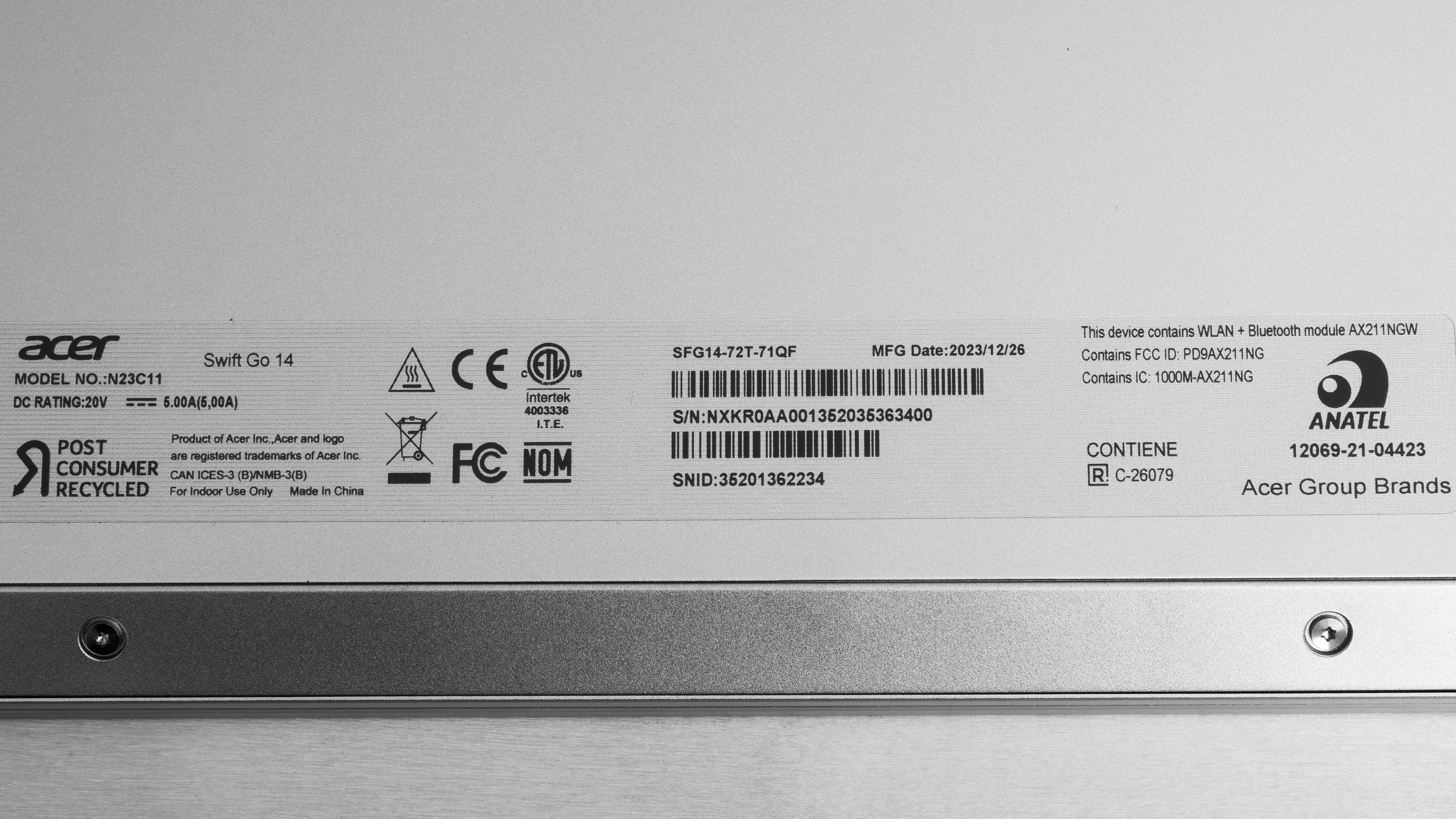
We tested the Acer Swift Go 14 (model SFG14-72T-71QF) with an FHD+ display, an Intel Core Ultra 7 155H CPU, integrated Intel Arc graphics, 16GB of RAM, and 1TB of storage. The display, CPU, memory, and storage are configurable; see below for all the configuration options. Our review applies to all variants with a model number starting with 'SFG14-72' and 'SFG14-73'.
SCREEN
- 14” IPS 1920 x 1200 60Hz (touchscreen, matte, 100% sRGB)
- 14” OLED 2880 x 1800 90Hz (glossy, 100% DCI-P3)
CPU
- Intel Core Ultra 5 125H (14 cores, 18 Threads, up to 4.5 GHz, 18MB Cache)
- Intel Core Ultra 7 155H (16 cores, 22 Threads, up to 4.8 GHz, 24MB Cache)
- Intel Core Ultra 9 185H (16 cores/22 threads, up to 5.1GHz, 24MB cache)
GPU
- Intel Arc Graphics (integrated)
MEMORY
- 8GB LP-DDR5x 6400MHz
- 16GB LP-DDR5x 6400MHz
- 32GB LP-DDR5x 6400MHz
STORAGE
- 512GB M.2 PCIe Gen 4 NVMe SSD
- 1TB M.2 PCIe Gen 4 NVMe SSD
- 2TB M.2 PCIe Gen 4 NVMe SSD
COLOR
- Silver
See our unit's label.
Popular Laptop Comparisons
The Acer Swift Go 14 laptop is a great mid-range ultraportable. Its CPU performance is outstanding, outperforming many pricier models with the same chip. It also stands out for the quality of its display and its wide port selection. The keyboard could be better, as it feels a tad mushy and can be tiring to type on for an extended period, and like most budget-conscious laptops, the speakers are sub-par.
For more options, check out our recommendations for the best Windows laptops, the best business laptops, and the best lightweight laptops.
The Lenovo Yoga 7 2-in-1 14 (2024) and Acer Swift Go 14 (2024) are mid-range Windows laptops that trade blows. The Lenovo is more versatile, thanks to its convertible form factor, meaning you can use it as a tablet with the included stylus. It also has a premium-feeling all-aluminum chassis and provides a better user experience thanks to its superior touchpad and keyboard. That said, the Acer's traditional clamshell form factor may be more appealing to some, and it offers a wider range of hardware options, including more RAM and storage. Both devices offer great battery life, so the choice comes down to preference over form factor and your hardware needs.
The Acer Swift Go 14 (2024) is better than the Acer Swift 14 (2023) for most uses. The Go 14 is a newer device available with Intel Meteor Lake CPUs, which are faster in multi-threaded workloads than the Swift 14's Intel 13th Gen processors and more power efficient, leading to longer battery life. It also has a better keyboard and touchpad, and it's available with a nicer 90Hz 2.8k OLED display.
The Acer Swift Go 14 (2024) is much better than the MSI Modern 14 (2023) for most uses. The Acer provides a better user experience overall; its available displays are brighter and more colorful, and they have a 16:10 aspect ratio, which is better suited for productivity. It also has a better webcam, a wider port selection with Thunderbolt 4 support, Wi-Fi 6E, and a significantly longer battery life. Performance-wise, although both laptops can easily handle general productivity tasks like text processing, web browsing, and spreadsheets, the Acer's Intel Meteor Lake CPUs are much faster, allowing you to perform more demanding workloads like programming and simulations.
The Acer Swift Go 14 (2024) and the HP Pavilion Aero 13 (2024) are both Windows ultraportable laptops. The Acer provides a slightly better user experience overall; it's available with a nicer 90Hz 2.8k OLED display, and its USB-C ports support Thunderbolt 4, allowing you to transfer files faster and connect two 4k external monitors with a single cable. It also has a sturdier build and longer battery life. While the HP's AMD Ryzen CPUs are quite capable, you can get more processing power from the Acer's Intel Meteor Lake CPUs, especially in multi-threaded workloads.
Test Results
The Acer Swift Go 14 is only available in the Silver colorway. See the bottom of the laptop. Check out the Dell 14 Plus 2-in-1 (2025) if you prefer a 2-in-1 convertible you can use as a tablet.
The build quality is great. Its aluminum and plastic chassis feels sturdy overall; there's some flex on the lid and keyboard deck, but not enough to be of concern. Twisting the screen produces a clipping noise, though it's hard to say whether this will be a problem in the future. There are no complaints about the feet; they feel solid and stick firmly to the bottom. The finish is fairly resistant to scratches. Fingerprints and smudges aren't a problem on most surfaces except for the touchpad (and keys, albeit to a lesser degree), which picks up oil easily. If you want an alternative with a fully aluminum chassis, check out the Lenovo Yoga 7 2-in-1 14 (2024).
The Acer Swift Go's hinges are outstanding. They feel smooth and sturdy when opening and closing the lid. You can open the laptop with one hand, though the laptop lifts slightly when doing so. Heavy typing doesn't cause the screen to wobble if you set the display past 90 degrees. There's more wobbling below 90 degrees, but since most people don't use the laptop in that manner, it isn't a huge issue.
The Acer Swift Go's serviceability is decent. Accessing the internals is easy; you only need to remove ten torque screws and release the bottom panel's clips with a thin prying tool. The only component that's somewhat hard to access is the storage slot below the fans, as you must first remove the ribbon to access the connectors. Both storage slots support M.2 2280 PCIe Gen 4 NVMe SSDs.
See the service manual.
The Acer Swift Go is available with the following displays:
- 14” IPS 1920 x 1200 60Hz (touchscreen, matte, 100% sRGB)
- 14” OLED 2880 x 1800 90Hz (glossy, 100% DCI-P3)
A FHD+ resolution looks sharp on a 14-inch screen. You might be able to see individual pixels up close, but that isn't a problem at typical viewing distances. The 2.8k OLED panel, which has a higher pixel density of 243 PPI, looks much sharper; just keep in mind that it'll drain the battery faster. Also, OLEDs are susceptible to permanent burn-in, especially with static elements like Windows' taskbar. Both panels have a 16:10 aspect ratio; this format is well-suited for productivity, as it gives you slightly more vertical space than a standard 16:9 display, allowing you to see more information when reading a document or website.
The FHD+ IPS panel has a slow response time, causing visible ghosting in fast-moving scenes. The 2.8k OLED panel has a 90Hz refresh rate, which will provide slightly better input responsiveness and motion smoothness. Acer advertises the OLED panel's response time as less than 0.2 ms, though take that with a grain of salt—it's likely similar in performance as the Acer Swift 3 14 (2022). Neither display supports variable refresh rate to reduce screen tearing when gaming with an uncapped frame rate.
The FHD+ display has a great contrast ratio for an IPS panel. That said, it's still pretty low compared to other display technologies like VA and OLED. This contrast level makes blacks look gray in dim settings. The 2.8k OLED panel has effectively an infinite contrast ratio since it can turn off individual pixels to produce perfect blacks.
The FHD+ display gets bright enough for use in most indoor settings. Outdoor use is possible during the day, but you may have trouble seeing some content, especially darker ones. It gets very dim at the lowest brightness setting, which is great for dark room viewing, as it causes less eye strain. Acer doesn't advertise the OLED panel's brightness, though it's likely in the same ballpark, similar to the Acer Swift 3 14 (2022).
The FHD+ display handles reflections well. You'll only have visibility issues when viewing dark-color content. The OLED panel, which has a glossy finish, is likely worse at handling direct, mirror-like reflections.
The FHD+ display's accuracy is excellent out of the box. Most white balance and color inaccuracies are minor and hard to spot with the naked eye. The color temperature is a tad warmer than the standard 6500K target, but not enough to make a huge difference visually. The gamma is the only thing that's quite off—most scenes are too bright, while dark scenes are a little too dark.
The FHD+ panel is an sRGB display, meaning it only has full coverage of the commonly used sRGB color space. If you need full DCI-P3 coverage to view or produce HDR content, it's best to get the 2.8k OLED panel.
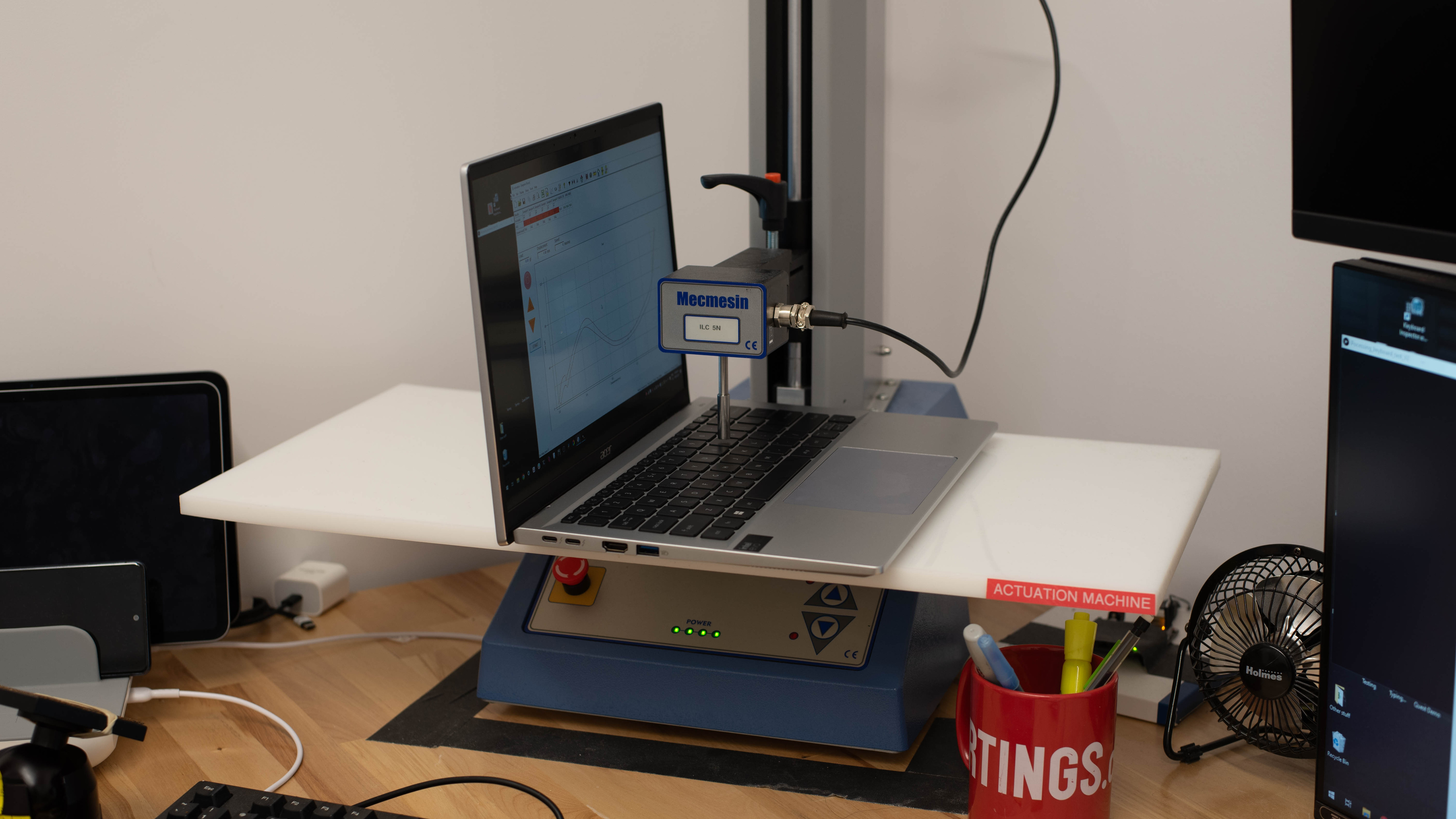
The Acer Swift Go has a good keyboard. Its layout feels spacious and is relatively easy to get used to. Although the power button is right next to the Backspace and Delete buttons, you shouldn't have any problems with accidental triggers while typing since you have to press and hold the power button for two seconds to activate it. The keys are stable and have a lot of travel; however, they require a fair amount of force to actuate, which might cause fatigue over an extended period, and they feel somewhat mushy. You can toggle between two backlight brightness levels or turn it off completely; the backlight is white and shines well through the legends.
The Acer Swift Go has a good touchpad. While it could be a tad larger, the size is adequate, making it easy to perform actions like dragging and dropping over a long distance. It feels smooth even though it's plastic, and it tracks all movements and gestures well. Palm detection doesn't always work properly, but accidental triggers don't happen often enough to be an issue. This is a diving board touchpad, meaning you can only click in the bottom half of the touchpad. Though not heavy, the buttons do require a purposeful press to actuate, and unfortunately, they're on the mushy side.
The speakers are sub-par. They have little to no compression artifacts or distortion at high volume levels, but they don't get very loud to begin with. The tuning is very vocal-centric with almost no bass, so they're best suited for speech-heavy content rather than music.
The Acer Swift Go 14 has a good webcam. The image looks relatively sharp; there's some loss of fine details, and the exposure is a hair too high, but the overall quality is good enough for general video calls. Voices sound loud and clear over the microphone, with no noticeable background noise.
The Acer Swift Go 14 has an outstanding port selection. Both USB-As support USB 3.2 Gen 1 data transfer speed of up to 5Gbps. You can use the left USB-A to charge a mobile device even when the laptop is in sleep mode. Both USB-Cs support Thunderbolt 4 (up to 40Gbps data transfer speed and two 4k @ 60Hz displays), DisplayPort, and Power Delivery. The latter lets you fast charge the laptop and other PD-compatible devices (up to 15W). Regarding the HDMI port, Acer advertises HDMI 2.1 support; however, it can only output at a maximum resolution of 4k @ 60Hz. As such, we consider it an HDMI 2.0.
The Acer Swift Go 14 2024's wireless adapter is an Intel Killer Wireless Wi-Fi 6E 1675i. Wi-Fi 6E has faster speeds, lower latency, and less signal interference than previous Wi-Fi standards. However, you need a router that supports Wi-Fi 6E to benefit from these features. Check out our recommendations for the best Wi-Fi routers if you're looking to upgrade your home's wireless performance.
The Acer Swift Go 14 is available with the following CPUs:
- Intel Core Ultra 5 125H (14 cores, 18 Threads, up to 4.5 GHz, 18MB Cache)
- Intel Core Ultra 7 155H (16 cores, 22 Threads, up to 4.8 GHz, 24MB Cache)
- Intel Core Ultra 9 185H (16 cores/22 threads, up to 5.1GHz, 24MB cache)
All three are high-performance CPUs from Intel's Meteor Lake family. Unlike Intel's 14th Gen (Raptor Lake refresh) CPUs, these Core Ultra processors have additional low-power E-cores (LP-E) to handle light tasks, further improving efficiency, as well as an NPU (Neural Processing Units) for AI-based tasks, like background-blurring on video calls and image generation in photo some editing apps. These processors can handle general productivity tasks and more intensive workloads, like programming and simulations. Regarding core composition, the Core Ultra 5 125H has four performance cores, eight efficiency cores, and two low-power efficiency cores (4P+8E+2LP-E), while the Core Ultra 7 and 9 have six performance cores, eight efficiency cores, and two low-power efficiency cores (6P+8E+2LP-E). All three have the same Neural Processing Units (NPU). Due to its higher clock speeds, the Core Ultra 9 is about 10% faster than the Core Ultra 7 in most workloads.
See Intel's product brief for more information about the Meteor Lake CPUs.
The Acer Swift Go 14 is only available with Intel Arc graphics, an integrated GPU designed for light productivity tasks like web browsing and video playback. As for gaming, it can handle some lighter or older titles, but even then, you'll have to play with low graphical settings to get playable frame rates.
You can configure this laptop with 8GB, 16GB, or 32GB of RAM. The memory isn't user-replaceable.
You can configure the Acer Swift Go 14 with 512GB, 1TB, or 2TB of storage. The storage is user-replaceable. There are two slots; both support M.2 2280 PCIe Gen 4 NVMe SSDs.
While the average for the 1% Low is 47.1 FPS, we got a wide range of results every time we ran the test. We ran it six times and got many different results ranging from 23 to 60 FPS.
As is common with laptops with integrated graphics, Assassin's Creed Shadows crashed before we could get to the benchmarking. Lowering the settings didn't solve this problem.
Models with the 2.8k OLED display will likely have a shorter battery life. To better simulate typical usage, we've conducted the web browsing and video playback tests using the Normal mode and the gaming test using the Performance mode. There's a pin hole on the bottom of the laptop to reset the battery if you encounter issues. This simulates removing and reinstalling the battery. Check out the ASUS Zenbook A14 UX3407 (2025) if you want a similar ultraportable with a longer battery life.
The Acer Swift Go 14's keyboard gets a little toasty when using the Performance mode, with the hot spot around the number 4 key. This might cause some discomfort, as it's close to where most people rest their left hand. The fans are relatively quiet, though. Unfortunately, using the device on your lap might be difficult without a lap board, as the bottom of the laptop gets very hot, reaching 52 °C (125.6 °F). Switching to the Normal (Balanced) mode raises the keyboard temperature slightly to 47.7 °C (117.86 °F) but lowers the fan noise to 41.9 dBA. The Silent mode lowers the keyboard temperature to 42.6 °C (108.68 °F) and the fan noise to 37.6 dBA.
We've conducted this test using the laptop's best performance (Performance) mode with the fan speed at max instead of the default Normal mode we've used in previous laptop reviews.
The Acer Swift Go has many pre-installed applications, including:
- Acer Jumpstart: Link to Acer's website.
- Acer LiveArt: Lets you remove the background from an image with people, animals, or objects using AI.
- Acer Product Registration: Lets you register your laptop for warranty.
- Acer Quick Panel: Lets you quickly access Acer's PurifiedView and PurifiedVoice settings, like AI noise canceling during video calls, background blurring, Auto Framing, etc.
- AcerSense: Lets you see system information, access hardware diagnostic tools, and download software updates.
- AlterView: Lets you convert 2D images into animated wallpapers with 3D effects using AI.
- App Explorer: Lets you explore the pre-installed apps on the laptop and contains ads for other apps.
- Care Center: Lets you check for system issues, update firmware and drivers, clean unnecessary files, and backup data.
- Evernote: Note-taking application. Requires subscription.
- ExpressVPN: Link to ExpressVPN virtual private network service website.
- Google Play Games beta: Lets you play mobile games from the Google Play Store.
- McAfee LiveSafe: Antivirus and internet security software. Requires subscription.
- Solitaire: Card game.
- Spades: Card game.
- WebAdvisor by McAfee: Protects you from malware when browsing the internet. Requires subscription.
The Acer Swift Go has a fingerprint sensor built into the power button. You can use it to log into Windows, authorize Windows Store purchases, and auto-fill saved passwords on supported websites.