
Finding a well-rounded laptop under $1,000 has become harder than it was just a year or two ago. An ongoing global memory shortage has pushed RAM prices sharply higher, mostly due to growing demand from AI data centers and manufacturers prioritizing server memory. Laptop makers have responded by raising prices or cutting back on memory, and 8GB configurations have returned to models that previously would have started with 16GB. As a result, there are fewer premium, well-equipped laptops under $1,000, and shoppers often have to compromise on memory, performance, build quality, or other features to stay within budget.
That doesn't mean there aren't still some excellent options. You can find premium ultraportables, capable budget models, 2-in-1 convertibles, and even entry-level gaming laptops below $1,000 if you know where to look. We've tested over 175 laptops, and below you'll find our recommendations for the best laptops under $1,000. See our recommendations for the best laptops under $600, the best laptops under $700, and the best laptop brands.
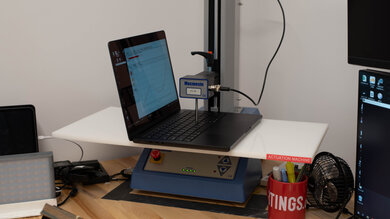
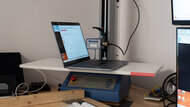
Since 2021, we've tested dozens of laptops every year. We buy our laptops to avoid bias and, following a rigorous methodology, test nearly every part of the laptop so we can deliver results you can rely on. We use a wide range of equipment to perform our tests, including a colorimeter, a Mecmesin MultiTest-i System Test Stand, and various performance benchmarking suites.
Want to know more? Check out our How We Test Laptops article, where we give you a broader overview of our review process, from the moment we purchase the product to the final review.
-
Best Laptop Under $1,000
 General ProductivityMultimediaGamingWorkstationSize:13"See all our test resultsOperating System:Windows 11
The best laptop under $1,000 we've tested is the Dell XPS 13 (2026), specifically the configuration with 16GB of memory, as it'll handle multitasking much better than the cheaper 8GB model. The XPS feels exceptionally premium thanks to its sturdy aluminum chassis, and its compact 2.2-lb design makes it very easy to carry. Its bright 2.5K 120Hz touchscreen looks sharp and feels responsive, and battery life is excellent. The keyboard is comfortable to type on, and you get a great touchpad and webcam. Port selection is very limited, though, with only two USB-C ports.
If you'd rather spend less, consider a 16GB configuration of the HP OmniBook 3 14 (2025). It doesn't feel nearly as premium as the Dell, and its build quality is a noticeable step down, but it's still a good option for everyday productivity and offers a more practical selection of ports. Some configurations can also provide considerably better performance than the XPS; in particular, the Ryzen 7 250 model is much faster in heavily multi-threaded workloads and has stronger integrated graphics than the Dell laptop's Core 5 320. Get the XPS if you value portability and a more polished overall experience alongside a premium build, but the HP offers more performance and flexibility for your money.
-
Best Budget Laptop Under $1,000
General ProductivityMultimediaGamingWorkstationSize:13"See all our test resultsOperating System:macOSThe best budget laptop under $1,000 we've tested is the Apple MacBook Neo (A18 Pro, 2026). It's the sweet spot in this price range, as it does almost everything most people need for less than the Dell XPS 13 (2026) 16GB above. Its A18 Pro SoC delivers excellent performance for everyday productivity, and the laptop feels remarkably premium for the price, with a sturdy build, sharp display, truly excellent touchpad and webcam, and long battery life. It's also very compact and easy to carry around.
The main compromise is its 8GB of non-upgradeable memory. That's enough for typical web browsing, office work, media consumption, and can even do decent multitasking in macOS (better than 8GB will provide on Windows), but users who regularly keep lots of demanding apps open, work with large files or datasets, run virtual machines, or use memory-intensive professional software will benefit from the Dell laptop's 16GB of RAM. The XPS is also the better choice if you need Windows-specific software. Otherwise, the MacBook Neo provides most of the experience most users are likely to want while saving you a significant amount of money.
-
Best Chromebook Under $1,000
General ProductivityMultimediaGamingWorkstationSize:14"See all our test resultsOperating System:Chrome OSThe best Chromebook under $1,000 we've tested is the Acer Chromebook Plus Spin 714 (2024). It has a 14-inch screen that is bright enough for most indoor settings and provides just enough space for split-screen multitasking. Since this is a 2-in-1, you can set it up in tent mode for media consumption or use it as a tablet. Its IPS touchscreen display looks vibrant, and it supports touch and pen input (the device doesn't come with a stylus). The only downside is the display's poor handling of reflections; it isn't suitable for bright environments, as direct light sources like lamps or the sun will be visible.
Ports include one USB-A, two USB-C/Thunderbolt 4, and an HDMI port. Its battery life is great at over 10 hours of light use, and you can charge over USB-C. This laptop is available with various Intel Meteor Lake CPUs. Although these are low-power models, they're more than fast enough for anything you'd need to do on a Chromebook. Its keyboard and touchpad are easy and comfortable to use, and the webcam is fantastic, offering a clear image. Of course, not every piece of software is compatible with ChromeOS, so be sure to check for compatibility if you need to use any specialized programs.
-
Best 2-In-1 Tablet Under $1,000
SchoolGamingMultimediaWorkstationBusinessSize:13"See all our test resultsOperating System:Windows 11The best 2-in-1 tablet we've tested for under $1,000 is the Microsoft Surface Pro 11th Edition (2024), though availability is becoming limited. You can occasionally find the Snapdragon X Plus model for around $1,000, but it's now more commonly sold for a little over that price. If you can't find one within budget, you're more likely to come across the newer 12-inch Microsoft Surface Pro, which starts well below $1,000. We haven't tested the 12-inch model, but it's a lower-end device with a smaller display and a less powerful Snapdragon X Plus SoC, yet it offers the same basic detachable tablet form factor.
The Surface Pro 11th Edition lets you detach the keyboard to make the device easier to hold as a tablet or to save space when viewing content, like on a kitchen counter or an airplane tray table. You can simply pop its comfortable type cover keyboard back on when needed; just remember to factor in the keyboard's cost since it's a separate purchase. This is a great device for taking handwritten notes or drawing, but like the keyboard, you must buy the stylus separately. These extra purchases will bring the device's total cost above $1,000, but it's worth it.
We recommend the Snapdragon X Plus configuration with the IPS display. The X Elite model is faster, but its OLED panel exhibits a very distracting 'screen door effect' and is susceptible to permanent burn-in. One important thing to know is that this is an ARM-based device, so make sure the apps you use are compatible or run well enough through Microsoft's Prism emulation layer to get your work done. Battery life is great, with over 11 hours of light use, and you can charge the device via USB-C.
-
Best Gaming Laptop Under $1,000
SchoolGamingMultimediaWorkstationBusinessSize:16"See all our test resultsOperating System:Windows 11Our best gaming pick is the ASUS TUF Gaming A16 Advantage Edition (2023), although in 2026, you'd be hard-pressed to find it for under $1,000 USD; still, it's not sold for much more than that. For that price, you get a laptop with a 165Hz FHD+ display, a Ryzen 7 7735HS CPU, an AMD Radeon RX 7600s GPU, 16GB of DDR5 RAM, and 512GB of storage. This configuration can deliver high, consistent frame rates in demanding AAA games at 1080p or even 1440p, depending on your settings. The 165Hz FHD+ IPS panel has a fast response time and variable refresh rate support to deliver a clear image in fast-moving scenes with minimal ghosting and screen tearing; it just doesn't get very bright, so visibility can be an issue in well-lit settings.
This laptop sports a solid port selection for peripherals and external displays, including an Ethernet and HDMI 2.1 port. The RAM and storage are user-replaceable, providing a clear upgrade path down the line. Thermal throttling is minimal under load, but the laptop does get hot and loud. Thankfully, there aren't any hot spots around the WASD keys. This laptop also isn't particularly portable, as it's relatively bulky, and you'll need to carry its fairly beefy charger for use on the go, since its battery lasts only a little over an hour when gaming.
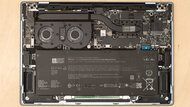
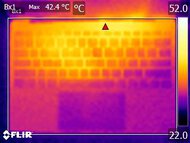
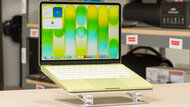


Notable Mentions
-
Apple MacBook Air 13 (M4, 2025):
Consider the Apple MacBook Air 13 (M4, 2025) if you like the Apple MacBook Neo (A18 Pro, 2026) but need more than 8GB of RAM. The M4 Air comes with 16GB and provides more headroom for heavy multitasking and demanding apps, though it's more expensive. As it's been replaced by the M5 model, you may be able to find remaining stock for around $1,000.
See our review -
Lenovo Chromebook Duet 5 (2021):
Get the Lenovo Chromebook Duet 5 (2021) if you want a much cheaper detachable 2-in-1 than the Microsoft Surface Pro 11th Edition (2024). Its 13.3-inch OLED display is great for media consumption, but it's far less powerful, and ChromeOS has much more limited app compatibility than Windows.
See our review -
Dell Alienware 15 (2026):
Consider the Dell Alienware 15 (2026) if you want an NVIDIA-based alternative to the ASUS TUF Gaming A16 Advantage Edition (2023). The Alienware has better build quality and inputs and is available with newer, and expensive, RTX 50-series GPUs, but the ASUS has a much more colorful display and remains the better gaming value around this price.
See our review
Recent Updates
Aug 31, 2026:
The Dell XPS 13 (2026) 16GB is now our 'Best Laptop Under $1,000,' replacing the increasingly difficult-to-find Apple MacBook Air 13 (M4, 2025). The Apple MacBook Neo (A18 Pro, 2026) is our new 'Best Budget Laptop Under $1,000'. We also updated several recommendations and Notable Mentions to account for current pricing and availability, and rewrote the intro to reflect how rising memory prices have affected the sub-$1,000 laptop market.
Nov 26, 2025:
Added the Microsoft Surface Laptop 7th Edition 15 (2024) as an alternative to the Acer Swift Go 14 (2024) because it's on sale for less than $1,000 during the Black Friday period.
May 06, 2025:
Replaced the Apple MacBook Air 13 (2022) with the Apple MacBook Air 13 (M4, 2025) because the 2022 model is discontinued.
Mar 06, 2025:
Small text changes to provide information about the new M4 Apple MacBook Airs. No change in recommendations.
Jan 15, 2025:
Small text changes for conciseness and clarity. No change in recommendations. Added the Lenovo Yoga 7 2-in-1 14 (2024) as a Notable Mention.
All Reviews
Our recommendations above are what we think are currently the best laptops you can get for under $1,000. In addition to the test results, we consider the price, feedback from our visitors, and availability.
If you prefer to make your own decision, here's the list of all the laptops we've tested, sorted by price from low to high. Keep in mind that most laptops are available in various configurations, and the table only shows the results of the model we tested, so it's best to see the full review for information about other variants.