MSI Katana A15 AI (2024)  Laptop Review

Reviewed Oct 04, 2024 at 08:36am
Writing modified Aug 12, 2025 at 04:41pm
Tested using Methodology v0.8.3 
MSI Katana A15 AI (2024)
6.1
School 
8.8
Gaming 
5.8
Multimedia 
9.2
Workstation 
7.2
Business 
 0

The MSI Katana A15 AI (2024) is a 15.6-inch budget gaming laptop. It replaces the MSI Katana 15 from 2023 (Intel 13th Gen). This 2024 model is available with AMD Ryzen 7 8845HS or Ryzen 9 8945HS CPU paired with an NVIDIA GeForce RTX 4050, 4060, or 4070 discrete GPU. RAM and storage max out at 32GB and 1TB, respectively. There are two display options: a 144Hz FHD IPS and a 165Hz QHD IPS panel. Both displays support FreeSync variable refresh rate. Ports include three USB-As, one USB-C, an HDMI 2.1, a Gigabit Ethernet, and a 3.5mm headphone jack.

See our unit's specifications and the available configuration options in the Differences Between Variants section.

Our Verdict

6.1
School 

The MSI Katana 15 is mediocre for school use. It's bulky and heavy, and its battery lasts only three to four hours of light use. Plus, you can't charge the laptop via USB-C, which means you'll also have to carry around its large barrel plug charger. Performance-wise, its CPU and GPU can handle demanding tasks, like programming and 3D modeling, but the fans get pretty loud under load, which isn't ideal in quiet classrooms and libraries. It has some redeeming qualities, though, like a large screen for multitasking, a comfortable keyboard, and a wide port selection.

Pros
  • Sharper QHD display option.

  • Comfortable keyboard, responsive touchpad.

  • CPU and GPU can handle demanding workloads.

  • Wide port selection.

Cons
  • Bulky and heavy.
  • Short battery life.
  • FHD display looks dim and washed out.

  • Gets hot and loud under load.

8.8
Gaming 

The MSI Katana 15 is an excellent gaming laptop. It's available with high-performance AMD CPUs and GPUs that can provide smooth gameplay in demanding AAA games. You can choose between a 144Hz FHD and a 165Hz QHD display; both support VRR to minimize screen tearing, though it's best to get the QHD panel if you want the best visual experience, as the FHD display has a slow response time, resulting in visible ghosting. The memory and storage are user-replaceable, so you can upgrade or add more later. There's no thermal throttling on the CPU or GPU, but unfortunately, the laptop gets hot and loud.

Pros
  • CPU and GPU can handle demanding workloads.

  • Wide port selection.

  • 144Hz and 165Hz display options with VRR support.

  • No thermal throttling.

  • User-replaceable RAM and storage.

Cons
  • FHD display has slow response time.

  • Gets hot and loud under load.

5.8
Multimedia 

The MSI Katana 15 is sub-par for media consumption. Its bulky and heavy design makes it hard to carry around, and its battery lasts less than four hours of video playback. Also, you can't charge the laptop via USB-C, meaning you'll have to carry around its large charger. It has two display options: a FHD and a QHD panel. The latter is a better choice, as it looks sharper and more colorful, though neither is well suited for dark room viewing due to their low contrast. Unfortunately, the speakers are quiet, and they sound hollow and unnatural, with almost no bass.

Pros
  • Sharper QHD display option.

  • Display's matte coating handles reflections well.

Cons
  • Bulky and heavy.
  • Short battery life.
  • FHD display looks dim and washed out.

  • Quiet speakers with hollow, unnatural sound.

9.2
Workstation 

The MSI Katana 15 isn't specifically designed for use as a workstation. It can be a good option for content creators, as it has more than enough processing power to handle tasks like photo and video editing, and it's available with a 100% DCI P3 QHD display. However, there are no professional GPU options that are better optimized for tasks like 3D modeling, and the system can only support up to 64GB of memory. Also, its USB-C doesn't support USB4 for fast file transfer. There's no thermal throttling on the CPU or GPU under load, but the laptop gets hot and loud.

Pros
  • CPU and GPU can handle demanding workloads.

  • Wide port selection.

  • No thermal throttling.

  • User-replaceable RAM and storage.

Cons
  • Gets hot and loud under load.

  • No professional GPU option.

  • Can only support up to 64GB of RAM.

7.2
Business 

The MSI Katana 15 is satisfactory for business use. It has a large screen for multitasking, a comfortable full-size keyboard with a numpad, a small but responsive touchpad, and a wide port selection for multiple peripherals and external displays. However, its bulky and heavy design makes it hard to carry around, and its battery is very short at around four hours of light use. Also, it has a low-quality 720p webcam, which isn't ideal if you're often on video calls. Performance is excellent, though; it can handle all general productivity tasks like text processing, web browsing, and spreadsheets. You can even edit photos and videos, which is great for small business owners needing to make ads.

Pros
  • Sharper QHD display option.

  • Comfortable keyboard, responsive touchpad.

  • CPU and GPU can handle demanding workloads.

  • Wide port selection.

Cons
  • Bulky and heavy.
  • Short battery life.
  • FHD display looks dim and washed out.

  • Bad webcam.

  • 6.1
    School
  • 8.8
    Gaming
  • 5.8
    Multimedia
  • 9.2
    Workstation
  • 7.2
    Business
  • Changelog

    1.  Updated Aug 12, 2025: 

      Added mention of the Gigabyte AORUS MASTER 16 (2025) as an alternative with NVIDIA 50-series GPUs in the GPU section.

    2.  Updated May 07, 2025: We've updated this review to Test Bench 0.8.3, which removes the viewing angle tests and adds a GPU Total Graphics Power comparison in the GPU section. The Pen Input test in the Extra Features section has also changed, as it now shows whether the laptop supports pen input rather than the inclusion of a stylus in the box. See the changelog for more details.
    3.  Updated Nov 20, 2024: 

      Added mention of the HP Victus 16 (2024) as an alternative with a longer battery life in the Battery section.

    4.  Updated Nov 01, 2024: 

      We've added mention of the Acer Nitro V 16 (2024) as an alternative with better keyboard temperatures under load in the Thermals and Noise section.

    Differences Between Sizes And Variants

    We tested the MSI Katana A15 AI (model B8VF-406CA) with a 144Hz FHD+ IPS display, an AMD Ryzen 9 8945HS CPU, an NVIDIA GeForce RTX 4060 Laptop GPU, 32GB of RAM, and 1TB of storage. See below for all the configuration options.

    SCREEN

    • 15.6" IPS 1920 x 1080 144Hz (matte, 45% NTSC)
    • 15.6" IPS 2560 x 1440 165Hz (matte, 100% DCI P3)

    CPU

    • AMD Ryzen 7 8845HS (8 cores/16 threads, up to 5.1GHz, 16MB L3 cache)
    • AMD Ryzen 9 8945HS (8 cores/16 threads, up to 5.2GHz, 16MB L3 cache)

    GPU

    • NVIDIA GeForce RTX 4050 Laptop GPU 6GB GDDR6 (105W TGP /w Dynamic Boost)
    • NVIDIA GeForce RTX 4060 Laptop GPU 8GB GDDR6 (105W TGP /w Dynamic Boost)
    • NVIDIA GeForce RTX 4070 Laptop GPU 8GB GDDR6 (105W TGP /w Dynamic Boost)

    MEMORY

    • 16GB DDR5 5600MHz
    • 32GB DDR5 5600MHz

    STORAGE

    • 512GB M.2 PCIe Gen 4 NVMe SSD
    • 1TB M.2 PCIe Gen 4 NVMe SSD

    COLOR

    • Black

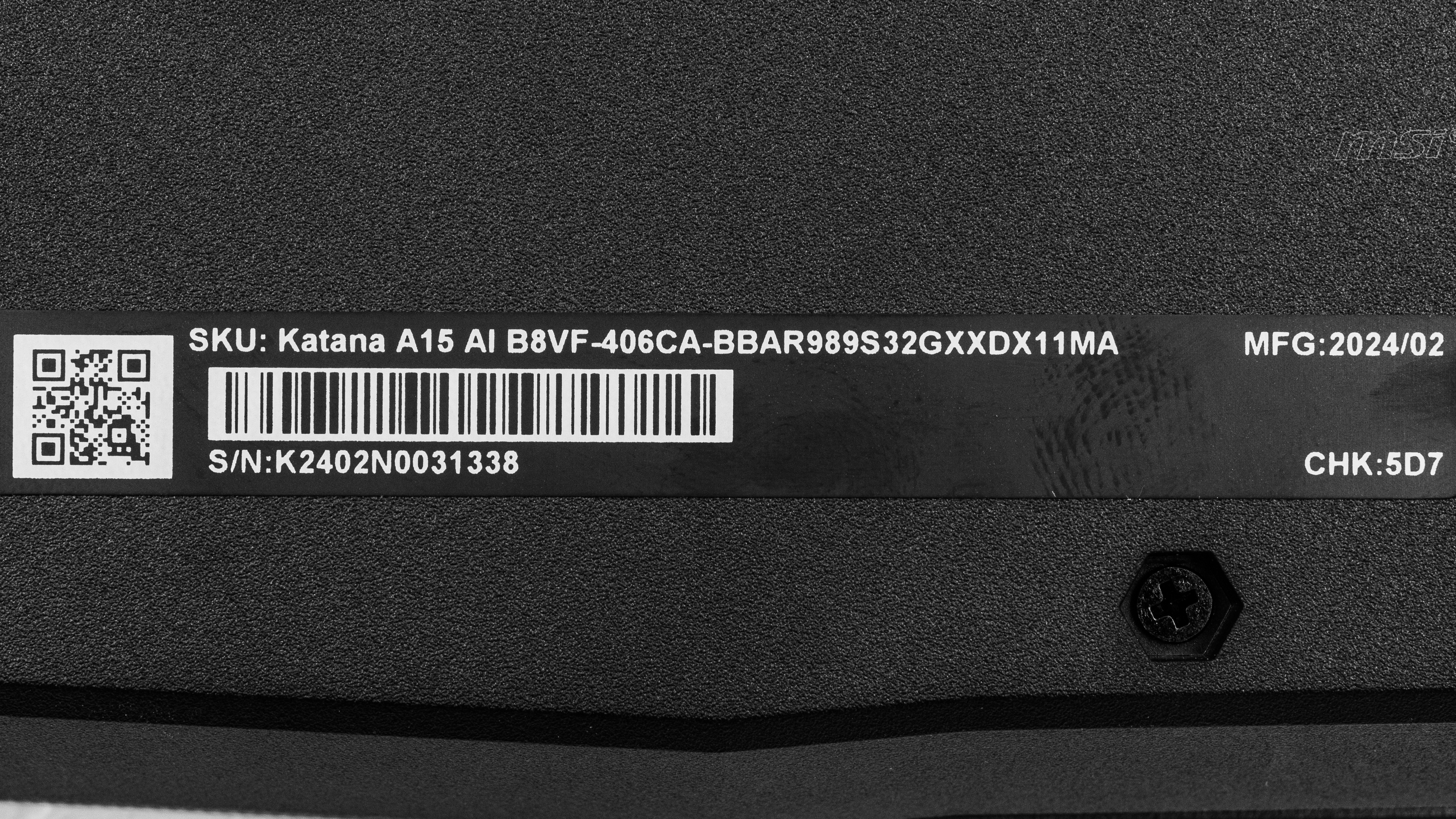
    See our unit's label.

    Popular Laptop Comparisons

    The MSI Katana A15 is an excellent budget gaming laptop that delivers smooth gameplay in highly demanding AAA titles. However, you'll want to get a model with a QHD display to get the best experience, as the FHD panel has a slow response time. While it can serve as a content creation laptop for some, the lack of USB4 support is disappointing. Unfortunately, its bulky design and short battery life make it a poor choice for on-the-go use.

    For more options, check out our recommendations for the best gaming laptops, the best budget and cheap gaming laptops, and the best laptops for video editing.

    Acer Nitro V 16 (2024)

    The Acer Nitro V 16 (2024) and the MSI Katana A15 AI (2024) are both excellent budget gaming laptops. If you only care about performance, the MSI is the clear pick. It offers higher-end hardware options than the Acer, topping out at an RTX 4070 GPU and AMD Ryzen 9 CPUs. However, the Acer's user experience is better overall. It offers brighter displays, stays much cooler under load, resulting in a more comfortable gaming experience, and has better build quality.  

    ASUS TUF Gaming A16 Advantage Edition (2023)

    The MSI Katana A15 AI (2024) and the ASUS TUF Gaming A16 Advantage Edition (2023) are both excellent budget gaming laptops. The MSI is a better option if you're only looking for the best performance, as its Zen 4 AMD CPUs and NVIDIA 40-series GPUs are faster; however, the ASUS has a faster 240Hz display option, which will give you better responsiveness and smoother motion than the displays available on the MSI. In terms of the overall user experience, the ASUS is much better; it has a sturdier build, a larger touchpad, a wider port selection, and significantly longer battery life in light uses.

    Lenovo LOQ 15 (2023)

    The MSI Katana A15 AI (2024) and the Lenovo LOQ 15 (2023) are both budget gaming laptops that provide a similar user experience overall. The main difference is that the MSI has a more powerful NVIDIA GeForce RTX 4070 Laptop GPU option, whereas the Lenovo tops out at an RTX 4060. On the other hand, the Lenovo has a much longer battery life for light use, making it a better option for school or work.

    HP Victus 16 (2024)

    The HP Victus 16 (2024) is better than the MSI Katana A15 AI (2024) overall. The HP has a sturdier build and provides a better user experience. While both laptops are available with AMD Ryzen 8040-series CPUs and NVIDIA discrete GPUs, the HP comes out slightly ahead performance-wise, as it can push higher frame rates, thanks to its GPUs' higher wattage. The HP also has a higher-end 240Hz QHD display option, which will give you better input responsiveness and smoother motion, but unlike the MSI, its displays lack VRR support to reduce screen tearing.

    Show more 

    Test Results

    perceptual testing image
    Sort:
    RATINGS
    Category:
    All
    Design
    Style
    Form Factor
    Traditional (Clamshell)

    The MSI Katana 15 is only available in black. See the bottom of the laptop.

    7.0
    Build Quality

    The build quality is decent. The chassis is entirely plastic and feels well assembled, with no gaps in the construction. There's some flex on the lid but almost none on the keyboard deck. The weakest part is the display, which twists noticeably when manipulating it. As for the finish, although it's relatively scratch-resistant, it picks up a lot of fingerprints and smudges, as most dark-color laptops do. The feet feel solid and stick firmly to the bottom.

    5.8
    Hinge
    Range
    180°
    Stability
    Decent
    One Finger Lift
    No

    The hinges are sub-par. They wiggle sideways in their sockets, giving the impression that they're loose, but they also have far too much resistance to allow for a one-handed lift. On the upside, there's no screen wobble when typing heavily, and their wide range allows you to set the display flat on the table, which is handy when you need to show the content to someone opposite you.

    5.5
    Portability
    Size
    15.6"
    Thickness
    1.4" (3.5 cm)
    Width
    14.1" (35.9 cm)
    Depth
    10.4" (26.4 cm)
    Volume
    202.4 in³ (3,317.2 cm³)
    Weight
    5.1 lbs (2.3 kg)
    Charger Size
    17.8 in³ (292.2 cm³)
    Charger Weight
    1.7 lbs (0.8 kg)
    8.1
    Serviceability
    Ease Of Access
    7.0
    RAM Slots
    2
    Storage Slots
    2
    Replaceable Battery
    Yes
    Replaceable Wireless Adapter
    Yes

    The MSI Katana A15 AI's serviceability is great. Accessing the internals is relatively straightforward; you only need to remove 14 Philips screws, then release the bottom panel's clips with a prying tool. One screw is below an easily removable sticker. There's also one screw that's smaller than the others, so it's best to keep it aside to make the reassembly easier. Both storage slots support M.2 PCIe Gen 4 NVMe SSDs. The unoccupied slot is next to the battery (below the wireless adapter)—you'll need a mounting bracket to install the SSD. Unfortunately, MSI doesn't provide a service guide.

    In The Box

    • Documentation
    • 200W power adapter and cord
    Display
    Screen Specs
    Resolution
    1920 x 1080
    Aspect Ratio
    16:9
    Pixel Density
    141 PPI
    Panel Type
    IPS
    Touch Screen
    No
    Screen-To-Body Ratio
    73%

    The MSI Katana 15 is available with the following displays:

    • 15.6" IPS 1920 x 1080 144Hz (45% NTSC)
    • 15.6" IPS 2560 x 1440 165Hz (100% DCI P3)

    A 1080p resolution looks reasonably sharp on a 15.6-inch display. Individual pixels are visible up close, but this isn't an issue at typical viewing distances. The QHD panel is noticeably sharper, with a pixel density of 188 PPI, making it a better option if you play a lot of RPGs or atmospheric games where you have the time to appreciate the graphics or intend on using the laptop for productivity. As for the 16:9 aspect ratio, although it has very little impact on the gaming experience, it does feel outdated, as most recent laptops, including productivity and gaming models, have adopted the slightly taller 16:10 format.

    8.9
    Refresh Rate
    Refresh Rate
    144 Hz
    Variable Refresh Rate
    FreeSync

    The FHD display has a 144Hz refresh rate, giving you improved input responsiveness and motion smoothness over a standard 60Hz screen; however, its response time is quite slow, resulting in noticeable blur trails behind fast-moving objects. The QHD display will provide a superior visual experience, as it has a 165Hz refresh rate and a faster-advertised response time of 2.5ms.

    7.8
    Contrast
    Native Contrast
    1,599 : 1

    The FHD display's contrast ratio is good and within the typical range of most IPS panels. However, it's still relatively low compared to other display technologies like VA and OLED. This contrast level makes blacks look gray in dim settings. The QHD display's contrast is likely in the same ballpark.

    6.4
    Brightness
    Maximum Brightness
    250 cd/m²
    Minimum Brightness
    12 cd/m²

    The FHD display doesn't get very bright. It's fine for indoor use, but you might still have trouble seeing some content in well-lit environments or direct sunlight. It gets pretty dim, though, which helps reduce eye strain when viewing content in the dark. MSI doesn't advertise the QHD panel's brightness.

    8.2
    Reflections
    Screen Finish
    Matte
    Total Reflections
    3.71%
    Indirect Reflections
    3.2%
    Calculated Direct Reflections
    0.51%

    The display's matte coating handles reflections well. For the most part, you'll only have trouble with reflections when viewing dark-color content. Intense light sources are visible when viewing light-color content with the screen at max brightness, but they aren't overly distracting. The QHD panel has the same coating.

    6.4
    Black Uniformity
    Uniformity (Std. Dev.)
    1.724%

    The QHD display's black uniformity is likely similar.

    6.2
    Out-Of-The-Box Color Accuracy
    Avg. White Balance dE
    3.14
    Avg. Gamma
    2.32
    Avg. Color dE
    4.81
    Avg. Color Temperature
    7,212 K

    The accuracy of the FHD display is passable out of the box. The white balance inaccuracies are relatively minor and hard to spot. However, many colors are visibly off, as the display can't reproduce highly saturated tones due to its narrow color gamut. An overly cool color temperature gives the image a slight blueish tint, and the gamma is too high throughout, over-darkening most scenes.

    4.5
    Color Gamut
    sRGB xy
    69.37%
    sRGB uv
    57.46%
    Adobe RGB xy
    51.18%
    Adobe RGB uv
    50.47%
    DCI P3 xy
    50.8%
    DCI P3 uv
    46.64%
    Rec. 2020 xy
    36.53%
    Rec. 2020 uv
    34.22%

    The FHD display has a poor color gamut. It doesn't even have full coverage of the commonly used sRGB color space, meaning that most content will look washed out. If you want the best visual experience or need to perform color-critical work like content creation, it's best to go with the QHD panel, as it has full DCI P3 coverage.

    10
    Flicker
    Flicker-Free
    Yes
    Flicker Frequency
    No Flicker
    Flicker Active Below
    0%

    The QHD display is likely also flicker-free.

    Interface
    8.6
    Keyboard
    Typing Quality
    8.5
    Numpad
    Yes
    Backlighting
    RGB Zones
    See details on graph tool
    Operating Force
    68 gf
    Actuation Force
    32 gf
    Pre-Travel
    1.03 mm
    Total Travel
    1.53 mm

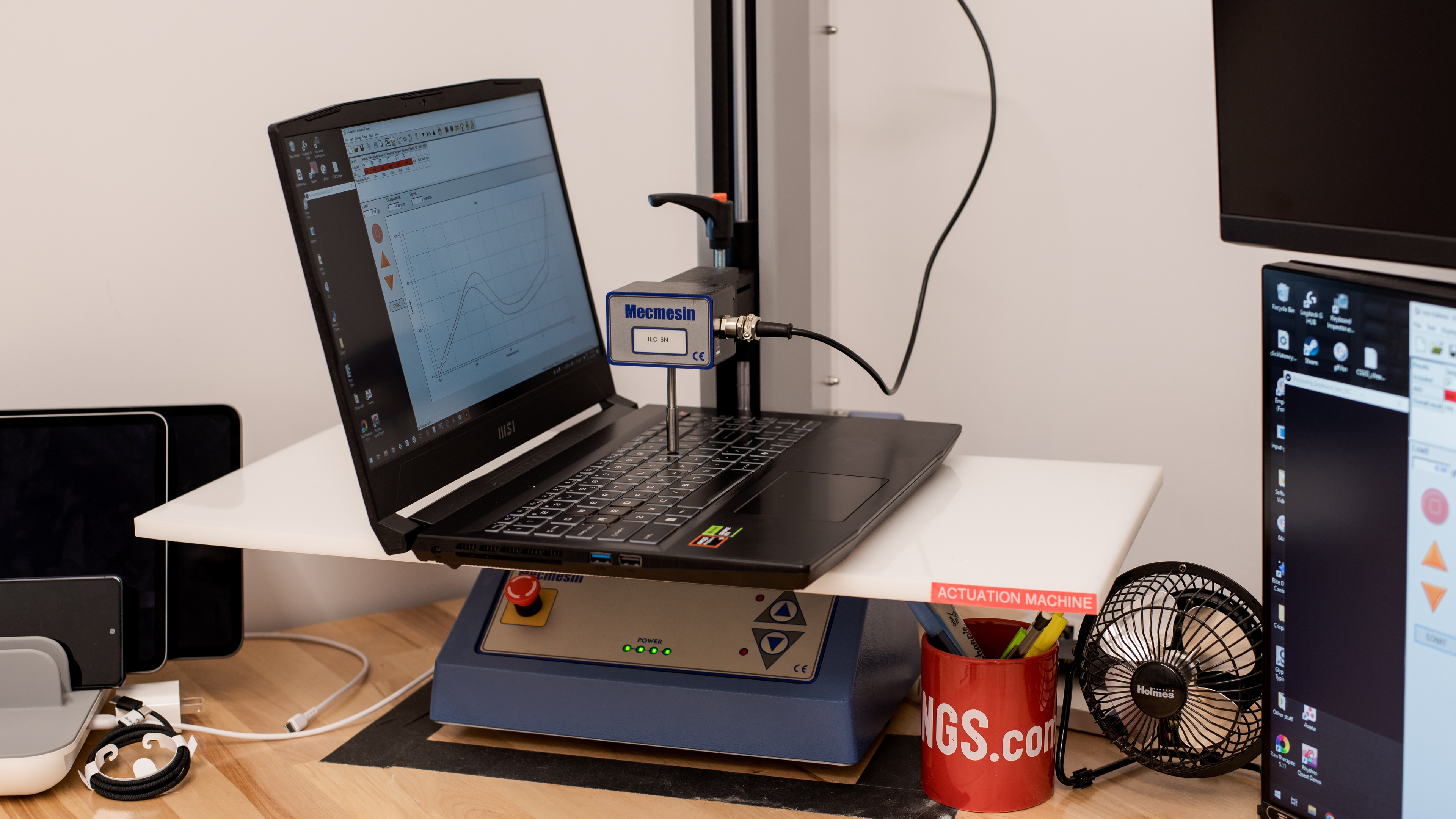
    The MSI Katana has an excellent keyboard. Its layout feels spacious and is easy to get used to. Keycap stability is good overall, though some keys, like S and F, wiggle a bit more than others. The keys have a good amount of travel, require little force to actuate, and provide decent tactile feedback. There are four RGB lighting zones—you can change the lighting profile via the MSI Center app. The arrow keys have additional functions when used with the FN key, like activating the Cooler Boost feature (up), enabling and disabling the crosshair (down), playing and stopping media (left), and activating Sleep mode (right). The latter can be an issue if you aren't careful, as you can accidentally put the computer to sleep while gaming.

    7.1
    Touchpad
    Tracking Quality
    7.5
    Size
    10.5 in² (68.1 cm²)
    Material
    Plastic
    Dedicated Buttons
    No

    The touchpad is decent. It could be bigger, considering the amount of space available on the deck, but it tracks all movements and gestures well. Palm rejection works as intended, and there's no problem when performing actions like dragging and dropping or zooming in and out of images. This is a diving board touchpad, so you can only click in the bottom half. The buttons feel tactile but require a fair amount of force to actuate, and the right click only works in a small area at the bottom right corner of the touchpad.

    4.8
    Speakers
    See details on graph tool
    Max Volume
    72 dB SPL
    Standard Error @ Normal Vol. (65 dB)
    10.7 dB
    Slope @ Normal Vol. (65 dB)
    3.7
    Bass Extension (Low-Frequency Ext.)
    230 Hz
    Treble Extension (High-Frequency Ext.)
    18 kHz
    Dynamic Range Compression @ Max Vol.
    1.9 dB

    The speakers are bad. They're very quiet, and they sound hollow and unnatural, with almost no bass.

    4.8
    Webcam & Microphone
    Video Quality
    4.5
    Resolution
    720p
    Position
    Top Center
    Privacy Cover
    No
    Face Unlock
    No

    The MSI Katana A15 has a bad webcam. The image looks soft, noisy, and overexposed, with an overly cool tint and unnatural colors. Voices sound clear over the microphone, but there's some noticeable background noise.

    Connectivity
    7.5
    Ports
    USB-A Ports
    3
    USB-C Ports
    1
    Thunderbolt
    No
    USB-C Charging
    No
    USB-C Display Out
    Yes
    HDMI
    2.1
    DisplayPort
    No
    3.5mm Jack
    Combo mic/headphone
    Card Reader
    No
    Ethernet
    Yes
    Proprietary Port
    No
    Security Lock
    No

    The MSI Katana A15 has a good port selection. Two of the three USB-A ports (one on each side) support USB 3.2 Gen 1 data transfer speed of up to 5Gbps, while the third one (on the left) supports USB 2.0 data transfer speed (up to 480Mbps). The USB-C also supports USB 3.2 Gen 1 data transfer speed as well as DisplayPort 1.4. The Ethernet port has a max speed of 1Gbps.

    Wireless Communication
    Wi-Fi
    Wi-Fi 6E (802.11ax)
    Bluetooth
    5.3

    The wireless adapter is an AMD RZ616 Wi-Fi 6E. Wi-Fi 6E gives access to the 6GHz band, providing faster speeds, lower latency, and less signal interference than previous Wi-Fi standards. However, you need a router that supports Wi-Fi 6E to benefit from these features.

    Configuration
    CPU
    Brand
    AMD
    Model
    Ryzen 9 8945HS
    Core Count
    8
    Thread Count
    16

    The MSI Katana 15 is available with the following CPUs:

    • AMD Ryzen 7 8845HS (8 cores/16 threads, up to 5.1GHz, 16MB L3 cache)
    • AMD Ryzen 9 8945HS (8 cores/16 threads, up to 5.2GHz, 16MB L3 cache)

    Both are high-performance processors typically found in gaming, content creation, and workstation laptops. They're essentially a refresh of the older AMD Ryzen 7 7840HS and Ryzen 9 7940HS but with better NPU (Neural Processing Unit) performance (up to 40% faster than previous generation) to speed up A.I.-based tasks, like image generation in photo editing apps and background blurring during video calls. Core count and composition are the same for both CPUs; the only difference is that the Ryzen 9 8945HS has faster clock speeds, resulting in slightly better performance overall.

    GPU
    Brand
    NVIDIA
    Model
    GeForce RTX 4060 Laptop GPU
    Dedicated/Integrated
    Dedicated
    VRAM Size
    8 GB
    GPU Total Graphics Power (TGP)
    105W

    The MSI Katana is available with the following GPUs:

    • NVIDIA GeForce RTX 4050 Laptop GPU 6GB GDDR6 (105W TGP /w Dynamic Boost)
    • NVIDIA GeForce RTX 4060 Laptop GPU 8GB GDDR6 (105W TGP /w Dynamic Boost)
    • NVIDIA GeForce RTX 4070 Laptop GPU 8GB GDDR6 (105W TGP /w Dynamic Boost)

    The available GPUs range from entry-level (RTX 4050) to the upper mid-range (RTX 4070). They all support the same features, like DLSS, ray tracing, Frame Generation, and NVIDIA Reflex, so you aren't losing out on features if you go with the lower-end configurations. All three run at a TGP (Total Graphics Power) of 105W with Dynamic Boost, which is near the upper end of their recommended 35-115W power spectrum.

    For the most part, the RTX 4050 is mainly designed for 1080p gaming with low to medium settings. You might be able to play at 1440p in lighter games, like 2D platformers and older or highly optimized titles, albeit with some tweaks in the graphical settings. If you plan on getting a model with a QHD display, you'll want to get at least an RTX 4060, preferably an RTX 4070. The RTX 4060 can handle games at 1440p; however, you'll have to play with pretty low settings and/or rely on DLSS and Frame Generation to get playable frame rates. You'll have to lower the settings on models with an RTX 4070, too, just not as much. Check out the Gigabyte AORUS MASTER 16 (2025) if you want a gaming laptop with NVIDIA 50-series GPUs, which support Multi-Frame Generation.

    RAM
    Capacity
    32 GB
    Modules
    2
    Type
    DDR5
    Speed
    5,600 MHz

    You can configure this laptop with 16GB or 32GB of RAM. The memory is user-replaceable up to 64GB.

    Storage
    Advertised Capacity
    1,000 GB
    Usable Capacity
    926 GB
    Drive 1
    WD PC SN560 SDDPNQR-1T00-1032
    Drive 1 TypeSSD
    Drive 2
    No 2nd Drive
    Drive 2 TypeNo 2nd Drive

    The laptop can be configured with 512GB or 1TB of storage, which is upgradeable. Two M.2 slots support 2280 PCIe Gen 4 NVMe SSDs—you'll need a mounting bracket to add the second SSD.

    Performance
    9.9
    Geekbench 5 (Synthetics)
    CPU Single-Thread
    1,933 points
    CPU Multi-Thread
    11,823 points
    GPU Compute
    104,655 points

    The MSI Katana’s overall score in Geekbench 5 is outstanding. Its AMD Ryzen 9 8945HS CPU has strong performance overall, making it suitable for a variety of productivity tasks. That said, its multi-thread performance is a bit lackluster compared to the more power-hungry HX CPUs, like the ASUS ROG Strix G16 (2024)'s Intel Core i9-14900HX, as well as the Apple MacBook Pro 16 (M3, 2023)'s M3 Max SoC, with the latter scoring 94% higher. In short, the Ryzen 9 8945HS can handle demanding tasks; just know that there are significantly faster CPUs on the market. The Ryzen 7 8845HS is only slightly slower, less than 5% difference in most workloads.

    As for GPU computing tasks, all of the available NVIDIA discrete GPUs can handle intensive tasks, so choose based on your needs and budget. Compared to the RTX 4060, the RTX 4050 is roughly 7% to 10% slower, while the RTX 4070 is about 15% faster.

    9.9
    Cinebench R23 (CPU Rendering)
    Single-Thread
    1,747 points
    Multi-Thread
    16,162 points

    The MSI Katana's overall score in Cinebench R23 is outstanding. Its AMD Ryzen 9 8945HS CPU can easily handle intensive, multi-threaded workloads and general heavy multitasking. Again, there are significantly faster CPUs on the market if you need even better performance.

    9.3
    Blender (3D Rendering)
    CPU Render Time
    2.6 min
    GPU Render Time
    0.4 min
    GPU Render Time (Optix)
    10 s

    The MSI Katana A15 is outstanding for Blender work, thanks to its NVIDIA discrete GPU. Every configuration can handle 3D rendering, so choose the GPU based on your needs and budget.

    9.6
    Basemark GPU (Game Scene)
    Overall Score
    109,009

    The MSI Katana 15 with a 105W NVIDIA GeForce RTX 4060 Laptop GPU scores well in the Basemark GPU benchmark. As mentioned in the GPU section, the RTX 4060 can handle most titles at 1440p, but you need to turn down the settings and/or rely on features like DLSS and Frame Generation to get high frame rates. The RTX 4070 remains the best option for gaming at 1440p. The RTX 4050 is mainly for 1080p gaming, and even then, you might have to turn down some settings because it only has 6GB of VRAM.

    9.4
    Storage Drive Performance
    Sequential Write Speed
    1,138.2 MB/s
    Sequential Read Speed
    3,976.4 MB/s
    Random Write Speed
    101.5 MB/s
    Random Read Speed
    62.3 MB/s
    3.7
    Battery
    Capacity
    54 Wh
    Battery Life (Web Browsing)
    4.0 hrs
    Battery Life (Video Playback)
    3.8 hrs
    Battery Life (Gaming)
    1.1 hrs
    Charge Time
    3.3 hrs

    Check out the HP Victus 16 (2024) if you want a similar laptop with a longer battery life.

    7.7
    Borderlands 3
    See details on graph tool
    Avg. FPS
    96 fps
    1% Low
    60 fps
    0.1% Low
    31 fps
    1% Low Delta
    6 ms
    0.1% Low Delta
    21 ms
    Avg. FPS On Very Low
    204 fps

    Borderlands 3 runs well at 1080p on the MSI Katana with an AMD Ryzen 9 8945HS CPU and an NVIDIA GeForce RTX 4060 Laptop GPU. The gameplay is mostly smooth, though there are some noticeable stutters due to frame drops. The posted results are benchmarks obtained in the default Balanced mode. Switching to the Extreme Performance mode increases the average frame rate to 115 fps with high settings and 221 fps with low settings, an increase of 20 fps and 8 fps, respectively.

    Here are additional benchmarks in Red Dead Redemption 2 to give you a better idea of the performance:

    Red Dead Redemption 2

    • 1080p, Quality, Extreme Performance: 75 fps
    • 1080p, Low, Extreme Performance: 118 fps
    8.4
    Civilization VI
    See details on graph tool
    Avg. FPS
    168 fps
    1% Low
    94 fps
    0.1% Low
    48 fps
    1% Low Delta
    5 ms
    0.1% Low Delta
    15 ms
    Avg. FPS On Minimum
    258 fps
    Avg. Turn Time
    6.63 s

    Every configuration can run Civilization VI and other similar strategy games with no issues. You can even play this game at 1440p or 4k and still get smooth gameplay. The Extreme Performance mode increases the average frame rate to 192 fps with high settings and 276 fps with low settings.

    8.5
    Counter-Strike 2
    See details on graph tool
    Avg. FPS
    230fps
    1% Low
    69fps
    0.1% Low
    52fps
    1% Low Delta
    10 ms
    0.1% Low Delta
    15 ms
    Avg. FPS On Low
    349fps

    Counter-Strike 2 runs very well at 1080p on the MSI Katana with an NVIDIA GeForce RTX 4060 Laptop GPU. There are occasional stutters, but they don't happen often enough to significantly impact the overall gaming experience. You can run this game and other similar titles at 1440p with few issues, even on the base RTX 4050 models. Switching to the Extreme Performance mode boosts the average frame rate to 261 fps with high settings, but the average frame rate with low settings remains in the same ballpark at 347 fps, as the system is CPU-bound.

    9.1
    Shadow Of The Tomb Raider
    See details on graph tool
    Avg. FPS
    135 fps
    1% Low
    100 fps
    0.1% Low
    78 fps
    1% Low Delta
    3 ms
    0.1% Low Delta
    5 ms
    Avg. FPS On Lowest
    178 fps

    Every configuration of the MSI Katana A15 can deliver smooth gameplay in Shadow of the Tomb Raider and other similarly demanding games without issues, even without the use of DLSS. Switching to the Extreme Performance mode increases the average frame rate to 174 fps with high settings and 183 fps (CPU-bound) with low settings. The large frametime spikes are scene changes and aren't representative of the performance.

    6.8
    Thermals And Noise
    Keyboard Temp While Idle
    32 °C (90 °F)
    Keyboard Temp Under Load
    49 °C (119 °F)
    Fan Noise While Idle
    25.0 dBA
    Fan Noise Under Load
    47.5 dBA
    Power & Fan Control App
    Yes

    The keyboard gets a bit toasty under load and can cause some mild discomfort, as the hot spot is near the middle, right above the letter Y. Activating the Fan Boost feature lowers the keyboard temperature to 45.3 °C (113.54 °F) but increases the fan noise significantly to 58 dBA. The bottom of the laptop reaches 45 °C (113 °F) with Fan Boost on. If you want a gaming laptop with better keyboard temperatures under load, consider the Acer Nitro V 16 (2024).

    10
    Performance Over Time
    See details on graph tool
    CPU Temp (Cinebench)
    67 °C
    CPU Perf. Loss (Cinebench)
    0% loss
    GPU Temp (Heaven)
    67 °C
    GPU Perf. Loss (Heaven)
    0% loss
    Additional Features And Software
    Software
    Operating System
    Windows 11
    Additional Software
    Yes

    The MSI Katana A15 has a few pre-installed applications, including:

    • MSI Center: Lets you monitor CPU/GPU and memory usage, temperatures, and fan speed. You can also change the performance and power profile, add a crosshair, disable the Windows key, customize the keyboard's RGB backlighting, and access support pages.
    • Nahimic: Audio customization app. Lets you change the speakers' audio profile and tweak the sound via EQ.
    • Norton 360: Antivirus software and malware/ransomware protection. Requires subscription.
    Extra Features
    Biometrics
    No
    RGB Illumination
    Yes
    Touch Pen Support
    No Stylus Support
    Secondary Display
    No

    The keyboard has a four-zone RGB backlight; you can change the lighting profile in the MSI Center app.