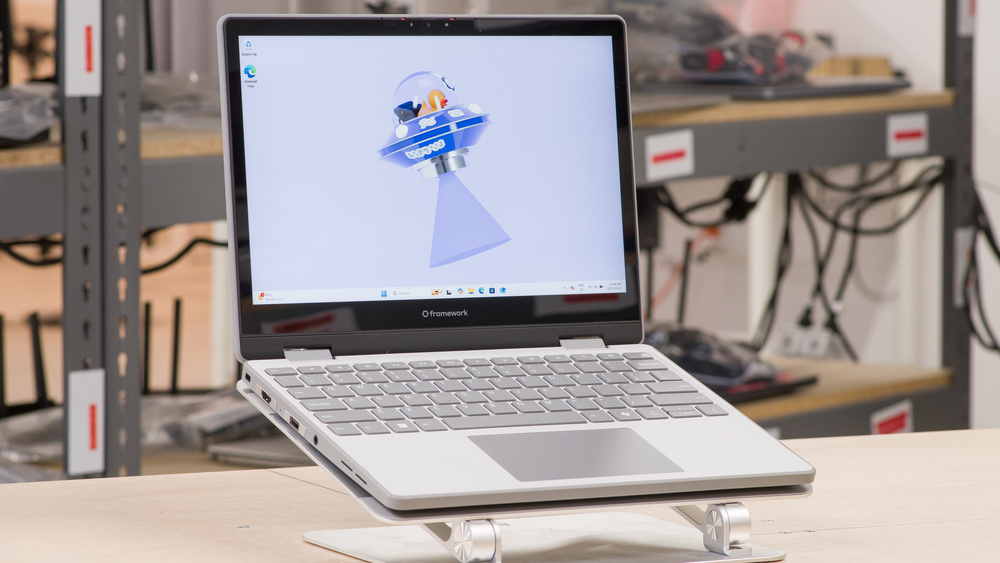
The Framework Laptop 12 (2025) is Framework's first compact convertible 2-in-1 laptop. It has a 12.2-inch touchscreen display, a 360-degree hinge, and stylus support. It keeps Framework's modular design philosophy, with user-replaceable parts, upgradeable memory and storage, and swappable Expansion Cards for customizing the port selection. It's available as either a pre-built system or a DIY Edition that you assemble yourself, with configurations that include a 13th Gen Intel Core i3-1315U or Core i5-1334U CPU, up to 48GB of DDR5 memory, and up to 2TB of NVMe storage. It also has a 12.2-inch 1920x1200 60Hz touchscreen rated for over 400 cd/m² of brightness, Wi-Fi 6E, and a full-size keyboard, with several playful chassis color options depending on the configuration.
Our Verdict
The Framework 12 is bad for gaming. The 60Hz display has a slow response time, resulting in a blurry image in fast-moving scenes. The Intel CPUs and their corresponding GPUs struggle to even open modern, demanding titles, so you'll likely only be able to play older or simpler games.
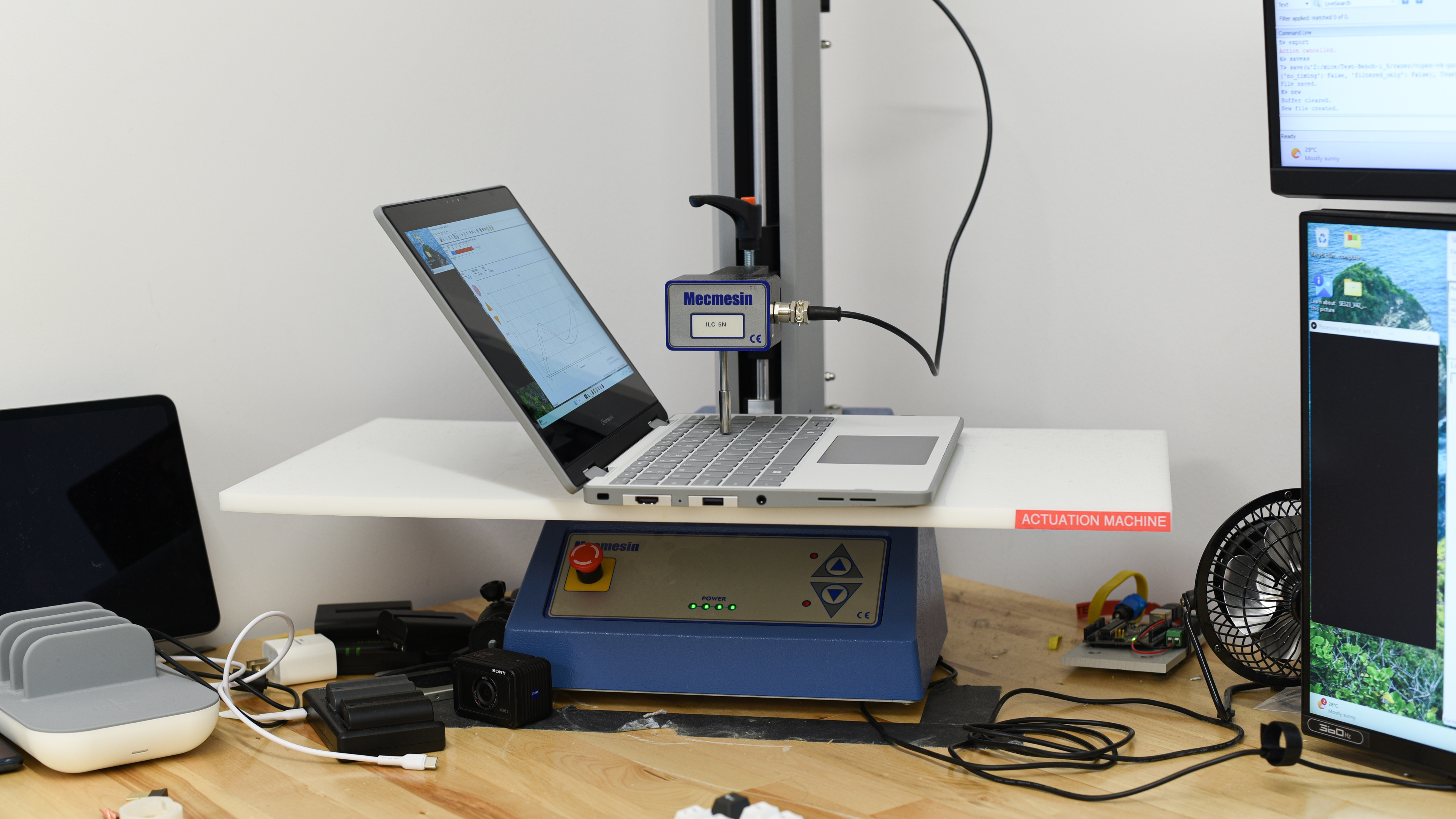
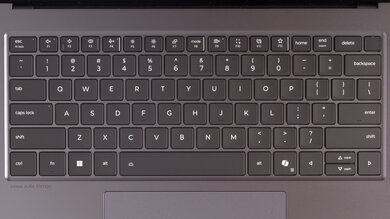
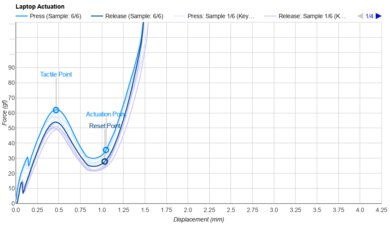
Disappointing keyboard with no backlight.
Poor CPU and GPU performance for gaming and demanding tasks.
The Framework Laptop 12 is decent for school and work. It's very portable, has a good touchpad, a bright touchscreen with stylus support, and enough battery life to get you through a full day of work or school. Its modular port system lets you swap the ports to suit your needs, and you can repair or upgrade nearly every part. Unfortunately, it's made of cheap-feeling plastic that flexes a little, its keyboard lacks a backlight, and the keyboard deck gets hot under load. Its Intel CPU is fine for word processing, spreadsheets, presentations, and web browsing, but anything more demanding will leave you wanting more power.
Lightweight and portable.
Battery lasts through a full workday.
Bright display.
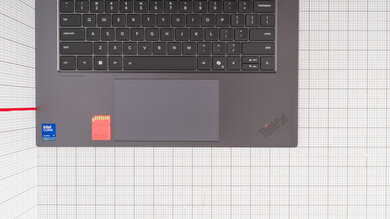
Good touchpad.
Excellent modular port system, highly repairable and upgradeable.
2-in-1 design with a touchscreen and stylus support.
Disappointing keyboard with no backlight.
Keyboard gets hot under load.
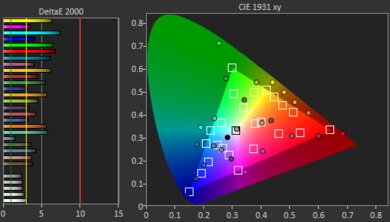
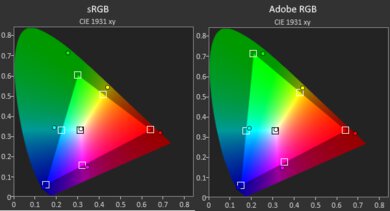
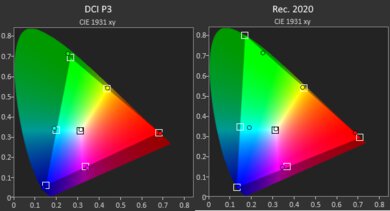
Display has poor color accuracy and color gamut.
Made of cheap-feeling plastic.
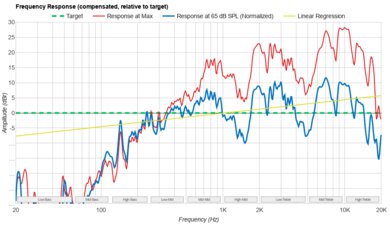
The Framework 12 is decent for media consumption. It has great portability, about 5.5 hours of battery life when watching video, and a bright screen with good contrast. That said, it has disappointing color accuracy and bad color gamut coverage, so video content looks inconsistent. Its speakers get loud without distortion, but sound tinny.
Bright display.
Display has poor color accuracy and color gamut.
Speakers sound thin and tinny.
The Framework 12 isn't designed for workstation use. While its CPU and RAM performance are acceptable for some lighter workloads, and it doesn't experience much thermal throttling, it'll struggle with anything moderately demanding or GPU-intensive. On the bright side, the laptop is designed to be highly upgradeable, and you can swap out everything from the RAM to the CPU and the motherboard itself. It also has a modular port system that lets you swap the ports out to anything you want on the fly.
Bright display.
Keyboard gets hot under load.
Display has poor color accuracy and color gamut.
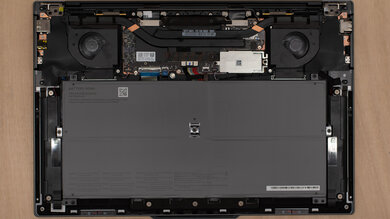
The Framework Laptop 12 has great battery life. It lasts through a full day of light use like web browsing and writing documents, and it recharges fairly quickly. It drains faster when you watch videos, though. Like every other part, the battery is replaceable if it wears out.
Battery lasts through a full workday.
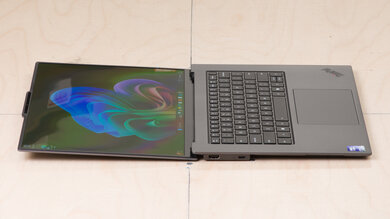
The Framework Laptop 12 has decent build quality. It feels solid and well put together, but its all-plastic chassis feels cheap, scratches easily, and flexes a little when you twist it. The 360-degree hinge is smooth and stable, though you can't open the lid with one finger.
Made of cheap-feeling plastic.
The Framework Laptop 12 has very bad graphics performance. Its integrated Intel UHD Graphics are fine for everyday use and video playback, but they're too weak for 3D work, and none of the GPU-intensive games in our test suite run on it.
Poor CPU and GPU performance for gaming and demanding tasks.
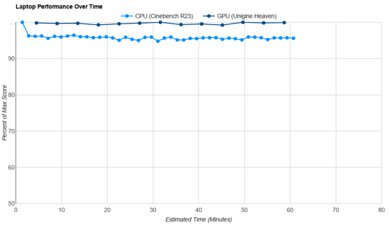
The Framework Laptop 12 has disappointing processing performance. The Core i3-1315U in our unit handles web browsing, documents, and video playback well, but it struggles with heavier work and CPU-heavy games. The Core i5-1334U is better suited for moderate tasks like photo editing. Performance stays stable under long loads.
Poor CPU and GPU performance for gaming and demanding tasks.
Performance Usages
Changelog
- Updated Nov 03, 2026: We've updated this review to Test Bench 1.0.1. This is a minor update that fixes scoring discrepancies on laptops that don't support all the games we benchmark. Read the changelog for more details.
- Updated Oct 30, 2026: We've updated this review to Test Bench 1.0! This update adds several new verdict scores to the review, so it's easier to make a buying decision. Read the changelog for a full list of changes.
-
Updated Jul 23, 2026:
We've added a link to the newly reviewed HP OmniBook 3 14 (2025) in the Battery section of the review.
- Updated Jul 15, 2026: Review published.
Check Price
Differences Between Sizes And Variants
The Framework Laptop 12 (2025) is available as either a pre-built version or a DIY edition, which you have to assemble yourself. The pre-built version has a base variant and a performance variant. The base variant, which we bought and tested, comes with an Intel Core i3-1315U CPU, 8GB of memory, 512GB of storage, and Windows 11 Home pre-installed. The performance variant has an Intel Core i5-1334U, 16GB of memory, 512GB of storage, and Windows 11 Home pre-installed. If you opt for the DIY edition, you can select the CPU, memory, storage, operating system, keyboard, and included expansion cards.
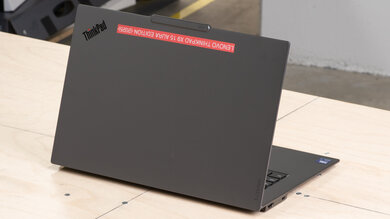
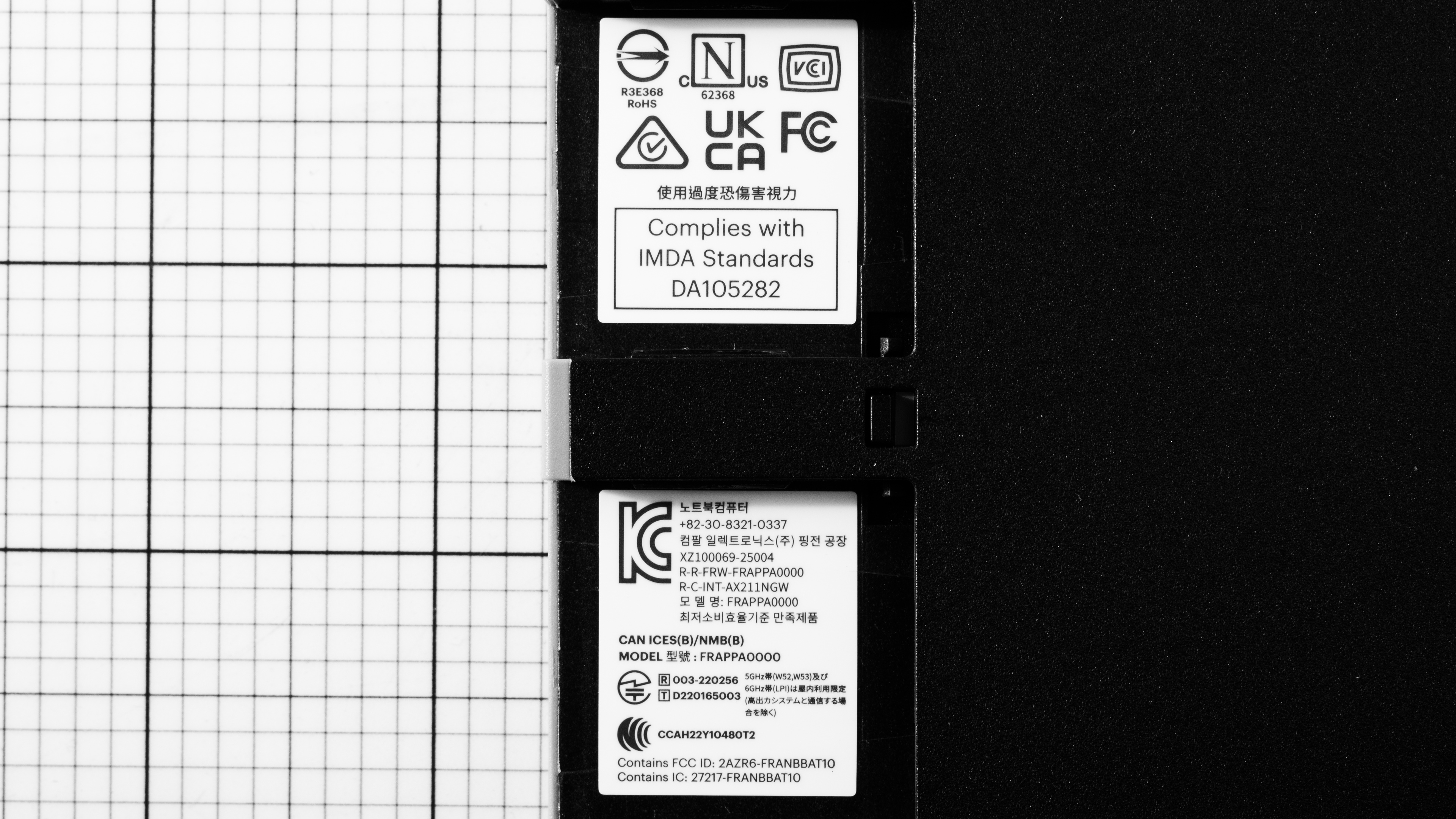
Here's a photo of our unit's label.
Popular Laptop Comparisons
The Framework Laptop 12 (2025) is a compact 2-in-1 convertible designed around the same repairable and upgradeable philosophy as Framework's larger laptops. Unlike most small Windows convertibles, it lets you replace or upgrade major components like the memory, storage, battery, keyboard, display, and ports, making it a much more sustainable long-term option than most budget and mid-range laptops. Its 12.2-inch touchscreen, 360-degree hinge, and stylus support make it better suited for students, note-taking, and casual productivity than heavier creative or workstation tasks. That said, its older Intel 13th Gen U-series CPUs aren't as fast or efficient as newer processors in many competing ultraportables, and its display, speakers, touchpad, and overall build quality don't feel as premium as more polished alternatives.
Framework laptops occupy a niche position in the laptop market, and the Laptop 12 is no exception. Compared to mainstream options like the Apple MacBook Neo (A18 Pro, 2026), it offers far better repairability, upgradeability, and port customization, but it can't match Apple's tighter hardware-software integration, battery life, display quality, or more premium-feeling chassis. It also faces strong competition from other compact 2-in-1 Windows laptops and Chromebooks that may offer better value upfront. Overall, the Framework Laptop 12 is a good choice if you want a small, flexible laptop that you can maintain and upgrade over time, especially if you support the right-to-repair movement. However, if you only care about getting the most polished laptop experience for the money, there are better options.
For more options, check out our recommendations for the best business laptops, the best laptops for college, and the best Windows laptops.
The Framework Laptop 13 (2025) and the Framework Laptop 12 (2025) are ultraportable laptops. The Laptop 12 is an entry-level budget model, while the Laptop 13 is a more capable general productivity laptop. The Laptop 12 has a 2-in-1 convertible design with a touchscreen and stylus support, but it has worse build quality as it's made of somewhat cheap-feeling plastic. It also uses much less powerful hardware, making it much less suitable for demanding tasks and gaming compared to the Laptop 13.
The Framework Laptop 12 (2025) and Apple MacBook Neo (A18 Pro, 2026) are budget ultraportables with different design philosophies. The Framework is a modular Windows 2-in-1 designed for repairability, upgradeability, and configurability, with a DIY option, swappable ports, a touchscreen, and stylus support. The MacBook is a more conventional macOS laptop with soldered components, but it delivers a more polished experience overall, with a better display, build, speakers, trackpad, keyboard, and CPU/GPU performance. The Framework's main advantages are its repairability, port flexibility, and higher RAM ceiling of up to 48GB.
The Framework Laptop 12 (2025) and the Dell XPS 14 (2026) are compact Windows laptops with touchscreen options, but they're aimed at different uses. The Framework is a smaller 2-in-1 convertible laptop with stylus support. It also has a much stronger focus on upgradeable and repairable components, and customizable port selection. Comparatively, the Dell offers much stronger performance, more premium construction, better display options, and a higher resolution webcam. However, its soldered memory and difficult internal access make it significantly less serviceable.
The HP OmniBook 3 14 (2025) and the Framework Laptop 12 (2025) are budget Windows laptops. The HP has a larger display, a better keyboard and touchpad, a better webcam, and longer battery life. However, the Framework's Intel processors are noticeably faster, and its display gets much brighter. The Framework is also a convertible 2-in-1 with touch and stylus support. Also, the Framework employs a modular design with nearly every component being replaceable, and has an expansion card system that lets you choose which ports you want.
Test Results
for pictures & test results
for pictures & test results
for pictures & test results



for pictures & test results

for pictures & test results
for pictures & test results
for pictures & test results