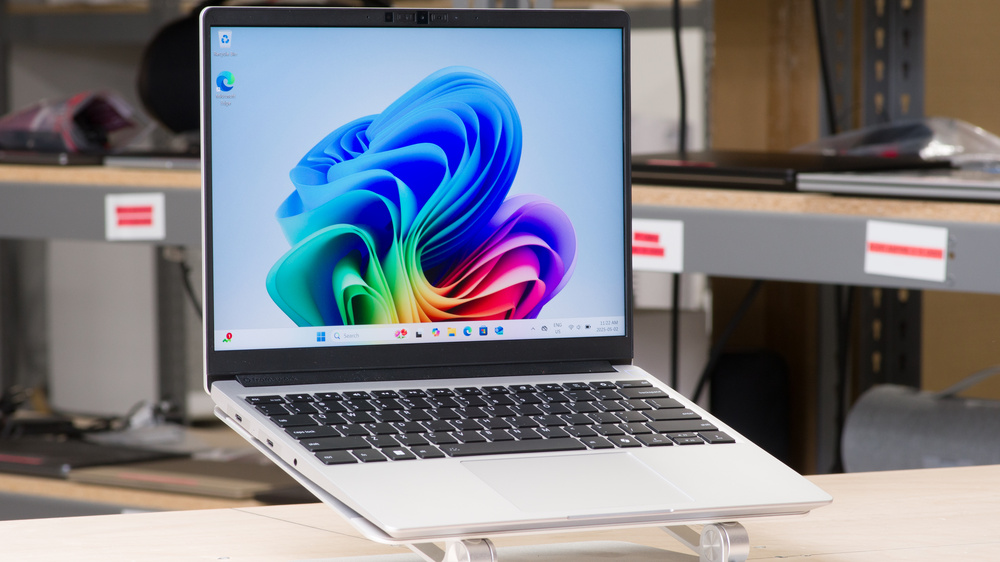
The Framework Laptop 13 (2025) continues Framework's lineup of modular Windows ultraportable laptops. Replacing the Framework Laptop 13 (2023), this 2025 model now uses AMD's Ryzen AI 300 series lineup of CPUs and is available alongside the Intel Ultra Series 1 version. Design-wise, it has a new keyboard with reduced resonance and less actuation force, Wi-Fi 7, and a revamped thermal system. Like all Framework Laptops, you can get a pre-built model or a DIY model where you can choose each part individually and assemble it yourself. You can choose between an AMD Ryzen AI 5, 7, or 9 HX, get up to 96GB of RAM, and 8TB of NVMe storage. There's also a new, 2880x1920 120Hz display available as an option, or you can go with a 2256x1504 60Hz display.
Most of our test results (build, serviceability, display, keyboard, touchpad, speakers, webcam) apply to the Intel Ultra Series 1 version, except for the configuration options, ports, performance, battery life, and thermals. See our unit's specifications and the available configuration options in the Differences Between Variants section.
Note: We performed the productivity benchmarks, gaming benchmarks, thermals and noise, and performance over time tests using the Best Performance mode instead of the default Balanced mode. This change makes the results more representative of the laptop's maximum potential and brings them closer to user expectations. However, this also means that the results are only comparable with reviews containing this disclaimer, as we previously tested laptops in their default mode, which usually throttles performance to prolong battery life.
Our Verdict
The Framework Laptop 13 (2025) is great for school use. It has great build quality and is easy to carry around. The battery lasts all day long with over 10 hours of light use. Its sharp, bright, 3:2 display is nice to look at and great for productivity tasks, and the keyboard feels nice to type on. The AMD Ryzen AI 5 and 7 CPUs and integrated GPUs are good for light to moderate workloads, but students using CAD or 3D animators will be much better served by the AMD Ryzen AI 9 CPU. It has an excellent modular port system that lets you change ports on the fly, so you can easily configure your laptop to support the peripherals you need.
Thin and light design.
Battery lasts ~10 hours of light use.
Sharp, bright display.
AMD Ryzen CPUs can handle some demanding workloads.
Excellent modular port system, highly repairable and upgradeable.
Comfortable keyboard and good trackpad.
Keyboard gets hot under load.
Integrated graphics struggle in highly intensive tasks.
The Framework Laptop 13 (2025) isn't designed for gaming. The 60Hz display has a slow response time and delivers a blurry image in fast-moving scenes. The optional 120Hz display is a likely better option for gaming, as higher refresh rates result in better input responsiveness and smoother motion. The AMD Ryzen AI 5 and 7 CPUs and their corresponding iGPUs struggle with demanding titles, so you'll have to turn the settings down for playable frame rates. The Ryzen AI 9, however, will likely be much better equipped for powering AAA titles, though you'll still need to tweak your game's graphics settings to get smooth gameplay.
AMD Ryzen 9 CPU and iGPU can handle some demanding games.
Fast storage drive.
Minimal thermal throttling.
Keyboard gets hot under load.
60Hz display with slow response time.
No VRR to reduce screen tearing.
The Framework Laptop 13 (2025) is good for media consumption. It's very portable and well-built and has a battery that lasts for nearly eight hours of video playback. Its IPS display is bright and sharp, but its out-of-the-box color accuracy is just okay, and its low contrast makes blacks look gray when it's used in a dark room. Its speakers can get quite loud, but they sound thin and tinny, especially at higher volume levels.
Thin and light design.
Sharp, bright display.
Display's low contrast makes blacks look gray in dim settings.
Speakers sound thin and tinny.
The Framework Laptop 13 (2025) is an ultraportable model, but it can handle some fairly intense workloads if you get the AMD Ryzen AI 9 model. The AMD Ryzen AI 5 and 7 CPUs and their iGPUs can handle moderately intense tasks, but they'll struggle in especially tough workflows or anything very GPU-intensive. On the bright side, the laptop is designed to be highly upgradable, and you can swap out everything from the RAM to the CPU and motherboard itself. It also has a modular port system that lets you swap the ports out to anything you want on the fly.
AMD Ryzen CPUs can handle some demanding workloads.
Excellent modular port system, highly repairable and upgradeable.
Fast storage drive.
Minimal thermal throttling.
Keyboard gets hot under load.
Integrated graphics struggle in highly intensive tasks.
Display only has full sRGB coverage.
Display only has okay color accuracy out of the box.
The Framework Laptop 13 (2025) is great for business use. It has impressive build quality and is very portable, which is convenient if you travel a lot for work. It has a sharp, bright display, a tactile keyboard, and a large, responsive touchpad. You can easily connect peripherals and external monitors, thanks to its excellent modular port system, which lets you swap out the ports on the fly. Its AMD CPU performs well and can handle most productivity tasks like text processing, web browsing, spreadsheets, and presentations. The battery lasts comfortably through a typical eight-hour workday and charges over USB-C.
Thin and light design.
Battery lasts ~10 hours of light use.
Sharp, bright display.
AMD Ryzen CPUs can handle some demanding workloads.
Excellent modular port system, highly repairable and upgradeable.
Comfortable keyboard and good trackpad.
Keyboard gets hot under load.
Changelog
-
Updated Sep 08, 2025:
Added a link in the Screen Specs section to our article comparing the 2k and 2.8k displays.
-
Updated Aug 14, 2025:
We've tested the new 120Hz 2.8k display and updated the review's display section with the results. We've also corrected a mistake in the Differences Between Variants and Color Gamut section; the 120Hz display doesn't have full DCI-P3 coverage.
- Updated Jul 21, 2025: Review published.
- Updated Jul 02, 2025: Early access published.
Check Price
Differences Between Sizes And Variants
The Framework Laptop 13 (2025) AMD is available either as a pre-built laptop with various configuration options or as a 'DIY-Edition' where you can choose each component individually and build it yourself. We bought and tested the pre-configured Performance model that includes an AMD Ryzen AI 7 350 CPU, 16GB of memory, and 512GB of storage.
This laptop is also available with a selection of Intel Core Ultra Meteor Lake processors. Most of our test results (build, serviceability, display, keyboard, touchpad, speakers, webcam) apply to the Intel version, except for the configuration options, ports, performance, battery life, and thermals.
DIY EDITION
SCREEN
- 13.5" IPS 2256x1504 60Hz (matte finish, 100% sRGB)
- 13.5" IPS 2880x1920 120Hz (matte finish, display has a rounded active area, 100% sRGB)
CPU
- AMD Ryzen AI 5 340 (6-core/12-thread, up to 4.8GHz, 16MB cache, Radeon 840M iGPU)
- AMD Ryzen AI 7 350 (8-core/16-thread, up to 5.0GHz, 16MB cache, Radeon 860M iGPU)
- AMD Ryzen AI 9 HX 370 (12-core/24-thread, up to 5.1GHz, 24MB cache, Radeon 890M iGPU, 2.8k display only)
MEMORY
- 8GB DDR5 5600 (1x8)
- 16GB DDR5 5600 (1x16)
- 16GB DDR5 5600 (2x8)
- 32GB DDR5 5600 (1x32)
- 32GB DDR5 5600 (2x16)
- 64GB DDR5 5600 (2x32)
- 48GB DDR5 5600 (1x48)
- 96GB DDR5 5600 (2x48)
- None (bring your own)
STORAGE
- 500GB WD_Black SN7100
- 1TB WD_Black SN7100
- 2TB WD_Black SN7100
- 4TB WD_Black SN7100
- 1TB WD_Black SN850X
- 2TB WD_Black SN850X
- 4TB WD_Black SN850X
- 8TB WD_Black SN850X
- None (bring your own)
OS
- Windows 11 Home
- Windows 11 Pro
- None (bring your own)
BEZEL COLOR
- Black
- Orange
- Lavendar
- Green
- Gray
- Red
- Translucent
- Translucent Purple
- Translucent Green
- Translucent Black
PRE-BUILT
BASE
- 13.5" IPS 2256x1504 60Hz (matte finish)
- AMD Ryzen AI 5 340 (6-core/12-thread, up to 4.8GHz, 16MB cache, Radeon 840M iGPU)
- 16GB DDR5 5600 memory
- 256GB Storage
- Windows 11 Home
- 1-year limited warranty
PERFORMANCE
- 13.5" IPS 2256x1504 60Hz (matte finish)
- AMD Ryzen AI 7 350 (8-core/16-thread, up to 5.0GHz, 16MB cache, Radeon 860M iGPU)
- 16GB DDR5 5600 memory
- 512GB Storage
- Windows 11 Home
- 1-year limited warranty
EXTENDED PRODUCTIVITY
- 13.5" IPS 2256x1504 60Hz (matte finish)
- AMD Ryzen AI 5 340 (6-core/12-thread, up to 4.8GHz, 16MB cache, Radeon 840M iGPU)
- 16GB DDR5 5600 memory
- 512GB Storage
- Windows 11 Pro
- 1-year limited warranty
EXTENDED PERFORMANCE
- 13.5" IPS 2256x1504 60Hz (matte finish)
- AMD Ryzen AI 7 350 (8-core/16-thread, up to 5.0GHz, 16MB cache, Radeon 860M iGPU)
- 16GB DDR5 5600 memory
- 512GB Storage
- Windows 11 Pro
- 3-year extended limited warranty
EXTENDED PRO
- 13.5" IPS 2256x1504 60Hz (matte finish)
- AMD Ryzen AI 9 HX 370 (12-core/24-thread, up to 5.1GHz, 24MB cache, Radeon 890M iGPU)
- 32GB DDR5 5600 memory
- 1TB Storage
- Windows 11 Pro
- 3-year extended limited warranty
Popular Laptop Comparisons
The Framework Laptop 13 (2025) continues Framework's lineup of easily repairable and upgradeable general productivity laptops. Compared to the Framework Laptop 13 (2023), it features AMD's new Ryzen AI 300 series CPUs with integrated graphics, a new keyboard design, Wi-Fi 7, and a redesigned thermal system. While the keyboard is a marked improvement thanks to its lighter actuation force and quieter operation, unfortunately, the Ryzen AI 5 and 7 CPUs and corresponding iGPUs don't present much of a performance uplift. That said, the Ryzen AI 9 is likely a much more powerful top-end option with good integrated graphics performance.
Framework laptops occupy a niche position in the laptop market. Where most modern laptops are designed to be disposed of once their hardware becomes obsolete, you can easily upgrade, repair, and replace every part of Framework laptops. It doesn't present much of a compromise from other ultraportables, but it lags behind some options with better displays or more premium build quality, like the Apple MacBook Air 13 (M4, 2025) or the Microsoft Surface Laptop 7th Edition 15 (2024). Overall, this laptop is a good choice if you support the right-to-repair movement or would just like the flexibility to upgrade your system over time.
For more options, check out our recommendations for the best business laptops, the best laptops for college, and the best Windows laptops.
The Framework Laptop 13 (2025) is an updated version of the Framework Laptop 13 (2023). The design remains mostly unchanged, but it boasts a new keyboard and updated thermals and is now available with a 120Hz display and AMD Ryzen AI 300 series CPUs. Unfortunately, the AMD Ryzen AI 5 and 9 300 Series CPUs perform the same or marginally worse than the Ryzen 7000 CPUs, but the Strix Point Ryzen AI 9 CPU has significantly better performance. Battery life also suffers slightly, and the keyboard gets hotter under load. That said, the keyboard and trackpad are markedly better than the old model, thanks to the reduced actuation force, quieter typing, and much better clicking and tracking quality.
The Lenovo ThinkPad X9 15 Aura Edition (2025) and the Framework Laptop 13 (2025) are ultraportable Windows Laptops. The Framework has a fully modular design with interchangeable I/O ports and replaceable internal components, while the Lenovo has soldered, non-replaceable parts. The Lenovo has a 120Hz OLED display with an optional touchscreen with an infinite contrast ratio, while the Framework is only available with IPS, non-touch displays. That said, the Lenovo's display flickers at a 480Hz frequency that could be distracting to some people. Both laptops have great build quality, but the Lenovo feels more premium.
The Apple MacBook Air 13 (M4, 2025) and the Framework Laptop 13 (2025) are ultraportable laptops with completely different approaches. The Framework is a modular Windows laptop where every part is replaceable and upgradeable, while the MacBook runs macOS and has all its components soldered down. The MacBook has a fanless design, so it's silent at all times, but it thermal throttles during long sessions. While the MacBook is a better machine to use, the Framework's modularity and repairability make it more flexible, and it's a great option if you support the right-to-repair movement.
The Microsoft Surface Laptop 7th Edition 15 (2024) and the Framework Laptop 13 (2025) are Windows ultraportable laptops. The Framework is designed to be easily repairable and features unique modular I/O ports, while the Surface has soldered, non-upgradeable components. The latter is an ARM-based device, so app compatibility is a significant consideration. The Surface has an extremely premium, all-aluminum build, while the Framework is mostly aluminum with some plastic parts.
Test Results
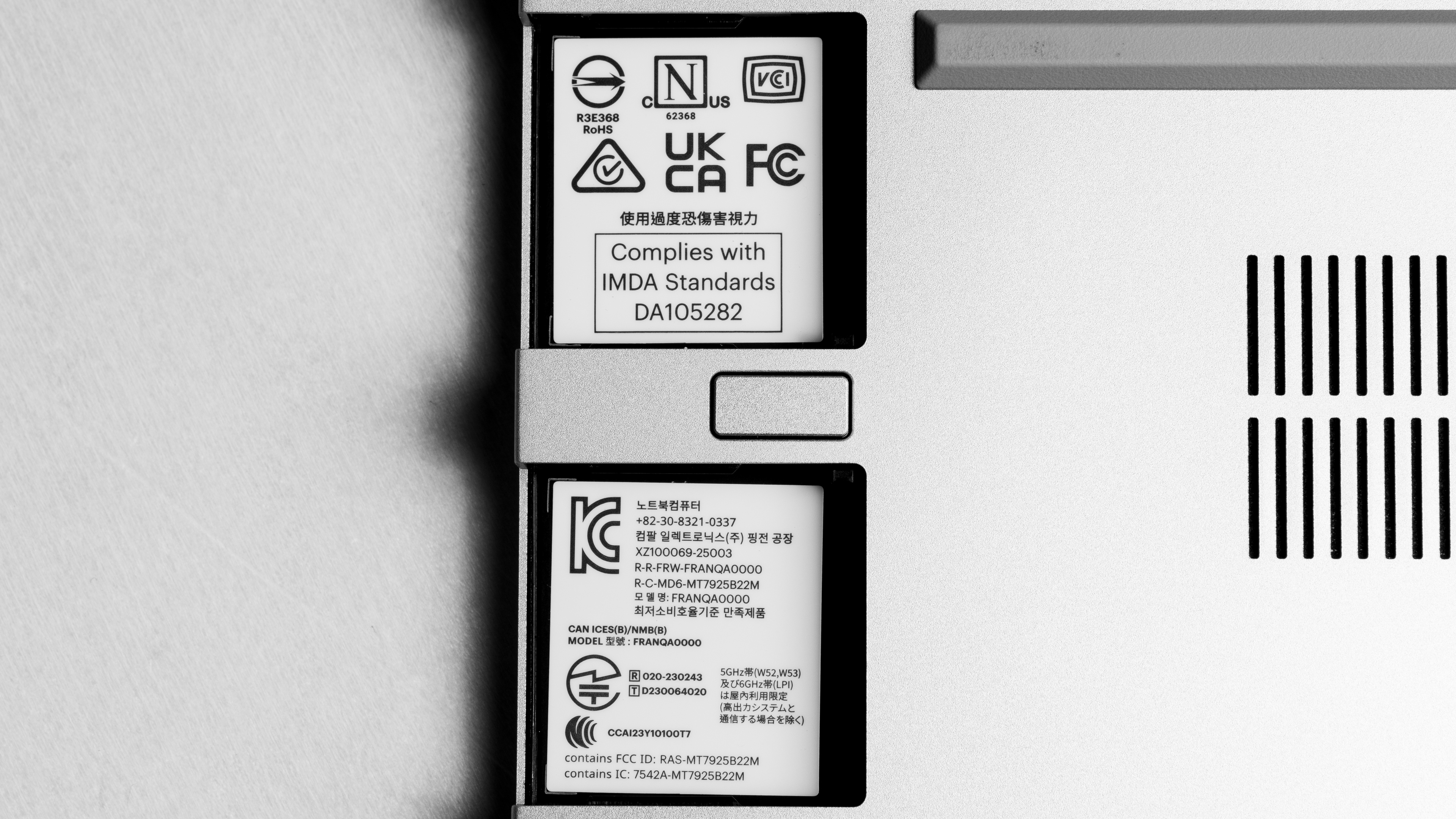
The Framework Laptop 13 (2025) is only available in a single, silver-aluminum chassis. It has a replaceable bezel available in Black, Orange, Lavender, Green, Gray, Red, Translucent, Translucent Purple, Translucent Green, and Translucent Black. The USB-C port expansion cards are available in the same colors as the bezel, and also in Aluminum, Translucent Orange, and Translucent Pink. See a photo of the underside of the laptop.
The Framework Laptop 13 (2025) has excellent build quality. It's mostly made of aluminum with a few plastic parts throughout. It feels quite rigid and sturdy overall, but there's some flex when manipulating the display. The finish doesn't scratch or pick up fingerprints and smudges easily. The expansion cards feel solid, but do have some sharp edges.
The Framework Laptop 13 (2025) has a fantastic hinge. It feels smooth and stable while opening and closing, and it has a wide range. While you can lift it with one finger, it's a little tricky since there isn't much space in the gap between the chassis and the top of the display for your finger to go.
You can replace everything in this laptop, including the motherboard, display, fan, and speakers. It's very easy to access the internals; you just need to remove the captive torx screws and the magnetically attached keyboard (just make sure to disconnect the keyboard cable). Most parts are proprietary and only sold by Framework, but you can use third-party RAM and storage.
The Framework Laptop 13 (2025) has two display options:
- 13.5" IPS 2256x1504 60Hz (matte finish)
- 13.5" IPS 2880x1920 120Hz (matte finish)
Both are very sharp, but the 2880x1920 will be even sharper thanks to its higher pixel density of 256 PPI. The 3:2 aspect ratio is more square than the more common 16:9 and 16:10 aspect ratios. This means it has more vertical space for productivity tasks like reading long documents. The downsides are that there's less space for side-by-side windows, and there are almost always black bars at the top and bottom when viewing videos.
Note that the 2880x1920 120Hz display is only available for the DIY edition. Check out this article to see the two panels compared side by side.
You can get this laptop with either a 60Hz display or a 120Hz display. The 60Hz display we tested has a slow response time with noticeable ghosting and blur behind moving objects, so it isn't ideal for gaming.
The 120Hz display improves motion smoothness and input responsiveness, but its response time is pretty slow, too, resulting in visible ghosting. It supports Dynamic Refresh Rate, which helps prolong battery life by lowering the refresh rate when you aren't actively navigating around the desktop. Dynamic Refresh Rate isn't the same as G-SYNC or FreeSync, so you'll still see screen tearing when gaming.
The 60Hz display has a good contrast ratio that's within the typical range of most IPS panels. However, it's low compared to other display types like VA and OLED. Blacks appear gray in dim lighting environments.
The 120Hz 2.8k display's contrast ratio is in the same ballpark at 1,527:1.
The 60Hz display gets bright enough for most indoor settings. You can even use it outdoors during the day, but you may have trouble making out what's on the screen under direct sunlight. It also gets very dim at the lowest brightness setting, making it great for use in a dark environment.
The 120Hz panel gets brighter but still falls a little short of the advertised 500 cd/m². Here are the measurements:
- Maximum Brightness: 478 cd/m²
- Minimum Brightness: 5 cd/m²
The display has great reflection handling. Its matte finish effectively disperses reflections across the screen. It's great for bright room viewing at higher brightness levels, but reflections are visible when viewing dark-color content.
The 120Hz display also has a matte finish that performs similarly. Here are the measurements as well as the photos with the screen off and at max brightness.
- Total Reflections: 4.78%
- Indirect Reflections: 4.52%
- Calculated Direct Reflections: 0.26%
- Screen Off Reflections Photo
- Screen On at Max Brightness Photo
The photo above and the posted result show the 60Hz panel's black uniformity. The 120Hz display's black uniformity is a little better, with a standard deviation of 0.682%.
The 60Hz display has okay color accuracy out of the box. The color temperature is noticeably cooler than the 6500K target and compared to previous Framework laptops, resulting in a bluish tint, especially when looking at whites and grays. The gamma is too high at low brightness levels and too low at mid-brightness, so dark scenes appear too dark, and the rest look over-brightened.
The 120Hz 2.8K display isn't as accurate, with a much higher white balance dE (too much green) and color dE. Here are the measurements:
The Framework Laptop 13 (2025)'s 60Hz has full coverage of the sRGB color space, so it can accurately portray the colors of most content online. However, it doesn't cover the wider DCI-P3 or Adobe RGB color spaces enough for print photography or video production.
The 120Hz 2.8k display has a similar color gamut with only full sRGB coverage. Here are the measurements:
- sRGB xy: 99.17%
- sRGB uv: 97.94%
- Adobe RGB xy: 77.72%
- Adobe RGB uv: 85.59%
- DCI-P3 xy: 82.91%
- DCI-P3 uv: 87.02%
- Rec. 2020 xy: 60.30%
- Rec. 2020 uv: 66.61%
The 120Hz 2.8k display is also entirely flicker-free.
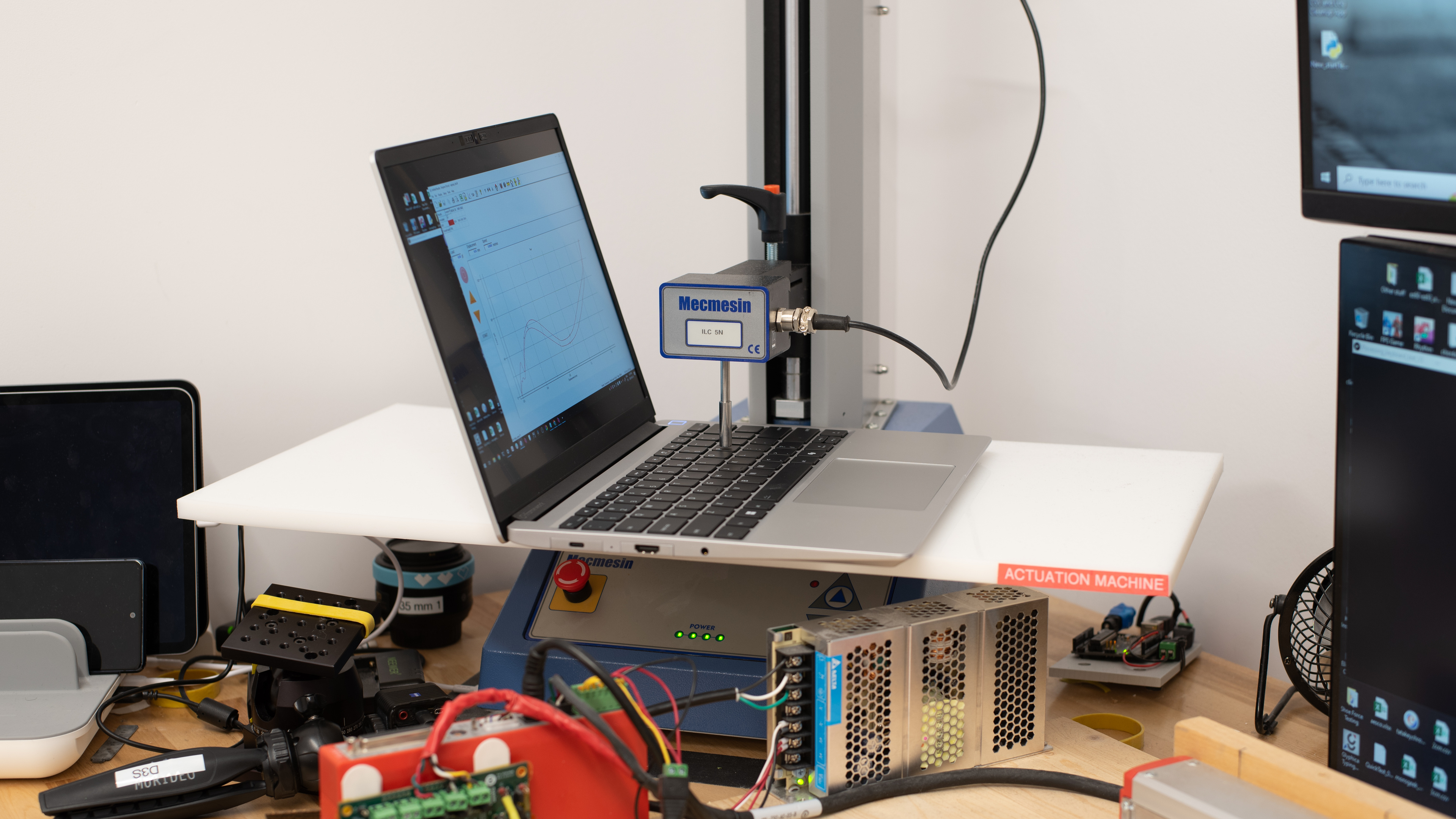
This laptop has an excellent keyboard. It has a familiar layout that's easy to adjust to. The ABS keycaps are stable to type on and have a good-quality matte finish. It's quiet to type on and has satisfying tactile feedback. Its operating force is notably lower than the previous Framework Laptop 13 (2023), so it's less fatiguing to type on. You can adjust between three backlight brightness levels or turn it off completely. The backlighting is white, leaning on the cooler side.
The Framework Laptop 13 (2025) has a very good touchpad. It tracks all movements and gestures well across its entire surface, and palm rejection works as intended. You can click almost anywhere on the touchpad apart from the very top. It's an adequate size, but it could benefit from being a bit bigger.
This laptop's speakers sound okay. They're downward-firing speakers positioned on the sides of the laptop, near the front. They get reasonably loud and exhibit nearly no compression at high volume levels. Unfortunately, they have poor bass and treble extension, so they sound tinny and thin.
This laptop has a very good webcam overall. The image looks detailed, but it's a little noisy and underexposed. The microphone picks up voices loud and clear. Both the microphone and the camera have physical privacy covers that disable them at the software level.
Like its predecessors, the Framework Laptop 13 (2025) has a modular port system that lets you change the ports as needed. Each port is a small cartridge called an 'expansion card,' and there are also expansion cards with a built-in SSD to increase storage. You can buy as many expansion cards as you want from the following options:
- USB-A (USB 3.2 Gen 2)
- USB-C (USB4, charging, DisplayPort Alt Mode)
- DisplayPort (1.4)
- MicroSD (UHS-II)
- SD (UHS-II)
- HDMI (2.0b)
- Ethernet (2.5Gbps)
- 250GB (USB 3.2 Gen 2) Storage drive
- 1TB (USB 3.2 Gen 2) Storage drive
The AMD version of the Framework Laptop 13 has a slightly different port configuration than the Intel version. On the AMD model, only the two slots closest to the back support USB4 (up to 40Gbps data transfer speed), while the two front ones support USB 3.2 Gen 2 (up to 10Gbps). The two back slots also pull more power when using a USB-A expansion card. All slots support video output except the front left slot. See Framework's diagram.
The Framework Laptop 13 (2025) uses the AMD RZ717 wireless adapter, also known as the MediaTek MT7927. Wi-Fi 7 is capable of faster speeds and better connectivity than previous Wi-Fi versions, but you need a Wi-Fi 7 router to benefit from it.
The Framework Laptop 13 (2025) is available with the following CPUs:
- AMD Ryzen AI 5 340 (6 cores/12 threads, up to 4.8GHz)
- AMD Ryzen AI 7 350 (8 cores/16 threads, up to 5.0GHz)
- AMD Ryzen AI 9 HX 370 (12 cores/24 threads, up to 5.1GHz)
These are hybrid CPUs with a mix of Zen 5 cores and Zen 5c efficiency cores. The Ryzen AI 5 and 7 are part of AMD's Krackan Point lineup of mid-tier mobile processors for ultraportable laptops. The former has three Zen 5 and three Zen 5c cores, while the latter has four Zen 5 and four Zen 5c cores. The Ryzen AI 9 HX, on the other hand, is from AMD's Strix Point lineup of CPUs and has four Zen 5 and eight Zen 5c cores. All CPU options have Ryzen AI neural processing units (NPUs) powered by XDNA architecture with a rated performance of 50 TOPS (Trillions of Operations Per Second).
Depending on which one you choose, these CPUs are designed for a range of tasks, from light general productivity like web browsing and text processing to more demanding tasks like programming and video editing. The Ryzen AI 5 or 7 are likely fast enough for most people with a general productivity-oriented workload and some medium-intensity tasks. The Ryzen AI 9 is significantly faster than the other two, so it's the better choice if you have a more demanding workload or are a heavy multitasker.
The Framework Laptop 13 2025 is only available with integrated graphics. The AMD Ryzen AI 5 340 has the AMD Radeon 840M, the Ryzen AI 7 350 has the Radeon 860M, while the Ryzen AI 9 HX 370 has the Radeon 890M. The Radeon 840M and 860M are relatively weak iGPUs that are only suitable for general productivity and some light gaming. However, the Ryzen AI 9 HX's Radeon 890M is very close to the NVIDIA GeForce GTX 1650 (mobile) in performance, which is enough to handle some demanding games at 1080p with medium-low settings.
The pre-built Base, Performance, Extended Productivity, and Extended Performance models all have 16GB of RAM pre-installed, while the Extended Pro model has 32GB pre-installed. The DIY edition lets you choose from 8GB to 96GB. Some of the DIY memory configurations are in single-channel mode. If you don't plan on adding a second module, getting a model with dual-channel memory is best. The RAM is user-replaceable; the laptop uses regular SO-DIMM memory modules. You can skip the memory configuration (DIY edition) if you want to use your own modules.
The pre-built models have different fixed amounts of storage; the Base model has 256GB, the Performance, Extended Productivity, and Extended Performance models have 512GB, and the Extended Pro model has 1TB. The DIY edition has a much wider selection of storage options:
- 500GB WD_Black SN7100
- 1TB WD_Black SN7100
- 2TB WD_Black SN7100
- 4TB WD_Black SN7100
- 1TB WD_Black SN850X
- 2TB WD_Black SN850X
- 4TB WD_Black SN850X
- 8TB WD_Black SN850X
- None (bring your own)
All storage options are M.2 2280 PCIe Gen 4 SSDs. The SN850X drives are faster; see the SN7100's specifications and the SN850X's specifications.
The Framework Laptop 13 (2025)'s AMD Ryzen AI 7 350 scores well in Geekbench 5. It's fast enough to handle most general productivity tasks and even some moderately intense ones, but it doesn't stand out compared to other current-gen chips, like Apple's M4 SoC. The optional AMD Ryzen AI 9 HX 370 is significantly more performant, while the Ryzen AI 5 is moderately slower.
The Framework Laptop 13 (2025)'s AMD Ryzen AI 7 350 performs well in Cinebench R23. It's suitable for light to moderately intensive tasks. It stacks up reasonably well to other current-gen CPUs like Intel's Lunar Lake chips, especially in multi-thread performance. If you need more power for more intense tasks, the Ryzen AI 9 will be significantly more performant, especially in multi-threaded workloads.
The Framework Laptop 13 (2025)'s AMD Ryzen AI 5 350's integrated Radeon 860M doesn't perform well in the Basemark GPU benchmark. Keep in mind, this is an ultraportable laptop that isn't designed to excel at AAA gaming. The AMD Ryzen AI 9 and its Radeon 890M will perform significantly better in games.
Borderlands 3 runs poorly at 1080p with high settings. If you want a more playable experience, you have to drop all the settings to low, but the game still might feel stuttery and drop frames. The AMD Ryzen AI 9 and its Radeon 890M will perform significantly better in games, and the Ryzen AI 5 will perform worse.
Civilization VI runs reasonably well on this laptop with the AMD Ryzen AI 7 CPU. You only need to turn a few settings down to get over 60 fps. The gameplay is smooth, and the turn time is decent. The AMD Ryzen AI 9 and its Radeon 890M will perform significantly better in games, and the AI 5 will perform worse.
Counter-Strike 2 can achieve a good average frame rate at low settings. The AMD Ryzen AI 9 and its Radeon 890M will perform significantly better in games, and the AI 5 will perform worse.
Shadow of the Tomb Raider runs poorly at high settings. It's playable at lower settings, but you'll still likely experience stutters in graphically intense scenes. The AMD Ryzen AI 9 and its Radeon 890M will perform significantly better in games.
The large frame-time spikes are scene changes and aren't representative of the performance.
The Framework Laptop 13 (2025) has a redesigned thermal system compared to the Framework Laptop 13 (2023). While the keyboard is slightly warm at idle, it's not too warm. Under load, however, the keyboard gets quite hot, especially around the F7 key.
Like previous models, the Framework Laptop 13 (2025) doesn't come with any pre-installed apps other than the default Windows 11 apps. Some pre-built versions have Windows 11 Pro installed, and the DIY edition lets you choose between Windows 11 Home or Pro. You can also skip the OS configuration if you want to install Linux.
The Framework Laptop 13 (2025) has a fingerprint sensor built into the power button. You can use it to log in, authorize purchases in the Windows Store, or auto-fill saved passwords on supported websites.