ASUS ROG Flow Z13 (2025) GZ302  Laptop Review

Reviewed Dec 05, 2025 at 01:23pm
Tested using Methodology v0.8.3 
ASUS ROG Flow Z13 (2025) GZ302
7.8
School 
8.8
Gaming 
7.9
Multimedia 
9.2
Workstation 
8.1
Business 
 3

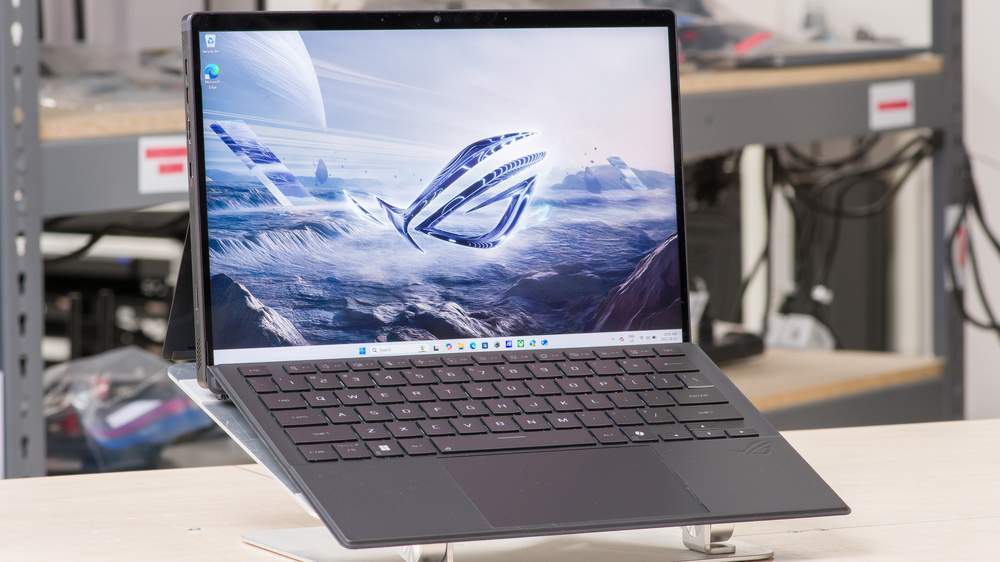
The ASUS ROG Flow Z13 (2025) GZ302 is a 2-in-1 gaming tablet PC, replacing the ASUS ROG Flow Z13 (2023) GZ301. The 2025 GZ302 model is available with an AMD Ryzen AI MAX+ 390 or 395 CPU, and unlike its predecessor, which has NVIDIA discrete GPUs, it relies on its AMD processor's Radeon 8050S/8060S integrated GPU. Memory and storage configurations max out at 128GB and 1TB, respectively. You get a 180Hz QHD+ (2560 x 1600) IPS display with FreeSync support, a front-facing 1440p webcam with facial recognition support, a back-facing 4k camera, and Wi-Fi 7 wireless connectivity. Ports include a USB-A, two USB-C/USB4s, an HDMI 2.1, a MicroSD card reader, and a headphone jack.

See our unit's specifications and the available configuration options in the Differences Between Variants section.

Our Verdict

7.8
School 

The ASUS ROG Flow Z13 is good for school use. This compact device is easy to carry, and it's incredibly versatile since it's a tablet PC with touch and pen input, allowing you to use the device the way you want. Additionally, it boasts extensive processing power, making it well-suited for students in fields such as programming and 3D modeling. The keyboard is okay; it feels comfortable to type on, but setting it up at an incline allows the keyboard to flex more, resulting in a mushier feel. As for its battery life, you can expect around nine hours of light use on a full charge, so you may need to plug it in for a quick charge, depending on your usage.

Pros
  • Easy to carry.

  • Battery lasts around nine hours of light use.

  • Sharp, bright display.

  • CPU and GPU can handle highly demanding workloads.

Cons
  • Form factor makes it hard to use on your lap.

  • Keyboard feels mushy when set at an incline.

8.8
Gaming 

The ASUS ROG Flow Z13 is an excellent gaming tablet PC. Its AMD Ryzen CPU and integrated GPU can deliver high frame rates in demanding games, providing a smooth gaming experience comparable to laptops with a dedicated GPU. Additionally, it features a 180Hz QHD+ display with a fast response time and VRR support, providing a clear image in fast-moving scenes with minimal screen tearing. It only comes with 1TB of storage, which isn't much these days, but thankfully, the SSD is user-replaceable. Thermal throttling is minimal, meaning you won't experience a performance dip when gaming for extended periods, and the device remains cool and quiet under load.

Pros
  • CPU and GPU can deliver smooth gameplay in demanding games.

  • 180Hz display with fast response time.

  • VRR support to reduce screen tearing.

  • Doesn't get overly hot or loud under load.

Cons
  • Soldered RAM.

7.9
Multimedia 

The ASUS ROG Flow Z13 is good for media consumption. It has a compact design, and with over seven hours of local video playback battery life, you can easily binge on your favorite shows or get through a couple of movies. Additionally, since this is a tablet PC, you can use it without the keyboard, which will help save space in tight settings, such as an airplane or bus with a small tray table. Its QHD+ display looks sharp and gets bright enough to overcome glare in well-lit rooms; however, its low contrast makes blacks look gray in dim settings. Unfortunately, the speakers don't get very loud, and they sound boxy with very little bass or treble.

Pros
  • Easy to carry.

  • Battery lasts around eight hours of local video playback.

  • Sharp, bright display.

  • Touch input.

Cons
  • Blacks look gray in dim settings.

  • Form factor makes it hard to use on your lap.

  • Quiet speakers.

  • Speakers sound boxy, with very little bass and treble.

9.2
Workstation 

Though primarily designed for gaming, the ASUS ROG Flow Z13 is an outstanding device for use as a workstation, as it has ample processing power to handle highly demanding workloads. You can get up to 128GB of RAM, which should be sufficient for even the most intensive tasks, and the SSD is user-replaceable, allowing you to easily increase storage space. The display is suitable for color-critical work, such as photo and video editing, as it provides full coverage of the DCI-P3 color space. Thermal throttling is minimal, and the device doesn't get overly hot or loud under load.

Pros
  • CPU and GPU can handle highly demanding workloads.

  • Display is suitable for color-critical work.

  • Doesn't get overly hot or loud under load.

  • Wide port selection with two USB4s and an HDMI 2.1.

Cons
  • Soldered RAM.

8.1
Business 

The ASUS ROG Flow Z13 is great for business use. Its compact design makes it easy to slip into any bag, and its battery lasts a little over nine hours in light use, which is just enough to get you through a typical workday. It features a sharp display with touch and pen input, a wide range of port options for peripherals and external displays, and a high-quality 1440p webcam. The keyboard is okay; the keys have a decent amount of travel and provide satisfying tactile feedback. However, the deck flexes significantly at an incline, making the typing experience somewhat mushy. Plus, the keyboard is unstable when using the device on your lap. Performance-wise, its AMD Ryzen CPU can easily handle general productivity tasks, such as text processing, web browsing, spreadsheets, and presentations.

Pros
  • Easy to carry.

  • Battery lasts around nine hours of light use.

  • Sharp, bright display.

  • Good 1440p webcam.

Cons
  • Form factor makes it hard to use on your lap.

  • Keyboard feels mushy when set at an incline.

  • 7.8
    School
  • 8.8
    Gaming
  • 7.9
    Multimedia
  • 9.2
    Workstation
  • 8.1
    Business
  • Changelog

    1.  Updated Dec 05, 2025: Review published.
    2.  Updated Nov 25, 2025: Early access published.
    3.  Updated Sep 08, 2025: Our testers have started testing this product.
    4.  Updated May 22, 2025: The product has arrived in our lab, and our testers will start evaluating it soon.

    Differences Between Sizes And Variants

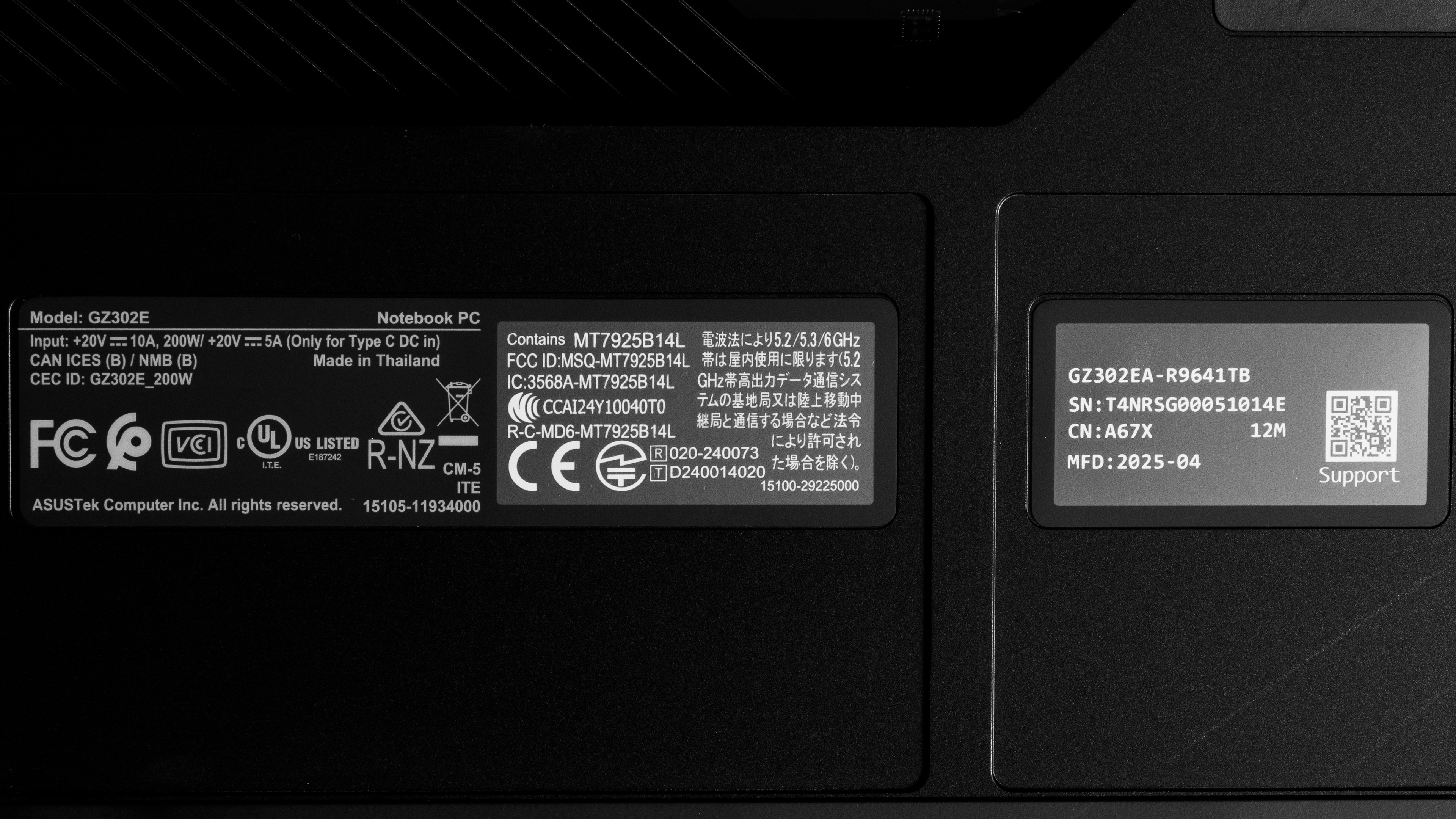
    We tested the ASUS ROG Flow Z13 (model GZ302EA-R9641TB) with an AMD Ryzen AI MAX+ 395 CPU, 64GB of RAM, and 1TB of storage. The CPU and memory are configurable; see below for the available options.

    SCREEN

    • 13.4" IPS 2560 x 1600 180Hz (glossy, touch and stylus support, 100% DCI-P3, Dolby Vision, Adaptive-Sync)

    CPU

    • AMD Ryzen AI MAX+ 390 Processor (12 cores/24 threads, up to 5.0GHz, 76MB cache)
    • AMD Ryzen AI MAX+ 395 Processor (16 cores/32 threads, up to 5.1GHz, 80MB cache)

    GPU

    • AMD Radeon 8050S Graphics 4GB VRAM (integrated, AMD Ryzen AI MAX+ 390)
    • AMD Radeon 8060S Graphics 4GB VRAM (integrated, AMD Ryzen AI MAX+ 395)

    MEMORY

    • 32GB LP-DDR5x 8000MHz
    • 64GB LP-DDR5x 8000MHz
    • 128GB LP-DDR5x 8000MHz

    STORAGE

    • 1TB M.2 2230 PCIe Gen 4 NVMe SSD

    COLOR

    • Gray

    You can see a photo of our unit's label here.

    Popular Laptop Comparisons

    The ASUS ROG Flow Z13 2025 is an excellent gaming laptop that delivers a great gaming experience. Its performance is particularly impressive for a tablet running on integrated graphics. This is a unique device that's difficult to position in the market at large, as there are no other gaming-focused tablet PCs from other brands. As a tablet PC, it comes with the same pros and cons as other similar devices like the Microsoft Surface Pro 11th Edition (2024): it's versatile, meaning you can use the device in the manner that best suits your needs, but the keyboard's mushy feel (when using an incline) may bother some people, and the device is rather unstable when using it on a lap.

    For more options, check out our recommendations for the best gaming laptops, the best 2-in-1 laptops, and the best 13-14 inch laptops.

    Lenovo Yoga 9i 2-in-1 Aura Edition 14 (2025)

    Although the ASUS ROG Flow Z13 (2025) GZ302 and the Lenovo Yoga 9i 2-in-1 Aura Edition 14 (2025) are both 2-in-1 devices, they're quite different, as the ASUS is a gaming-focused tablet PC with a detachable keyboard, while the Lenovo is a clamshell convertible designed for general productivity. Generally speaking, the Lenovo provides a better user experience, especially when it comes to the keyboard, touchpad, and battery life. However, the ASUS has a lot more processing power to handle demanding tasks. The ASUS' display has better motion clarity, making it the clear winner for gaming, but the Lenovo has an OLED display, which is much better for dark room viewing and HDR content.

    ASUS ROG Zephyrus G14 (2024)

    The ASUS ROG Flow Z13 (2025) GZ302 and the ASUS ROG Zephyrus G14 (2024) are both gaming-focused devices. However, the former is a tablet PC with a detachable keyboard, while the latter is a more traditional clamshell model. Both devices can deliver a smooth gaming experience at 1080p or 1440p. The difference lies in the user experience; the Flow Z13 is more versatile since it's a tablet with touch and pen input, but the G14 has a much better keyboard and is easier to use on a lap. There are also pros and cons regarding each device's display: the G14 has an OLED panel that produces much deeper blacks, but it has a lower refresh rate of 120Hz, so it doesn't feel quite as responsive. Also, the G14's OLED flickers, whereas the Flow Z13's is entirely flicker-free.

    Microsoft Surface Pro 11th Edition (2024)

    The Microsoft Surface Pro 11th Edition (2024) and the ASUS ROG Flow Z13 (2025) GZ302 are both 2-in-1 tablet PCs. However, they're quite different, as the Surface Pro is a general productivity device, while the Flow Z13 is a gaming-focused laptop with a lot more processing power and a faster high-refresh display. In terms of the user experience, the Surface Pro comes out ahead because it has a better keyboard, touchpad, speakers, and webcam. Its 3:2 aspect ratio is also better suited for tablet use in portrait mode, as the increased horizontal space makes it feel less cramped. The Surface Pro can handle some demanding tasks, such as graphic design and programming. However, keep in mind that it runs on an ARM-based processor, so ensure you check for app compatibility first.

    Apple MacBook Pro 14 (M4, 2024)

    Although both devices have ample processing power to handle intensive workloads, the ASUS ROG Flow Z13 (2025) GZ302 and the Apple MacBook Pro 14 (M4, 2024) are very different devices. The Flow Z13 is a gaming-focused 2-in-1 tablet PC, while the MacBook Pro is a traditional clamshell workstation. The user experience is better on the MacBook Pro, as it has a more tactile keyboard, an easier-to-use haptic touchpad, better-sounding speakers, and a higher-quality webcam. Additionally, its battery life is significantly superior to that of the Flow Z13. The Flow Z13 is obviously better for gaming, not only because there are more games on Windows than macOS, but because the Flow Z13 has a 180Hz display with better motion handling and VRR support.

    Test Results

    perceptual testing image
    Sort:
    RATINGS
    Category:
    All
    Design
    Style
    Form Factor
    Tablet

    The ASUS ROG Flow Z13 2025 is only available in a gray colorway. See the back of the device.

    9.0
    Build Quality

    The ASUS ROG Flow Z13's build quality is outstanding. Its aluminum chassis feels very sturdy, with no obvious gaps in the construction. The built-in kickstand feels equally solid. The finish doesn't scratch easily; however, it picks up a fair amount of fingerprints and smudges. As for the keyboard, it's entirely plastic and exhibits some flex, but it still feels pretty solid for a type cover. The keyboard attaches to the tablet magnetically; the magnets are pretty strong, requiring significant force to detach it from the tablet.

    6.9
    Hinge
    Range
    170°
    Stability
    Good
    One Finger Lift
    No

    The kickstand's hinges feel smooth and sturdy, exhibiting almost no wobble when typing heavily or using touch input. Their wide range lets you set the tablet to an almost flat position, making it more comfortable to write or draw with a stylus.

    7.6
    Portability
    Size
    13.4"
    Thickness
    0.7" (1.8 cm)
    Width
    11.8" (30.0 cm)
    Depth
    8.0" (20.4 cm)
    Volume
    67.2 in³ (1,101.6 cm³)
    Weight
    3.5 lbs (1.6 kg)
    Charger Size
    17.4 in³ (285.0 cm³)
    Charger Weight
    1.9 lbs (0.8 kg)

    The posted results include the type cover keyboard. The tablet alone weighs 2.76 lbs (1.25 kg), with a thickness of 0.55 inches (1.4 cm) and a total volume of 52.3 in³ (856.8 cm³).

    6.5
    Serviceability
    Ease Of Access
    9.0
    RAM Slots
    0
    Storage Slots
    1
    Replaceable Battery
    Yes
    Replaceable Wireless Adapter
    No

    Replacing the SSD is very easy, as you only need to remove one screw and the panel covering the M.2 drive beside the kickstand's left hinge. The storage slot supports M.2 2230 PCIe Gen 4 NVMe SSDs. Accessing the other internal components is significantly harder, as it requires disassembling the screen. The other components aren't user-replaceable, though, so you don't need to get to them unless there's a hardware failure.

    Download the service and maintenance guide on ASUS' support page.

    In The Box

    • 200W power adapter and cord
    • Documentation

    Not shown:

    • Detachable keyboard type cover (included with the device)
    Display
    Screen Specs
    Resolution
    2560 x 1600
    Aspect Ratio
    16:10
    Pixel Density
    225 PPI
    Panel Type
    IPS
    Touch Screen
    Yes
    Screen-To-Body Ratio
    91%

    With a pixel density identical to the Apple MacBook Air 13 (M4, 2025)'s Retina display, the ASUS Flow Z13's screen looks very sharp, making it ideal for all types of games, text-heavy productivity tasks, and content creation. 16:10 is a popular aspect ratio these days, even among gaming devices, but some may find it a little too narrow when using the device as a tablet in portrait mode.

    9.3
    Refresh Rate
    Refresh Rate
    180 Hz
    Variable Refresh Rate
    FreeSync

    The display has a fast response time, resulting in a clear image in fast-moving scenes with minimal ghosting.

    7.8
    Contrast
    Native Contrast
    1,609 : 1

    The display's contrast ratio is good and within the typical range of most IPS panels; however, it's low compared to other display technologies like Mini LED and OLED. This contrast level makes blacks look gray in dim settings.

    8.6
    Brightness
    Maximum Brightness
    491 cd/m²
    Minimum Brightness
    24 cd/m²

    The display gets bright enough for use in most indoor settings. Outdoor use is possible, but you may experience some visibility issues in direct sunlight, particularly when viewing dark-color content.

    8.4
    Reflections
    Screen Finish
    Glossy
    Total Reflections
    2.79%
    Indirect Reflections
    0.86%
    Calculated Direct Reflections
    1.93%

    The display handles reflections well. Its glossy finish primarily struggles with bright light sources, such as a lamp or an open window during the day. These reflections are visible even with the screen at max brightness, but they aren't overly distracting.

    9.4
    Black Uniformity
    Uniformity (Std. Dev.)
    0.563%
    8.3
    Out-Of-The-Box Color Accuracy
    Avg. White Balance dE
    1.44
    Avg. Gamma
    2.26
    Avg. Color dE
    3.6
    Avg. Color Temperature
    6,617.2 K

    The display's accuracy is great out of the box. The white balance inaccuracies are hard to spot with the naked eye, as they're extremely minor. Color accuracy depends on the content; sRGB content looks oversaturated because the default color profile targets the DCI P3 color space, but P3 content looks much more accurate, with an average dE of 1.62. The gamma is too high throughout, making most scenes a tad too dark.

    9.3
    Color Gamut
    sRGB xy
    99.62%
    sRGB uv
    98.52%
    Adobe RGB xy
    90.39%
    Adobe RGB uv
    95%
    DCI P3 xy
    97.62%
    DCI P3 uv
    94.89%
    Rec. 2020 xy
    72.02%
    Rec. 2020 uv
    71.83%

    The ASUS Flow Z13's display has an outstanding color gamut. It has full coverage of the sRGB and DCI P3 color spaces, making it suitable for general media consumption and color-critical work like photo and video editing.

    10
    Flicker
    Flicker-Free
    Yes
    Flicker Frequency
    No Flicker
    Flicker Active Below
    0%
    Interface
    6.7
    Keyboard
    Typing Quality
    6.0
    Numpad
    No
    Backlighting
    RGB Zones
    See details on graph tool
    Operating Force
    61 gf
    Actuation Force
    34 gf
    Pre-Travel
    1.09 mm
    Total Travel
    1.44 mm

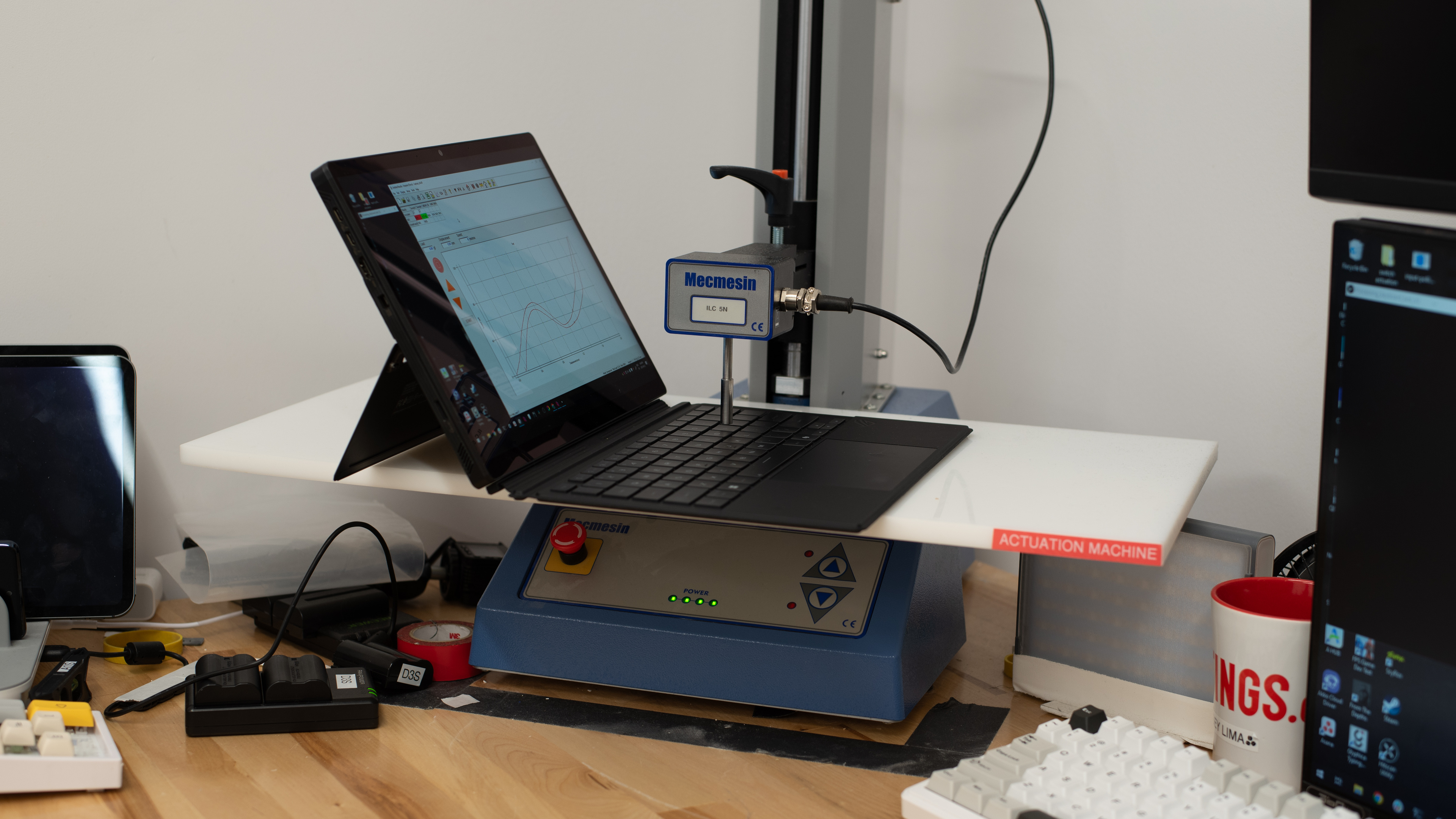
    The ASUS ROG Flow Z13 has an okay keyboard. It's a detachable keyboard similar to that of the Microsoft Surface Pro 11th Edition (2024). It attaches to the tablet magnetically, and there are two positions: flat on the table or at a 10° incline. The keys are relatively stable, and while they could use a bit more travel, they do provide satisfying tactile feedback. That said, the typing experience changes drastically depending on whether you have it laid flat or at an incline, as the keyboard flexes significantly in the inclined position, making the typing experience somewhat mushy. Another downside is the form factor itself, as this type of detachable keyboard is rather unstable when using the device on your lap.

    This keyboard has backlighting; however, many users have reported that it doesn't work after an update to the ASUS Armoury Crate app. We've experienced the same issue with version 6.3.6.0 of the app. ASUS' support team has suggested reinstalling an older version of the app (as administrator) as a workaround, though we found that switching the 'Operating Mode' (in Armoury Crate) to a different mode also resolved the issue. Unfortunately, the lighting is quite dim, and there's only one lighting zone.

    7.6
    Touchpad
    Tracking Quality
    7.5
    Size
    14.7 in² (94.7 cm²)
    Material
    Plastic
    Dedicated Buttons
    No

    The touchpad is good. It's quite large compared to most type cover keyboard touchpads, and it tracks all movements and gestures well throughout. However, palm rejection is a little inconsistent, and performing actions like dragging and dropping over a long distance can be challenging, as the selected item/file often drops midway. This is a diving board touchpad that you can only click in the bottom half. Although satisfyingly tactile, the actuation is quite deep, which may not be to everyone's liking.

    4.7
    Speakers
    See details on graph tool
    Max Volume
    71 dB SPL
    Standard Error @ Normal Vol. (65 dB)
    7.7 dB
    Slope @ Normal Vol. (65 dB)
    3.3
    Bass Extension (Low-Frequency Ext.)
    381 Hz
    Treble Extension (High-Frequency Ext.)
    9 kHz
    Dynamic Range Compression @ Max Vol.
    2.5 dB

    The ASUS ROG Z13's side-firing speakers don't get very loud. They deliver relatively clear vocals, but they sound boxy and unnatural, with very little bass and treble.

    7.8
    Webcam & Microphone
    Video Quality
    8.0
    Resolution
    1440p
    Position
    Top Center
    Privacy Cover
    No
    Face Unlock
    Yes

    The ASUS ROG Flow Z13 has a good webcam. It captures some fine details, but the overall image is on the softer side, considering the 1440p resolution. Colors look relatively true to life, though the tint is off. Voices sound loud and clear over the microphone, with only a little bit of background noise.

    This device has a second back-facing 4k camera. However, at the time of writing, there are some software issues making the exposure far too low to be usable. Also, none of the advanced controls in the Camera app work. A software update will likely fix the issue; we'll update the review if anything changes.

    Connectivity
    8.0
    Ports
    USB-A Ports
    1
    USB-C Ports
    2
    Thunderbolt
    No
    USB-C Charging
    Yes
    USB-C Display Out
    Yes
    HDMI
    2.1
    DisplayPort
    No
    3.5mm Jack
    Combo mic/headphone
    Card Reader
    MicroSD UHS 2
    Ethernet
    No
    Proprietary Port
    Asus DC Power Input Port
    Security Lock
    No

    The ASUS Z13 has a great port selection. The USB-A supports USB 3.2 Gen 2 data transfer speeds of up to 10Gbps. Both USB-Cs support USB4 data transfer speeds of up to 40Gbps, DisplayPort, and Power Delivery.

    Wireless Communication
    Wi-Fi
    Wi-Fi 7 (802.11be)
    Bluetooth
    5.4

    The wireless adapter is a MediaTek Wi-Fi 7 MT925. Like Wi-Fi 6E, Wi-Fi 7 gives you access to the 6GHz band but with even faster speeds and lower latency. However, you need a router that supports Wi-Fi 7 to benefit from these features. Check out our best router recommendations if you're looking to upgrade your network performance.

    Configuration
    CPU
    Brand
    AMD
    Model
    Ryzen AI MAX+ 395
    Core Count
    16
    Thread Count
    32

    The ASUS ROG Flow Z13 is available with the following CPUs:

    • AMD Ryzen AI MAX+ 390 Processor (12 cores/24 threads, up to 5.0GHz, 76MB cache)
    • AMD Ryzen AI MAX+ 395 Processor (16 cores/32 threads, up to 5.1GHz, 80MB cache)

    Both are high-performance CPUs typically found in gaming and workstation laptops. Comprising only Zen 5 performance cores (no Zen 5c efficiency cores), these processors can handle nearly every type of workload, including gaming, 3D rendering, video editing, and data analysis. Both have an NPU (Neural Processing Unit) to accelerate AI tasks with a rated performance of 50 TOPS (Trillions of Operations Per Second).

    GPU
    Brand
    AMD
    Model
    Radeon 8060S Graphics
    Dedicated/Integrated
    Integrated
    VRAM Size
    4 GB
    GPU Total Graphics Power (TGP)
    55W

    The ASUS ROG Flow Z13 is available with the following iGPUs:

    • AMD Radeon 8050S Graphics 4GB VRAM (integrated, AMD Ryzen AI MAX+ 390)
    • AMD Radeon 8060S Graphics 4GB VRAM (integrated, AMD Ryzen AI MAX+ 395)

    A core feature of the AMD Strix Halo chips is their integrated GPUs, which are a significant step up from previous iGPUs, at least among x86 processors. In terms of raw performance, the 8050S, which comprises 32 compute units, is similar to an NVIDIA GeForce RTX 4060 Laptop GPU, while the 40-compute unit Radeon 8060S is closer to an RTX 4070 (laptop). Both can handle demanding games at 1080p with ease. 1440p gaming is possible, but you may have to lower some graphical settings to get good frame rates.

    RAM
    Capacity
    64 GB
    Modules
    8 (Soldered)
    Type
    LP-DDR5x
    Speed
    8,000 MHz

    You can get this device with 32GB, 64GB, or 128GB of RAM. The memory isn't user-replaceable.

    Storage
    Advertised Capacity
    1,000 GB
    Usable Capacity
    878 GB
    Drive 1
    Micron MTFDKBK1T0QGN-1BN1AABGA
    Drive 1 TypeSSD
    Drive 2
    No 2nd Drive
    Drive 2 TypeNo 2nd Drive

    You can only get this device with 1TB of storage. The SSD is user-replaceable; the storage slot supports M.2 2230 PCIe Gen 4 NVMe SSDs.

    Performance
    9.9
    Geekbench 5 (Synthetics)
    CPU Single-Thread
    2,190 points
    CPU Multi-Thread
    21,120 points
    GPU Compute
    112,194 points

    The ASUS ROG Flow Z13 with an AMD Ryzen AI MAX+ 395 scores exceptionally well in the Geekbench 5 benchmarks, nearly rivaling the Apple MacBook Pro 16 (M3, 2023) with a top-end M3 Max chip in multi-threaded workloads. This is plenty fast for general productivity tasks as well as highly demanding workloads like programming and simulations. The AMD Ryzen AI MAX+ 390 is slower since it has fewer cores.

    As for the GPU, the Radeon 8060S performs just as impressively, scoring just a tad lower than the ASUS ROG Zephyrus G16 (2024) GU605's NVIDIA GeForce RTX 4070 Laptop GPU running at 105W TGP. Again, the Ryzen AI MAX+ 390's Radeon 8050S iGPU is slower because it has fewer compute units.

    10
    Cinebench R23 (CPU Rendering)
    Single-Thread
    2,033 points
    Multi-Thread
    28,894 points

    The AMD Ryzen AI MAX+ 395 performs exceptionally well in Cinebench R23, beating the Apple MacBook Pro 16 (M4, 2024) by roughly 4.5% in multi-threaded workloads. This chip can easily handle intensive, multi-threaded applications and heavy multitasking. Again, expect the AMD Ryzen AI MAX+ 390 to be slower since it has fewer cores.

    9.5
    Blender (3D Rendering)
    CPU Render Time
    1.8 min
    GPU Render Time
    0.4 min
    GPU Render Time (Optix)
    N/A

    This laptop is excellent for Blender work, as the GPU can quickly render 3D images. If you want even faster rendering times, getting a laptop with an NVIDIA discrete GPU (that supports the Optix API) is best.

    9.8
    Basemark GPU (Game Scene)
    Overall Score
    123,158

    The ASUS ROG Flow Z13's Basemark GPU score is outstanding. Its AMD Radeon 8060S is quite impressive for an integrated GPU, with performance that's nearly on par with the ASUS ROG Zephyrus G16 (2024) GU605's 105W NVIDIA GeForce RTX 4070 Laptop GPU. This means you can play nearly every game at 1440p with some tweaks in the graphical settings. The AMD Ryzen AI MAX+ 390's Radeon 8050S is better suited for 1080p gaming, but you can play at 1440p if you don't mind low graphical settings.

    9.5
    Storage Drive Performance
    Sequential Write Speed
    1,510.4 MB/s
    Sequential Read Speed
    4,209.0 MB/s
    Random Write Speed
    113.5 MB/s
    Random Read Speed
    53.5 MB/s
    7.3
    Battery
    Capacity
    70 Wh
    Battery Life (Web Browsing)
    9.4 hrs
    Battery Life (Video Playback)
    7.7 hrs
    Battery Life (Gaming)
    1.1 hrs
    Charge Time
    2.3 hrs
    7.7
    Borderlands 3
    See details on graph tool
    Avg. FPS
    116 fps
    1% Low
    59 fps
    0.1% Low
    33 fps
    1% Low Delta
    8 ms
    0.1% Low Delta
    22 ms
    Avg. FPS On Very Low
    215 fps

    Borderlands 3 runs relatively well on the ASUS ROG Flow Z13 with an AMD Ryzen AI MAX+ 395. You can get very high frame rates at 1080p, but the gameplay can be choppy at times due to frame drops.

    8.6
    Civilization VI
    See details on graph tool
    Avg. FPS
    181 fps
    1% Low
    106 fps
    0.1% Low
    62 fps
    1% Low Delta
    4 ms
    0.1% Low Delta
    11 ms
    Avg. FPS On Minimum
    373 fps
    Avg. Turn Time
    7.14 s

    This laptop can easily handle Civilization VI and other similar strategy titles since these games aren't graphically demanding. The average turn time is decent, albeit a tad slow considering how well the CPU performs in other workloads.

    8.7
    Counter-Strike 2
    See details on graph tool
    Avg. FPS
    176fps
    1% Low
    78fps
    0.1% Low
    55fps
    1% Low Delta
    7 ms
    0.1% Low Delta
    13 ms
    Avg. FPS On Low
    292fps

    This laptop can easily handle Counter-Strike 2 and other similar games. Except for the occasional stutter, the gameplay is very smooth. You can even play at 1440p with no issues.

    8.3
    Shadow Of The Tomb Raider
    See details on graph tool
    Avg. FPS
    123 fps
    1% Low
    76 fps
    0.1% Low
    44 fps
    1% Low Delta
    5 ms
    0.1% Low Delta
    15 ms
    Avg. FPS On Lowest
    154 fps

    Shadow of the Tomb Raider runs very well at 1080p. You can even play at 1440p with only minor tweaks in the graphical settings. The large frametime spikes are scene changes and aren't representative of the performance.

    8.5
    Thermals And Noise
    Keyboard Temp While Idle
    27 °C (80 °F)
    Keyboard Temp Under Load
    29 °C (84 °F)
    Fan Noise While Idle
    25.0 dBA
    Fan Noise Under Load
    48.1 dBA
    Power & Fan Control App
    Yes

    This is a tablet PC with all of its components behind the display, so the heat doesn't affect the keyboard at all. The tablet itself gets only mildly warm, reaching 43.7 °C (110.66 °F) under load. The back of the device gets a little hotter at 46.5 °C (115.7 °F). If you find the back too hot, you can flip the keyboard around and use it as a protective layer.

    9.5
    Performance Over Time
    See details on graph tool
    CPU Temp (Cinebench)
    85 °C
    CPU Perf. Loss (Cinebench)
    3% loss
    GPU Temp (Heaven)
    79 °C
    GPU Perf. Loss (Heaven)
    0% loss
    Additional Features And Software
    Software
    Operating System
    Windows 11
    Additional Software
    Yes

    The ASUS ROG Flow Z13 GZ302 comes with Windows Home or Pro, depending on the configuration. There are many pre-installed applications, including:

    • AMD Software: Lets you tweak the laptop's performance.
    • Armoury Crate: Lets you monitor the system's components, like the CPU/GPU's frequency and temperature, memory usage, and fan speed. You can also customize the RGB lightings, create macros, and calibrate the display.
    • Aura Creator: Lets you create RGB lighting profiles and synchronize the lighting with other devices.
    • Capcut: Video editing software.
    • Geekbench AI: AI benchmarking tool.
    • MyASUS: Lets you access customer support, tweak power settings, and connect your smartphone for file transfers.
    Extra Features
    Biometrics
    Face Recognition
    RGB Illumination
    Yes
    Touch Pen Support
    MPP 2.0
    Secondary Display
    No

    The ASUS ROG Flow Z13 supports pen input; however, you may have to purchase the stylus separately, as it doesn't always come with the device. Bundles that include the stylus come with an ASUS Pen SA203H, though any Microsoft Pen Protocol 2.0 stylus will work.

    You can customize the keyboard's RGB backlighting and the RGB lighting in the back glass panel via the ASUS Armoury Crate app.