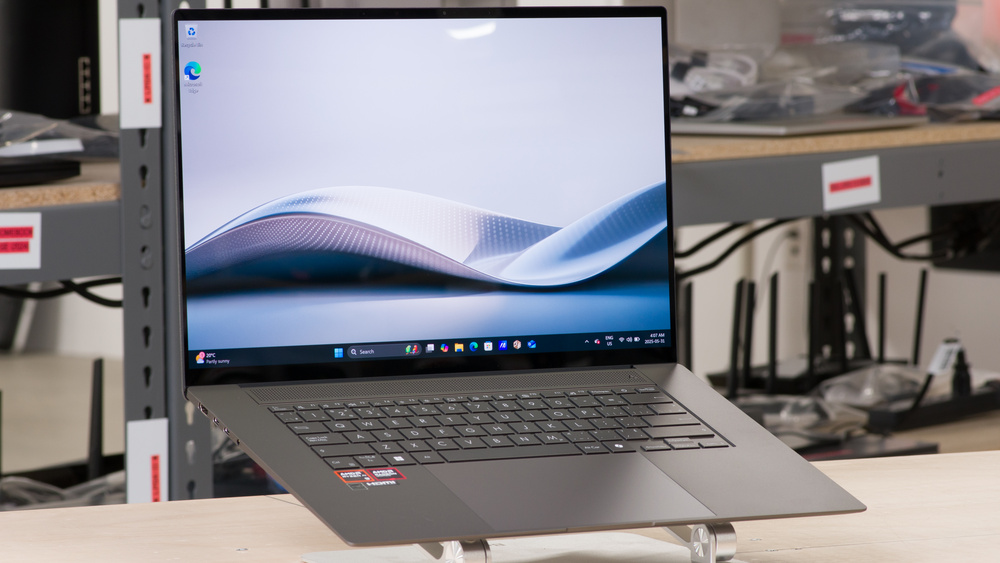
The ASUS Zenbook S 16 UM5606 (2024) is a premium Windows ultraportable laptop. It's configurable with AMD Ryzen AI 300-series processors, up to a Ryzen AI 9 HX 370, paired with 24GB or 32GB of RAM, and 2TB of storage. It has a 120Hz 2.8k OLED panel with touch and pen input support, Wi-Fi 7 wireless connectivity, and a 1080p webcam with IR function for Windows Hello facial recognition. Ports include a 10Gbps USB-A, two USB-C/USB4s, an HDMI 2.1, an SD card reader, and a 3.5 mm headphone jack. It's available in two colors: Scandinavian White and Zumaia Gray.
See our unit's specifications and the available configuration options in the Differences Between Variants section.
Note: We performed the productivity benchmarks, gaming benchmarks, thermals and noise, and performance over time tests using the Best Performance mode instead of the default Balanced mode. This change makes the results more representative of the laptop's maximum potential and brings them closer to user expectations. However, this also means that the results are only comparable with reviews containing this disclaimer, as we previously tested laptops in their default mode, which usually throttles performance to prolong battery life.
Our Verdict
The ASUS Zenbook S 16 is great for school use. It's easy to carry around for a 16-inch device, thanks to its thin and light design, and its battery lasts easily through a typical day of light use. You get a big screen for split-screen multitasking, a spacious, albeit slightly mushy keyboard, and a large, responsive touchpad. Performance-wise, this laptop can handle CPU-intensive workloads if you get one of the Ryzen AI 9 configurations, but don't expect to run anything that's graphically demanding, as the integrated GPUs are fairly weak.
Thin and light design.
Battery lasts through a typical day of light use.
Large, sharp display.
Ryzen CPUs can handle demanding workloads.
Wide port selection.
Slightly mushy keyboard.
Visibility can be a problem in well-lit settings due to display's glossy finish.
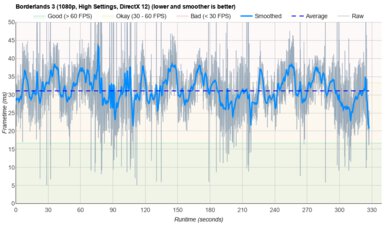
The ASUS Zenbook S 16 isn't designed for gaming. While the available AMD CPUs perform quite well, their integrated graphics are pretty weak. You can play some moderately intensive games if you get a top-end Ryzen AI 9 HX 370 configuration, but even then, you'll have to lower some settings to get playable frame rates. As for the display, although its 120Hz OLED display has VRR support, its response time is on the slow side, resulting in some ghosting behind fast-moving objects. The laptop gets pretty hot under load, but thankfully, the fans are relatively quiet.
Ryzen CPUs can handle demanding workloads.
120Hz display with VRR support.
User-replaceable SSD.
Weak integrated graphics.
Display's slow response time causes visible ghosting.
Soldered RAM.
The ASUS Zenbook S 16 is excellent for media consumption. Its thin and light design makes it easy to carry around, and its battery lasts over 12 hours of local video playback, giving you plenty of time for a couple of full-length movies and TV show episodes. Its 2.8k display looks sharp and colorful, and since it's an OLED, it can produce deep, inky blacks for an amazing dark room and HDR viewing experience. The speakers get reasonably loud; they sound clear and natural, but don't have a lot of bass.
Thin and light design.
Large, sharp display.
OLED is amazing for dark room and HDR viewing.
Speakers get reasonably loud.
Visibility can be a problem in well-lit settings due to display's glossy finish.
Speakers lack bass.
The ASUS Zenbook S 16 is good for some workstation tasks, as the available AMD Ryzen CPUs are quite capable, especially the top-end Ryzen AI 9 HX 370. However, the integrated graphics are pretty weak, and there's no discrete GPU option, so anything GPU-intensive is out of the question. Another downside is that you can only get up to 32GB of soldered RAM. You can perform color-critical work, like photo and video editing, as its 2.8k OLED display has full DCI P3 coverage. Thermal throttling is minimal, but the laptop gets pretty hot on the bottom, which might cause some discomfort when using the device on your lap.
Ryzen CPUs can handle demanding workloads.
User-replaceable SSD.
Wide port selection.
Display is suitable for color-critical work.
Minimal thermal throttling.
Weak integrated graphics.
Soldered RAM.
The ASUS Zenbook S 16 is great for business use. It has a sturdy build, a thin and light design, and a battery that lasts easily through a typical workday. You get a sharp 2.8k OLED display that provides plenty of space real estate for split-screen multitasking, a spacious albeit slightly mushy keyboard, and a large, responsive touchpad. Plus, the display has full coverage of the DCI P3 color space, making it suitable for photo and video editing, which is great if you need to make ads for your small business. Performance is excellent; its AMD Ryzen CPUs can easily handle productivity tasks like text processing, spreadsheets, and presentations.
Thin and light design.
Battery lasts through a typical day of light use.
Large, sharp display.
Ryzen CPUs can handle demanding workloads.
Wide port selection.
Slightly mushy keyboard.
Visibility can be a problem in well-lit settings due to display's glossy finish.
Check Price
Differences Between Sizes And Variants
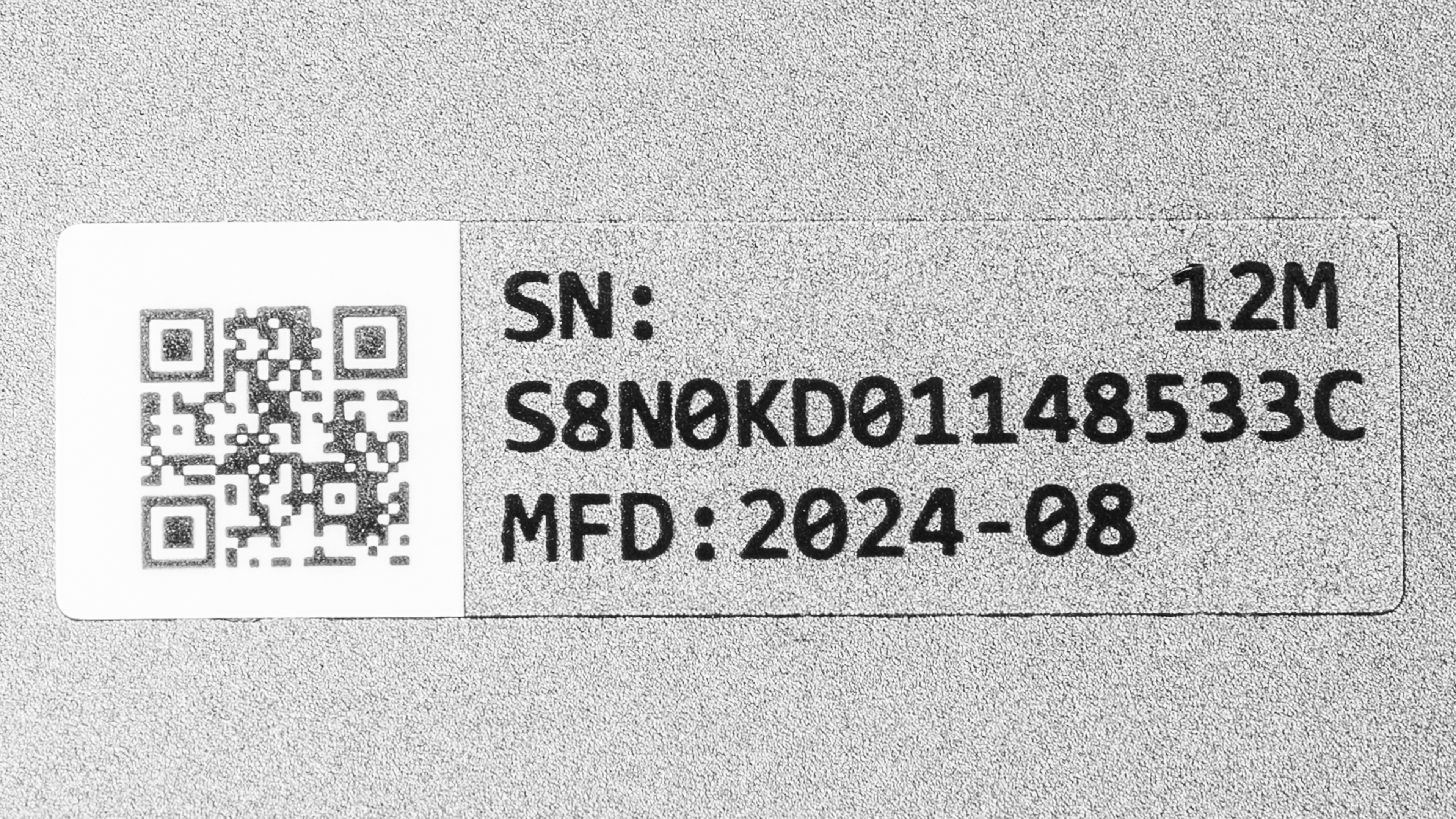
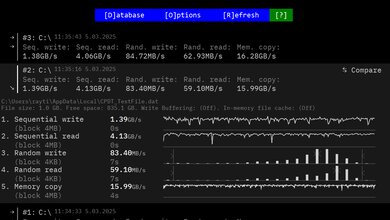
We tested the ASUS Zenbook S 16 UM5606 with an AMD Ryzen AI 9 365 CPU, 24GB of RAM, and 1TB of storage. The CPU and storage are configurable; see below for the available options.
SCREEN
- 16 inch OLED 2880 x 1800 120Hz (glossy, touch and stylus support, 500 cd/m² HDR, 100% DCI-P3)
CPU
- AMD Ryzen AI 7 350 (8 cores/16 threads, up to 5.0GHz, 16MB L3 cache)
- AMD Ryzen AI 9 365 (10 cores/20 threads, up to 5.0GHz, 24MB L3 cache)
- AMD Ryzen AI 9 HX 370 (12 cores/24 threads, up to 5.1GHz, 24MB L3 cache)
GPU
- AMD Radeon 860M (integrated, Ryzen AI 7 350)
- AMD Radeon 880M (integrated, Ryzen AI 9 365)
- AMD Radeon 890M (integrated, Ryzen AI 9 HX 370)
MEMORY
- 24GB LP-DDR5x 7500MHz
- 32GB LP-DDR5x 7500MHz
STORAGE
- 1TB M.2 2280 PCIe Gen 4x4 NVMe SSD
- 2TB M.2 2280 PCIe Gen 4x4 NVMe SSD
COLOR
- Scandinavian White
- Zumaia Gray
Popular Laptop Comparisons
The ASUS Zenbook S16 is a great ultraportable that stands up well against other models in its class, like the Lenovo ThinkPad X9 15 Aura Edition (2025), Apple MacBook Air 15 (2024), and the Microsoft Surface Laptop 7th Edition 15 (2024). Notable aspects of this laptop include its premium, sturdy build, 120Hz 2.8k OLED display, wide port selection, and excellent CPU performance. Its keyboard can be polarizing, as some may not like its short key travel and slightly mushy feel. The webcam could be better, as the image looks slightly overexposed and noisy.
For more options, check out our recommendations for the best Windows laptops, the best laptops for college, and the best 15-16-inch laptops.
The ASUS Zenbook S 16 UM5606 (2024) is better than the LG gram 16 (2024) for most uses. The Zenbook delivers a better user experience overall, thanks to its more premium build, nicer OLED display, more comfortable keyboard, and higher quality webcam. You can also get better performance out of the Zenbook if you get a Ryzen AI 9 configuration. That said, if you're sensitive to display flicker, the gram might be a better choice because, unlike the Zenbook's OLED panel, its IPS screens are entirely flicker-free. Another reason to get the gram over the Zenbook is its battery life, which lasts around five hours longer.
The ASUS Zenbook S 16 UM5606 (2024) and the Microsoft Surface Laptop 7th Edition 15 (2024) are both great ultraportables that deliver a good user experience. There are pros and cons to each, but the most important thing to know is that the Zenbook uses an x86 processor, while the Surface uses an ARM-based SoC. The latter is more power-efficient, leading to longer battery life, but many programs don't run on an ARM chip, which means you might come across apps that run poorly through emulation or not at all.
The Lenovo ThinkPad X9 15 Aura Edition (2025) delivers a better overall user experience than the ASUS Zenbook S 16 UM5606 (2024), sporting a brighter display, a more tactile keyboard, an easier-to-use haptic touchpad, and a higher-quality webcam. The ThinkPad X9 also has a much longer battery life. However, the Zenbook S 16's AMD Ryzen processors perform better, especially in multi-threaded workloads.
The ASUS Zenbook S 16 UM5606 (2024) and the Apple MacBook Air 15 (M4, 2025) are both great ultraportables. They trade blows in terms of the overall user experience; the Zenbook has a nicer, albeit dimmer, 120Hz OLED display and a wider port selection, but the MacBook Air has a higher quality webcam and a haptic touchpad that's easier to use. Performance-wise, you can get better multi-thread performance out of the Zenbook if you get a Ryzen AI 9 configuration; however, keep in mind that the Zenbook has fans, whereas the MacBook Air is fanless. So, if you prefer a completely silent device, the MacBook Air would be a better choice.
Test Results



for pictures & test results

for pictures & test results


for pictures & test results















for pictures & test results

for videos & test results

for pictures & test results


for pictures & test results
for pictures & test results
for pictures & test results
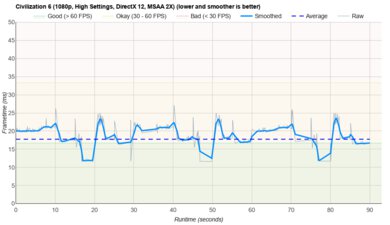
for pictures & test results
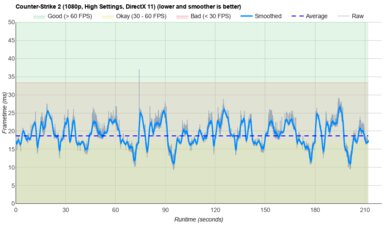
for pictures & test results
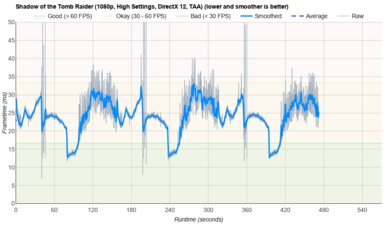
for pictures & test results

for pictures & test results
