Acer Chromebook Plus 516 GE (2024)  Laptop Review

Reviewed Sep 18, 2024 at 09:15am
Test bench update May 02, 2025 at 01:25pm
Tested using Methodology v0.8.3 
Acer Chromebook Plus 516 GE (2024)
7.7
School 
5.0
Gaming 
8.0
Multimedia 
7.1
Workstation 
7.6
Business 
 2

The Acer Chromebook Plus 516 GE (2024) is a 16-inch cloud gaming Chromebook. It's available with Intel Core CPUs (Raptor Lake refresh - Series 1) up to a Core 7 with integrated graphics, 16GB of RAM, and 2TB of storage. It has a 120Hz QHD+ (2560 x 1600) IPS display, Wi-Fi 6E wireless connectivity, and a 1080p webcam. This laptop has one USB-A port, two USB-C ports, a headphone jack, an HDMI port, and an Ethernet port. The USB-C ports support video output and charging but not Thunderbolt 4.

See our unit's specifications and the available configuration options in the Differences Between Variants section below.

Our Verdict

7.7
School 

The Acer Chromebook Plus 516 GE is good for school use. While its 16-inch form factor may make it difficult to fit into some bags, it offers all-day battery life, so you can leave the charger at home. The overall user experience is good. Its large screen gives you plenty of real estate for multitasking, and it's bright enough to use in almost any indoor setting. The keyboard is easy to use, and while the touchpad is good, it's not great; most gestures and inputs are fine, but it often struggles with dragging and dropping files. Finally, while the Intel Core CPUs offer good performance, these laptops are limited by ChromeOS' software compatibility; if you need any specialized software for your courses, make sure to check OS compatibility.

Pros
  • Bright display.
  • All-day battery life.
  • Good keyboard.
  • Solid build quality.
Cons
  • Finish prone to scratching.
  • Touchpad struggles with dragging and dropping items.
5.0
Gaming 

The Acer Chromebook Plus 516 GE is not a gaming laptop in the traditional sense. Instead, it's designed for gaming using cloud gaming services like NVIDIA GeForce Now. It has a nice 120Hz display and a comfortable keyboard, and it doesn't get hot or loud under load. It has Wi-Fi 6E wireless connectivity and an Ethernet port, which is great as cloud gaming performance will depend heavily on your internet connection. However, if you want to game locally, this laptop lacks several features you'd want in a gaming laptop. For example, it's only available with low-power CPUs and integrated graphics, which aren't powerful enough to handle demanding games. You can play some Android-based games (they may not all run properly as they're primarily designed for Android devices) or light puzzle games, but that's it. Also, its IPS panel has a slow response time, causing noticeable ghosting, and there is no VRR to reduce screen tearing.

Pros
  • Laptop stays quiet and cool under load.
  • 120Hz display.
Cons
  • No VRR support.
  • Only available with low power CPUs and integrated graphics.
  • Limited to 16GB of RAM.
  • No user-replaceable RAM.
  • Slow SSD despite using PCIe Gen 4 drives.
8.0
Multimedia 

The Acer Chromebook Plus 516 GE is decent for multimedia consumption. The screen gets bright and offers full coverage of the sRGB color space, so streaming content looks great. Its battery life is also good, so you don't need to worry about keeping the laptop plugged in to enjoy your favorite shows. That being said, the laptop is quite large, so it isn't the best choice for watching videos or streaming content on the go. Finally, while the speakers get loud and have almost no distortion at maximum volume, they lack bass and sound boxy.

Pros
  • Bright display.
  • All-day battery life.
Cons
  • Speakers sound boxy and lack bass.
7.1
Workstation 

The Acer Chromebook Plus 516 GE isn't designed as a workstation. While the low-power Intel Core processors offer good performance, they aren't ideal for handling demanding tasks. Additionally, you can only get this laptop with an integrated GPU and a maximum of 16GB of RAM — the memory isn't user-replaceable, further limiting functionality. In addition, many workstation applications aren't compatible with ChromeOS.

Pros
  • Laptop stays quiet and cool under load.
Cons
  • Limited to 16GB of RAM.
  • No user-replaceable RAM.
  • Slow SSD despite using PCIe Gen 4 drives.
7.6
Business 

The Acer Chromebook Plus 516 GE is decent for business use. It offers great performance for general productivity tasks like spreadsheets and word processing. Its keyboard and touchpad are also easy to adapt to and comfortable to use, though the touchpad struggles with dragging and dropping items. Its battery life is great at just under 10 hours of light use on a single charge. The webcam is good, offering a clear image, but the microphone isn't great, though; it has a lot of static and is quiet. Additionally, while the 16-inch display is large and offers additional vertical screen real estate for multitasking, this larger form factor makes it more cumbersome to carry around with you; it may not be to everyone's taste.

Pros
  • Bright display.
  • All-day battery life.
  • Good keyboard.
Cons
  • Poor microphone performance.
  • Finish prone to scratching.
  • Touchpad struggles with dragging and dropping items.
  • 7.7
    School
  • 5.0
    Gaming
  • 8.0
    Multimedia
  • 7.1
    Workstation
  • 7.6
    Business
  • Changelog

    1.  Updated May 07, 2025: We've updated this review to Test Bench 0.8.3, which removes the viewing angle tests and adds a GPU Total Graphics Power comparison in the GPU section. The Pen Input test in the Extra Features section has also changed, as it now shows whether the laptop supports pen input rather than the inclusion of a stylus in the box. See the changelog for more details.
    2.  Updated Sep 20, 2024: We've corrected a mistake in the Serviceability and Storage sections. The storage drive is user-replaceable; the slot supports M.2 2280 PCIe Gen 4 NVMe SSDs.
    3.  Updated Sep 18, 2024: Review published.
    4.  Updated Sep 11, 2024: Early access published.

    Differences Between Sizes And Variants

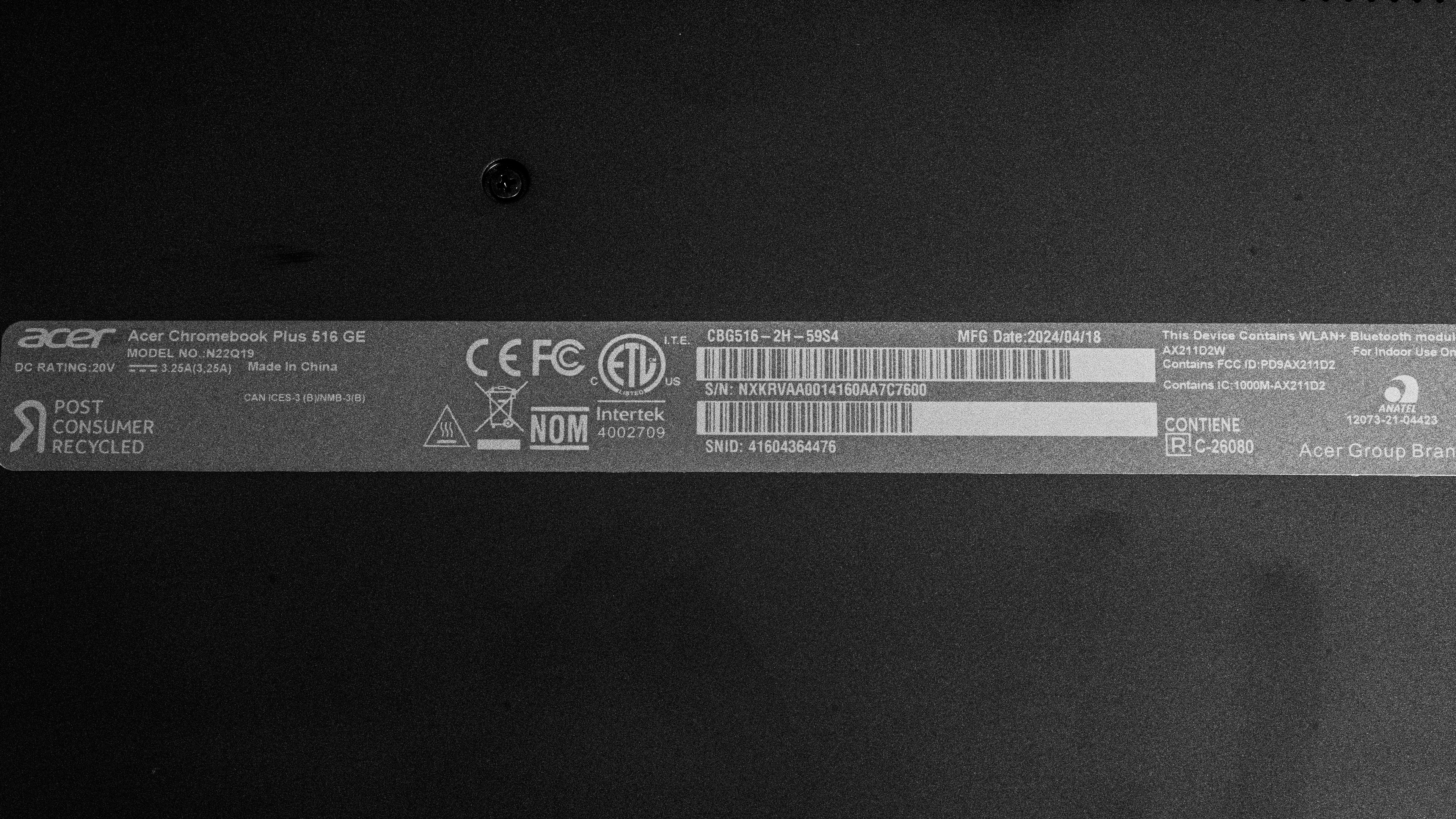
    We tested the Acer Chromebook Plus 516 GE (model number CBG516-2H-59S4) with a QHD+ IPS Display, an Intel Core 5 120U processor, integrated Intel Graphics, 8GB of RAM, and 256GB of storage. Our review applies to all versions of the CBG516-2H model. The CPU, memory, and storage are configurable; you can see the options in the table below:

    Display
    • 16.0" IPS 2560 x 1600 120Hz Touchscreen (100% sRGB)
    CPU
    • Intel Core 5 120U (10 cores/12 threads, up to 5 GHz, 12MB cache)
    • Intel Core 7 150U (10 cores/12 threads, up to 5.4 GHz, 12MB cache)
    GPU
    • Intel Graphics (integrated)
    RAM
    • 8GB dual-channel LP-DDR4X SDRAM
    • 16GB dual-channel LP-DDR4X SDRAM
    Storage
    • 256 M.2 2280 PCIe Gen 4 NVMe SSD
    • 512 M.2 2280 PCIe Gen 4 NVMe SSD
    • 1TB M.2 2280 PCIe Gen 4 NVMe SSD
    • 2TB M.2 2280 PCIe Gen 4 NVMe SSD
    Color
    • Obsidian Black

    Check out our unit's label for more information.

    Popular Laptop Comparisons

    The Acer Chromebook Plus 516 GE is a decent Chromebook overall. It has a better display than most Chromebooks on the market because it's designed for gaming, and its battery life is much improved over the previous generation Acer Chromebook 516 GE (2022). That being said, while light and rather thin for a 16-inch gaming laptop, this isn't the most portable Chromebook, and its CPU isn't as powerful as the 2022 model.

    For more options, see our recommendations for the best gaming laptops, the best budget and cheap gaming laptops, and the best Chromebooks.

    ASUS Chromebook Plus CX34 (2023)

    The Acer Chromebook Plus 516 GE (2024) and the ASUS Chromebook Plus CX34 (2023) are very different Chromebooks. The ASUS is more portable since it's a smaller 14-inch device and has one more USB-A port. The Acer is a cloud gaming Chromebook and comes with a few nice features in this regard. You get a 120Hz display that's brighter and more color-accurate. It also has much better battery life and a wider port selection, including an Ethernet port to help keep latency in check while gaming.

    ASUS Chromebook Vibe CX34 Flip (2023)

    The Acer Chromebook Plus 516 GE (2024) and the ASUS Chromebook Vibe CX34 Flip (2023) are very different Chromebooks. The ASUS is a 14-inch 2-in-1 convertible; this smaller form factor makes it more portable. It also has a 144Hz FHD+ display that's faster and brighter than the Acer. That being said, you only get the high refresh rate when the laptop is plugged in; the display is capped at 60Hz when running on battery. The Acer is a larger 16-inch laptop with a sharper QHD+ display. This makes it a better choice for multitasking. Also, its battery life is much better, so despite its size, it's better for on-the-go use.

    Acer Chromebook Plus Spin 714 (2024)

    The Acer Chromebook Plus 516 GE (2024) and the Acer Chromebook Plus Spin 714 (2024) are very different. The Spin 714 is a 2-in-1 convertible that's more portable since it's a smaller device. It's the better choice for on-the-go use. The Spin 714 also supports Thunderbolt 4, allowing you to transfer files quickly and connect up to two 4k displays at 60Hz with a single cable. By contrast, the 516 GE has a better and larger display; it's sharper, is brighter, and has a 120Hz refresh rate with a much faster response time. As this Chromebook has cloud gaming in mind, the higher refresh rate will help deliver a smoother gaming experience.

    Acer Chromebook 516 GE (2022)

    The Acer Chromebook Plus 516 GE (2024) is the newer generation of the Acer Chromebook 516 GE (2022). Overall, these two gaming Chromebooks are very similar. They offer similar user experiences with a bright 120Hz display, a good keyboard, and a decent touchpad. Where the newer Plus model excels is in battery life, as it lasts almost 10 hours on a single charge, making it the better choice for on-the-go use. By contrast, the older Chromebook 516 actually offers better CPU performance overall.

    Test Results

    perceptual testing image
    Sort:
    RATINGS
    Category:
    All
    Design
    Style
    Form Factor
    Traditional (Clamshell)

    The Acer Chromebook Plus 516 GE (2024) is only available in Obsidian Black. Here's a photo of the bottom of the laptop.

    7.5
    Build Quality

    The Acer Chromebook Plus 516 GE feels well-built. It has a metal lid, bottom, and deck with plastic trim and hinges; this combination of materials feels durable and exhibits minimal flex when pushing on the top or bottom covers and through the keyboard deck. The finish isn't the most scratch-resistant, though, and it's a fingerprint magnet. The feet feel solid and stick firmly to the bottom.

    6.9
    Hinge
    Range
    180°
    Stability
    Good
    One Finger Lift
    No

    The Acer Chromebook Plus 516 GE has a decent hinge. It's quite stable, displaying minimal wobble when typing aggressively, and there's a fair bit of hinge resistance. While the hinge resistance means it's easy to adjust, the downside is it's too heavy to lift with a single finger.

    7.9
    Portability
    Size
    16"
    Thickness
    1.0" (2.5 cm)
    Width
    14.1" (35.7 cm)
    Depth
    9.9" (25.1 cm)
    Volume
    120.3 in³ (1,971.4 cm³)
    Weight
    3.8 lbs (1.7 kg)
    Charger Size
    8.1 in³ (132.7 cm³)
    Charger Weight
    0.6 lbs (0.3 kg)
    5.8
    Serviceability
    Ease Of Access
    7.5
    RAM Slots
    0
    Storage Slots
    1
    Replaceable Battery
    Yes
    Replaceable Wireless Adapter
    No

    The Acer Chromebook Plus 516 GE has bad serviceability, as there are almost no user-replaceable components. Nevertheless, accessing the internals is straightforward; you only need to remove 11 Philips screws and undo the clips holding the bottom panel with a prying tool. You can download the user manual from Acer's website for more information.

    In The Box

    • Documentation
    • Carrying case
    • 65W USB-C power adapter and cable
    Display
    Screen Specs
    Resolution
    2560 x 1600
    Aspect Ratio
    16:10
    Pixel Density
    188 PPI
    Panel Type
    IPS
    Touch Screen
    Yes
    Screen-To-Body Ratio
    88%

    The Acer Chromebook Plus 516 GE is only available with a QHD+ IPS display with 100% sRGB coverage. It looks sharp for the 16-inch display size, and its 16:10 aspect ratio gives you some extra vertical screen real estate for browsing websites or reading documents. The downside is that you'll almost always have black bars at the top and bottom when viewing videos.

    7.7
    Refresh Rate
    Refresh Rate
    120 Hz
    Variable Refresh Rate
    No

    Although the display has a 120Hz refresh rate, its response time is slow, resulting in visible ghosting behind fast-moving objects. Even though the display is a 120Hz panel, it doesn't mean you'll get 120 fps (and the responsiveness of a 120Hz display) all the time when using cloud gaming services; the frame rate and input lag depend on your internet connection.

    7.0
    Contrast
    Native Contrast
    1,120 : 1

    The display's contrast ratio is decent and within a normal range for IPS panels. However, it's low compared to other display technologies like VA or OLED. The effect of this lower contrast is that blacks look gray in dark environments.

    7.6
    Brightness
    Maximum Brightness
    355 cd/m²
    Minimum Brightness
    10 cd/m²

    The display gets bright enough for use in most indoor settings but not outdoors in broad daylight. It gets very dim at the lowest brightness setting, which is great for dark room viewing as it causes less eye strain.

    7.3
    Reflections
    Screen Finish
    Matte
    Total Reflections
    5.32%
    Indirect Reflections
    4.06%
    Calculated Direct Reflections
    1.26%

    This display's reflection handling is decent. The matte finish diffuses reflections from direct light sources across its surface. In practice, reflections are still faintly visible when the screen is at maximum brightness, but it isn't too noticeable. Reflections will be noticeable and distracting when viewing dark content, however.

    8.6
    Black Uniformity
    Uniformity (Std. Dev.)
    0.729%
    7.4
    Out-Of-The-Box Color Accuracy
    Avg. White Balance dE
    3.45
    Avg. Gamma
    2.34
    Avg. Color dE
    2.74
    Avg. Color Temperature
    6,106.1 K

    The out-of-the-box display accuracy is decent. Most color inaccuracies are minor. The color temperature is on the warmer side, giving the image a slight yellowish hue. As for gamma, it's too high in almost every scenario, so content looks darker than intended; the exception is in very dark scenes, where the gamma is too low, resulting in content that's brighter than it should be.

    8.5
    Color Gamut
    sRGB xy
    99.38%
    sRGB uv
    98.73%
    Adobe RGB xy
    77.86%
    Adobe RGB uv
    88.4%
    DCI P3 xy
    78.48%
    DCI P3 uv
    83.42%
    Rec. 2020 xy
    56.39%
    Rec. 2020 uv
    61.11%

    This display offers full coverage of the commonly used sRGB color space, so it's great for SDR content. It also offers good coverage of the Adobe RGB and DCI P3 color spaces; however, it's insufficient for professional print photography or HDR video production.

    10
    Flicker
    Flicker-Free
    Yes
    Flicker Frequency
    No Flicker
    Flicker Active Below
    0%
    Interface
    8.3
    Keyboard
    Typing Quality
    8.0
    Numpad
    No
    Backlighting
    RGB Zones
    See details on graph tool
    Operating Force
    67 gf
    Actuation Force
    32 gf
    Pre-Travel
    1.19 mm
    Total Travel
    1.87 mm

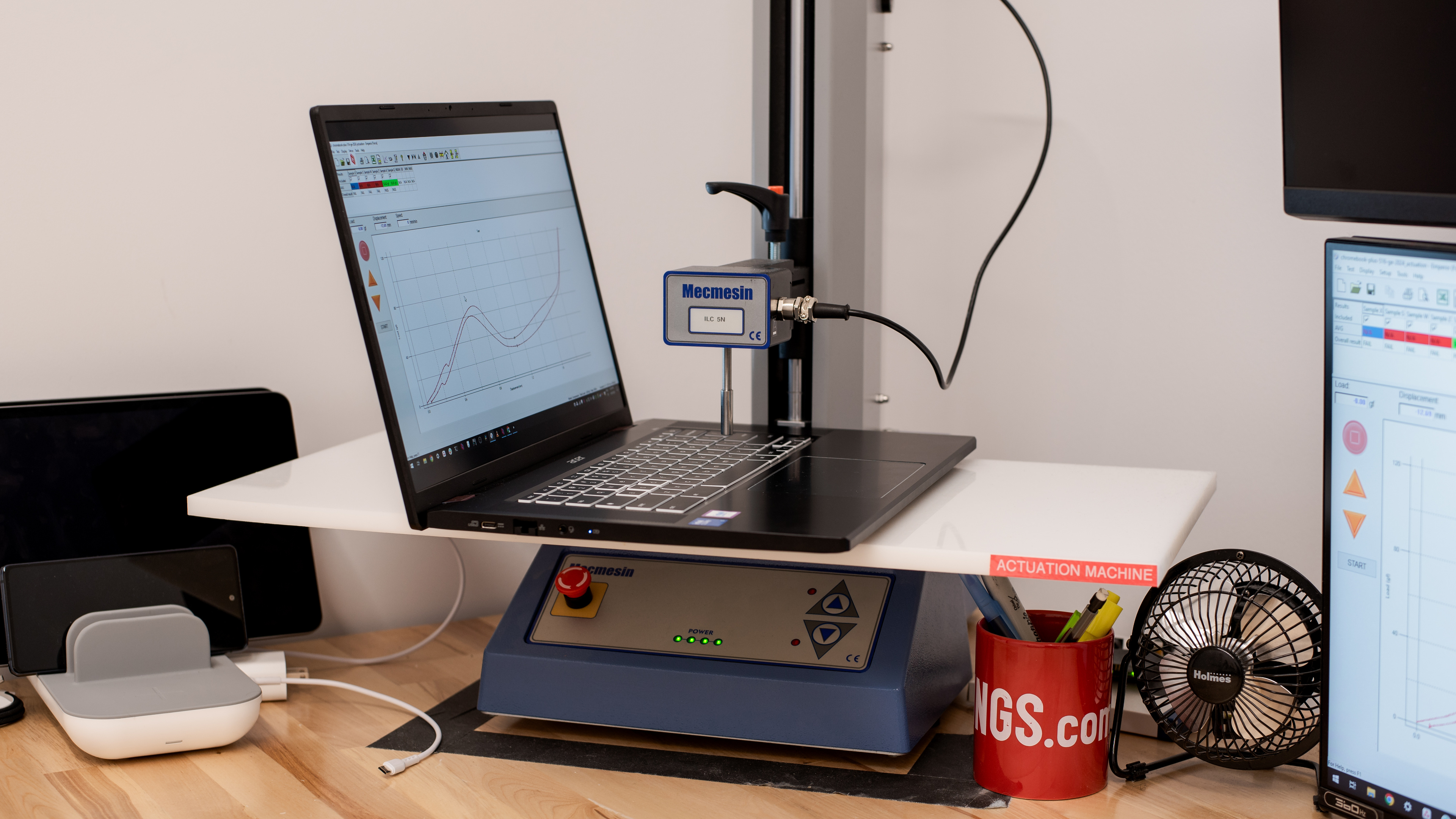
    The Acer Chromebook Plus 516 GE (2024) provides a great typing experience. Its keyboard layout is fairly standard, and the keys are a good size; it's easy to get used to. There's a good amount of key travel, and while the keys feel responsive, there's a fair bit of resistance; depending on your preference, the keyboard could be tiring to use for long periods of time. The backlighting is good. You can see the LEDs from all sides of the keys, and while they're bright enough to be serviceable, they could be brighter. This would make it easier to see the key legends with the RGB backlighting. Finally, there are four RGB zones that you can set to a variety of colors or to match your wallpaper.

    7.7
    Touchpad
    Tracking Quality
    7.5
    Size
    16.0 in² (103.3 cm²)
    Material
    Plastic
    Dedicated Buttons
    No

    The Acer Chromebook Plus 516 GE has a good touchpad overall. It tracks movements and gestures well, and palm rejection works great. Unfortunately, dragging and dropping is a problem, as the item often gets dropped prematurely. As for the fit, it would've been better to see a larger touchpad that fills up the lower deck more. This is a diving board touchpad, so you can only click towards the bottom. The touchpad provides decent feedback (clicks are crisp enough), but you have to press down harder than expected for your input to register.

    8.1
    Speakers
    See details on graph tool
    Max Volume
    80 dB SPL
    Standard Error @ Normal Vol. (65 dB)
    4.1 dB
    Slope @ Normal Vol. (65 dB)
    -2.0
    Bass Extension (Low-Frequency Ext.)
    359 Hz
    Treble Extension (High-Frequency Ext.)
    10 kHz
    Dynamic Range Compression @ Max Vol.
    4.6 dB

    The Acer Chromebook Plus 516 GE's speakers get loud with minimal compression at high volumes. However, they sound boxy, particularly at higher volumes, and while there's some bass, there isn't enough to provide a full sound.

    6.5
    Webcam & Microphone
    Video Quality
    6.5
    Resolution
    1080p
    Position
    Top Center
    Privacy Cover
    No
    Face Unlock
    No

    The Acer Chromebook Plus 516 GE has an okay webcam. Fine details are generally clear, albeit a bit soft at times, and there's visible noise in the image. There's also a noticeable green tint, particularly in darker areas of the image, and the exposure is generally too low resulting in a darker image overall. The microphone is not great, however. While you can understand what's being said, there's noticeable white noise in the background.

    Connectivity
    7.0
    Ports
    USB-A Ports
    1
    USB-C Ports
    2
    Thunderbolt
    No
    USB-C Charging
    Yes
    USB-C Display Out
    Yes
    HDMI
    2.0
    DisplayPort
    No
    3.5mm Jack
    Combo mic/headphone
    Card Reader
    No
    Ethernet
    Yes
    Proprietary Port
    No
    Security Lock
    Yes

    The Acer Chromebook Plus 516GE has a decent port selection. The USB-A port supports USB 3.2 Gen 2 data transfer speed of up to 10 Gbps. The two USB-C ports also support USB 3.2 Gen 2 data transfer speed, as well as DisplayPort Alt Mode and charging.

    Wireless Communication
    Wi-Fi
    Wi-Fi 6E (802.11ax)
    Bluetooth
    5.3

    The Acer Chromebook Plus 516 GE's wireless adapter is an Intel Wi-Fi 6E AX211. Wi-Fi 6E gives you access to the 6GHz band, providing faster speeds, lower latency, and less signal interference than previous wireless standards; however, you need a router that supports Wi-Fi 6E to benefit from these features.

    Configuration
    CPU
    Brand
    Intel
    Model
    Core 5 120U
    Core Count
    10
    Thread Count
    12

    The Acer Chromebook Plus 516 GE is available with the following CPUs:

    • Intel Core 5 120U (10 cores/12 threads, up to 5.0GHz, 12MB cache)
    • Intel Core 7 150U (10 cores/12 threads, up to 5.4GHz, 12MB cache)

    These processors belong to Intel's Raptor Lake refresh that was released alongside the newer Meteor Lake architecture. They use a hybrid architecture, with two performance and eight efficiency cores; unlike Meteor Lake processors, there's no NPU (for AI tasks) or low-power Efficiency cores (LP-E). These U-series CPUs are low-wattage processors (15-watt TDP) intended for general productivity and multitasking. The Core 7 150U is faster than the Core 5 due to its higher clock speeds, but the difference isn't huge. Performance-wise, they have more than enough processing power for a lightweight operating system like Chrome OS and nearly any productivity tasks you can do on it. Cloud gaming isn't particularly CPU-intensive; you just need a good internet connection.

    You can read more about Intel's new naming scheme on their website and more about the hybrid architecture employed in these U-series processors in the product brief.

    GPU
    Brand
    Intel
    Model
    Graphics
    Dedicated/Integrated
    Integrated
    VRAM Size
    N/A
    GPU Total Graphics Power (TGP)
    N/A

    The Acer Chromebook Plus 516 GE is only available with integrated graphics.

    RAM
    Capacity
    8 GB
    Modules
    8 (Soldered)
    Type
    LP-DDR4X
    Speed
    N/A

    You can get this laptop with 8GB or 16GB of RAM. The memory isn't user-replaceable.

    Storage
    Advertised Capacity
    256 GB
    Usable Capacity
    192 GB
    Drive 1
    Western Digital PC SN740 SDDQNQD-256G-1014
    Drive 1 TypeSSD
    Drive 2
    No 2nd Drive
    Drive 2 TypeNo 2nd Drive

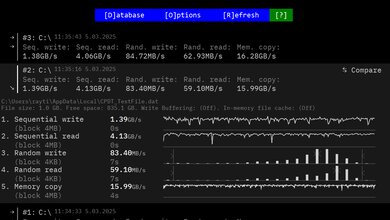
    You can get this laptop with 256GB, 512GB, 1TB, or 2TB of storage. The SSD is user-replaceable; the slot supports M.2 2280 PCIe Gen 4 NVMe SSDs.

    Performance
    8.1
    Geekbench 5 (Synthetics)
    CPU Single-Thread
    1,630 points
    CPU Multi-Thread
    6,791 points
    GPU Compute
    8,429 points

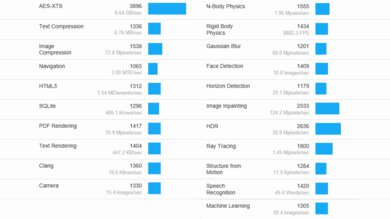
    The Acer Chromebook 516 GE has a great overall score in the Geekbench 5 benchmarks. However, while single-core performance is higher, the 12th generation Intel Core CPUs found in the older Acer Chromebook 516 GE (2022) actually offer better multi-threaded and GPU performance. Nevertheless, the Intel Core 5 120U has no problem handling general productivity tasks like text processing, web browsing, and video playback, and it can also handle some light photo and video editing. The Core 7 150U is only slightly faster thanks to its increase in clock speeds. As for GPU performance, the integrated Intel Graphics aren't suitable for demanding workloads. If you need a lot of GPU processing power, it's best to get a Windows laptop with a discrete GPU or an Apple MacBook Pro with an Apple ARM-based SoC.

    0.0
    Cinebench R23 (CPU Rendering)
    Single-Thread
    N/A
    Multi-Thread
    N/A

    Cinebench R23 doesn't run on Chrome OS.

    7.7
    Blender (3D Rendering)
    CPU Render Time
    4.6 min
    GPU Render Time
    N/A
    GPU Render Time (Optix)
    N/A

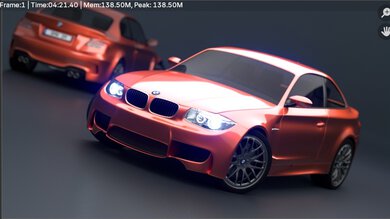
    The Acer Chromebook 516 GE's Intel Core 5 120U performs well in Blender, and the Core 7 150U should be somewhat faster due to its increase in clock frequency. However, it's still far slower than rendering on a Windows device with a dedicated GPU; even an entry-level discrete GPU, like an NVIDIA GeForce RTX 2050, can render images much faster.

    5.0
    Basemark GPU (Game Scene)
    Overall Score
    15,503

    The Acer Chromebook 516 Plus GE performs poorly in the Basemark GPU benchmark. Its Intel iGPU isn't designed for gaming. It can handle most mobile games from the Google Play Store, but you may have to lower the graphics settings slightly to get smooth gameplay.

    5.7
    Storage Drive Performance
    Sequential Write Speed
    261.9 MB/s
    Sequential Read Speed
    573.4 MB/s
    Random Write Speed
    1.8 MB/s
    Random Read Speed
    23.9 MB/s
    7.9
    Battery
    Capacity
    65 Wh
    Battery Life (Web Browsing)
    9.6 hrs
    Battery Life (Video Playback)
    8.0 hrs
    Battery Life (Gaming)
    5.3 hrs
    Charge Time
    2.2 hrs
    0.0
    Borderlands 3
    Avg. FPS
    N/A
    1% Low
    N/A
    0.1% Low
    N/A
    1% Low Delta
    N/A
    0.1% Low Delta
    N/A
    Avg. FPS On Very Low
    N/A

    Borderlands 3 doesn't run on Chrome OS.

    0.0
    Civilization VI
    Avg. FPS
    N/A
    1% Low
    N/A
    0.1% Low
    N/A
    1% Low Delta
    N/A
    0.1% Low Delta
    N/A
    Avg. FPS On Minimum
    N/A
    Avg. Turn Time
    N/A

    Civilization VI doesn't run on Chrome OS.

    0.0
    Counter-Strike 2
    Avg. FPS
    N/A
    1% Low
    N/A
    0.1% Low
    N/A
    1% Low Delta
    N/A
    0.1% Low Delta
    N/A
    Avg. FPS On Low
    N/A

    Counter-Strike 2 doesn't run on Chrome OS.

    0.0
    Shadow Of The Tomb Raider
    Avg. FPS
    N/A
    1% Low
    N/A
    0.1% Low
    N/A
    1% Low Delta
    N/A
    0.1% Low Delta
    N/A
    Avg. FPS On Lowest
    N/A

    Shadow of the Tomb Raider doesn't run on Chrome OS.

    8.8
    Thermals And Noise
    Keyboard Temp While Idle
    28 °C (82 °F)
    Keyboard Temp Under Load
    37 °C (99 °F)
    Fan Noise While Idle
    25.0 dBA
    Fan Noise Under Load
    38.0 dBA
    Power & Fan Control App
    No

    The Acer Chromebook Plus 516 GE is silent when idle; the fans ramp up under load, but not to a level that is bothersome or annoying.

    0.0
    Performance Over Time
    CPU Temp (Cinebench)
    N/A
    CPU Perf. Loss (Cinebench)
    N/A
    GPU Temp (Heaven)
    N/A
    GPU Perf. Loss (Heaven)
    N/A

    We can't test the performance over time because our testing software isn't compatible with Chrome OS. Like most thin and light laptops, there's likely some thermal throttling on the CPU and GPU. The performance loss isn't noticeable if you only perform light tasks like web browsing and video playback, but it is when you push the system to near-maximum capacity, like when gaming.

    Additional Features And Software
    Software
    Operating System
    Chrome OS
    Additional Software
    Yes

    The Acer Chromebook Plus 516 GE runs on the 64-bit version of Chrome OS. There aren't any pre-installed applications other than those that typically come with Chrome OS. However, it does come with a few trial periods, like NVIDIA GeForce NOW.

    GeForce NOW is a cloud-gaming service; NVIDIA has a few subscription tiers, and the highest tier offers game streaming at up to 4k @ 120 fps, or up to 240 fps at lower resolutions if you prefer a higher frame rate over visual fidelity. Unfortunately, the ChromeOS version of the app caps the frame rate and resolution to 120 fps at QHD+. As with any cloud-based streaming service, your internet connection is the limiting factor; NVIDIA states that an internet connection of 35 Mbps and no more than 80 ms of latency when connecting to their servers are the minimum requirements for QHD+ streaming on the ChromeOS app. In addition to keyboard and mouse support, NVIDIA advertises controller support for XBOX and Sony controllers, as well as a series of Bluetooth controllers designed for mobile devices.

    Finally, every Chromebook has an 'expiration date' at which it stops receiving software updates. According to Google's official document, the Acer Chromebook 516 GE's end-of-life is June 2032. Google may extend this date as they have for other Chromebooks; it's best to check their official document for any changes.

    Extra Features
    Biometrics
    No
    RGB Illumination
    No
    Touch Pen Support
    No Stylus Support
    Secondary Display
    No