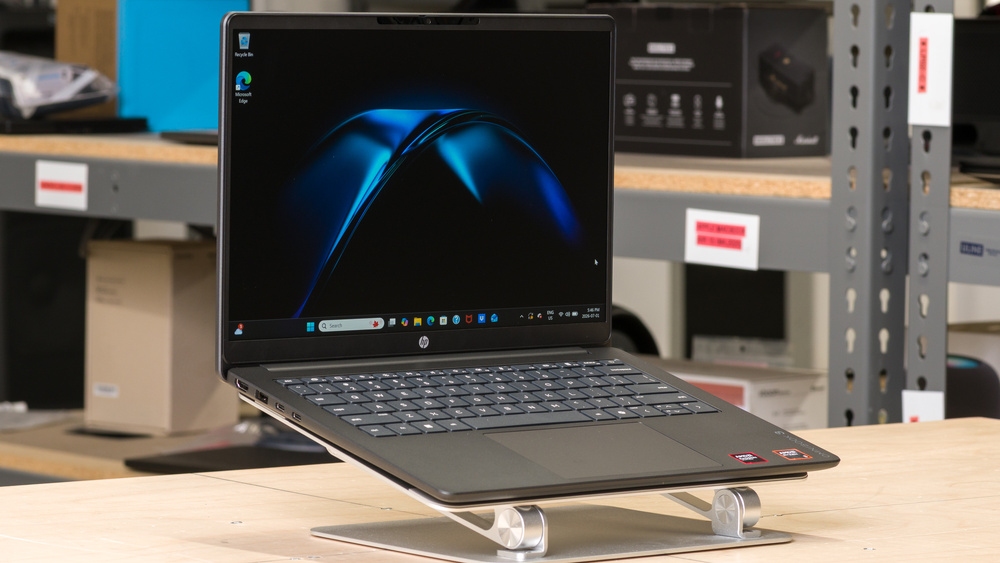
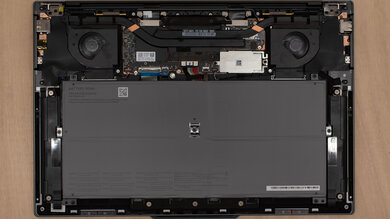
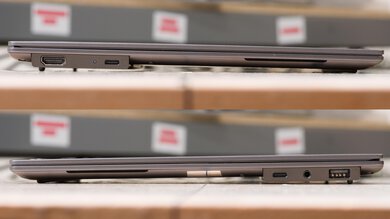
The HP OmniBook 3 14 (2025) is an entry-level budget Windows laptop. It's available in a variety of hardware specifications, including Intel, AMD, and ARM-based Snapdragon processors, and anywhere from 4GB to 32GB of RAM. The vast differences in hardware make it better understood as a family of laptops rather than a single unit. Our configuration uses an AMD Ryzen 5 40 processor with integrated Radeon 610M graphics, 8GB of soldered memory, and a 256GB SSD. The Ryzen 5 40 is a low-power four-core processor based on AMD's older Zen 2 architecture. It has a 14-inch 1920 x 1200 60Hz IPS display, a 1080p webcam with face recognition and a privacy cover, and Wi-Fi 6 networking. Its port selection includes two USB-A, two USB-C with charging and display output, an HDMI 2.0 port, and a 3.5 mm audio jack. The memory isn't upgradeable, but the SSD, battery, and wireless adapter are replaceable.
Our Verdict
The HP OmniBook 3 is bad for gaming. Though the integrated AMD Radeon Graphics can handle older titles or puzzle games, it lacks the graphical horsepower for a smooth experience in modern AAA games. The screen only has a 60Hz refresh rate and doesn't have VRR to help with screen tearing.
Decent build quality.
Keyboard lacks a backlight.
CPU and GPU performance unsuitable for gaming or workstation tasks.
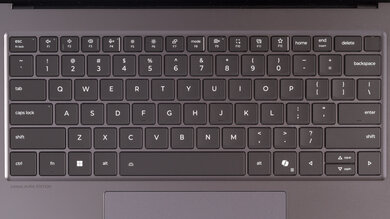
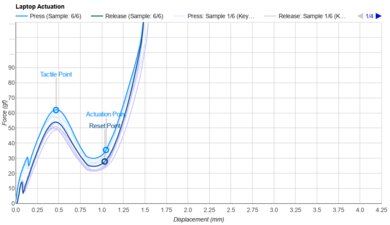
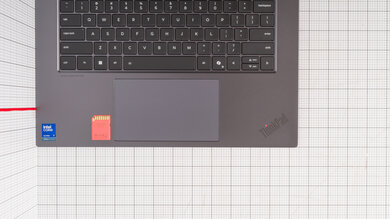
The HP OmniBook 3 14 (2025) is adequate for school and work. It's fairly light and portable, and its battery lasts comfortably through a typical work or school day. Its keyboard provides a good typing experience, the touchpad is large and responsive, and the webcam is well-suited for video calls. It also has a useful selection of ports, so you likely won't need a dock for common peripherals. That said, its Ryzen 5 40 processor is only suitable for light tasks like web browsing, word processing, and spreadsheets. The 8GB of soldered memory also limits its ability to handle heavy multitasking. The display is fairly dim, can't reproduce the full sRGB color space, and handles reflections only fairly well, making it hard to see in bright environments. Also, the keyboard's lack of backlighting makes it difficult to use in the dark.
Battery lasts ~11 hours of light use.
Very good touchpad.
Decent build quality.
Great port selection.
Keyboard lacks a backlight.
Display is dim, hard to see in bright conditions.
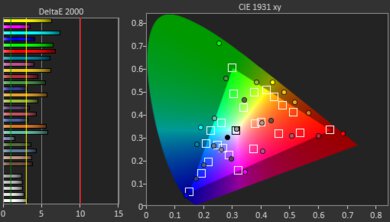
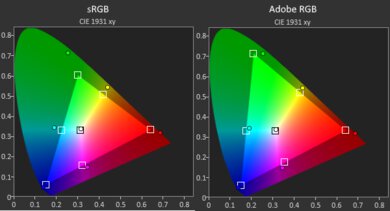
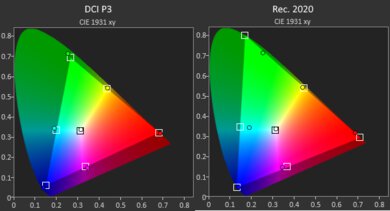
Display has poor color gamut.
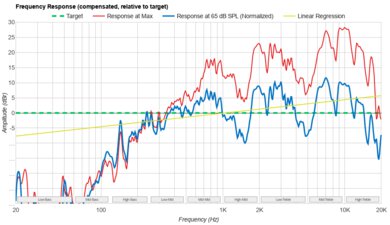
The HP OmniBook 3 is okay for media consumption. It's easy to carry around, and its battery lasts nearly eight hours of video playback. The 14-inch display looks reasonably sharp, has good contrast for an IPS panel, and uses a matte finish that handles reflections fairly well. However, it isn't very bright and has a very narrow color gamut and just okay color accuracy, so videos look dull and inaccurate. The speakers are also quiet and sound thin.
Lightweight and portable.
Battery lasts ~8 hours of video playback.
Display is dim, hard to see in bright conditions.
Display has poor color gamut.
Speakers sound bad.
The HP OmniBook 3 is bad for heavy workloads. Its low-power four-core CPU, integrated graphics, and 8GB of soldered memory aren't suitable for demanding tasks like 3D rendering, engineering work, or high-resolution video editing. You can upgrade to a more capable processor and up to 32GB of memory for more performance, but don't expect anything capable for professional-grade work.
Great port selection.
Keyboard lacks a backlight.
CPU and GPU performance unsuitable for gaming or workstation tasks.
Display has poor color gamut.
The HP OmniBook 3 14 has remarkable battery life. It lasts through a typical workday with basic productivity tasks or watching a couple of movies without needing to recharge.
Battery lasts ~11 hours of light use.
Battery lasts ~8 hours of video playback.
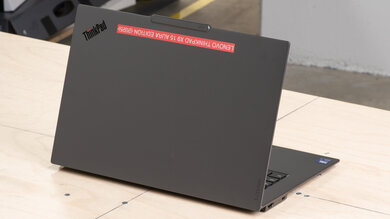
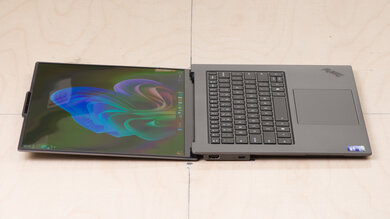
The HP OmniBook 3 14 has reasonable build quality. It's primarily made of plastic and feels a little cheap, albeit generally durable. It exhibits some flex and wobble throughout the chassis when lifting or moving it. The hinge is stable, but you can't lift it with one finger.
Decent build quality.
Can't lift the lid with one finger.
The HP OmniBook 3 14 has very bad graphics performance. It's only available with integrated graphics, and most are only suitable for basic desktop use, video playback, and very light indie gaming or retro emulation. The Radeon 760M and 840M on the AMD Ryzen AI 5 and 7 are faster and can handle light gaming or simple photo and video editing, though most graphically demanding games will require low settings, and will likely run at low frame rates.
CPU and GPU performance unsuitable for gaming or workstation tasks.
The HP OmniBook 3's processing performance greatly depends on which processor you choose, but none are suitable for very demanding tasks like high-resolution video editing or heavy multitasking.
CPU and GPU performance unsuitable for gaming or workstation tasks.
Performance Usages
Changelog
- Updated Oct 08, 2026: We've updated this review to Test Bench 1.0! This update adds several new verdict scores to the review, so it's easier to make a buying decision. Read the changelog for a full list of changes.
-
Updated Aug 05, 2026:
We've added a link to the newly reviewed Dell Alienware 15 (2026) in the GPU-Intensive Game Performance section of the review.
-
Updated Jul 30, 2026:
We've added a link to the newly reviewed Lenovo IdeaPad 5a 2-in-1 14 (2026) in the Hinge section of this review.
- Updated Jul 23, 2026: Review published.
Check Price
Differences Between Sizes And Variants
We bought and tested the HP OmniBook 3 14-hy0017nr. Note that the OmniBook 3 is closer to a family of laptops than a single model with different variants, making it especially confusing to shop for. We don't consider any of the different screen sizes to be variants because they have substantial hardware differences, so our review doesn't apply to those models.
Our unit is equipped with an AMD Ryzen 5 40 processor, integrated Radeon 610M graphics, 8GB of RAM, and a 256GB SSD. It has a non-touch 14-inch 1920 x 1200 IPS display and has the Mica Silver and Iron Gray colorway. The OmniBook 3 14 itself is available in substantially different hardware configurations, including Intel, AMD Ryzen AI, and Qualcomm Snapdragon models. Some of the processor options have neural processing units (NPUs), which help with on-device AI workflows. Our performance results only apply to the 14-hy model with the Ryzen 5 40 and Radeon 610M.
See HP's website for a more comprehensive list of the OmniBook 3 lineup.
You can also see a photo of our unit's label here.
Popular Laptop Comparisons
The HP OmniBook 3 occupies the low end of the Windows laptop market. Its strengths are the fundamentals: It has excellent battery life, a good touchpad, a solid 1080p webcam, and a good port selection. Its SSD, battery, and wireless adapter are also replaceable, which is uncommon on some competing budget ultraportables. Its biggest limitation is performance. The AMD Ryzen 5 40 is a low-power Zen 2 processor, and the integrated Radeon 610M GPU is among AMD's weakest current laptop graphics solutions. Combined with only 8GB of soldered memory, the laptop is best for light, single-purpose workloads.
The elephant in the room is the Apple MacBook Neo (A18 Pro, 2026). In the same price range, it offers better performance, much higher build quality, a better display, speakers, and an overall more pleasant user experience that makes it the obvious choice over the HP. Even competition from HP with the higher-end OmniBook 5 series of laptops makes higher-specced versions of the OmniBook 3 look less appealing, due to pricing overlap. Ultimately, the HP OmniBook 3 series of laptops only really makes sense to buy if you're on a very tight budget, go for one of the lower-specced options, and only need a basic machine for web browsing and text processing.
For more options, check out our recommendations for the best budget laptops, the best laptops for college, and the best Windows laptops.
The HP OmniBook 5 16 (2026) and HP OmniBook 3 14 (2025) are broad product families, so their performance and features depend heavily on the configuration. The OmniBook 5 is the larger, higher-tier model. It provides more display space, includes a numpad, and is available with OLED panels and more powerful processors. Its battery also lasts longer, especially when watching videos. Its higher-end configurations are better suited for heavy multitasking and CPU-intensive workloads. The OmniBook 3 is smaller and easier to carry, and most of its configurations are intended primarily for general productivity. Higher-end OmniBook 3 configurations can handle more demanding multitasking and some CPU-heavy workloads, but the series has a lower overall performance ceiling. Neither product is available with dedicated graphics.
The HP OmniBook 3 14 (2025) and the Framework Laptop 12 (2025) are budget Windows laptops. The HP has a larger display, a better keyboard and touchpad, a better webcam, and longer battery life. However, the Framework's Intel processors are noticeably faster, and its display gets much brighter. The Framework is also a convertible 2-in-1 with touch and stylus support. Also, the Framework employs a modular design with nearly every component being replaceable, and has an expansion card system that lets you choose which ports you want.
The HP OmniBook 3 14 (2025) and the Apple MacBook Neo (A18 Pro, 2026) are budget laptops. The MacBook provides a more polished experience overall, with much better build quality, a brighter and more color-accurate display, better speakers, and significantly faster CPU and GPU performance. Both laptops have only 8GB of non-upgradeable memory, though the HP is much more configurable from purchase than the MacBook, and it has a better selection of ports.
Test Results
for pictures & test results
for pictures & test results
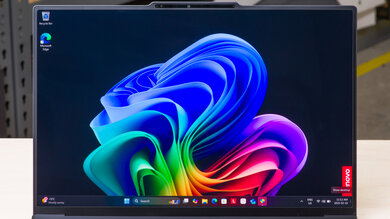
for pictures & test results

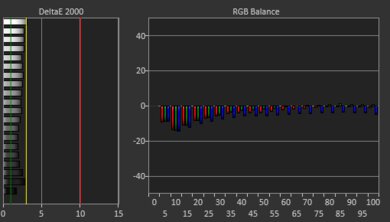
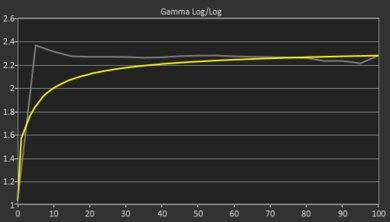


for pictures & test results


for pictures & test results
for pictures & test results
for pictures & test results