Apple MacBook Air 13 (M5, 2026)  Laptop Review

Reviewed Aug 28, 2026 at 01:11pm
Writing modified Oct 09, 2026 at 09:02am
Tested using Methodology v1.0 
Apple MacBook Air 13 (M5, 2026)

Track

0.0
Gaming 
0.0
School & Work 
0.0
Media Consumption 
0.0
Heavy Workload 
0.0
Battery 
0.0
Build Quality 
0.0
Graphics Performance 
0.0
Processing Performance 

Track

 0

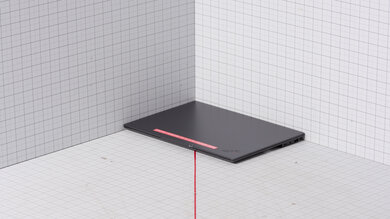
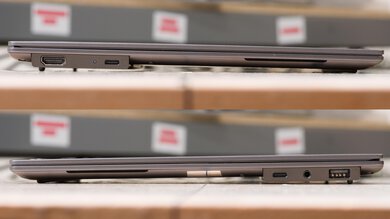
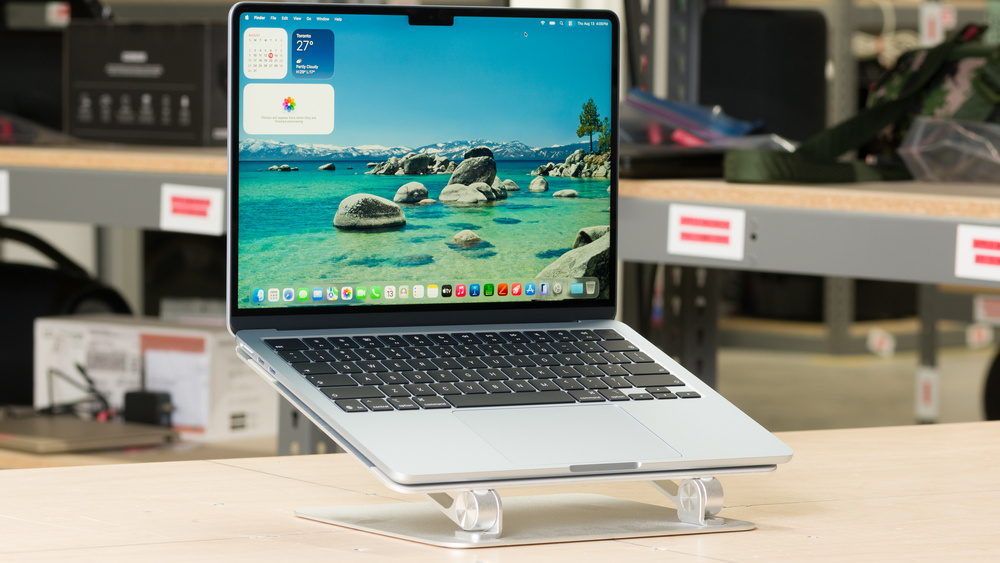
The Apple MacBook Air 13 (M5, 2026) is a premium ultraportable laptop. It replaces the Apple MacBook Air 13 (M4, 2025) and keeps the same compact, fanless design. The main upgrades are the M5 SoC, a faster SSD with 512GB of storage in the base configuration, and Wi-Fi 7 and Bluetooth 6 support. Storage now maxes out at 4TB, while memory is configurable up to 32GB. Its port selection remains unchanged, with two USB-C/Thunderbolt 4 ports, a MagSafe 3 charging port, and a 3.5 mm headphone jack. It can drive up to two external displays in addition to its built-in Liquid Retina display.

See our unit's specifications and the available configuration options in the Differences Between Variants section.

Our Verdict

0.0
Gaming 

The Apple MacBook Air 13 M5 has disappointing gaming performance. Its M5 SoC with the 8-core GPU can provide playable performance in lighter and more CPU-intensive titles, but it performs poorly in modern, graphically demanding games, and its ray-tracing performance is far too low for smooth gameplay. The optional 10-core GPU will provide slightly more performance, but will still be disappointing for more demanding modern titles. The 60Hz display also has a slow response time and no variable refresh rate support, resulting in visible ghosting and screen tearing. Its fanless design keeps the laptop silent, and surface temperatures are reasonably well controlled, but performance still drops during extended workloads.

Pros
  • Exceptional build quality and compact, lightweight design.

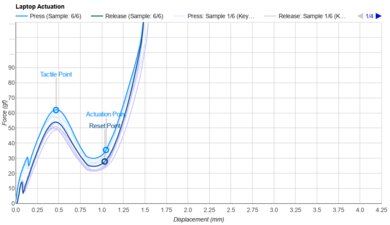
  • Tactile keyboard and responsive haptic touchpad.

  • Good performance in lighter and well-optimized games.

Cons
  • Display is limited to 60Hz.

  • Poor performance in demanding games.

  • Limited selection of games with native macOS support.

0.0
School & Work 

The Apple MacBook Air 13 M5 is a great laptop for school and work. Its battery lasts over 13 hours of light web browsing, and its compact, lightweight design makes it easy to carry. The sturdy aluminum chassis feels exceptionally well built, while the M5 SoC delivers strong CPU and memory performance for tasks such as web browsing, text processing, spreadsheets, presentations, programming, and light content creation. The keyboard feels good to type on, and the large haptic touchpad tracks movements and gestures exceptionally well. Its display gets bright enough for most settings and handles reflections remarkably well, and the excellent 1080p webcam produces a detailed, well-exposed image. The fanless design also keeps the laptop silent, with good thermal performance during everyday use.

Pros
  • Exceptional build quality and compact, lightweight design.

  • Battery lasts through a typical workday.

  • Sharp, bright, and accurate display.

  • Tactile keyboard and responsive haptic touchpad.

  • Excellent 1080p webcam.

  • Clear, natural-sounding speakers.

  • Silent, fanless design.

  • Excellent single-thread CPU performance.

Cons
  • I/O limited to two USB-C ports and a 3.5 mm headphone jack.

0.0
Media Consumption 

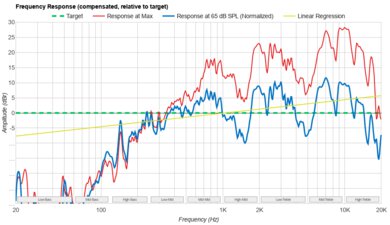
The Apple MacBook Air 13 M5 is great for media consumption. Its battery lasts a little over 13 hours of video playback, and the compact, lightweight design makes it easy to carry around. The display looks exceptionally sharp thanks to its high pixel density, gets bright enough for most viewing environments, and handles reflections remarkably well. It also has a fantastic color gamut and exceptional factory calibration, so colors look vibrant and accurate. Its main display weakness is contrast: blacks look gray when viewing dark scenes in a dim room. The speakers sound clear and natural, though they don't get especially loud or produce as much bass as those on the larger 15-inch MacBook Air.

Pros
  • Exceptional build quality and compact, lightweight design.

  • Sharp, bright, and accurate display.

  • Outstanding video playback battery life.

  • Clear, natural-sounding speakers.

  • Silent, fanless design.

Cons
  • Display's blacks look gray in dim settings.

0.0
Heavy Workload 

The Apple MacBook Air 13 M5 is passable for workstation use. Its M5 SoC provides strong CPU and memory performance for programming, photo editing, and light video production, and its exceptionally fast SSD makes large file transfers and application launches feel quick. The fanless design keeps the laptop silent and manages heat reasonably well, though performance drops during long, demanding workloads. Its integrated 8-core GPU performs poorly in professional 3D applications, making a laptop with a discrete GPU much better suited to complex modeling, animation, and rendering. The optional 10-core GPU will provide more graphical horsepower, but still falls short for very intense workloads. The port selection is also limited to two USB-C/Thunderbolt 4 connections, so you'll likely need a dock when using several peripherals. CPU-intensive games and similarly demanding real-time workloads are playable in some cases, but performance varies significantly by application.

Pros
  • Sharp, bright, and accurate display.

  • Silent, fanless design.

  • Excellent single-thread CPU performance.

  • Dedicated video encoders and decoders.

  • Very fast storage.

Cons
  • I/O limited to two USB-C ports and a 3.5 mm headphone jack.

  • Display's blacks look gray in dim settings.

  • Thermal throttles during sustained workloads.

  • Integrated GPU isn't suited to demanding professional 3D work.

  • RAM is limited to 32GB and isn't user-replaceable.

  • Only two USB-C/Thunderbolt 4 ports.

0.0
Battery 

The Apple MacBook Air 13 M5 has outstanding battery life. It can easily last through a full workday without needing to recharge, and lasts a remarkably long time while gaming or watching videos.

Pros
  • Battery lasts through a typical workday.

  • Outstanding video playback battery life.

Cons
0.0
Build Quality 

The Apple MacBook Air 13 M5 has exceptional build quality. It's made entirely of aluminum and is incredibly well put together. You can operate the hinge with one finger, and the whole laptop exudes quality and workmanship.

Pros
  • Exceptional build quality and compact, lightweight design.

Cons
0.0
Graphics Performance 

The Apple MacBook Air 13 M5's GPU handles basic tasks well, like video playback and light photo and video editing. That said, it struggles with more demanding tasks like complex 3D renders and high-resolution gaming in demanding modern titles.

Pros
  • Good performance in lighter and well-optimized games.

Cons
  • Poor performance in demanding games.

0.0
Processing Performance 

The Apple MacBook Air 13 M5 delivers good overall processing performance. Its CPU can easily handle day-to-day tasks like web browsing, multitasking, spreadsheets, and light photo and video editing workloads without breaking a sweat, but it can struggle with more demanding, CPU-intensive games, like RTS titles. While it doesn't thermal throttle much, it's fanless, so long or repeated tasks like video renders will slow down over time.

Pros
  • Excellent single-thread CPU performance.

Cons
  • Poor performance in demanding games.

  • 0.0
    Gaming
  • 0.0
    School & Work
  • 0.0
    Media Consumption
  • 0.0
    Heavy Workload

  • Performance Usages

  • 0.0
    Battery
  • 0.0
    Build Quality
  • 0.0
    Graphics Performance
  • 0.0
    Processing Performance
  • Changelog

    1.  Updated Oct 09, 2026: 

      We mention the newly reviewed Lenovo ThinkPad X1 Carbon Gen 14 Aura Edition (2026) in the Contrast section.

    2.  Updated Oct 08, 2026: We've updated this review to Test Bench 1.0! This update adds several new verdict scores to the review, so it's easier to make a buying decision. Read the changelog for a full list of changes.
    3.  Updated Sep 14, 2026: 

      We've added a link to the Microsoft Surface Pro 13 12th Edition (2026) in the Refresh Rate section.

    4.  Updated Sep 04, 2026: 

      We've added a link to the LG gram Pro 2-in-1 16 (2026) in the Contrast section.

    Differences Between Sizes And Variants

    We bought and tested the base configuration of the Apple MacBook Air 13 with a 10-core CPU/8-core GPU M5 SoC, 16GB of memory, and a 512GB SSD. You can configure up to 32GB of RAM, up to 4TB of storage, and an optional 10-core GPU. The laptop is available in Midnight, Silver, Starlight, and Sky Blue colorways.

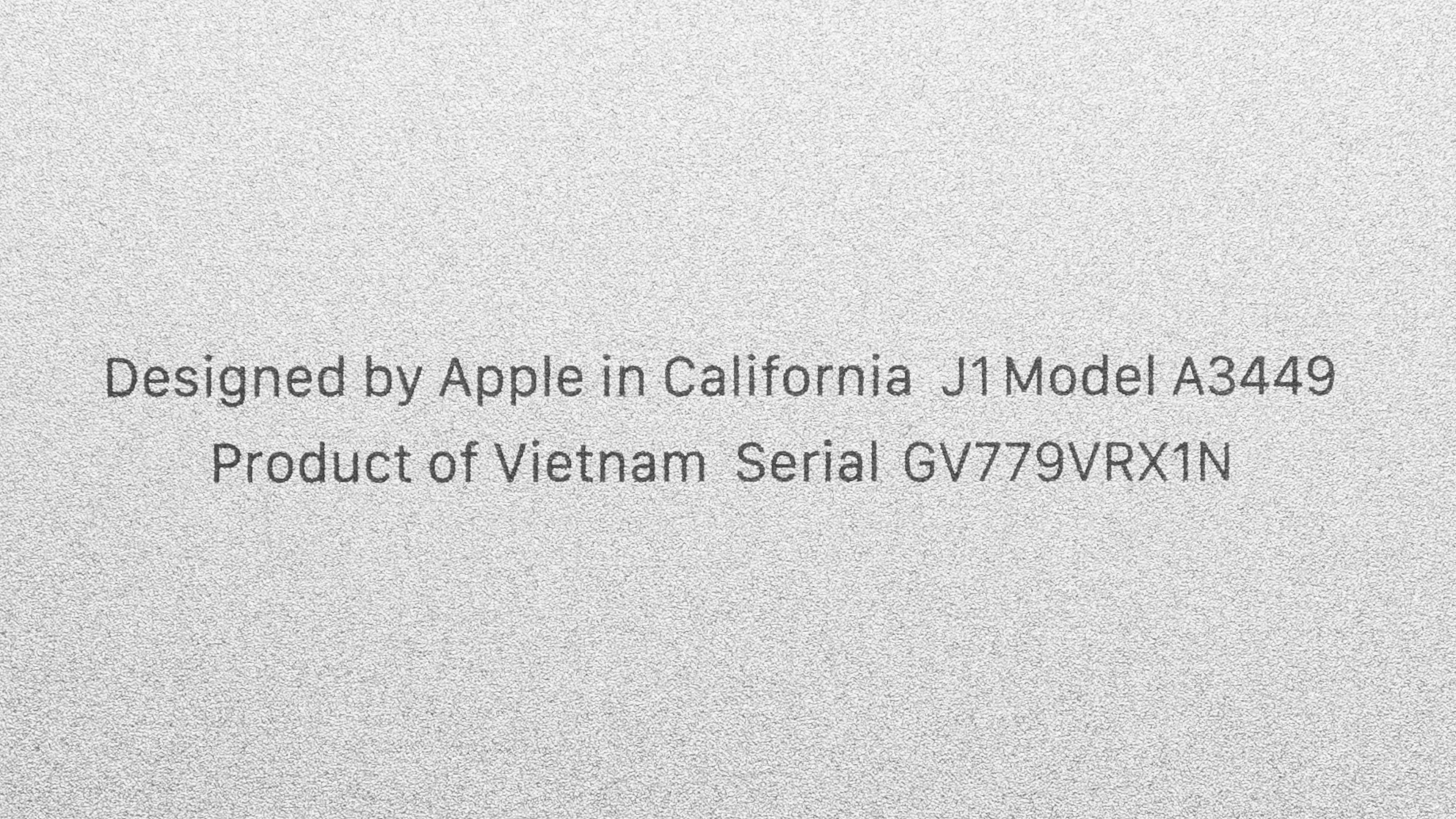
    The unit we tested is the Sky Blue option, and you can see a photo of our unit's label here.

    Popular Laptop Comparisons

    The Apple MacBook Air 13 M5 is one of the best premium ultraportables on the market. It has class-leading build quality, an excellent touchpad and webcam, strong CPU performance, and enough battery life to get through a typical workday. The new base 512GB SSD is also much faster than the 256GB drive in the base M4 model.

    The Retina display is beginning to fall behind competing premium laptops, though. It's still limited to 60Hz, while many alternatives now use 120Hz panels for smoother motion. The MacBook Air also offers only two USB-C ports and can't match the sustained performance of a laptop with active cooling.

    Compared with the Dell XPS 14 (2026), the MacBook Air has longer battery life and a silent fanless design, while the Dell offers a 120Hz OLED touchscreen and up to 64GB of RAM. The Apple MacBook Neo (A18 Pro, 2026) is a cheaper option for basic productivity, while the MacBook Air is significantly faster, has more RAM, a better display, a larger touchpad, a backlit keyboard, and longer battery life.

    To see which laptops we recommend, check out the best laptops for college, the best laptops, and the best laptops for working from home.

    Apple MacBook Neo (A18 Pro, 2026)

    Track

    The Apple MacBook Air 13 (M5, 2026) is a premium ultraportable, while the Apple MacBook Neo (A18 Pro, 2026) is a budget laptop intended for basic productivity. The MacBook Air is much faster and supports more memory, making it better for demanding multitasking, programming, and content creation. It also has a better display, a larger haptic touchpad, a backlit keyboard, and a longer battery life. The MacBook Neo is worth considering if your needs are basic and price is your main concern.

    Apple MacBook Pro 14 (M5, 2025)

    Track

    The Apple MacBook Pro 14 (M5, 2025) is a more capable laptop than the Apple MacBook Air 13 (M5, 2026), but the two target different users. The MacBook Pro has a higher-refresh Mini LED display, a wider port selection, and active cooling that allows it to maintain higher performance during long, demanding workloads. The MacBook Air is lighter, quieter, and less expensive, making it a better choice for general productivity and lighter creative work.

    Apple MacBook Air 13 (M4, 2025)

    Track

    The Apple MacBook Air 13 (M5, 2026) is a modest upgrade over the Apple MacBook Air 13 (M4, 2025). Both use the same chassis and have nearly identical displays, keyboards, touchpads, webcams, and port selections. The M5 model has faster CPU and GPU performance, a much faster base SSD, Wi-Fi 7, and Bluetooth 6. It also starts with 512GB of storage and is configurable up to 4TB, whereas the M4 model starts at 256GB and tops out at 2TB. The M4 is still a good choice if you can find it at a significantly lower price and you don't need the extra performance or storage.

    Microsoft Surface Pro 13 12th Edition (2026)

    Track

    The Microsoft Surface Pro 13 12th Edition (2026) and Apple MacBook Air 13 (M5, 2026) are premium ultraportables with very different designs. The Surface is more versatile thanks to its detachable form factor, touchscreen, and pen support, and all configurations have a smoother 120Hz display, with higher-end models also getting an OLED panel. It also offers a wider range of memory configurations. The MacBook Air provides a better traditional laptop experience, with a more stable, lap-friendly design, an excellent keyboard and touchpad, and a completely silent fanless design. The Surface runs Windows on ARM, which can cause compatibility issues with some apps and peripherals, while the MacBook runs macOS.

    Show more 

    Test Results

    perceptual testing image
    Sort:
    RATINGS
    Category:
    All
    Design
    0.0
    Chassis Quality

    Become a member to view the full test results and text of the reviews, as well as extra website features and tools with no ads.

    0.0
    Hinge
    Stability
    Locked
    0.0
    Form Factor
    LockedTraditional (Clamshell)
    Range
    LockedLock°
    One Finger Lift
    LockedLocked
    0.0
    Portability
    Screen Size
    Locked13.6"
    Thickness
    LockedLock" (Lock cm)
    Width
    LockedN/A
    Depth
    LockedLock" (Lock cm)
    Volume
    LockedLock in³ (Lock cm³)
    Weight
    LockedLock lbs (Lock kg)
    Charger Size
    LockedLock in³ (Lock cm³)
    Charger Weight
    LockedLock lbs (Lock kg)
    0.0
    Serviceability
    Operating System
    LockedmacOS
    Ease Of Access
    Locked
    0.0
    RAM Slots
    LockedLocked
    Storage Slots
    LockedLocked
    Replaceable Battery
    LockedLocked
    Replaceable Wireless Adapter
    LockedLocked

    Become a member to view the full test results and text of the reviews, as well as extra website features and tools with no ads.

    In The Box

    Become a member to view the full test results and text of the reviews, as well as extra website features and tools with no ads.

    Display
    Screen Specs
    Resolution
    LockedLocked
    Aspect Ratio
    LockedLocked
    Pixel Density
    LockedLock PPI
    Panel Type
    LockedLocked
    Touch Screen
    LockedNo
    Touch Pen Support
    LockedLocked
    Screen-To-Body Ratio
    LockedLock%
    0.0
    Refresh Rate
    Refresh Rate
    Locked60 Hz
    Variable Refresh Rate
    LockedLocked

    Become a member to view the full test results and text of the reviews, as well as extra website features and tools with no ads.

    0.0
    Contrast
    Native Contrast
    LockedLock : 1

    Become a member to view the full test results and text of the reviews, as well as extra website features and tools with no ads.

    0.0
    Brightness
    Maximum Brightness
    LockedLock cd/m²
    Minimum Brightness
    LockedLock cd/m²

    Become a member to view the full test results and text of the reviews, as well as extra website features and tools with no ads.

    0.0
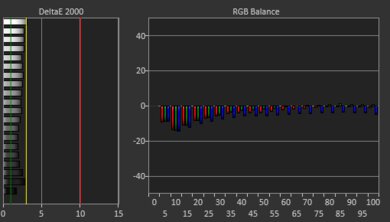
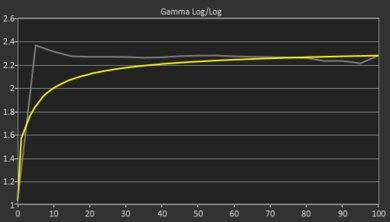
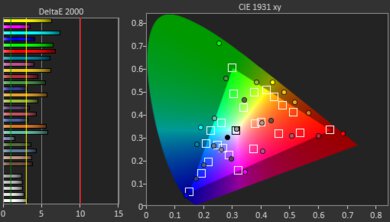
    Out-Of-The-Box Color Accuracy
    Avg. White Balance dE
    LockedLock
    Avg. Gamma
    LockedLock
    Avg. Color dE
    LockedLock
    Avg. Color Temperature
    LockedLock K

    Become a member to view the full test results and text of the reviews, as well as extra website features and tools with no ads.

    0.0
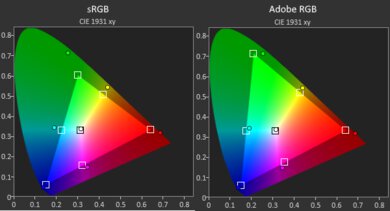
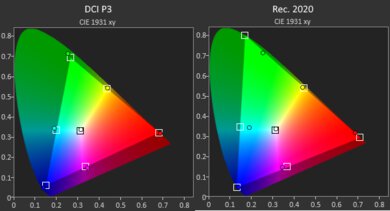
    Color Gamut
    sRGB xy
    LockedLock%
    sRGB uv
    LockedLock%
    Adobe RGB xy
    LockedLock%
    Adobe RGB uv
    LockedLock%
    DCI-P3 xy
    LockedLock%
    DCI-P3 uv
    LockedLock%
    Rec. 2020 xy
    LockedLock%
    Rec. 2020 uv
    LockedLock%

    Become a member to view the full test results and text of the reviews, as well as extra website features and tools with no ads.

    0.0
    Reflections
    Screen Finish
    LockedLocked
    Total Reflections
    LockedLock%
    Indirect Reflections
    LockedLock%
    Calculated Direct Reflections
    LockedLock%

    Become a member to view the full test results and text of the reviews, as well as extra website features and tools with no ads.

    0.0
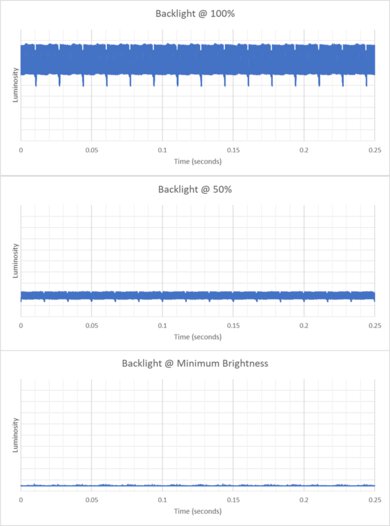
    Flicker
    Flicker-Free
    LockedLocked
    Flicker Frequency
    LockedLocked
    Flicker Active Below
    LockedLock%

    Become a member to view the full test results and text of the reviews, as well as extra website features and tools with no ads.

    Battery
    0.0
    Battery
    Capacity
    LockedLock Wh
    Battery Life (Web Browsing)
    LockedLock hrs
    Battery Life (Video Playback)
    LockedLock hrs
    Battery Life (Gaming)
    LockedLock hrs
    Charge Time
    LockedLock hrs
    Interface
    0.0
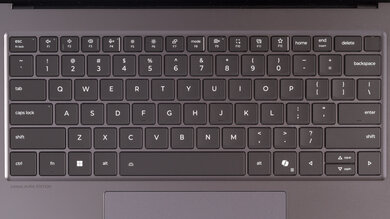
    Keyboard
    Typing Quality
    Locked
    0.0
    Numpad
    LockedLocked
    Backlighting
    LockedLocked
    Peak Tactile Force
    LockedLock gf
    Actuation Force
    LockedLock gf
    Pre-Travel
    LockedLock mm
    Total Travel
    LockedLock mm
    Fingerprint Sensor
    LockedLocked

    Become a member to view the full test results and text of the reviews, as well as extra website features and tools with no ads.

    0.0
    Touchpad
    Tracking Quality
    Locked
    0.0
    Size
    LockedLock in² (Lock cm²)
    Material
    LockedLocked
    Dedicated Buttons
    LockedLocked

    Become a member to view the full test results and text of the reviews, as well as extra website features and tools with no ads.

    0.0
    Speakers
    Max Volume
    LockedLock dB SPL
    Standard Error @ Normal Vol. (65 dB)
    LockedLock dB
    Slope @ Normal Vol. (65 dB)
    LockedLock
    Bass Extension (Low-Frequency Ext.)
    LockedLock Hz
    Treble Extension (High-Frequency Ext.)
    LockedLock kHz
    Dynamic Range Compression @ Max Vol.
    LockedLock dB

    Become a member to view the full test results and text of the reviews, as well as extra website features and tools with no ads.

    0.0
    Webcam & Microphone
    SAMPLE
    Join Now

    for videos & test results

    Apple MacBook Air 13 (M5, 2026) Webcam Video Sample Sample
    Video Quality
    Locked
    0.0
    Resolution
    LockedLocked
    Privacy Cover
    LockedLocked
    Face Unlock
    LockedLocked

    Become a member to view the full test results and text of the reviews, as well as extra website features and tools with no ads.

    Connectivity
    Ports
    USB-A Ports
    LockedLocked
    USB-C Ports
    LockedLocked
    Thunderbolt
    LockedLocked
    USB-C Charging
    LockedLocked
    USB-C Display Out
    LockedLocked
    HDMI
    LockedLocked
    DisplayPort
    LockedLocked
    3.5mm Jack
    LockedLocked
    Card Reader
    LockedLocked
    Ethernet
    LockedLocked
    Proprietary Port
    LockedLocked
    Security Lock
    LockedLocked

    Become a member to view the full test results and text of the reviews, as well as extra website features and tools with no ads.

    Wireless Communication
    Wi-Fi
    LockedLocked
    Bluetooth
    LockedLocked

    Become a member to view the full test results and text of the reviews, as well as extra website features and tools with no ads.

    Configuration
    CPU
    Brand
    LockedLocked
    Model
    LockedLocked
    Core Count
    LockedLock
    Thread Count
    LockedLock

    Become a member to view the full test results and text of the reviews, as well as extra website features and tools with no ads.

    GPU
    Brand
    LockedLocked
    Model
    LockedLocked
    Dedicated/Integrated
    LockedLocked
    VRAM Size
    LockedN/A
    GPU Total Graphics Power (TGP)
    LockedN/A

    Become a member to view the full test results and text of the reviews, as well as extra website features and tools with no ads.

    RAM
    Tested RAM Capacity
    Locked16 GB
    Modules
    LockedLocked
    Type
    LockedLocked
    Speed
    LockedLock MT/s

    Become a member to view the full test results and text of the reviews, as well as extra website features and tools with no ads.

    Storage
    Advertised Capacity
    LockedLock GB
    Drive 1
    LockedLocked
    Drive 1 TypeLockedLocked

    Become a member to view the full test results and text of the reviews, as well as extra website features and tools with no ads.

    Performance
    0.0
    CPU/RAM Performance
    Cinebench 2024 - Single Core
    LockedLock points
    Cinebench 2024 - Multi Core
    LockedLock points
    Geekbench 6 - Single Core
    LockedLock
    Geekbench 6 - Multi Core
    LockedLock
    Blender - CPU (Avg)
    LockedLock samples/min
    PassMark PT - CPU Mark
    LockedLock
    PassMark PT - Memory Mark
    LockedLock
    PassMark PT - Memory Mark (Android)
    LockedN/A
    Mozilla Kraken
    LockedLock ms
    0.0
    GPU Performance
    Geekbench 6 - GPU Compute
    LockedLock
    Basemark Web 3.0
    LockedLock
    PassMark PT - 2D Mark
    LockedN/A
    PassMark PT - 2D Mark (Android)
    LockedN/A
    PassMark PT - 3D Mark
    LockedN/A
    PassMark PT - 3D Mark (Android)
    LockedN/A
    Novabench 5 - GPU
    LockedLock
    3DMark - Steel Nomad (DX12)
    LockedN/A
    3DMark - Steel Nomad (Vulkan/Metal)
    LockedLock
    Basemark GPU (DX12)
    LockedN/A
    Basemark GPU (Vulkan/Metal)
    LockedLock
    Blender - GPU (Avg)
    LockedLock samples/min
    Cinebench 2024 - GPU
    LockedLock points
    0.0
    CPU-Intensive Game Performance
    Civilization VII - AI
    LockedLock s/turn
    Civilization VII - Graphics (Avg)
    LockedLock fps
    Civilization VII - Graphics (1% Low)
    LockedLock fps
    Total War: Warhammer III (Avg)
    LockedLock fps
    0.0
    GPU-Intensive Game Performance
    Cyberpunk 2077 (Avg) (No Ray Tracing)
    LockedLock fps
    Cyberpunk 2077 (Min) (No Ray Tracing)
    LockedLock fps
    Cyberpunk 2077 (Avg) (With Ray Tracing)
    LockedLock fps
    Cyberpunk 2077 (Min) (With Ray Tracing)
    LockedLock fps
    Assassin's Creed Shadows (Avg) (Low Ray Tracing)
    LockedLock fps
    Assassin's Creed Shadows (1% Low) (Low Ray Tracing)
    LockedLock fps
    Assassin's Creed Shadows (Avg) (With Ray Tracing)
    LockedLock fps
    Assassin's Creed Shadows (1% Low) (With Ray Tracing)
    LockedLock fps
    GTA V (Avg)
    LockedN/A
    GTA V (1% Low)
    LockedN/A
    Resident Evil 4 (Avg)
    LockedLock fps
    Resident Evil 4 (1% Low)
    LockedLock fps
    0.0
    Storage Drive Performance
    Sequential Write Speed
    LockedLock MB/s
    Sequential Read Speed
    LockedLock MB/s
    Random Write Speed
    LockedLock MB/s
    Random Read Speed
    LockedLock MB/s
    0.0
    Thermals And Noise
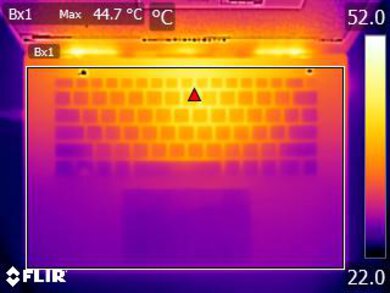
    Keyboard Temp While Idle
    LockedLock °C (Lock °F)
    Keyboard Temp Under Load
    LockedLock °C (Lock °F)
    Fan Noise While Idle
    LockedN/A
    Fan Noise Under Load
    LockedN/A
    Power & Fan Control App
    LockedLocked

    Become a member to view the full test results and text of the reviews, as well as extra website features and tools with no ads.

    0.0
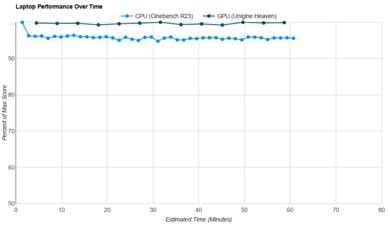
    Performance Stability
    CPU Temp (Cinebench)
    LockedLock °C
    CPU Perf. Loss (Cinebench)
    LockedLock% loss
    GPU Temp (Heaven)
    LockedLock °C
    GPU Perf. Loss (Heaven)
    LockedLock% loss