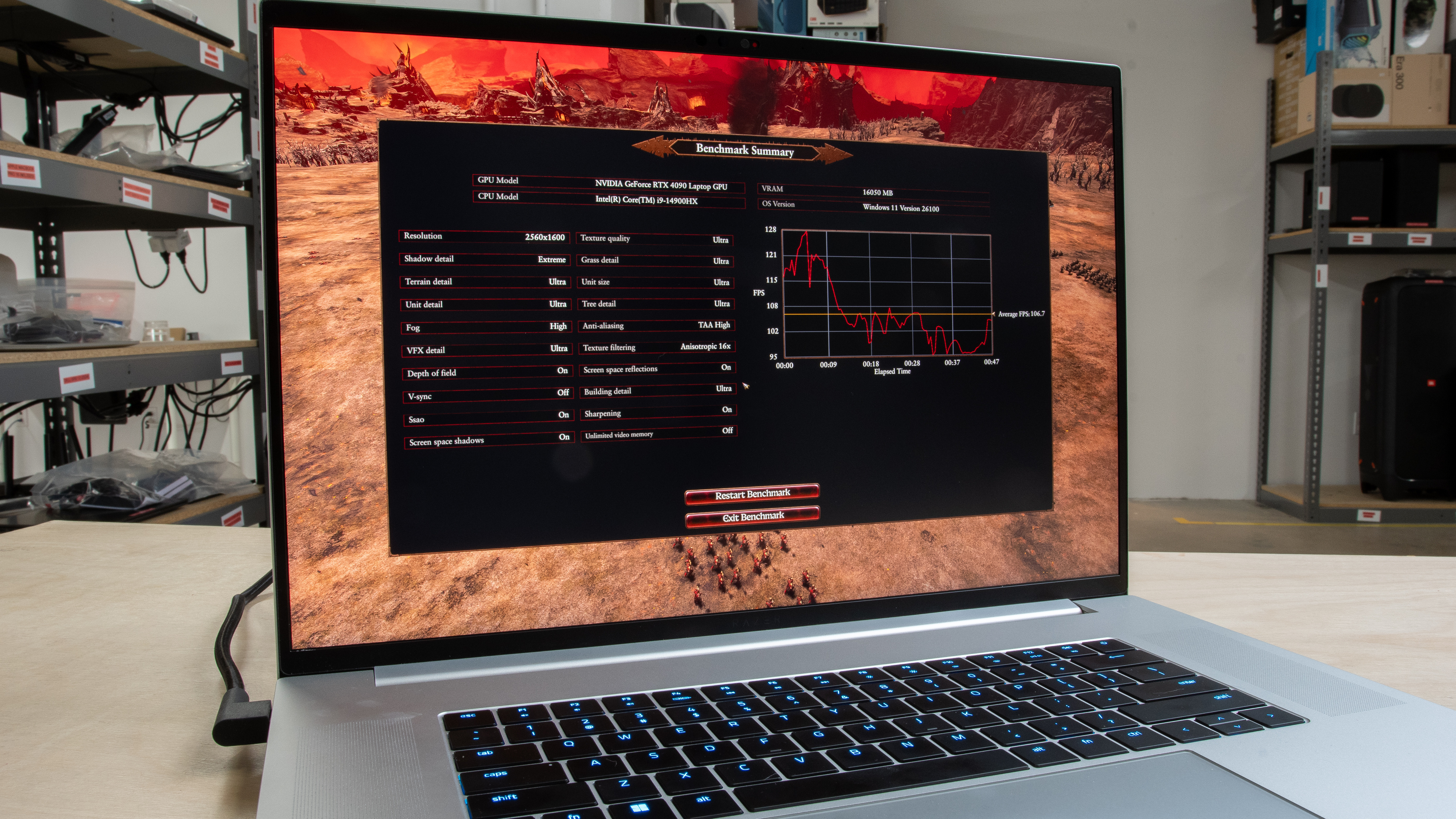
While there are many games on the market that can run on a potato, a significant number of modern titles are quite demanding, requiring a certain level of CPU and/or GPU performance to run smoothly. Poor performance significantly impacts the gaming experience, causing stutters, glitches, and even crashes in cases where the system simply can't handle the load. Consequently, gamers have turned to benchmarks as a way to gauge a system's performance before making a purchasing decision. With test bench 0.9, we've updated the list of games used in our laptop testing to more modern titles, so you have a better idea of what to expect when running similarly demanding games. We've also added ray tracing performance tests, as it's a resource-intensive feature that has a huge effect on performance.
This article details the games used in our testing and the conditions under which we perform the benchmarks.
Note: This test was updated with Test Bench 0.9. Therefore, this article applies only to any laptop reviews on that test bench. You can learn more by reading our Test Bench 0.9 changelog.
Test results
When It Matters
In test bench 0.9, we've included three boxes specifically aimed at gaming performance: CPU Intensive Game Performance, GPU Intensive Game Performance, and Ray Tracing Performance. These boxes contain multiple games that stress the CPU and GPU, allowing you to see how well a system handles various popular modern games. Except for Civilization VII's AI turn time test, the results are mostly in the form of frames per second, as a higher average frame rate usually leads to smoother gameplay, which is especially important in titles that require fast reaction times or precise aiming.
Our Tests
Environment, Settings, And Procedures
For gaming benchmarks, we use the same testing conditions as all other benchmarks. This involves putting the laptop in a temperature-controlled room set to 21 °C (69.8 °F), with at least one foot of space behind the laptop to avoid obstructing the exhaust vent. We power the device using its original power adapter and ensure the battery health is at 100%.
At this point in the review process, the tested laptops already have the latest firmware, as we update them before any testing begins. We terminate as many unnecessary background applications as possible, as they take up system resources and can sometimes impact the benchmark scores. When possible, we put the laptop in its highest performance mode using the system settings or pre-installed third-party software, as we want to know the laptop's maximum potential, regardless of heat and fan noise.
We run the test one to three times, depending on the stability of the benchmark (i.e., how consistent the results are from one run to another). Where we do it more than once, we add a break lasting up to two minutes between each run to let the components cool down; the posted results are the averages of the runs. For games in which we enable upscaling, we use the upscaler tech most appropriate for the GPU, i.e., DLSS for NVIDIA, FSR for AMD, XeSS for Intel, and MetalFX for Macs. Except for Civilization VII's AI test, all other results are in frames per second; a higher frame rate means better performance.
CPU Intensive Game Performance
As the name implies, the CPU-Intensive Game Performance focuses primarily on games that are demanding on the CPU. The chosen games are all relatively recent turn-based strategy titles, with the 2023 Total War: Warhammer III being the oldest.
Civilization VII: A relatively new addition to the popular franchise, Civilization VII is a turn-based strategy game that runs on a range of systems, even ones with an aging quad-core processor. However, a powerful CPU is preferable, as the increased performance directly impacts turn times. We also log the average frame rate and 1% low, so you know what to expect on a particular system or if the game is even playable. We perform all tests three times at 1440p (or 1600p on 16:10 screens) with the graphics profile set to 'Low' and the upscale/anti-aliasing mode set to 'Auto'. This game only works on x86 Windows (running in DX12) and macOS (Metal) devices, so we skip it on ARM-based Windows laptops and Chromebooks. We run this benchmark three times with a 2-minute break between each run. A lower turn time means better performance.
Total War: Warhammer III: This is another turn-based strategy game that requires a lot of CPU processing power to simulate numerous factions, battlefield units, and complex campaign maps. We only test the average frame rate using the built-in campaign benchmark. We do this once at 1440p (or 1600p on 16:10 screens) using the 'Medium' graphics preset. This game only works on Windows and macOS devices, so we skip it on Chromebooks. We run this benchmark once.
Baldur's Gate 3: Baldur's Gate 3 can be quite demanding on the CPU in areas with numerous NPCs, causing noticeable stutters. This game doesn't have a built-in benchmark, so we perform the test manually by walking around a crowded plaza (always at the same one) for two minutes while we log the frame rate using separate software (CapFrameX on Windows, Metal Performance HUD on macOS). With the resolution set to 1440p (or 1600p on 16:10 screens), we use a custom graphics preset with Shadow/Cloud/Texture Quality set to 'Low', Texture Filtering set to 'Trilinear', Instance/Detail Distance set to 'High', Animation Level of Detail set to 'High', no Depth-of-Field, and with Dynamic Crowds enabled. Once again, we skip this test on Chromebooks. We run this benchmark once and post the average frame rate and 1% Low.
GPU Intensive Game Performance
The GPU Intensive Game Performance section shows the average frame rates (and lows) in five modern titles that primarily stress the graphics processor. While many games are playable with an average frame rate of around 30 fps, we generally consider 60 fps to be the minimum for a relatively smooth gaming experience. We also include the minimum, or 1% low frame rates, which give you an idea of how low the frame rate can drop in busier, more demanding scenes.
None of the included games work on Chrome OS, so this section only applies to Windows laptops and MacBooks. Where the game fails to launch, we assign N/A as the score, and for games that launch but crash upon starting the benchmark, we assign a '0'. We perform all benchmarks at the 1440p (or 1600p on 16:10 screens) in Fullscreen mode (Borderless Windowed if Fullscreen isn't available); we use an external monitor if the laptop has a lower resolution display (1080p or less).
Here are the settings used for each game:
Cyberpunk 2077: 'Ultra' preset with Resolution Scaling (Super Resolution) set to 'Quality' or 'Auto' and with ray tracing and Frame Generation disabled. We run this benchmark three times with a 2-minute break between each run.
Assassin's Creed Shadows: 'Very High' preset with ray tracing quality (on by default) set to 'Low'. We run this benchmark once.
GTA V Enhanced: 'Very High' graphics preset with Frame Scaling off. We run this benchmark once.
Black Myth: Wukong: 'Very High' graphics preset with Super Resolution set to '100'. Ray tracing is disabled. We run this benchmark once.
Resident Evil 4: 'Prioritize Graphics' preset. Like Baldur's Gate 3, this game doesn't have a built-in benchmarking tool, so we perform the benchmark manually, moving from the beginning of the game towards the village, followed by a loop around the village. We run this benchmark once, logging the average frame rate and the 1% low using separate software (CapFrameX on Windows, Metal Performance HUD on macOS).
Ray Tracing Performance
Again, the purpose of this box is rather self-explanatory. It aims to show the performance when you enable ray tracing, a costly feature, even on the most powerful GPUs.
Cyberpunk 2077: 'Ray Tracing: Ultra' quick preset. We run this benchmark three times with a 2-minute break between each run.
Assassin's Creed Shadows: Same graphics settings as detailed above but with Ray tracing Quality and BVH Quality set to 'High'. We run this benchmark once.
Black Myth: Wukong: Same graphics settings as detailed above, but with Ray Tracing Level set to 'Very High'. We run this benchmark once.
Additional Information
Like other synthetic performance tests, it's important to understand that while game benchmarks are useful in gauging a system's performance and for comparison with other models and configurations, the results are merely ballpark numbers that show a trend or performance under very specific conditions. Many factors can influence the score, like background processes, firmware version, and other components, as well as the system's specific tuning, such as power draw and fan speed.
If you want to know more about other tests in our laptop reviews, take a look at our How We Test Laptops article, as we give you a quick overview of all the tests we perform when reviewing a laptop.
Previous Methodology Score
With test bench 0.9, we've added two more comparisons in the CPU Intensive Game Performance and GPU Intensive Game Performance boxes: Previous Methodology Score and Previous Methodology Score Converted. We keep the laptops we test for a certain amount of time, but not forever, so the goal of these comparisons is to give you a way to compare the laptop's performance to ones that haven't been updated to test bench 0.9.
The Previous Methodology Score in the CPU Intensive Game Performance box combines the results from CS:GO/CS2 and Civilization VI from test bench 0.8.x, while the one in the GPU Intensive Game Performance box combines the results from Borderlands 3 and Shadow of the Tomb Raider (also from 0.8.x). As for the Previous Methodology Score Converted comparison, it's the estimated score a laptop would get with the current methodology/benchmarks calculated from its score obtained from the previous methodology/benchmarks. To assign the converted score, we've created a conversion curve by testing a wide range of laptops using the old and new benchmarks. The converted score is the one to use if you want to compare laptops that weren't originally tested on Test Bench 0.9 but that we no longer have in the office to retest with the current methodology.
Conclusion
Unlike many synthetic benchmarks, which are often available on the internet free of charge, game benchmarking tools are usually part of the games themselves, so you must own the game or a trial version to access the benchmarking tool. That said, chances are that you already own one of these games, so you can run the benchmarks to see how your system stacks up and whether you need an upgrade. If you have any comments or want to see other games included in a future test bench, let us know in the discussions below. As always, we welcome your feedback.