HP OmniBook Ultra Flip 14 (2024) vs Lenovo Yoga 9i 2-in-1 Aura Edition 14 (2025)
Which Laptop Is Better?
Products
Tested using Methodology v0.8.3
Updated Aug 03, 2026 12:44 PM
SEE PRICE
BestBuy.com
Tested using Methodology v0.8.3
Updated Dec 01, 2025 08:07 PM
SEARCH
Amazon

Size
14"
Operating System
Windows 11
Size
14"
Operating System
Windows 11
Our Verdict
HP OmniBook Ultra Flip 14 (2024)
Lenovo Yoga 9i 2-in-1 Aura Edition 14 (2025)
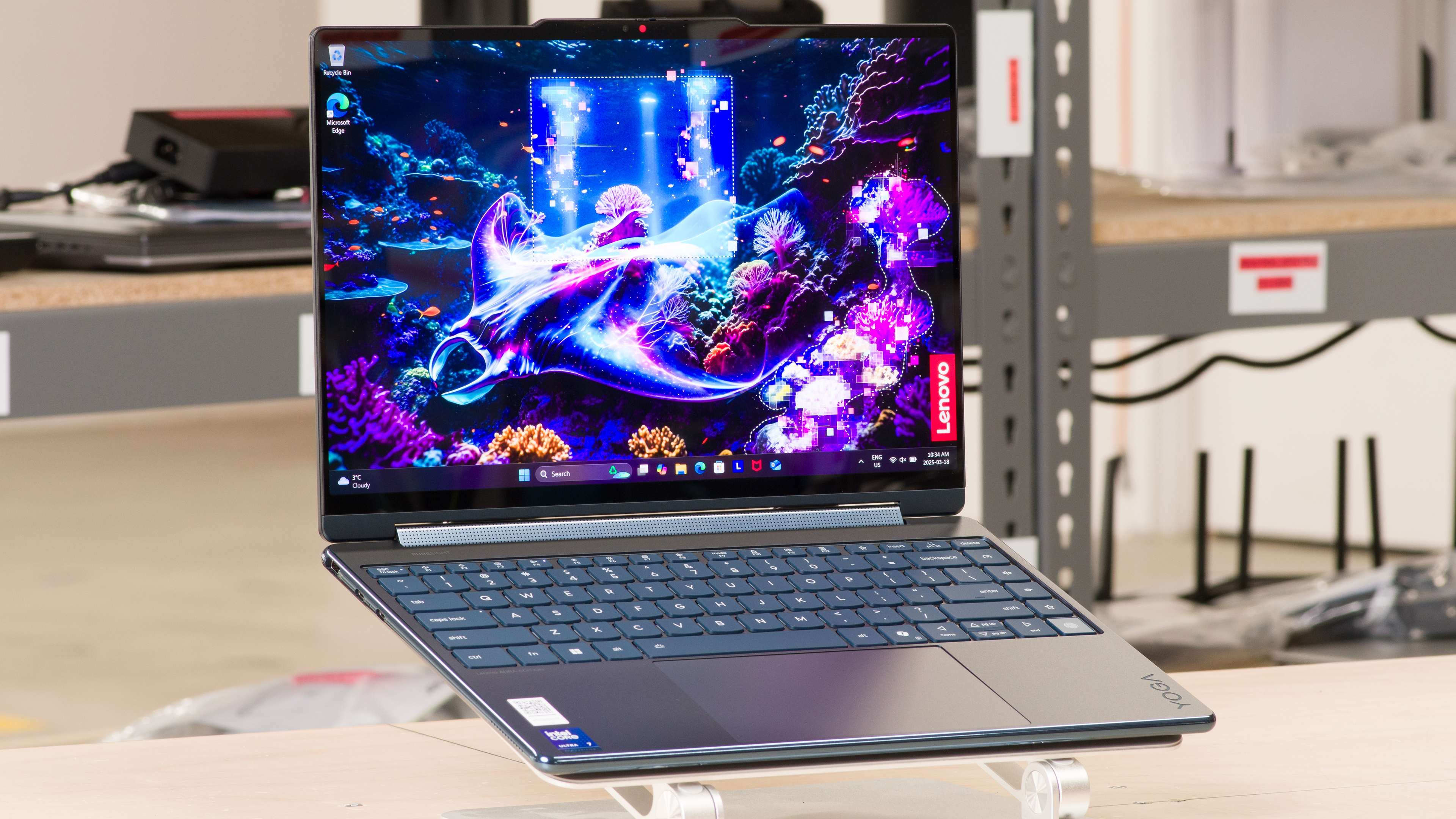
The Lenovo Yoga 9i 2-in-1 Aura Edition 14 (2025) and the HP OmniBook Ultra Flip 14 (2024) are both 14-inch convertibles that provide a similar user experience overall. The choice depends on what you care about most; the Yoga has a longer battery life and a USB-A port, while the OmniBook has an easier-to-use haptic touchpad and a better webcam. You can get the Yoga with a sharper 4k+ OLED display, whereas the OmniBook is only available with a 2.8k panel; however, remember that the increased resolution will drain the battery faster.
Variants
- OmniBook Ultra Flip 14 (14-fh0030ca) (Eclipse Gray - Ultra 7 256V/16GB/1TB)
- OmniBook Ultra Flip 14 (14-fh0013dx) (Eclipse Gray - Ultra 7 256V/16GB/1TB)
- Yoga 9i 2-in-1 Aura Edition 14 (83LC0005US) (Cosmic Blue - 2.8K/Ultra 7 258V/32GB/1TB)
- Yoga 9i 2-in-1 Aura Edition 14 (83LC0001US) (Cosmic Blue - 2.8K/Ultra 7 258V/32GB/1TB)
Main Differences for
School
School
Threshold
School
Full Comparison
Design
Style
Style Photo

Form Factor
Build Quality
Build Quality Photo

Hinge
Hinge Photo

Range
Stability
One Finger Lift
Portability
Dimensions Photo

Size
Thickness
Width
Depth
Volume
Weight
Charger Size
Charger Weight
Serviceability
Internals Photo

Ease Of Access
RAM Slots
Storage Slots
Replaceable Battery
Replaceable Wireless Adapter
In The Box
In The Box Photo

Display
Screen Specs
Display Photo

Resolution
Aspect Ratio
Pixel Density
Panel Type
Touch Screen
Screen-To-Body Ratio
Refresh Rate
Motion Blur

Refresh Rate
Variable Refresh Rate
Contrast
Contrast Photo

Native Contrast
Brightness
Maximum Brightness
Minimum Brightness
Reflections
Reflections Photo Off

Reflections Photo Max

Screen Finish
Total Reflections
Indirect Reflections
Calculated Direct Reflections
Black Uniformity
Black Uniformity Photo

Uniformity (Std. Dev.)
Out-Of-The-Box Color Accuracy
White Balance Screencap

Gamma Curve Screencap

Color Screencap

Avg. White Balance dE
Avg. Gamma
Avg. Color dE
Avg. Color Temperature
Color Gamut
Gamut SDR

sRGB xy
sRGB uv
Adobe RGB xy
Adobe RGB uv
Gamut HDR

DCI P3 xy
DCI P3 uv
Rec. 2020 xy
Rec. 2020 uv
Flicker
Flicker Graph

Flicker-Free
Flicker Frequency
Flicker Active Below
Interface
Keyboard
Keyboard Photo

Typing Quality
Numpad
Backlighting
Key Switch Actuation Graph

Operating Force
Actuation Force
Pre-Travel
Total Travel
Touchpad
Touchpad Photo

Tracking Quality
Size
Material
Dedicated Buttons
Speakers
Frequency Response Plot

Max Volume
Standard Error @ Normal Vol. (65 dB)
Slope @ Normal Vol. (65 dB)
Bass Extension (Low-Frequency Ext.)
Treble Extension (High-Frequency Ext.)
Dynamic Range Compression @ Max Vol.
Webcam & Microphone
Webcam Video Sample

Video Quality
Resolution
Position
Privacy Cover
Face Unlock
Connectivity
Ports
Ports Photo

USB-A Ports
USB-C Ports
Thunderbolt
USB-C Charging
USB-C Display Out
HDMI
DisplayPort
3.5mm Jack
Card Reader
Ethernet
Proprietary Port
Security Lock
Wireless Communication
Wi-Fi
Bluetooth
Configuration
CPU
Brand
Model
Core Count
Thread Count
GPU
Brand
Model
Dedicated/Integrated
VRAM Size
GPU Total Graphics Power (TGP)
RAM
Capacity
Modules
Type
Speed
Storage
Advertised Capacity
Usable Capacity
Drive 1
Drive 1 Type
Drive 2
Drive 2 Type
Performance
Geekbench 5 (Synthetics)
Geekbench Image

CPU Single-Thread
CPU Multi-Thread
GPU Compute
Cinebench R23 (CPU Rendering)
Cinebench R23 Photo

Single-Thread
Multi-Thread
Blender (3D Rendering)
Blender Image

CPU Render Time
GPU Render Time
GPU Render Time (Optix)
Basemark GPU (Game Scene)
Basemark Image

Overall Score
Storage Drive Performance
Storage Performance Image

Sequential Write Speed
Sequential Read Speed
Random Write Speed
Random Read Speed
Battery
Capacity
Battery Life (Web Browsing)
Battery Life (Video Playback)
Battery Life (Gaming)
Charge Time
Borderlands 3
Borderlands 3 Graph

Avg. FPS
1% Low
0.1% Low
1% Low Delta
0.1% Low Delta
Avg. FPS On Very Low
Civilization VI
Civilization VI Graph

Avg. FPS
1% Low
0.1% Low
1% Low Delta
0.1% Low Delta
Avg. FPS On Minimum
Avg. Turn Time
Counter-Strike 2
CS2 Graph

Avg. FPS
1% Low
0.1% Low
1% Low Delta
0.1% Low Delta
Avg. FPS On Low
Shadow Of The Tomb Raider
SOTTR Graph

Avg. FPS
1% Low
0.1% Low
1% Low Delta
0.1% Low Delta
Avg. FPS On Lowest
Thermals And Noise
Keyboard Temps Picture

Keyboard Temp While Idle
Keyboard Temp Under Load
Fan Noise While Idle
Fan Noise Under Load
Power & Fan Control App
Performance Over Time
Performance Over Time Graph

CPU Temp (Cinebench)
CPU Perf. Loss (Cinebench)
GPU Temp (Heaven)
GPU Perf. Loss (Heaven)
Additional Features And Software
HP OmniBook Ultra Flip 14 (2024)
Lenovo Yoga 9i 2-in-1 Aura Edition 14 (2025)
Comments
HP OmniBook Ultra Flip 14 (2024) vs Lenovo Yoga 9i 2-in-1 Aura Edition 14 (2025): Main Discussion
What do you think of these products? Let us know below.
Looking for a personalized buying advice from the RTINGS.com experts? Members have direct access to buying advice on our member forum.
Hi,
Regarding the Lenovo Yoga 9i 2-in-1, there’s no screen door effect per se, at least not in the same way as the OmniBook. The OmniBook’s screen door effect is subtle but uniformly everywhere, whereas the Yoga 9i looks more like the screen is a little bit dirty here and there. That said, it’s only noticeable on white backgrounds, and we really had to look for it at a few inches away from the screen, so you might not even notice it in normal use. Hope that helps.
Hello there, thanks a lot for these awesome detailed review. May I know if there’s any screen door effect on the Yoga 9 2-in-1 (2025)? I currently have a Omnibook Ultra Flip 14, it has a rather bad screen door effect. Its very visible on bright content like white or grey background. I’m wondering if this is the also the same issue for the Yoga 9 2-in-1? If so, how bad is it compare to the Omnibook? (I know this is hard to quantify).
I had a Yoga Slim 7 Gen 10 (with touchscreen), it doesnt any of these screen door effect at all.
Hi,
Thanks for your questions. In regards to the brightness score, the reason those two score similarly is that we don’t officially test HDR brightness. We primarily do it as a supplemental test when a manufacturer makes a bold claim (like 1,100 nits). It’ll likely become an official test in a future test bench as HDR becomes increasingly more important.
For the touchpad, the difference between a haptic and a mechanical touchpad has to do with usability. With mechanical touchpads, the buttons typically only work in the bottom half. Haptic touchpads let you click anywhere, making it easier to perform some actions like dragging and dropping over a long distance.
Regarding the screen protector, it depends on the screen and bezels. If the bezels are under the glass, there’s a higher chance that the screen protector will touch the keyboard when you close the lid. It probably won’t damage the screen, but you may see some marks on the screen protector itself. Screen protectors generally have little effect on touch and pen input sensitivity, but it’ll affect how the pen glides across the screen, especially on matte screen protectors that have a textured finish. Hope that helps!
Hi there, both these laptops are contenders for a single device that covers home office use and multimedia consumption, replacing an ageing Samsung Tab S8 Ultra.
Multimedia: Comparing the 2880 x 1800 OLED screens for both laptops, I would have assumed the Lenovo to come out on top because of the advertised peak brightness in HDR of 1100 nits and SDR 500 nits. The review suggests the recorded SDR/HDR brightness is much lower, but in HDR the Lenovo is still almost double the brightness of the HP Omnibook. Both laptops received a score of 8.7 though and I was wondering the reason for this, as it seems to be the key point separating these two laptops? For reference the ageing Samsung Tab S8 Ultra has an HDR peak brightness of 795 cd/m².
Trackpad: How big a difference is having a haptic trackpad (HP Omnibook) over a mechanical one (Lenovo 9i)? The scores of 8.5 to 9 suggest there’s not that much of a difference?
I have a glass screen protector on my old tablet currently and I was wondering whether a similar type of product would be recommended for a laptop? Would a third-party screen protector damage the glass screen, inhibit closing the lid or impact the touch/pen sensitivity in your view?
Many thanks :)