SteelSeries Sensei Ten  Mouse Review

Reviewed Jun 23, 2020 at 08:08am
Test bench update Dec 09, 2022 at 10:59am
Tested using Methodology v1.2 
SteelSeries Sensei Ten
7.1
Office/Multimedia 
7.7
Video Games (FPS) 
8.1
Video Games (MMO) 
7.1
Ultra-Light Gaming 
5.3
Travel 
 2

The SteelSeries Sensei Ten is a great wired gaming mouse. It has excellent performance and has a very wide, customizable CPI range. It has buttons on both the left and right sides and has a symmetrical shape, making it ambidextrous. Each of the ten buttons are fully programmable with the SteelSeries Engine 3. Unfortunately, the mouse can feel slippery, and the cable has noticeable stiffness. On the upside, any hand size should be able to easily reach all the buttons when using claw grip, while only small and medium hands will have a difficult time with fingertip grip.

Our Verdict

7.1
Office/Multimedia 

The SteelSeries Sensei 10 is a decent mouse for office or multimedia use. The mouse feels very center-weighted, and the buttons on both sides, combined with its symmetrical shape, make this mouse good for ambidextrous use. Unfortunately, there are no L/R tilt buttons on the mouse wheel, which may be a deal-breaker if you have to scroll sideways through long documents like spreadsheets.

Pros
  • Buttons on both sides making it ambidextrous.
Cons
  • Slippery texture.
  • No L/R tilt options on mouse wheel.
7.7
Video Games (FPS) 

The SteelSeries Sensei Ten is a great mouse for FPS video games. The mouse is quite lightweight, and all of its buttons can be programmed, including the up/down scrolls. The sensor performance is excellent, and because it's wired, the click latency is also good. Unfortunately, small and medium hands may have a tough time with the fingertip grip.

Pros
  • Good click latency.
  • All buttons can be programmed, including the mouse wheel.
  • Excellent software with SteelSeries Engine 3.
Cons
  • Stiff cable with kinks when opened.
  • Slippery texture.
8.1
Video Games (MMO) 

The SteelSeries Sensei Ten is a great mouse for gaming because it has more buttons than typical mice, but not as many as designed MMO mice. It has exceptional software with the SteelSeries Engine 3 and all of its inputs are programmable. It has a good comfort of use but can feel slippery, especially if you have small hands and are using a palm grip. However, the buttons are easy to reach and are available on both sides of the mouse.

Pros
  • Good click latency.
  • All buttons can be programmed, including the mouse wheel.
  • Excellent software with SteelSeries Engine 3.
Cons
  • Stiff cable with kinks when opened.
  • Slippery texture.
7.1
Ultra-Light Gaming 

The SteelSeries Sensei 10 is a good ultra-light gaming mouse. It's light for a wired mouse, especially if you bungee the cable. Also, because it's wired, the click latency is good. Unfortunately, the cable can be quite stiff and still has kinks once opened.

Pros
  • Good click latency.
  • All buttons can be programmed, including the mouse wheel.
  • Excellent software with SteelSeries Engine 3.
Cons
  • Stiff cable with kinks when opened.
  • Slippery texture.
5.3
Travel 

Because the SteelSeries Sensei 10 is a wired gaming mouse, travel isn't something that needs to be considered. However, the mouse is well-built and sturdy enough to travel with if you need to.

  • 7.1
    Office/Multimedia
  • 7.7
    Video Games (FPS)
  • 8.1
    Video Games (MMO)
  • 7.1
    Ultra-Light Gaming
  • 5.3
    Travel
  • Changelog

    1.  Updated Dec 09, 2022: We've converted this review to Test Bench 1.2. This update simplifies our Weight test and expands on our CPI test from Test Bench 1.1, resulting in changes to test results in both sections. For more details, you can see our complete changelog here.
    2.  Updated Nov 17, 2022: We've converted this review to Test Bench 1.1. This update revamps our Click Latency test and results in changes to test results. For more details, you can see our full changelog here.
    3.  Updated Oct 15, 2020: Converted to Test Bench 1.0.
    4.  Updated Jun 23, 2020: Review published.

    Check Price

    Differences Between Sizes And Variants

    We reviewed the standard SteelSeries Sensei 10 mouse, but there's a SteelSeries Ten Neon Rider variant available in collaboration with Counter-Strike: Global Offensive. Our review and test results are valid for both of these.

    Popular Mouse Comparisons

    The SteelSeries Sensei 10 has a well-built symmetrical design, with buttons on both sides, making it different compared to most other FPS mice. It's a fairly straightforward gaming mouse and is light enough for ultra-light gaming. Check out our recommendations for the best wireless gaming mice, or if you're looking for a mouse that's not entirely dedicated to gaming, see our picks for the best mice and the best wireless mice.

    SteelSeries Rival 600

    Both the SteelSeries Rival 600 and the SteelSeries Sensei Ten are great gaming mice. The Sensei Ten includes ten programmable buttons, while the Rival 600 only has nine. Both are comfortable, but unfortunately, the Rival 600 may not suitable for people with small hands, as they may have a hard time reaching some of the buttons.

    SteelSeries Rival 3

    The SteelSeries Sensei Ten and the SteelSeries Rival 3 are two similar mice, but the Rival 3 is a tad bit better. The Sensei Ten suffers from a somewhat slippery texture and is a bit heavier, making the Rival 3 a better option if you prefer lighter mice. Both come with the excellent SteelSeries Engine 3 software, which allows great performance and lighting customization.

    SteelSeries Sensei RAW

    The SteelSeries Sensei RAW is an earlier version of the SteelSeries Sensei Ten, and the two have nearly identical shapes. The Sensei Ten has a wider CPI range and a set CPI that you can adjust more precisely. On the other hand, the Sensei RAW has a lower lift-off distance. Both mice are ideal for claw grip and suitable for larger hands using a fingertip or palm grip.

    SteelSeries Rival 310

    The SteelSeries Rival 310 and the SteelSeries Sensei Ten are two great gaming mice that perform very similarly. They both weigh about the same, have similar sizes, and are well-suited for most hand sizes using a palm or a claw grip. That said, the Rival 310 has a right-handed slant, while the Sensei Ten has an ambidextrous shape with two side buttons on both sides. The Sensei Ten also has a slightly better sensor with a wider CPI range that you can adjust more precisely and less CPI variation.

    Show more 

    Test Results

    perceptual testing image
    Sort:
    RATINGS
    Category:
    All
    Design
    Style
    Type
    Standard
    Lighting ColorRGB

    The SteelSeries Sensei Ten has a similar shape to that of the SteelSeries Rival 3, but feels slippery and lacks grips on either side of the mouse. It has an ambidextrous frame with two buttons on both the left and right sides. It comes with RGB lighting on the SteelSeries logo and the scroll wheel.

    Shape
    Length5.0" (126 mm)
    Height1.5" (39 mm)
    Width2.7" (68 mm)
    Grip Width
    62 mm
    5.6
    Portability
    Volume
    20.38 in³ (334 cm³)
    Cable/Receiver Storing
    No

    Because the SteelSeries Sensei 10 is a wired mouse, portability isn't an issue, especially considering most people will use it at home with their gaming setup. However, if you were to travel with it, it might be difficult to fit into a laptop bag because of how tall it is. The cable can also be an issue with its solid rubbery texture. If you'd prefer a more travel-friendly mouse, check out the SteelSeries Rival 3 Wireless.

    8.5
    Build Quality

    The SteelSeries Sensei Ten is a very solid mouse with no noticeable wobble or flex. The PFTE feet are pretty good but don't have the best glide. Considering the mouse wheel does not have the ability for left to right tilt, it feels very stable.

    6.5
    Weight
    Lowest Weight
    91.8 g
    Default Weight
    91.8 g
    Weight Distribution
    Centered
    Extra Weights
    No

    The SteelSeries Sensei Ten is fairly light, especially if you use a bungee to remove the weight of the cable. Unfortunately, there aren't any weight optimization options.

    7.5
    Comfort Of Use
    Right-handed
    No
    Left-handed
    No
    Ambidextrous
    Yes
    Coating
    Matte
    Finger Rest
    No

    The SteelSeries Sensei Ten has a good comfort of use. The mouse feels very center-weighted, and the buttons on both sides combined with its symmetrical shape make this mouse good for ambidextrous use. However, because it's so slippery, it can be difficult to use if you don't grip it the right way. If you'd prefer a right-handed, slanted design that may be more comfortable for long periods of use, check out the SteelSeries Rival 710 or the Corsair HARPOON RGB PRO.

    Palm Grip: Hand Size Recommendation
    Small Hand
    No
    Medium Hand
    Yes
    Large Hand
    Yes
    X.Large Hand
    Yes

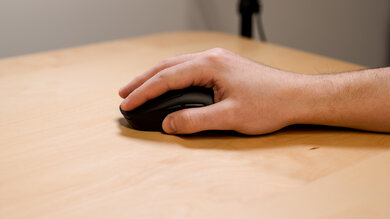
    The SteelSeries Sensei Ten might not be the easiest to palm grip if you have small hands because it can feel slippery, and could struggle to reach all of the buttons and the scroll wheel. If you're interested in a mouse that's suitable for a palm grip for all hand sizes, check out the BenQ ZOWIE FK1-B.

    Claw Grip: Hand Size Recommendation
    Small Hand
    Yes
    Medium Hand
    Yes
    Large Hand
    Yes
    X.Large Hand
    Yes

    Like many other SteelSeries mice, the Sensei Ten is designed to be used with the claw grip. Any size hand will have little problem having a comfortable hold of the mouse and reaching all the buttons. However, with extra-large hands, it's still a bit slippery.

    Fingertip Grip: Hand Size Recommendation
    Small Hand
    No
    Medium Hand
    No
    Large Hand
    Yes
    X.Large Hand
    Yes

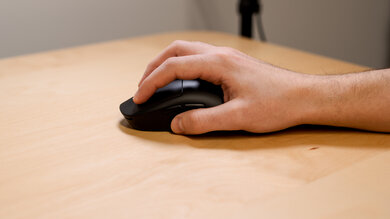
    This mouse is too big to fingertip grip for people with small or medium hands. They will have a difficult time hitting the scroll wheel and will find the mouse slippery. For a gaming mouse with similar performance that's suitable for all hand sizes using a fingertip grip, check out the Logitech G203 LIGHTSYNC.

    0.0
    Wireless Versatility
    Bluetooth
    No
    Receiver
    No
    Battery Type
    No Batteries
    Use When Charging
    No
    On/Off Activation
    None
    Receiver Extender
    No
    Battery IndicatorNo

    The SteelSeries Sensei Ten is a wired-only mouse.

    7.0
    Cable
    ConnectivityWired
    Cable Length5.9 ft (1.8 m)
    Cable Type
    Rubber
    Permanent Kink
    Yes
    Port Type: Mouse End
    No Port
    Port Type: PC End
    USB

    The cable on this mouse is slightly worse than the SteelSeries Rival 3, with an immediately noticeable stiffness. However, it's still a good quality rubber cable.

    8.0
    Mouse Feet
    Gliding Experience
    Good
    Material
    PTFE
    Extra Included
    No
    In The Box

    • SteelSeries Sensei Ten mouse
    • Manuals
    Control
    7.9
    Buttons
    Buttons Activation
    Mechanical
    Total Number Of Buttons
    8
    Number Of Side Buttons
    4
    Number Of Programmable Inputs
    10
    Profile Switching Button
    Yes
    CPI (DPI) Switching Button
    Yes
    Gesture Support
    No

    The SteelSeries Sensei Ten has four additional side buttons, giving this mouse 10 programmable buttons. The side buttons are wider and protrude a bit more than the SteelSeries Rival 3. You can program a specific profile to a button, but unfortunately, there isn't a button where you can flip back and forth between profiles. If you want a SteelSeries mouse with more programmable buttons, check out the SteelSeries Rival 500. Or, for a gaming mouse that has hot-swappable left and right-click switches, see the ASUS ROG Chakram Core.

    7.4
    Click Latency
    See details on graph tool
    Expected Connection
    10.8 ms
    Wired
    10.8 ms
    Receiver
    N/A
    Bluetooth
    N/A

    The click latency of this mouse is very low, similar to most wired gaming mice. Even competitive gamers likely won't notice any delay or lag.

    9.9
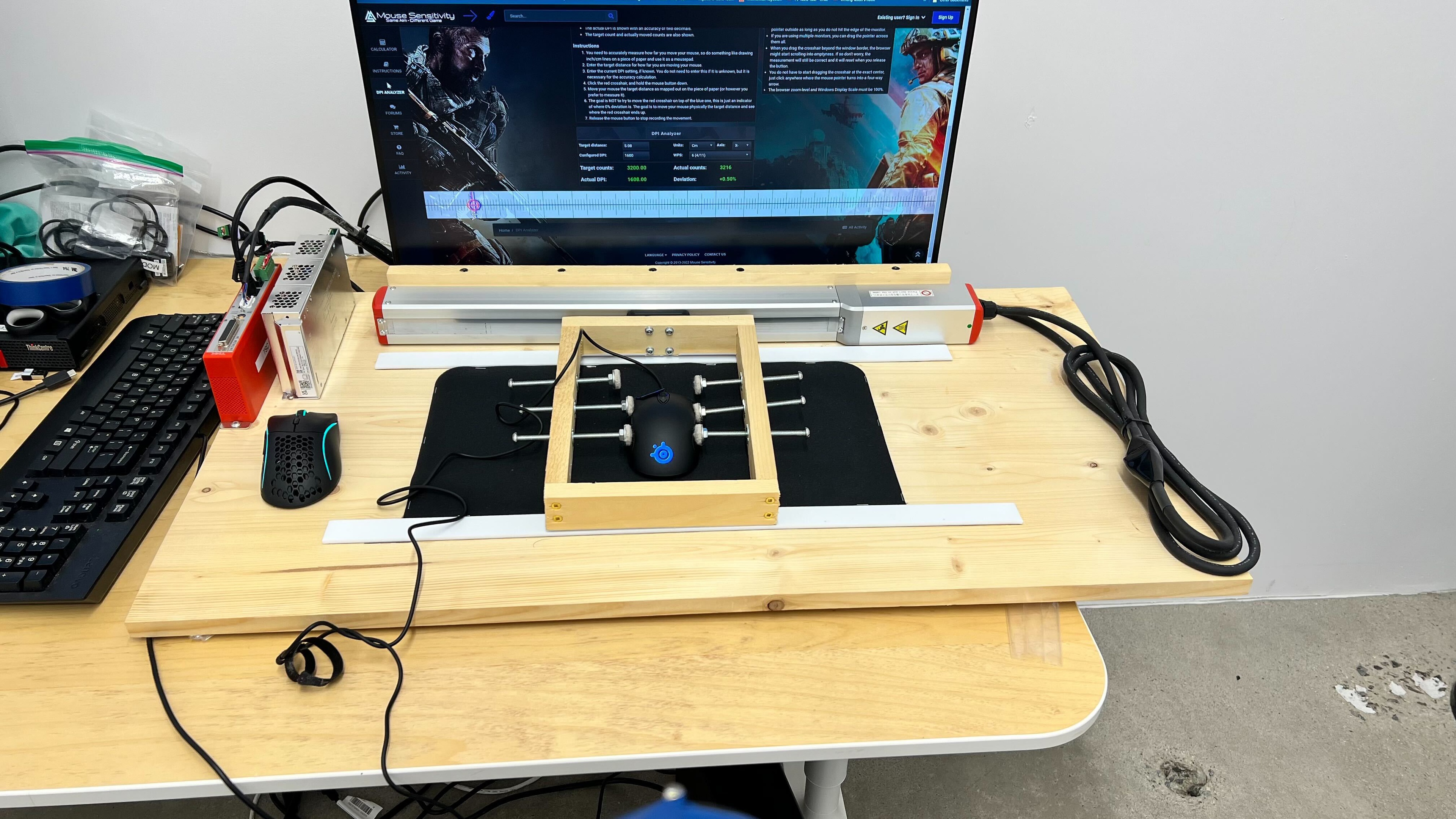
    CPI
    See details on graph tool
    SRAV @ 1600 CPI
    -0.06%
    SRAV @ 800 CPI
    -0.04%
    SRAV @ 400 CPI
    -0.08%
    SRAV @ Fixed CPI
    N/A
    Precision Error Between Speeds
    0.18%
    Precision Error Between CPI
    0.19%
    Worst Tracking Error
    0.63%
    Minimum CPI
    50 CPI
    Maximum CPI
    18,000 CPI
    CPI Adjustment Steps
    50 CPI
    Sensor Specifications
    Sensor Technology
    Optical (LED)
    Sensor Model
    TrueMove Pro
    Works On Glass
    No
    Minimum Lift Off Distance
    2.4 mm
    Maximum Polling Rate
    1000 Hz
    Mouse Wheel
    Scroll Wheel
    Notched Wheel
    Scroll Wheel Steps
    24 Steps
    Scroll Wheel Tilt
    No
    Thumb Wheel
    No
    Thumb Wheel Steps
    No Thumb Wheel

    The mouse wheel is smooth and rubberized, with medium bumps when scrolling. It includes RGB lighting on the sides, and it feels softer with the more pressure that you apply. Unfortunately, it doesn't have left to right tilt buttons.

    Noise
    Click Noise
    Quiet
    Operating System And Software
    10
    Compatible Software Option
    Software NameSteelSeries Engine 3
    Software Windows Compatibility
    Yes
    Software macOS Compatibility
    Yes
    Account Needed
    No
    On-Board Memory
    Yes
    CPI (DPI) Adjustment
    Yes
    Polling Rate Adjustment
    Yes
    Profile Configuration
    Yes
    RGB On/Off
    Yes

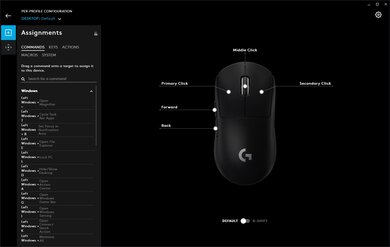
    SteelSeries Engine 3 is an outstanding piece of software when paired with this mouse. It can be installed on either Windows or macOS, and you can customize every aspect of the mouse. This mouse also features on-board memory so you can save your customization options to the mouse and maintain them when switching computers. You can also adjust the angle snapping and polling rate.

    10
    Mouse Compatibility
    Windows CompatibilityFully
    macOS CompatibilityFully

    The SteelSeries Sensei Ten is fully compatible with both Windows and macOS, as the software can be installed on either OS.