
The Razer Viper V3 Pro is a lightweight wireless gaming mouse that continues Razer's popular Viper lineup. Its symmetrical shape is identical to the Razer Viper V3 HyperSpeed, where it also adopts its new, more subdued design language. Compared to the previous generation Razer Viper V2 Pro, it has an updated sensor that now supports a maximum wireless polling rate of 8000Hz out of the box.
Our Verdict
The Razer Viper V3 Pro is a decent mouse for work use despite not being designed for it. It has excellent build quality and a comfortable symmetrical shape, and its buttons are easily reprogrammable. However, its scroll wheel lacks a free scrolling mode and L/R tilt inputs, and you can only pair the mouse to one device at a time.
- Excellent build quality.
- Comfortable symmetrical shape.
- Scroll wheel lacks free-scrolling and L/R tilt inputs.
- No Bluetooth connectivity or multi-device pairing.
The Razer Viper V3 Pro is an outstanding FPS gaming mouse. It has excellent build quality and is extremely lightweight, making it easy to move quickly and accurately. Its symmetrical shape is very accommodating and suitable for a variety of hand sizes and grip types. It also has remarkable performance, delivering incredibly low click and sensor latency suitable for gamers at the highest competitive level.
- Exceptional click latency.
- Outstanding sensor latency.
- Extremely lightweight.
- 8000Hz polling rate.
- Excellent build quality.
- Comfortable symmetrical shape.
The Razer Viper V3 Pro is a great mouse for MMO and MOBA gaming. It doesn't have as many side buttons as dedicated MMO mice, but you can still reprogram almost all of them using the companion software. It has excellent build quality, a comfortable symmetrical shape, and excellent sensor performance, delivering a responsive-feeling gaming experience.
- Exceptional click latency.
- Excellent build quality.
- Comfortable symmetrical shape.
- Has fewer side buttons than dedicated MMO mice.
The Razer Viper V3 Pro delivers exceptional raw performance. Its maximum polling rate is 8000Hz, and it has incredibly low and consistent click latency and exceptional all-around sensor performance. Altogether, this mouse is well-suited for playing games in any genre and at any competitive level.
- Exceptional click latency.
- Outstanding sensor latency.
- 8000Hz polling rate.
Changelog
-
Updated Apr 29, 2026:
We've updated this review with retest results on the newest firmware (version 1.14.0.0). We haven't altered our text, but the Click Latency test box score is marginally worse, decreasing by 0.1, with 0.3 ms and 0.4 ms of latency added to the Wired and Receiver results, respectively.
-
Updated Apr 13, 2026:
We've added a link to the Logitech G PRO X2 SUPERSTRIKE to the Main Button section.
- Updated Mar 10, 2026: We've converted this review to Test Bench 1.5.2. This update removes the Delay To Start Of Movement and Delay To End Of Movement measurements from the Sensor Latency test. See our full 1.5.2 changelog for details.
-
Updated Sep 02, 2025:
We've added a link to the Pulsar X2 CrazyLight in the Weight section.
Check Price
Differences Between Sizes And Variants
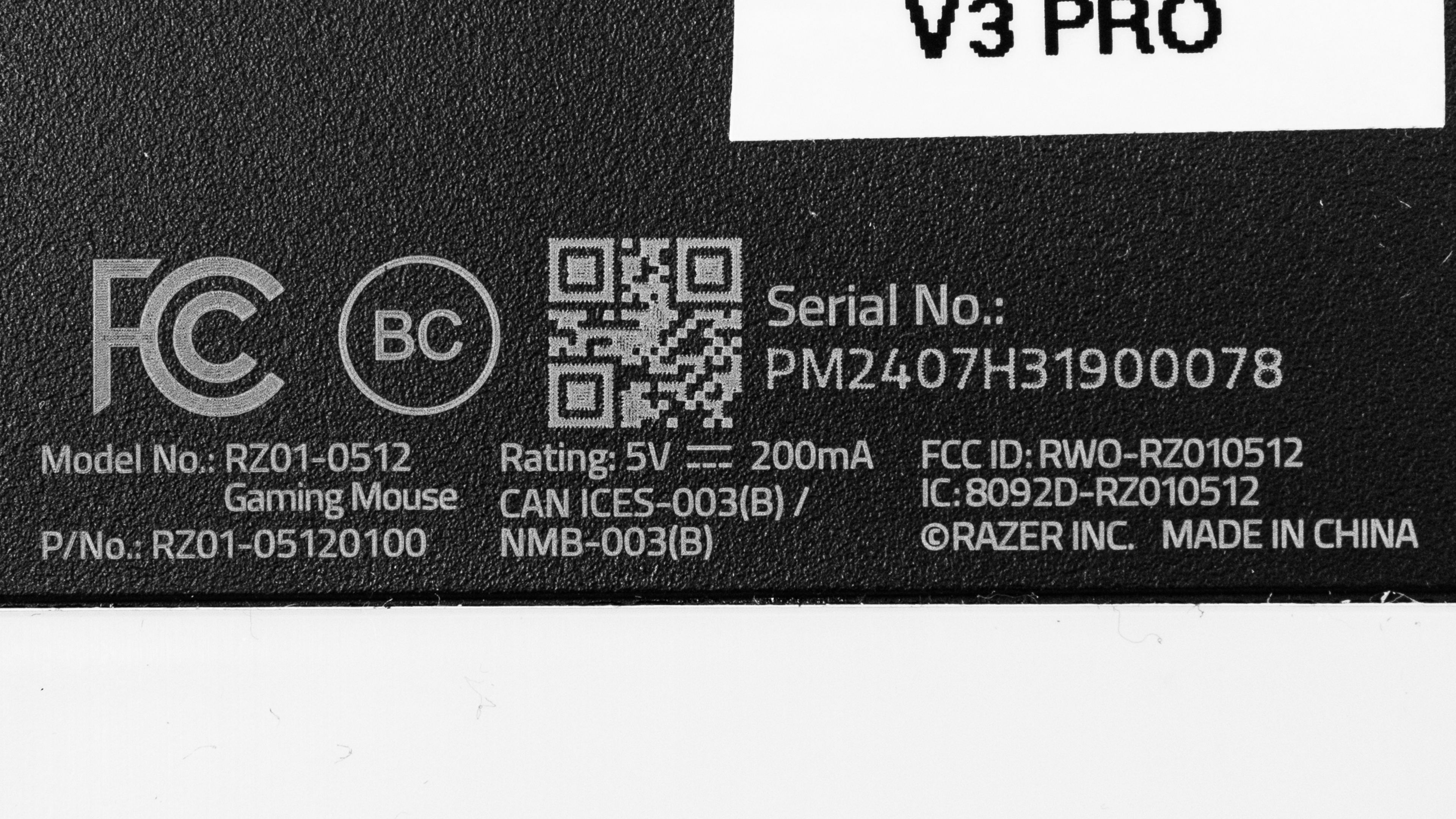
The Razer Viper V3 Pro is available in Black and White color options as well as the Faker Edition and the Sentinels Edition, which have different external finishes without any changes to shape or internal hardware. We bought and tested the Black version. You can see the label for our unit here.
Popular Mouse Comparisons
The Razer Viper V3 Pro continues Razer's popular Viper lineup and succeeds the previous flagship model in the series, the Razer Viper V2 Pro. It features a new shape, a more subdued design language, an updated sensor, and support for a maximum wireless polling rate of 8000Hz out of the box. It's also lighter than the previous generation.
This mouse competes with flagship wireless gaming mice like the Logitech G PRO X SUPERLIGHT 2, the Finalmouse UltralightX, and the WLmouse Beast X. It edges out the competition on account of its build quality, its superb mouse feet, and its outstanding overall raw performance.
For more recommendations, see our picks for the best FPS mouse, the best gaming mouse, and the best lightweight mouse. Or, if you're interested in other Razer options, check out our article on the best Razer mice.
The Logitech G PRO X SUPERLIGHT and the Razer Viper V3 Pro are lightweight wireless gaming mice built for competitive play. Both accommodate a wide range of hand sizes and grip types, but the Logitech has a rounder shape that many find more universally comfortable, while the Viper has a lower profile with a flatter hump. The Viper is newer and delivers slightly better raw performance, with support for 8000Hz polling and more durable optical switches. That said, these measurable performance differences are unlikely to provide a noticeable in-game advantage for most people.
Both the Razer Viper V3 Pro and the Logitech G PRO X2 SUPERSTRIKE are lightweight wireless gaming mice with outstanding raw performance. The Razer is slightly lighter, has smoother-gliding feet, and features a lower-profile shape. While both are widely accommodating for most hand sizes and grip types, the Logitech has a slightly safer shape for most people. The Razer uses conventional optical switches, while the Logitech uses inductive switches with haptic feedback. As a result, the Logitech's clicks are virtually silent, and you can adjust both actuation and reset distance. However, even at its lowest settings, this doesn't provide a meaningful press latency advantage over the Razer. That said, some users may appreciate the novel click feel, and Rapid Trigger can make fast follow-up inputs easier to execute.
The Razer Viper V3 Pro and the LAMZU MAYA X are lightweight wireless gaming mice. They have similar symmetrical shapes, but the Razer has a slightly longer front end and marginally higher button height. The Razer has slightly better raw performance, but both mice are remarkable.
The Razer Viper V3 Pro and the Razer Viper V2 Pro are high-performance, lightweight wireless gaming mice with similar symmetrical shapes from the same lineup. The V3 has an updated shape with a slightly rounder hump and is ever-so-slightly bigger. The V3 is also lighter, has an updated sensor that supports a maximum wireless polling rate of 8000Hz out of the box, and delivers even better click and sensor latency performance.
Test Results

for pictures & test results


for pictures & test results








for pictures & test results







for videos & test results
