Epson Expression Photo XP-8800  Printer Review

Reviewed Dec 12, 2024 at 09:48am
Writing modified Apr 16, 2025 at 02:16pm
Tested using Methodology v1.2 
Epson Expression Photo XP-8800
7.3
Family 
6.4
Small/Home Office 
7.1
Student 
6.4
Black & White 
7.9
Photo 
7.0
Color Quality 
7.0
Document Quality 
7.0
Scanner 
 0

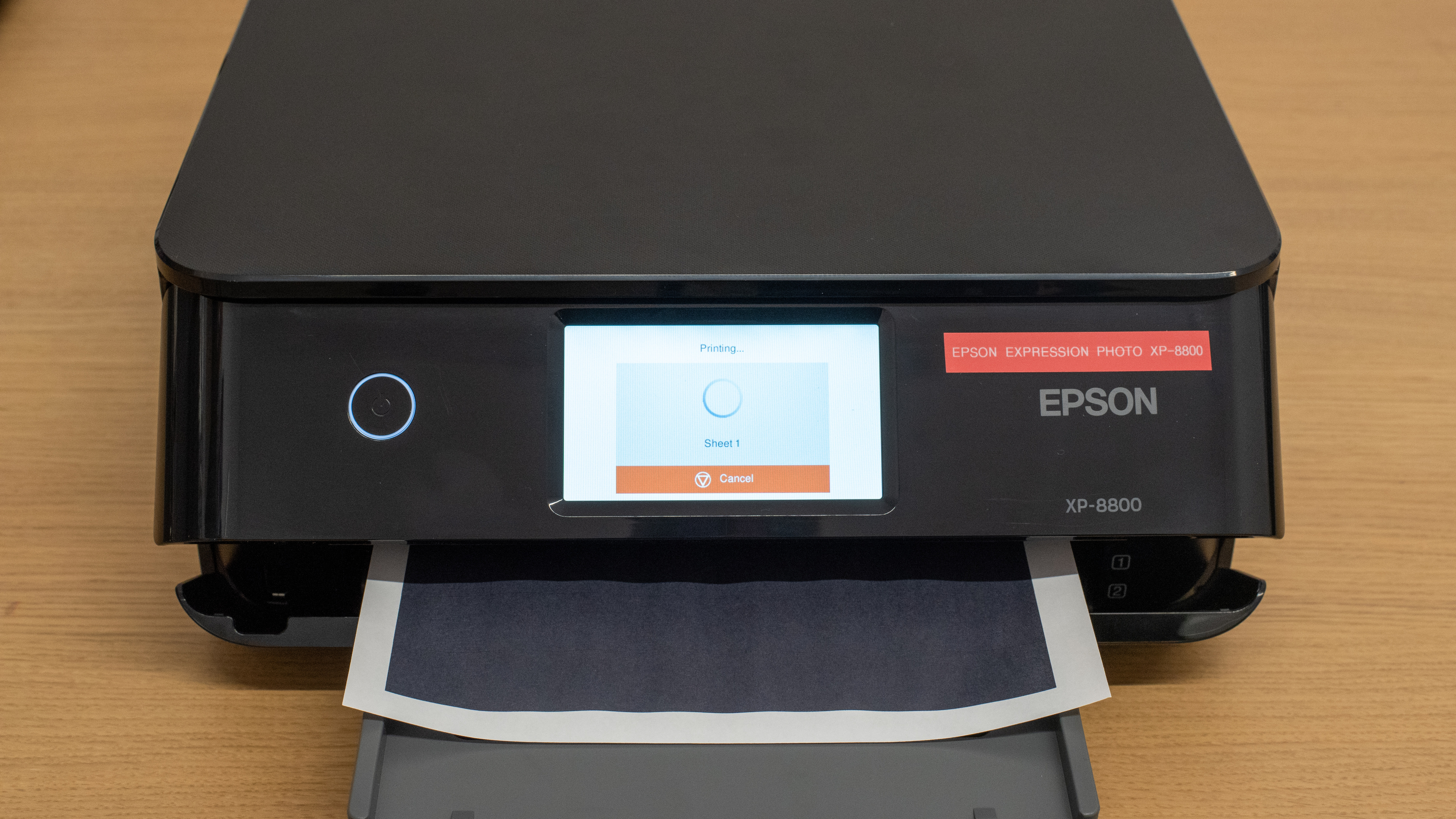
The Epson Expression Photo XP-8800 is an all-in-one inkjet printer. It has a six-cartridge system and uses Epson's 340 ink cartridges; high-yield 340 XL cartridges are also available. Connectivity options include USB, Wi-Fi, Wi-Fi Direct, and support for Apple AirPrint and Mopria Print Service. You can also print and view photos directly from SD cards or external USB devices. Two mobile apps enhance the printer's functionality—Epson Smart Panel for regular printing and maintenance tasks and Epson Creative Print for photo and design-based printing projects.

Our Verdict

7.3
Family 

The Epson Expression Photo XP-8800 is decent for family use. Its wide variety of connectivity options and great app support make it convenient for every member of the household to access. Its photo print quality is also good, as photos look detailed. However, its document printing quality is a toss-up; color documents look great, but black-and-white documents only print in grayscale and have a noticeable tint. Scan quality is similar: while scans look clear and legible, the default image processing is overly aggressive in removing artifacts, resulting in the loss of fine detail and the removal of watermarks. Page yields are also quite low, so you can expect to change ink cartridges frequently if you print a lot.

Pros
  • Wide-range of connectivity options.

  • Produces detailed photos.

  • Color documents look sharp and detailed.

Cons
  • High maintenance requirements if you print a lot.

  • First page can take a while to print when the output tray isn't retracted.

6.4
Small/Home Office 

The Epson Expression Photo XP-8800 is passable for a home or small office printer. This printer uses color ink to print in black and white; this means you'll have to change black and color ink cartridges frequently if you print in high volume. Printed documents are a mixed bag. Color documents look sharp and have nice saturated colors, but black-and-white documents always print in grayscale, and fine details have some graininess. Similarly, while scans are clear and legible, the default image processing is overly aggressive in removing artifacts, resulting in the loss of fine details, like lines on a graph and watermarks. Print speed isn't the fastest; it pushes nine black or seven color pages per minute, and it can take a while to get the first page out if you forget to retract the output tray between print jobs. On the bright side, there are plenty of connectivity options, so it's easy to access.

Pros
  • Automatic duplex printings.

  • Wide-range of connectivity options.

  • Color documents look sharp and detailed.

Cons
  • High maintenance requirements if you print a lot.

  • No ADF.

  • First page can take a while to print when the output tray isn't retracted.

7.1
Student 

The Epson Expression Photo XP-8800 is satisfactory for student use. Its many connectivity options make it easy to print from various devices, and it doesn't cost too much to maintain over time; despite low page yields, replacement cartridges are relatively cheap. Print quality is decent overall. Text is clear and legible, although black-and-white documents have a noticeable purplish tint to them. Print speed is quite slow, so it isn't the best for printing out a long essay at the last minute. Scan quality is similarly lukewarm, as scans are clear, but the default image processing is too aggressive in trying to remove artifacts and also removes fine details, like lines on a graph, and background elements like watermarks.

Pros
  • Wide-range of connectivity options.

  • Color documents look sharp and detailed.

Cons
  • High maintenance requirements if you print a lot.

  • First page can take a while to print when the output tray isn't retracted.

6.4
Black & White 

The Epson Expression Photo XP-8800 is okay for printing black-and-white documents. Text print quality is legible, and fine details are sharp enough, albeit with some graininess. The major issue is that the printer uses color ink even while printing black-and-white documents, so they end up with a purplish tint. Page yield is quite low across the black and color ink cartridges, so you'll have to replace the cartridges regularly if you print a lot. Thankfully, there are high-yield cartridges that'll last longer. This printer is quite slow, pushing only nine pages per minute.

Pros
  • Automatic duplex printings.

  • High yield cartridges available.

Cons
  • First page can take a while to print when the output tray isn't retracted.

7.9
Photo 

The Epson Expression Photo XP-8800 is very good for photo printing. It produces detailed photos and excels at resolving small details. While it can reproduce saturated dark shades, bright hues don't fare as well, resulting in a slightly over-darkened and flat-looking image. Its color accuracy is decent; it tends to lean slightly warm overall in its color temperature. The photo print quality is good for casual or at-home use but won't cut it for professional or enthusiast environments. Finally, owing to low ink yields, photo printing incurs high recurring costs and maintenance requirements, so you can expect to replace the cartridges often if you print a lot.

Pros
  • Produces detailed photos.

  • Resolves small details well.

  • Supports a wide range of photo paper sizes.

Cons
  • High maintenance requirements if you print a lot.

  • Very high cost-per-print.

7.0
Color Quality 

The Epson Expression Photo XP-8800 has a fairly wide color gamut. It can reproduce saturated dark shades but struggles with very bright hues, resulting in a slightly over-darkened and flat-looking image. Its color accuracy is decent; it tends to lean a bit warm overall. Overall, this printer's color quality is fine for casual use but not for professionals or enthusiasts.

Pros
  • Produces detailed photos.

Cons
  • Color accuracy not suitable for professional work.

7.0
Document Quality 

The Epson Expression Photo XP-8800 produces decent-looking black-and-white documents. The print quality of text is good, although fine details can be a bit grainy. The major issue is that it doesn't print in true black but grayscale; documents have a colored tint.

Pros
  • Text is sharp and legible.

Cons
  • Black-and-white documents have noticeable tint to them.

7.0
Scanner 

The Epson Expression Photo XP-8800's scanner is decent. Scans are clear and legible, but the default image processing is too aggressive in removing artifacts, resulting in the loss of fine details, like lines on a graph, and the removal of watermarks. It's a basic flatbed scanner, so it lacks features like an ADF, duplex scanning, and so on.

Pros
  • Scans are clear and legible.

Cons
  • No ADF.

  • Default scan setting removes a lot of fine details.

5.5
Speed 

The Epson Expression Photo XP-8800's print speed is quite slow for documents, pushing nine black and seven color pages per minute. Getting the first page out can also take a long time if you leave the printer's output tray extended, as it will sit idle for more than 30 seconds. By contrast, its photo printing speed is great, taking just over 30 seconds to print a 4" x 6" photo.

Pros
  • Very fast photo print speeds.

Cons
  • First page can take a while to print when the output tray isn't retracted.

6.6
Recurring Costs 

The Epson Expression Photo XP-8800 has reasonable recurring costs. Though page yields are quite low, its ink cartridges aren't very expensive.

Pros
  • High yield cartridges available.

Cons
  • Low page yields.

  • 7.3
    Family
  • 6.4
    Small/Home Office
  • 7.1
    Student
  • 6.4
    Black & White
  • 7.9
    Photo

  • Performance Usages

  • 7.0
    Color Quality
  • 7.0
    Document Quality
  • 7.0
    Scanner
  • 5.5
    Speed
  • 6.6
    Recurring Costs
  • Changelog

    1.  Updated Apr 16, 2025: 

      Added mention of the Canon imgaePROGRAF PRO-310 as an alternative with better color accuracy in the Color Accuracy section.

    2.  Updated Apr 08, 2025: 

      Added mention of the Canon PIXMA PRO-200S as an alternative with a lower cost per print in the Cost-Per-Print section.

    3.  Updated Dec 12, 2024: Review published.
    4.  Updated Dec 08, 2024: Early access published.

    Check Price

    BlackExpression Photo XP-8800
    SEE PRICE
    Amazon.com
    BlackExpression Photo XP-8800
    SEE PRICE
    BestBuy.com
    BlackExpression Photo XP-8800
    SEE PRICE
    B&H
    BlackExpression Photo XP-8800
    Walmart.com

    Differences Between Sizes And Variants

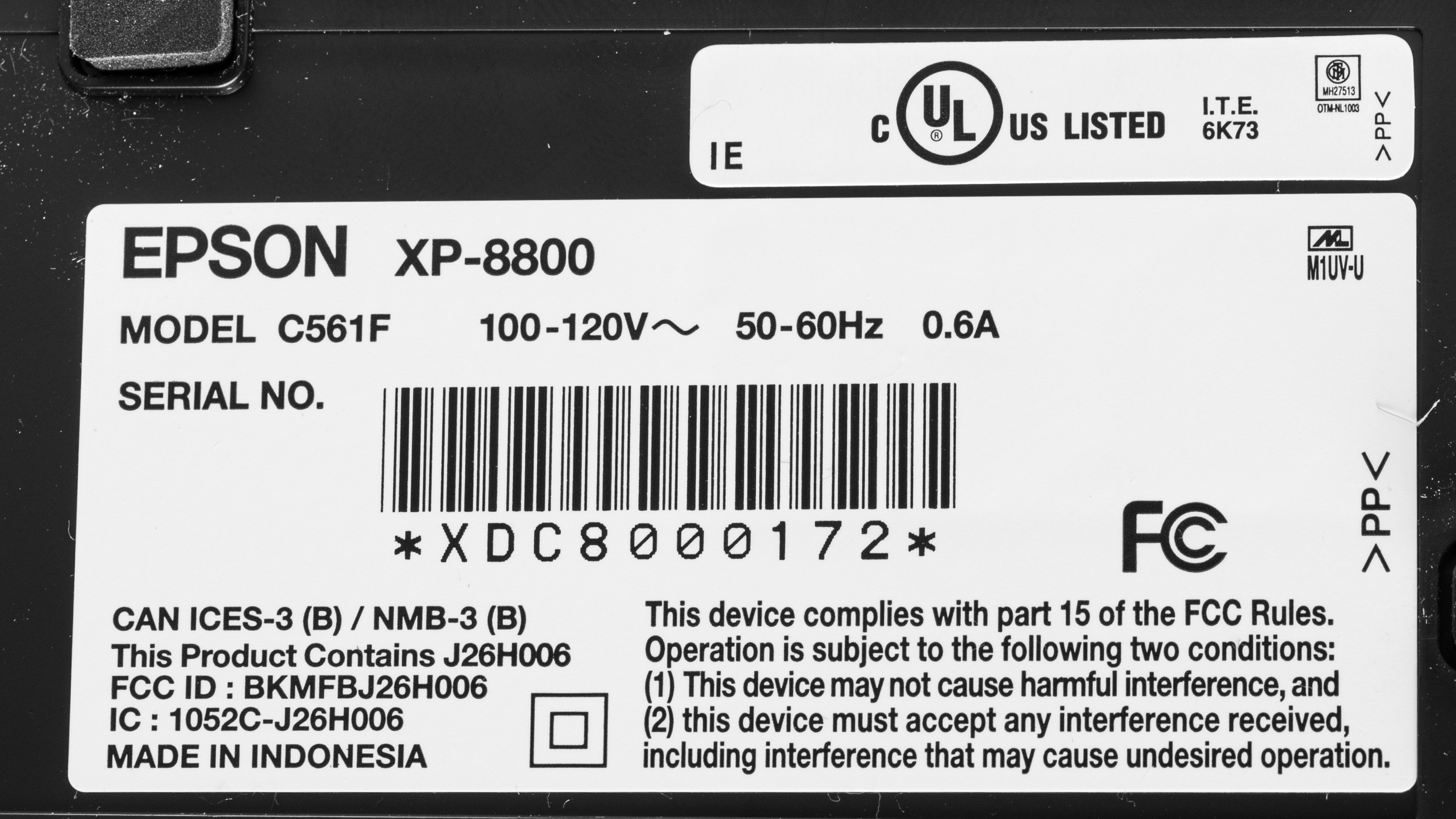
    We tested the Epson Expression Photo XP-8800. There are no variants; here's our unit's label.

    Popular Printer Comparisons

    The Epson Expression Photo XP-8800 is an all-in-one inkjet printer. It produces detailed and colorful photos and prints photos very quickly compared to other printers in its class. However, it could perform better for document printing, as black-and-white documents print in grayscale, resulting in a purplish appearance. Also, it has quite low page yields; while replacement ink isn't too expensive, you'll have to perform frequent maintenance if you print often or in high volume. 

    See our recommendations for the best all-in-one printers, the best inkjet printers, and the best photo printers.

    Epson EcoTank ET-2400

    The Epson EcoTank ET-2400 performs much better overall than the Epson Expression Photo XP-8800. The ET-2400 is a supertank inkjet printer that yields thousands of prints on a single tank, resulting in extremely low recurring costs. It beats the XP-8800 at its intended purpose of photo printing, as photos look more detailed and vibrant on the ET-2400. It also prints much nicer-looking black-and-white documents than the XP-8800, but color documents look rather faded. However, its scan quality is much better, and its document print speed is comparable overall. The major weakness of the ET-2400 is connectivity; it's limited to USB or Wi-Fi, while the XP-8800 also supports Apple AirPrint and Mopria print service and supports printing from SD cards and USB devices. 

    Epson EcoTank ET-2850

    Although both are all-in-one inkjet printers, the Epson Expression Photo XP-8800 and Epson EcoTank ET-2850 suit different purposes. The XP-8800 is primarily a photo printer; it produces detailed photos with decent color accuracy. By contrast, the ET-2850 is a small or home office printer. It uses a supertank system with refillable ink tanks instead of traditional cartridges, yielding thousands of pages per tank. Performance-wise, though it can reproduce a wide range of colors, its color accuracy is terrible, resulting in photos that look noticeably cool and different from the originals. These two trade blows regarding document print quality; the one weakness of the XP-8800 is that black and white documents have a purplish tint. As for scanning, neither printer produces particularly great scans. 

    Canon PIXMA TR8620a

    The Epson Expression Photo XP-8800 and Canon PIXMA TR8620a are all-in-one inkjet printers. The Canon performs better overall. It prints much sharper black-and-white and color documents, is more color-accurate, and offers lower recurring costs and maintenance requirements. Unfortunately, the printer's sheet rollers cause markings on photos. The Epson offers similarly detailed photos and can reproduce a wider range of colors; it isn't as color-accurate, though. It also prints photos much faster than the Canon. Neither printer produces particularly great scans, so it may be better to look for a dedicated office printer if you need to scan a lot. 

    Epson Expression Photo HD XP-15000

    The Epson Expression Photo XP-8800 and Epson Expression Photo HD XP-15000 perform very similarly to one another. They both feature a six-cartridge ink system tailored to photo printing and produce detailed and colorful photos. The main differences come down to the features. The XP-8800 is an all-in-one device with a simple flatbed scanner. By contrast, the XP-15000 can print wide-format Tabloid size sheets, which are great for making posters. Otherwise, document print quality is very similar between these printers, as both print black and white documents in grayscale, resulting in a purplish tint. 

    Test Results

    perceptual testing image
    Sort:
    RATINGS
    Category:
    All
    Design
    7.0
    Build Quality
    TypeAll-In-One

    The build quality and design are hit-and-miss. A strong design point for the Epson XP-8800 is multiple access points to its internals, making it easy to service for routine maintenance tasks or in case of paper jams. Similarly, the lid to the cartridge bay has a reliable damper mechanism, so you don't need to worry about it closing on you while you're changing ink cartridges. The printer also has a detachable power cord, which makes it easy to replace in case of damage. Not everything's perfect design-wise, though. While the output tray features a motorized system that automatically extends when you initiate a printing job, it retracts simply by pushing on it (although there's some resistance); it also doesn't automatically retract once printing is complete, which is a pain since this significantly increases printing times if you initiate a new print job before retracting it. Changing the ink cartridges is straightforward, given the large access to the cartridge bay; however, the printer needs to be on, and you need to navigate to the menu to the Replace Cartridge option for the cartridge tray to become accessible.

    While the build quality of the printer generally feels solid, it uses extremely glossy black plastic that's prone to scratching; our unit already had minor scratches before its first use. The plastic also feels cheaper than that of other Epson printers, and the tape used to secure moving parts during transport leaves a residue.

    Dimensions
    Height5.6" (14.3 cm)
    Width13.8" (35.0 cm)
    Depth13.4" (34.0 cm)
    Height When In Use
    7.3" (18.5 cm)
    Width When In Use
    13.8" (35.0 cm)
    Depth When In Use
    20.7" (52.5 cm)
    Weight
    15.0 lbs (6.8 kg)
    7.0
    Expected Maintenance
    Ink Related Maintenance
    Expected
    Drum Unit
    No Drum Unit

    You can expect to perform regular maintenance on the Epson Expression Photo XP-8800 if you print frequently. The paper cassette only holds 100 sheets of plain paper, and the dedicated photo paper cassette can only hold 20 sheets, so you'll have to add more sheets often if you have a large print load. Similarly, the ink yield is quite low, so you'll have to replace the cartridges often if you print in high volume. Replacing the ink cartridges requires the printer to be on, and you must navigate through the menu to the "Replace Cartridge" option. There's also a user-replaceable maintenance box; it stores ink flushed from the system during print head cleaning. You'll need to replace it once it gets full, but this is pretty straightforward: unscrew a plastic panel at the front of the printer and remove it. There are three access points to the sheet rollers in case of paper jams. You can remove the paper cassettes at the front of the printer, remove a panel at the printer's rear, or through the cartridge bay. Just know the cartridge bay access is limited, as you can't move the cartridge tray out of the way. Finally, like all inkjet printers, there's a risk of clogging if the printer sits unused for long periods. Thankfully, there are built-in maintenance tasks to help, including printhead nozzle check, printhead cleaning, and power cleaning. Other tasks include printhead alignment (vertical and horizontal), checking the maintenance box's remaining capacity, and cleaning the paper guide.

    See the User Manual on Epson's website for more information.

    8.0
    Display Screen
    Display ScreenYes
    Display Screen Size
    4.1" (10.5 cm)
    TouchscreenYes

    The Epson Photo XP-8800 has a great display. It uses a large, bright touchscreen; other than a large power button, there are no physical inputs. The user interface feels responsive and snappy, and it's easy to use thanks to big, easy-to-see icons and fonts. There's a dedicated home button for quick access to the main menu and a dedicated "Output Tray" icon on the bottom right of the menu to retract the motorized output tray after print jobs. The display automatically powers on when you turn on the printer, and the display panel also lifts. Visibility is good when looking directly down at the display, but it's more difficult to view from the side.

    5.6
    Cartridge
    TechnologyInkjet
    SuperTank
    No
    Photo Cartridge
    No
    ColorYes
    Number Of Color Cartridges
    5
    Black Cartridge Model
    Epson 340 Black
    Tested Black Page Yield
    12.5 prints
    Estimated Black Page Yield
    237 prints
    Color Cartridge Model
    Epson 340 C/M/Y/LC/LM
    Tested Color Page Yield
    8.61 prints
    Estimated Color Page Yield
    183 prints
    Third Party Cartridge
    Not Found At Time Of The Review
    Ink Type
    Dye
    High Yield Cartridge
    Yes

    The Epson Expression Photo XP-8800 uses a six-cartridge system. It has low ink yields across its six cartridges; however, some colors have higher yields than others, so depending on what and how often you print, you may need to replace some cartridges much before others. This printer is compatible with Epson 340 XL Claria Photo HD high-yield cartridges; the XL Black cartridge has an advertised yield of 500 pages, while the XL color cartridges are advertised with an 830-page yield.

    You receive warning messages when ink is low and when a cartridge is out of ink. The printer stops printing when it detects it's out of ink; however, as per Epson's website, you can temporarily continue to print in black when one or more color cartridges are empty. According to Epson's support page, this is because the printer requires ink from each cartridge to prevent air bubbles from entering its permanent printhead and causing damage, so printing in black requires color ink.

    7.0
    Scanner Features
    Scanner
    Flatbed
    ADF Capacity
    N/A
    Scan Speed
    1 PPM
    Duplex Scanning
    Manual
    Max Flatbed Scan Size
    8.5" x 11"
    Max ADF Scan Size
    No ADF
    Flatbed Hinge Adjustability
    N/A
    Fax
    No
    Copy
    Yes
    OCR Included
    Software

    The standard Epson ScanSmart utility doesn't allow you to use OCR; instead, you must download another program, Epson Scan 2. You can only use OCR when you select the document preset and have the output file type set to "Searchable PDF."

    7.0
    Scan Quality
    Max Scan Resolution
    1,200 DPI
    Max Scan Color Depth
    24Bit

    The scan quality is decent. Text is clear, but colors are a bit on the warm side. Also, the image processing with the default scan settings is too aggressive in removing artifacts from the scan, resulting in the loss of fine details, like lines on a graph, and the removal of watermarks.

    In The Box

    • User documentation
    • Power cable
    • Set of starter ink cartridges:
      • Epson 340-I Black
      • Epson 340-I Magenta
      • Epson 340-I Cyan
      • Epson 340-I Yellow
      • Epson 340-I Light Cyan
      • Epson 340-I Light Magenta
    Battery
    Advertised Battery Life
    N/A
    Tested Charging Time
    N/A
    Document
    7.0
    Black & White Documents
    Color Ink Needed For Black & White
    Yes

    The Epson XP-8800 produces decent black-and-white documents. Text is legible, and fine details are clear enough despite some graining. Unfortunately, black-and-white documents print in grayscale, giving them a slight purplish tint. Using different settings can't resolve this tint.

    7.5
    Color Documents

    Color documents look good from this printer. Text is clear and legible, and colors are saturated. Fine details, like lines on a graph, are a bit faint, but you can still see them. Some graininess in larger blocks of color detracts slightly from text clarity, but this isn't a major issue.

    6.6
    Cost-Per-Print
    See details on graph tool
    Black Cartridge Price
    11.99 US$
    Color Cartridge Price
    56.98 US$
    Black-Only Printing Cost
    0.051 US$/print
    Color Printing Cost
    0.311 US$/print
    Photo Printing Cost
    0.838 US$/print
    Ink Subscription
    No

    You can purchase bundles of replacement ink or individual cartridges; bundles may represent a better value. See Epson's website for replacement ink. Check out the Canon PIXMA PRO-200S if you want a similar printer with a lower cost per print.

    5.5
    Printing Speed
    Black Only Text Document
    9 PPM
    Color Document
    7 PPM
    Photo Printing Time
    35.0 s
    Single Page Out Time (Black Only)
    45.0 s
    Duplex Printing
    Automatic
    Input Tray Capacity
    100 pages

    There's a 30-second delay when printing if you keep the output tray extended between print jobs; this delay isn't present when the output tray extends at the start of each printing job. As a result, it can take a long time to get the first sheet out. Photos print very quickly.

    This printer has two paper cassettes. The top paper cassette only holds photo paper and accommodates 20 sheets. The lower paper cassette holds 100 sheets of plain paper or 20 sheets of photo paper. The output tray holds up to 50 sheets of plain paper.

    Document Printing Sizes
    Letter (8.5" x 11")Yes
    Legal (8.5" x 14")Yes
    Tabloid (11" x 17")No
    A6 (105mm x 148mm)Yes
    A5 (148mm x 210mm)Yes
    A4 (210mm x 297mm)Yes
    Max Paper Weight
    297 g/m²

    This printer has a motorized output tray that automatically extends when you initiate a printing job. Using the rear paper feeder or lower paper cassette, you can set custom print sizes from 2.2" x 3.4" (54mm x 86 mm) to 8.5" x 47.2" (215.9mm x 1200 mm). You can also print on CDs using a tray that slots under the main cassette.

    Photo
    7.5
    Color Gamut

    This printer has a fairly wide color gamut. It excels at reproducing darker shades of blue and purple, and there's minimal graining throughout color transitions. However, it generally struggles to reproduce very bright, saturated hues, resulting in photos that appear a bit flat and overly dark.

    6.5
    Color Accuracy
    Average Color dE
    7.22

    This printer has reasonable color accuracy. It mostly struggles with blues, grays, and darker skin tones. Photos tend to have an overly warm color temperature as well. While some people may like this kind of image when printing photos at home, it isn't suitable for professional or enthusiast photo printing. Check out the Canon imagePROGRAF PRO-310 if you want a similar photo printer with better color accuracy.

    9.5
    Small Details
    Max Print Resolution (DPI)
    5760 x 1440

    The Epson XP-8800 is outstanding at reproducing small details. You can easily differentiate background details from foreground objects; fine lines appear a tad soft, though. Nevertheless, the contrast is fantastic and adds to the overall detail.

    9.5
    Photo Printing Sizes
    Glossy Paper (4" x 6")Yes
    Glossy Paper (5" x 7")Yes
    Glossy Paper (8" x 10")Yes
    Glossy Paper (8.5" x 11")Yes
    Glossy Paper (13" x 19")No
    Borderless Printing
    Yes
    Mobile App And Connectivity
    8.0
    Connectivity
    Ethernet
    No
    USB Input To Computer
    Yes
    Wireless
    Yes
    Bluetooth
    No
    Wi-Fi via Router
    Yes
    Wi-Fi Direct
    Yes
    External Storage Support
    Yes
    Apple AirPrint
    Yes
    Mopria Print Service
    Yes

    The SD card slot or USB port, found behind the display panel cover and input tray cover, allows you to print or view photos from an SD card, USB flash drive, or external SSD. However, you can't use the SD card slot and USB port simultaneously.

    10
    Mobile App
    Mobile AppYes
    App NameEpson Smart Panel
    iOSYes
    AndroidYes
    Photo (JPEG, PNG)
    Android and iOS
    PDF
    Android and iOS
    Microsoft Office Files
    Android Only
    Text Files (TXT)
    Android Only
    Webpages (HTML)
    Android and iOS

    This printer is compatible with the Epson Smart Panel app. You can use the app to set up a printer, monitor ink levels, manage ink subscriptions, perform maintenance tasks, and access tutorials and troubleshooting guides. You can also initiate printing, scanning, and copying or use your mobile device's camera for Document Capture, which converts photos to PDFs. Finally, the app facilitates guest connections by generating a QR code for one-time use.

    There's a second compatible app, Epson Creative Print. This app is useful for creative projects like photo collages, printing on CD/DVD, creating coloring book pages from your photos, printing stationery (lined paper, calendars), and printing design paper.

    OS Compatibility
    WindowsFully
    macOSFully
    Chrome OSFully

    To use this printer, you must manually install drivers on Windows devices, but you don't need to on Chrome OS or macOS. You can download the drivers from Epson's website.