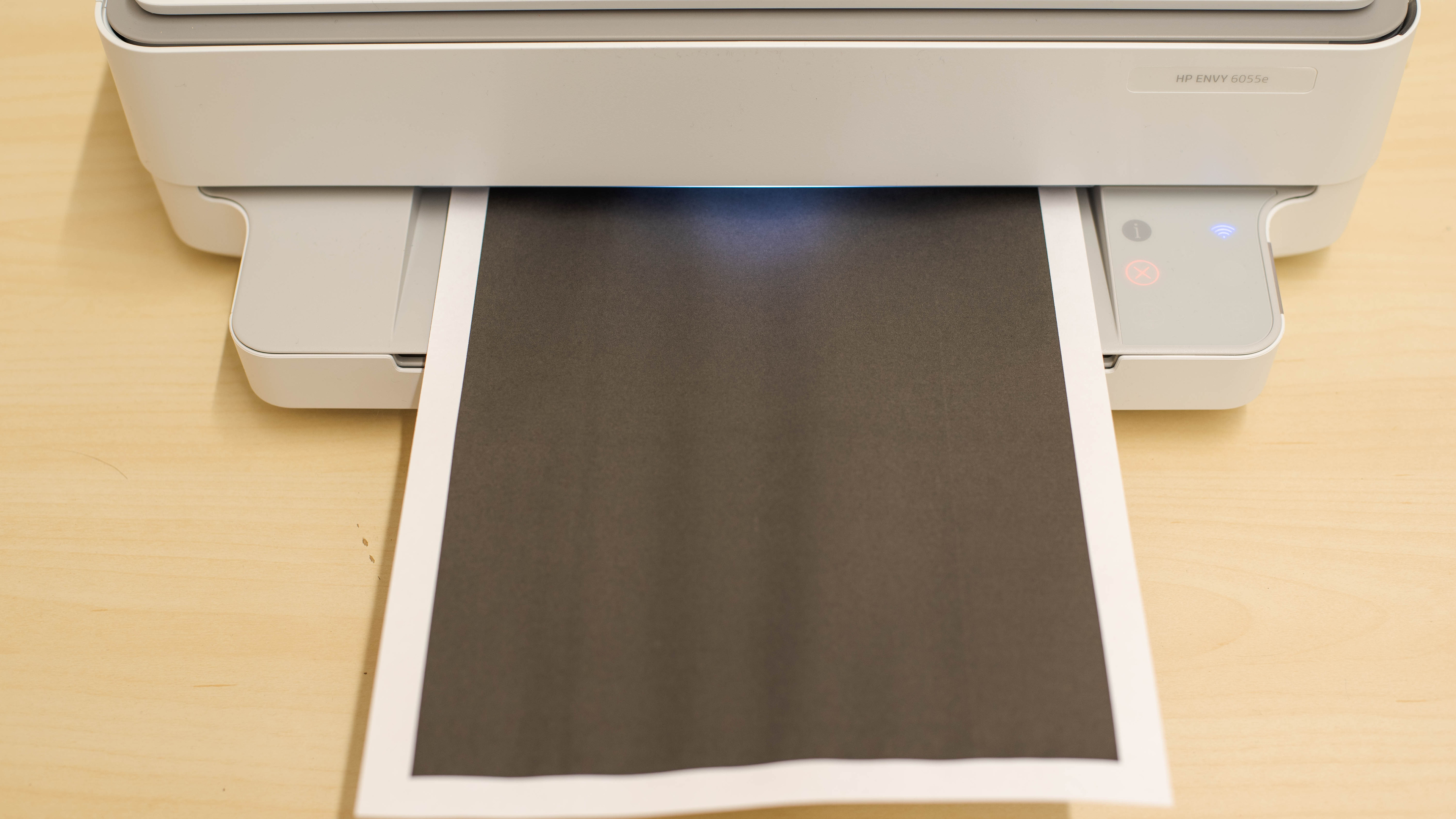
HP ENVY 6055e  Printer Review

Review updated Nov 06, 2023 at 02:13pm
Tested using Methodology v1.2 
HP ENVY 6055e
6.1
Family 
5.3
Small/Home Office 
6.2
Student 
5.6
Black & White 
6.6
Photo 
4.6
Color Quality 
6.0
Document Quality 
6.2
Scanner 
 0
Notice: This printers was replaced by HP ENVY 6155e

The HP ENVY 6055e is an inkjet all-in-one printer designed for home use. It's the same printer as the HP ENVY 6055, but it comes with six months of free ink through HP+, HP's ink delivery subscription service. It uses a two-cartridge system with one black and one tri-color cartridge and is compatible with HP 67 and 67XL ink. It supports USB and Wi-Fi connectivity, supports Apple AirPrint and Mopria Print Service, and works with HP's Smart mobile companion app. It only has a basic flatbed scanner with no automatic feeder or extendable lid hinges.

Our Verdict

6.1
Family 

The HP ENVY 6055e is mediocre for family use. Its print quality for black and color documents isn't very good, and photos look flat and unnatural due to its narrow color range and poor accuracy. Also, its ink cartridges run out quickly, making it expensive to maintain. It has a high-resolution scanner, but the scan quality is only passable as it doesn't pick up finer details, which isn't ideal for digitizing photos. On the upside, it has decent connectivity options, including Wi-Fi, USB, and support for Apple AirPrint and Mopria Print Service, and its mobile companion app is feature-rich.

Pros
  • Supports borderless printing and various paper sizes up to 8.5" x 11".
  • High-yield cartridge available.
  • Feature-rich mobile app.
Cons
  • Narrow color range and bad color accuracy.
  • Low page yield; high cost-per-print.
  • Mediocre black document print quality.
  • Scanner doesn't pick up fine details.
5.3
Small/Home Office 

The HP 6055e is inadequate for small or home offices. Its document print quality isn't very good, and it's slow, as it can only push out six black or four color pages per minute. Additionally, its ink cartridges yield very few black or color prints, resulting in a lot of maintenance and high running costs. It only has a flatbed scanner, so scanning multi-page documents can be extremely time-consuming.

Pros
  • High-yield cartridge available.
Cons
  • No automatic document feeder.
  • Slow printing speed.
  • Low page yield; high cost-per-print.
  • Mediocre black document print quality.
  • Scanner doesn't pick up fine details.
6.2
Student 

The HP ENVY 6055e printer is mediocre for students. Because of its terribly low page yields, you need to replace the cartridges very often, resulting in a very high cost-per-print. Also, its document print quality isn't very good, and it prints slowly. It has a flatbed scanner, but the scan quality is only passable, and the hinges don't extend, making it hard to close the lid over thicker items like textbooks. On the bright side, it has Wi-Fi and USB connectivity, as well as support for Apple AirPrint and Mopria Print Service, so it's easy to connect and get your prints out.

Pros
  • High-yield cartridge available.
  • Feature-rich mobile app.
Cons
  • Slow printing speed.
  • Low page yield; high cost-per-print.
  • Mediocre black document print quality.
  • Scanner doesn't pick up fine details.
5.6
Black & White 

The HP 6055e is inadequate for black-and-white printing. It has a terrible black page yield, so you'll have to replace the cartridge regularly, resulting in high maintenance costs. It also produces mediocre-quality documents and prints slowly at six pages per minute. It has a scanner but lacks an automatic feeder, which isn't ideal if you often need to scan long multi-page documents.

Pros
  • High-yield cartridge available.
Cons
  • No automatic document feeder.
  • Slow printing speed.
  • Low page yield; high cost-per-print.
  • Mediocre black document print quality.
  • Scanner doesn't pick up fine details.
6.6
Photo 

The HP ENVY 6055e is okay for photo printing. It can print on various paper sizes up to 8.5" x 11" and supports borderless printing. It can produce very fine details in photos; however, its narrow color range and poor color accuracy make the pictures look flat and visibly off, especially images of people or natural scenes. Also, its ink cartridges run out quickly, so it can get very expensive if you print a lot.

Pros
  • Supports borderless printing and various paper sizes up to 8.5" x 11".
  • High-yield cartridge available.
Cons
  • Narrow color range and bad color accuracy.
  • Low page yield; high cost-per-print.
4.6
Color Quality 

Pros
  • High-yield cartridge available.
Cons
  • Low page yield; high cost-per-print.
6.0
Document Quality 

Pros
  • High-yield cartridge available.
Cons
  • Low page yield; high cost-per-print.
6.2
Scanner 

Pros
  • High-yield cartridge available.
Cons
  • Low page yield; high cost-per-print.
6.0
Speed 

Pros
  • High-yield cartridge available.
Cons
  • Low page yield; high cost-per-print.
5.0
Recurring Costs 

Pros
  • High-yield cartridge available.
Cons
  • Low page yield; high cost-per-print.
  • 6.1
    Family
  • 5.3
    Small/Home Office
  • 6.2
    Student
  • 5.6
    Black & White
  • 6.6
    Photo

  • Performance Usages

  • 4.6
    Color Quality
  • 6.0
    Document Quality
  • 6.2
    Scanner
  • 6.0
    Speed
  • 5.0
    Recurring Costs
  • Changelog

    1.  Updated Nov 22, 2024: 

      We've added the HP ENVY 6155e as an alternative with a touchscreen display in the Display Screen section.

    2.  Updated Jun 18, 2024: Added mention of the HP DeskJet 4255e/4252e as an alternative with an ADF in the Scanner Features section.
    3.  Updated Nov 06, 2023: We've updated the review to improve clarity and readability.
    4.  Updated Feb 06, 2023: Added mention of the Epson Expression Home XP-4200 as a better alternative in the Color Gamut section.

    Check Price

    WhiteENVY 6055
    SEE PRICE
    Amazon.com
    White/GrayENVY 6055e
    SEE PRICE
    Amazon.com

    Differences Between Sizes And Variants

    We tested the HP ENVY 6055e all-in-one printer. It's the same printer as the HP ENVY 6055, but it comes with six months of free ink through the HP+ ink subscription service. It's part of the HP ENVY 6000e all-in-one printer series. The other models in the series are identical in feature and performance; the model number simply changes depending on the region. You can see the various models in the table below.

    Model Region Product Number
    ENVY 6010e Europe 2K4U9B
    ENVY 6020e Europe, Asia 223N4B, 223N6A
    ENVY 6022e Europe 223N5B
    ENVY 6030e Europe, Indonesia 2k4U7B, 2k4V8A
    ENVY 6032e UK, Australia 2K4U8B, 2K4W1A
    ENVY 6034e Australia, Asia 2K4W2A
    ENVY 6052e North America (Walmart and Costco) 223N2A
    ENVY 6055e North America 223N1A
    ENVY 6065e Unknown 223N5A
    ENVY 6075e North America 223N9A

    You can see our unit's label here.

    Popular Printer Comparisons

    The HP ENVY 6055e is a mediocre all-in-one home printer. Its document print quality is noticeably worse than many printers in its price range, and its page yield is very low, even for a printer with only two ink cartridges.

    For other options, check out our recommendations for the best inkjet printers, the best all-in-one printers, and the best home printers.

    HP ENVY 6155e

    The HP ENVY 6155e is the new iteration of the HP ENVY 6055e. While both are basic all-in-one inkjet printers, the 6155e is much better for every use case. It produces much better quality documents, photos and scans, and is also better built overall. Both printers suffer from low page yields, though, resulting in high recurring costs if you print a lot. 

    HP ENVY Photo 7855

    The HP ENVY Photo 7855 is overall better than the HP ENVY 6055e. The 7855's page yield is very low, but it's better than the 6055e's, which helps keep its cost-per-print lower. The 7855 has more connectivity options with Ethernet, Bluetooth, and external storage drive support, which the 6055e lacks. The 7855 also produces higher-quality black and white documents and has an automatic feeder to scan multi-page documents quickly.

    Canon PIXMA MG3620

    The Canon PIXMA MG3620 is better than the HP ENVY 6055e if you intend to print fairly frequently. Not only does the Canon yield many more pages than the HP, but its cost-per-print is much lower since you won't need to replace the cartridges as often. Also, the Canon produces significantly more accurate colors, so photos look more natural. On the other hand, the HP has Wi-Fi Direct, so it may be a better choice if having more flexible wireless connectivity options is important to you.

    HP ENVY 6455e

    The HP ENVY 6055e and the HP ENVY 6455e are two very similar family printers, but the 6455e has a sheetfed scanner, which the 6055e lacks. They perform similarly regarding document print quality and speed, though the 6055e is better at producing finer details in photos.

    HP DeskJet 4155e [4133e, 4152e, 4158e]​

    The HP ENVY 6055e is slightly better than the HP DeskJet 4155e. The ENVY 6055e produces finer details in photos, prints faster, and supports automatic duplex printing and borderless printing. The DeskJet 4155e has an automatic document feeder, which the ENVY 6055e lacks, but it's slow, as it only scans three pages per minute.

    HP DeskJet 2755e [2723e, 2742e, 2752e]​

    The HP ENVY 6055e and the HP DeskJet 2755e are all-in-one inkjet printers that perform very similarly, The ENVY 6055e is a little better in terms of document printing quality and speed, but only marginally. Feature-wise, the DeskJet 2755e supports automatic duplex printing and borderless printing, which the 2755e lacks. The 2755e has a display, but it's very small and doesn't significantly improve the user experience.

    Epson Expression Home XP-5200

    The Epson Expression Home XP-5200 is much better than the HP ENVY 6055e. The Epson has better print quality, higher page yields, and lower print costs. It also prints faster and has a display, making navigating the settings menu easier.

    HP ENVY 6065e

    The HP ENVY 6055e and HP ENVY 6065e are effectively the same printer. The 6065e is a Best Buy-exclusive model that can be frequently found on sale for a lower price than the 6055e. That said, it does exhibit slightly worse scan quality and black-and-white printing quality when compared to the 6055e.

    HP DeskJet 4255e

    The HP ENVY 6055e is slightly better overall than the HP 4255e. It prints faster, supports automatic duplex and borderless printing, produces better photos, and has a somewhat lower cost per print. The DeskJet 4255e has an automatic document feeder, which the ENVY 6055e lacks, but it's slow, as it only scans three pages per minute.

    Test Results

    perceptual testing image
    Sort:
    RATINGS
    Category:
    All
    Design
    6.5
    Build Quality
    TypeAll-In-One

    The HP ENVY 6055e has an all-plastic build that feels relatively sturdy. The power cable is removable, making it easy to replace if needed. The input tray has width sliders that you can adjust to accommodate different paper sizes, and the output tray has an extender that tucks into the tray when not in use. You can easily access paper jams by pulling down the cover at the rear. The dampening mechanism isn't very good, so the scanner bed can slam down at the end if you don't guide it down slowly.

    Dimensions
    Height5.1" (13.0 cm)
    Width17.0" (43.2 cm)
    Depth14.2" (36.1 cm)
    Height When In Use
    5.1" (13.0 cm)
    Width When In Use
    17.0" (43.2 cm)
    Depth When In Use
    21.9" (55.5 cm)
    Weight
    11.7 lbs (5.3 kg)
    6.5
    Expected Maintenance
    Ink Related Maintenance
    Expected
    Drum Unit
    No Drum Unit

    This printer requires a fair amount of maintenance. Like most inkjet printers, the printheads can clog if you don't print anything for an extended period. Also, the ink cartridges run out quickly, so you'll have to replace them regularly. Changing the ink cartridges is easy; you only need to lift the scanner bed and ensure the printer is on. Lifting the scanner also gives you access to the sheet rollers. The only issue is that the bottom tray roller is under the printer and hard to reach. The input tray holds 100 sheets of paper, so you may have to refill it often if you regularly print long, multi-page documents.

    You can see the user manual here.

    0.0
    Display Screen
    Display ScreenNo
    Display Screen Size
    N/A
    TouchscreenNo

    This printer doesn't have a display. Instead, it uses LED-lit icons to indicate the Wi-Fi connection status and the number of copies when copying a document. It also has touch-sensitive buttons for Monochrome copy, Color copy, Information, Cancel, and Resume. On the right side of the panel, there's a status light that tells you when the paper is low, the paper tray is open, or when the scanner bay is open. Lastly, there's an indicator light above the output tray that changes color depending on the printer's status. If you want an alternative with a touchscreen display, consider the HP ENVY 6155e.

    2.7
    Cartridge
    TechnologyInkjet
    SuperTank
    No
    Photo Cartridge
    No
    ColorYes
    Number Of Color Cartridges
    1
    Black Cartridge Model
    HP 67 Black
    Tested Black Page Yield
    5.43 prints
    Estimated Black Page Yield
    103 prints
    Color Cartridge Model
    HP 67 Tri-Color
    Tested Color Page Yield
    2.76 prints
    Estimated Color Page Yield
    58 prints
    Third Party Cartridge
    Purchased One Worked
    Ink Type
    Dye And Pigment
    High Yield Cartridge
    Yes

    This printer has a terrible page yield. Neither the black nor the color cartridge lasts long, so you need to replace them often. Since there's just one color cartridge, you have to replace the entire cartridge if one color runs out, which may feel wasteful if you regularly use one color more than others. You can get high-yield cartridges (HP 67XL) that'll last longer. This is an HP+ printer that accepts original HP cartridges only. The third-party cartridges we tested are re-manufactured HP cartridges.

    6.4
    Scanner Features
    Scanner
    Flatbed
    ADF Capacity
    N/A
    Scan Speed
    3 PPM
    Duplex Scanning
    No
    Max Flatbed Scan Size
    8.5" x 11"
    Max ADF Scan Size
    No ADF
    Flatbed Hinge Adjustability
    0.00" (0 mm)
    Fax
    No
    Copy
    Yes
    OCR Included
    Software

    There's only a flatbed scanner, so you need to scan multi-page documents manually, which can be extremely time-consuming. Also, the lid's hinges don't extend, making it hard to close the lid over thicker items like textbooks. It has an optical character recognition (OCR) feature that lets you scan documents into PDFs for quick keyword searches or editing; you simply need to save the scanned documents as searchable PDF files. If you want a similar printer with an automatic document feeder, check out the HP ENVY 6455e or HP DeskJet 4255e/4252e.

    6.0
    Scan Quality
    Max Scan Resolution
    1,200 DPI
    Max Scan Color Depth
    24Bit

    The scan quality is mediocre. Text looks clear; however, the image processing removes a lot of fine details, and the colors look slightly faded.

    In The Box

    • 1x HP 67 Black starter cartridge
    • 1X HP 67 Tri-Color starter cartridge
    • Power cord
    • Setup Guide
    Battery
    Advertised Battery Life
    N/A
    Tested Charging Time
    N/A
    Document
    6.0
    Black & White Documents
    Color Ink Needed For Black & White
    No

    The print quality of black-and-white documents is mediocre. Fine elements are present and easily visible; however, some text looks blurry due to small artifacts around the letters, and there's visible banding. Also, the colored areas look grainy. The printer won't print if the color cartridge is empty; however, you can work around this issue by removing the color cartridge.

    7.0
    Color Documents

    The print quality of color documents is decent. Text looks sharp, but some finer elements are faint or absent. Also, the use of halftones (dots) is very noticeable, making colored areas look grainy.

    5.0
    Cost-Per-Print
    See details on graph tool
    Black Cartridge Price
    15.99 US$
    Color Cartridge Price
    16.99 US$
    Black-Only Printing Cost
    0.155 US$/print
    Color Printing Cost
    0.293 US$/print
    Photo Printing Cost
    0.772 US$/print
    Ink Subscription
    Optional

    The cost-per-print is high. Although the cartridges are cheap, they run out quickly, so you must replace them often, making the cost-per-print very high. This printer comes with six months of free ink through HP Instant Ink, an ink replenishment subscription service that sends you ink whenever your printer detects the cartridges are running low. However, know that you must subscribe to the service to use the included cartridges, and doing so will prevent you from using third-party ink cartridges, even if you cancel your subscription.

    6.0
    Printing Speed
    Black Only Text Document
    6 PPM
    Color Document
    4 PPM
    Photo Printing Time
    61.0 s
    Single Page Out Time (Black Only)
    14.0 s
    Duplex Printing
    Automatic
    Input Tray Capacity
    100 pages

    The HP ENVY 6055's printing speed is mediocre. It doesn't take too long to warm up and get a single page out, but it's very slow to print multi-page black and color documents. On the upside, it supports automatic duplex printing, so you don't have to flip the pages manually when printing double-sided.

    Document Printing Sizes
    Letter (8.5" x 11")Yes
    Legal (8.5" x 14")No
    Tabloid (11" x 17")No
    A6 (105mm x 148mm)Yes
    A5 (148mm x 210mm)Yes
    A4 (210mm x 297mm)Yes
    Max Paper Weight
    300 g/m²
    Photo
    5.5
    Color Gamut

    This printer has a poor color gamut. It has trouble reproducing bright, saturated colors and darker shades. Its narrow color range causes a noticeable loss of finer details, like the parrot's red feathers in the sample photo, which look almost like a single color with no texture. There's also some banding in the greens and yellows. If you want a similar printer with a wider color range, check out the Epson Expression Home XP-4200.

    3.6
    Color Accuracy
    Average Color dE
    11.67

    This printer has bad color accuracy. Most colors are visibly inaccurate, especially blues and skin tones. This level of accuracy isn't ideal for professional use, and even for casual photo printing, there are better options, like the Canon PIXMA MG3620.

    8.5
    Small Details
    Max Print Resolution (DPI)
    4800 x 1200

    This printer is excellent at reproducing small details. Fine elements and small, distant objects are easily identifiable. The edges of objects aren't always well-defined, though.

    9.5
    Photo Printing Sizes
    Glossy Paper (4" x 6")Yes
    Glossy Paper (5" x 7")Yes
    Glossy Paper (8" x 10")Yes
    Glossy Paper (8.5" x 11")Yes
    Glossy Paper (13" x 19")No
    Borderless Printing
    Yes
    Mobile App And Connectivity
    7.0
    Connectivity
    Ethernet
    No
    USB Input To Computer
    Yes
    Wireless
    Yes
    Bluetooth
    No
    Wi-Fi via Router
    Yes
    Wi-Fi Direct
    Yes
    External Storage Support
    No
    Apple AirPrint
    Yes
    Mopria Print Service
    Yes

    This printer supports Bluetooth, but it's for setup purposes only.

    10
    Mobile App
    Mobile AppYes
    App NameHP Smart
    iOSYes
    AndroidYes
    Photo (JPEG, PNG)
    Android and iOS
    PDF
    Android and iOS
    Microsoft Office Files
    iOS Only
    Text Files (TXT)
    iOS Only
    Webpages (HTML)
    iOS Only

    The HP Smart mobile companion app is outstanding. You can use it to print documents and pictures, use the flatbed or your smartphone camera to scan, and even send mobile faxes. You can perform maintenance tasks like printhead cleaning and alignment, update the printer's firmware, and manage your HP Ink subscription.

    Note: The mobile app's Private Pickup feature isn't available for the HP ENVY 6055e.

    OS Compatibility
    WindowsFully
    macOSFully
    Chrome OSFully

    You must manually install drivers to use the printer on Windows devices. On macOS devices, you can print without installing any drivers, but you need them if you want to scan, or you can install the HP Smart app, which will allow full functionality. Chrome OS doesn't need any drivers. Though not necessary, you can use the Android version of the HP Smart app from the Google Play Store.

    You can find the drivers here.