HP LaserJet Tank MFP 2604sdw  Printer Review

Review updated Jun 02, 2025 at 02:27pm
Tested using Methodology v1.2 
HP LaserJet Tank MFP 2604sdw
6.3
Family 
8.1
Small/Home Office 
8.0
Student 
8.2
Black & White 
1.3
Photo 
0.0
Color Quality 
9.0
Document Quality 
6.7
Scanner 
 1
  1. Recommended in:
  2. Laser
  3. Black And White

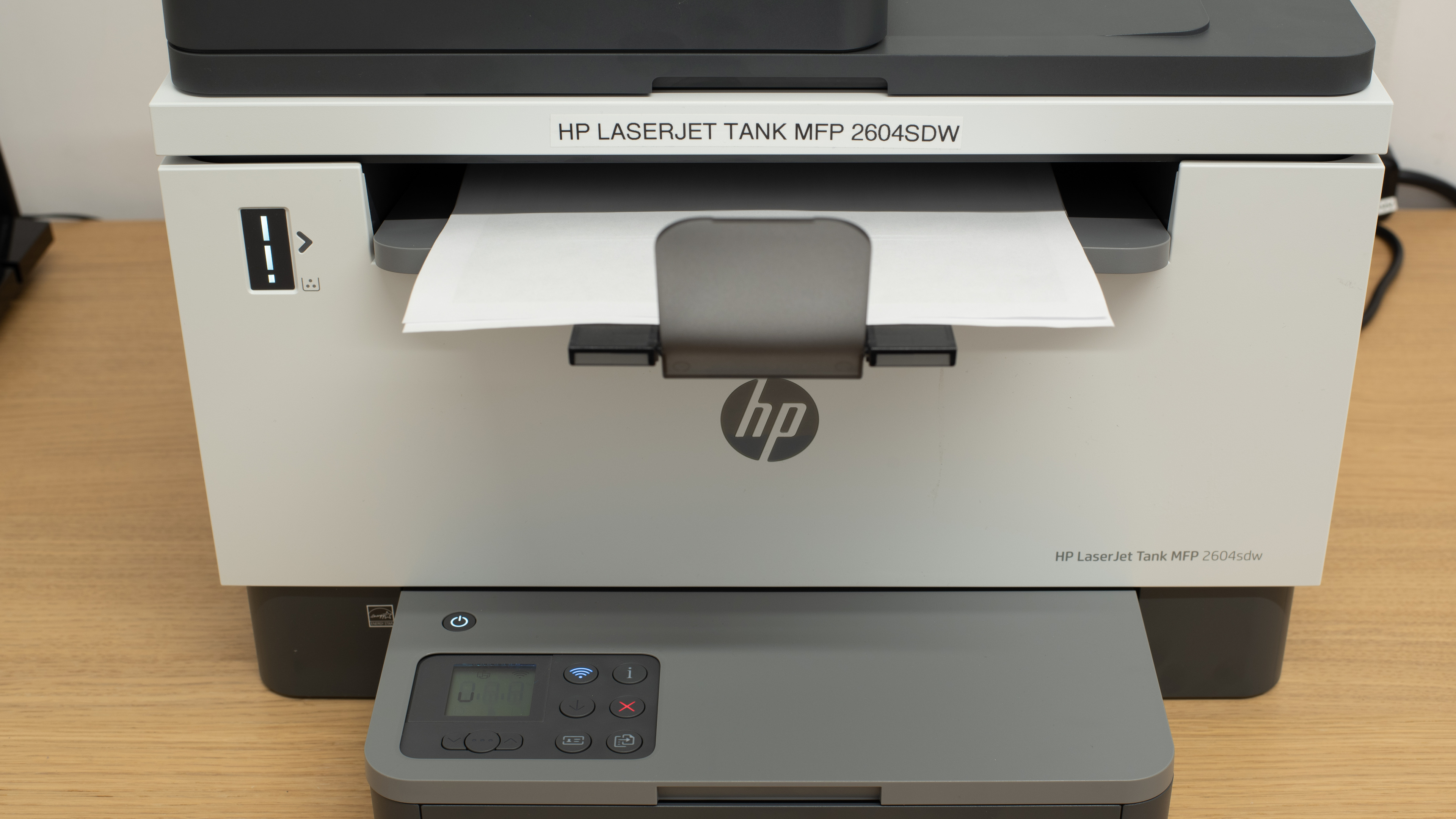
The HP LaserJet Tank MFP 2604sdw is an all-in-one monochrome laser printer. Instead of conventional toner cartridges, it has a toner reservoir that can be refilled with toner pouches, much like the HP Neverstop Laser MFP 1202w. This design is loosely similar to an inkjet printer with a refillable supertank and results in an enormous page yield and low ownership costs. There's an 8.5" x 11" flatbed scanner with an automatic document feeder but no duplex scanning. It also offers a full suite of connectivity options, including USB, Ethernet, and Wi-Fi, and supports Apple AirPrint and Mopria Print Service.

It's worth noting there are multiple variants of this printer, which differ slightly in terms of feature sets. Further details on the differences between models are outlined in the Differences Between Variants section of the review.

Our Verdict

6.3
Family 

The HP LaserJet Tank MFP 2604sdw is a mediocre fit for family use, though that's far from its intended use. While its unique design keeps cost-per-print to a minimum and gives it an enormous page yield, it's only designed to print black-and-white documents. You'll want to look elsewhere for printing the occasional photo, and while it does have an ADF-equipped scanner, actual scan quality is only passable.

Pros
  • Good build quality.
  • Exceptionally high page yield.
  • Low cost per print.
  • Superb black-and-white document printing quality.
Cons
  • Mediocre scan quality.
  • Black-and-white only unit.
  • Does a terrible job of resolving fine details in photos.
8.1
Small/Home Office 

The HP LaserJet Tank MFP 2604sdw is a great option for home or small office use. Its page yield is substantial, and the cost of ownership is low. It prints remarkably sharp, detailed black-and-white documents, too, though if you need to output them quickly, it's best to connect via USB, as printing longer multi-page documents over Wi-Fi is a tad slow. It has a scanner with an ADF to quickly process longer documents, though it doesn't support duplex printing. The scans are also a little blurry and grainy.

Pros
  • Good build quality.
  • Exceptionally high page yield.
  • Low cost per print.
  • Superb black-and-white document printing quality.
  • Fast printing speed with a hardline connection.
Cons
  • Mediocre scan quality.
  • Prints slowly when connected over Wi-Fi.
8.0
Student 

The HP LaserJet Tank MFP 2604sdw is impressively well-suited for student use, with a few caveats. It's expensive, but its huge page yield and inexpensive toner refills keep ownership costs very low. It isn't necessarily the most user-friendly printer out there in terms of repairability, with limited overall access to its sheet rollers and a drum roller that needs to be replaced by an authorized technician. That said, the estimated lifespan for the latter is exceedingly long, and the printer feels fairly sturdy. Printing speed isn't especially fast over Wi-Fi, so you'll want to connect via USB if you need a large batch of pages just before class.

Pros
  • Good build quality.
  • Exceptionally high page yield.
  • Low cost per print.
  • Superb black-and-white document printing quality.
  • Fast printing speed with a hardline connection.
Cons
  • Mediocre scan quality.
  • Prints slowly when connected over Wi-Fi.
8.2
Black & White 

The HP LaserJet Tank MFP 2604sdw printer is great for black-and-white printing. Printed black-and-white documents are well-rendered, with well-resolved details and very legible text. Cost-per-print is minimal, thanks to both its high page yield and the relatively low cost of toner refills.

Pros
  • Exceptionally high page yield.
  • Low cost per print.
  • Superb black-and-white document printing quality.
  • Fast printing speed with a hardline connection.
  • Delivers rich greyscale with subtle shading.

Cons
  • Prints slowly when connected over Wi-Fi.
1.3
Photo 

The HP LaserJet Tank MFP 2604sdw printer isn't designed for photo printing. It only prints in black-and-white, can't print on photo glossy paper, and does a terrible job of reproducing fine details in images.

Pros
  • Low cost per print.
Cons
  • Black-and-white only unit.
  • Can't print on glossy photo paper.
  • Does a terrible job of resolving fine details in photos.
0.0
Color Quality 

The HP LaserJet Tank MFP 2604sdw is a monochrome printer that can't print in color.

Pros
None
Cons
  • Black-and-white only unit.
9.0
Document Quality 

The quality of printed black-and-white documents is superb. Fine details look well-defined, text is crisp and highly legible, and shifts from lighter to darker shades of gray are fairly easy to recognize.

Pros
  • Superb black-and-white document printing quality.
  • Delivers rich greyscale with subtle shading.

Cons
None
6.7
Scanner 

Scanned documents lack definition, look slightly grainy, and have washed-out colors. Using the automatic document feeder improves quality but results in slightly crooked scans. Despite having an ADF, this printer can't automatically process double-sided documents and requires you to flip over each sheet.

Pros
  • Includes an automatic document feeder.

  • Included OCR works well. 

Cons
  • Mediocre scan quality.
7.5
Speed 

This printer can only achieve nine pages per minute when connected through Wi-Fi, as there are noticeable pauses between each page. Using a USB connection increases the speed up to 22 PPM.

Pros
  • Fast printing speed with a hardline connection.
  • Includes an automatic document feeder.

Cons
  • Prints slowly when connected over Wi-Fi.
10
Recurring Costs 

The HP LaserJet Tank MFP 2604sdw printer has an incredibly low cost-per-print. Top-ups for its toner tank are inexpensive and yield a huge number of prints. However, it's worth repeating that the drum unit isn't user-replaceable, requiring authorized service provider to replace. Despite the unit's estimated 50,000 print-lifespan, this would make for an expensive maintenance cost down the line.

Pros
  • Exceptionally high page yield.
  • Low cost per print.
Cons
None
  • 6.3
    Family
  • 8.1
    Small/Home Office
  • 8.0
    Student
  • 8.2
    Black & White
  • 1.3
    Photo

  • Performance Usages

  • 0.0
    Color Quality
  • 9.0
    Document Quality
  • 6.7
    Scanner
  • 7.5
    Speed
  • 10
    Recurring Costs
  • Changelog

    1.  Updated Jun 27, 2025: 

      Added pros and cons to the performance usage boxes.

    2.  Updated Jun 02, 2025: 

      We've updated the review to provide more information in the performance usage boxes.

    3.  Updated Jun 01, 2023: Review published.
    4.  Updated May 29, 2023: Early access published.

    Check Price

    GrayLaserJet Tank MFP 2602dn
    Amazon.com
    GrayLaserJet Tank MFP 2602sdn
    Amazon.com
    GrayLaserJet Tank MFP 2602sdw
    Amazon.com
    GrayLaserJet Tank MFP 2604dw
    Amazon.com
    GrayLaserJet Tank MFP 2604sdw
    SEE PRICE
    Amazon.com
    GrayLaserJet Tank MFP 2606dn
    Amazon.com
    GrayLaserJet Tank MFP 2606dw
    Amazon.com
    GrayLaserJet Tank MFP 2606sdn
    Amazon.com
    GrayLaserJet Tank MFP 2606sdw
    Amazon.com

    Differences Between Sizes And Variants

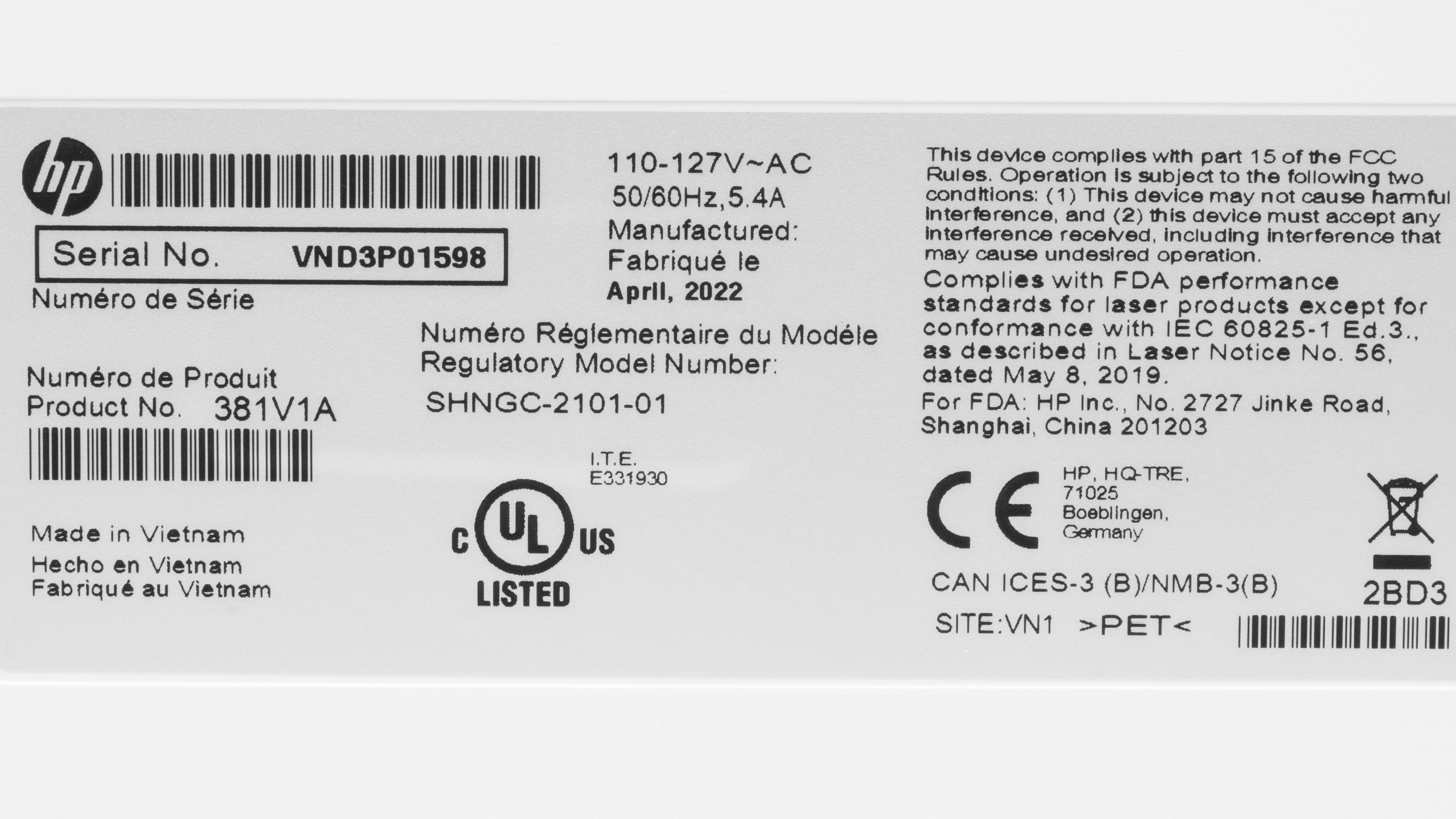
    There are multiple variants of the HP LaserJet Tank MFP 2602-2606 series, which differ in terms of wireless connectivity options, region of sale, and scanner features. We tested the LaserJet Tank MFP 2604sdw Printer (381V1A) variant, and you can see a photo of its label here.

    Model Number Wireless Connectivity Fax Capability ADF Region of Sale
    LaserJet Tank MFP 2602dn (2R3F0A) N/A N/A No Africa, Middle East
    LaserJet Tank MFP 2602sdn (2R7F6A) N/A N/A Yes Africa, Middle East
    LaserJet Tank MFP 2602sdw (2R7F5A) Wi-Fi (2.4/5GHz), Bluetooth Yes Yes Africa, Middle East
    LaserJet Tank MFP 2604dw (381V0A) Wi-Fi (2.4/5GHz), Bluetooth Yes No North America, Europe
    LaserJet Tank MFP 2604sdw (381V1A) Wi-Fi (2.4/5GHz), Bluetooth Yes Yes North America, Europe
    LaserJet Tank MFP 2606dn (381U0A) N/A N/A No Asia
    LaserJet Tank MFP 2606dw (381U5A) Wi-Fi (2.4/5GHz), Bluetooth Yes No Asia
    LaserJet Tank MFP 2606sdn (381U1A) N/A N/A Yes Asia
    LaserJet Tank MFP 2606sdw (381U2A) Wi-Fi (2.4/5GHz), Bluetooth Yes Yes Asia

    Let us know in the comments if you come across another variant of this printer.

    Popular Printer Comparisons

    The HP LaserJet Tank MFP 2604sdw is an all-in-one monochrome printer. Unlike most other laser printers, which use replaceable toner cartridges, it has a toner tank that can be refilled with toner pouches, much like how a supertank inkjet printer with an ink reservoir can be topped up with ink bottles. As such, the printer has a very high page yield and incurs low ownership costs, as you'll seldom need to fill it up. That said, it's worth noting that while its drum unit has a long estimated service life, it isn't user-replaceable; you'll need to contact an authorized service provider to have this repair done.

    If you're looking for more alternatives, look at our recommendations for the best office printers, the best black and white printers, and the best printers with cheap ink.

    HP LaserJet MFP M234sdwe

    The HP LaserJet Tank MFP 2604sdw is a better overall choice than the HP LaserJet MFP M234sdwe. The LaserJet Tank MFP 2604sdw uses a toner tank, unlike the more conventional LaserJet MFP M234sdwe, which uses more conventional replaceable toner cartridges. This results in the LaserJet Tank MFP 2604sdw having a greater page yield and lowering the cost per print. The LaserJet Tank also outputs slightly sharper documents, though the LaserJet MFP's scans are marginally higher quality.

    Brother MFC-L2750DW [L2710DW, L2717DW, L2730DW]

    The Brother MFC-L2750DW and HP LaserJet Tank MFP 2604sdw have their advantages, with one possibly suiting you better than the other, depending on your needs. The Brother is the slightly better-rounded option, with a fuller-featured scanner that produces sharper copies, faster printing speed, and a sturdier build. On the other hand, the HP printer's toner tank design lowers the cost per print thanks to its greater page yield.

    Canon imageCLASS MF445dw

    The Canon imageCLASS MF445dw is a better monochrome laser printer than the HP LaserJet Tank MFP 2604sdw. The Canon feels better built, is easier to maintain, prints faster, and has a more fleshed-out display screen. It also has a significantly better-equipped scanner that copies documents faster and with superior clarity. That said, the HP printer's unique toner tank design gives it a slightly higher page yield and lower ownership costs, with toner pouch refills being much cheaper than the Canon printer's high-yield cartridges.

    HP Neverstop Laser MFP 1202w

    The HP Neverstop Laser MFP 1202w and HP LaserJet Tank MFP 2604sdw are laser printers with refillable toner tanks instead of conventional toner cartridges. However, the newer LaserJet Tank MFP 2604sdw is better in most ways. It feels better built than the Neverstop, offers slightly improved scan quality, has a faster max printing speed when connected via USB, and has a scanner with an ADF, allowing you to quickly process multi-page documents. That said, the Neverstop has a higher-than-advertised max page yield.

    Test Results

    perceptual testing image
    Sort:
    RATINGS
    Category:
    All
    Design
    7.5
    Build Quality
    TypeAll-In-One

    This printer is well-built. It feels solid overall, with a dense plastic construction, sturdy hinges for various components, and no giant panel gaps. Its power cable is also completely detachable, so you can always buy a new one if you damage the original cord. That said, a few missing features would be welcome on a printer like this. The scanner's hinges can't extend to accommodate larger books or magazines, and the scanner's backing is a simple white plastic sheet that does a poor job of flattening any documents you put inside. The display panel folds upwards to let you insert the paper into the input tray. Folding it down covers the bottom paper tray.

    Dimensions
    Height12.2" (31.0 cm)
    Width16.4" (41.7 cm)
    Depth16.8" (42.7 cm)
    Height When In Use
    13.9" (35.2 cm)
    Width When In Use
    17.1" (43.4 cm)
    Depth When In Use
    18.3" (46.4 cm)
    Weight
    20.7 lbs (9.4 kg)
    7.5
    Expected Maintenance
    Ink Related Maintenance
    Not Needed
    Drum Unit
    A Separate Unit

    User maintenance requirements are few. Unlike inkjet printers, there are no printheads that can clog over time. If you run into an issue while printing, you can run one of the built-in maintenance routines, like fuser cleaning, humidity and altitude adjustment, or paper curl compensation. You can also turn on archive print mode, which creates prints that are less likely to smear or fade.

    The printer's drum unit isn't user-replaceable, with replacements having to be done through an authorized service provider. That said, this isn't likely to be much of an issue, as it has an estimated lifespan of roughly 50,000 prints, which is plenty even if you're the type to print multi-page documents on the regular. Of course, this component's lifespan can vary depending on environmental factors like ambient temperature and humidity, or things as simple as the type of paper you print on; errant fibers on recycled paper can scratch the photoconductor.

    Unfortunately, access to the sheet rollers is somewhat limited. To reach them, you can remove a panel at the rear of the printer (as seen here), flip the printer on its side and reach any sheets just past the input tray (as seen here), or lift the scanner to pull out any jammed sheets that would have come out of the output tray. None of these methods makes it very easy to remove any jammed sheets, and if any were to tear, it'd be pretty hard to clear out the remaining pieces.

    4.0
    Display Screen
    Display ScreenYes
    Display Screen Size
    1.7" (4.2 cm)
    TouchscreenNo

    This printer has a small, monochrome LCD screen. It has good viewing angles, so you can see what's displayed whether you're standing, sitting, or looking at it from the side, and it responds quickly to inputs made using the buttons. Overall functionality is limited, as the printer's physical interface only allows you to change the number of copies in a print job or tweak contrast and scaling. All other settings are accessed via the HP Smart application on your computer or mobile device.

    10
    Cartridge
    TechnologyLaser
    SuperTank
    Yes
    Photo Cartridge
    No
    ColorNo
    Number Of Color Cartridges
    N/A
    Black Cartridge Model
    HP 153A Black
    Tested Black Page Yield
    240 prints
    Estimated Black Page Yield
    4,560 prints
    Color Cartridge Model
    No Color Cartridge
    Tested Color Page Yield
    N/A
    Estimated Color Page Yield
    N/A
    Third Party Cartridge
    No Cartridges
    Ink Type
    Toner
    High Yield Cartridge
    No Cartridge

    The HP LaserJet Tank MFP 2604sdw's page yield is exceptionally high. Rather than use conventional toner cartridges like normal laser printers, it has a reservoir that can be refilled with toner pouches, as seen here. It's similar in concept to supertank inkjet printers like the Epson EcoTank ET-4850. Toner top-up pouches are available in either full-yield HP 153X or half-yield HP 153A formats, which the manufacturer advertises to provide sufficient toner for 5000 or 2500 prints, respectively.

    There's a little display at the front to give you an idea of how much toner is left, as seen here. When the tank is half-empty, it shows a single bar. When the tank is nearly empty, only the last remaining part of the bar indicator is illuminated. However, when the printer determines that you've run out of toner, the last portion of the bar indicator turns yellow, and the status light to its right starts flashing. You can refill the toner reservoir even during a print job.

    It's important to note that the printer doesn't keep tabs on the actual amount of remaining toner and instead relies on a page counter to estimate how much toner has been used; printing won't resume until the tank has been filled at least halfway. The calibration seems to lean a little conservative on this printer; both this HP LaserJet Tank MFP 2604sdw and the similarly designed HP Neverstop Laser MFP 1202w have an advertised page yield of 5000 prints. 

    However, in testing, the Neverstop MFP 1202w, which uses a slightly different drum unit and refill system, had an estimated page yield nearly twice that advertised figure. At the same time, the 2604sdw didn't reach it. Regardless, even at roughly half the estimated yield of the Neverstop, the 2604sdw's page yield is still substantial and more than sufficient for frequent high-volume printing.

    7.4
    Scanner Features
    Scanner
    ADF + Flatbed
    ADF Capacity
    40 pages
    Scan Speed
    13 PPM
    Duplex Scanning
    No
    Max Flatbed Scan Size
    8.5" x 11"
    Max ADF Scan Size
    8.5" x 14"
    Flatbed Hinge Adjustability
    0.00" (0 mm)
    Fax
    No
    Copy
    Yes
    OCR Included
    Software

    The HP LaserJet Tank MFP 2604sdw printer has a flatbed scanner and an automatic document feeder. Unfortunately, it can't automatically process double-sided documents, so you must manually flip over each sheet, which may be a hassle if you have a long document to scan. Its hinges also can't be extended to accommodate thicker documents, magazines, and books.

    It can also scan documents as a text-searchable PDF. It works fairly well and has little trouble with identifying plain text. However, it does have a bit of trouble recognizing special characters and accents.

    The 2602dn, 2604dw, 2606dn, and 2606dw model variants of this printer lack an automatic document feeder.

    6.0
    Scan Quality
    Max Scan Resolution
    600 DPI
    Max Scan Color Depth
    24Bit

    The scan quality is mediocre. Scanned documents have a slightly blurry, out-of-focus appearance, colors look grainy, and fine details aren't particularly well-resolved. Scanning through the ADF with the built-in page guides, as opposed to simply laying the document flat on the scanner, results in a less blurry but slightly crooked scan, as seen here. The scanner's backing plate also does a poor job of flattening documents against the scanner bed, emphasizing minor flaws in the original document, like creases and folds.

    In The Box

    • Reference guide
    • Power cable

    Note: While the printer doesn't come with any starter toner bottles, it ships with a fully-filled toner tank.

    Battery
    Advertised Battery Life
    N/A
    Tested Charging Time
    N/A
    Document
    9.0
    Black & White Documents
    Color Ink Needed For Black & White
    No

    The quality of printed black-and-white documents is superb. Fine details are well-resolved, text is crisp and highly legible, and it's fairly easy to recognize shifts from lighter to darker shades of grey.

    0.0
    Color Documents

    The HP LaserJet Tank MFP 2604sdw is a monochrome printer that can't print documents in color. That said, color documents printed in black-and-white exhibit slightly less contrast than original black-and-white documents. Lighter colors converted to grayscale are harder to distinguish from darker colors converted to grayscale.

    10
    Cost-Per-Print
    See details on graph tool
    Black Cartridge Price
    28.99 US$
    Color Cartridge Price
    0 US$
    Black-Only Printing Cost
    0.006 US$/print
    Color Printing Cost
    N/A
    Photo Printing Cost
    N/A
    Ink Subscription
    No

    The HP LaserJet Tank MFP 2604sdw printer has an incredibly low cost-per-print. The printer itself is rather pricey, but top-ups for its toner tank are inexpensive and yield a huge number of prints. However, it's worth repeating that the drum unit isn't user-replaceable and needs to be replaced by an authorized service provider, with the repair cost varying depending on the region. Of course, given the drum unit's estimated 50,000 print-lifespan, you don't need to worry about the cost of this service too much.

    7.5
    Printing Speed
    Black Only Text Document
    9 PPM
    Color Document
    N/A
    Photo Printing Time
    21.5 s
    Single Page Out Time (Black Only)
    10.5 s
    Duplex Printing
    Automatic
    Input Tray Capacity
    250 pages

    The HP LaserJet Tank MFP 2604sdw's printing speed is fairly quick overall, but it can vary depending on the connection used. Printing speed on Wi-Fi tops out at 9 PPM since there's a noticeable pause between each page. Conversely, there's no significant pause when connected via USB, resulting in a much faster speed of 22 PPM, which almost falls in line with the advertised claim of 23 PPM.

    It's worth noting that printing speed is evaluated by printing a 50-page document. Printing a document with fewer pages will lessen processing requirements when connected over Wi-Fi, lessening the delay between pages being outputted.

    Document Printing Sizes
    Letter (8.5" x 11")Yes
    Legal (8.5" x 14")Yes
    Tabloid (11" x 17")No
    A6 (105mm x 148mm)Yes
    A5 (148mm x 210mm)Yes
    A4 (210mm x 297mm)Yes
    Max Paper Weight
    163 g/m²

    You can set custom paper sizes from 102mm x 152mm (4" x 6") to 216mm x 356mm (8.5" x 14").

    Photo
    0.0
    Color Gamut

    The HP LaserJet Tank MFP 2604sdw is a black-and-white-only unit that doesn't print in color.

    0.0
    Color Accuracy
    Average Color dE
    N/A

    This printer is a black-and-white-only unit that doesn't print in color.

    2.0
    Small Details
    Max Print Resolution (DPI)
    600 x 600

    The HP LaserJet Tank MFP 2604sdw printer does a terrible job of reproducing details—the low print resolution and printing pattern completely obscure fine elements in photos.

    0.0
    Photo Printing Sizes
    Glossy Paper (4" x 6")No
    Glossy Paper (5" x 7")No
    Glossy Paper (8" x 10")No
    Glossy Paper (8.5" x 11")No
    Glossy Paper (13" x 19")No
    Borderless Printing
    No

    The HP LaserJet Tank MFP 2604sdw can't print on glossy paper.

    Mobile App And Connectivity
    8.0
    Connectivity
    Ethernet
    Yes
    USB Input To Computer
    Yes
    Wireless
    Yes
    Bluetooth
    No
    Wi-Fi via Router
    Yes
    Wi-Fi Direct
    Yes
    External Storage Support
    No
    Apple AirPrint
    Yes
    Mopria Print Service
    Yes

    The HP LaserJet Tank MFP 2604sdw printer does have Bluetooth, but it's important to note that this is only used for device setup, and you can't print documents from devices connected over Bluetooth.

    The 2602dn, 2602sdn, 2606dn, and 2606sdn model variants don't have any form of wireless connectivity.

    10
    Mobile App
    Mobile AppYes
    App NameHP Smart
    iOSYes
    AndroidYes
    Photo (JPEG, PNG)
    Android and iOS
    PDF
    Android and iOS
    Microsoft Office Files
    iOS Only
    Text Files (TXT)
    iOS Only
    Webpages (HTML)
    iOS Only

    You can print, scan, and copy using the HP Smart app from your mobile device. You can also send a mobile fax, requiring a paid HP Smart Advance subscription. You can check estimated toner levels or put in a purchase order for more toner. You can print from cloud services like Dropbox, Google Drive, Facebook, and Evernote on iOS, but only through Facebook for Android devices.

    OS Compatibility
    WindowsFully
    macOSFully
    Chrome OSFully

    You must manually install drivers to print and scan on a Windows device. No driver installation is necessary when using macOS or Chrome OS devices. Regardless of your device's OS, you'll need to install the HP Smart app to access all of the printer's features, as the printer's physical interface offers only limited overall functionality.