Lexmark CX331adwe  Printer Review

Reviewed Aug 18, 2020 at 08:30am
Tested using Methodology v0.8.1 
Lexmark CX331adwe
5.2
Family 
8.1
Small/Home Office 
8.0
Student 
8.5
Black & White 
3.1
Casual Photo 
 0

The Lexmark CX331adwe is an all-in-one laser printer that's excellent for printing black and white documents. It has extremely high color and black page yield, so even though the toner cartridges are costly, you won't have to worry about buying new cartridges for a while. It has a flatbed and sheetfed scanner, but sadly, it doesn't support duplex scanning. Unfortunately, it has poor color accuracy and terrible photo printing quality, mainly because our unit printed with unwanted yellow throughout, although this issue may vary between units. On the upside, it has remarkable connectivity options, including a USB port in front, and the companion app allows you to print most common file types, except for Microsoft Office files. Lastly, the input cassette has adjustable sliders so you can put larger-sized papers in.

Our Verdict

5.2
Family 

The Lexmark CX331adwe is poor for family use. It has terrible photo printing quality, poor color accuracy, and it can't scan documents at a high resolution. On the upside, it has a high page yield, so printing is cost-effective over time since you won't have to buy new toner cartridges often.

Pros
  • Extremely high page yield.
  • Sheetfed and flatbed scanner.
Cons
  • Terrible photo printing quality.
  • Doesn't support duplex scanning.
  • Poor color accuracy.
8.1
Small/Home Office 

The Lexmark CX331adwe is great for home office use. It has an extremely high black and color page yield, so you won't have to buy new cartridges often. It prints pages very fast and it has an automatic document feeder, great if you need to scan many pages at once. Sadly, it doesn't support duplex scanning, so you can't scan double-sided pages.

Pros
  • Extremely high page yield.
  • Fast printing speed.
  • Sheetfed and flatbed scanner.
Cons
  • Doesn't support duplex scanning.
  • Companion app doesn't allow you to print Microsoft Office files.
8.0
Student 

The Lexmark CX331adwe is great for student use. It has an extremely high page yield, so whether you're printing in black and white or in color, printing is cost-effective over time. It has outstanding connectivity options, including a USB port in front and the companion app allows you to print most common file types, except for Microsoft Office files. Unfortunately, you can't connect to it via Bluetooth.

Pros
  • Extremely high page yield.
  • Sheetfed and flatbed scanner.
Cons
  • Companion app doesn't allow you to print Microsoft Office files.
8.5
Black & White 

The Lexmark CX331adwe is excellent for printing in black and white. It has an extremely high black page yield, so you won't have to worry about buying a new toner cartridge for a while. It prints pages very fast, it's a well-built printer, and it has a decent display screen, but it takes some time getting used to the menu navigation.

Pros
  • Extremely high page yield.
  • Fast printing speed.
  • Sheetfed and flatbed scanner.
Cons
  • Doesn't support duplex scanning.
3.1
Casual Photo 

The Lexmark CX331adwe is bad for printing photos. It has poor color accuracy and terrible photo printing quality, mainly because our unit printed with unwanted yellow throughout, although this issue may vary between units. If you choose to print in color, it has a really high color page yield, so you won't have to buy new color toner cartridges for a while.

Pros
  • Extremely high page yield.
Cons
  • Terrible photo printing quality.
  • Poor color accuracy.
  • 5.2
    Family
  • 8.1
    Small/Home Office
  • 8.0
    Student
  • 8.5
    Black & White
  • 3.1
    Casual Photo
  • Changelog

    1.  Updated Aug 18, 2020: Review published.
    2.  Updated Aug 03, 2020: Early access published.
    3.  Updated Jun 26, 2020: Our testers have started testing this product.
    4.  Updated Jun 26, 2020: The product has arrived in our lab, and our testers will start evaluating it soon.

    Check Price

    WhiteCX331adwe
    SEE PRICE
    Amazon.com
    WhiteCX331adwe
    SEE PRICE
    B&H
    WhiteCX331adwe
    SEE PRICE
    Walmart.com
    WhiteCX331adwe
    BestBuy.com

    Differences Between Sizes And Variants

    We tested the Lexmark CX331adwe, which is the only printer available in the CX330 Series. There's a similar printer, the Lexmark CS331DW, which is advertised to have the same printing speed and input tray size as the CX331adwe, but it doesn't have a scanner, similar to the Lexmark B2236dw.

    Popular Printer Comparisons

    The Lexmark CX331adwe is an excellent choice if you're just looking for a laser printer to print in black and white because it has a higher black page yield than some other all-in-one laser color printers, like the Canon imageCLASS MF644Cdw. However, there are better laser printers for color printing, like the HP Color LaserJet Pro MFP M479fdw, and it doesn't support duplex scanning. Overall, it prints black and white documents very well, but it isn't a well-rounded printer. See our recommendations for the best laser printers, the best office printers, and the best all-in-one printers.

    Brother MFC-L3770CDW Laser

    The Brother MFC-L3770CDW Laser is better for most uses than the Lexmark CX331adwe. The Brother is better-built, it supports duplex scanning, the companion app prints Microsoft Office files, and it has better color accuracy. However, the Lexmark has a higher page yield, so it's more cost-effective over time, and it prints pages slightly faster.

    HP Color LaserJet Pro MFP M479fdw

    The HP Color LaserJet Pro MFP M479fdw is better overall than the Lexmark CX331adwe. The HP is better built, it has a much higher page yield, and it supports duplex scanning. However, the toner cartridges for the Lexmark are cheaper, so it's slightly most cost-effective over time with this printer.

    Brother HL-L3270CDW Laser

    The Lexmark CX331adwe is better overall than the Brother HL-L3270CDW Laser mainly because the Lexmark is an all-in-one printer with a scanner. The Lexmark has a higher page yield, so even though the toner cartridges are a bit more expensive, printing is more cost-effective over time. However, the Brother iPrint&Scan app allows you to print Microsoft Office files.

    Lexmark B2236dw

    The Lexmark CX331adwe is better for most uses than the Lexmark B2236dw. The CX331adwe prints in color, it has a flatbed and sheetfed scanner, it has a USB port, and the black page yield is higher. However, the black toner cartridge for the B2236dw is cheaper, so it's more cost-effective over time, and it prints pages faster.

    Test Results
    perceptual testing image
    Sort:
    RATINGS
    Category:
    All
    Design
    8.0
    Build & Design Quality
    TypeAll in One

    The Lexmark CX331adwe has a great build quality. It has a sturdy plastic body, you can easily access paper jams from the back, and the scanner lid raises enough to place thicker items like books. Also, the paper input cassette has adjustable length and width sliders for different types of paper. Unfortunately, the hinges on the cover for the toner cartridges feel flimsy and seem like they may break over time. Fortunately, the power cord is removable in case it gets damaged and you need to replace it.

    Note: that we had to order a second unit because the first unit we ordered stopped working when we tried to set up the Wi-Fi. We got this second unit and didn't account for the original issue in our build quality score, because it may have been an issue with our unit alone. With the second unit, we also experienced unwanted yellow present in some black and white documents, and even after trying a color adjust and different cartridges, we got the same results. If you experience similar problems, let us know in the discussions.

    Dimensions
    Height13.5" (34.3 cm)
    Width16.2" (41.2 cm)
    Depth15.5" (39.4 cm)
    Weight
    43.0 lbs (19.5 kg)

    The Lexmark CX331adwe is large and takes up a lot of space on a desk. It's also fairly heavy, so you may need two people to help carry it.

    7.0
    Display Screen
    Display ScreenYes
    Display Screen Size
    2.8" (7.2 cm)
    TouchscreenYes

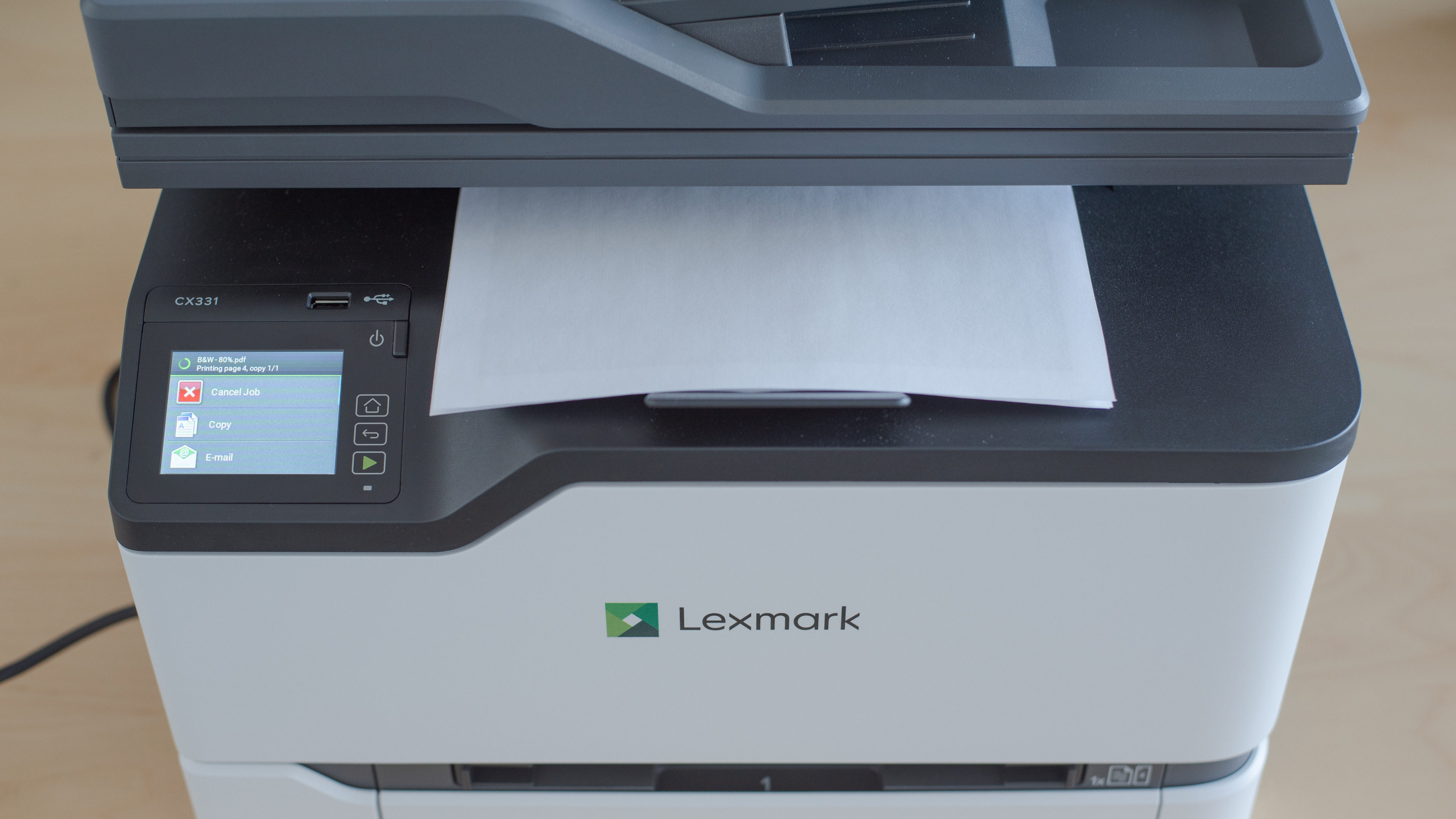
    The Lexmark CX331adwe has a decent display screen. It's an LCD that has good visibility whether you're sitting or standing, but it's a bit difficult to see properly from the sides. The 'Power' button is a physical button, while the 'Home', 'Back', and 'Resume' buttons are touch-sensitive buttons. The menu navigation takes some time to get used to, as there are a lot of submenus, and the interface can be slow to respond at times.

    In The Box

    • Start toner cartridges
      • 1x 20N0H10 Black
      • 1x 20N10C0 Cyan
      • 1x 20N10M0 Magenta
      • 1x 20N10Y0 Yellow
    • Power cable
    • Software CD
    • User guide
    9.1
    Cartridge
    Photo Cartridge
    No
    TechnologyLaser
    Number Of Color Cartridges
    3
    Black Cartridge Model
    Lexmark 20N10K0
    ColorYes
    Tested Black Page Yield
    98.69 prints
    SuperTank
    No
    Estimated Black Page Yield
    1,875 prints
    Color Cartridge Model
    Lexmark 20N10 C/M/Y
    Tested Color Page Yield
    76.8 prints
    Estimated Color Page Yield
    1,680 prints
    Third Party Cartridge
    No
    High Yield Cartridge
    Yes
    Drum Unit
    In The Cartridge

    The Lexmark CX331adwe has an outstanding toner cartridge system. As is the case with most laser printers, the black page yield is extremely high, allowing you to print a high number of pages before changing cartridges. Its color page yield is also better than most color laser printers we've seen. Luckily, the drum unit is built-in, so unlike the Lexmark B2236dw, you won't have to replace the drum unit separately. Also, you can purchase high-yield cartridges for this printer.

    6.6
    Scanner
    Scanner
    Yes
    Scan Flatbed
    Yes
    Scan Sheetfed
    Yes
    Automatic Document Feeder
    Yes
    Duplex Scanning
    No
    Scan Resolution
    600 DPI
    Scan Color Depth
    24 Bit
    Flatbed Scan Size
    8.5" x 11"
    Fax
    Yes
    Copy
    Yes

    The Lexmark CX331adwe has okay scanning features. It has both a flatbed and sheetfed scanner, and the automatic document feeder holds up to 50 sheets and supports legal-size paper. Sadly, it doesn't support duplex scanning, which isn't convenient for scanning long, double-sided documents. The scanning resolution is also lower than most printers, such as the Brother HL-L2390DW, but this shouldn't be an issue if you just need to scan or copy documents.

    Printing
    8.6
    Cost-Per-Print
    See details on graph tool
    Black Cartridge Price
    64.99 US$
    Color Cartridge Price
    224.97 US$
    Black Only Printing
    0.035 US$/print
    Color Printing
    0.134 US$/print
    Photo Printing
    0.355 US$/print
    Ink Subscription
    No

    The Lexmark CX331adwe has an excellent low cost-per-print. Due to the high black page yield, you won't have to replace the black toner cartridge often. If you regularly print in color, the costs can quickly add up over time. Note that the listed color cartridge price is the cost of all three color cartridges combined, but you can purchase them separately. Since the drum unit is built into the cartridge, you won't have to pay extra to buy it separately.

    8.7
    Printing Speed
    Black Only Text Document
    26 PPM
    Color Document
    26 PPM
    Photo Printing Time
    19.0 s
    First Page Out Time (Black Only)
    12.7 s
    Duplex Printing
    Automatic
    Input Tray Capacity
    250 pages

    Excellent printing speed. The Lexmark CX331adwe prints pages very fast and it doesn't take long to print a photo either. Note that the printer doesn't accept 4" x 6" paper, so the photo printing test was done using 8.5" x 11" glossy paper with a 4" x 6" photo printed on it.

    4.1
    Color Accuracy
    Average Color dE
    12.34

    The Lexmark CX331adwe has poor color accuracy. Most colors are very inaccurate and it's not suggested for printing photos or even color presentations. If you want a similar laser printer with much better color accuracy, check out the HP Color LaserJet Pro M255dw.

    Note: We experienced unwanted yellow printed on various documents throughout, but we don't expect this issue to affect the color accuracy.

    1.3
    Photo Printing Quality
    Borderless Printing
    No

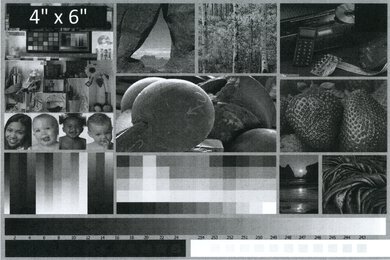
    The Lexmark CX331adwe is terrible for printing photos. The photo has severe banding all over and details get lost in dark shadows. The printer can't print on 4" x 6" paper, so glossy 8.5" x 11" paper was used instead.

    Note: During testing, we saw documents printed with unwanted yellow throughout, such as in this photo. We don't know if this is a common issue or it's a problem with our unit alone. If you experience the same thing, let us know in the discussions.

    These results are based on the actual physical photo, not the scanned image provided for reference above, which may not be representative of the printer's photo print quality.

    Printing Size
    Letter (8.5" x 11")Yes
    Legal (8.5" x 14")Yes
    Tabloid (11" x 17")No
    A6 (105mm x 148mm)Yes
    A5 (148mm x 210mm)Yes
    A4 (210mm x 297mm)Yes
    Photo (2" x 3")No
    Photo (4" x 6")No
    Photo (5" x 7")No

    The Lexmark CX331adwe supports most common paper sizes, except for photo paper sizes and tabloid-size paper. The input tray has adjustable sliders to put in different sizes. Also, the output tray holds up to 100 sheets of paper.

    Mobile App And Connectivity
    9.0
    Connectivity
    Ethernet
    Yes
    USB Input To Computer
    Yes
    WirelessYes
    Bluetooth
    No
    Wi-Fi via Router
    Yes
    Wi-Fi Direct
    Yes
    External Storage Support
    Yes
    Apple AirPrint
    Yes
    Mopria Print Service
    Yes

    The Lexmark CX331adwe has outstanding connectivity options. It has a USB port above the display screen, similar to the Canon imageCLASS MF445dw, but it doesn't support SD cards. You can connect to it wirelessly either through Wi-Fi Direct, Apple AirPrint, or Mopria Print Service, but it doesn't support Bluetooth. It also has an Ethernet port if you prefer a wired connection.

    8.0
    Mobile App For Home Use
    Mobile AppYes
    App NameLexmark Print
    iOSYes
    AndroidYes
    Photo (JPEG, PNG)
    Yes
    PDF
    Yes
    Microsoft Office Files
    No
    Text Files (TXT)
    Yes
    Webpages (HTML)
    Yes

    The Lexmark Print app is great. You can print most common file types except for Microsoft Office files. You can scan from your mobile phone with a max resolution of 400 DPI or you can take a photo and send it to the printer. It's also compatible with Lexmark Print Management Cloud, which allows you to print from anywhere, but you need an account for it. Lastly, you can check the printer's toner level from the app.