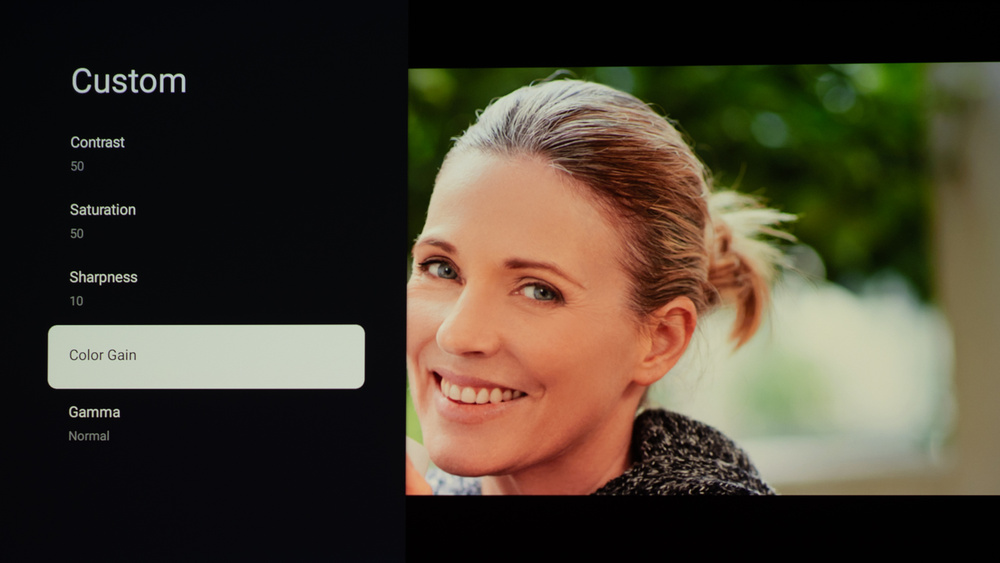
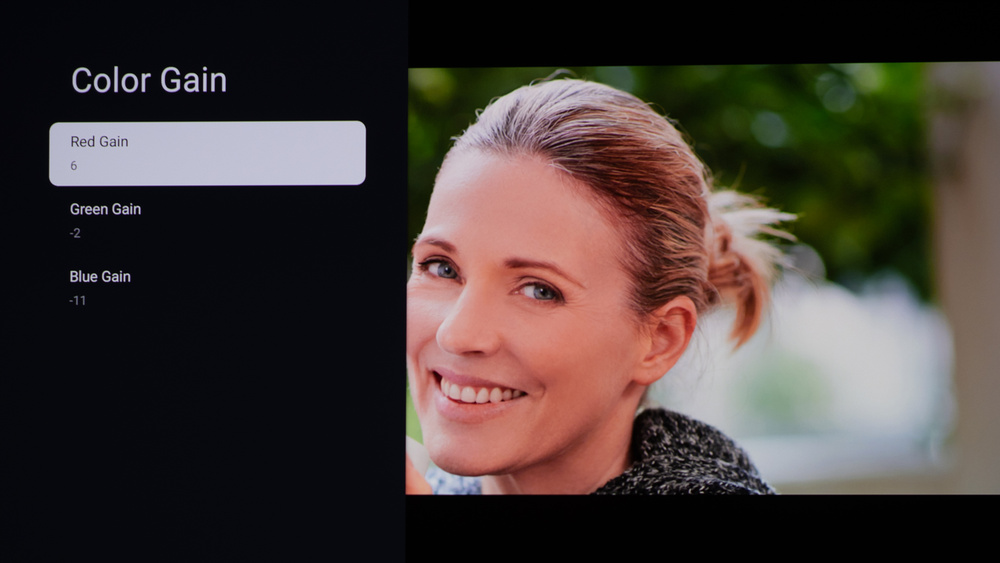
We used the following calibration settings to test the Dangbei Atom. Keep in mind that results can vary slightly between individual units, firmware versions, and picture modes, so you may need small tweaks if your unit looks a bit different.
These settings are meant to provide a solid starting point for accurate SDR playback in a typical living room. They aren't meant to be copied 1:1, and your best results will depend on your screen size, throw distance, room brightness, and wall/screen color. If you're using the projector for gaming, you'll likely want a few additional changes for lower input lag and clearer text, which are listed below.
SDR Picture Settings
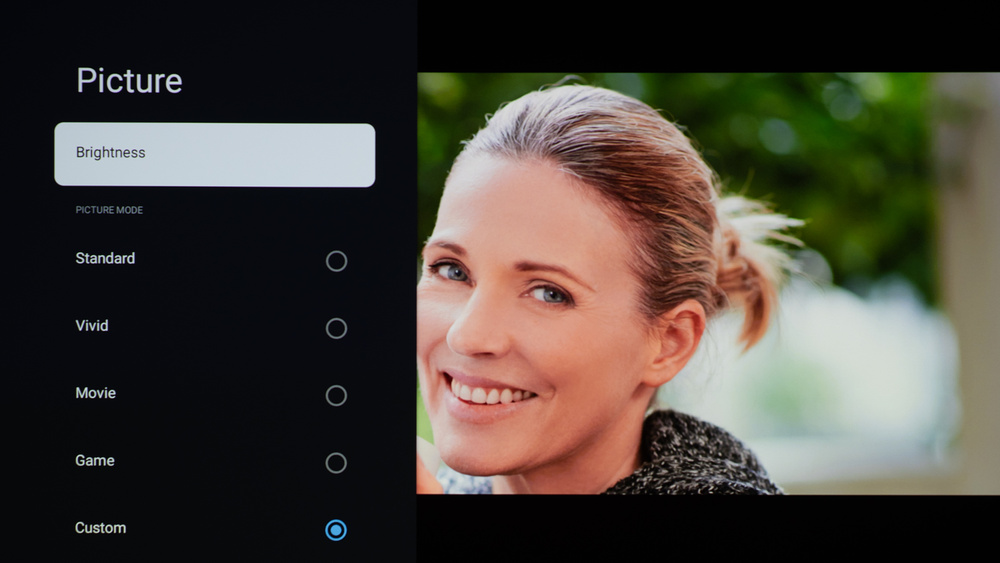
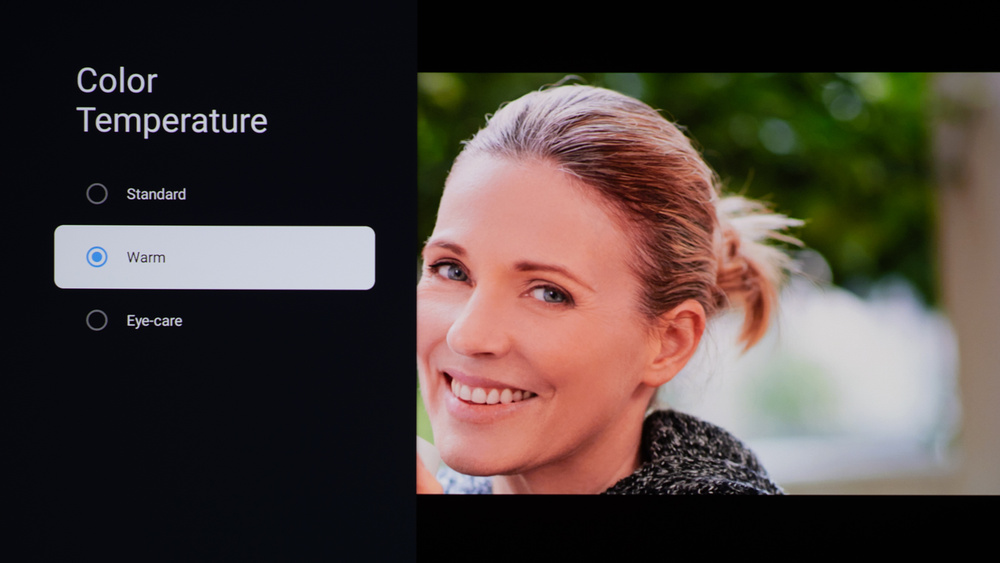
For SDR content, you can choose a few different preset picture modes. We used the 'Custom' Picture Mode because it allows for the most customization. Below are a few settings we used for SDR. All other settings were either left to default, disabled, or left off.
- Picture Mode: Custom
- Color Temperature: Warm
Gaming Settings
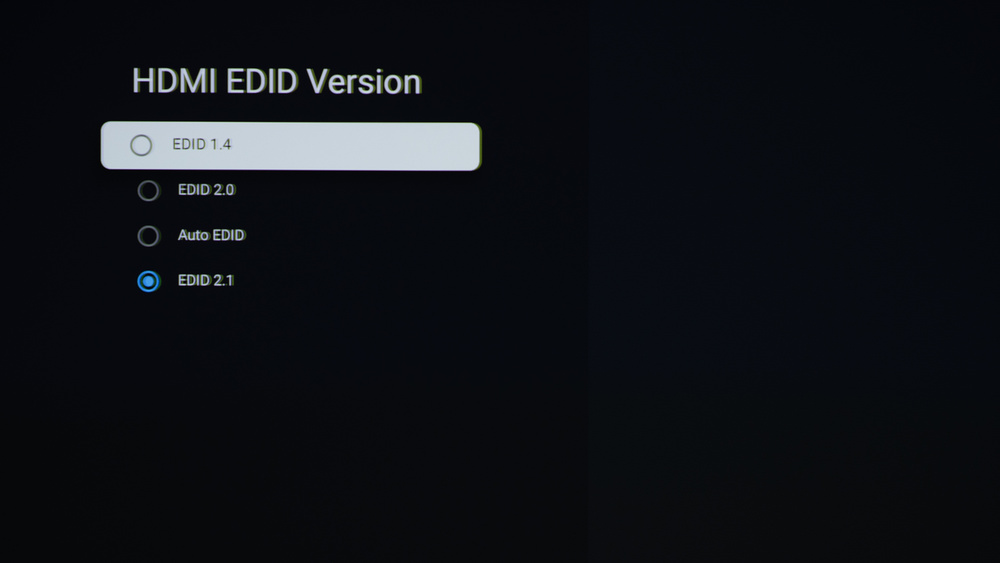
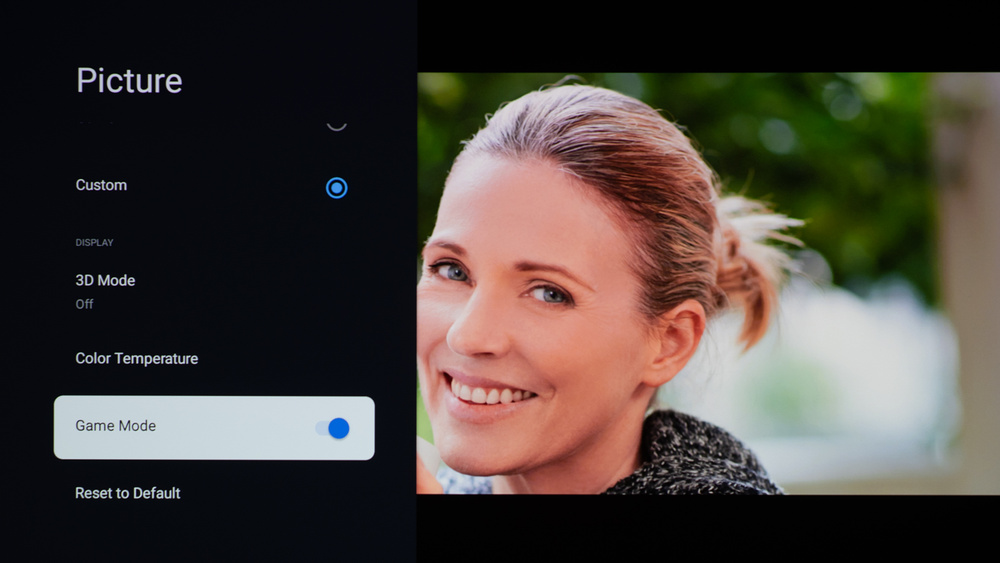
From the base SDR settings, very few changes are required for the best gaming experience. When you start gaming, it's best to enable the Game Mode toggle to get the lowest input lag and set the HDMI EDID to '2.1.' The rest of our gaming settings are identical to our regular settings for SDR. Here are our settings for input lag testing:
- Picture Mode: Custom
- Game Mode: Enabled
- HDMI EDID: 2.1
Firmware
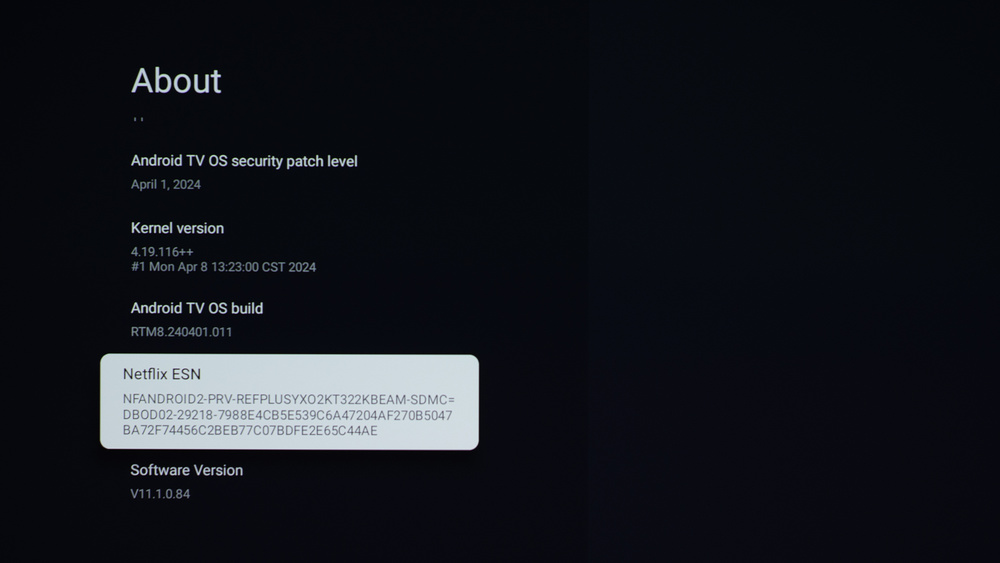
The unit we bought and tested was calibrated on software version V11.1.0.84
Other Settings
For information on any other settings or features that fall outside of the scope of our testing, please refer to the Dangbei Atom homepage.
White Balance Settings
The following are the results of our unit's white balance and colorspace calibration. They're provided for reference and shouldn't be copied, as the calibration values vary per individual unit due to manufacturing tolerances. If you want to try them, you'll need to enter all the values shown, as all of them are active at the same time. If you end up with worse picture quality, simply reset them to the default values.