The TP-Link Archer A8, also called the TP-Link AC1900, is an entry-level dual-band Wi-Fi 5 router with 2.4GHz and 5GHz bands. It supports WPA3 security and OneMesh technology, allowing you to configure a mesh network with one of TP-Link's Wi-Fi extenders. You can set up and manage the router using TP-Link's Tether app or the web interface, where you can also configure parental controls.
Our Verdict
The TP-Link AC1900 is a decent router if you live in an apartment, condo, or single-story home. It provides good top speeds suitable for fast downloads and 4k video streaming. It's a reasonable size that'll fit into most living spaces, and it also has screw head slots on the bottom, so you have the option to mount it on the wall or ceiling. That said, it lacks Dynamic Frequency Selection (DFS) support, so it can't use the often less congested DFS-only channels, which would help if you live in a congested wireless environment like an apartment building.
- Good top speeds.
- Wi-Fi 5 can't take full advantage of Wi-Fi 6 or 7 devices.
- Lacks DFS support, so it can't avoid more congested channels.
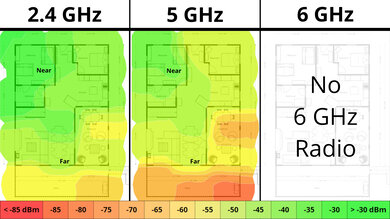
The TP-Link AC1900 is a decent router for use in a multi-level home. It provides good top speeds and is suitable for fast downloads when you're close to it with few obstacles in the way. That said, it's a standalone router, and its range is just okay, so you'll experience slowdowns if you have a very large house and are far from where you've placed it.
- Good top speeds.
- Decent range.
- Wi-Fi 5 can't take full advantage of Wi-Fi 6 or 7 devices.
- Standalone router that may have dead zones if you have a very large home.
- Wi-Fi 5 can't take full advantage of Wi-Fi 6 or 7 devices.
The TP-Link AC1900 delivers good speeds suitable for an internet connection of up to ~600 Mbps. Unfortunately, it lacks Dynamic Frequency Selection (DFS) support, so it can't use the often less congested DFS-only channels, which would help if you live in a congested wireless environment. Also, it's only Wi-Fi 5, so your newer Wi-Fi 6 or 7 devices can't reach their fastest speeds.
- Good top speeds.
- Wi-Fi 5 can't take full advantage of Wi-Fi 6 or 7 devices.
- Lacks DFS support, so it can't avoid more congested channels.
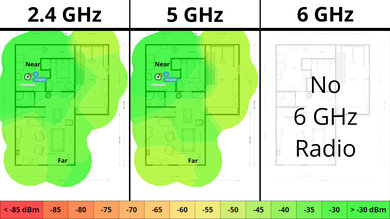
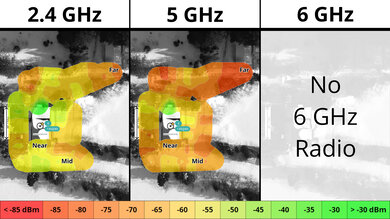
The TP-Link AC1900 has a decent range for a standalone router. You won't be able to reach its top speeds if there are solid obstacles in the way or you're very far away from it. However, since it's compatible with TP-Link's OneMesh technology, you can add a compatible range extender to create a mesh network for better range.
- Decent range.
- Wi-Fi 5 can't take full advantage of Wi-Fi 6 or 7 devices.
- Standalone router that may have dead zones if you have a very large home.
- Wi-Fi 5 can't take full advantage of Wi-Fi 6 or 7 devices.
Changelog
- Updated Jun 22, 2026: We've updated this review to Test Bench 0.9.1! This is a minor change that makes the router type easier to see at the top of each review. Read the changelog for more info.
- Updated May 08, 2026: We've updated this review to Test Bench 0.9! This update adds wireless latency testing to evaluate router gaming performance. Read the changelog for more info.
- Updated Dec 16, 2025: We've added an MLO Implementation test for Test Bench 0.8.2! Read the changelog for more details.
- Updated May 01, 2025: We've converted this review to Test Bench 0.8.1. This includes a new test result for our Test Configuration box.
Check Price
Differences Between Sizes And Variants
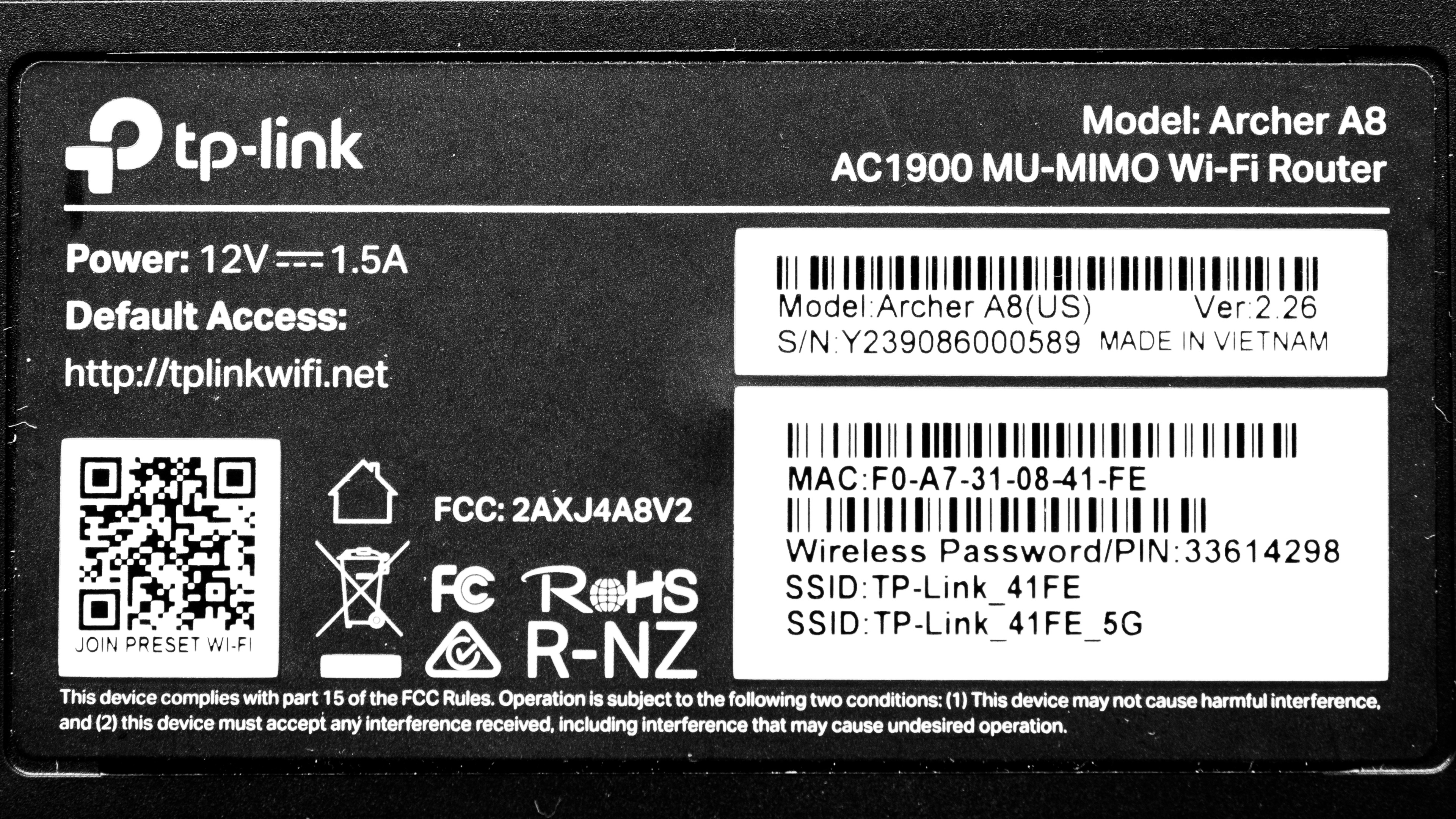
The TP-Link Archer A8 doesn't have any variants. Here's a photo of our unit's label.
Popular Router Comparisons
The TP-Link Archer A8 is a budget dual-band Wi-Fi 5 router. It offers features like the newest WPA3 security standard, support for TP-Link's OneMesh technology for connecting range extenders, and more.
This router has a decent range and good top speeds, performing similarly to more expensive routers like the ASUS RT-AX1800S and the TP-Link Archer AX21. Still, it's only Wi-Fi 5, so your newer devices can't reach their highest speeds.
For more recommendations, check out the best budget and cheap routers, the best Wi-Fi routers, or the best routers for streaming.
The TP-Link Archer AX21 is a dual-band Wi-Fi 6 router, and the TP-Link Archer A8 is a dual-band Wi-Fi 5 router. They deliver very similar performance, with the Archer A8 actually having slightly better range despite it being Wi-Fi 5.
Test Results


for pictures & test results

for pictures & test results

- CAT 5E Ethernet cable
- Power adapter
- User documentation
for pictures & test results

This router has a pair of screw head slots on the bottom, so you can easily mount it to your wall or ceiling.
for pictures & test results

This is a standalone router, so the mesh satellite position line on this graph isn't applicable.
for pictures & test results

This is a standalone router, so the mesh satellite position line on this graph isn't applicable.
for pictures & test results

If you'd prefer a Wi-Fi 6E router that grants you access to the 6GHz band for faster speeds and less signal interference, consider the TP-Link Archer AXE75.