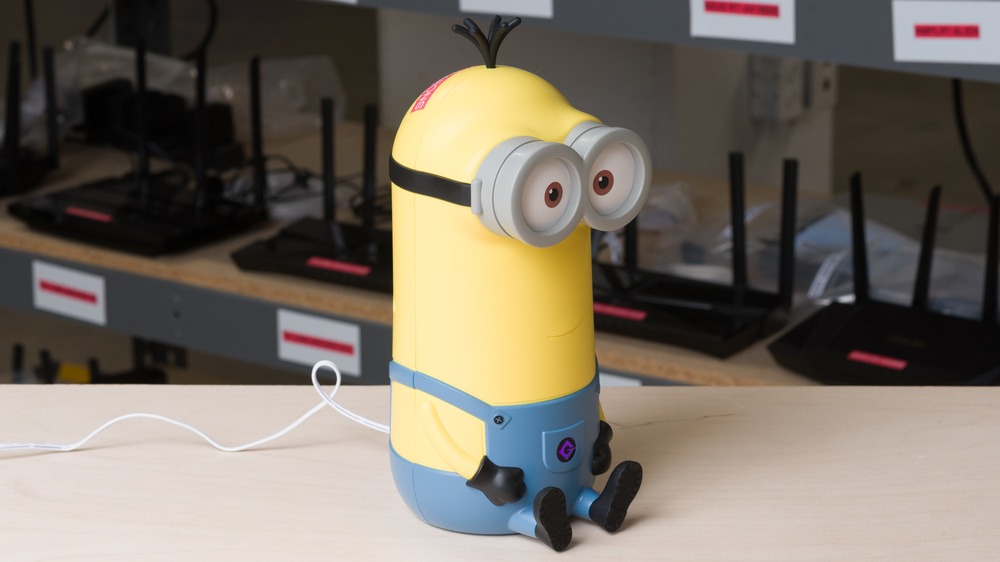
The Davolink Minions Kevin is a tri-band Wi-Fi 6E router featuring the likeness of Kevin from the Despicable Me/Minions franchise. Beneath its playful exterior, Kevin houses three internal antennas (2.4GHz, 5GHz, and 6GHz) along with one 2.5Gbps WAN port and one 1Gbps LAN port on the rear. Along with its ability to be configured as a repeater, you can pair the router with the Davolink Minions Bob to form an extended mesh network. You can create up to seven unique SSIDs per band, an especially useful feature if you want to isolate lower-security IoT devices from your main network or configure a subnetwork with parental controls. You can manage your router and network settings through Kevin's web interface.
Our Verdict
The Davolink Minions Kevin is a very good router for an apartment or condo. It delivers impressive peak speeds when nearby, making it well-suited for streaming 4k video or downloading large files quickly across multiple devices. As a Wi-Fi 6E router, compatible devices can use Kevin's 6GHz band for faster speeds and improved performance in congested environments, while another device can connect directly to its 1Gbps Ethernet port to eliminate latency. That said, it's notably short on LAN ports and requires some vertical clearance to accommodate its unique shape.
Impressive top speeds on its 5GHz and 6GHz bands.
Adorable.
Can pair with other Minion routers to form a mesh network.
Can set up to seven separate SSIDs per band.
Long-range performance is unremarkable.
Irregular footprint is less practical for small spaces.
Wired connectivity is limited to a single gigabit LAN port.
"Easy Mesh" marketing is deceptive and lacks interoperability with EasyMesh-certified devices.
The Davolink Minions Kevin is a decent router with great speeds for a multi-level home. Its range isn't bad, but you can expect a drop in 5GHz performance as you move away from the unit. It comes equipped with one 2.5Gbps and one 1Gbps LAN port to connect a wired device, and can optionally be configured as a repeater. While Kevin is advertised as having mesh compatibility with other routers, this compatibility is limited to the Davolink Minions Bob.
Impressive top speeds on its 5GHz and 6GHz bands.
Adorable.
Can pair with other Minion routers to form a mesh network.
Can set up to seven separate SSIDs per band.
Long-range performance is unremarkable.
Irregular footprint is less practical for small spaces.
Wired connectivity is limited to a single gigabit LAN port.
"Easy Mesh" marketing is deceptive and lacks interoperability with EasyMesh-certified devices.
The Davolink Minions Kevin delivers impressive overall speed suitable for gigabit Wi-Fi connections. Its inclusion of a 6GHz band allows Wi-Fi 6E and newer devices to achieve high throughput with less interference, while Dynamic Frequency Selection (DFS) channels help manage traffic over busy networks. You can segment each of its three bands into multiple SSIDs for enhanced traffic management, allowing you to prioritize or limit usage for certain devices.
Impressive top speeds on its 5GHz and 6GHz bands.
Can set up to seven separate SSIDs per band.
The Davolink Minions Kevin has acceptable range performance. Its speeds drop off noticeably at longer distances, but you can mitigate this by pairing the router to its companion, the Davolink Minions Bob, to create a mesh network. You can also configure the router as a repeater, allowing Kevin to rebroadcast an existing network's signal for better coverage.
Can pair with other Minion routers to form a mesh network.
Long-range performance is unremarkable.
"Easy Mesh" marketing is deceptive and lacks interoperability with EasyMesh-certified devices.
Check Price
Differences Between Sizes And Variants
We bought and tested the Davolink Minions Kevin router. Davolink sells a smaller unit, the Davolink Minions Bob, which can be paired with Kevin as a mesh satellite.
Popular Router Comparisons
The Davolink Minions Kevin occupies a market niche as a particularly lovable piece of networking hardware. Despite its novel appearance, the router offers up pleasantly surprising entry-level utility with a 6GHz band and multi-gigabit theoretical speeds. It's a viable option for both fans of the Minions franchise and consumers after a solid tri-band router, but it's hard to recommend over options like the eero Pro 6E or conventional standalones like the TP-Link Archer BE700 if you're in need of better range or a scalable mesh. The UniFi Express 7 delivers better all-around performance and compatibility in a much lower profile. Note that, unlike routers that support the Wi-Fi Alliance's EasyMesh standard, Davolink's "Easy Mesh" technology is proprietary and only works to form a mesh with the Davolink Minions Bob router.
For more recommendations, see our picks for the best Wi-Fi routers, the best routers for gaming, and the best mesh Wi-Fi systems.
The TP-Link Archer AXE75 and the Davolink Minions Kevin are two tri-band Wi-Fi 6E routers with vastly different aesthetics. Doubling as a conversation piece, the Davolink offers more impressive speed and range than the TP-Link overall. All four of the Archer's Ethernet ports are limited to 1Gbps, while the Davolink has a smaller selection of one 2.5Gbps WAN and one 1Gbps LAN port. While the Minions router's upright design is quite tall, the TP-Link's wider base and external antennas occupy more space on the whole. Both can be configured as a mesh network with compatible devices of the same brand, but the TP-Link has many more compatible access points to choose from.
The GL.iNet Beryl AX (GL-MT3000) is a dual-band Wi-Fi 6 router designed for pocket-sized portability, while the Davolink is a tri-band Wi-Fi 6E router housed in a novelty Minions-themed chassis. The GL.iNet is highly configurable thanks to its OpenWrt firmware, suite of pre-loaded networking tools and a USB port for tethering. While its interface is more limited (and exceptionally yellow) compared to the Beryl, the Kevin's extra 6GHz band gives it a slight edge in raw speed. Its standalone range is inferior to the GL.iNet's, however, though you can pair it with the Minions Bob router (sold separately) to form a basic mesh.
The eero Pro 6E and the Davolink Minions Kevin are both tri-band Wi-Fi 6E devices, but the eero serves as a dedicated mesh solution while the Davolink is a standalone router. The eero delivers better range and a seamless setup through its established ecosystem, while the Davolink can be paired with its companion, the Davolink Minions Bob (sold separately), to form a limited mesh. Physically, the Minions router offers one 2.5Gbps WAN and one 1Gbps LAN on the rear, while the eero's two 2.5Gbps ports automatically detect your connection type. The Minion's cute yellow body requires more space to accommodate than the eero, whose chassis is remarkably compact.
The TP-Link Deco XE5300 and Davolink Minions Kevin are both tri-band Wi-Fi 6E routers, but they serve different networking needs. The TP-Link is a dedicated mesh system designed to work with multiple nodes for seamless whole-home coverage, while the Davolink is a capable standalone router whose main draw comes from its lovably-trademarked exterior. While marketed as "Easy Mesh" compatible, Kevin lacks interoperability with third-party standards like EasyMesh but can be paired to the Davolink Minions Bob for greater coverage. It features one 2.5Gbps WAN and one 1Gbps LAN ports for slightly higher wireless speeds, whereas the TP-Link is limited to 1Gbps ports but touts significantly better wireless performance at range. The Deco features a discrete, cylindrical design that makes it simpler to tuck away compared to the Davolink’s tall novelty chassis.
Test Results
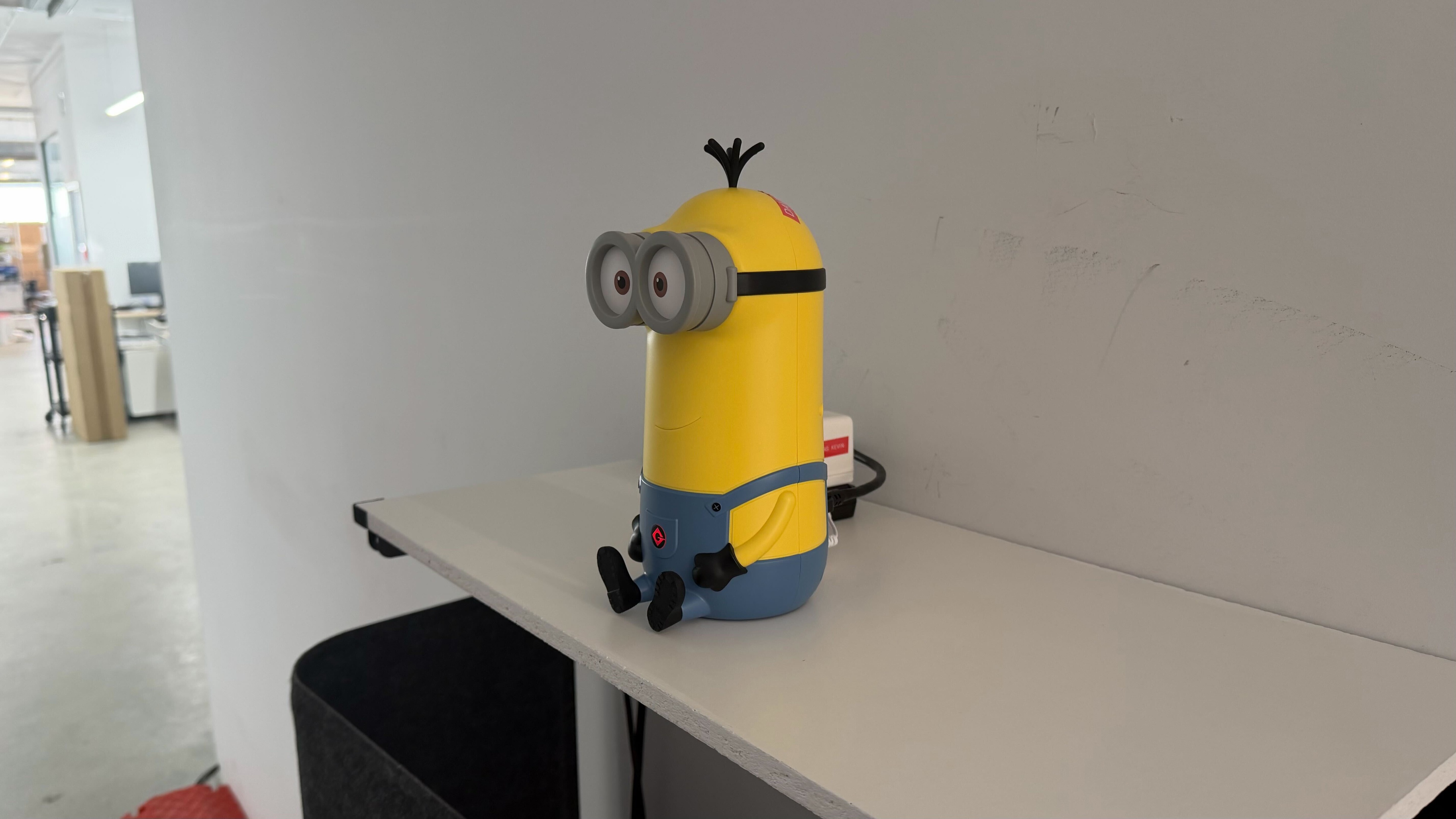

for pictures & test results

The router comes with one 2.5Gbps WAN port and one 1Gbps LAN port for a wired gigabit connection.
for pictures & test results

- Ethernet cable (Cat 5e)
- Power adapter
- User documentation

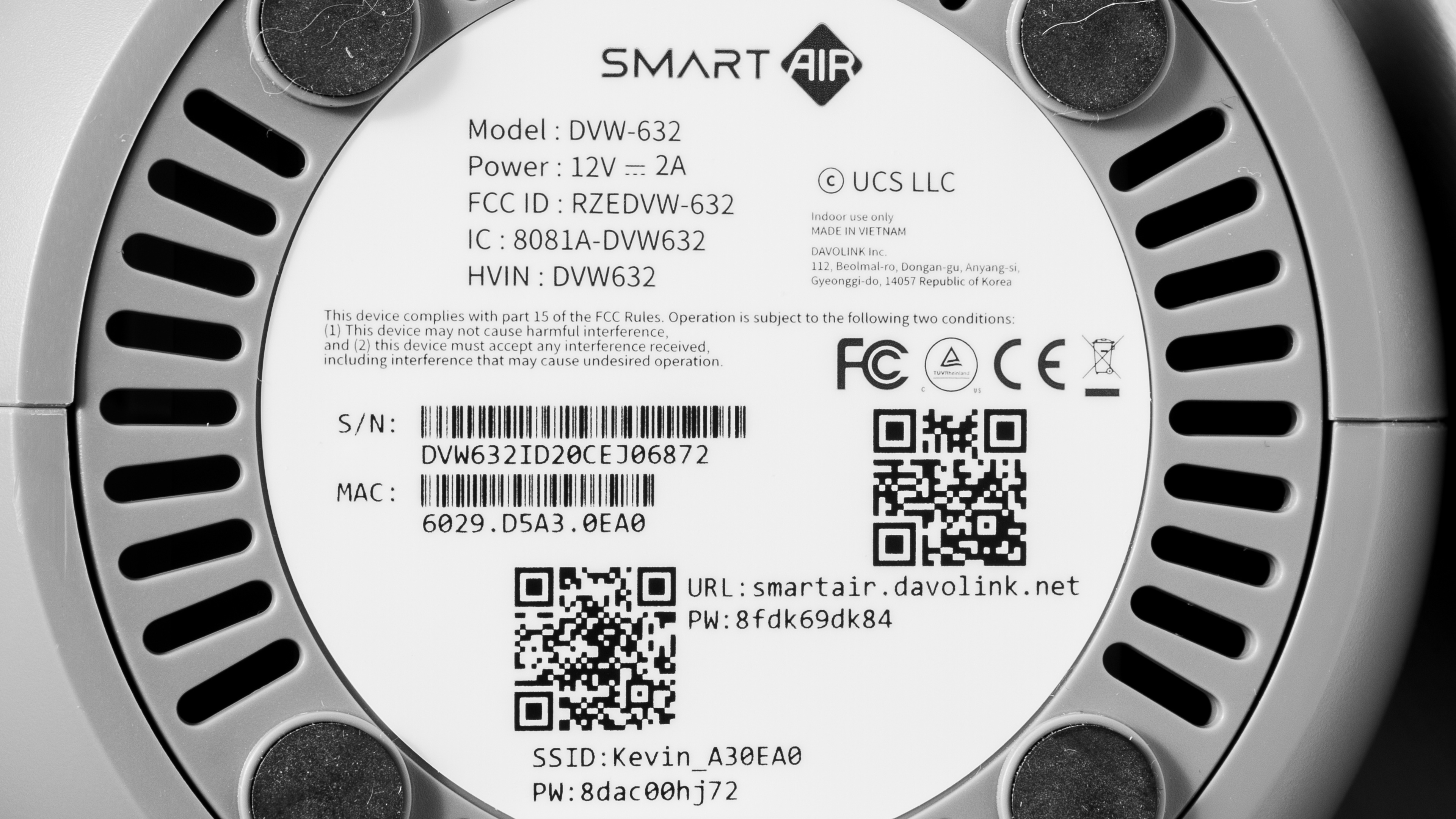
for pictures & test results

Unlike routers that support the Wi-Fi Alliance's EasyMesh standard, Davolink's misleadingly titled "Easy Mesh" technology is proprietary. This means Kevin is unable to form a mesh with any hardware other than the Davolink Minions Bob.
for pictures & test results

You can segment each of the Davolink Minions Kevin's three bands into up to seven separate SSIDs, allowing you to prioritize or limit bandwidth usage for certain devices. This is especially helpful if you want to isolate lower-security IoT devices from your main network, or configure a subnet with added parental controls.