Corsair SKIFF 100 PLUS  Keyboard Review

Reviewed Sep 14, 2026 at 01:19pm
Tested using Methodology v1.4.3 
Corsair SKIFF 100 PLUS

Track

0.0
Gaming 
0.0
Office 
0.0
Mobile/Tablet 
0.0
Programming 
0.0
Entertainment / HTPC 
0.0
Raw Performance 

Track

 0

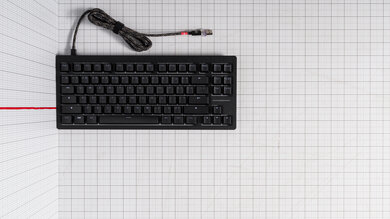
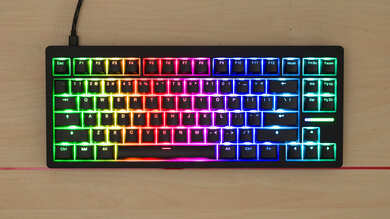
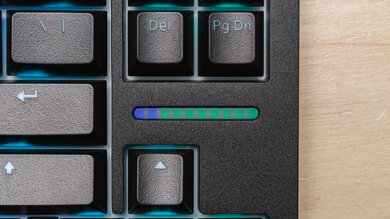
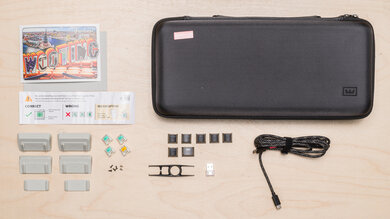
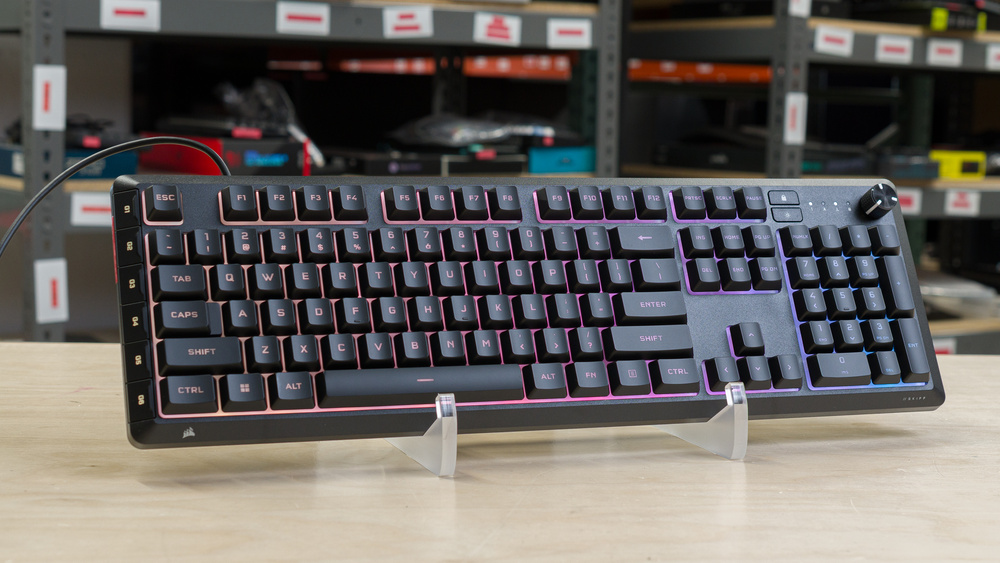
The Corsair SKIFF 100 PLUS is a wired, full-size keyboard that sits at the entry-level end of Corsair's gaming lineup. It uses membrane switches rather than mechanical ones. It comes with a detachable wrist rest, a rotary dial for media and volume, and six dedicated G-keys for macros and shortcuts, a feature the cheaper, non-Plus Corsair SKIFF 100 leaves out. You can set up lighting, macros, and other settings through Corsair's lightweight, browser-based Web Hub. As of September 2026, support for the fuller iCUE software isn't available for this keyboard.

Our Verdict

0.0
Gaming 

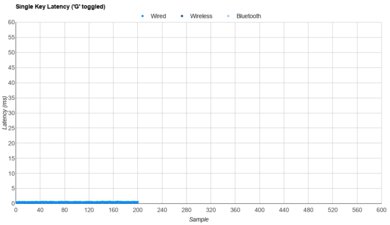
The Corsair SKIFF 100 PLUS is a great gaming keyboard. Its performance is very good for both single-key and multi-key latency. The rubber dome switches don't feel as crisp as mechanical switches under rapid, repeated presses, and the lack of true N-key rollover could matter in games that require many simultaneous inputs. For casual and mid-level competitive play in most genres, though, it holds up very well.

Pros
  • Very good single-key and multi-key latency.

  • Six dedicated macro keys.

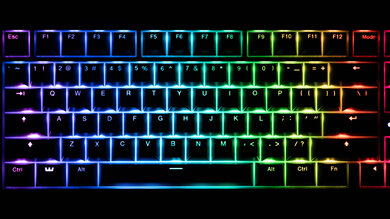
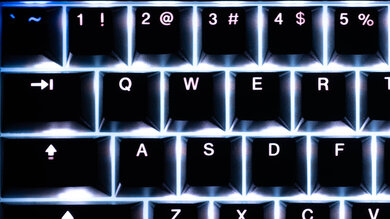
  • Bright, clear key legends for low-light work.

Cons
  • Rubber dome switches feel less consistent under fast, repeated presses.

  • No true N-key rollover.

  • Wired-only; no Bluetooth or multi-device pairing.

  • Web Hub software only supports a single onboard profile.

0.0
Office 

The Corsair SKIFF 100 PLUS is an okay office keyboard. It's easy to get up to speed thanks to the standard layout and is quiet enough for office or shared-space use. It falls short of a dedicated office keyboard in a few ways: it's wired-only with no Bluetooth or multi-device pairing, and the typing quality is only decent.

Pros
  • Very quiet typing, well-suited to shared offices.

  • Bright, clear key legends for low-light work.

Cons
  • Rubber dome switches feel less consistent under fast, repeated presses.

  • Wired-only; no Bluetooth or multi-device pairing.

  • Web Hub software only supports a single onboard profile.

0.0
Mobile/Tablet 

The Corsair SKIFF 100 PLUS is a wired-only keyboard, so it isn't compatible with phones or tablets at all.

0.0
Programming 

The Corsair SKIFF 100 PLUS is decent for programming. The quiet switches and clear, bright backlighting make this an easy keyboard to work on, whether you're coding in a dark room or a shared space. The G-keys are handy for snippets or repeated commands once you've set them up. The build quality is only satisfactory, and the typing can feel somewhat mushy especially compared to a mechanical keyboard.

Pros
  • Six dedicated macro keys.

  • Very quiet typing, well-suited to shared offices.

  • Bright, clear key legends for low-light work.

Cons
  • Rubber dome switches feel less consistent under fast, repeated presses.

  • Wired-only; no Bluetooth or multi-device pairing.

  • Web Hub software only supports a single onboard profile.

0.0
Entertainment / HTPC 

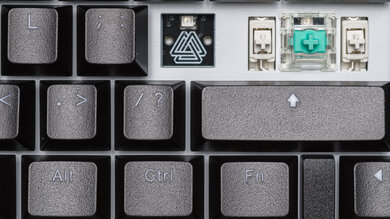
The Corsair SKIFF 100 PLUS is bad for a home theater PC setup. It's a wired-only keyboard, so you'll need to be very close to your device. Like most full-size keyboards, this one takes up a lot of surface area and isn't easy to use from a couch. Its media controls live behind an Fn-modified rotary dial rather than dedicated media keys, which isn't ideal. The backlighting is solid and makes it easy to use in low light.

Pros
  • Bright, clear key legends for low-light work.

Cons
  • Wired-only; no Bluetooth or multi-device pairing.

  • Large footprint isn't well-suited to lap or couch use.

  • No dedicated media keys; track skip and play/pause both need an Fn shortcut.

0.0
Raw Performance 

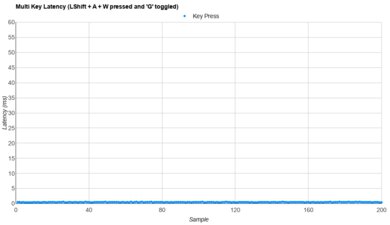
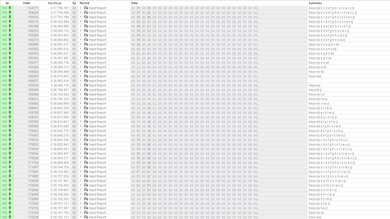
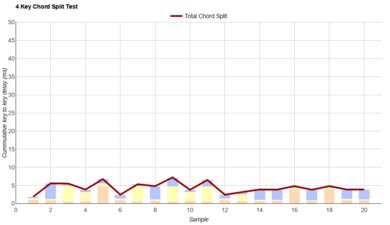
While it's not up to the standard set by enthusiast boards, the Corsair SKIFF 100 PLUS delivers very good raw performance. Single-key and multi-key latency are both quite good, and the 4-key chord split performance is excellent. The main ceiling here is data transmission: this keyboard doesn't support true N-key rollover, so it can fall behind in scenarios with many simultaneous key presses, even though its raw response times are good enough.

Pros
  • Very good single-key and multi-key latency.

Cons
  • No true N-key rollover.

  • 0.0
    Gaming
  • 0.0
    Office
  • 0.0
    Mobile/Tablet
  • 0.0
    Programming
  • 0.0
    Entertainment / HTPC
  • 0.0
    Raw Performance
  • Changelog

    1.  Updated Sep 14, 2026: Review published.
    2.  Updated Sep 10, 2026: Early access published.
    3.  Updated Sep 08, 2026: Our testers have started testing this product.
    4.  Updated Aug 03, 2026: The product has arrived in our lab, and our testers will start evaluating it soon.

    Check Price

    BlackSKIFF 100 PLUS
    SEE PRICE
    BestBuy.com
    BlackSKIFF 100
    SEE PRICE
    Amazon

    Differences Between Sizes And Variants

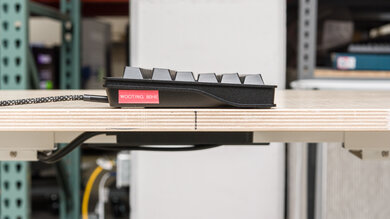
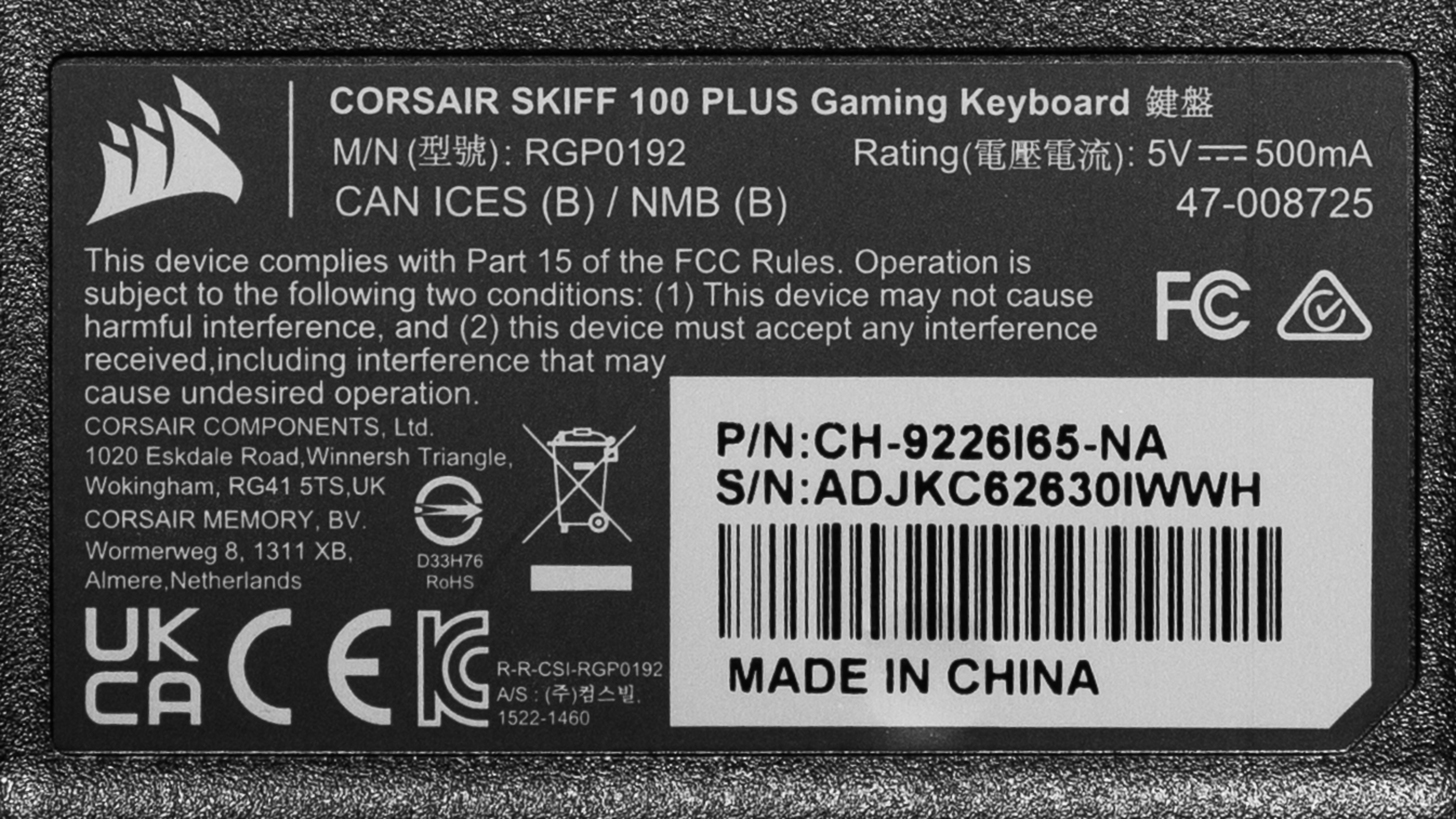
    Corsair currently sells the SKIFF 100 PLUS in a single color, black. Here's our unit's label. If you come across any other variants of this keyboard, let us know in the comments, and we'll update this review.

    Corsair also sells a non-Plus SKIFF 100 built on the same platform. The only functional difference is the six G-keys: the standard SKIFF 100 doesn't have them.

    Popular Keyboard Comparisons

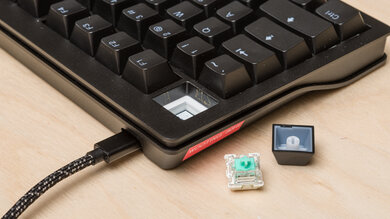
    The Corsair SKIFF 100 PLUS sits below Corsair's mechanical K55 and K70 families, positioned as the brand's entry point. It's a decent all-rounder for anyone who wants a full-size, budget-friendly keyboard without mechanical switches. Its latency numbers hold up well, and the six dedicated macro keys are a nice addition for people who might benefit from the added flexibility. That said, there are some trade-offs to contend with. The switches aren't hot-swappable or upgradeable, real-world key rollover falls short of Corsair's rated spec, and the membrane switches don't provide as much tactility as their mechanical counterparts.

    While its price point is decidedly in the entry-level segment, models like the Keychron J2 are similarly priced and offer a more well-rounded package overall. It performs slightly better for gaming and includes hot-swappable mechanical switches, wireless connectivity, and a more polished software experience. Alternatively, the Corsair K70 CORE outperforms the SKIFF 100 PLUS across most metrics while costing only slightly more. While it's a decent overall package with no glaring issues, the Corsair SKIFF 100 doesn't quite do enough to stand out unless you find it on sale. It is, however, a safe, good-performing board that should satisfy most users in this category.

    See our recommendations for the best keyboards, the best gaming keyboards under $100, and the best gaming keyboards

    SteelSeries Apex 3

    Track

    The SteelSeries Apex 3 and the Corsair SKIFF 100 PLUS are both full-size gaming keyboards with rubber dome switches, but the Corsair is slightly better overall. It's slightly quieter to type on, has lower latency, and offers six dedicated macro keys. Its IP53 rating is also a step up from the Apex 3's IP32 for better protection against dust and moisture.

    Corsair K70 CORE

    Track

    The Corsair K70 CORE and the SKIFF 100 PLUS are both full-size gaming keyboards from Corsair. The K70 CORE uses mechanical switches, with noticeably faster latency, more tactile feedback when typing, and full N-key rollover. The SKIFF 100 PLUS, on the other hand, delivers a noticeably quieter typing experience, a certified IP53 spill rating, and six dedicated macro keys, which the K70 CORE doesn't have at all.

    Ducky OK-M

    Track

    The Ducky OK-M and the SKIFF 100 PLUS are built for different priorities. The OK-M is a compact 75% board with hot-swappable mechanical switches and tri-mode wireless support, none of which the SKIFF 100 PLUS offers. The SKIFF 100 PLUS is a gaming keyboard that is the better fit if you want a full-size layout with a number pad, dedicated macro keys, and a much quieter typing experience. It also delivers a more consistent latency performance.

    Keychron J2 [J4, J5, etc.]

    Track

    The Keychron J2 and the Corsair SKIFF 100 PLUS are budget keyboards, but the J2 is the stronger performer almost across the board. It's a wireless, hot-swappable mechanical keyboard with PBT keycaps, true N-key rollover, and lower latency, and it also scores better for build quality, typing quality, and wireless versatility. The SKIFF 100 PLUS answers back with six dedicated macro keys, a quieter typing experience compared to the switches we tested on our Keychron unit, and a full-size layout with a numpad the compact J2 skips entirely.

    Test Results

    perceptual testing image
    Sort:
    RATINGS
    Category:
    All
    Design
    Dimensions
    Size
    LockedFull-size (100%)
    Height
    LockedLock" (Lock cm)
    WidthLockedLock" (Lock cm)
    Depth
    LockedLock" (Lock cm)
    Depth With Wrist Rest
    LockedLock" (Lock cm)
    Weight
    LockedLock lbs (Lock kg)

    Become a member to view the full test results and text of the reviews, as well as extra website features and tools with no ads.

    0.0
    Build Quality
    Keycap MaterialLockedLocked

    Become a member to view the full test results and text of the reviews, as well as extra website features and tools with no ads.

    0.0
    Ergonomics
    Curved/Angled
    LockedLocked
    Split Keyboard
    LockedLocked
    Key Alignment
    LockedLocked
    Minimum Incline
    LockedLock°
    Medium Incline
    LockedN/A
    Maximum Incline
    LockedLock°
    Home Row Height
    LockedLock mm (Lock")

    Become a member to view the full test results and text of the reviews, as well as extra website features and tools with no ads.

    0.0
    Hardware Customizability
    Replaceable Cherry Stabilizers
    LockedLocked
    Stabilizer Fixation
    LockedLocked
    Spacebar Stabilizer Size
    LockedLocked
    Size Of Right Mod Keys
    LockedLocked
    Hot-Swappable Switches
    LockedNo
    Switch Stem Shape
    LockedLocked
    Mechanical Switch Compatibility
    LockedLocked
    Magnetic Switch Compatibility
    LockedLocked
    North-Facing Cherry MX Interference
    LockedLocked
    0.0
    Backlight Features
    BacklightingLockedLocked
    RGB
    LockedLocked
    Per-Key Backlighting
    LockedLocked
    Effects
    LockedLocked
    Software Controllable
    LockedLocked

    Become a member to view the full test results and text of the reviews, as well as extra website features and tools with no ads.

    0.0
    Backlight Clarity

    Become a member to view the full test results and text of the reviews, as well as extra website features and tools with no ads.

    Cable & Connector
    ConnectivityLockedWired
    Detachable
    LockedLocked
    LengthLockedLock ft (Lock m)
    Connector (Keyboard side)
    LockedLocked

    Become a member to view the full test results and text of the reviews, as well as extra website features and tools with no ads.

    0.0
    Wireless Versatility
    Bluetooth
    LockedLocked
    Bluetooth Multi-Device Pairing
    LockedLocked
    Proprietary Receiver
    LockedLocked
    Battery Type
    LockedLocked

    Become a member to view the full test results and text of the reviews, as well as extra website features and tools with no ads.

    0.0
    Macro Keys And Programming
    Dedicated Macro Keys CountLockedLock
    Onboard Macro Programming
    LockedLocked
    Macro Programming With Software
    LockedLocked

    Become a member to view the full test results and text of the reviews, as well as extra website features and tools with no ads.

    Extra Features
    Media Keys
    LockedLocked
    Trackpad / TrackballLockedLocked
    Scroll Wheel
    LockedLocked
    Control Knob
    LockedLocked
    USB Passthrough
    LockedLocked
    NumpadLockedLocked
    Windows Key Lock
    LockedLocked
    Lock IndicatorLockedLocked

    Become a member to view the full test results and text of the reviews, as well as extra website features and tools with no ads.

    In The Box

    Become a member to view the full test results and text of the reviews, as well as extra website features and tools with no ads.

    Typing Experience
    0.0
    Typing Quality
    Key Spacing
    LockedLock mm (Lock")

    Become a member to view the full test results and text of the reviews, as well as extra website features and tools with no ads.

    0.0
    Typing Noise
    SAMPLE
    Join Now

    for videos & test results

    Corsair SKIFF 100 PLUS Typing Sample Sample
    Average Loudness
    LockedLock dBA
    High Pitch Clicks
    LockedLocked

    Become a member to view the full test results and text of the reviews, as well as extra website features and tools with no ads.

    Keystrokes
    Initial Force
    LockedN/A
    Peak Tactile Force
    LockedLock gf
    Actuation Force
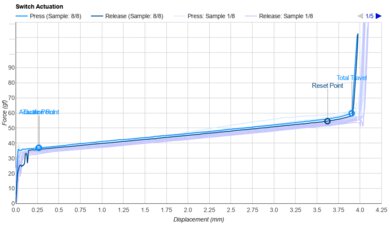
    LockedLock gf
    Bottom-Out Force
    LockedLock gf
    Pre-Travel Distance
    LockedLock mm
    Total Travel Distance
    LockedLock mm

    Become a member to view the full test results and text of the reviews, as well as extra website features and tools with no ads.

    0.0
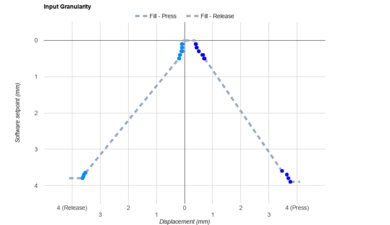
    Adjustable Input Granularity
    Top Deadzone
    LockedN/A
    Bottom Deadzone
    LockedN/A
    Detection Ratio
    LockedN/A
    Minimum Step Depth
    LockedN/A

    Become a member to view the full test results and text of the reviews, as well as extra website features and tools with no ads.

    Switches
    SAMPLE
    Join Now

    for videos & test results

    Corsair SKIFF 100 PLUS Wobble Video Sample
    Switch Name
    LockedLocked
    Switch Type
    LockedRubber Dome
    Feel
    LockedLocked
    Output Type
    LockedNon-Adjustable

    Become a member to view the full test results and text of the reviews, as well as extra website features and tools with no ads.

    Performance
    0.0
    Single-Key Latency
    Best Connection
    LockedLock ms
    Best Connection Std DevLocked±Lock ms
    Wired
    LockedLock ms
    Receiver
    LockedN/A
    Bluetooth
    LockedN/A
    PCB (Estimated)
    LockedLock ms

    Become a member to view the full test results and text of the reviews, as well as extra website features and tools with no ads.

    0.0
    Multi-Key Latency
    Connection EvaluatedLockedLocked
    Key Press
    LockedLock ms

    Become a member to view the full test results and text of the reviews, as well as extra website features and tools with no ads.

    0.0
    Data Transmission
    Connection EvaluatedLockedLocked
    USB Polling Rate
    LockedLock Hz
    Effective Update Rate
    LockedLock Hz
    N-Key Rollover (NKRO)
    LockedLocked
    Multiple Keys Per USB Report
    LockedLocked

    Become a member to view the full test results and text of the reviews, as well as extra website features and tools with no ads.

    0.0
    Chord Split
    4 Chord Split Delay
    LockedLock ms
    8 Chord Split Delay
    LockedN/A

    Become a member to view the full test results and text of the reviews, as well as extra website features and tools with no ads.

    Software and Operating System
    Configuration Software
    SAMPLE
    Join Now

    for videos & test results

    Corsair SKIFF 100 PLUS Software Tour Sample
    Software NameLockedLocked
    Software Windows Compatible
    LockedLocked
    Software macOS Compatible
    LockedLocked
    Onboard Memory
    LockedLocked
    Profiles
    LockedLocked

    Become a member to view the full test results and text of the reviews, as well as extra website features and tools with no ads.

    0.0
    Computer Compatibility
    Windows
    LockedLocked
    macOS
    LockedLocked
    Linux
    LockedLocked
    Media Key Compatibility
    LockedLocked

    Become a member to view the full test results and text of the reviews, as well as extra website features and tools with no ads.

    0.0
    Wireless Mobile Compatibility
    Android
    LockedLocked
    iOS
    LockedLocked
    iPadOS
    LockedLocked
    Media Key Compatibility
    LockedLocked

    Become a member to view the full test results and text of the reviews, as well as extra website features and tools with no ads.