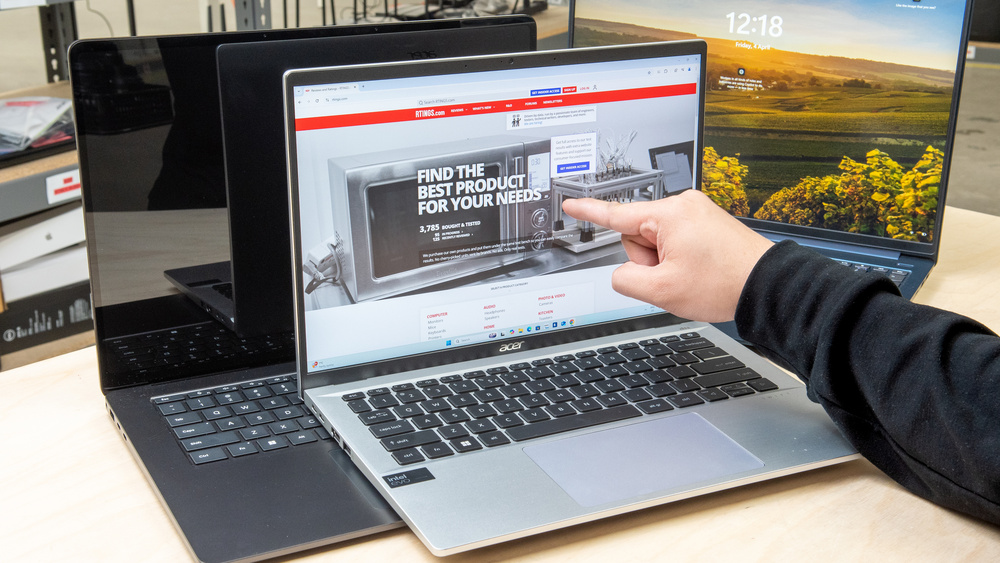
While touch input isn't absolutely necessary on a laptop, it provides an additional way to interact with the device and can sometimes make navigation easier and more natural. These days, there are tons of laptops with a touchscreen, including traditional clamshell models, 2-in-1 convertibles, and tablets with detachable keyboards. So, to help you sort through all the available options, we've compiled a list of the best we've tested. There won't be any MacBooks in this article because there aren't any MacBooks with a touchscreen.
We've tested more than 185 laptops, and below are our recommendations for the best touchscreen laptops. You can also check out our recommendations for the best laptops, the best laptops for college, and the best business laptops.
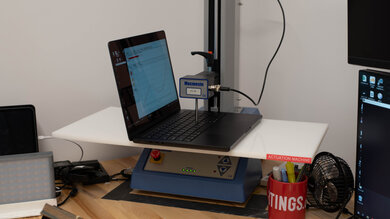
Since 2021, we've tested dozens of laptops every year. We buy our laptops to avoid bias and, following a rigorous methodology, test nearly every part of the laptop so we can deliver results you can rely on. We use a wide range of equipment to perform our tests, including a colorimeter, a Mecmesin MultiTest-i System Test Stand, and various performance benchmarking suites.
Want to know more? Check out our How We Test Laptops article, where we give you a broader overview of our review process, from the moment we purchase the product to the final review.
-
Best Touchscreen Laptop
 General ProductivityMultimediaGamingWorkstationForm Factor:Portability:Typing Quality:Touchpad:Ports:See all our test resultsBattery Life (Web Browsing):hrs
The best laptop with a touchscreen we've tested is the Lenovo ThinkPad X9 Aura Edition (2025). Available in 14- and 15.3-inch sizes, this premium ultraportable has a thin and light design and a sturdy all-aluminum build. Both sizes offer a gorgeous 120Hz 2.8k OLED touchscreen, though there are also non-touch configurations, so check the display before buying. Our 15-inch unit has a comfortable keyboard, a large, easy-to-use haptic touchpad, and an outstanding 1440p webcam with facial recognition. The haptic touchpad and higher-resolution camera are optional, so those features also depend on the configuration.
This laptop is available with an Intel Core Ultra 5 or 7 Lunar Lake SoC and up to 32GB of RAM. Either processor tier handles everyday productivity comfortably, while Core Ultra 7 models have stronger integrated graphics for occasional light gaming or creative work. The storage drive is user-replaceable, but the RAM isn't, so get enough memory upfront.
Our 15-inch unit lasts around 15 hours of web browsing. The smaller model has a 55Wh battery instead of 80Wh, so don't assume the same endurance. The 15-inch model also adds a USB-A port; both sizes have two Thunderbolt 4 ports, HDMI, and a headphone jack. Neither supports an active stylus, so choose a convertible or tablet below if you want to take handwritten notes.
-
Best Mid-Range Touchscreen Laptop
GamingSchool & WorkMedia ConsumptionHeavy WorkloadBatteryBuild QualityGraphics PerformanceProcessing PerformanceForm Factor:Traditional (Clamshell)Portability:Typing Quality:Touchpad:Ports:See all our test resultsBattery Life (Web Browsing):hrsIf you want something more affordable, check out the mid-range Dell XPS 13 (2026). Compared to the Lenovo ThinkPad X9 Aura Edition (2025), you give up OLED's deep blacks and some premium features, but you get a smaller, lighter laptop with a sharp 13.4-inch 2.5k IPS touchscreen. Its 120Hz refresh rate makes scrolling look smooth, and the display gets bright enough for well-lit rooms, though reflections can still be distracting. The keyboard is comfortable and backlit, but the mechanical touchpad has a limited usable area, making dragging items and working near its edges less convenient.
Its Intel Core 5 320 processor handles browsing, documents, spreadsheets, and video calls comfortably. We recommend the 16GB configuration for more multitasking headroom, as the 8GB model we tested can feel restrictive in Windows. Neither has upgradeable memory, so that's another reason to get more upfront. Our unit lasted around 15.5 hours of web browsing, although video playback was shorter at around 8.5 hours.
Connectivity is the main compromise: you only get two USB-C ports, with no USB-A, HDMI, or headphone jack. Those ports support charging and external displays, but not Thunderbolt or USB4. Like the ThinkPad, this is a clamshell laptop, so its touchscreen is more useful for navigation than tablet-style use.
-
Best Budget Touchscreen Laptop
General ProductivityMultimediaGamingWorkstationForm Factor:Portability:Typing Quality:Touchpad:Ports:See all our test resultsBattery Life (Web Browsing):hrsThe best budget touchscreen laptop we've tested is the Acer Chromebook Plus Spin 714 (2024). Unlike the Dell XPS 13 (2026), this 14-inch model has a 360-degree hinge and pen support, making it more versatile for taking notes or using in tent mode. You give up Windows software compatibility and the Dell's smoother 120Hz display, but the Acer has a sturdy build and provides a great user experience overall. Its colorful IPS touchscreen looks sharp, though it doesn't handle reflections particularly well. You also get a comfortable keyboard, a great 1440p webcam, and a useful port selection with two USB-C/Thunderbolt 4 ports and HDMI.
Its Intel Core Ultra CPU can easily handle general productivity tasks and provides a snappy desktop experience. Battery life is great at over 10 hours of light use, enough to get through a typical school or workday. ChromeOS works well for browser-based tasks, but check compatibility if you need specialized software.
Unfortunately, availability is becoming limited. You can still find new units, including through marketplace sellers, but check the vendor, condition, and price carefully.
-
Best Cheap Touchscreen Laptop
SchoolGamingMultimediaWorkstationBusinessForm Factor:Portability:Typing Quality:Touchpad:Ports:See all our test resultsBattery Life (Web Browsing):hrsThe best cheap touchscreen laptop we've tested is the Lenovo Chromebook Duet 5 (2021). It can cost considerably less than the Acer Chromebook Plus Spin 714 (2024), and its 13.3-inch OLED display produces deeper blacks for watching films in a dark room. It's a tablet with a detachable keyboard and kickstand, so you can remove the keyboard for reading or watching videos. The keyboard is included, and the screen supports a separately sold stylus for notes and drawings.
The trade-off is a less comfortable laptop experience. The keyboard feels cramped, the touchpad can be unresponsive, and the kickstand makes it awkward to use on your lap. You also only get two USB-C ports, with no headphone jack. Its Snapdragon processor is fine for browsing, documents, and streaming, but it isn't suited to demanding applications. We recommend 8GB of RAM if you can find it at a sensible price, as it provides more multitasking headroom than the 4GB configuration. Our 4GB unit lasted around 10.5 hours of web browsing and almost eight hours of video playback.
Just like the Acer above, this is an older model with patchy availability. New units can still be found at low prices, but stock is inconsistent, so check the condition and seller before ordering.
-
Best Touchscreen Workstation Laptop
General ProductivityMultimediaGamingWorkstationForm Factor:Portability:Typing Quality:Touchpad:Ports:See all our test resultsBattery Life (Web Browsing):hrsThe best workstation laptop we've tested with a touch-sensitive display is the Lenovo ThinkPad P1 Gen 7 (2024). Configurable with Intel Meteor Lake CPUs up to a Core Ultra 9 185H and various NVIDIA discrete GPUs, this 16-inch model can handle demanding tasks like 3D modeling, simulations, and content creation. You can get up to 64GB of RAM and 8TB of storage, and both are user-upgradeable. Only the 60Hz 4k+ OLED display supports touch input; our tested unit has the 165Hz QHD+ IPS panel, so its display and battery results won't apply to the OLED model, which will likely give you slightly less battery depending on the use.
The overall user experience is excellent. It has a comfortable keyboard, a large haptic touchpad, an excellent 1440p webcam, and plenty of ports, including three USB-Cs (two Thunderbolt 4s), HDMI 2.1, and an SD Express 7.0 card reader. You can charge it via USB-C at up to 135W, but the battery may lose charge during demanding tasks, so use its dedicated power adapter for heavy work. The touchscreen doesn't support an active stylus.
Availability is the main concern: OLED touchscreen configurations are increasingly difficult to find, and they're often expensive. We did order the newer Lenovo ThinkPad P1 Gen 9 (2026) and will start testing it shortly; stay tuned for updates.
-
Best Tablet PC
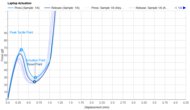
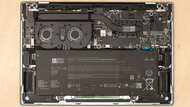
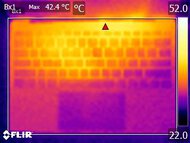
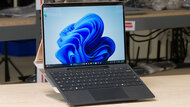
General ProductivityMultimediaGamingWorkstationForm Factor:Portability:Typing Quality:Touchpad:Ports:See all our test resultsBattery Life (Web Browsing):hrsIf you want a touchscreen laptop that's better suited for use as a tablet, check out the Microsoft Surface Pro 13 12th Edition (2026). Its detachable keyboard makes it more comfortable to hold for reading, drawing, or taking notes than a convertible with the keyboard folded behind the screen. Both its LCD and OLED displays have a sharp 2880 x 1920 resolution and a smooth 120Hz refresh rate. The tall 3:2 aspect ratio also gives you more vertical space for documents and feels natural in portrait mode.
You must buy the keyboard and stylus separately, so include them in your budget. The Flex Keyboard we tested has a great haptic touchpad and can work wirelessly when detached, but less expensive keyboard options have different features. The kickstand takes up more desk space than a conventional laptop and can feel unstable or uncomfortable on your lap. Connectivity is limited to two USB-C/USB4 ports and Surface Connect, with no headphone jack.
Its Snapdragon X2 Plus and X2 Elite processors handle everyday work comfortably, but check support for specialized applications and peripherals because it runs Windows on ARM. The X2 Plus comes with an LCD and a smaller battery, while the X2 Elite gets OLED. Our X2 Elite/OLED unit lasted around 11 hours of web browsing and nearly 13 hours of video playback. Its display delivers deep blacks, though reflections and OLED flicker may bother some people.




Notable Mentions
-
LG gram Pro 2-in-1 16 (2026):
The LG gram Pro 2-in-1 16 (2026) is an alternative to the Lenovo ThinkPad X9 Aura Edition (2025) if you want a large convertible with pen support. Its stronger CPU is better suited for demanding multitasking and creative work, but the Lenovo offers longer battery life, sturdier construction, a more comfortable keyboard, and cooler, quieter operation.
See our review -
Microsoft Surface Laptop 8th Edition (2026):
The Microsoft Surface Laptop 8th Edition (2026) is an alternative to the Lenovo ThinkPad X9 Aura Edition (2025) if you want a more affordable laptop with better factory color accuracy and a flicker-free IPS touchscreen. The Lenovo has a slightly more premium build, longer battery life, and fewer software compatibility concerns, but costs more.
See our review
Recent Updates
Oct 30, 2026:
We replaced the Acer Swift Go 14 (2024) with the Dell XPS 13 (2026) as our 'Best Mid-Range Touchscreen Laptop' and the hard-to-find Lenovo IdeaPad Slim 3i Chromebook 14 (2023) with the Lenovo Chromebook Duet 5 (2021) as our 'Best Cheap Touchscreen Laptop.' We also refreshed the Notable Mentions.
May 08, 2025:
We replaced the Microsoft Surface Laptop 7th Edition 15 (2024) with the Lenovo ThinkPad X9 15 Aura Edition (2025) because the Lenovo has a wider port selection and better compatibility with x86 apps. We replaced the Lenovo IdeaPad 3 15 (2021) with the Acer Chromebook Plus Spin 714 (2024) because the Acer laptop provides a better user experience overall. We removed the HP OmniBook Ultra Flip 14 (2024) from the Notable Mentions and replaced it with the Lenovo Yoga 9i 2-in-1 Aura Edition 14 (2025) because the Lenovo has a better battery life. We also added the Microsoft Surface Laptop 7th Edition 15 (2024) as a Notable Mention.
Mar 10, 2025:
Replaced the HP Spectre x360 14 (2024) with the HP OmniBook Ultra Flip 14 (2024) in the Notable Mentions because the OmniBook is a newer model that's easier to find. No change in the main picks.
Jan 15, 2025:
Added the Microsoft Surface Pro 11th Edition (2024) as the 'Best Tablet PC' pick. Added the Lenovo Yoga 7 2-in-1 14 (2024) as a Notable Mention.
Nov 18, 2024:
Replaced the HP Spectre x360 14 (2024) with the Microsoft Surface Laptop 7th Edition 15 (2024) because the Surface has significantly longer battery life and provides a better user experience overall. Replaced the Acer Chromebook Plus Spin 714 (2024) with the Acer Swift Go 14 (2024) because the Spin 714 is hard to find. Replaced the Dell XPS 16 (2024) with the Lenovo ThinkPad P1 Gen 7 (2024) because the Lenovo is available with professional GPUs and provides a better user experience. Added the HP Spectre x360 14 (2024), Acer Chromebook Plus Spin 714 (2024), and the Dell Precision 5690 (2024) as Notable Mentions. Removed the ASUS Zenbook 14 OLED (2024) and the ASUS Zenbook 14 Flip OLED (2023) from the Notable Mentions because there are better options.
All Reviews
Our recommendations above are what we think are currently the best touch screen laptops you can get. In addition to the test results, we factor in the price, feedback from our visitors, and availability.
If you prefer to make your own decision, here's the list of all of our laptop reviews, sorted by price from low to high. Keep in mind that most laptops are available in various configurations, and the table only shows the results of the model we tested, so it's best to see the full review for information about other variants.