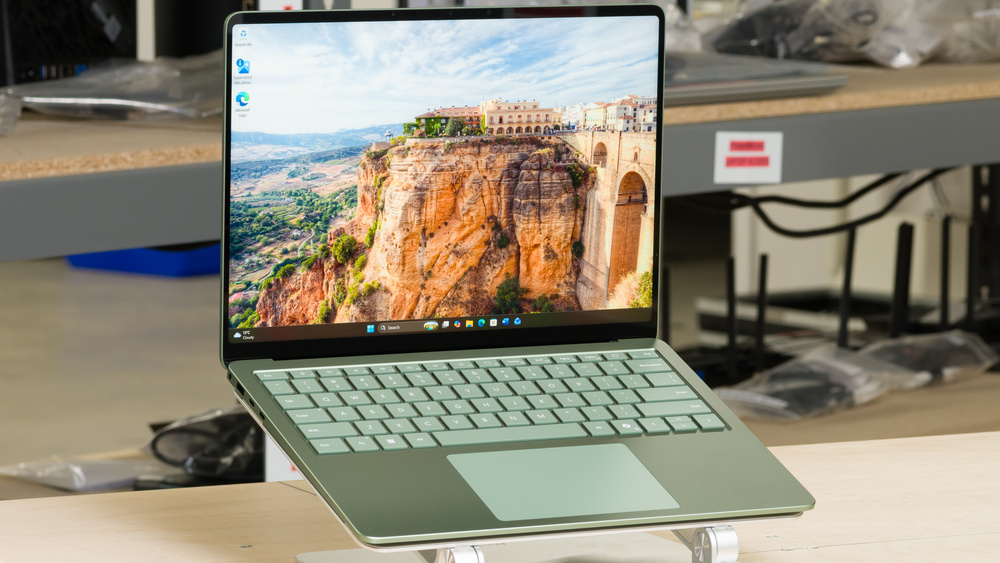
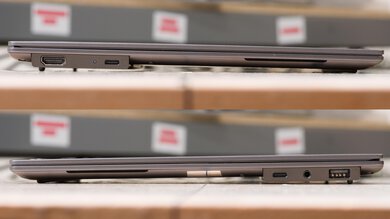
The Microsoft Surface Laptop 8th Edition (2026) is a premium Windows ultraportable available in 13.8- and 15-inch sizes. This Snapdragon model follows the Microsoft Surface Laptop 7th Edition 15 (2024) and offers Qualcomm Snapdragon X2 Plus or X2 Elite processors. Both sizes have an aluminum chassis, a tall 3:2 touchscreen with a 120Hz refresh rate, a haptic touchpad, a 1080p webcam with facial recognition, and Wi-Fi 7. Ports include two USB4 ports, a USB-A port, a headphone jack, and Microsoft's Surface Connect charging port. The 15-inch model also has a microSD card reader. We tested the 13.8-inch configuration with the Snapdragon X2 Plus processor, 16GB of RAM, and a 512GB SSD.
Our Verdict
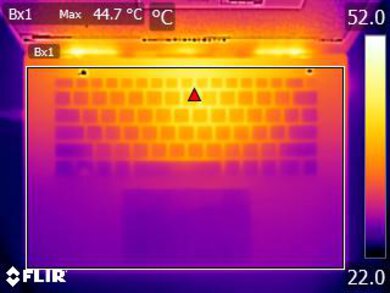
The Microsoft Surface Laptop 8th Edition (2026) is mediocre for gaming. The Snapdragon X2 Plus configuration struggles with demanding games at 1080p, making lighter titles and reduced settings a better match. X2 Elite configurations have stronger integrated graphics and will deliver higher frame rates in supported games, but the upgrade still won't make it a solid gaming machine. Windows on ARM game and anti-cheat compatibility remains a limitation. Both sizes have a 120Hz touchscreen and a sturdy aluminum chassis. At least the keyboard is comfortable, and our tested unit stayed relatively quiet under load, although the keyboard got hot during longer sessions.
Sharp, bright 120Hz touchscreen.
Comfortable keyboard and large, accurate haptic touchpad.
Integrated graphics limit demanding games and professional 3D work.
Windows on ARM compatibility varies with software and peripherals.
Keyboard gets hot under sustained load.
The Microsoft Surface Laptop 8th Edition (2026) is great for school and office work. The compact 13.8-inch model is easy to carry between classes or meetings, while the 15-inch version provides a sharper and bigger display. The 13.8-inch unit lasts over 12 hours of web browsing, enough for a full day of light use. Its sturdy aluminum chassis feels premium, and it stays cool and quiet during light workloads. The display gets bright enough for well-lit rooms, although reflections can be distracting. A comfortable keyboard, haptic touchpad, and excellent webcam round out the experience. It readily handles documents, browsing, and video calls, but check that your required applications and peripherals support Windows on ARM. Also keep in mind that while the touchscreen supports finger input, it doesn't support a Surface Pen for taking handwritten notes.
The 13.8-inch model lasts over 12 hours of web browsing and about 15 hours of video playback.
Compact, light, and sturdy aluminum chassis.
Sharp, bright 120Hz touchscreen.
Comfortable keyboard and large, accurate haptic touchpad.
Quiet fan during everyday use.
Windows on ARM compatibility varies with software and peripherals.
Glossy screen produces distracting reflections.
RAM is soldered and cannot be upgraded.
The Microsoft Surface Laptop 8th Edition (2026) is good for media consumption. Both sizes have sharp IPS touchscreens, with the 13.8-inch model being easy to carry around and the 15-inch model providing a larger and sharper picture. It gets bright enough for most indoor settings, and our configuration lasts about 15 hours of video playback on battery. The fan also stays quiet, so it doesn't distract from what you're watching. The main drawbacks are its glossy screen, which produces distracting reflections, and gray-looking blacks in a dark room. The tall 3:2 aspect ratio also leaves large black bars around most videos. Its speakers are okay for casual viewing, though they lack deep bass and don't get especially loud.
The 13.8-inch model lasts over 12 hours of web browsing and about 15 hours of video playback.
Compact, light, and sturdy aluminum chassis.
Sharp, bright 120Hz touchscreen.
Quiet fan during everyday use.
Glossy screen produces distracting reflections.
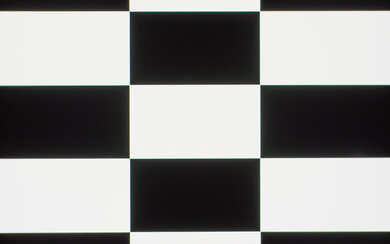
Blacks look gray in a dark room.
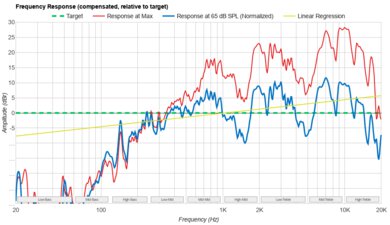
Speakers lack deep bass and don't get very loud.
The Microsoft Surface Laptop 8th Edition (2026) is mediocre for heavy workloads, mainly because its integrated graphics limit demanding 3D rendering and complex GPU effects. The X2 Plus handles programming, photo editing, and lighter video editing, while X2 Elite configurations offer additional CPU cores and stronger integrated graphics for supported applications, but the upgrade still won't make the laptop good for heavy workloads. The sharp display and great factory color accuracy are useful for sRGB photo work. A nice touch is its replaceable SSD, which is useful if your files quickly outgrow the size of the one you got with the unit. Make sure to check that your applications and hardware acceleration features work on Windows on ARM before choosing it for professional use.
Compact, light, and sturdy aluminum chassis.
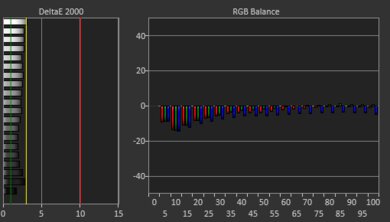
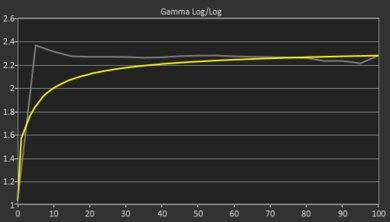
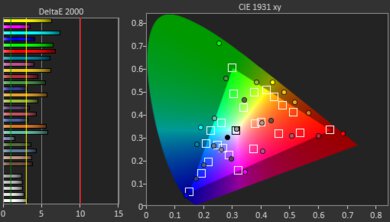
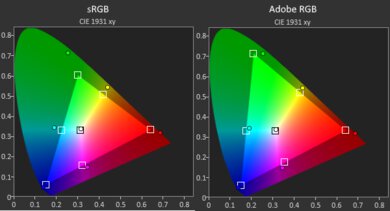
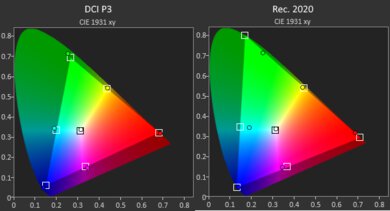
Sharp display with great factory color accuracy for sRGB work.
Replaceable SSD for adding more storage later.
Integrated graphics limit demanding games and professional 3D work.
Windows on ARM compatibility varies with software and peripherals.
RAM is soldered and cannot be upgraded.
Limited performance in demanding CPU workloads.
Keyboard gets hot under sustained load.
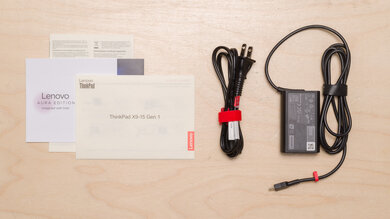
The Microsoft Surface Laptop 8th Edition (2026) has outstanding battery life. The 13.8-inch configuration lasts over 12 hours of web browsing, enough for a typical workday of light use. It lasts about 2.5 hours when gaming and about 15 hours when playing video. Charging is relatively slow with the 13.8-inch model's included 39W adapter, although the laptop supports fast charging with a compatible 60W-or-higher charger. The 15-inch model comes with a 65W adapter that supports fast charging. Both sizes support USB-C charging and have a replaceable battery.
The 13.8-inch model lasts over 12 hours of web browsing and about 15 hours of video playback.
The battery is replaceable.
Slow charging with the 13.8-inch model's included adapter.
The Microsoft Surface Laptop 8th Edition (2026) has outstanding build quality. Both sizes use a premium aluminum chassis, and our tested unit feels solid and well-balanced, with only very minor flex in the lid and keyboard deck. Assembly is clean, without noticeable gaps, and the feet are securely fitted. The hinge moves smoothly, holds the screen firmly in position, and allows the lid to open with one hand. There's very little screen wobble, even when typing aggressively. Our Dune unit's finish also resisted fingerprints and scratches from fingernails during evaluation.
Compact, light, and sturdy aluminum chassis.
Smooth, stable hinge that opens with one hand.
The Microsoft Surface Laptop 8th Edition (2026) has poor graphics performance for demanding work and gaming. The X2 Plus configuration's Adreno X2-45 performs poorly overall in GPU benchmarks, and demanding games run at low frame rates. X2 Elite configurations have a more powerful Adreno X2-85 and should perform better in supported games and accelerated creative applications, but, again, it still won't make the laptop into a powerhouse. Both GPUs are integrated, so demanding professional 3D work is better suited to a laptop with a powerful dedicated GPU. Application and driver support on Windows on ARM can also limit which GPU acceleration features are available.
Integrated graphics limit demanding games and professional 3D work.
Windows on ARM compatibility varies with software and peripherals.
The Microsoft Surface Laptop 8th Edition (2026) delivers okay processing performance overall. The X2 Plus configuration handles everyday productivity, programming, and photo editing well, with decent CPU/RAM benchmark performance. Results in CPU-intensive workloads are less impressive, however. The X2 Elite has additional CPU cores for faster multi-core work, though its advantage in lightly threaded tasks is small. Native ARM support and emulation can also affect performance, so check how your applications run on Windows on ARM.
Handles everyday productivity, programming, and photo editing.
Windows on ARM compatibility varies with software and peripherals.
Limited performance in demanding CPU workloads.
Performance Usages
Differences Between Sizes And Variants
The Microsoft Surface Laptop 8th Edition (2026) is available in 13.8- and 15-inch sizes. The two sizes share the Snapdragon X2 processor lineup and general design. The smaller model is easier to carry, while the 15-inch model provides more screen space, a sharper, higher-resolution display, a microSD card reader, and a 65W power adapter that supports fast charging. The 13.8-inch model comes with a 39W adapter that doesn't support fast charging, although you can use a more powerful 60W-or-higher charger (sold separately) to enable it. We tested the 13.8-inch configuration with the Snapdragon X2 Plus processor, 16GB of RAM, and a 512GB SSD.
Processor options include the 10-core Snapdragon X2 Plus with Adreno X2-45 graphics and the 12-core Snapdragon X2 Elite with Adreno X2-85 graphics. The X2 Elite has more CPU cores and a stronger integrated GPU, which can improve performance in supported applications and games. Memory and storage options vary by size, region, and retailer.
Microsoft also offers a 13-inch Surface Laptop (2nd Edition, 2026), but it's a separate model rather than another size option for the 8th Edition. It has a lower-resolution 60Hz display instead of a 120Hz panel, a less powerful six-core version of the Snapdragon X2 Plus processor, and USB-C charging instead of Surface Connect. It also lacks USB4 support and uses a fingerprint reader instead of facial recognition. Our test results don't apply to this model.
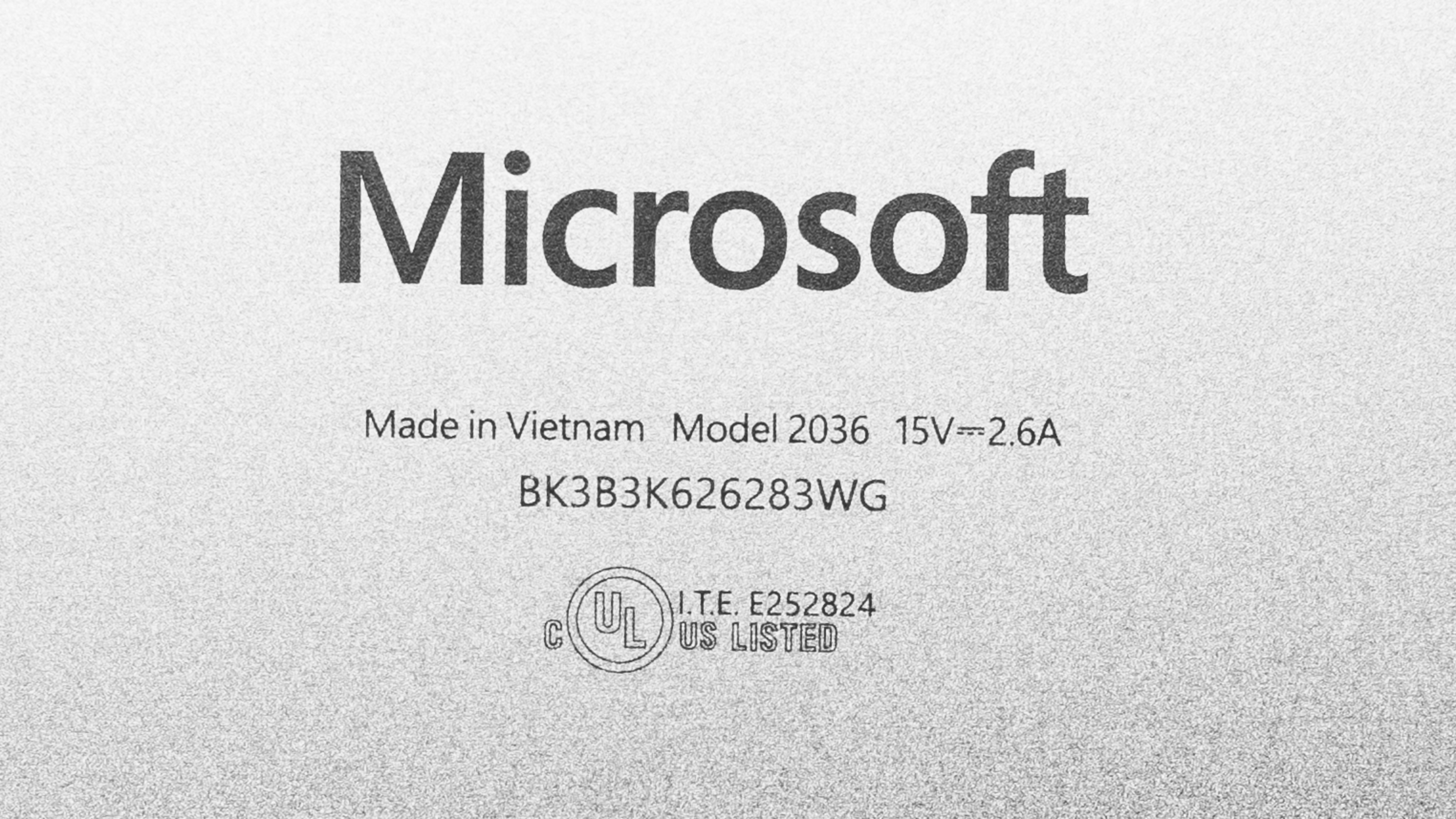
You can see a photo of our unit's label.
Popular Laptop Comparisons
The Microsoft Surface Laptop 8th Edition (2026) is a great ultraportable for school and office work, but its premium price makes it a tougher sell on value. Its sturdy aluminum chassis, comfortable keyboard, excellent haptic touchpad, and long battery life make it pleasant to use every day. The 13.8- and 15-inch options also let you choose between portability and more screen space.
That said, the Dell XPS 13 (2026) offers a portable aluminum design and a 120Hz touchscreen for considerably less money, along with broader Windows software compatibility. The Surface has a better touchpad, a better webcam, and more ports, but those upgrades may be hard to justify if you mainly browse the web and work on documents. If you are open to macOS, the Apple MacBook Air 13 (M5, 2026) offers stronger CPU performance and a completely silent, fanless design at a lower starting price, though its 60Hz display lacks touch input.
Ultimately, the Surface is worth considering if you specifically want Windows, a 120Hz touchscreen, and premium input devices, particularly if you can find it on sale. At full price, competing ultraportables offer better value for basic productivity.
For more options, see our recommendations for the best laptops, the best 13- and 14-inch laptops, and the best laptops for writers.
The Microsoft Surface Laptop 8th Edition (2026) and the Dell XPS 13 (2026) are Windows ultraportables with different priorities. Both have 120Hz touchscreens, but the Surface offers more screen selection, with 13.8- and 15-inch options compared to the Dell's 13.4-inch display. Its USB4 ports, USB-A port, and headphone jack also provide more connection options than the Dell's two USB-C ports. The Dell uses an Intel processor, giving it broader compatibility with x86 Windows applications and peripherals. The Surface is available with Snapdragon X2 Plus or X2 Elite processors, with the latter offering more CPU cores and stronger integrated graphics, although most people won't notice the difference between the two. Choose based on your software requirements, preferred size, and configuration.
The Microsoft Surface Laptop 8th Edition (2026) and the Microsoft Surface Laptop 7th Edition 15 (2024) are premium Windows ultraportables with sturdy aluminum chassis, comfortable keyboards, haptic touchpads, and 120Hz touchscreens. The newer family comes in 13.8- and 15-inch sizes with Snapdragon X2 Plus or X2 Elite processors, while the older 15-inch model uses a Snapdragon X Elite. Most people won't notice much difference between these processors. Differences matter more in demanding workloads, where the X2 Elite pulls ahead, but it's not a huge difference.
The Microsoft Surface Laptop 8th Edition (2026) and the Apple MacBook Air 13 (M5, 2026) are premium ultraportables for everyday productivity. The Surface is available in 13.8- and 15-inch sizes and offers a 120Hz touchscreen, facial recognition, and a wider port selection that includes USB-A. The MacBook Air is also available in 13.6- and 15.3-inch sizes. It runs macOS and has a fanless design, so it stays completely silent. The better choice depends largely on which operating system and applications you use, along with whether you want touch input. The Surface uses ARM-based Snapdragon processors, so check support for any specialized Windows software and peripherals.
Test Results
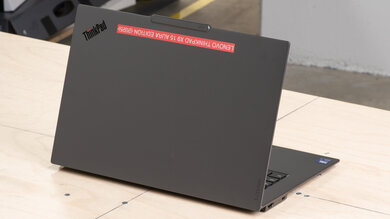
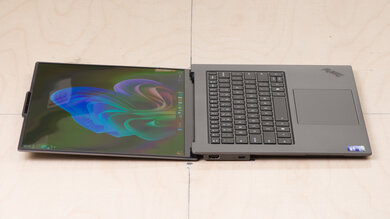
for pictures & test results
for pictures & test results
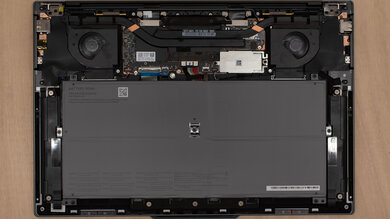
for pictures & test results

for pictures & test results

for pictures & test results
for pictures & test results