
If you're looking for a laptop to work from home, there are a couple of things you want to look for. A large, sharp screen allows you to work comfortably, and port selection is critical if you want to connect multiple peripherals or external displays. The quality of the keyboard and touchpad is also important, and of course, you'll need a good webcam for your meetings over Zoom or Teams. While battery life isn't the most important aspect when working from home, having a laptop that can last a while on battery allows you to move from one room to another without bringing the charger. If you plan to work outdoors in the summer, you'll also want to ensure the display is bright enough to combat glare.
We've tested over 180 laptops, and below, you'll find our recommendations for the best laptops for working remotely that you can buy. You can also see our recommendations for the best Chromebooks, the best 2-in-1 laptops, and the best laptops at Best Buy.
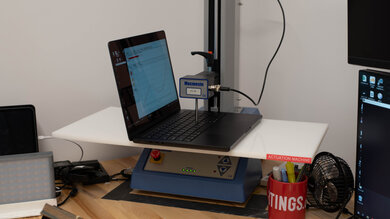
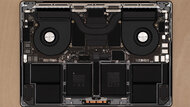
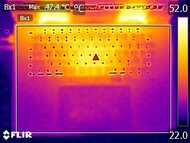
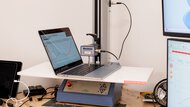
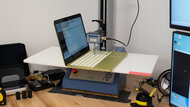
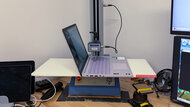
Since 2021, we've tested dozens of laptops every year. We buy our laptops to avoid bias and, following a rigorous methodology, test nearly every part of the laptop so we can deliver results you can rely on. We use a wide range of equipment to perform our tests, including a colorimeter, a Mecmesin MultiTest-i System Test Stand, and various performance benchmarking suites.
Want to know more? Check out our How We Test Laptops article, where we give you a broader overview of our review process, from the moment we purchase the product to the final review.
-
Best Laptop For Working From Home
 School & WorkHeavy WorkloadMedia ConsumptionForm Factor:Traditional (Clamshell)Screen Size:16"Operating System:macOSTouch Screen:NoRefresh Rate:120 HzSee all our test resultsTested RAM Capacity:36 GB
The best laptop for working from home we've tested is the Apple MacBook Pro 16 (M5, 2026). It's expensive, but this premium workstation is worth considering if your work involves demanding tasks like video editing or compiling large projects. We'd start with an M5 Pro configuration; the M5 Max is worth the extra cost if your applications can use its additional graphics power or you need more memory, but it's excessive for most people.
Its large, sharp 120Hz Mini LED display gives you plenty of room to work and gets bright enough for sunny rooms. You also get a comfortable keyboard and easy-to-use touchpad, alongside an excellent webcam for meetings. There's a wide selection of ports, including HDMI and an SD card reader, although USB-A accessories require an adapter. Battery life is excellent during light use, but the laptop is heavy, and its fans can get loud during demanding work.
If you need Windows or NVIDIA graphics, consider the Lenovo ThinkPad P1 Gen 7 (2024) instead. It offers a comfortable keyboard, an excellent webcam, plenty of ports, and user-replaceable RAM and storage. Its available displays don't get as bright as the MacBook's, though. We've also purchased the newer ThinkPad P1 Gen 9 for review, so stay tuned for that one.
-
Best Mid-Range Laptop For Working From Home
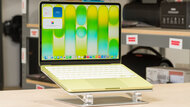
School & WorkHeavy WorkloadMedia ConsumptionForm Factor:Traditional (Clamshell)Screen Size:13.6"Operating System:macOSTouch Screen:NoRefresh Rate:60 HzSee all our test resultsTested RAM Capacity:16 GBFor most people doing everyday office work, the Apple MacBook Air 13 (M5, 2026) is a far better value than the Apple MacBook Pro 16 (M5, 2026). You give up the Pro's smoother 120Hz display and wider port selection, but you still get a sturdy aluminum build, a sharp, bright screen, a comfortable keyboard, and an excellent webcam. Its M5 chip easily handles documents, spreadsheets, and multitasking, while its fanless design keeps it completely silent.
We recommend the 15-inch version if you primarily work on the laptop's own display. The 13-inch model is cheaper and makes more sense if you usually connect an external monitor. Both support two external displays alongside their built-in screen, although their two USB-C ports mean you'll likely need a dock for a larger setup.
Consider the Apple MacBook Pro 14 (M5, 2025) if you'd like a screen size between the two Airs, a brighter 120Hz Mini LED display, or more ports, including HDMI and an SD card reader. At matching configurations, its base M5 chip provides the same performance in everyday tasks, although its fans help it maintain higher performance during prolonged demanding work, at the cost of some fan noise. The Pro 14 only really distances itself from the Air once you put an M5 Pro or M5 Max chip in it, but that also makes it substantially more expensive.
-
Best Budget Laptop For Working From Home
School & WorkHeavy WorkloadMedia ConsumptionForm Factor:Traditional (Clamshell)Screen Size:13"Operating System:macOSTouch Screen:NoRefresh Rate:60 HzSee all our test resultsTested RAM Capacity:8 GBThe best budget laptop for working from home we've tested is the Apple MacBook Neo (A18 Pro, 2026). Compared to the Apple MacBook Air 13 (M5, 2026) above, it has a slower processor, less memory, and no keyboard backlighting, but it retains many of the things that make a laptop pleasant to work on. Its aluminum chassis is sturdy, its display looks sharp and gets bright enough for most rooms, and its comfortable keyboard and excellent 1080p webcam are great for everyday work.
The A18 Pro chip handles web browsing, documents, and spreadsheets well. Its fixed 8GB of RAM is generally less restrictive for everyday use than 8GB in Windows, though heavy multitaskers should consider the Air. Battery life is excellent for light use, and its fanless design keeps it silent. Connectivity is more restrictive: it has only two USB-C ports and supports just one external display.
If you need Windows, consider the Dell XPS 13 (2026). It has a smoother 120Hz touchscreen and a backlit keyboard, but its small touchpad and lower-quality webcam make the overall experience less polished. We'd recommend a 16GB configuration if you regularly juggle several applications and browser tabs; the 8GB model is best reserved for lighter use, as it starts slowing down quickly with a few tabs open. The 16GB model is typically more expensive than the Neo, however.
-
Best Cheap Laptop For Working From Home
WorkstationMultimediaForm Factor:Size:15.6"Operating System:Chrome OSTouch Screen:Refresh Rate:HzSee all our test resultsCapacity:GBIf you only need an inexpensive laptop for browser-based work, consider the ASUS Chromebook CX15 (2026). It's a significant step down from the Apple MacBook Neo (A18 Pro, 2026) above in build quality, performance, and display quality, but its large 15.6-inch screen and comfortable keyboard with a numpad make it useful for basic documents and spreadsheets. The screen provides enough room for two windows side by side, although it looks washed out and doesn't get bright enough for sunny rooms.
Our Intel N50 configuration with 4GB of RAM is best for light work with a few browser tabs open. For more demanding multitasking, look for an Intel N150 or N250 configuration with 8GB of RAM, depending on availability in your region. These models should handle more apps and browser tabs comfortably, and the memory isn't upgradeable, so it's worth getting enough upfront. The 720p webcam still produces a blurry, washed-out image, though, so it's a compromise if you spend much of your day in meetings.
Its port selection is a highlight at this price: you get USB-A, HDMI, and two USB-C ports that support charging and external displays. Its shorter battery life matters less if you work near an outlet, although it might last you through the day if all you do is light work. Just make sure your work can be done through a browser, as ChromeOS doesn't run desktop Windows or macOS applications.
-
Best 2-In-1 Tablet For Working From Home
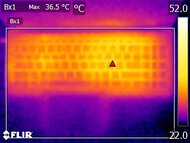
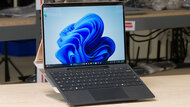
WorkstationMultimediaForm Factor:Size:13"Operating System:Windows 11Touch Screen:Refresh Rate:HzSee all our test resultsCapacity:GBIf you want a device for handwritten notes, annotating documents, and tablet use, get the Microsoft Surface Pro 13 12th Edition (2026). Its keyboard detaches completely, making it easier to hold than a laptop with a 360-degree hinge. The built-in kickstand lets you prop it up on a desk, although it's less stable on your lap than a conventional laptop. Keep in mind that the keyboard and stylus are sold separately.
You can choose between LCD and OLED displays, both with a sharp 2880x1920 resolution and a smooth 120Hz refresh rate. The webcam and microphone are very good for meetings, and our OLED configuration lasted over 11 hours of web browsing. However, the compact keyboard can feel cramped during long typing sessions, and its limited ports mean you'll likely need a dock for a larger desk setup.
Its Snapdragon X2 processors handle everyday work well, but this device runs Windows on ARM. Check that your essential work applications and peripherals are compatible, particularly anything that requires specialized drivers.
Notable Mentions
-
Lenovo ThinkPad X9 15 Aura Edition (2025):
The Lenovo ThinkPad X9 15 Aura Edition (2025) is an alternative to the Apple MacBook Air 13 (M5, 2026) if you prefer Windows. Its 120Hz OLED display, comfortable keyboard, large haptic touchpad, 1440p webcam, and wider port selection stand out, but the MacBook offers faster CPU performance and a completely silent, fanless design.
See our review -
LG gram Pro 2-in-1 16 (2026):
The LG gram Pro 2-in-1 16 (2026) is an alternative to the Apple MacBook Air 13 (M5, 2026) if you want a large 16-inch convertible touchscreen with pen support. Its 120Hz OLED display delivers deeper blacks and smoother motion, but the MacBook has a sturdier build, better webcam, and much longer battery life.
See our review -
Microsoft Surface Laptop 7th Edition 15 (2024):
The Microsoft Surface Laptop 7th Edition 15 (2024) is an alternative to the Apple MacBook Air 13 (M5, 2026) if you want Windows and a large, bright 120Hz IPS touchscreen. Its ARM processor can limit software compatibility. The MacBook runs silently and handles reflections better, making it easier to use in bright rooms.
See our review -
Acer Swift Go 14 (2024):
The Acer Swift Go 14 (2024) is an alternative to the Apple MacBook Neo (A18 Pro, 2026) if you want Windows, an OLED display, or more ports. It's also available with up to 32GB of RAM. However, the Neo has a sturdier build, a more comfortable keyboard, and a completely silent, fanless design.
See our review -
Acer Chromebook Plus Spin 714 (2024):
The Acer Chromebook Plus Spin 714 (2024) is an alternative to the ASUS Chromebook CX15 (2026) if you need faster multitasking or a convertible touchscreen. It also has a clearer webcam and a brighter screen, although its microphone sounds noisier. The CX15 is much cheaper and provides a larger screen and a numpad.
See our review
Recent Updates
Oct 20, 2026:
We added the Apple MacBook Neo (A18 Pro, 2026) as our 'Best Budget Laptop For Working From Home' and the ASUS Chromebook CX15 (2026) as 'Best Cheap Laptop For Working From Home' due to their solid price-to-performance. We also updated the remaining picks to their latest models.
May 09, 2025:
We've replaced the Microsoft Surface Laptop 7th Edition 15 (2024) with the Apple MacBook Air 15 (M4, 2025) because the MacBook is cheaper and a better value overall. We've removed the HP OmniBook Ultra Flip 14 (2024) and the LG gram 16 (2024) from the Notable Mentions because there are better options. We've also removed the Apple MacBook Air 13 (2022) because it's no longer available. We've added the Microsoft Surface Laptop 7th Edition 15 (2024) and Lenovo Yoga 9i 2-in-1 Aura Edition 14 (2025) as Notable Mentions.
Mar 13, 2025:
Replaced the HP Spectre x360 14 (2024) with the HP OmniBook Ultra Flip 14 (2024) in the Notable Mentions because the OmniBook is a newer model and is easier to find. Added the Apple MacBook Air 13 (2022) as a Notable Mention.
Jan 16, 2025:
Replaced the Apple MacBook Pro 14 (M3, 2023) with the Apple MacBook Pro 14 (2024) since the M3 model was discontinued. Added the Lenovo Yoga 7 2-in-1 14 (2024) as a Notable Mention.
Nov 20, 2024:
Replaced the Apple MacBook Air 15 (2024) with the Microsoft Surface Laptop 7th Edition 15 (2024) because the Surface has a brighter display, a better keyboard, and longer battery life. Replaced the HP Pavilion Aero 13 (2024) with the Acer Swift Go 14 (2024) because the Acer has a sturdier build and provides a better user experience overall. Removed the ASUS Zenbook 14 OLED (2024), ASUS Zenbook 14 Flip OLED (2023), Framework Laptop 13 (2023) from the Notable Mentions because there are better options. Removed the Lenovo Yoga 6 13 (2023) from the Notable Mentions because it's hard to find. Added the Dell Precision 5690 (2024), HP Spectre x360 14 (2024), and LG gram 16 (2024) as Notable Mentions.
All Reviews
Our recommendations above are what we think are currently the best laptops for working remotely to buy. We factor in the price (a cheaper laptop wins over a pricier one if the difference isn't worth it), feedback from our visitors, and availability (no laptops that are difficult to find or almost out of stock everywhere).
If you prefer to make your own decision, here's the list of all of our laptop reviews, sorted by price from low to high. Keep in mind that most laptops are available in various configurations, and the table only shows the results of the model we tested, so it's best to see the full review for information about other variants.