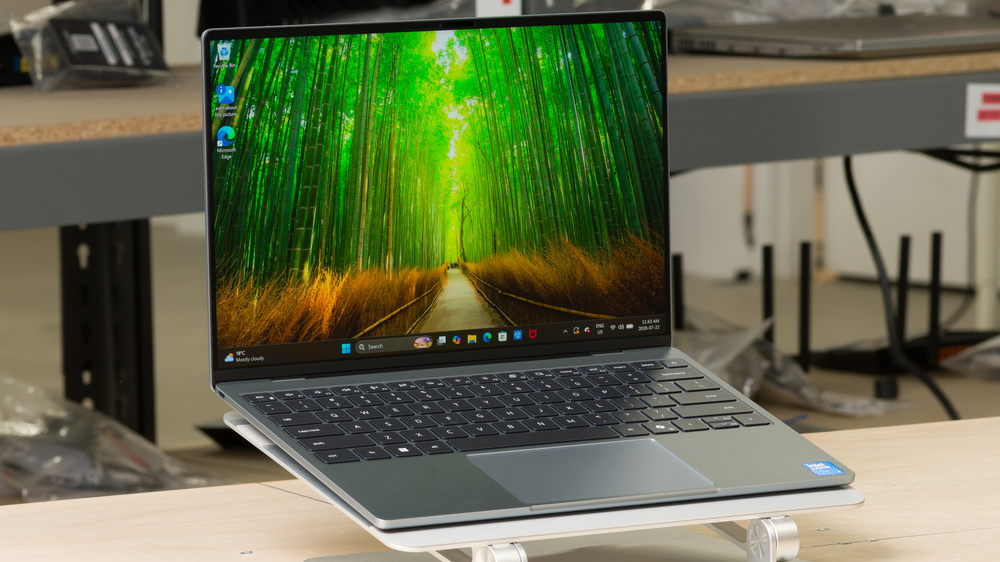

Dell XPS 13 (2026)  Laptop Review

Reviewed Aug 11, 2026 at 12:23pm
Test bench update Oct 08, 2026 at 10:42am
Tested using Methodology v1.0 
Dell XPS 13 (2026)

Track

0.0
Gaming 
0.0
School & Work 
0.0
Media Consumption 
0.0
Heavy Workload 
0.0
Battery 
0.0
Build Quality 
0.0
Graphics Performance 
0.0
Processing Performance 

Track

 0

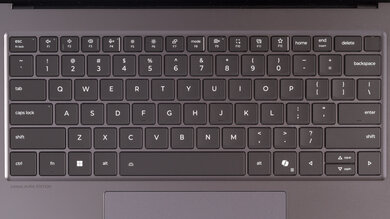
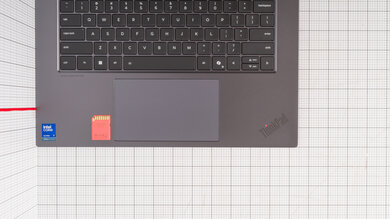
The Dell XPS 13 (2026) is a premium ultraportable Windows laptop that marks the return of Dell's XPS 13 lineup after the company briefly retired the XPS branding in 2025. While it comes in at a lower price point than previous XPS 13 laptops, it has very limited configuration options, including no OLED display option, which was available on previous versions. This generation is slightly thinner and lighter, and Dell has restored a physical function row and reintroduced a physical trackpad with a clearly identifiable usable area. It has an IPS 2560 × 1600 display, an Intel Core 5 CPU with integrated Intel Graphics, 512GB SSD storage, and memory options for 8GB or 16GB of RAM.

See our unit's specifications and more details on the available configuration options in the Differences Between Variants section.

Our Verdict

0.0
Gaming 

The Dell XPS 13 (2026) isn't designed for gaming. It has no discrete GPU options. The integrated Intel graphics are only capable of playing much less demanding games or older titles at reduced settings.

Pros
  • Excellent build quality.

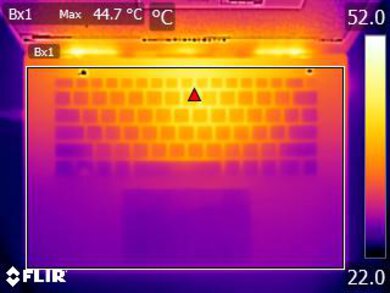
  • Fan noise is very quiet, and the keyboard doesn't get too hot, even under load.

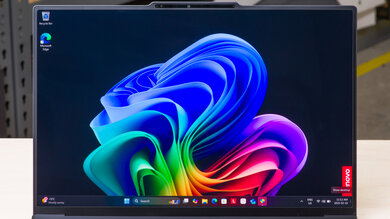
  • IPS display is bright with vibrant colors and great contrast.

Cons
  • Can't play any graphically demanding games.

  • Mediocre CPU performance.

  • No discrete GPU options.

0.0
School & Work 

The Dell XPS 13 (2026) is great for school and work. It's very portable, with a thin, lightweight aluminum body that has excellent build quality. The entry-level configuration we tested has only 8GB of RAM, which can limit heavier multitasking in Windows 11, but more expensive 16GB configurations handle multiple apps and browser tabs more effectively. It also has superb battery life, easily lasting through a full work or school day with light use. Its IPS display gets bright but doesn't handle reflections particularly well. It supports a dynamic refresh rate of up to 120Hz, which can make scrolling through web pages or documents look smoother. The fairly basic mechanical touchpad supports multi-touch gestures but has a small usable area, while the keyboard provides a satisfying typing experience and has adjustable backlighting. The webcam and microphone are perfectly serviceable but aren't particular strengths. Unfortunately, port selection is limited, and there's no headphone jack.

Pros
  • Superb battery life: ~15 hours browsing and ~8.5 hours video playback.

  • Very thin and extremely lightweight.

  • Fan noise is very quiet, and the keyboard doesn't get too hot, even under load.

  • IPS display is bright with vibrant colors and great contrast.

Cons
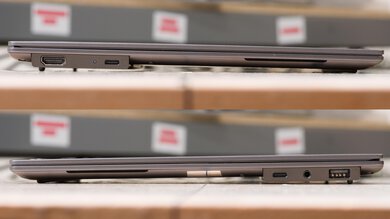
  • Poor port selection: no USB-A, HDMI, or headphone jack.

  • IPS display has mediocre reflection handling.

0.0
Media Consumption 

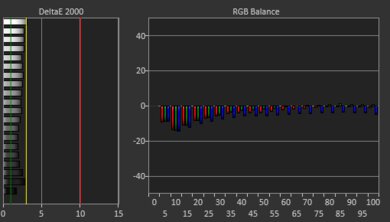
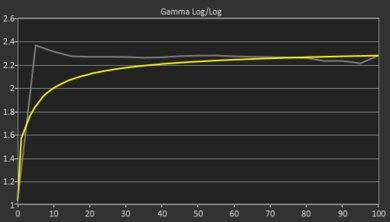
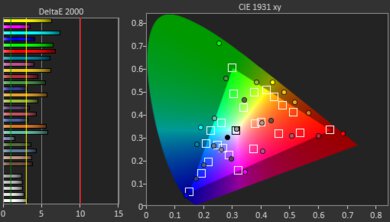
The Dell XPS 13 (2026) is great for media consumption. It has excellent build quality and is highly portable, with a very thin and lightweight chassis. Its IPS display gets very bright and produces vibrant colors. However, its colors aren't very accurate out of the box, so some content may appear different from what its creator intended. This laptop also has superb battery performance of around 8.5 hours during video playback. Unfortunately, it lacks a 3.5mm headphone jack, but its speakers can get quite loud and sound fairly clear without significant distortion.

Pros
  • Superb battery life: ~15 hours browsing and ~8.5 hours video playback.

  • Very thin and extremely lightweight.

  • Excellent build quality.

  • IPS display is bright with vibrant colors and great contrast.

Cons
  • Poor port selection: no USB-A, HDMI, or headphone jack.

  • IPS display has mediocre reflection handling.

  • No OLED display option.

  • Mediocre color accuracy out of the box.

0.0
Heavy Workload 

The Dell XPS 13 (2026) is sub-par for heavy workloads. It isn't designed for demanding rendering, CAD, or media production workloads, as it lacks a discrete GPU and CPU performance declines during prolonged, sustained workloads. It's also limited to a maximum of 16GB of soldered RAM, with no open slots for upgrades.

Pros
  • Excellent build quality.

Cons
  • Mediocre CPU performance.

  • No discrete GPU options.

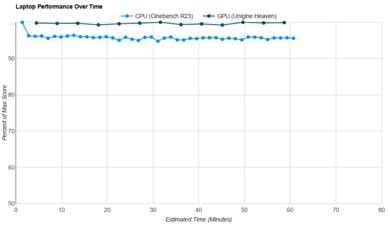
  • CPU performance drops over time under heavy, sustained workloads.

  • Poor port selection: no USB-A, HDMI, or headphone jack.

  • Mediocre color accuracy out of the box.

0.0
Battery 

The Dell XPS 13 has outstanding battery life. It lasts well over a full day of productivity use, and you can watch a few movies before needing to recharge.

Pros
  • Superb battery life: ~15 hours browsing and ~8.5 hours video playback.

Cons
0.0
Build Quality 

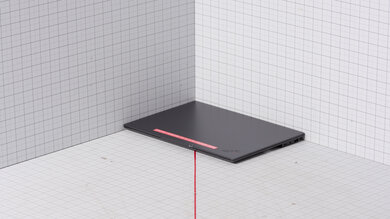
The Dell XPS 13 (2026) has excellent build quality. It has a sturdy, premium-feeling aluminum chassis while remaining lightweight. There's some minor flex and uneven seams here and there, but it's only cosmetic. The hinge is also stable, and you can lift the lid with one finger.

Pros
  • Excellent build quality.

Cons
0.0
Graphics Performance 

The Dell XPS 13 has poor graphics performance. Its integrated GPU is only suitable for basic productivity tasks and content consumption.

Pros
Cons
  • Can't play any graphically demanding games.

  • No discrete GPU options.

0.0
Processing Performance 

The Dell XPS 13 is suitable for light productivity tasks such as text processing, web browsing, teleconferencing, and media consumption, but it isn't capable of demanding or heavily multi-threaded workloads. CPU performance also declines significantly over time.

Pros
Cons
  • Mediocre CPU performance.

  • CPU performance drops over time under heavy, sustained workloads.

  • 0.0
    Gaming
  • 0.0
    School & Work
  • 0.0
    Media Consumption
  • 0.0
    Heavy Workload

  • Performance Usages

  • 0.0
    Battery
  • 0.0
    Build Quality
  • 0.0
    Graphics Performance
  • 0.0
    Processing Performance
  • Changelog

    1.  Updated Oct 08, 2026: We've updated this review to Test Bench 1.0! This update adds several new verdict scores to the review, so it's easier to make a buying decision. Read the changelog for a full list of changes.
    2.  Updated Aug 11, 2026: Review published.
    3.  Updated Aug 06, 2026: Early access published.
    4.  Updated Jul 31, 2026: Our testers have started testing this product.

    Differences Between Sizes And Variants

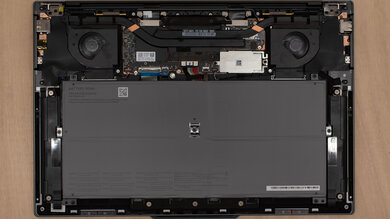
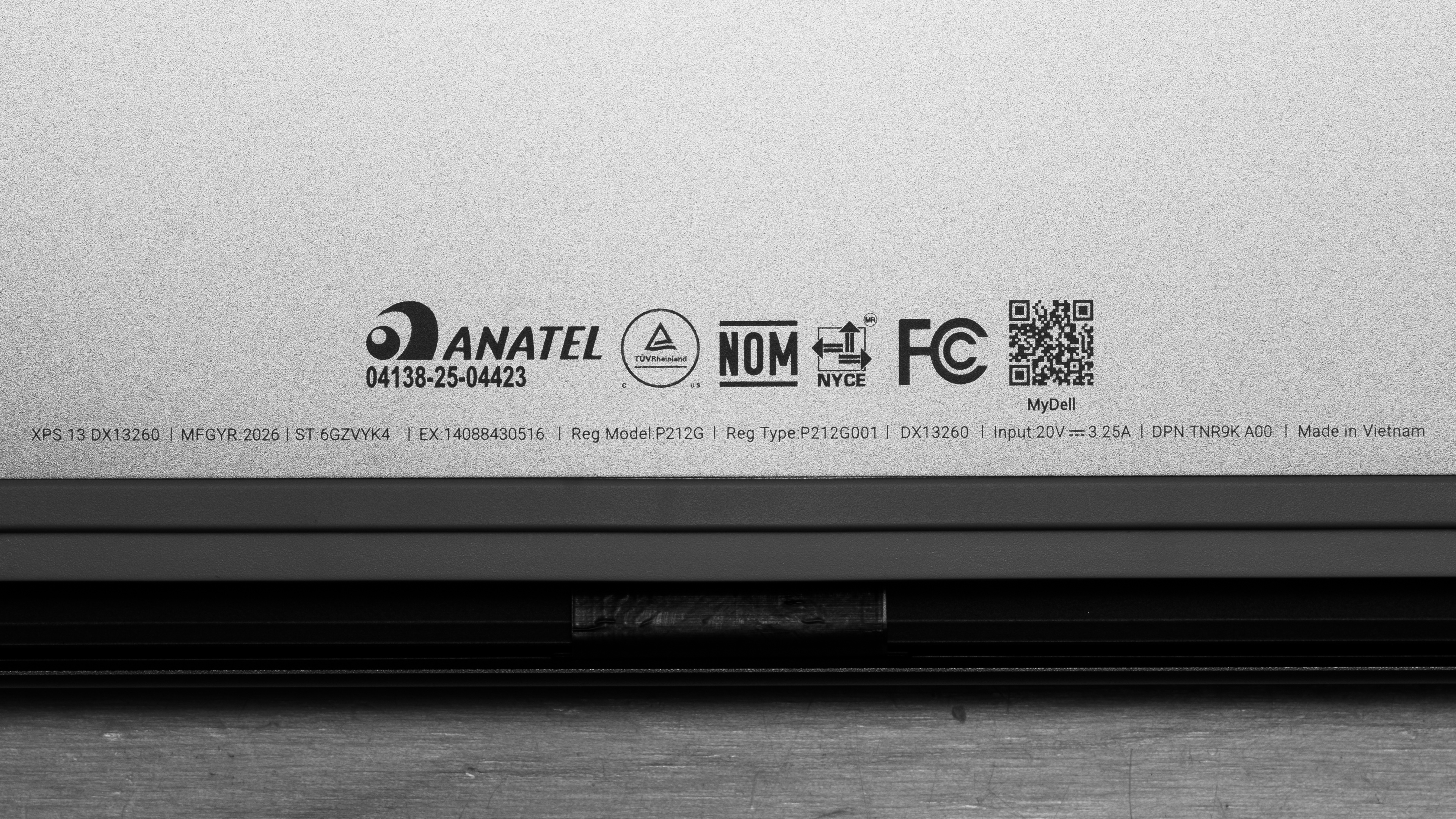
    The Dell XPS 13 (2026) is available with several configuration options. The unit we tested carries a DX13260 model designation. It has an Intel Core 5 Processor 320, integrated Intel Graphics, 8GB of RAM, 512GB SSD storage, and a 13.4-inch IPS QHD+ (2560 × 1600) touchscreen display. See a photo of our unit's label.

    Below, we've listed the configuration options as of August 2026, with our configuration highlighted. You can also check Dell's configurator to explore the available options, as they may change with time.

    SCREEN

    • 13.4" IPS 2560 × 1600 30–120Hz (touchscreen, 500 cd/m², 100% DCI-P3)

    CPU

    • Series 3 Intel Core 5 Processor 320 (6 cores, 6 threads, up to 4.6 GHz, 6MB cache)

    GPU

    • Intel Graphics (integrated)

    MEMORY

    • 8GB LPDDR5x 7467MT/s (single-channel)
    • 16GB LPDDR5x 7467MT/s (single-channel)

    OPERATING SYSTEM

    • Windows 11

    STORAGE

    • 512GB M.2 PCIe NVMe SSD

    COLOR

    • Sky
    • Storm

    Popular Laptop Comparisons

    Dell positions the Dell XPS 13 (2026) as a highly portable laptop for everyday productivity and browsing. It largely picks up where the Dell XPS 13 (2024) left off, but Dell has reversed two widely criticized design decisions from previous models: It's restored the physical function row and replaced the seamless haptic touchpad with a mechanical one that has clearly defined boundaries. Dell has also dropped the OLED display option, which may disappoint you if you plan to use this laptop for watching films, TV shows, and other content.

    This laptop is less expensive than previous XPS models, putting it in direct competition with ultraportables like the Microsoft Surface Laptop 13-inch. The Surface offers an additional USB-A port and potentially longer battery life, though its ARM-based Snapdragon CPU can cause compatibility issues with some apps and peripherals. Apple MacBook Neo (A18 Pro, 2026) is another strong competitor at the same price if you're considering macOS. Its build feels more premium, and its 8GB of RAM generally isn't as limiting for everyday use due to macOS's more efficient memory management. That said, the XPS 13 (2026) is a standout option if you need a small, lightweight Windows laptop and don't mind its limited port selection or lack of an OLED display.

    For more recommendations, see our picks for the best overall laptops, the best 13-14-inch laptops, and the best lightweight laptops. You may also want to check out our list of the best Dell laptops.

    Dell XPS 14 (2026)

    Track

    Despite both carrying XPS branding, the Dell XPS 14 (2026) and Dell XPS 13 (2026) have quite different designs and target different uses. The XPS 14 feels slightly more premium, has somewhat better build quality, and is available in a wider range of more powerful configurations better suited for heavier productivity, content creation, and light gaming. It's also available with either an IPS or OLED display. By comparison, the XPS 13 is designed primarily for light productivity and everyday browsing and is only available with an IPS display. Both are quite lightweight and portable, but the XPS 13 has a smaller display and overall footprint, and it's noticeably lighter.

    Dell XPS 15 (2023)

    Track

    The Dell XPS 15 (2023) is an older, considerably larger, heavier, and more performance-focused model in Dell's XPS lineup than the Dell XPS 13 (2026). It's better suited for content creation and workstation usage, particularly when configured with a discrete GPU. The XPS 13 (2026), on the other hand, is considerably smaller and lighter, designed more narrowly for everyday productivity and browsing, with a greater emphasis on portability and battery efficiency.

    Microsoft Surface Laptop 7th Edition 15 (2024)

    Track

    The Microsoft Surface Laptop 7th Edition 15 (2024) and Dell XPS 13 (2026) are premium laptops designed for general productivity and web browsing. Both have excellent battery life, though the Microsoft lasts even longer overall. It's considerably larger and heavier, with a much bigger display, but it's available with up to 64GB of RAM, which can make it better-suited for heavy multitasking. However, its ARM-based Snapdragon processor can introduce compatibility issues with certain apps and peripherals. The Dell is considerably smaller and lighter, making it more portable overall. That said, it has far fewer configuration options and a maximum of only 16GB of RAM, making it less suitable for heavy multitasking.

    Lenovo ThinkPad X1 Carbon Gen 14 Aura Edition (2026)

    Track

    The Lenovo ThinkPad X1 Carbon Gen 14 Aura Edition (2026) is the more versatile business machine, while the Dell XPS 13 (2026) is better for everyday use at a lower price. The ThinkPad offers more powerful processor options, higher memory capacities, cellular connectivity on select configurations, and a much broader port selection, including USB-A, HDMI, and a headphone jack. Choose the Dell if you want a smaller laptop that's easier to carry, with a standard 2560x1600 120Hz IPS display that's sharper and smoother than the ThinkPad's base IPS option. Its limited configurations make it less suited for demanding workloads and heavy multitasking.

    Show more 

    Test Results

    perceptual testing image
    Sort:
    RATINGS
    Category:
    All
    Design
    0.0
    Chassis Quality

    Become a member to view the full test results and text of the reviews, as well as extra website features and tools with no ads.

    0.0
    Hinge
    Stability
    Locked
    0.0
    Form Factor
    LockedTraditional (Clamshell)
    Range
    LockedLock°
    One Finger Lift
    LockedLocked
    0.0
    Portability
    Screen Size
    Locked13"
    Thickness
    LockedLock" (Lock cm)
    Width
    LockedLock" (Lock cm)
    Depth
    LockedLock" (Lock cm)
    Volume
    LockedLock in³ (Lock cm³)
    Weight
    LockedLock lbs (Lock kg)
    Charger Size
    LockedLock in³ (Lock cm³)
    Charger Weight
    LockedLock lbs (Lock kg)
    0.0
    Serviceability
    Operating System
    LockedWindows 11
    Ease Of Access
    Locked
    0.0
    RAM Slots
    LockedLocked
    Storage Slots
    LockedLocked
    Replaceable Battery
    LockedLocked
    Replaceable Wireless Adapter
    LockedLocked

    Become a member to view the full test results and text of the reviews, as well as extra website features and tools with no ads.

    In The Box

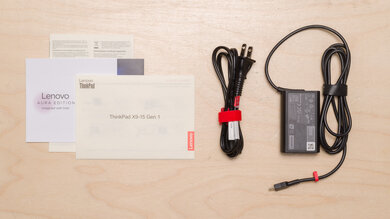
    Become a member to view the full test results and text of the reviews, as well as extra website features and tools with no ads.

    Display
    Screen Specs
    Resolution
    LockedLocked
    Aspect Ratio
    LockedLocked
    Pixel Density
    LockedLock PPI
    Panel Type
    LockedLocked
    Touch Screen
    LockedYes
    Touch Pen Support
    LockedLocked
    Screen-To-Body Ratio
    LockedLock%
    0.0
    Refresh Rate
    Refresh Rate
    Locked120 Hz
    Variable Refresh Rate
    LockedLocked

    Become a member to view the full test results and text of the reviews, as well as extra website features and tools with no ads.

    0.0
    Contrast
    Native Contrast
    LockedLock : 1

    Become a member to view the full test results and text of the reviews, as well as extra website features and tools with no ads.

    0.0
    Brightness
    Maximum Brightness
    LockedLock cd/m²
    Minimum Brightness
    LockedLock cd/m²

    Become a member to view the full test results and text of the reviews, as well as extra website features and tools with no ads.

    0.0
    Out-Of-The-Box Color Accuracy
    Avg. White Balance dE
    LockedLock
    Avg. Gamma
    LockedLock
    Avg. Color dE
    LockedLock
    Avg. Color Temperature
    LockedLock K

    Become a member to view the full test results and text of the reviews, as well as extra website features and tools with no ads.

    0.0
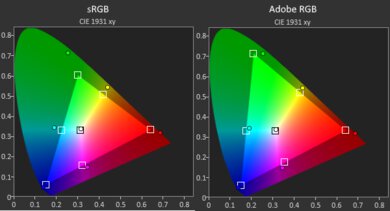
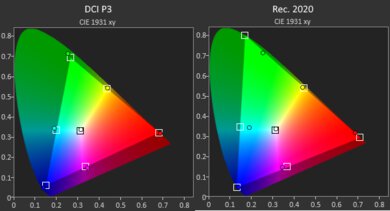
    Color Gamut
    sRGB xy
    LockedLock%
    sRGB uv
    LockedLock%
    Adobe RGB xy
    LockedLock%
    Adobe RGB uv
    LockedLock%
    DCI-P3 xy
    LockedLock%
    DCI-P3 uv
    LockedLock%
    Rec. 2020 xy
    LockedLock%
    Rec. 2020 uv
    LockedLock%
    0.0
    Reflections
    Screen Finish
    LockedLocked
    Total Reflections
    LockedLock%
    Indirect Reflections
    LockedLock%
    Calculated Direct Reflections
    LockedLock%

    Become a member to view the full test results and text of the reviews, as well as extra website features and tools with no ads.

    0.0
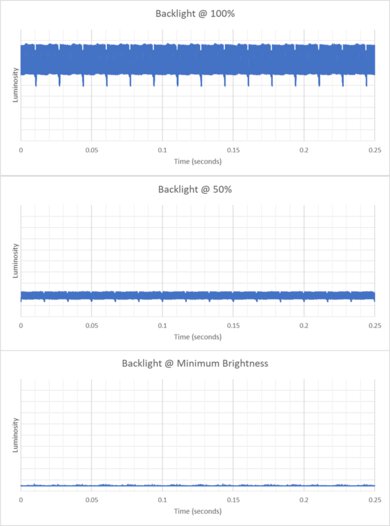
    Flicker
    Flicker-Free
    LockedLocked
    Flicker Frequency
    LockedLocked
    Flicker Active Below
    LockedLock%
    Battery
    0.0
    Battery
    Capacity
    LockedLock Wh
    Battery Life (Web Browsing)
    LockedLock hrs
    Battery Life (Video Playback)
    LockedLock hrs
    Battery Life (Gaming)
    LockedLock hrs
    Charge Time
    LockedLock hrs
    Interface
    0.0
    Keyboard
    Typing Quality
    Locked
    0.0
    Numpad
    LockedLocked
    Backlighting
    LockedLocked
    Peak Tactile Force
    LockedLock gf
    Actuation Force
    LockedLock gf
    Pre-Travel
    LockedLock mm
    Total Travel
    LockedLock mm
    Fingerprint Sensor
    LockedLocked

    Become a member to view the full test results and text of the reviews, as well as extra website features and tools with no ads.

    0.0
    Touchpad
    Tracking Quality
    Locked
    0.0
    Size
    LockedLock in² (Lock cm²)
    Material
    LockedLocked
    Dedicated Buttons
    LockedLocked

    Become a member to view the full test results and text of the reviews, as well as extra website features and tools with no ads.

    0.0
    Speakers
    Max Volume
    LockedLock dB SPL
    Standard Error @ Normal Vol. (65 dB)
    LockedLock dB
    Slope @ Normal Vol. (65 dB)
    LockedLock
    Bass Extension (Low-Frequency Ext.)
    LockedLock Hz
    Treble Extension (High-Frequency Ext.)
    LockedLock kHz
    Dynamic Range Compression @ Max Vol.
    LockedLock dB

    Become a member to view the full test results and text of the reviews, as well as extra website features and tools with no ads.

    0.0
    Webcam & Microphone
    SAMPLE
    Join Now

    for videos & test results

    Dell XPS 13 (2026) Webcam Video Sample Sample
    Video Quality
    Locked
    0.0
    Resolution
    LockedLocked
    Privacy Cover
    LockedLocked
    Face Unlock
    LockedLocked

    Become a member to view the full test results and text of the reviews, as well as extra website features and tools with no ads.

    Connectivity
    Ports
    USB-A Ports
    LockedLocked
    USB-C Ports
    LockedLocked
    Thunderbolt
    LockedLocked
    USB-C Charging
    LockedLocked
    USB-C Display Out
    LockedLocked
    HDMI
    LockedLocked
    DisplayPort
    LockedLocked
    3.5mm Jack
    LockedLocked
    Card Reader
    LockedLocked
    Ethernet
    LockedLocked
    Proprietary Port
    LockedLocked
    Security Lock
    LockedLocked

    Become a member to view the full test results and text of the reviews, as well as extra website features and tools with no ads.

    Wireless Communication
    Wi-Fi
    LockedLocked
    Bluetooth
    LockedLocked
    Configuration
    CPU
    Brand
    LockedLocked
    Model
    LockedLocked
    Core Count
    LockedLock
    Thread Count
    LockedLock

    Become a member to view the full test results and text of the reviews, as well as extra website features and tools with no ads.

    GPU
    Brand
    LockedLocked
    Model
    LockedLocked
    Dedicated/Integrated
    LockedLocked
    VRAM Size
    LockedN/A
    GPU Total Graphics Power (TGP)
    LockedN/A

    Become a member to view the full test results and text of the reviews, as well as extra website features and tools with no ads.

    RAM
    Tested RAM Capacity
    Locked8 GB
    Modules
    LockedLocked
    Type
    LockedLocked
    Speed
    LockedLock MT/s

    Become a member to view the full test results and text of the reviews, as well as extra website features and tools with no ads.

    Storage
    Advertised Capacity
    LockedLock GB
    Drive 1
    LockedLocked
    Drive 1 TypeLockedLocked

    Become a member to view the full test results and text of the reviews, as well as extra website features and tools with no ads.

    Performance
    0.0
    CPU/RAM Performance
    Cinebench 2024 - Single Core
    LockedN/A
    Cinebench 2024 - Multi Core
    LockedN/A
    Geekbench 6 - Single Core
    LockedLock
    Geekbench 6 - Multi Core
    LockedLock
    Blender - CPU (Avg)
    LockedLock samples/min
    PassMark PT - CPU Mark
    LockedLock
    PassMark PT - Memory Mark
    LockedLock
    PassMark PT - Memory Mark (Android)
    LockedN/A
    Mozilla Kraken
    LockedLock ms
    0.0
    GPU Performance
    Geekbench 6 - GPU Compute
    LockedLock
    Basemark Web 3.0
    LockedLock
    PassMark PT - 2D Mark
    LockedLock
    PassMark PT - 2D Mark (Android)
    LockedN/A
    PassMark PT - 3D Mark
    LockedLock
    PassMark PT - 3D Mark (Android)
    LockedN/A
    Novabench 5 - GPU
    LockedLock
    3DMark - Steel Nomad (DX12)
    LockedN/A
    3DMark - Steel Nomad (Vulkan/Metal)
    LockedN/A
    Basemark GPU (DX12)
    LockedLock
    Basemark GPU (Vulkan/Metal)
    LockedLock
    Blender - GPU (Avg)
    LockedN/A
    Cinebench 2024 - GPU
    LockedN/A
    0.0
    CPU-Intensive Game Performance
    Civilization VII - AI
    LockedLock s/turn
    Civilization VII - Graphics (Avg)
    LockedLock fps
    Civilization VII - Graphics (1% Low)
    LockedLock fps
    Total War: Warhammer III (Avg)
    LockedLock fps
    0.0
    GPU-Intensive Game Performance
    Cyberpunk 2077 (Avg) (No Ray Tracing)
    LockedN/A
    Cyberpunk 2077 (Min) (No Ray Tracing)
    LockedN/A
    Cyberpunk 2077 (Avg) (With Ray Tracing)
    LockedN/A
    Cyberpunk 2077 (Min) (With Ray Tracing)
    LockedN/A
    Assassin's Creed Shadows (Avg) (Low Ray Tracing)
    LockedN/A
    Assassin's Creed Shadows (1% Low) (Low Ray Tracing)
    LockedN/A
    Assassin's Creed Shadows (Avg) (With Ray Tracing)
    LockedN/A
    Assassin's Creed Shadows (1% Low) (With Ray Tracing)
    LockedN/A
    GTA V (Avg)
    LockedLock fps
    GTA V (1% Low)
    LockedN/A
    Resident Evil 4 (Avg)
    LockedN/A
    Resident Evil 4 (1% Low)
    LockedN/A

    Become a member to view the full test results and text of the reviews, as well as extra website features and tools with no ads.

    0.0
    Storage Drive Performance
    Sequential Write Speed
    LockedLock MB/s
    Sequential Read Speed
    LockedLock MB/s
    Random Write Speed
    LockedLock MB/s
    Random Read Speed
    LockedLock MB/s
    0.0
    Thermals And Noise
    Keyboard Temp While Idle
    LockedLock °C (Lock °F)
    Keyboard Temp Under Load
    LockedLock °C (Lock °F)
    Fan Noise While Idle
    LockedLock dBA
    Fan Noise Under Load
    LockedLock dBA
    Power & Fan Control App
    LockedLocked

    Become a member to view the full test results and text of the reviews, as well as extra website features and tools with no ads.

    0.0
    Performance Stability
    CPU Temp (Cinebench)
    LockedLock °C
    CPU Perf. Loss (Cinebench)
    LockedLock% loss
    GPU Temp (Heaven)
    LockedLock °C
    GPU Perf. Loss (Heaven)
    LockedLock% loss