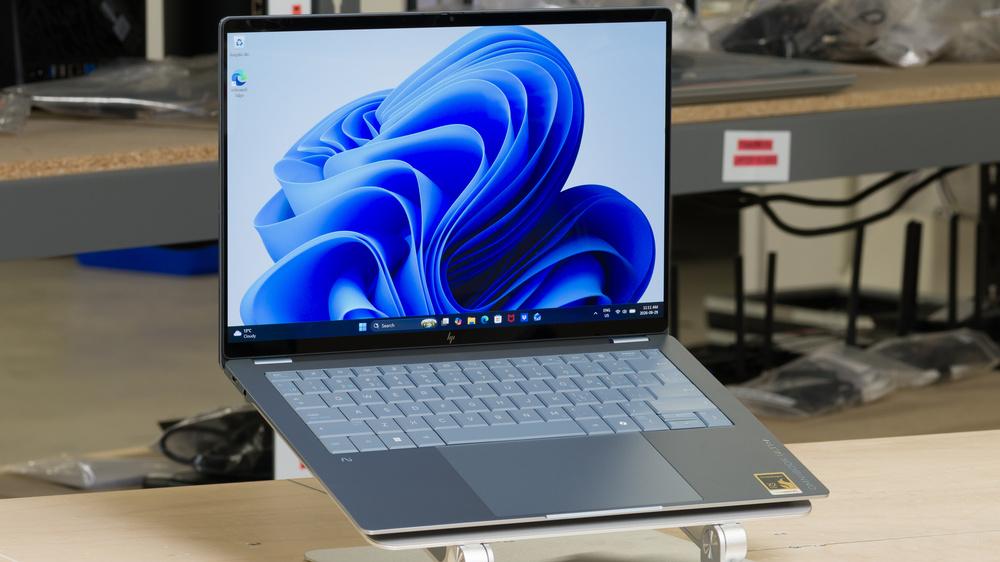
The HP OmniBook Ultra 14 (2026) is a premium 14-inch Windows ultraportable for productivity on the go. It offers Snapdragon X2 or Intel Core Ultra Series 3 processors, up to 64GB of RAM and 2TB of storage, and OLED touchscreens up to 3K at 120Hz. Features include an aluminum chassis, a backlit keyboard, a haptic touchpad, a 5MP IR webcam, and three USB-C ports. Intel models add Thunderbolt 4, while Snapdragon models run Windows on ARM, making software compatibility a consideration.
We reviewed the Stone Blue 14-kg0010ca with an 18-core Snapdragon X2 Elite X2E-90-100 processor, 32GB of RAM, a 1TB SSD, and the 3K 120Hz OLED touchscreen.
Our Verdict
The HP OmniBook Ultra 14 2026 is mediocre for gaming. All three Snapdragon processor options use integrated Adreno graphics, making this laptop better suited to lighter games than demanding titles. The X2 Elite configurations offer more graphics power than the X2 Plus, but even the top-end Snapdragon model struggles with demanding games, and upgrading doesn't resolve Windows on ARM game and anti-cheat compatibility issues. Both OLED options deliver deep blacks and fast pixel response times; the 2880 x 1800 panel adds smoother 120Hz motion, while the 1920 x 1200 panel is limited to 60Hz. Intel versions avoid the ARM-specific compatibility issues; the Core Ultra X9 has more capable Arc B390 graphics than the basic Intel graphics in the Core Ultra 7 and Ultra 9, though we haven't tested their gaming performance. You'll also need an adapter for USB-A gaming peripherals.
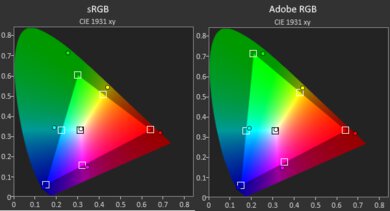
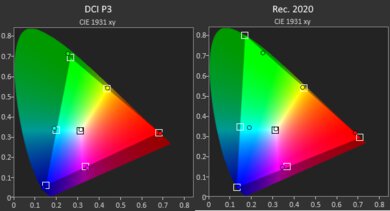
Sharp 120Hz OLED display with deep blacks and a wide color gamut.
Limited graphics performance for demanding games and GPU workloads.
Snapdragon models have Windows on ARM compatibility limitations with some applications, peripherals, and games.
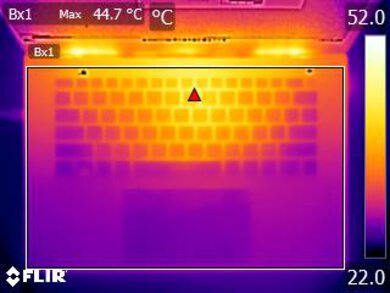
Keyboard gets hot under load.
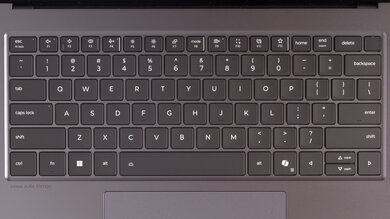
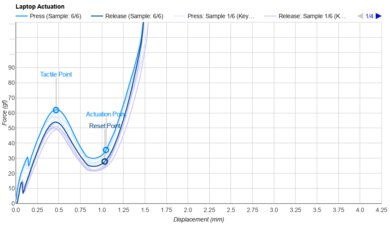
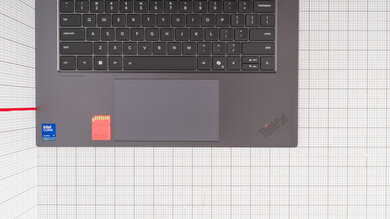
The HP OmniBook Ultra 14 2026 is very good for school and work. Its compact, lightweight design and long battery life suit commuting, and all configurations handle everyday tasks comfortably. Faster models offer more headroom for heavier multitasking. Both OLED touchscreens provide good contrast, with the 3K option offering sharper text and smoother scrolling. The keyboard is comfortable overall, and the webcam and microphone work well for calls. Intel versions provide broader Windows software and peripheral compatibility, so check ARM support for your apps and accessories if choosing Snapdragon. Our unit's defective touchpad produced no haptic feedback when clicking or dragging, making it harder to tell when a click registered or a drag started.
Long battery life for browsing and video playback.
Compact, lightweight design.
Sharp 120Hz OLED display with deep blacks and a wide color gamut.
Fast CPU performance in native ARM applications.
Comfortable, quiet keyboard.
Our unit has defective touchpad haptics, making clicks and dragging awkward.
Snapdragon models have Windows on ARM compatibility limitations with some applications, peripherals, and games.
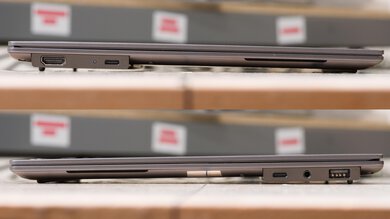
No USB-A port, HDMI port, or card reader.
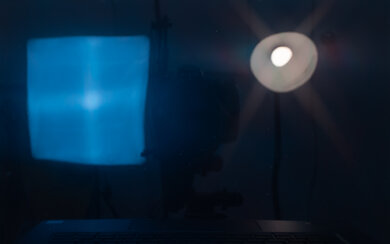
Glossy screen struggles with bright reflections.
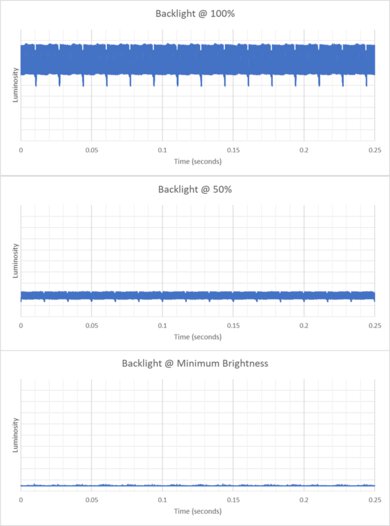
The HP OmniBook Ultra 14 2026 is very good for media consumption. Both OLED touchscreen options produce deep blacks, making them well-suited to movies in a dark room. The 2880 x 1800 panel provides finer detail than the 1920 x 1200 option and adds a 120Hz refresh rate for smoother scrolling and animations. All processor options are suitable for streaming and video playback, so a CPU upgrade isn't necessary for these tasks. The compact design and long battery life make it easy to watch away from an outlet. However, the speakers lack bass, and direct reflections can be distracting on the glossy screen. Our tested 3K panel also flickers, which can bother sensitive viewers; its brightness and flicker results don't necessarily apply to the lower-resolution panel.
Long battery life for browsing and video playback.
Compact, lightweight design.
Sharp 120Hz OLED display with deep blacks and a wide color gamut.
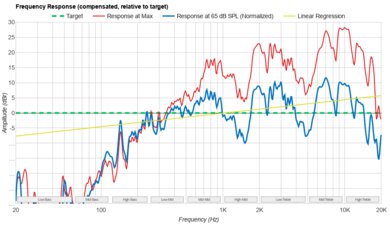
Good sounding speakers, although with weak bass.
Glossy screen struggles with bright reflections.
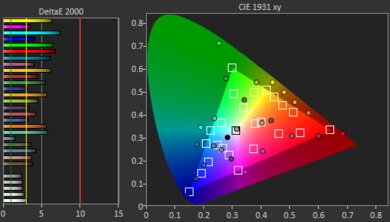
The HP OmniBook Ultra 14 2026 is okay for heavy workloads. Its faster CPU options and up to 64GB of RAM suit demanding multitasking and CPU-based processing, but integrated graphics limit professional 3D work. Intel models offer broader software compatibility; Snapdragon versions work best with native ARM applications. Memory isn't upgradeable. The 3K OLED option provides a sharp image, though our tested panel needs calibration for accurate editing. Our Snapdragon unit also gets hot under load.
Fast CPU performance in native ARM applications.
Sharp display helps with precision work.
Limited graphics performance for demanding games and GPU workloads.
Snapdragon models have Windows on ARM compatibility limitations with some applications, peripherals, and games.
No USB-A port, HDMI port, or card reader.
Keyboard gets hot under load.
The HP OmniBook Ultra 14 2026 has outstanding battery life for mobile productivity and entertainment. Our 18-core X2 Elite configuration with the 3K OLED display lasted nearly 16 hours of web browsing and over 21 hours of video playback, comfortably covering a full day of light use. These runtimes aren't guaranteed across the lineup: the processor, display option, brightness, and workload all affect battery life. Gaming and demanding processing tasks drain the battery much faster. The light USB-C charger is easy to carry, though our unit takes around two and a half hours to charge fully, which is decent but not especially quick.
Long battery life for browsing and video playback.
The HP OmniBook Ultra 14 2026 has great build quality. Its aluminum chassis feels durable, with clean assembly and securely attached rubber feet. There's some flex and creaking when twisting the closed laptop, though the lid and keyboard deck feel reasonably sturdy in normal use. The hinge allows one-finger opening, but the screen wobbles more than ideal when touched or when typing on an unstable surface.
Compact, lightweight design.
Solid build quality, and you can open the lid with one finger.
Our unit has defective touchpad haptics, making clicks and dragging awkward.
The HP OmniBook Ultra 14 2026's graphics performance is poor for demanding workloads. Snapdragon configurations use integrated Adreno graphics, ranging from the X2-45 in the Snapdragon X2 Plus to the X2-85 and X2-90 in the two X2 Elite options. They're suitable for everyday desktop use, video playback, and lighter graphics tasks. The Elite models offer more performance, but even the strongest X2-90 configuration has limited headroom for demanding games and professional 3D rendering. Software support is another constraint on the ARM chips, as it can restrict application and driver compatibility. Intel versions instead use basic Intel graphics or, with the Core Ultra X9, the more capable Arc B390. Their application support differs from Adreno, and our measured results don't apply to them. There's no dedicated GPU option, so this isn't an ideal choice if graphics-intensive work is your priority.
Limited graphics performance for demanding games and GPU workloads.
Snapdragon models have Windows on ARM compatibility limitations with some applications, peripherals, and games.
The HP OmniBook Ultra 14 2026 has good processing performance overall. All configurations handle everyday productivity, while faster options better suit demanding multitasking and CPU-heavy work. Our high-end Snapdragon model is particularly strong in native ARM applications, but performance varies with software and configuration. Intel versions offer broader Windows application and peripheral compatibility, though we haven't tested their performance.
Fast CPU performance in native ARM applications.
Snapdragon models have Windows on ARM compatibility limitations with some applications, peripherals, and games.
Performance Usages
Check Price
Differences Between Sizes And Variants
We tested the HP OmniBook Ultra 14 (14-kg0010ca) in Stone Blue, with a Snapdragon X2 Elite X2E-90-100 processor, 32GB of RAM, a 1TB SSD, and the 3K 120Hz OLED touchscreen.
The OmniBook Ultra 14 (2026) comes in Snapdragon-based 14-kg and Intel-based 14-kd versions. Snapdragon configurations range from the 10-core X2 Plus to 12- and 18-core X2 Elite processors, with integrated Adreno graphics. The lower-tier processors are suitable for everyday productivity, while the higher-core options provide more headroom for demanding multitasking and CPU-heavy work. Display choices include a 1920 x 1200 60Hz OLED touchscreen on select X2 Plus and 12-core X2 Elite configurations, or a sharper 2880 x 1800 120Hz OLED touchscreen. Intel configurations use Core Ultra 7 356H, Core Ultra 9 386H, or Core Ultra X9 388H processors. The Core Ultra 7 and Ultra 9 use basic integrated Intel graphics, while the Ultra X9 has the more capable Arc B390 GPU. All Intel versions have the 3K 120Hz OLED touchscreen, three Thunderbolt 4 ports with DisplayPort 2.1 output, and Wi-Fi 7 with Bluetooth 6.0. They avoid the Windows on ARM compatibility limitations of the Snapdragon models.
Both processor families offer up to 64GB of soldered memory and up to 2TB of SSD storage, with the highest memory capacity reserved for the 18-core Snapdragon X2 Elite or Intel Core Ultra X9. Availability and combinations vary by model and region. Our performance, battery life, thermal, and noise results apply to the tested Snapdragon configuration; we haven't tested the Intel versions, so those results shouldn't be assumed to carry over.
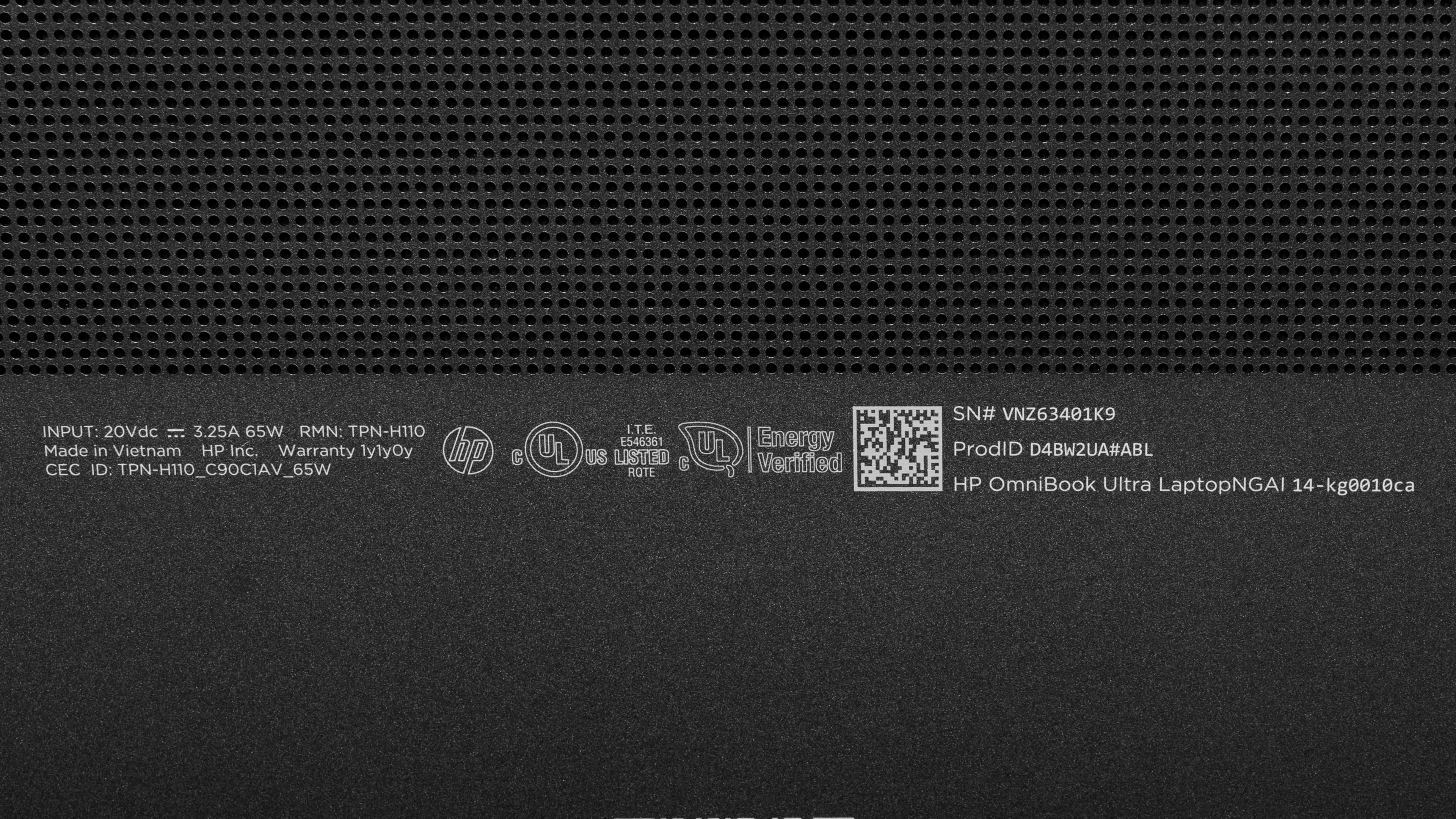
See a photo of our unit's label.
Popular Laptop Comparisons
The HP OmniBook Ultra 14 is a premium ultraportable built around long battery life, OLED touchscreens, and a choice of Snapdragon X2 or Intel Core Ultra Series 3 processors. It suits people who want a compact Windows laptop for everyday productivity and media, with higher-end configurations offering more CPU power and up to 64GB of RAM for heavier multitasking. Both display options are OLEDs, but only the sharper 3K panel offers 120Hz.
Among competing ultraportables, the OmniBook stands out for the excellent battery life of our tested 3K/X2 Elite configuration. Its appeal depends on your software and peripherals, though: Windows on ARM compatibility remains a consideration on Snapdragon models, and its USB-C-only data ports mean adapters are often necessary. Ultimately, you might be better off with a few other options. If you want Windows, the Dell XPS 14 (2026) offers broader Windows compatibility than the Snapdragon OmniBook and sturdier construction, while the Microsoft Surface Laptop 8th Edition (2026) combines Snapdragon efficiency with a taller display and more varied ports. If you're open to macOS, the Apple MacBook Air 13 (M5, 2026) offers a lighter, exceptionally well-built, fanless alternative, though it lacks touch input and a high-refresh-rate display.
For more options, see our picks for the best laptops, the best Windows laptops, and the best 13-14-inch laptops.
The Dell XPS 14 (2026) and the HP OmniBook Ultra 14 (2026) are premium ultraportables with different strengths. The Dell has a sturdier chassis, a more stable hinge, and a sharper webcam. Both handle everyday productivity well, with higher-end configurations offering more headroom for demanding multitasking and light creative work. The HP has OLED touchscreens across the lineup, while the Dell offers IPS or OLED, both at 120Hz. Our tested Snapdragon HP lasted substantially longer on battery than the OLED Dell, though runtime varies by configuration. Choose an Intel-based configuration of either laptop if you need broader Windows software compatibility.
The HP OmniBook Ultra 14 (2026) and the Apple MacBook Air 13 (M5, 2026) are premium ultraportables with strong everyday performance. The MacBook Air is lighter, feels sturdier, and stays completely silent thanks to its fanless design. The HP offers OLED touchscreens, a 120Hz display option, more memory for demanding multitasking, and a replaceable SSD. Our tested Snapdragon HP also lasted longer on battery than the base Air, though runtime varies by configuration. Choose mainly based on your software and display preferences: the Air runs macOS, while the HP offers Intel-based Windows compatibility or Snapdragon models with ARM-specific software limitations.
The HP OmniBook Ultra 14 (2026) and the Microsoft Surface Laptop 8th Edition (2026) are premium Windows ultraportables. The HP offers OLED contrast for movies and more performance headroom for demanding multitasking, while the Surface has a sturdier chassis, a taller display for documents, and more varied ports. Both suit everyday productivity, but the HP also offers Intel versions if you need broader software compatibility. Our tested Snapdragon HP lasted longer on battery than the 13.8-inch Surface, though runtime varies by configuration. Choose the Surface if you want a larger 15-inch option; choose the HP if you prioritize OLED or heavier CPU workloads.
Test Results
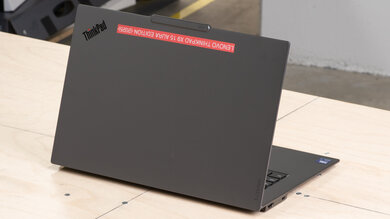
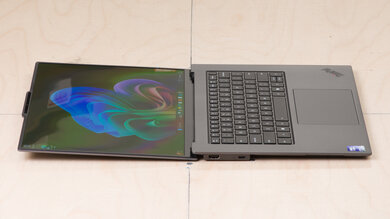
for pictures & test results
for pictures & test results
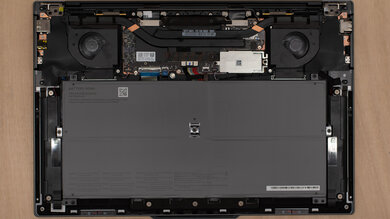
for pictures & test results


for pictures & test results

for pictures & test results
for pictures & test results