Samsung Galaxy Book5 Pro 360 (2024)  Laptop Review

Reviewed Nov 11, 2024 at 10:28am
Test bench update May 02, 2025 at 01:25pm
Tested using Methodology v0.8.3 
Samsung Galaxy Book5 Pro 360 (2024)
8.3
School 
7.7
Gaming 
8.5
Multimedia 
8.3
Workstation 
8.2
Business 
 2

The Samsung Galaxy Book5 Pro 360 is a Windows 2-in-1 convertible laptop. It replaces the Samsung Galaxy Book4 Pro 360 from 2023 (Intel Meteor Lake). This 2024 model is available with an Intel Core Ultra 5 228V or Core Ultra 7 256V CPU, 16GB of RAM (32GB option available on Core Ultra 5 models only), and up to 1TB of storage. There's a single display option: a 120Hz 2.8k OLED panel with Dynamic Refresh Rate support. This laptop has Wi-Fi 7 wireless connectivity, a 1080p webcam, and a fingerprint sensor. Ports include one USB-A, two USB-C/Thunderbolt 4s, an HDMI 2.1, a MicroSD card reader, and a 3.5 mm headphone jack.

See our unit's specifications and the available configuration options in the Differences Between Variants section.

Note: We’ve performed the productivity benchmarks, gaming benchmarks, thermals and noise, and performance over time tests using the Performance mode instead of the default Balanced mode. This change makes the results more representative of the laptop’s maximum potential and brings them closer to user expectations. However, this also means that the results are only comparable with reviews containing this disclaimer, as we previously tested laptops in their default mode, which usually throttles performance to prolong battery life.

Our Verdict

8.3
School 

The Samsung Galaxy Book5 Pro 360 is great for school use. Although it's a 16-inch laptop, it's still relatively easy to carry around, thanks to its thin and light design. Plus, you likely won't need to bring a charger, as the battery lasts over nine hours of light on a full charge. The overall user experience is great; it has a large display for split-screen multitasking, a responsive touchpad, and a tactile keyboard. The keyboard can be a little tiring to type on for long periods, though, as the keys require a fair amount of force to actuate. Intel's Lunar Lake CPU can handle light to moderately intensive workloads; however, its integrated graphics perform poorly, so it isn't ideal for students in fields like 3D graphics and animation. There's a wide port selection to connect multiple peripherals and external displays, including two USB-C/Thunderbolt 4s and an HDMI 2.1.

Pros
  • Thin and light design.

  • Battery lasts over nine hours of light use.

  • Large, sharp display for multitasking.

  • CPU can handle some demanding workloads.

  • Large, responsive touchpad.

Cons
  • No dedicated GPU options.

  • Keyboard feels tiring to type on for extended periods.

  • Display flicker may bother some people.

7.7
Gaming 

While the Samsung Galaxy Book5 Pro 360 isn’t specifically designed for gaming, it can handle some demanding titles, albeit only at 1080p with the lowest graphical settings. Its 120Hz OLED display has a decent response time to deliver a relatively clear image with minimal ghosting in fast-moving scenes. It supports Dynamic Refresh Rate, a type of VRR, but this isn't the same as FreeSync or G-SYNC, so you'll still see some screen tearing when gaming with an uncapped frame rate. The laptop gets a little toasty under load, but thankfully, the fans remain fairly quiet.

Pros
  • 120Hz display with decent response time.

  • Quiet fans under load.

  • User-replaceable SSD.

Cons
  • No dedicated GPU options.

  • No FreeSync or G-SYNC support.

  • CPU throttles under load.

8.5
Multimedia 

The Samsung Galaxy Book5 Pro 360 is great for media consumption. It's fairly easy to carry around for a 16-inch laptop, and its battery lasts over 13 hours of video playback. The viewing experience is amazing, as its OLED display looks sharp and colorful. It gets bright enough to combat glare in well-lit settings, and it produces deep, inky blacks, perfect for dark room viewing. Plus, you can set up the laptop in tent mode when watching content since it's a 2-in-1 convertible. The speakers get pretty loud with minimal compression artifacts at high volume levels, but they sound unnatural, with only a moderate amount of bass.

Pros
  • Thin and light design.

  • Battery lasts over 13 hours of video playback.

  • Sharp, colorful OLED display.

  • Loud speakers.

Cons
  • Speakers sound unnatural with very little bass.

  • Display flicker may bother some people.

8.3
Workstation 

The Samsung Galaxy Book5 Pro 360 isn't designed for use as a workstation. Its Intel Lunar Lake CPU can only handle light to moderately intensive workloads. Also, you can only get 16GB or 32GB (Core Ultra 5 only) of soldered RAM, and there are no dedicated GPU options, so any work requiring lots of GPU processing power is out of the question. You can do some light photo and video editing, though, as long as the material isn't overly complex. The display is suitable for color-critical work, as it has full coverage of the Adobe RGB and DCI P3 color spaces. Thermal throttling isn't too bad for a thin and light laptop with limited cooling, and while the keyboard gets a little toasty under load, the fans remain fairly quiet. Its excellent port selection includes two USB-C/Thunderbolt 4 ports and an HDMI 2.1, so you can easily connect multiple peripherals and external displays.

Pros
  • CPU can handle some demanding workloads.

  • Display is suitable for content creation and other color-critical work.

  • Quiet fans under load.

  • User-replaceable SSD.

  • Wide port selection includes Thunderbolt 4 support.

Cons
  • No dedicated GPU options.

  • Can only get 16GB or 32GB (Core Ultra 5 only) of soldered RAM.

  • CPU throttles under load.

8.2
Business 

The Samsung Galaxy Book5 Pro 360 is great for business use. It has a sturdy build and a thin, light design, and its battery lasts easily through a typical workday, making it a good option for those who travel a lot for work. Working on this laptop feels amazing; it has a sharp display that's big enough for multitasking, a tactile keyboard, and a large, responsive touchpad. The keyboard can be a little tiring to type on, though, as the keys require a fair amount of force to actuate. You get an excellent port selection that includes two Thunderbolt 4s and an HDMI, so you can easily connect multiple peripherals and external displays. Performance isn't a problem; Intel's Lunar Lake CPUs can easily handle general productivity tasks like text processing, spreadsheets, and presentations. For small business owners needing to produce video ads, this laptop can handle some video editing (as long as the material isn't overly complex). The display is suitable for such work, as it has full DCI P3 coverage.

Pros
  • Thin and light design.

  • Battery lasts over nine hours of light use.

  • Large, sharp display for multitasking.

  • Large, responsive touchpad.

  • Wide port selection includes Thunderbolt 4 support.

Cons
  • Keyboard feels tiring to type on for extended periods.

  • Display flicker may bother some people.

  • 8.3
    School
  • 7.7
    Gaming
  • 8.5
    Multimedia
  • 8.3
    Workstation
  • 8.2
    Business
  • Changelog

    1.  Updated May 07, 2025: We've updated this review to Test Bench 0.8.3, which removes the viewing angle tests and adds a GPU Total Graphics Power comparison in the GPU section. The Pen Input test in the Extra Features section has also changed, as it now shows whether the laptop supports pen input rather than the inclusion of a stylus in the box. See the changelog for more details.
    2.  Updated Apr 30, 2025: 

      Added mention of the Lenovo Yoga 9i 2-in-1 Aura Edition 14 (2025) as an alternative with a better webcam in the Webcam & Microphone section.

    3.  Updated Nov 11, 2024: Review published.
    4.  Updated Nov 05, 2024: Early access published.

    Differences Between Sizes And Variants

    We tested the Samsung Galaxy Book5 Pro 360 (model NP960QHA) with an Intel Core Ultra 7 256V CPU, 16GB of RAM, and 512GB of storage. The CPU, RAM, and storage are configurable; see below for all the configurations.

    Note: As of November 2024, the Core Ultra 5 228V model isn't available on Samsung's website even though some reviewers have received it to review. It's unclear whether this is a region-specific model or will only be available at a later date.

    DISPLAY

    • 16” OLED 2880 x 1800 120Hz (touch and pen input support, glossy, 100% DCI P3)

    CPU

    • Intel Core Ultra 5 228V (8 cores/8 threads, up to 4.5GHz, 8MB cache)
    • Intel Core Ultra 7 256V (8 cores/8 threads, up to 4.8GHz, 12MB cache)

    GPU

    • Intel Arc Graphics 130V (integrated, Core Ultra 5)
    • Intel Arc Graphics 140V (integrated, Core Ultra 7)

    MEMORY

    • 16GB LP-DDR5x 8533MHz
    • 32GB LP-DDR5x 8533MHz (Core Ultra 5 only)

    STORAGE

    • 512GB M.2 PCIe Gen 4 NVMe SSD
    • 1TB M.2 PCIe Gen 4 NVMe SSD

    COLOR

    • Gray
    • Silver (in select regions)

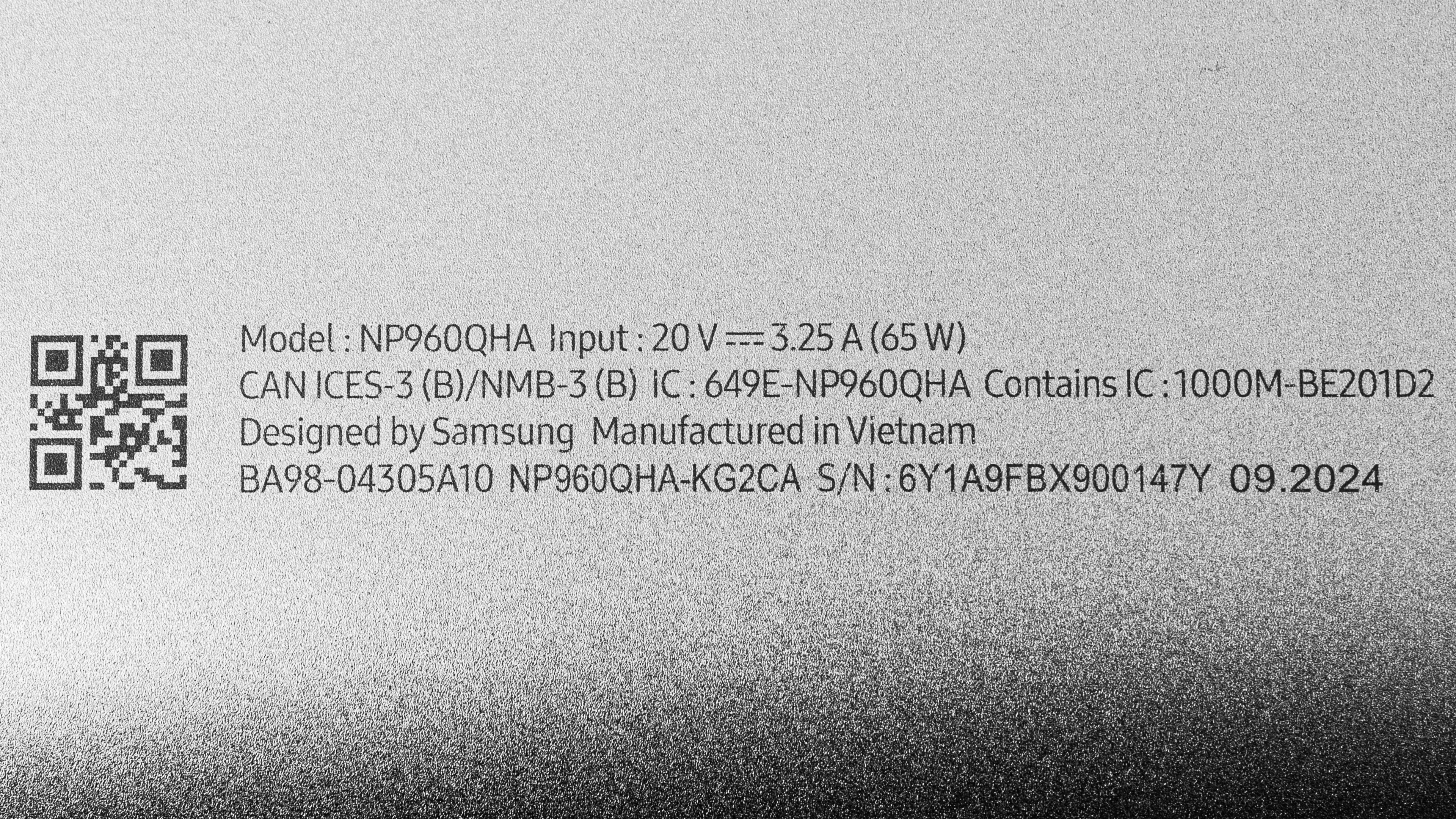
    See our unit’s label.

    Popular Laptop Comparisons

    The Samsung Galaxy Book5 Pro 360 is a great device overall. It has a sturdy build and strong performance, and it provides a good user experience overall. That said, compared to other laptops in its class, some aspects aren't quite as good, like the quality of the keyboard and webcam. A haptic touchpad would also have been a nice addition, as many high-end laptops have adopted it. Despite sporting a Lunar Lake CPU, which Intel designed specifically to improve power efficiency, the Galaxy Book 5's battery life still lags behind older Intel Meteor Lake or current-gen, ARM-based devices, like the LG gram 16 (2024) and the Microsoft Surface Laptop 7th Edition 15 (2024).

    For more options, check out our recommendations for the best lightweight laptops, the best business laptops, and the best 2-in-1 laptops.

    Lenovo Yoga 9i 2-in-1 Aura Edition 14 (2025)

    The Lenovo Yoga 9i 2-in-1 Aura Edition 14 (2025) and the Samsung Galaxy Book5 Pro 360 (2024) are both premium convertibles with Intel Lunar Lake SoCs. Choosing between these two laptops depends on your size preference and the features you care about most; the Lenovo is more portable since it's a smaller device, and it also has better speakers, a higher-quality webcam, and longer battery life. On the other hand, the Samsung has an HDMI port, which might be more convenient if you frequently connect an external display, and its numpad is handy for those working with lots of numbers. If you're sensitive to display flicker, the Lenovo might be a better choice since its OLED's flicker frequency is well above 1000Hz and less likely to cause eye strain compared to the Samsung's OLED panel, which flickers at 120Hz.

    Lenovo Yoga 7i 16 (2023)

    The Samsung Galaxy Book5 Pro 260 (2024) and the Lenovo Yoga 7i 16 (2023) are both 16-inch 2-in-1 convertibles designed for general productivity. The Samsung is a more premium device that delivers a better user experience overall. It also has more processing power for heavier multitasking, as well as an NPU to handle AI-based tasks like image generation in photo editing apps. That said, the Samsung's OLED display flickers at 120Hz, which might bother people sensitive to flickering, whereas the Lenovo is only available with flicker-free IPS panels.

    HP Spectre x360 14 (2024)

    The Samsung Galaxy Book5 Pro 360 (2024) and the HP Spectre x360 14 (2024) are both high-end 2-in-1 convertibles designed for general productivity. The overall user experience is pretty similar between these two devices, though the HP comes out slightly ahead. Its keyboard has more key travel, and its touchpad is haptic, making it much easier to use since you can click anywhere. The HP also sports a higher quality webcam and better-sounding speakers. Performance will depend on the configuration; you can likely get a bit more processing power out of the HP if you get the Core Ultra 7 model because the Samsung's Intel Lunar Lake CPUs no longer support Hyper-Threading. Lastly, although both laptops have an OLED panel, the HP's screen flickers at a much higher frequency, so it's likely to be less bothersome to people sensitive to screen flicker.

    LG gram 16 (2024)

    While the Samsung Galaxy Book5 Pro 360 (2024) and the LG gram 16 (2024) are both 16-inch devices, the Samsung is a 2-in-1 convertible, and the LG is a more traditional clamshell laptop. 2-in-1 convertibles are more versatile, but keep in mind that using a 16-inch device as a tablet is a bit cumbersome due to its sheer size. The Samsung also supports pen input, so it's a better option if you like taking handwritten notes or drawing. The overall user experience and performance is pretty similar between these two devices. There's one notable difference: the display. The Samsung has a 120Hz 2.8k OLED panel, which looks nicer than the three IPS panels available on the LG, but know that the OLED flickers, so if you're sensitive to screen flickering, you're probably better off getting the LG.

    Show more 

    Test Results

    perceptual testing image
    Sort:
    RATINGS
    Category:
    All
    Design
    Style
    Form Factor
    2 in 1

    The Samsung Galaxy Book5 Pro 360 is available in a Gray or Silver colorway, though the latter seems to be only in select regions. See the bottom of the laptop.

    9.0
    Build Quality

    The Samsung Galaxy Book5 Pro 360's build quality is outstanding. Its full-aluminum chassis feels very sturdy, exhibiting little to no flex on the lid or keyboard deck. The display doesn't twist when manipulating it either. The chassis' finish is fairly resistant to scratches and smudges, though the keys and screen pick up oil pretty easily. There are no complaints about the feet—they feel solid and firmly attached to the bottom.

    10
    Hinge
    Range
    360°
    Stability
    Good
    One Finger Lift
    Yes

    The hinges are outstanding. They feel smooth and sturdy when opening and closing the lid, and they're stable, exhibiting very little wobble when typing heavily. They have a fair amount of resistance, which is typical for a 2-in-1 convertible, but you can still open the lid easily with one hand.

    8.5
    Portability
    Size
    16"
    Thickness
    0.6" (1.4 cm)
    Width
    14.0" (35.5 cm)
    Depth
    9.9" (25.2 cm)
    Volume
    78.6 in³ (1,288.2 cm³)
    Weight
    3.7 lbs (1.7 kg)
    Charger Size
    4.4 in³ (71.5 cm³)
    Charger Weight
    0.4 lbs (0.2 kg)
    6.3
    Serviceability
    Ease Of Access
    8.5
    RAM Slots
    0
    Storage Slots
    1
    Replaceable Battery
    Yes
    Replaceable Wireless Adapter
    No

    The Samsung Galaxy Book 5 Pro 360's serviceability is mediocre, as there isn't much that you can replace. Accessing the internals is straightforward; you only need to remove four screws and release the bottom panel's clips with a thin prying tool. Just be careful when using the prying tool, as there's a risk of damaging the speakers. The screws are under the feet, but the feet aren't glued on, so they're easily removable. The storage slot supports M.2 2280 PCIe Gen 4 NVMe SSDs.

    You can download the user manual from Samsung's support page.

    In The Box

    • 65W power adapter
    • USB-C to USB-C charging cable
    • Samsung S Pen
    • Documentation
    Display
    Screen Specs
    Resolution
    2880 x 1800
    Aspect Ratio
    16:10
    Pixel Density
    212 PPI
    Panel Type
    OLED
    Touch Screen
    Yes
    Screen-To-Body Ratio
    83%

    The Samsung Galaxy Book 5 Pro 360's display looks very sharp and provides plenty of room for spilt-screen multitasking. Its 16:10 aspect ratio is well suited for productivity, as it gives you slightly more vertical space than a standard 16:9 display, allowing you to see more information when reading a document or website. The only thing to remember is that OLEDs are susceptible to permanent burn-in, so you'll have to take active measures to prevent it, like hiding the taskbar.

    8.7
    Refresh Rate
    Refresh Rate
    120 Hz
    Variable Refresh Rate
    Dynamic Refresh Rate

    The Samsung Galaxy Book 5 Pro 360’s OLED display has a 120Hz refresh rate, providing increased input responsiveness and smoother motion than a standard 60Hz display. Its response time is decent, resulting in only a small blur trail behind fast-moving objects. Dynamic Refresh Rate is a battery-saving feature that allows the display to vary the refresh rate depending on your usage, meaning it’ll ramp up the refresh rate to 120Hz when you’re actively navigating the desktop and lower it to 60Hz when the content is static. This feature isn’t the same as G-SYNC or FreeSync, so you’ll likely still see screen tearing when gaming with an uncapped frame rate.

    10
    Contrast
    Native Contrast
    100,400 : 1

    The contrast ratio is effectively infinite since OLEDs can turn off individual pixels to produce perfect blacks.

    7.8
    Brightness
    Maximum Brightness
    367 cd/m²
    Minimum Brightness
    3 cd/m²

    The Samsung Book 5 Pro 360's display gets bright enough for use in most indoor settings but not outdoors in broad daylight. It’s very dim at the lowest brightness setting, which is great for dark room viewing because it causes less eye strain.

    9.7
    Reflections
    Screen Finish
    Glossy
    Total Reflections
    0.65%
    Indirect Reflections
    0.65%
    Calculated Direct Reflections
    0.01%

    The display's reflection handling is excellent. Its glossy finish does a fantastic job of reducing the intensity of bright light sources, like a lamp or open window during the day. Some reflections can still make dark-color content hard to see, depending on their brightness; however, they aren't really an issue when viewing light-color content.

    10
    Black Uniformity
    Uniformity (Std. Dev.)
    0.100%
    7.3
    Out-Of-The-Box Color Accuracy
    Avg. White Balance dE
    1.95
    Avg. Gamma
    2.32
    Avg. Color dE
    4.62
    Avg. Color Temperature
    6,706.1 K

    The display's accuracy is decent out of the box. Most white balance inaccuracies are minor and hard to spot with the naked eye. The color dE is high mainly because the display is in DCI P3 when there isn't a set color profile, causing oversaturation. Some people might prefer this oversaturated look; just know it isn't accurate. The color temperature is only slightly cooler than the standard 6500K target, not enough to make a huge difference visually. The gamma is too high throughout, making all scenes too dark.

    If you don't like the oversaturated look, there's a Natural preset color profile that's much more accurate, as it limits the color reproduction to the sRGB color space. Here are the measurement charts:

    9.8
    Color Gamut
    sRGB xy
    152.81%
    sRGB uv
    139.77%
    Adobe RGB xy
    97.46%
    Adobe RGB uv
    99.27%
    DCI P3 xy
    99.92%
    DCI P3 uv
    99.9%
    Rec. 2020 xy
    80.8%
    Rec. 2020 uv
    91.07%

    The Samsung Galaxy Book5 Pro 360's OLED panel has a superb color gamut. It has full coverage of the commonly used sRGB color space as well as the wider DCI P3 and Adobe RGB color spaces, making it suitable for media consumption, print photography, and HDR video production.

    4.5
    Flicker
    Flicker-Free
    No
    Flicker Frequency
    120 Hz
    Flicker Active Below
    100%

    The OLED display’s flicker frequency is relatively low and may bother people sensitive to flickering.

    Interface
    7.7
    Keyboard
    Typing Quality
    7.5
    Numpad
    Yes
    Backlighting
    Adjustable
    See details on graph tool
    Operating Force
    70 gf
    Actuation Force
    37 gf
    Pre-Travel
    0.78 mm
    Total Travel
    1.11 mm

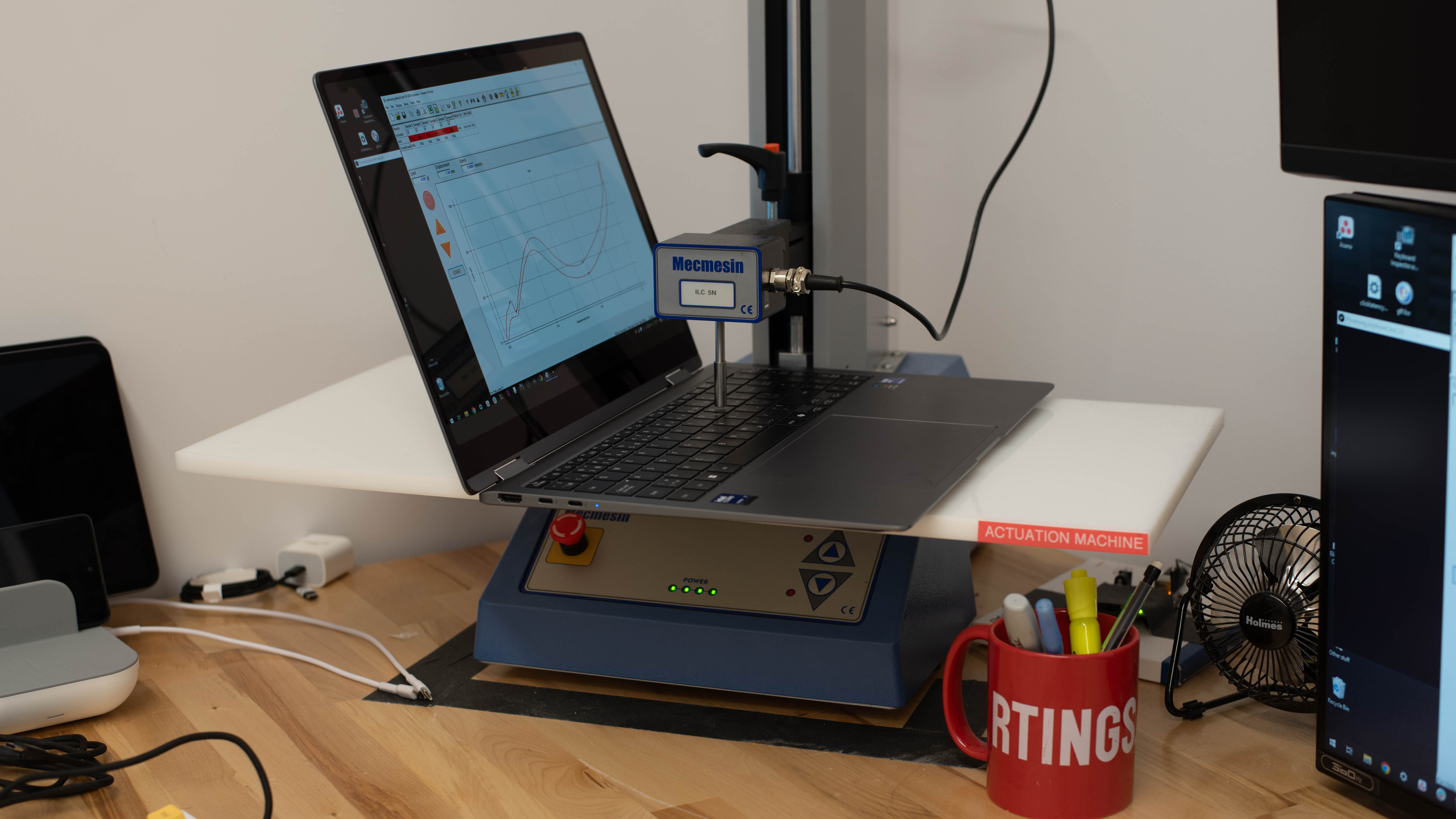
    The Samsung Galaxy Book 5 Pro 360 has a good keyboard. Its layout is relatively standard, though the location of the power button at the top right corner can be an annoyance if you often use the numpad, as a single press will put the computer to sleep. The overall typing experience is good; the keys are stable and tactile, and they aren't overly loud, so you don't have to worry about causing too much noise in quiet settings. However, the keys require a fair amount of force to actuate, and their spacing feels a tad cramped. Also, the key travel is very short, which some might not like, as it's easy to bottom out. There are three backlight brightness levels; the light shines through the legends well, making them easy to see.

    8.6
    Touchpad
    Tracking Quality
    8.0
    Size
    25.1 in² (161.9 cm²)
    Material
    Glass
    Dedicated Buttons
    No

    The Samsung Galaxy Book5 Pro 360 has an excellent touchpad. It's quite large, which makes it comfortable and easy to use, especially for actions like dragging and dropping over a long distance. While the off-center placement is normal for a laptop with a numpad, it's a tad too far to the left, leaving very little room to place the left hand when typing. It tracks all movements and gestures well—albeit less so if you start the movement from the corner of the touchpad—and there are no issues with palm rejection. This is a diving board touchpad, so you can only click in the bottom half. The buttons feel tactile but require a fair amount of force to actuate.

    6.2
    Speakers
    See details on graph tool
    Max Volume
    79 dB SPL
    Standard Error @ Normal Vol. (65 dB)
    11.3 dB
    Slope @ Normal Vol. (65 dB)
    4.7
    Bass Extension (Low-Frequency Ext.)
    233 Hz
    Treble Extension (High-Frequency Ext.)
    20 kHz
    Dynamic Range Compression @ Max Vol.
    0.6 dB

    The Samsung Book 5 Pro 360's speakers get pretty loud with minimal compression artifacts at higher volume levels. However, they sound unnatural and lack dynamic range. There's some bass, though not a whole lot.

    7.0
    Webcam & Microphone
    Video Quality
    7.0
    Resolution
    1080p
    Position
    Top Center
    Privacy Cover
    No
    Face Unlock
    No

    The Samsung Book 5 Pro 360 has a decent webcam. The image looks relatively sharp and detailed, with true-to-life colors. There's some noise throughout, and the exposure is a tad too high; however, these issues aren't bad enough to affect the overall image quality significantly. Voices sound loud and clear over the microphone, though there's a fair amount of background noise. There's no physical privacy cover—you can disable the camera and microphone using the F10 and F11 shortcuts. Check out the Lenovo Yoga 9i 2-in-1 Aura Edition 14 (2025) if you want a similar laptop with a better webcam.

    Connectivity
    8.5
    Ports
    USB-A Ports
    1
    USB-C Ports
    2
    Thunderbolt
    Thunderbolt 4
    USB-C Charging
    Yes
    USB-C Display Out
    Yes
    HDMI
    2.1
    DisplayPort
    No
    3.5mm Jack
    Combo mic/headphone
    Card Reader
    MicroSD UHS 1
    Ethernet
    No
    Proprietary Port
    No
    Security Lock
    No

    The Samsung Galaxy Book 5 Pro 360 has an excellent port selection. Both USB-Cs support Thunderbolt 4 (up to 40Gbps data transfer speed and two 4k @ 60Hz displays), DisplayPort, and charging. The USB-A supports USB 3.2 Gen 1 data transfer speed of up to 5Gbps. The HDMI port has a maximum output resolution of 8k @ 60Hz or 5k @ 120Hz.

    Wireless Communication
    Wi-Fi
    Wi-Fi 7 (802.11be)
    Bluetooth
    5.4

    The Samsung Galaxy Book 5's wireless adapter is an Intel Wi-Fi 7 BE201 320Hz. Like Wi-Fi 6E, the Wi-Fi 7 standard gives you access to the 6GHz band but with even faster speeds, lower latency, and less signal interference. You need a router that supports Wi-Fi 7 to benefit from these features.

    Configuration
    CPU
    Brand
    Intel
    Model
    Core Ultra 7 256V
    Core Count
    8
    Thread Count
    8

    The Samsung Galaxy Book 5 Pro 360 is available with the following CPUs:

    • Intel Core Ultra 5 228V (8 cores/8 threads, up to 4.5GHz, 8MB cache)
    • Intel Core Ultra 7 256V (8 cores/8 threads, up to 4.8GHz, 12MB cache)

    Both CPUs are mobile processors designed for thin and light laptops from Intel's Lunar Lake (Core Ultra Series 2) lineup. Like their Meteor Lake predecessors, these chips have a mix of performance and efficiency cores; however, the performance cores no longer support Hyper-Threading, so you can expect a performance drop in multi-threaded workloads compared to the Meteor Lake CPUs. They can still handle general productivity tasks just fine, like text processing, web browsing, video playback, and spreadsheets, but the performance might be a bit limiting if you plan on using the laptop for more demanding workloads like programming. 

    Both chips have the same core composition of four performance and four efficiency cores—they only differ in clock speeds and cache size. The Core Ultra 7 is faster, though the difference isn't huge, so you likely won't notice it unless you perform highly intensive tasks that stress the CPU. Both have a Neural Processing Unit (NPU) to handle AI tasks like background-blurring on video calls and image generation in photo editing apps. The Core Ultra 5's NPU has a potential peak AI performance rating of 40 TOPS (trillions of operations per second), while the Core Ultra 7 has a performance rating of 47 TOPS. You can see more information about these chips in Intel's product brief.

    Note: As of November 2024, the Core Ultra 5 228V model isn't available on Samsung's website; however, some reviewers have received a Core Ultra 5 model to review. It's unclear whether this is a region-specific model or will only be available at a later date.

    GPU
    Brand
    Intel
    Model
    Arc 140V GPU
    Dedicated/Integrated
    Integrated
    VRAM Size
    N/A
    GPU Total Graphics Power (TGP)
    N/A

    The Samsung Book 5 Pro 360 is only available with integrated graphics. The Arc Graphics on these Lunar Lake chips are a noticeable step up from previous generations when it comes to gaming, performing just slightly worse than the aging NVIDIA GeForce GTX 1650 mobile. This means you can get 60 fps in some demanding games at 1080p, but only with the lowest graphical settings. For specialized computing tasks, you're still better off getting a laptop with a dedicated GPU, as these Arc Graphics don't really perform better than other current-gen integrated graphics. There's technically a performance difference between the Core Ultra 5 and the Core Ultra 7's GPU (Arc 130V and Arc 140V, respectively), but again, the difference isn't night and day.

    RAM
    Capacity
    16 GB
    Modules
    8 (Soldered)
    Type
    LP-DDR5x
    Speed
    8,533 MHz

    You can configure the Samsung Galaxy Book 5 with 16GB or 32GB of RAM. However, the 32GB is only available on models with a Core Ultra 5 228V CPU. The Core Ultra 7 256V can only support up to 16GB of RAM.

    Storage
    Advertised Capacity
    512 GB
    Usable Capacity
    421 GB
    Drive 1
    Samsung MZVL4512HBLU-00B
    Drive 1 TypeSSD
    Drive 2
    No 2nd Drive
    Drive 2 TypeNo 2nd Drive

    You can configure the Samsung Book 5 Pro 360 with 512GB or 1TB of storage. The SSD is user-replaceable; the slot supports M.2 2280 PCIe Gen 4 NVMe SSDs.

    Performance
    9.3
    Geekbench 5 (Synthetics)
    CPU Single-Thread
    1,946 points
    CPU Multi-Thread
    9,453 points
    GPU Compute
    31,038 points

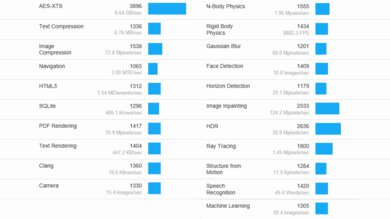
    The Samsung Galaxy Book 5 scores well in the Geekbench 5 benchmarks. Its Intel Core Ultra 7 256V CPU has strong single-thread performance, an improvement over its Meteor Lake predecessors. Its multi-thread performance is good, too; however, it's a step backward compared to its Meteor Lake predecessors due to the lack of Hyper-Threading. This multi-thread performance is suitable for general productivity tasks and some moderately intensive workloads. For highly demanding tasks, there are significant faster CPUs on the market, like the Apple MacBook Pro 16 (M3, 2023)'s M3 Max SoC and Intel's own Core i9-14900HX in the Razer Blade 18 (2024). As for the GPU, although its Arc Graphics 140V performs well for an integrated GPU, it's still far too slow for highly demanding workloads, performing worse than the aging NVIDIA GeForce GTX 1650 mobile GPU.

    Note: We've performed all benchmarks using the laptop's best performing mode (Performance in this case) instead of the default Balanced mode, which usually throttles the performance to prolong battery life. This is more representative of the laptop's maximum potential (you can always turn it down if you prioritize battery life and/or lower fan noise and thermals), whereas the Balanced mode would only show the manufacturer's tuning of that mode.

    9.7
    Cinebench R23 (CPU Rendering)
    Single-Thread
    1,743 points
    Multi-Thread
    10,541 points

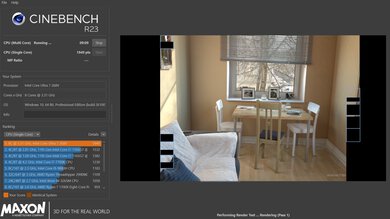
    The Samsung Galaxy Book 5 Pro 360 scores well in the Cinebench R23 benchmarks. Its Intel Core Ultra 7 256V CPU's multi-thread performance is good enough for some moderately intensive workloads and heavy multitasking, but again, there are significantly faster CPUs on the market that can provide a smoother experience and complete tasks in less time in highly demanding tasks.

    8.0
    Blender (3D Rendering)
    CPU Render Time
    4.0 min
    GPU Render Time
    N/A
    GPU Render Time (Optix)
    N/A

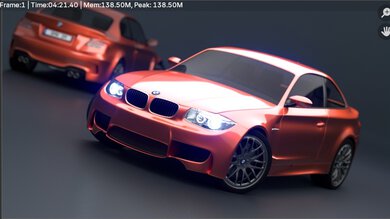
    While you can perform 3D rendering tasks in Blender using the CPU, getting a laptop with a discrete GPU is best. Even an entry-level dedicated GPU, like the NVIDIA GeForce RTX 3050 Laptop GPU, can render images significantly faster.

    7.1
    Basemark GPU (Game Scene)
    Overall Score
    40,869

    The Samsung Book 5 Pro 360's Intel Arc Graphics 140V performs decently in the Basemark GPU benchmark, scoring in the same ballpark as some discrete GPUs, albeit aging ones like the NVIDIA GeForce GTX 1650 mobile. This means that it can push playable frame rates in some graphically demanding games, as you'll see in the gaming benchmarks, but only with the lowest graphical settings. The Core Ultra 5's integrated GPU is a little weaker and will have a harder time maintaining consistent frame rates.

    9.5
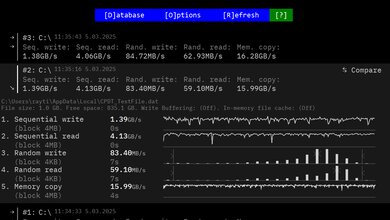
    Storage Drive Performance
    Sequential Write Speed
    1,331.4 MB/s
    Sequential Read Speed
    2,970.7 MB/s
    Random Write Speed
    101.3 MB/s
    Random Read Speed
    65.1 MB/s
    7.8
    Battery
    Capacity
    76 Wh
    Battery Life (Web Browsing)
    9.1 hrs
    Battery Life (Video Playback)
    13.7 hrs
    Battery Life (Gaming)
    2.3 hrs
    Charge Time
    2.0 hrs

    To better simulate typical usage, we've conducted the web browsing and video playback tests using the Balanced mode and the gaming test using the Performance mode.

    5.1
    Borderlands 3
    See details on graph tool
    Avg. FPS
    35 fps
    1% Low
    22 fps
    0.1% Low
    11 fps
    1% Low Delta
    16 ms
    0.1% Low Delta
    62 ms
    Avg. FPS On Very Low
    78 fps

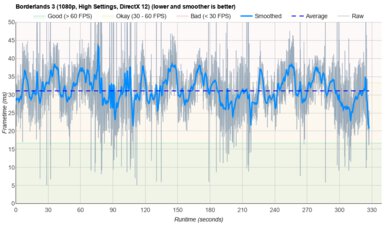
    Borderlands 3 runs poorly on the Samsung Galaxy Book 5 Pro 360. Although you can get over 60 fps at 1080p with low settings, the gameplay is a little too choppy for a good gaming experience. The integrated GPU isn't powerful enough to handle this and other similarly demanding games.

    6.9
    Civilization VI
    See details on graph tool
    Avg. FPS
    48 fps
    1% Low
    34 fps
    0.1% Low
    32 fps
    1% Low Delta
    9 ms
    0.1% Low Delta
    10 ms
    Avg. FPS On Minimum
    185 fps
    Avg. Turn Time
    7.31 s

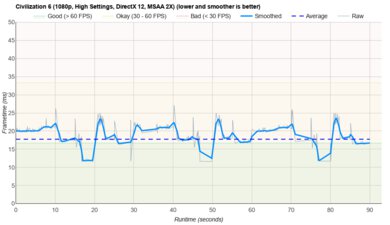
    Civilization VI is very playable. Although 60 fps isn't really a requirement in strategy games such as this, you can easily achieve it with some tweaks in the graphical settings. The Core Ultra 5 can also run this and other similar games smoothly. The average turn time is decent and within the expected range for a current-gen CPU.

    7.7
    Counter-Strike 2
    See details on graph tool
    Avg. FPS
    86fps
    1% Low
    52fps
    0.1% Low
    43fps
    1% Low Delta
    7 ms
    0.1% Low Delta
    12 ms
    Avg. FPS On Low
    180fps

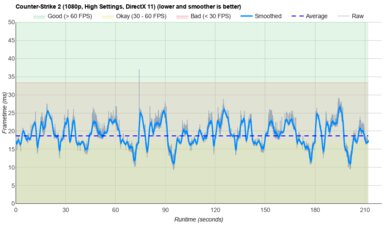
    Counter-Strike 2 runs well on the Samsung Galaxy Book 5 Pro 360 with an Intel Core Ultra 7 256V CPU. Stutters do happen, but not enough to make the game unplayable. The Core Ultra 5 can also run this and other similarly demanding games smoothly, though you'll have to tweak the settings slightly.

    6.4
    Shadow Of The Tomb Raider
    See details on graph tool
    Avg. FPS
    43 fps
    1% Low
    32 fps
    0.1% Low
    26 fps
    1% Low Delta
    9 ms
    0.1% Low Delta
    16 ms
    Avg. FPS On Lowest
    79 fps

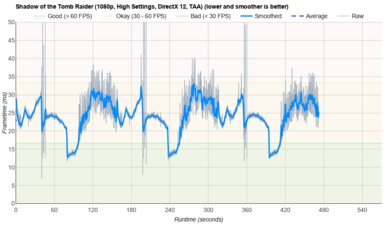
    The Samsung Galaxy Book 5 Pro 360's performance in Shadow of the Tomb Raider isn't bad. You can get fairly smooth gameplay at 1080p, albeit with low graphical settings. The Core Ultra 5 will struggle a bit more, resulting in occasional stutters. The large frametime spikes are scenes changes and aren't representative of the performance.

    7.5
    Thermals And Noise
    Keyboard Temp While Idle
    31 °C (88 °F)
    Keyboard Temp Under Load
    46 °C (115 °F)
    Fan Noise While Idle
    25.0 dBA
    Fan Noise Under Load
    43.0 dBA
    Power & Fan Control App
    Yes

    The keyboard gets a bit toasty under load and may cause some discomfort as the hot spot is near the middle. The bottom of the laptop also gets hot, reaching 46.9 °C (116.42 °F), so you might need a lapboard to use the device comfortably on your lap. Thankfully, the fans remain relatively quiet.

    The posted results are measurements taken in the Performance mode. Here are the measurements in the Optimized, Quiet, and Silent modes:

    Optimized

    • Keyboard Temp Under Load: 39.4 °C (102.92 °F)
    • Fan Noise Under Load: 41.2 dBA

    Quiet

    • Keyboard Temp Under Load: 38.1 °C (100.58 °F)
    • Fan Noise Under Load: 40.3 dBA

    Silent

    • Keyboard Temp Under Load: 36.7 °C (98.06 °F)
    • Fan Noise Under Load: 38.1 dBA
    7.8
    Performance Over Time
    See details on graph tool
    CPU Temp (Cinebench)
    76 °C
    CPU Perf. Loss (Cinebench)
    13% loss
    GPU Temp (Heaven)
    67 °C
    GPU Perf. Loss (Heaven)
    1% loss

    We've conducted this test using the laptop's best performance (Performance) mode with the fan speed at max instead of the default Balanced mode we've used in previous laptop reviews.

    Additional Features And Software
    Software
    Operating System
    Windows 11
    Additional Software
    Yes

    The Samsung Galaxy Book 5 Pro 360 has many pre-installed applications, including:

    • Air Command: Lets you customize the S Pen's functions and shortcuts.
    • Bixby: Samsung’s digital assistant.
    • CLIP STUDIO PAINT START for SC: Digital art creation app.
    • ColorEngine: Photo editing app.
    • Dolby Access: Adds Dolby Atmos support. Requires in-app purchase for headphone functionality.
    • Galaxy Book Experience: Lets you quickly access all Samsung apps installed on the system.
    • Galaxy Book Smart Switch: Lets you move data from your old computer to the Galaxy Book.
    • Goodnotes for GalaxyBook: Note-taking app.
    • Live Wallpaper: App that automatically changes your wallpaper image based on your interests.
    • McAfee: Antivirus software. Requires subscription.
    • Multi Control: Virtual KVM. Lets you use your mouse and keyboard to control other Galaxy devices.
    • Noteshelf Samsung: Note-taking app.
    • Online Support Service: Contains Samsung support contact information. You can also request a repair or check the status of a repair.
    • PENUP: Social network app that lets users create and share drawings.
    • Quick Search: Lets you quickly find files and text in saved documents.
    • Quick Share: Lets you share images, videos, and files with your friends.
    • Samsung Account: Lets you access your Samsung account, see all your Samsung devices and recent activities, and access device location function.
    • Samsung Cloud Assistant: Lets you access Samsung's cloud services, like cloud storage, notes and settings synchronization across multiple devices, and headphone auto-switching.
    • Samsung Continuity: Lets you control and share content across Samsung devices.
    • Samsung Device Care: Lets you monitor the computer's health (malware detection, battery usage and health), check for software updates, optimize performance, and change battery settings.
    • Samsung Find: Helps you locate misplaced Samsung Galaxy devices, like your phone, tablet, pen, and earbuds.
    • Samsung Flow: Lets you transition your activities across your Samsung devices.
    • Samsung Notes: Note-taking app.
    • Samsung Pass: Lets you sign into various apps using your biometrics.
    • Samsung Settings: Lets you access network, power, display, audio, keyboard backlighting, and S Pen settings.
    • Samsung Studio: Video editing app.
    • SamsungPhone: Lets you receive and make calls, answer messages, and view alerts from your Samsung phone.
    • Screen Recorder: Lets you record your screen.
    • Second Screen: Lets you use your Samsung tablet as a second screen.
    • SmartThings: Lets you control and manage other Samsung SmartThings-compatible devices from your computer.
    Extra Features
    Biometrics
    Fingerprint Sensor
    RGB Illumination
    No
    Touch Pen Support
    Wacom EMR
    Secondary Display
    No

    The Samsung Book 5 Pro 360 has a fingerprint sensor built into the power button. You can use it to log in quickly, authorize purchases in the Windows Store, and auto-fill saved passwords on supported websites.

    This laptop supports pen input and comes with a stylus included in the box. Samsung's S Pen uses Wacom technology, so if you don't get one or lose the pen, you can use any Wacom pen on the market. The S Pen feels comfortable to hold and use. Pressing the side button while hovering over the screen brings up the 'Air Command' menu, allowing you to quickly access functions and shortcuts. Latency is pretty good, as you can see in this slow-motion video, though palm rejection doesn't always work. Unfortunately, there's no pen garage to store the stylus for transport. There's a magnet strong enough to hold it securely on each side of the touchpad, but this would prevent you from closing the lid. There's also a magnet on the left side of the laptop; this won't prevent you from closing the lid, but the magnet itself is far too weak to hold the pen.

    As mentioned in the software section above, you can use a Samsung tablet as a second screen, similar to Apple's Sidecar feature. The tablet still detects touch input when used as a screen, and latency is noticeable but minimal.