A monitor's gradient handling defines how well it displays different shades of colors. Good gradient handling means it properly displays different shades without any banding, which is important for scenes like sunsets or darker content with shadows. Bad gradient handling results in banding between different shades, which results in a loss of details in this type of content.
We subjectively test for gradients on a monitor by displaying a test pattern in SDR and checking for any banding. Most monitors handle gradients well, but some have issues, which is something to consider if you want a display for watching content.
You can also learn more about our HDR native gradient test on TVs.
Test results
Test Methodology Coverage
The gradient test has been included with monitors since the original Test Bench 1.0 in October 2017. The test hasn't changed since, so the results are valid for monitors on any test bench. Learn more about how our test benches and scoring system work.
| Tests | 1.0 and newer |
|---|---|
| Gradient Picture | ✅ |
| Color Depth | ✅ |
When It Matters
Gradient handling is important when viewing scenes with different shades of the same color, such as a blue, sunny sky, where the blue becomes lighter the closer it is to the sun. Bad gradient handling makes the transition from one shade to the other more visible, resulting in noticeable banding with lines appearing throughout the scene. Banding looks like there are lines appearing in the scene that aren't supposed to be there, particularly between shades of similar colors.
Below you can see examples of bad (left) and good (right) gradient handling in real content on a TV. You can see details in the sky on the TV with good gradients, whereas there's a loss of details with the TV with bad gradients. You can see the banding particularly in the sky on the left, with lines appearing throughout the sky, which makes it hard to properly see the clouds.
 |
 |
Another important factor related to gradient handling is the monitor's color depth. Accepting higher color bit depth can help improve gradient handling, with 10-bit monitors generally having less banding than 8-bit displays. We check for the color depth that a monitor accepts as part of our testing.
Our Tests
For our test, we ensure that the monitor is in SDR with local dimming off, and we set up a camera in front of the monitor with an F4.0 aperture lens, a 1/15 sec. shutter time, and an ISO of 200.
We display a test pattern and subjectively score the gradient handling.
Color Depth
The first step is to determine whether a monitor accepts an 8-bit or 10-bit signal. If it only accepts an 8-bit signal, then the color depth is listed at '8 Bit,' whereas if it accepts a 10-bit signal, it's listed as '10 Bit.' We don't test for higher color depth, though, like 12-bit. It's also important to remember that this test is about the color depth signal that the monitor accepts, and not the true color depth of the panel.
Gradient Picture
The second step is to take a photo of the screen in a dark room displaying our gradient test pattern, with a target brightness of the screen being 100 cd/m². After capturing an image, we process the photo using the same program on all monitors so that you can compare the image between displays.
To score the gradient, we run a batch file that divides the photo that we took into smaller sections. The tester then looks at these sections, one at a time, to determine whether there's banding or not. Three points are awarded if there's no banding, two points if unsure, and one point if there's banding. These points are then tallied and translated into a score out of ten. We deduct a point for an 8-bit panel, which means the highest score for an 8-bit monitor is 9.0. That said, an 8-bit monitor can still score higher than a 10-bit one, as some 10-bit monitors don't handle gradients well, and some 8-bit ones are very good at it.
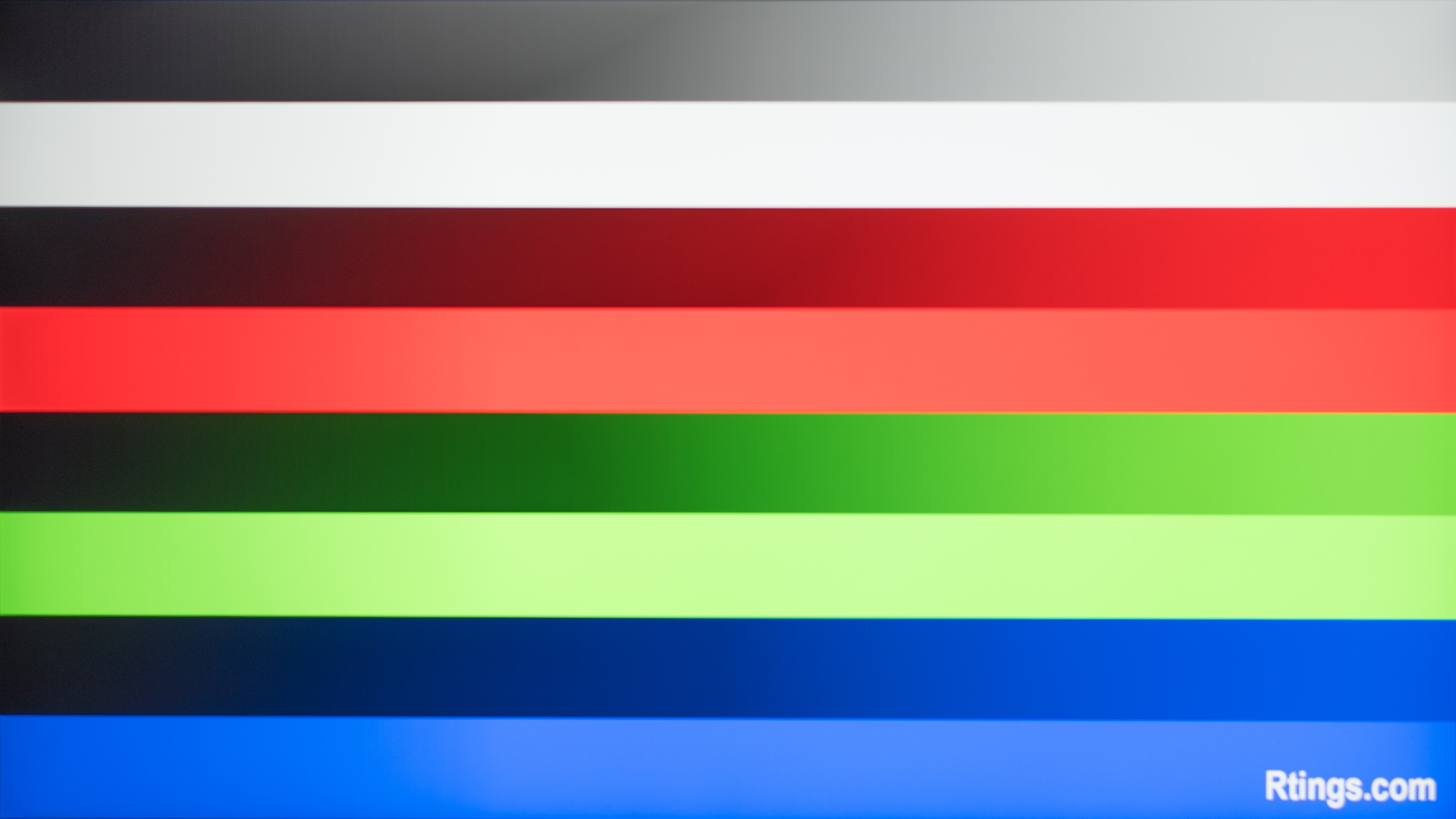
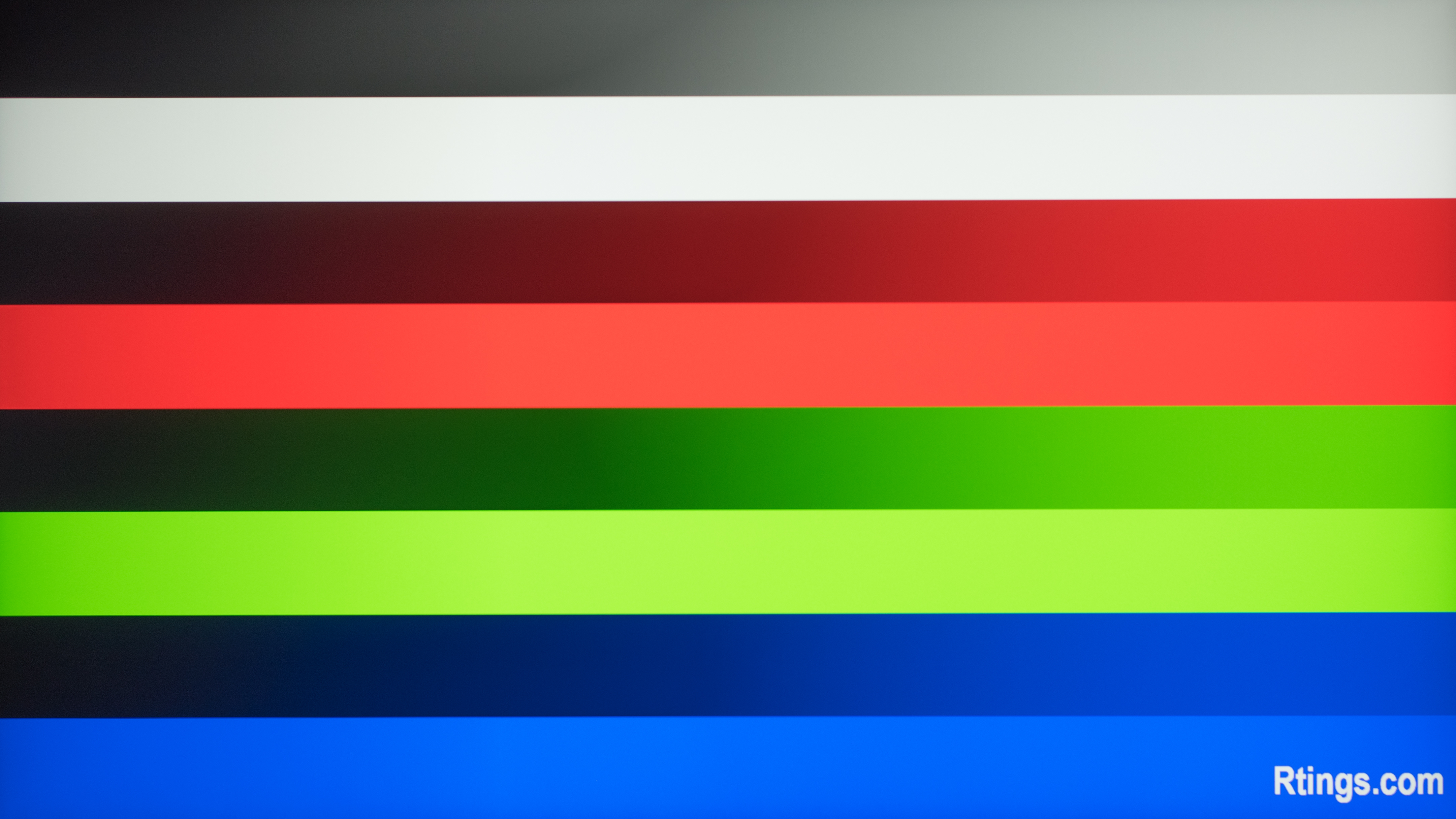
Below you can see examples of differences in gradient handling between two monitors. The main difference is their color depth, as the 10-bit monitor on the right has smooth transitions between different shades, whereas the 8-bit monitor on the left has banding. This is most noticeable in darker colors.
| Gradient: 8.7 Color Depth: 8 Bit |
Gradient: 9.9 Color Depth: 10 Bit |
|---|---|
 |
 |
Additional Information
8-bit vs 8-bit+FRC vs 10-bit
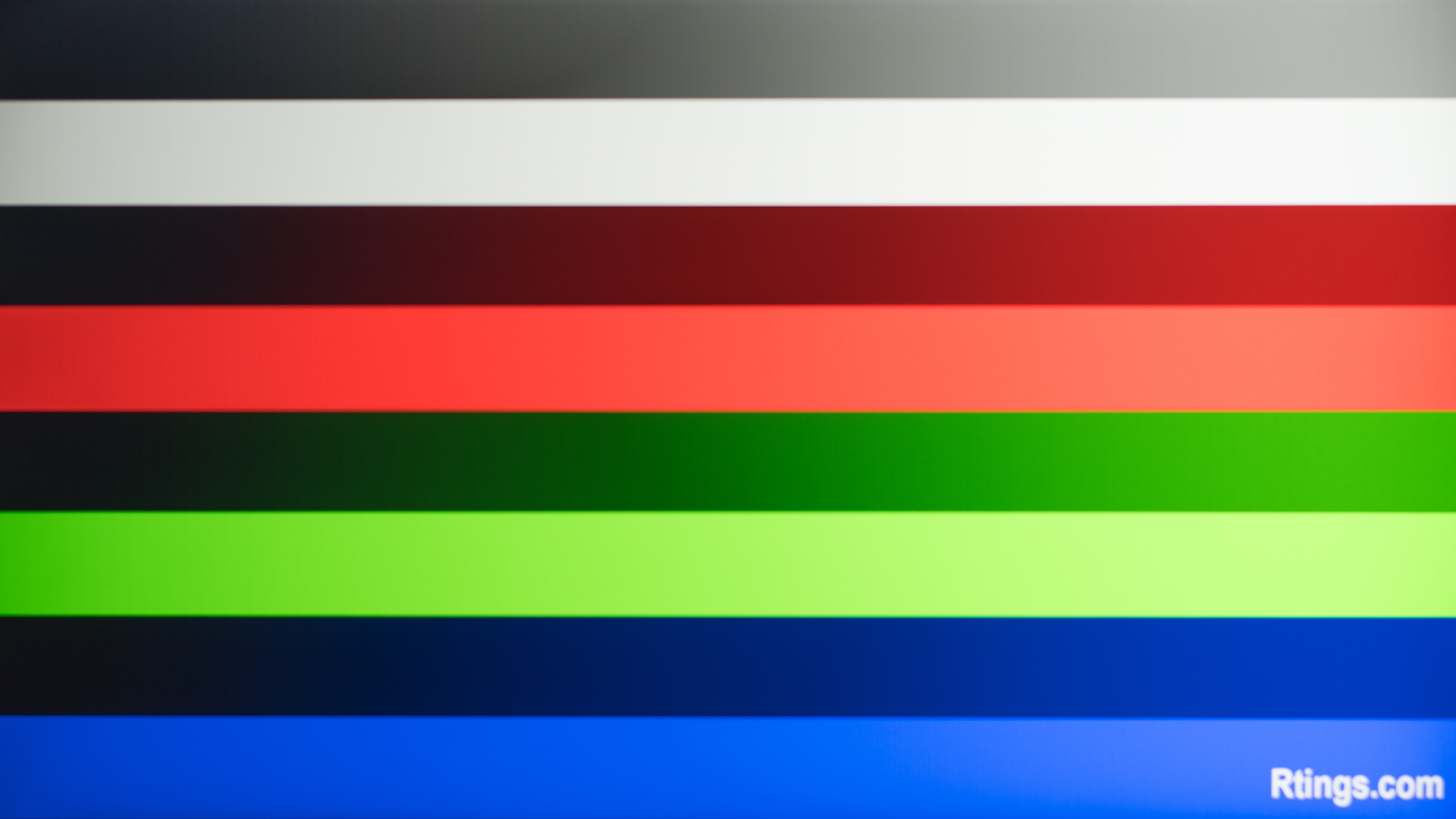
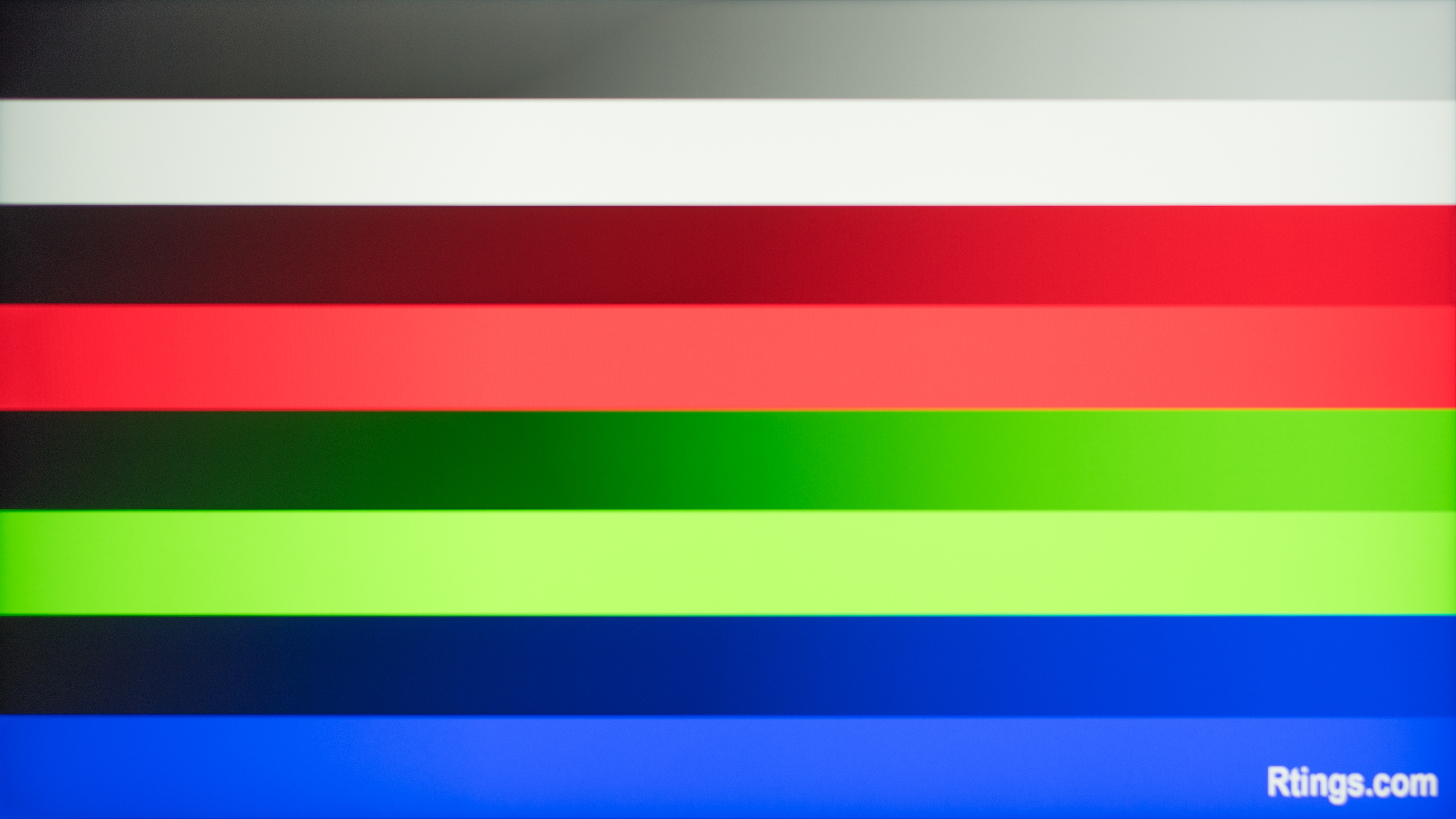
The main difference between an 8-bit and 10-bit signal is the number of colors they can produce; an 8-bit signal can display 16.7 million colors, while a 10-bit signal can display 1.07 billion. Once again, below you can see that there's banding with the 8-bit monitor, which is a limitation of the signal that it accepts, and less of an issue from the monitor itself.
| 8-Bit | 10-Bit |
|---|---|
 |
 |
That said, accepting 10-bit signals doesn't mean that the monitor's panel has true 10-bit color depth. Instead, many modern 8-bit displays use a technique called "dithering," allowing them to accept and produce 10-bit signals. Temporal Dithering (also known as Frame Rate Control or FRC) produces certain colors by cycling between the adjacent shades. This type of flickering isn't visible most of the time, but when it is, it's usually in the darker shades. The other technique to display 10-bit signals is called Spatial Dithering, which places the two adjacent shades very close to each other to trick the eyes into seeing an intermediate shade, but it isn't used as often as FRC.
It's important to remember that our tests don't differentiate between true 10-bit monitors and those that use 8-bit + FRC. This is why our Color Depth test indicates the color depth of the signal, and not the panel.
How To Get The Best Results
There's no true way to improve a monitor's gradient handling. However, to get the best performance, you should set the signal's color depth to 10-bit to avoid 8-bit banding. There may be limitations to that, though, like if your monitor or computer has bandwidth limitations that prevent a high refresh rate with 10-bit signals. We do test for each monitor's max refresh rate with 10-bit signals, though, so you can check the review of a monitor before buying if this concerns you.
Another factor to consider is the monitor's color accuracy. A properly calibrated monitor can display different colors well, whereas an inaccurate monitor may have trouble displaying various colors, leading to a loss of details in scenes like a sunset.
Learn more about adjusting your monitor's settings.
Conclusion
Having a monitor with good gradient handling helps provide good picture quality, particularly in scenes with sunsets or dark content with different shadows. Good gradient handling means that the monitor properly displays different colors well, including shades of the same color, whereas bad gradient handling results in banding between these shades. Generally speaking, signals with 10-bit color depth can result in good gradient handling as these signals support more colors than 8-bit color depth. We check for this as part of our gradient testing, and we also subjectively assign a score based on a test pattern. When there's no banding between different shades, then the monitor receives a good score.