The Dell AW3225QF is a premium 4k 240Hz QD-OLED gaming monitor. It's higher-end than the Dell Alienware AW2725DF and a larger alternative to the Dell Alienware AW2725Q. It competes with a number of other 32-inch QD-OLEDs, such as the MSI MPG 322URX QD-OLED and the Gigabyte AORUS FO32U2P, though the Dell is unique among these in having a curved screen. It has features common with 32-inch QD-OLEDs, such as support for all VRR formats and HDMI 2.1 bandwidth. However, it also has some less common features, such as Dolby Vision support and an eARC/ARC port to digitally connect a soundbar or receiver.
Our Verdict
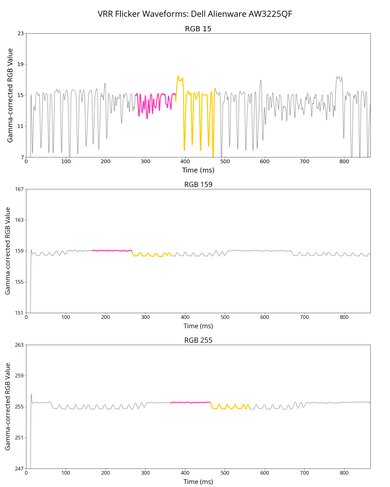
The Dell AW3225QF is outstanding for PC gaming. It has a near-instantaneous response time that results in crisp motion, and it has low input lag for a responsive feel. Its deep blacks and perfect black uniformity are also ideal for gaming in dark rooms. It also gets bright enough for highlights to pop, and colors look vivid. While it supports all common VRR formats to reduce screen tearing, there's noticeable VRR flicker when frame rates change, which is disappointing if your PC can't maintain a consistent frame rate.
Deep and inky blacks in dark rooms.
- 240Hz refresh rate and VRR support.
- Near-instantaneous response time.
- Displays wide range of vivid colors.
- Low input lag.
- Noticeable VRR flicker with changing frame rates.
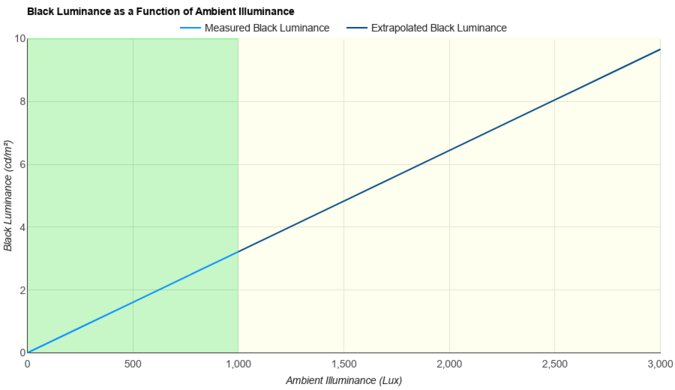
Black levels rise in bright rooms.
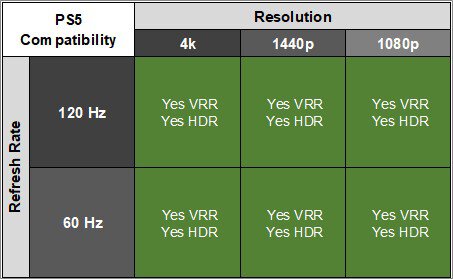
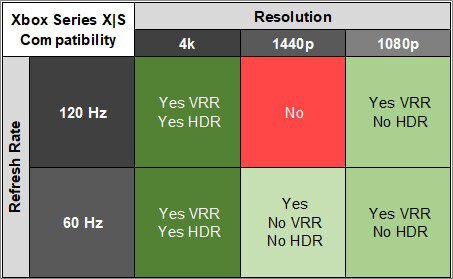
The Dell AW3225QF is remarkable for console gaming. It has HDMI 2.1 bandwidth and supports 4k signals up to 120Hz from the PS5, PS5 Pro, and Xbox Series X|S. It delivers outstanding gaming performance thanks to its near-instantaneous response time for sharp motion. It also delivers remarkable picture quality, with deep, inky blacks in dark rooms and bright, vivid colors. However, while it has a low input lag at 120Hz, its 60Hz input lag is a bit higher than that of other monitors, which is disappointing if you play games at that refresh rate.
Deep and inky blacks in dark rooms.
- Near-instantaneous response time.
- HDMI 2.1 bandwidth.
- Displays wide range of vivid colors.
- Low input lag.
Black levels rise in bright rooms.
The Dell AW3225QF is good for office work but has some limitations. Its large screen makes it easy to multitask, and its high 4k resolution helps produce excellent text clarity. It also has a wide viewing angle and decent ergonomics, making it easy to share your screen with someone else. While it doesn't get extremely bright in SDR and has mirror-like reflections, it's still bright enough for use in a moderately-lit room. Additionally, OLEDs like this one are prone to burn-in with constant exposure to the same static elements over time, which you may encounter with productivity programs and taskbars.
Wide viewing angle.
- Excellent text clarity.
Decent ergonomics.
Mirror-like reflections.
- Risk of burn-in.
The Dell AW3225QF is fantastic for content creation. It has remarkable accuracy in its sRGB picture mode, so you don't need to calibrate it, and it displays a wide range of vivid colors. The high 4k resolution displays crisp images, but its slightly curved screen may take some time to get used to if you've never used a curved display before. It also has okay brightness, though it doesn't get bright enough to fight intense glare and has mirror-like reflections. It has some downsides, though, as OLEDs like this are prone to burn-in with constant exposure to the same static elements over time.
Wide viewing angle.
- Excellent text clarity.
Deep and inky blacks in dark rooms.
- Remarkable accuracy before calibration.
Mirror-like reflections.
- Risk of burn-in.
Black levels rise in bright rooms.
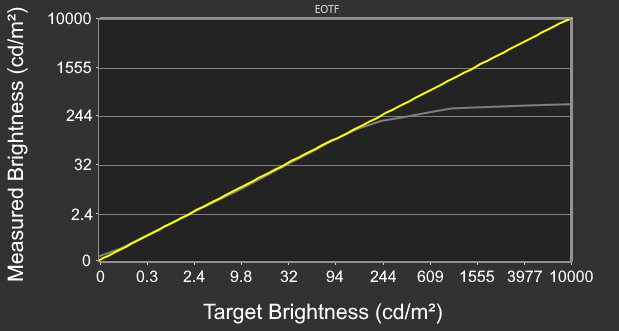
The Dell AW3225QF has okay brightness. It's fine if you have a few lights around, but it doesn't get bright enough to fight intense glare. Small highlights in HDR also pop against the rest of the image, but larger highlights are dimmer.
- Small highlights stand out.
Not bright enough to fight intense glare.
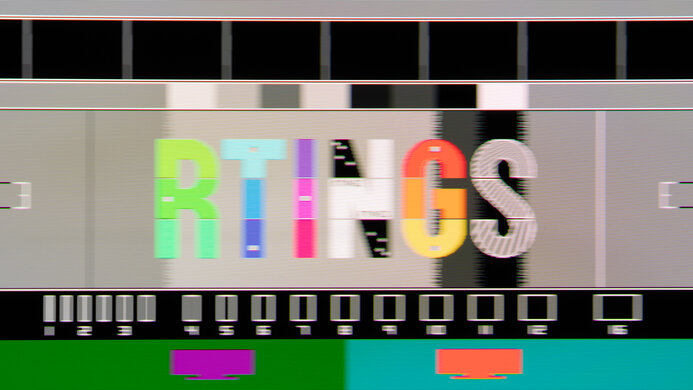
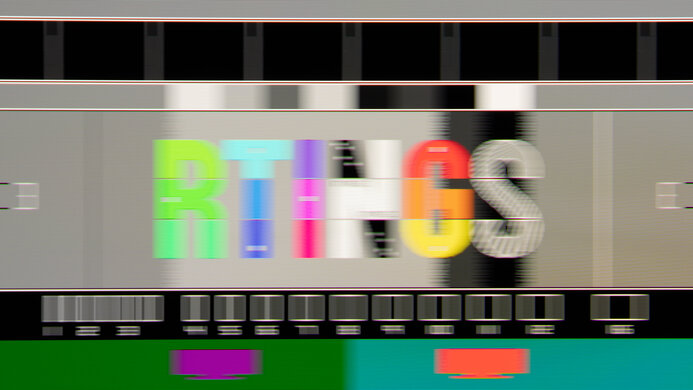
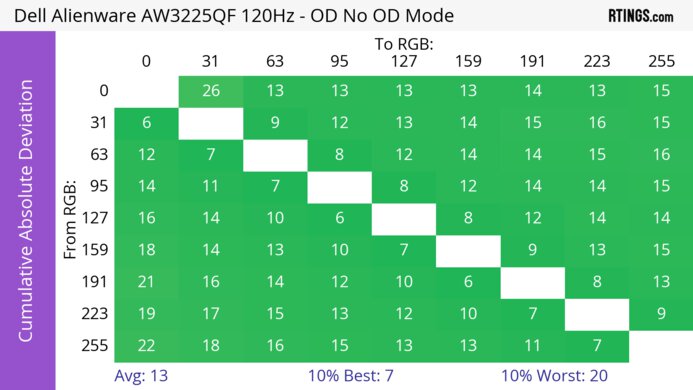
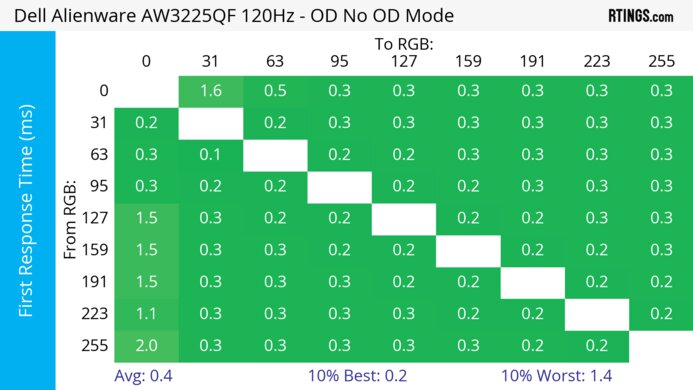
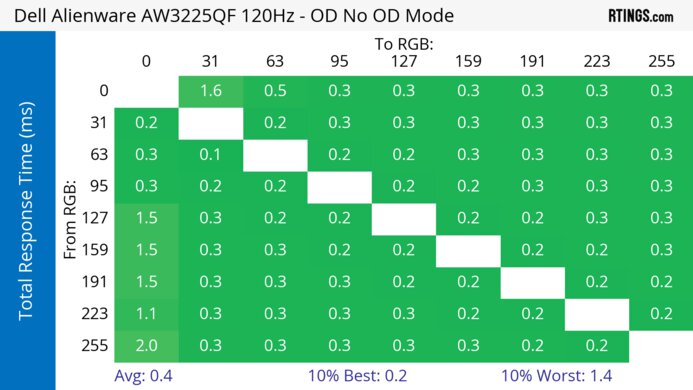
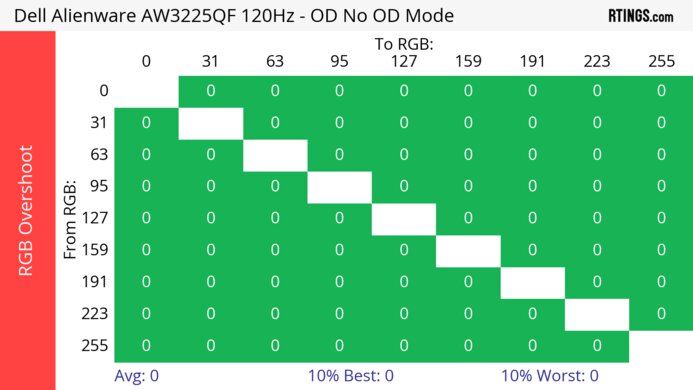
The Dell AW3225QF has a near-instantaneous response time, resulting in exceptionally sharp motion.
- Near-instantaneous response time.
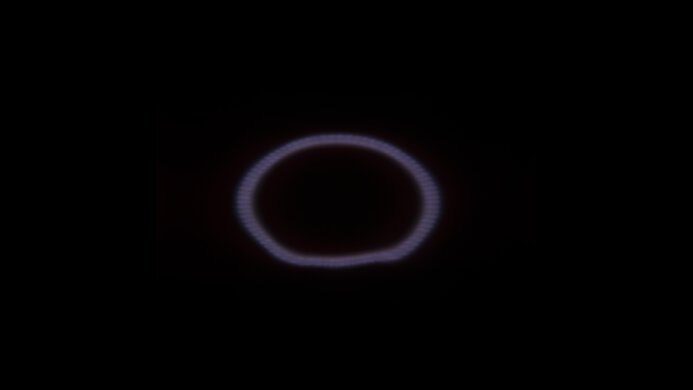
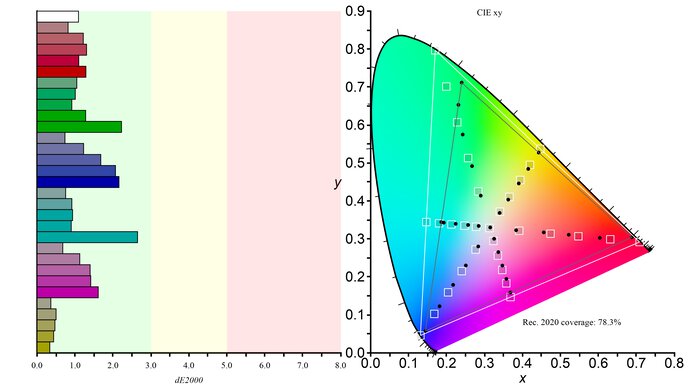
The Dell AW3225QF is outstanding for HDR. It displays a wide range of colors vividly, as well as deep blacks in a dark room. However, blacks appear slightly purple in rooms with a lot of ambient light.
Deep and inky blacks in dark rooms.
- Displays wide range of vivid colors.
Black levels rise in bright rooms.
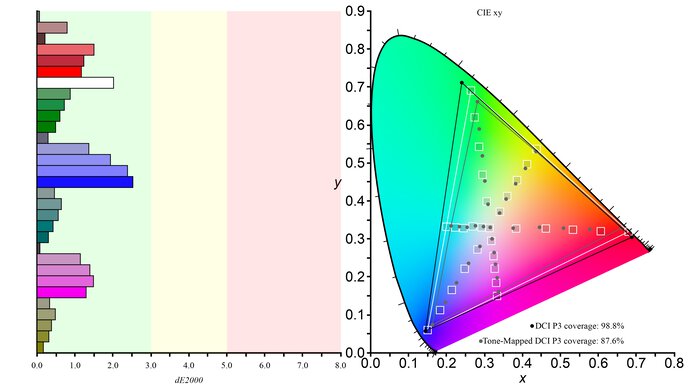
The Dell AW3225QF has outstanding SDR picture quality, as it displays deep and inky blacks in a dark room as well as a wide range of colors.
Deep and inky blacks in dark rooms.
- Displays wide range of vivid colors.
The Dell Alienware AW3225QF has exceptional color accuracy. It has remarkable accuracy before calibration, and calibration doesn't improve the accuracy much.
- Remarkable accuracy before calibration.
Performance Usages
Changelog
-
Updated Mar 18, 2026:
We updated text for clarity throughout in accordance with Test Bench 2.1.2.
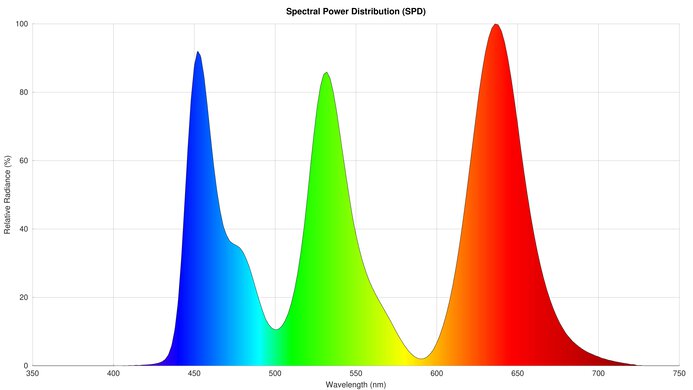
- Updated Mar 17, 2026: We've converted this review to Test Bench 2.1.2. We added a new Panel Technology box, including the Spectral Power Distribution (SPD) graph.
-
Updated Jan 27, 2026:
We ran many pixel refresh cycles and confirmed that there's no gradient banding after running these.
-
Updated Jan 19, 2026:
We updated the firmware to M2B109 and added the HDR Brightness results in the new 'HDR Peak 1000 Bright' mode.
Check Price
Differences Between Sizes And Variants
We bought and tested the 32-inch Dell AW3225QF, which is the only size available for this monitor. Another QD-OLED monitor, the Dell Alienware AW2725DF, is different as it has a 1440p resolution and 360Hz refresh rate. The results are only valid for this model.
| Model | Size | Resolution | Panel Type | Refresh Rate |
|---|---|---|---|---|
| AW3225QF | 32" | 4k | QD-OLED | 240Hz |
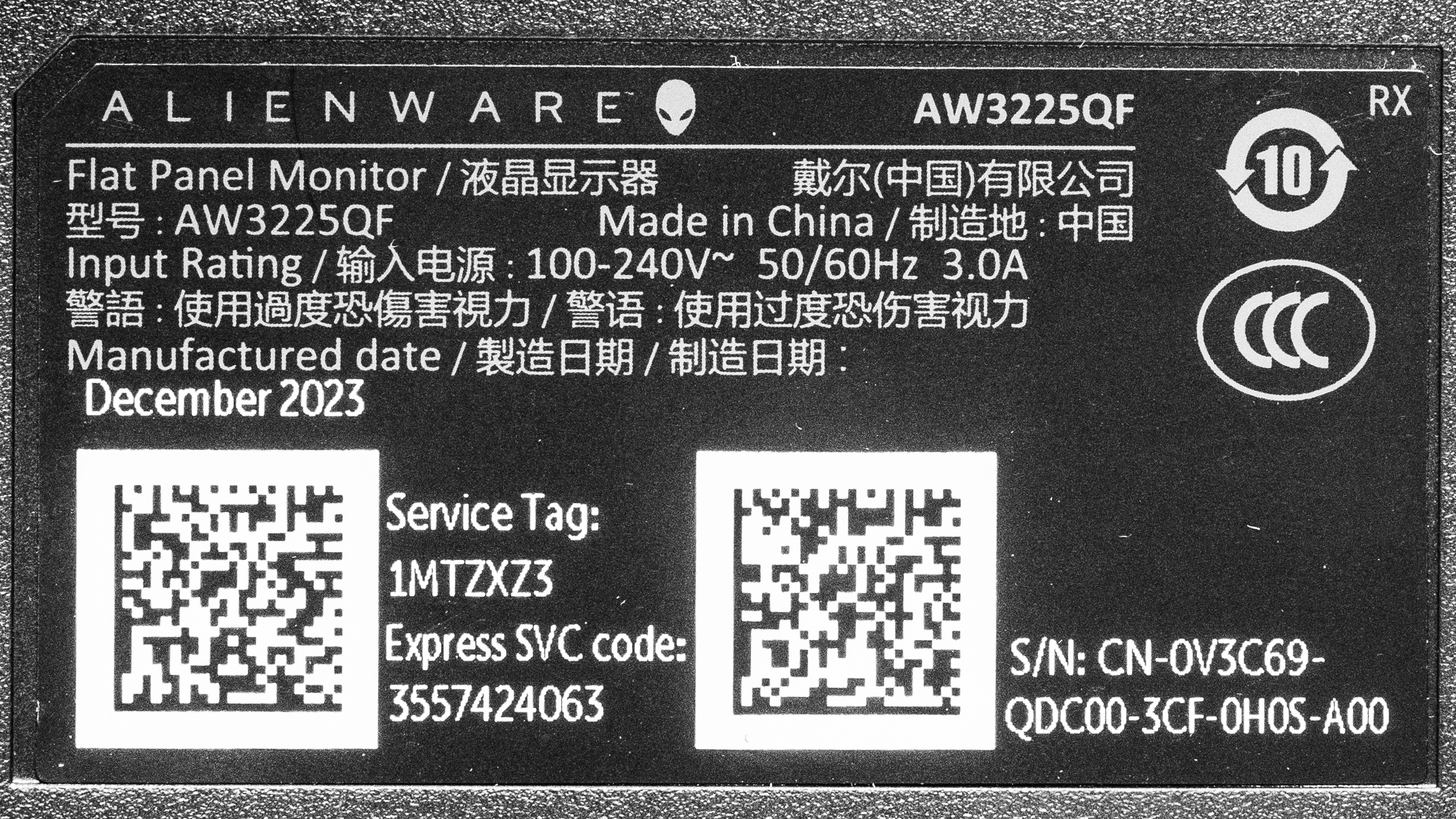
Our unit's label indicates it was manufactured in December 2023 in China. While it was originally tested with M2B101, we've retested it with firmware M2B105 and M2B109.
Popular Monitor Comparisons
The Dell AW3225QF is a premium 4k, 32-inch, 240Hz QD-OLED gaming monitor. It competes in a crowded market with numerous other 32-inch QD-OLED displays, such as the MSI MPG 322URX QD-OLED, which offers a DisplayPort port with higher bandwidth, a KVM switch, and delivers over 90W of power via USB-C. The main differentiator from the Dell is its curved screen, and it's a fantastic choice if that's the type of screen you're looking for. However, if you prefer a flat screen, there are other displays that offer equal performance and a number of additional features.
See our recommendations for the best 4k gaming monitors, the best 240Hz monitors, and the best curved gaming monitors.
The Dell Alienware AW3225QF and the ASUS ROG Swift OLED PG32UCDM are similar 4k, 240Hz QD-OLEDs that use the same panel. The Dell has a curved screen, while the ASUS is flat, so you may find the ASUS a better choice if you don't like curved displays. Other than that, the Dell is the better choice for console gaming as it has lower input lag at 120Hz and 60Hz. However, the ASUS is better for productivity, especially in a bright room, as it gets brighter and has a few more perks, like a KVM switch.
The Dell Alienware AW3225QF and the MSI MPG 321URX QD-OLED are both 32-inch 4k @ 240Hz QD-OLED monitors. The Dell is the better choice if video quality is important to you, as it has Dolby Vision support, and content available in that format will look better. It also has a curved screen, which you may or may not prefer, depending on your preferences. However, the MSI is better for productivity, as it has a KVM switch and delivers up to 90W of power over USB-C.
The Samsung Odyssey OLED G80SH S32HG802S and the Dell Alienware AW3225QF are both 4k, 240Hz QD-OLEDs. The Samsung has a newer QD-OLED panel that allows it to get brighter. There are some differences in picture quality because of their screen coatings. The Dell has a glossy coating with a clearer image, but it has more mirror-like reflections. On the other hand, the matte coating of the Samsung has much better reflection handling at the cost of added haze. They're similar otherwise, but the Dell has a curved screen, and the Samsung has a flat screen. Plus, the Samsung has DisplayPort 2.1 bandwidth and DisplayPort Alt Mode, both of which the Dell lacks.
The Dell Alienware AW3225QF and the Samsung Odyssey OLED G80SD S32DG80 are both 4k @ 240Hz QD-OLED monitors. The Samsung monitor is the better choice if you plan to use the monitor as a TV, as it has a remote and integrated apps like Netflix. It's also a better choice if you're in a brighter room, as it has better reflection handling. However, if video quality is very important to you, then the Dell is the better option, as it supports Dolby Vision, and content available in that format will look better.

We buy and test more than 30 monitors each year, all of which we purchase ourselves, without cherry-picked units or samples. We put a lot into each unbiased, straight-to-the-point review, and there's a whole process from purchasing to publishing, involving multiple teams and people. We do more than just use the monitor for a week; we use specialized, custom tools to measure various aspects and deliver objective, data-driven results. We also consider multiple factors before making any recommendations, including the monitor's cost, its performance compared to the competition, and whether it's easy to find.
Test Results






for pictures & test results





for pictures & test results


for pictures & test results

for pictures & test results

for pictures & test results

for pictures & test results

for pictures & test results

for pictures & test results





for videos & test results

for pictures & test results

for pictures & test results

for pictures & test results